

[nextpage title=”Introducing the Endorfy Liv”]
This is the first time I’ve had Endorfy peripherals in my hands. As a reminder, this is a Polish firm that offers PC cooling, including fans, AIOs, but also microphones, cases and even power supplies… There’s plenty on offer. Today, we’re tackling a test of the brand’s two Endorfy Liv and Liv Plus Onyx White Wireless mice, which were announced at the end of March. We’ll be taking a closer look at the basic version of the mouse, as well as the wireless model with a recharging ‘base’. The Liv model is available now for €35, while the wireless version can be had for around €89.


So, what are these new Endorfy mice worth? Find out in our full test!
Technical specifications :
These are relatively light mice on paper. In fact, the Liv weighs around 54g and 69g for the wireless version (battery required). In terms of dimensions, the mouse is 65.7 mm wide, 126 mm deep and 39.3 mm high.
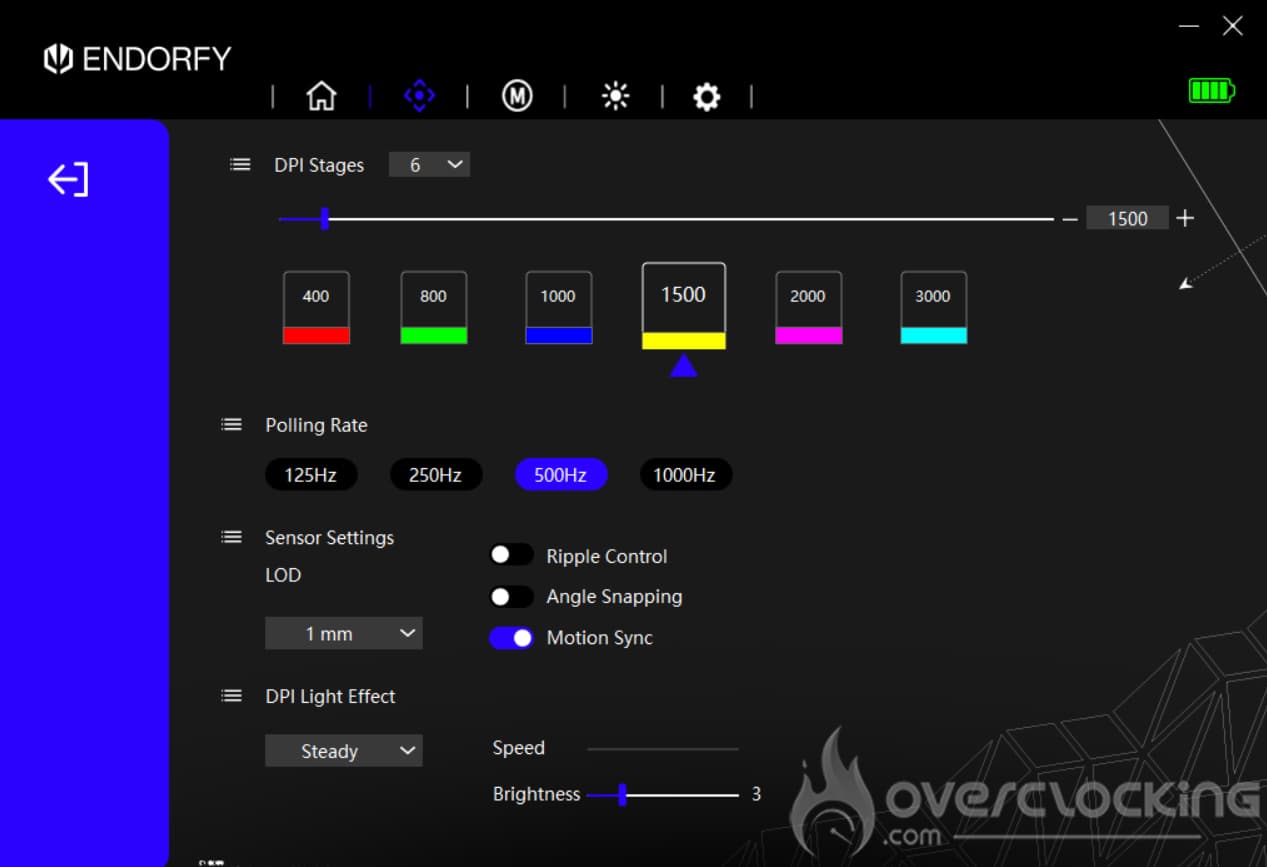
The Liv is equipped with a PixArt PAW-3311 optical sensor that can deliver up to 12,000 DPI. The Liv Plus Onyx White Wireless is equipped with a PixArt PAW-3395 sensor that can reach up to 26,000 DPI. There are 6 different pre-set levels: 400/800/1000/1500/2000/3000. Endorfy’s mouse also features Kailh GM4.0 switches with a lifespan of almost 60 million activations.
All Endorfy Liv’s mice are now available in black or white.
[nextpage title=”Unpacking”]
The box:
Our two mice arrive in relatively similar boxes. In fact, the Liv Plus Onyx White Wireless is thicker than its little sister (probably due to a more complete bundle ). On the front, we can see that this model is equipped with a charging base, like the MSI GM51 Lightweight wireless. On the sides, the brand highlights its RGB LEDs with 16.8 million colours, its featherweight of 69g, and its PixArt PAW-3395 sensor that can reach 26,000 DPI. This model has Kailh switches and 6 programmable buttons. Endorfy also features a flexible paracord cable, PTFE glide pads and a two-year manufacturer’s warranty.
The second model (Liv) has similar features, except that it weighs less (54g). The PixArt PAW-3311 sensor is less powerful, and only achieves 12,000 DPI.
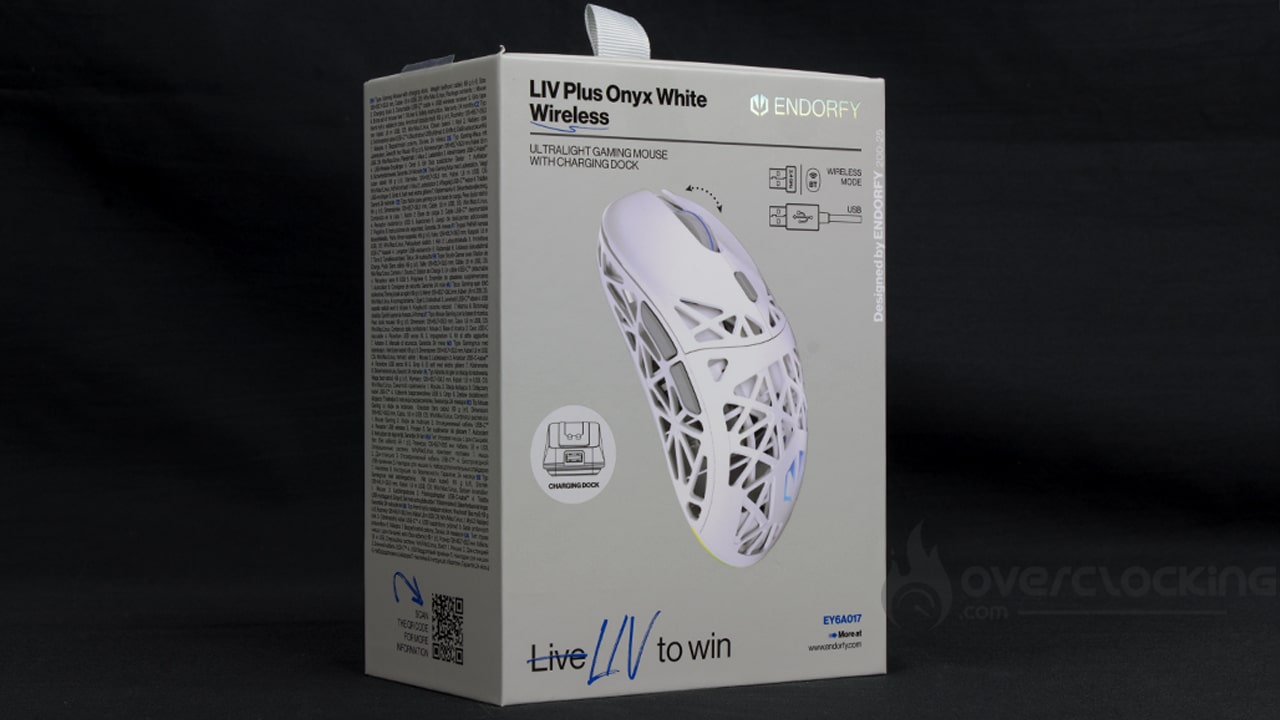
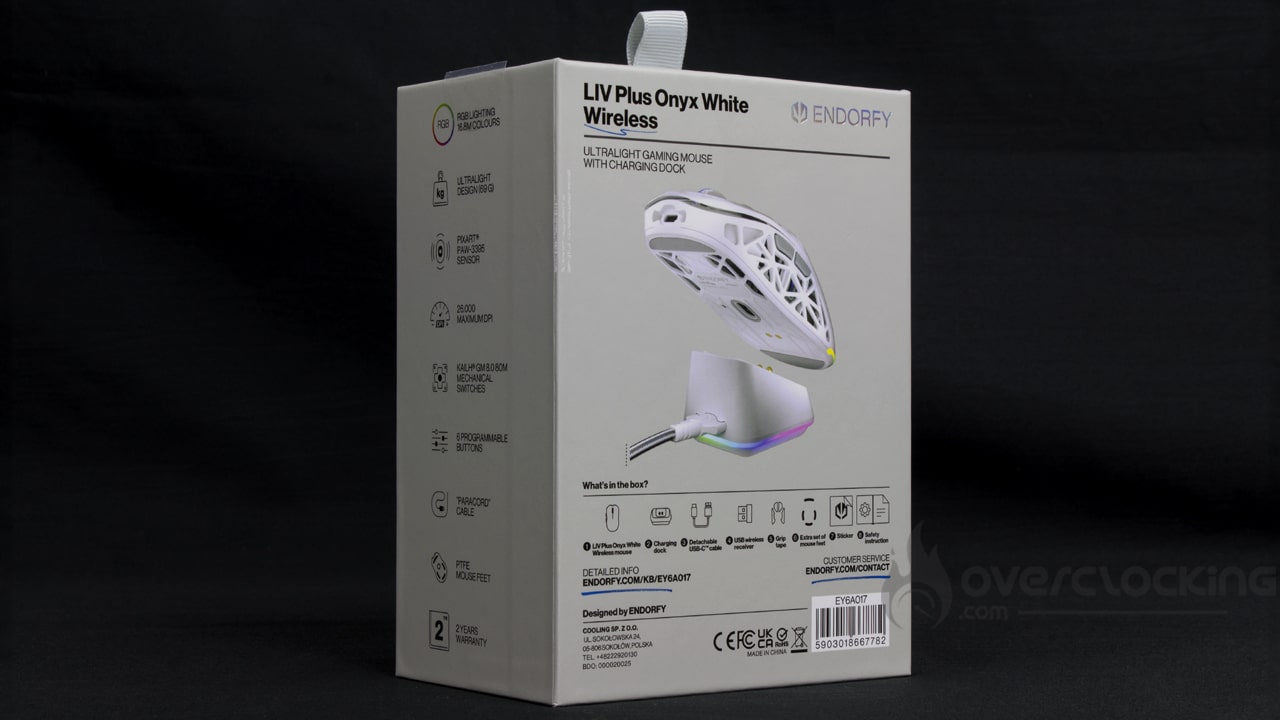
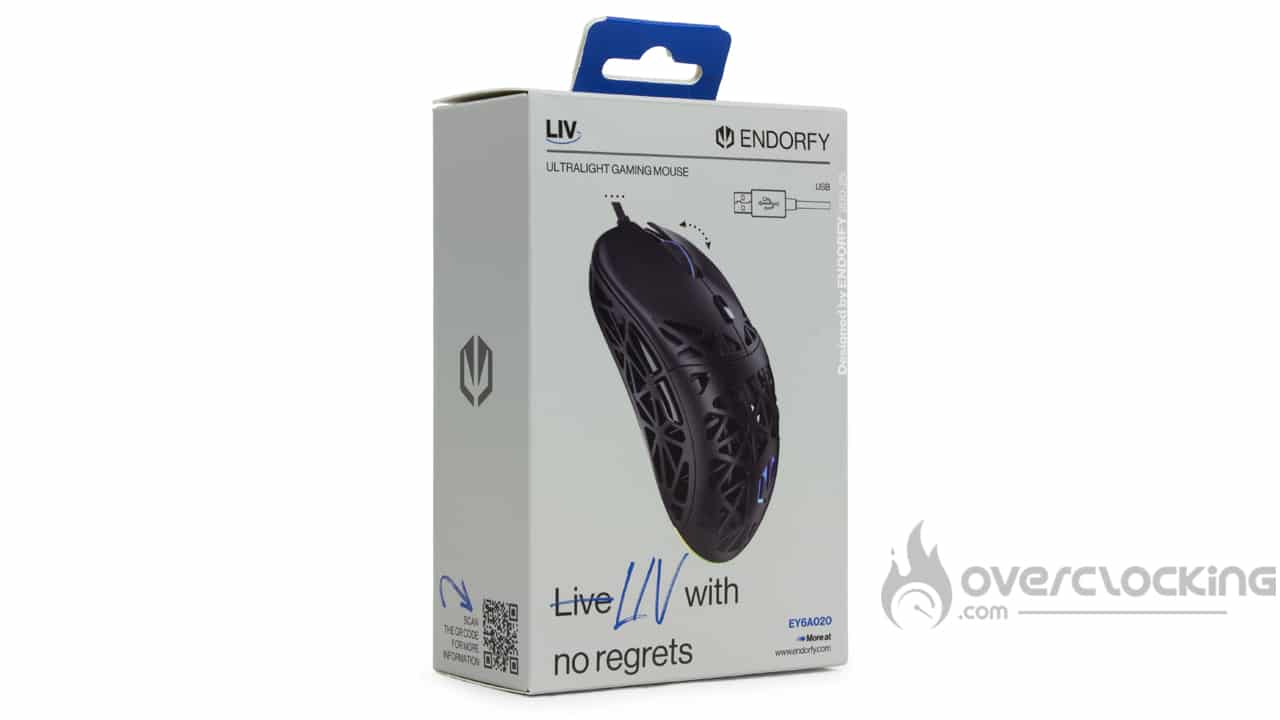
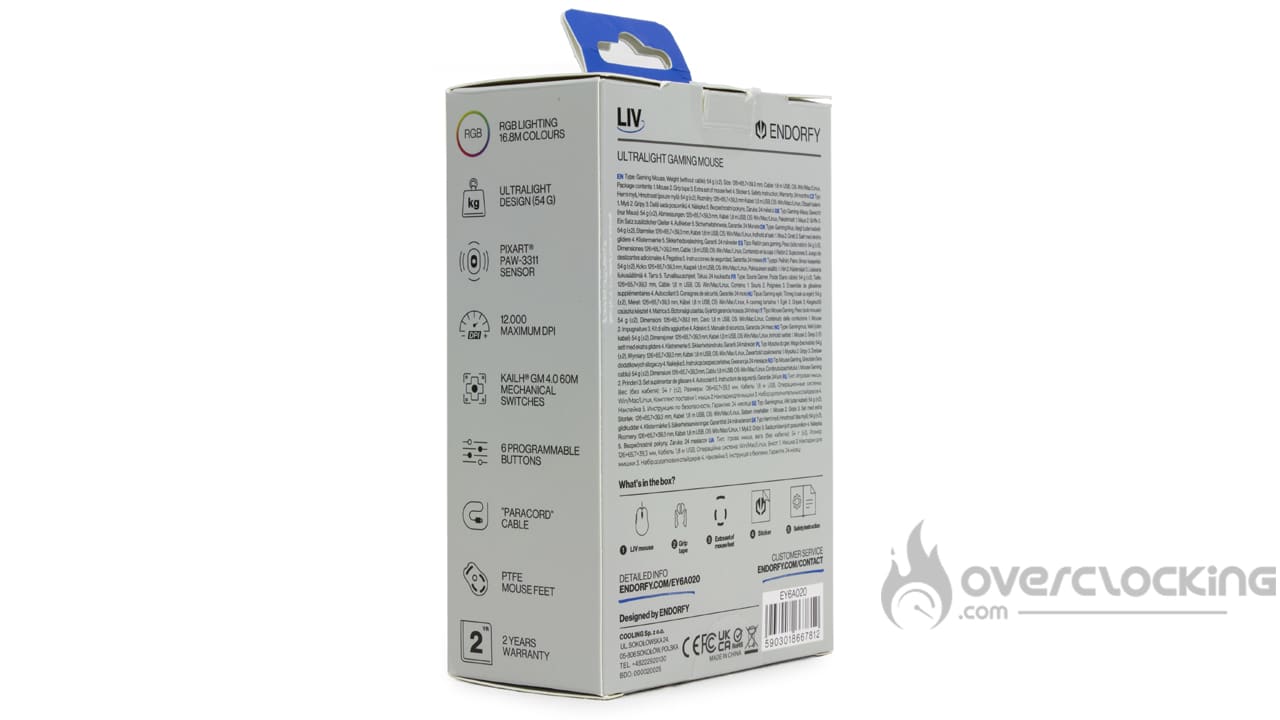
The bundle:
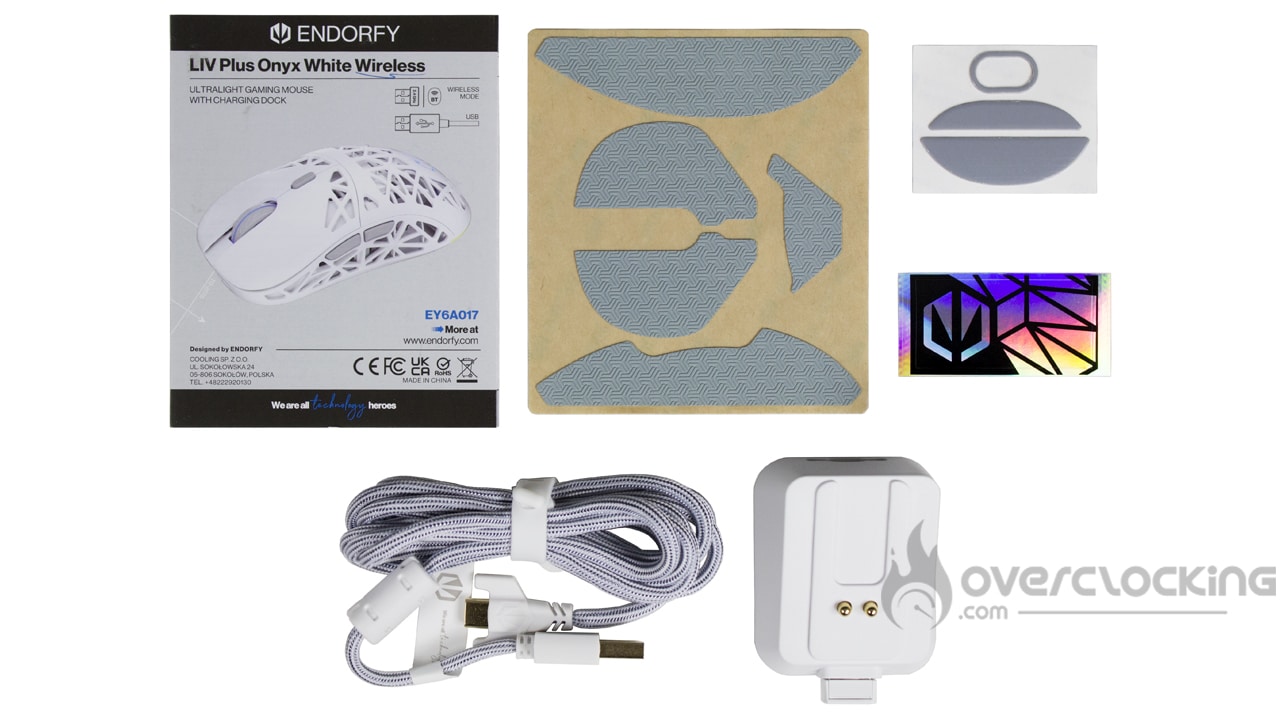
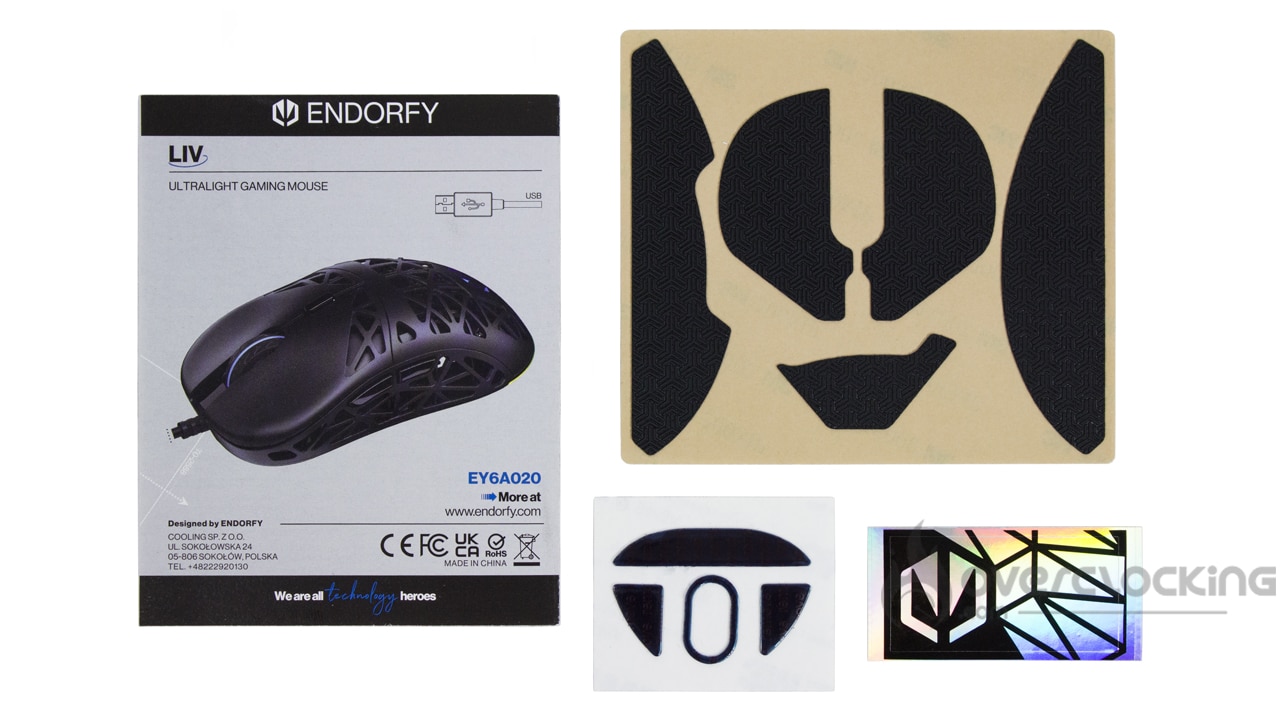
In the bundle, as you can see, we have some elements in common. Both boxes include adhesive strips and replacement mouse pads. What’s more, Endorfy has provided a small additional sticker. Of course, we’ve also got the manual that goes with the mouse.
The wireless mouse also comes with a recharging base and a paracord cable. For once, it’s great to see such a ‘full’ box, even for the €35 mouse!
The top:
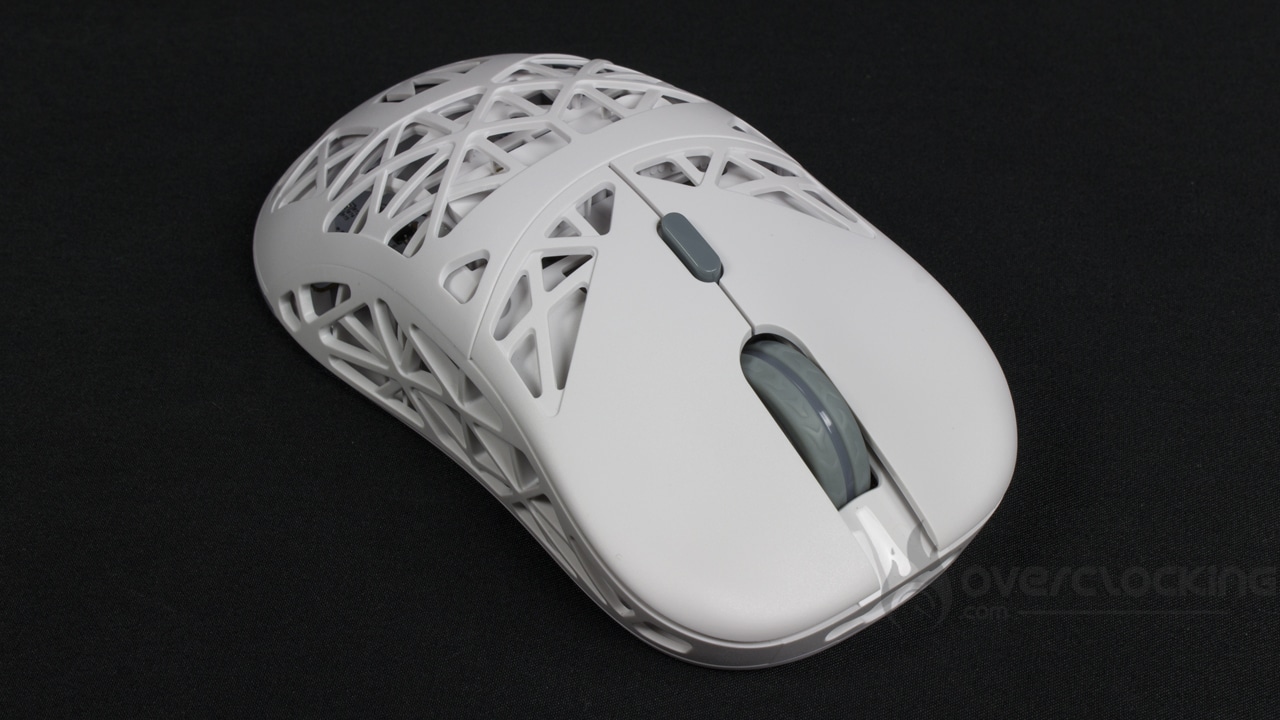
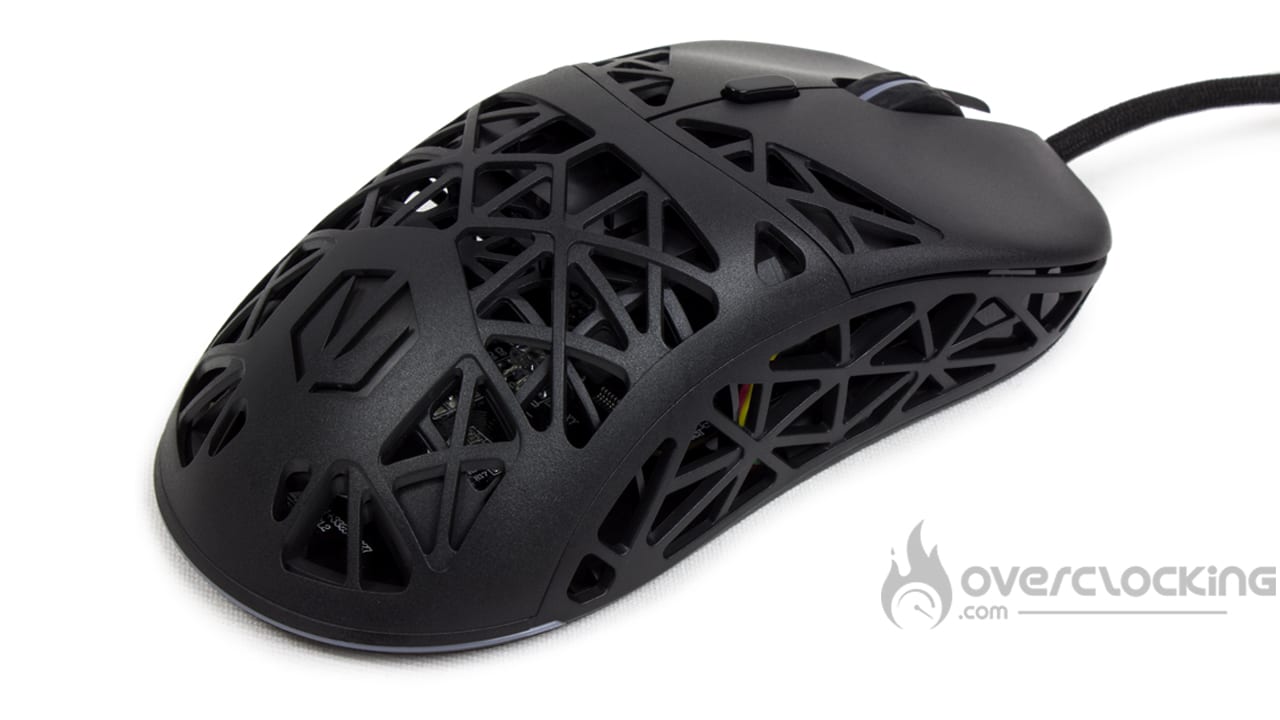
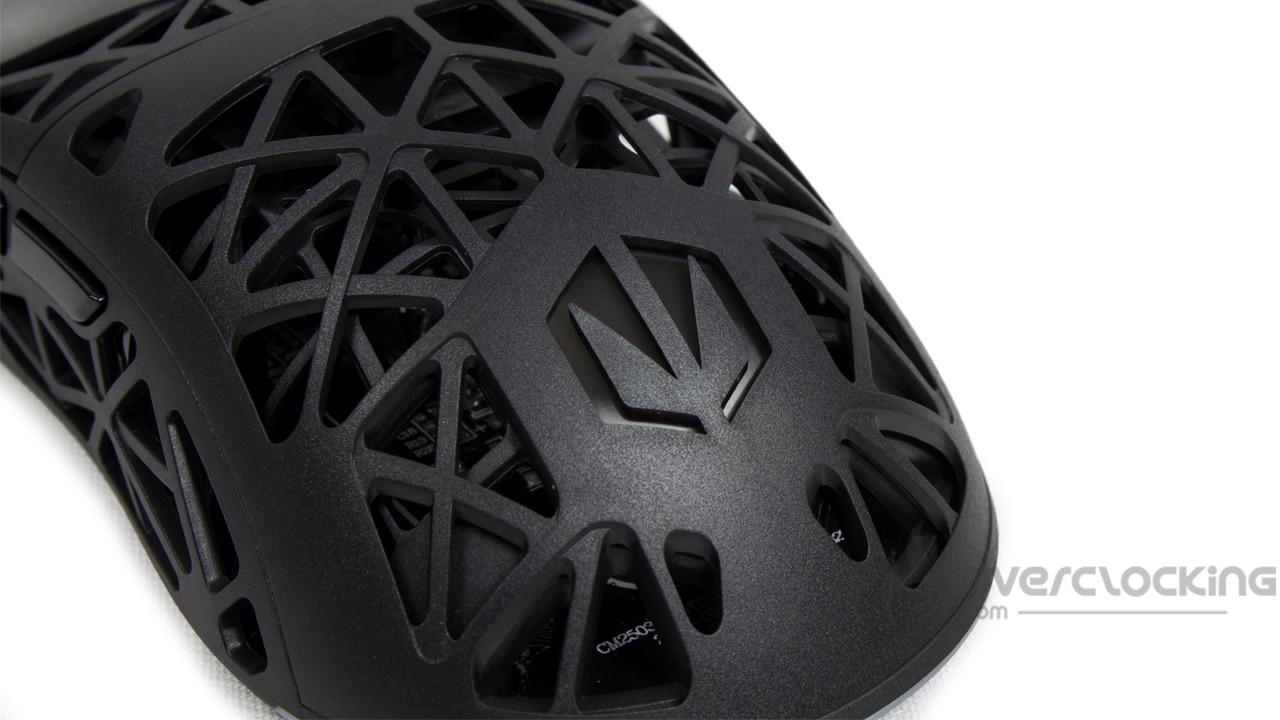
This Liv mouse reminds me a lot of the famous Model O we tested a few years ago. On the top of this model, there’s a perforated plastic that reveals the Liv’s printed circuit board. This also makes the mouse much lighter. In any case, if you ask me, I think it looks great! At thumb level, there are two buttons (next, previous), not forgetting the little DPI button under the wheel, the wheel of course, and the two left-click and right-click buttons. On the top, that’s about all you’ll find in terms of buttons.
Finally, at the bottom of the shell, where the palm of your hand will rest, you’ll find the logo. Once switched on, this is also where the RGB LEDs will be displayed, in addition to the scroll wheel.
The underside:
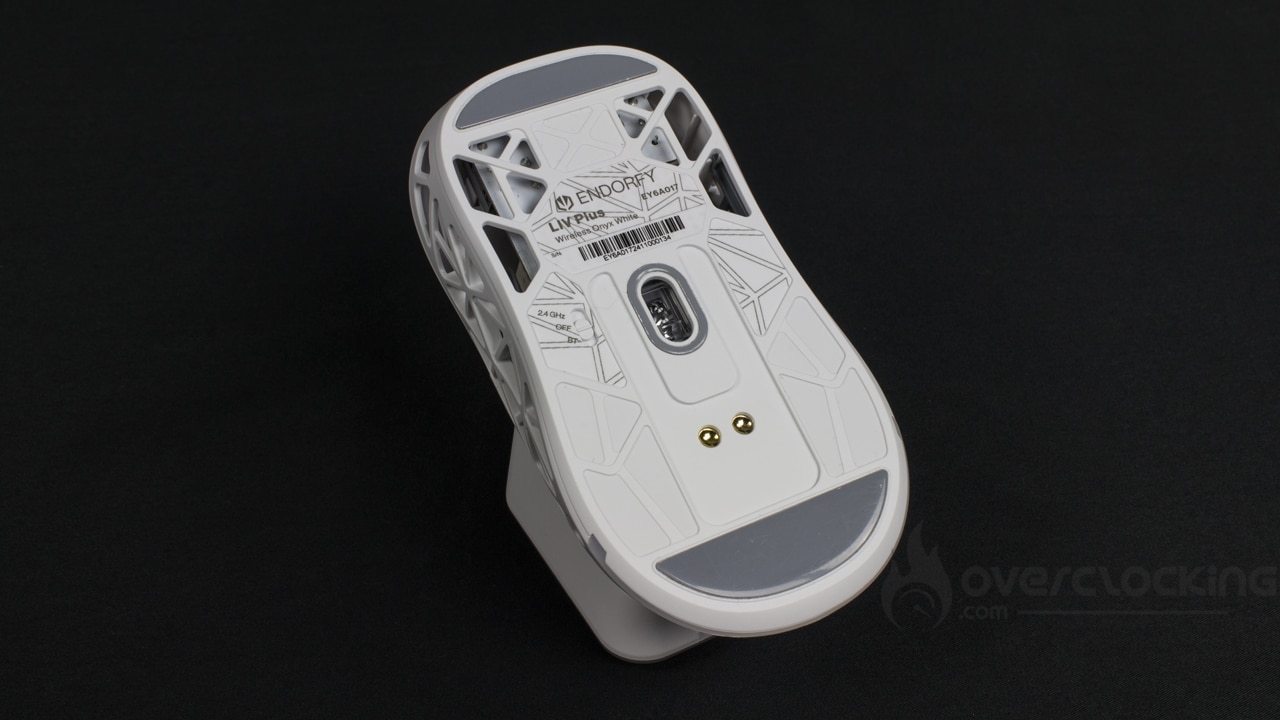
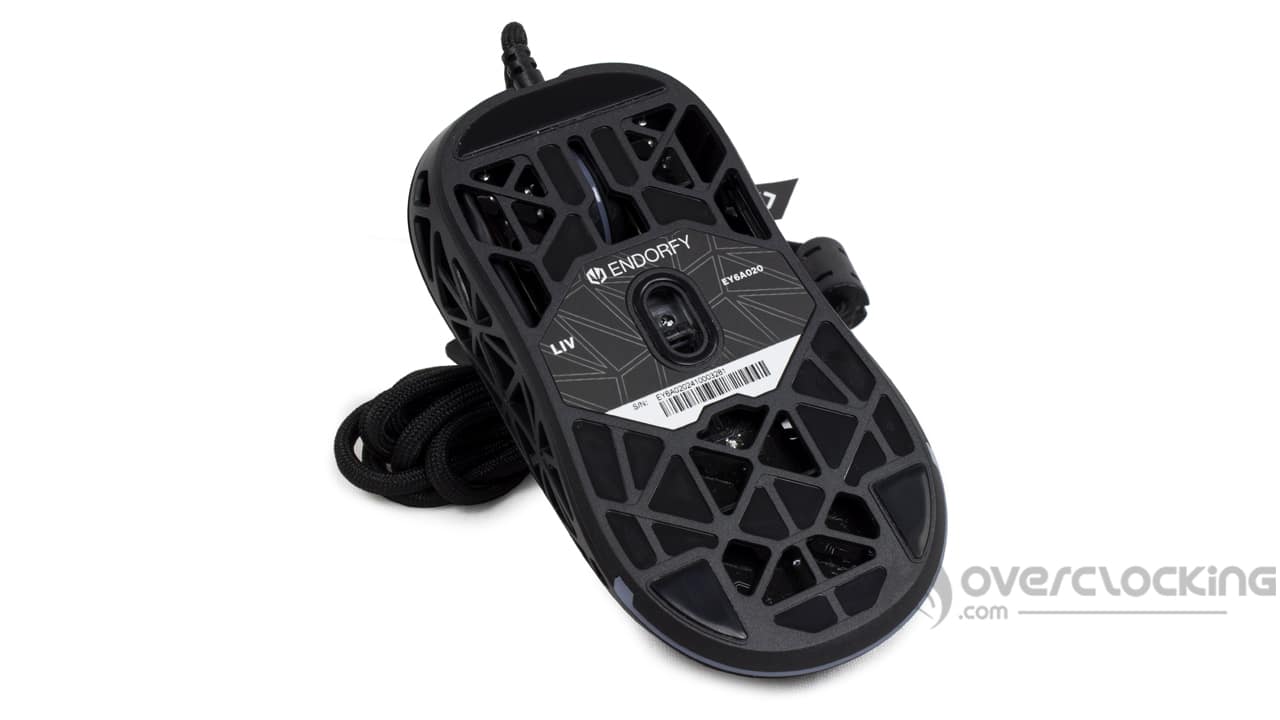
The underside of the mouse is classic. There are three PTFE pads, the sensor in the centre, an ‘on/off’ button for the wireless model, and two prongs for placing the mouse on the charging base (again for the wireless version). And that’s about it. The wired version is more open than the Liv Plus Onyx White Wireless (see photo below).
[nextpage title=”Software”]
Installation and first launch
Installing the software is very simple. You need to download it from the ” software ” tab on the brand’s website. There, you will be taken to a list of hardware, from which you can choose:
- Audio
- Keyboards
- Mice
Here again, you can choose the model of your peripheral, in this case a mouse from among those available. The file is downloaded in a “.zip” folder, which you need to extract before launching the executable.
Installation takes just a few seconds and requires no reboot – hallelujah! On launch, we are presented with a representation of our mouse and the language options in the top right-hand corner (don’t get too excited, there’s only English). To really launch the Endorfy software, you need to click on the mouse icon in the centre of the screen.

The different tabs
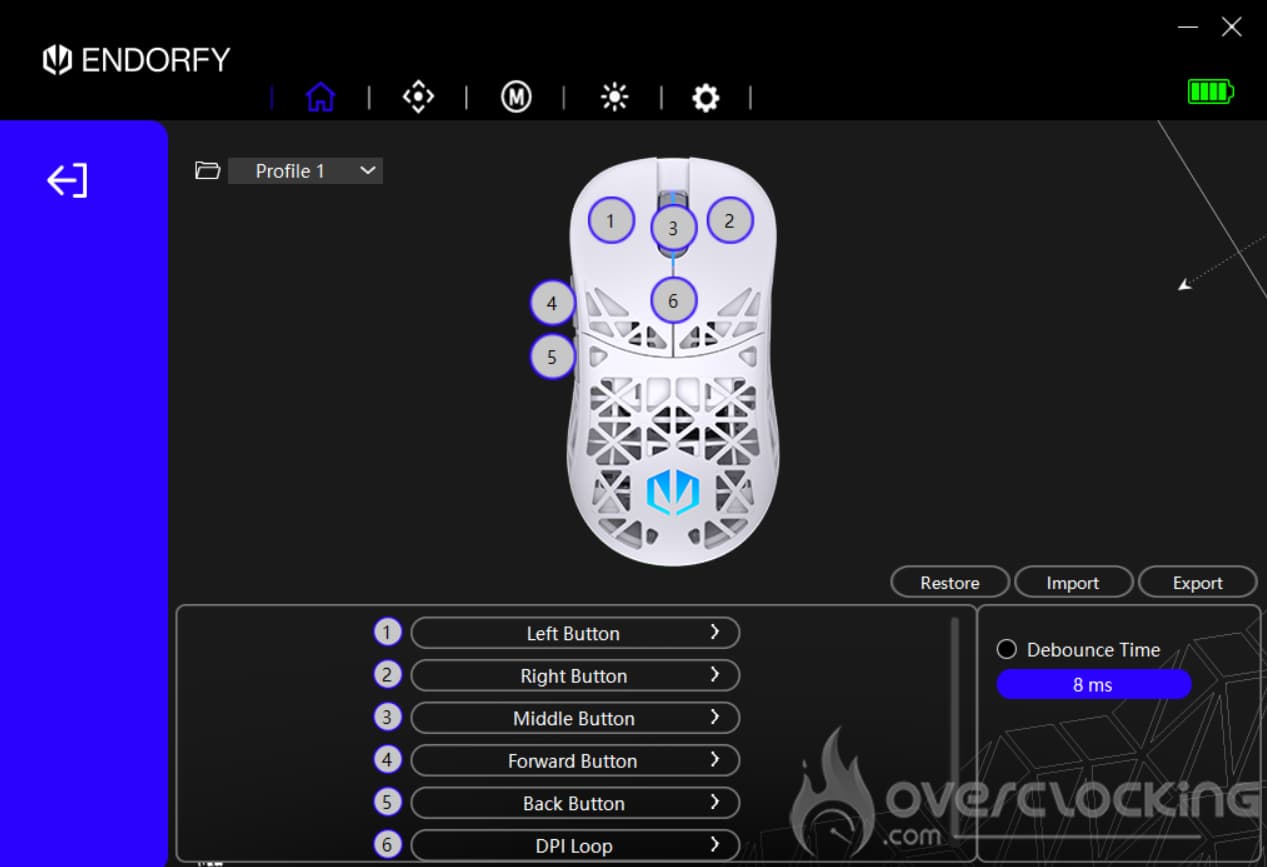
The first tab of the application (the one represented by the house icon) lets us change the key assignments on our Liv Plus Wireless, as well as setting up profiles. Moving on to the second tab, this is where you can access the DPI levels of our model of the day. You can also configure the polling rate, sensor sensitivity and the lighting effects assigned to each DPI level.
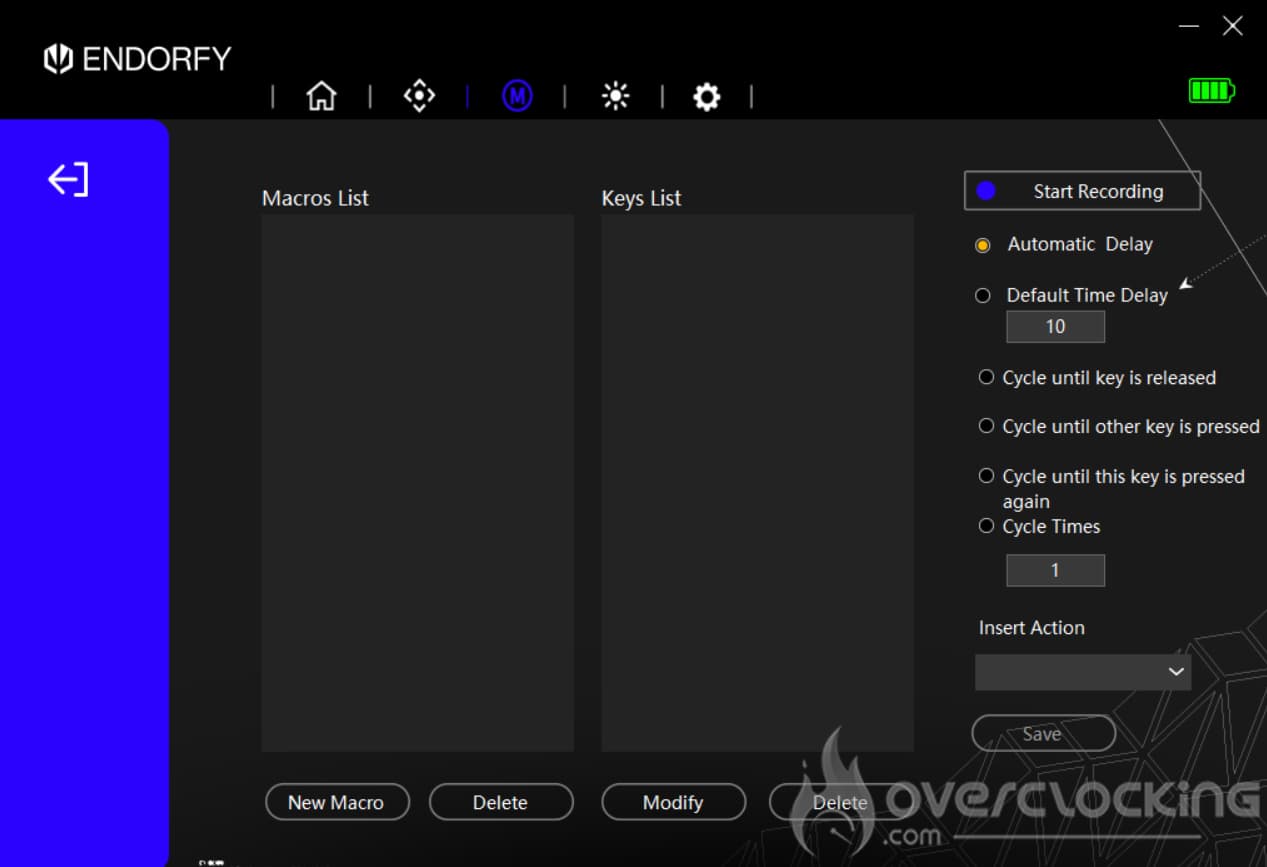
We continue with the third menu, represented by the ‘M’ for macros. To add one, click on the ‘New Macro’ button, name it and then save the desired macro.
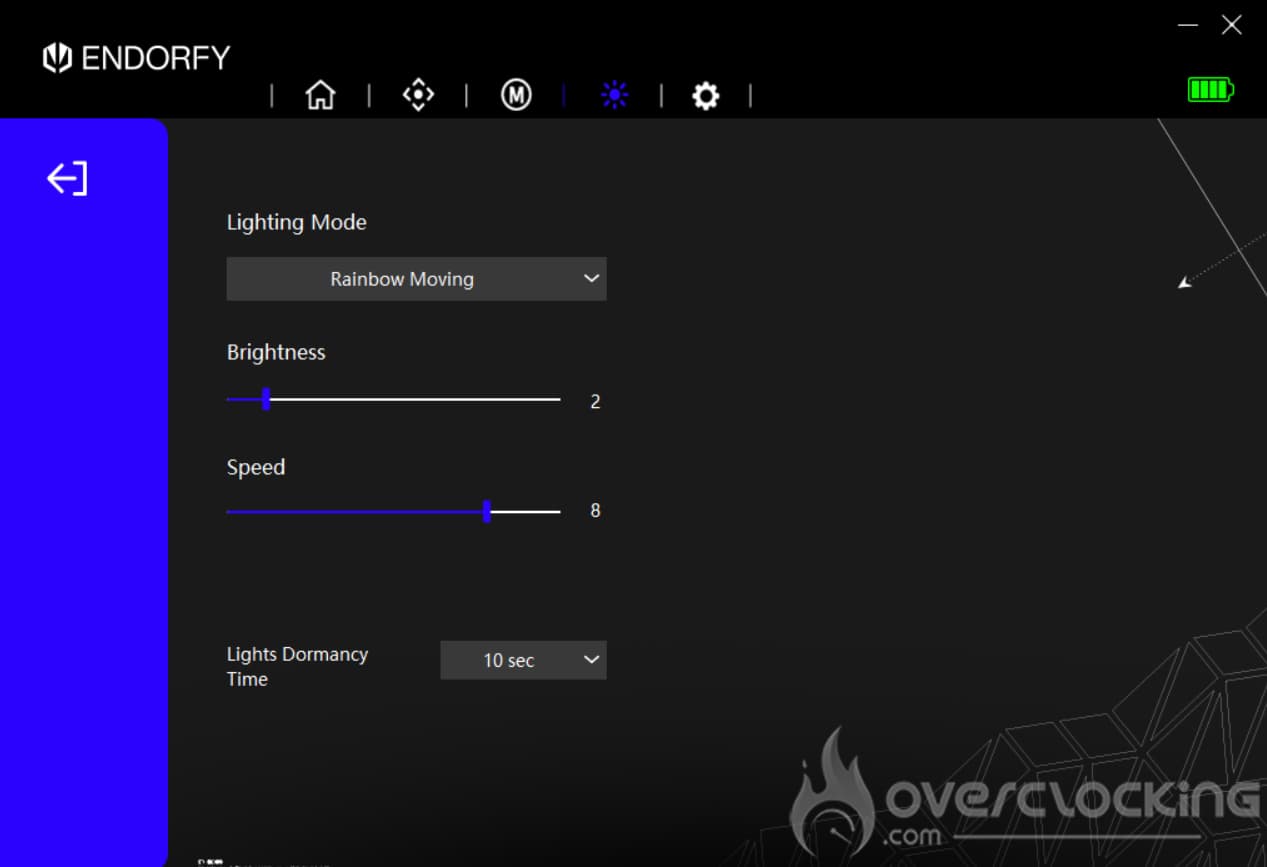
The tab with the sun icon is used to change the lighting effects of our Liv Plus Wireless. Here you’ll find :
- Off
- Rainbow in motion
- Breathing (1 colour only)
- Static (1 colour only)
- Neon
- Breathing rainbow
- Static rainbow
Of course, you can control the brightness and speed of these different lighting effects, not forgetting setting their ‘sleep’ time.
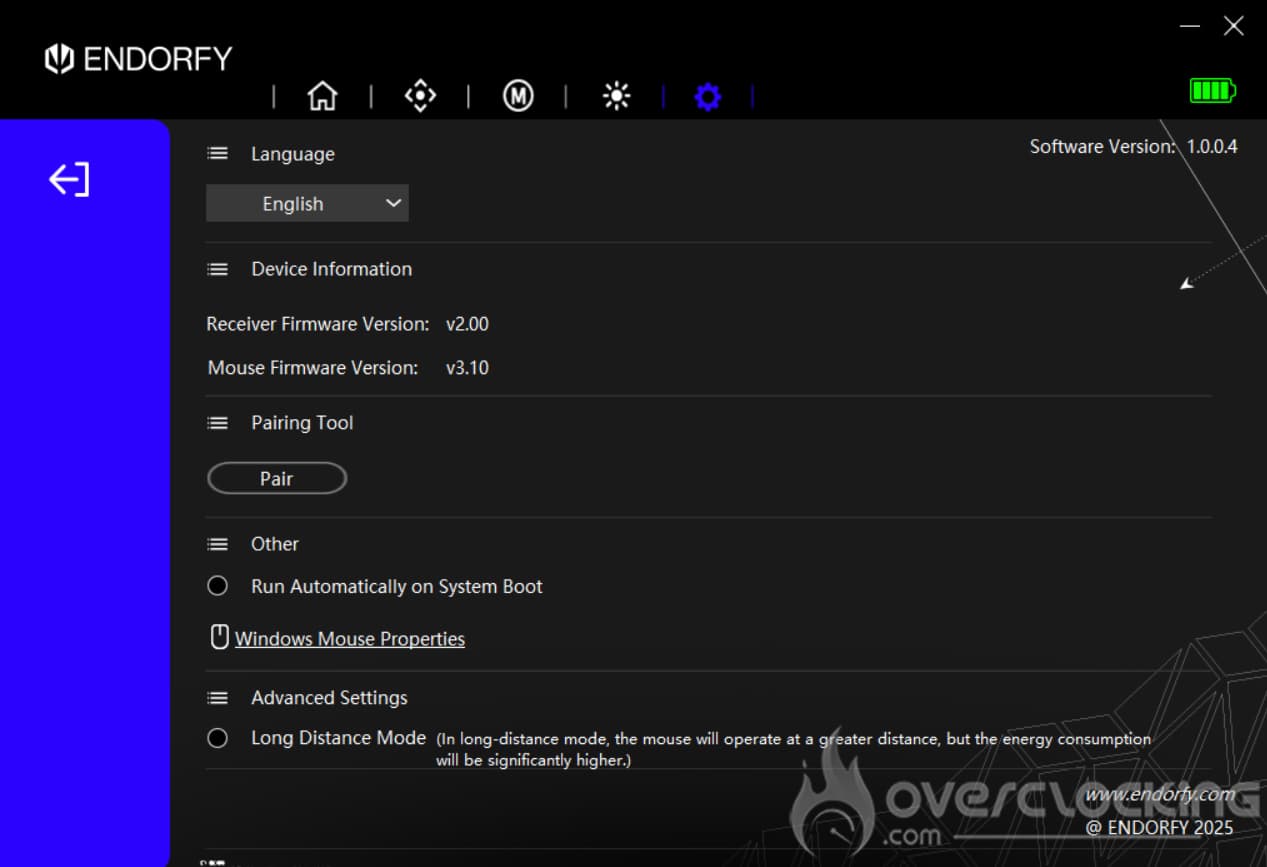
The last tab is the gear icon. Here you can access the languages (only one to date) and update information. In addition, on all the previous tabs, you have access to battery life at the top right.
[nextpage title=”Test”]
It’s time to get to grips with the Liv and Liv Plus Onyx White Wireless from Endorfy and give you our impressions of them. We’ve used it for video games, browsing and more traditional office work. What did we think? Find out now!
Getting started:
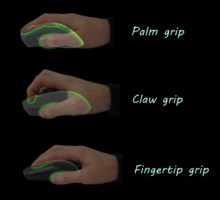
This is a mouse with a classic grip. It’s a right-handed mouse with 6 buttons. Personally, I used the Liv Plus Onyx White Wireless in a claw grip, i.e. with my index and middle fingers raised and the base of the mouse pressed against the palm of my hand. However, this model can also be used in palm grip or fingertip grip. It all depends on you and the size of your hand. With a claw grip, your thumb naturally comes to rest on the side of the mouse, ready to press the two buttons provided. Next to that, the ring finger is positioned at the end of the mouse, at the edge, while the little finger is positioned backwards on the side of the Liv Plus Onyx White Wireless. In my case, it’s really the thumb, ring finger and little finger that hold the mouse. This is clearly a right-handed mouse (given the layout of the buttons). However, apart from these two, the Liv is fairly symmetrical in shape, so it could be used by a left-handed person.
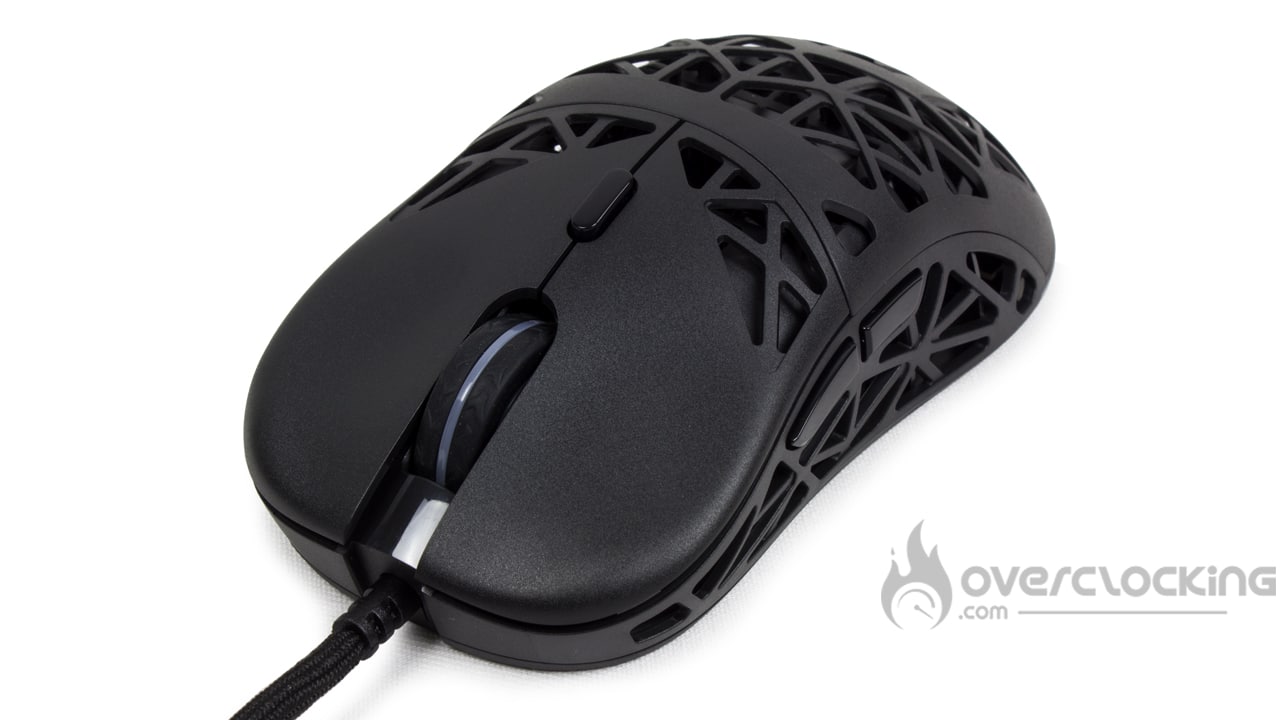
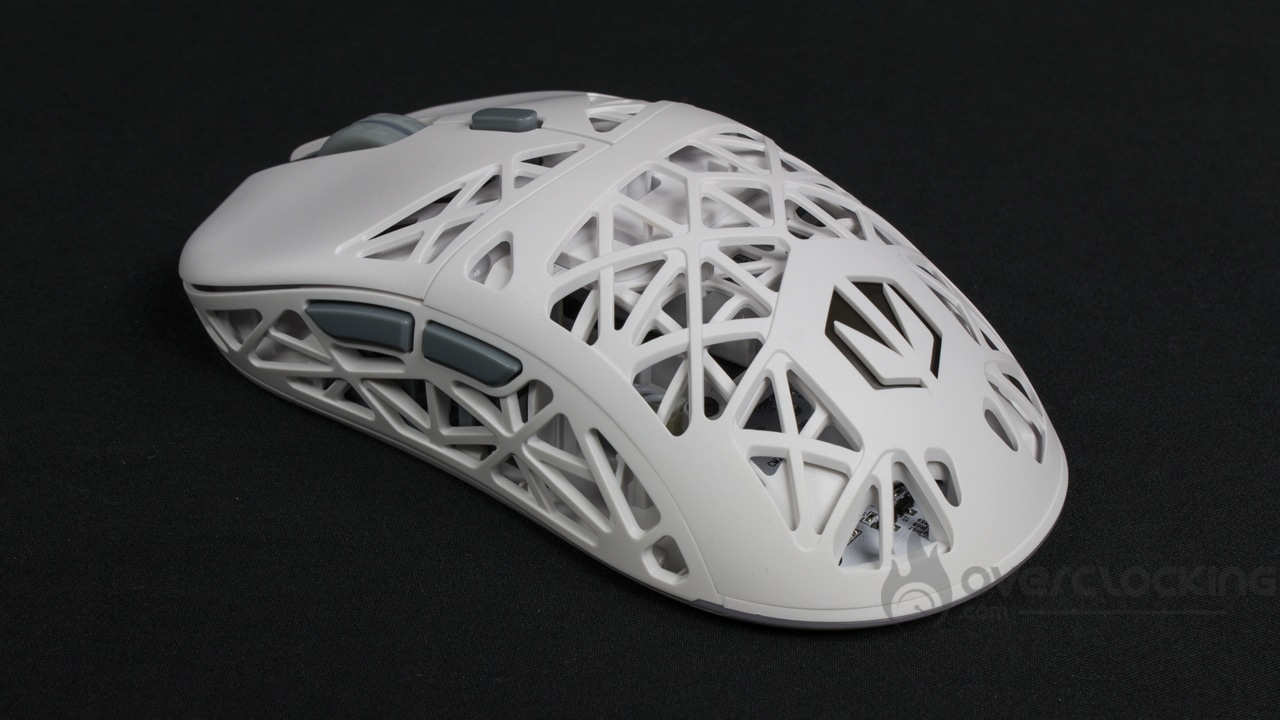
On this model, we’ve got nothing particular to say about the thumbwheel. It’s a good size, well serrated and doesn’t make any noise when in use. What’s more, the coating adheres well to the fingers.
Unlike the Lift Elite Wireless from NZXT, and despite using the Liv Plus Onyx White Wireless every day for around a month, I didn’t notice any stains or any deterioration in the mouse’s white colour. As a reminder, after using it every day for a month, the Lift Elite Wireless had turned yellow on its adhesive strips. They were completely unrecoverable!
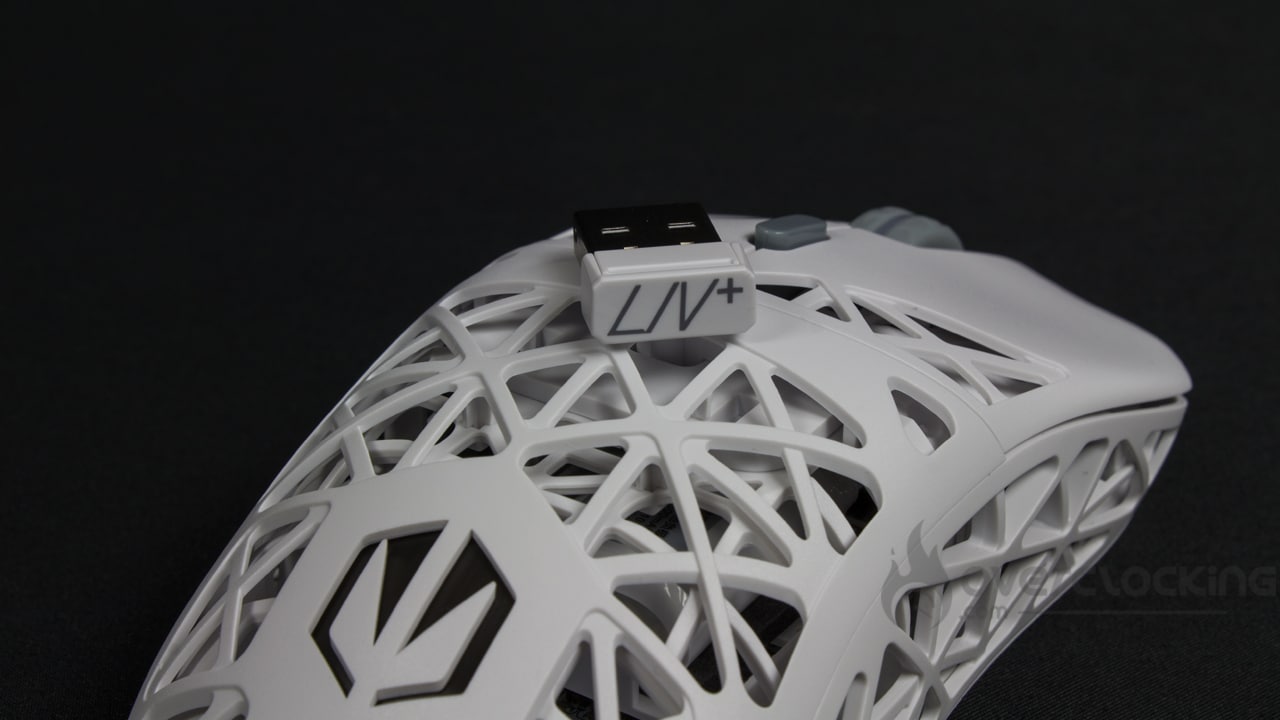
In use, the Endorfy mouse is really light, which makes it pleasant and easy to use on a daily basis. Not to mention the slightly grainy plastic of the shell and the cut-outs that give the fingers a perfect ‘grip’. There’s no need to force it into place.
Button noise:
Unlike other models we’ve seen on the site, the Liv Plus Onyx White Wireless isn’t particularly noisy in use. Its clicks aren’t too sharp. Similarly, the scroll wheel makes absolutely no noise when I ‘roll’ it. On the other hand, the thumbwheel click is more audible and resembles the noise of the two left and right clicks. All in all, though, it’s very discreet when you’re using it.
Feel free to listen to the recording below to get an idea:
Gliding :
With the new Endorfy mice, I’m not worried about glide. On my XXL fabric mat (Corsair MM350 Extended XL), it’s fluid and I’m not held back by the PFTE glides. However, on my wooden desk, the large PTFE glides (at the top and bottom) will reduce the glide of our mouse of the day somewhat and give the impression that it glides less well. You’ll have to get used to this feeling if you’re using a rigid support, such as a wooden piece of furniture, or a rigid mouse pad, like the MM1000 Qi for example.
RGB:
Even though we’re dealing with a wireless mouse, and unlike the Lift Elite Wireless, here we have pretty RGB LEDs. They’re pretty faithful to the real thing, with green and yellow coming out well, for example, and the same goes for white. On the wireless version of the mouse, the charging base is also illuminated with LEDs. It’s nice… but when your PC is switched off, the base continues to be illuminated. If you have this mouse in your bedroom, for example, you may have no choice but to turn off the lighting effects so as not to be disturbed at night!
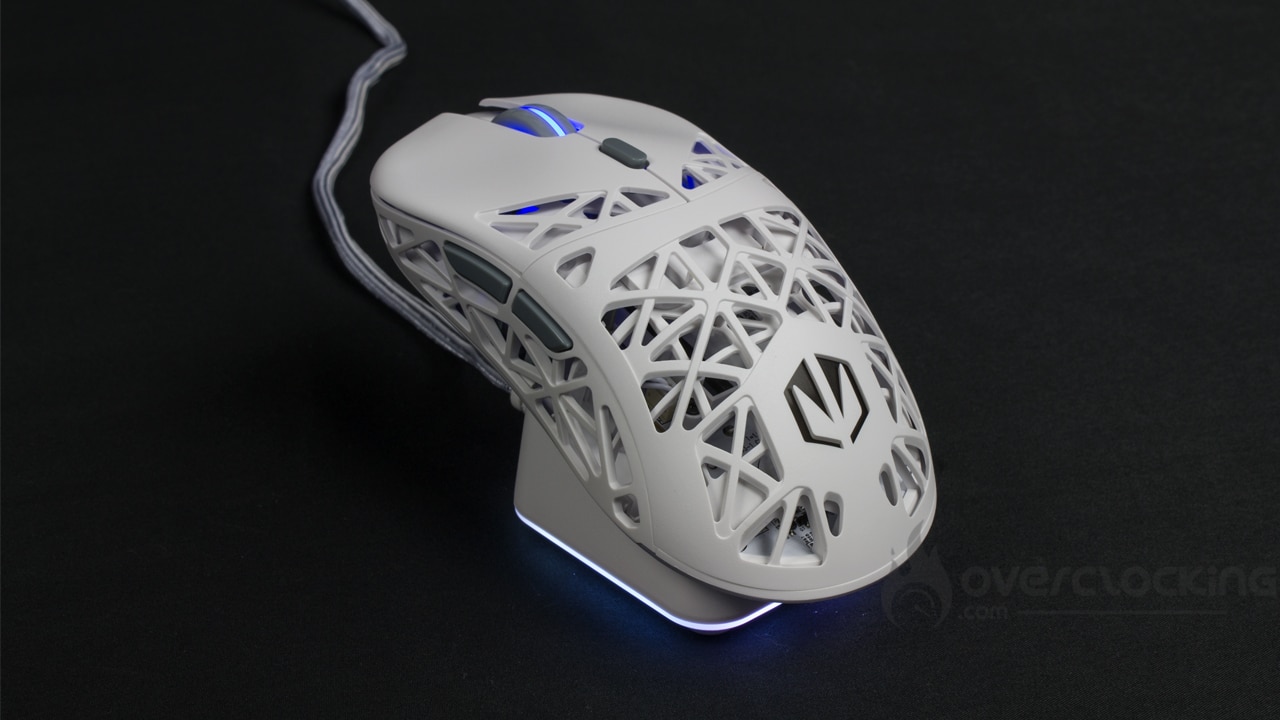
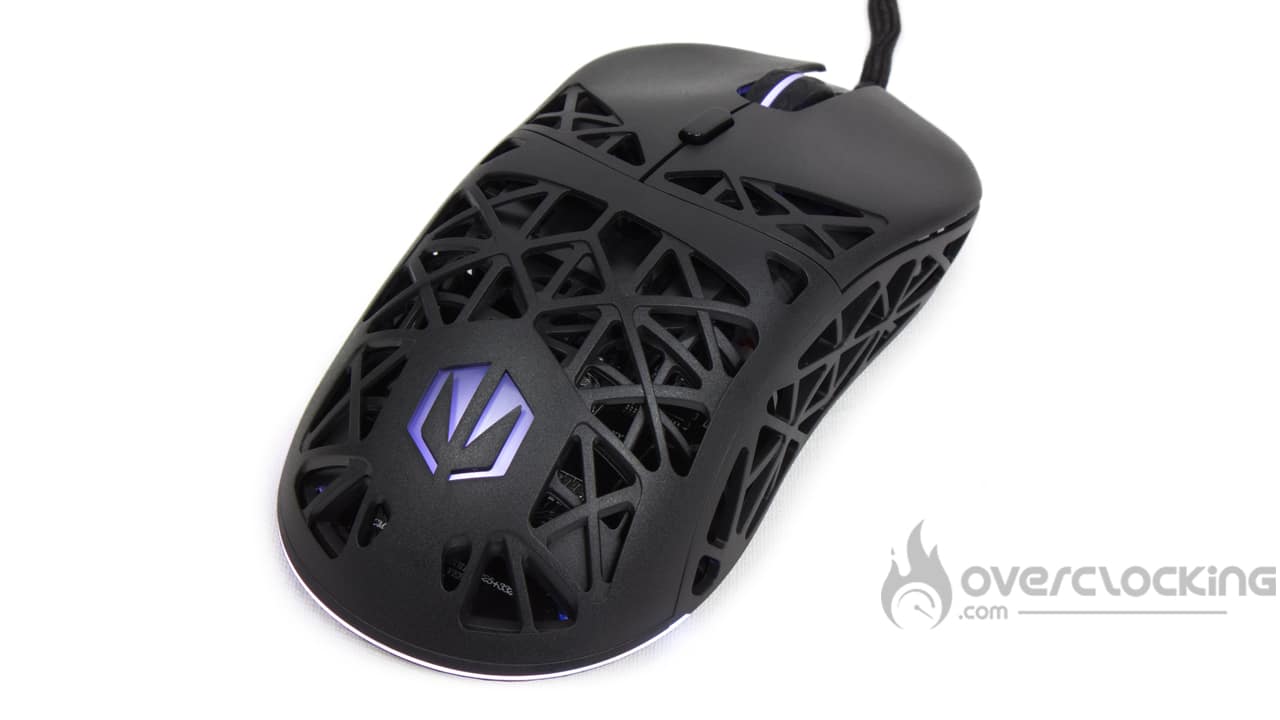
On the other hand, the lighting effects and colours stand out well, so if you like that, you’ll be delighted. And if, on the other hand, you hate RGB, download the software and deactivate them!
[nextpage title=”NHU9B’s opinion”]
NHU9B’s opinion:
I’ve come to add my two cents to this review. While Alan Grant is testing the wireless version, I was able to put my hand on the wired version of the mouse for a long time. Clearly, this is a mouse that’s very pleasant to hold and, above all, well built. Basically, there are no cracks in the casing, it’s solid despite the numerous openings.
As for the grip, I really like it, as it’s very similar to the Glorious Model O. In fact, the two mice share a similar shape in terms of their shells. Naturally, my thumb goes under the side buttons, while my index and middle fingers are on the main clicks. Finally, my ring and little fingers are superimposed on the left side of the mouse.
Of course, this mouse leaves all its buttons perfectly accessible. The side buttons can be reached with a simple lift of the thumb, while the DPI button is positioned just behind the scroll wheel. OK, you’ll have to bend your index finger hard to reach it, but at least it’s not under the mouse, and it can’t be pressed by mistake either.
As I have large hands, my palm doesn’t come into contact with the back of the mouse, which is a good thing as it’s something I don’t like. Similarly, the mouse isn’t too high either, so it doesn’t hit the inside of my hand. Once again, grips are different for everyone and some people like to have their palms pressed against the mouse, which isn’t the case for me.
Another thing I really like about this model is its perforated shell. Of course, the Model O also had this type of structure, but the holes were only present on the top and back of the mouse. On the Liv, the openings are also present on the sides, adding ‘consistency’ and texture to the grip. What’s more, the grainy plastic used by Endorfy is very pleasant to the touch.
Otherwise, as with many recent mice, the brand has opted for an ultra-flexible cord. It’s always a nice choice, as you don’t feel any restraint when you’re gliding along… A wireless mouse feel on a wired model? We’ll take it. As for the glide, the Liv’s Teflon pads do the job, and in this respect, the glide sensation is more or less equivalent to that of my Model O, which I use on a daily basis.

Quickly, I’d like to mention the RGB light, which is completely extra, but which has the good taste to render yellow well.
[nextpage title=”Conclusion”]
We’ve now come to the end of this test of Endorfy’s Liv and Liv Plus Onyx White Wireless. So, what did we think of them?
Very good devices from Endorfy!
The Endorfy brand has come up with an interesting new range of mice on paper, with a long battery life claimed for the wireless version and a good finish. On top of that, it’s got plenty of RGB LEDs to complete the package. However, for the wireless version once again, the base never goes into ‘standby’ mode. It remains constantly lit on the desktop. We would have appreciated it if the LEDs had switched off when the PC was switched off. So, if your PC is in your bedroom, you might want to think about switching to a less bright and colourful effect!
Despite everything, these two models have a thin, discreet paracord cable. This is not a fully ambidextrous mouse like Corsair’s M75 Wireless. In fact, the buttons on the left ‘spoil’ things a bit.
In use, the mouse is a pleasure to use, with a grip that’s simple and easy to grasp. It won’t take you long to get the hang of it. However, its glide is slightly hampered by its large PTFE pads. It would have been ideal to replace them with several small pads scattered around the ends of this model. On a day-to-day basis, it’s fairly quiet to use. It’s a far cry from the very audible clicks of the Harpoon RGB Wireless, for example.
Endorfy is really generous here, with a nice bundle. You’ll find adhesive strips and replacement mouse pads, not to mention a little extra sticker. It’s really nice to find a full box for once!
How much do these models cost?
The Liv Plus is available for €89 and the basic version for €35. That’s really good value for money compared with the competition. For example, a Model O Wireless costs €100, while a Burst Pro Air from Roccat costs €80… So we’re in pretty good shape! And let’s not forget the little Liv available for just €35. Frankly, this one’s a banger in my book.
Endorfy Liv & Liv Plus Onyx White Wireless:
We liked :
- Its long battery life
- Its well-mastered RGB keys
- The sophisticated underside of the mouse
- Its thin, discreet paracord cable
- It’s fairly silent in use
- Simple and easy to use
- Interesting bundle
- A really nice design!
What we didn’t like :
- The glide is slowed down because of its large PTFE pads
- The RGB doesn’t go to “standby” when the PC is switched off

In the end, we’ve decided to award gold to these Endorfy mice. What we have here is a wireless mouse with great battery life and good performance. However, its glide is somewhat hampered by the large PTFE pads. We also regret that the charging base doesn’t go into standby mode when the PC is switched off. All the same, this is an interesting and comprehensive bundle . Not to mention the Liv’s €35 price tag, which is really attractive!
Many thanks to Endorfy!