Software
Installation and first launch
Installing the software is very simple. You need to download it from the ” software ” tab on the brand’s website. There, you will be taken to a list of hardware, from which you can choose:
- Audio
- Keyboards
- Mice
Here again, you can choose the model of your peripheral, in this case a mouse from among those available. The file is downloaded in a “.zip” folder, which you need to extract before launching the executable.
Installation takes just a few seconds and requires no reboot – hallelujah! On launch, we are presented with a representation of our mouse and the language options in the top right-hand corner (don’t get too excited, there’s only English). To really launch the Endorfy software, you need to click on the mouse icon in the centre of the screen.

The different tabs
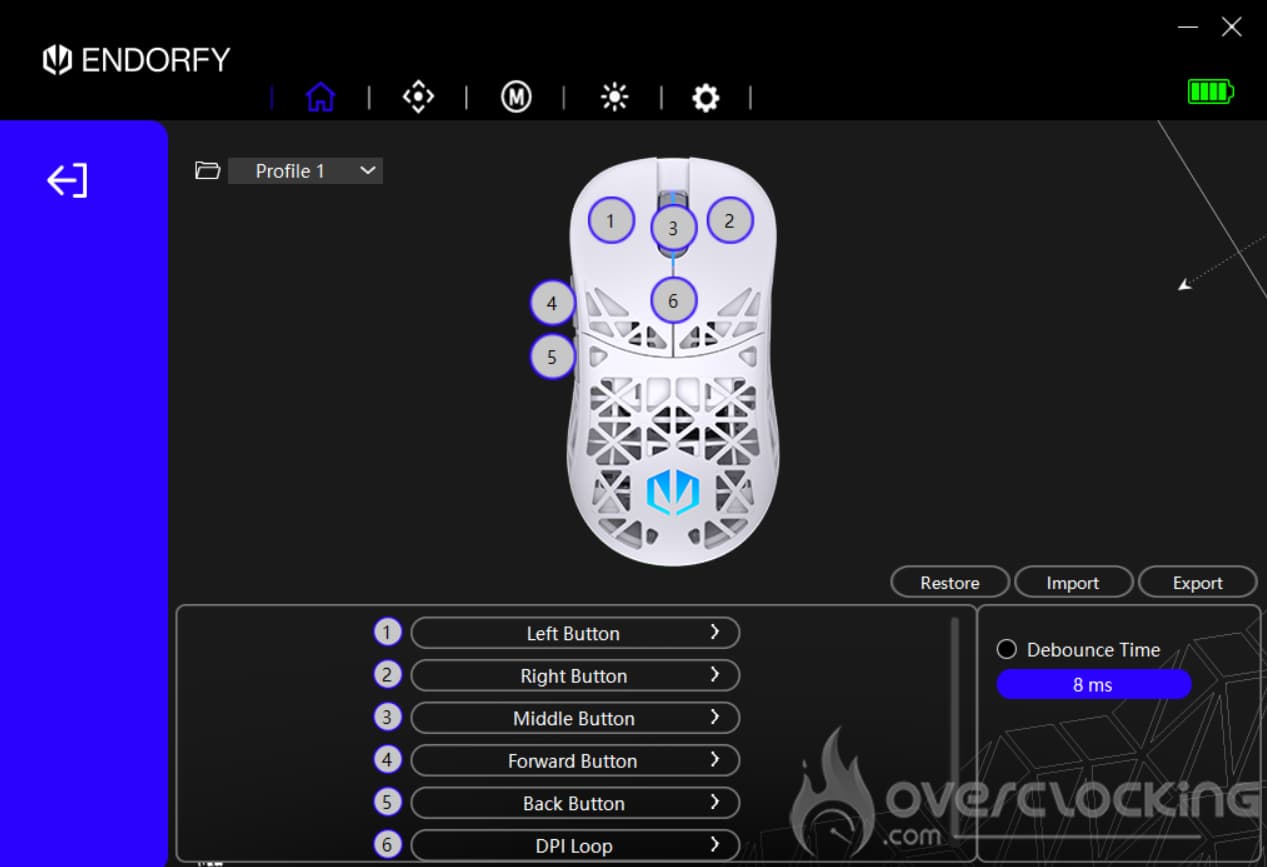
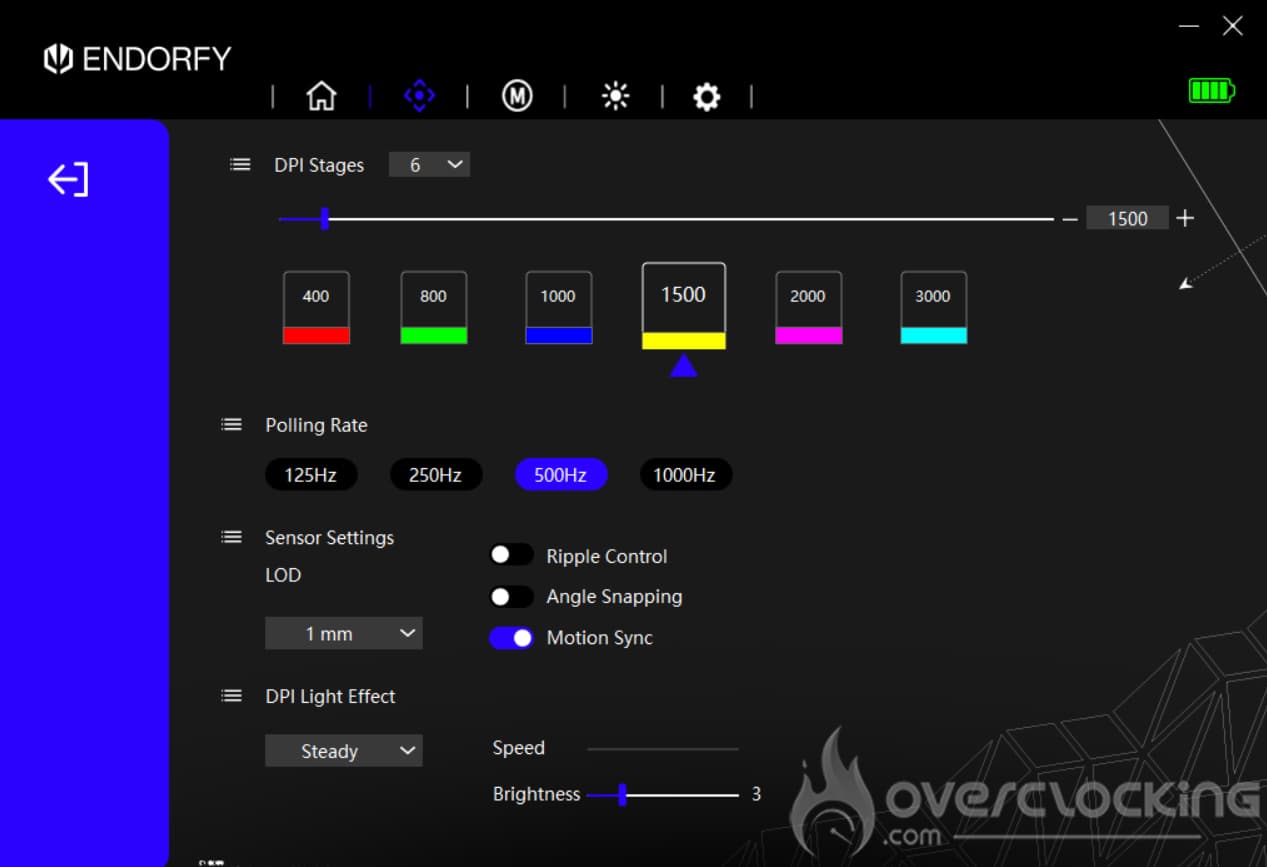
The first tab of the application (the one represented by the house icon) lets us change the key assignments on our Liv Plus Wireless, as well as setting up profiles. Moving on to the second tab, this is where you can access the DPI levels of our model of the day. You can also configure the polling rate, sensor sensitivity and the lighting effects assigned to each DPI level.
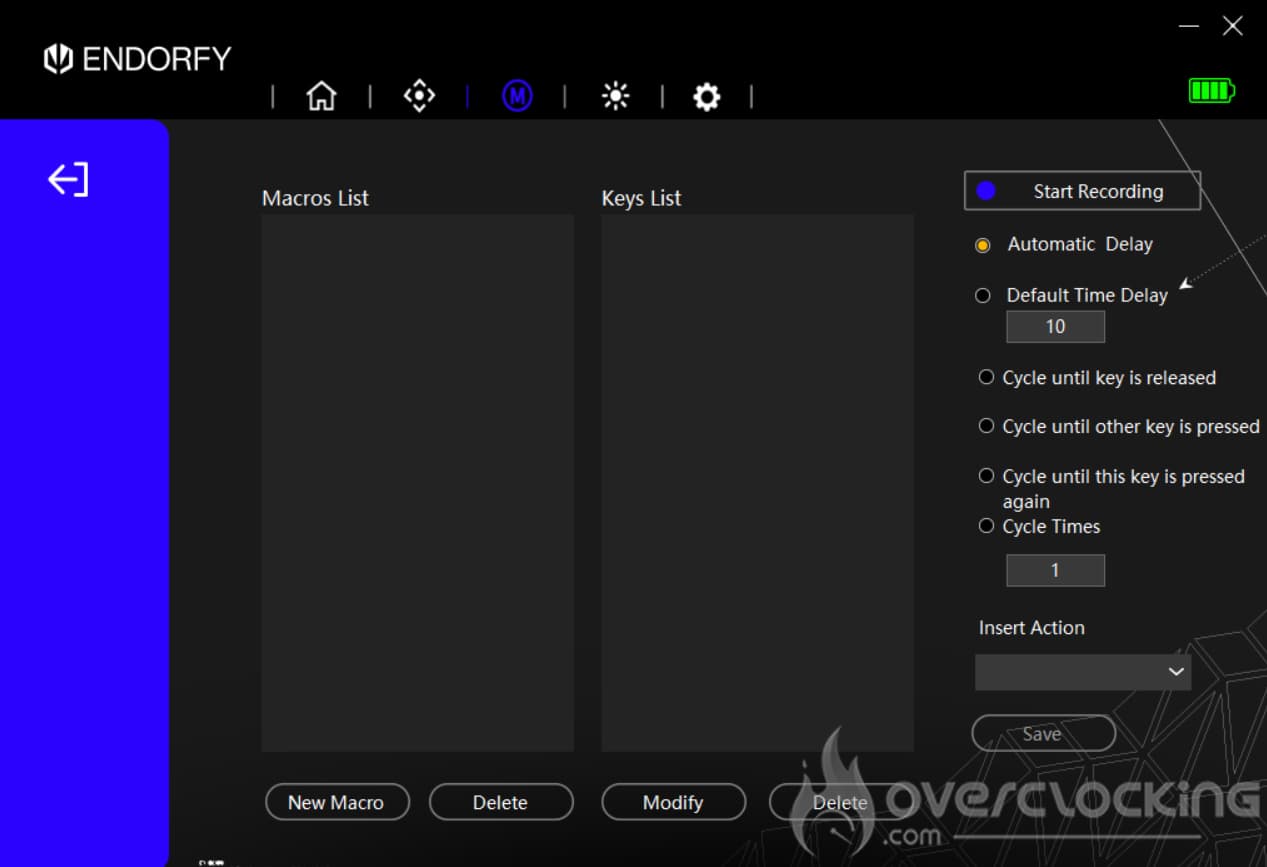
We continue with the third menu, represented by the ‘M’ for macros. To add one, click on the ‘New Macro’ button, name it and then save the desired macro.
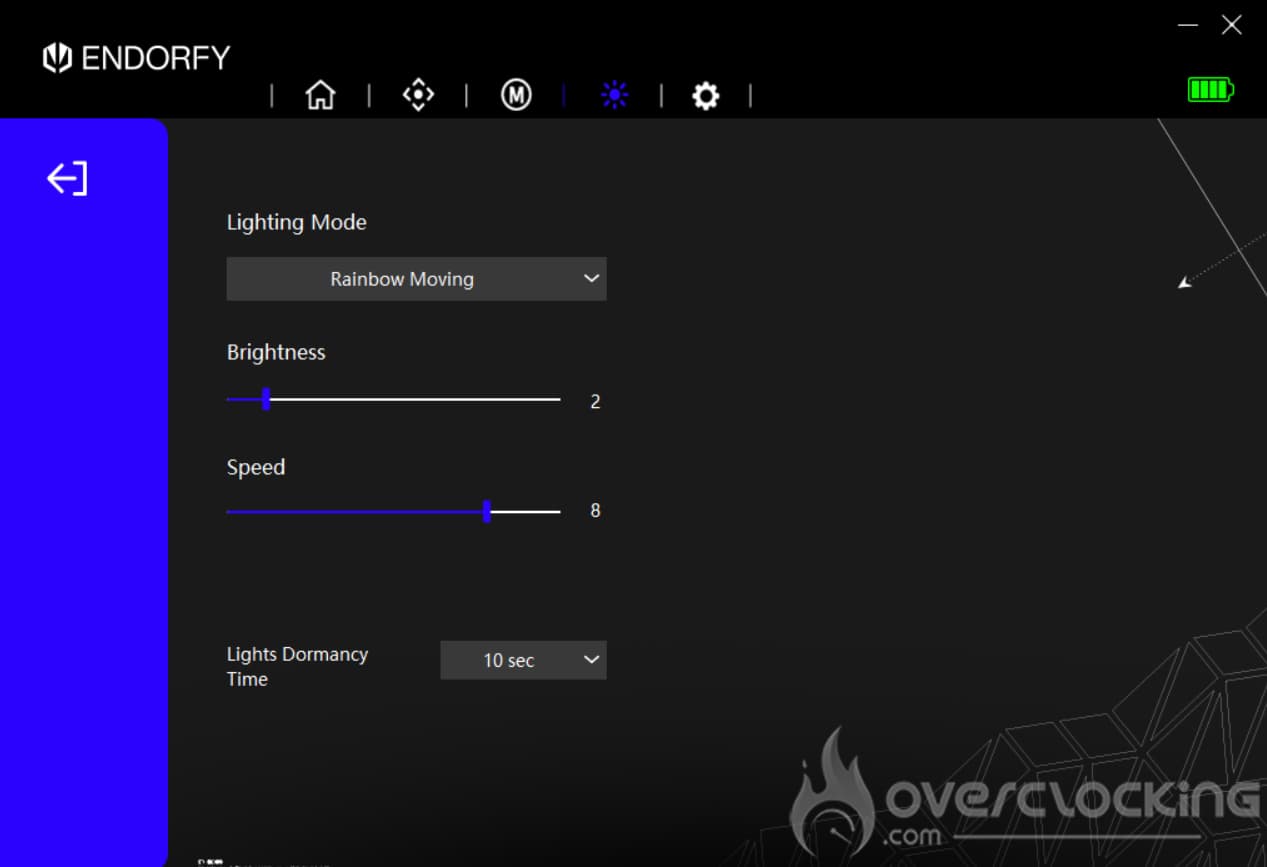
The tab with the sun icon is used to change the lighting effects of our Liv Plus Wireless. Here you’ll find :
- Off
- Rainbow in motion
- Breathing (1 colour only)
- Static (1 colour only)
- Neon
- Breathing rainbow
- Static rainbow
Of course, you can control the brightness and speed of these different lighting effects, not forgetting setting their ‘sleep’ time.
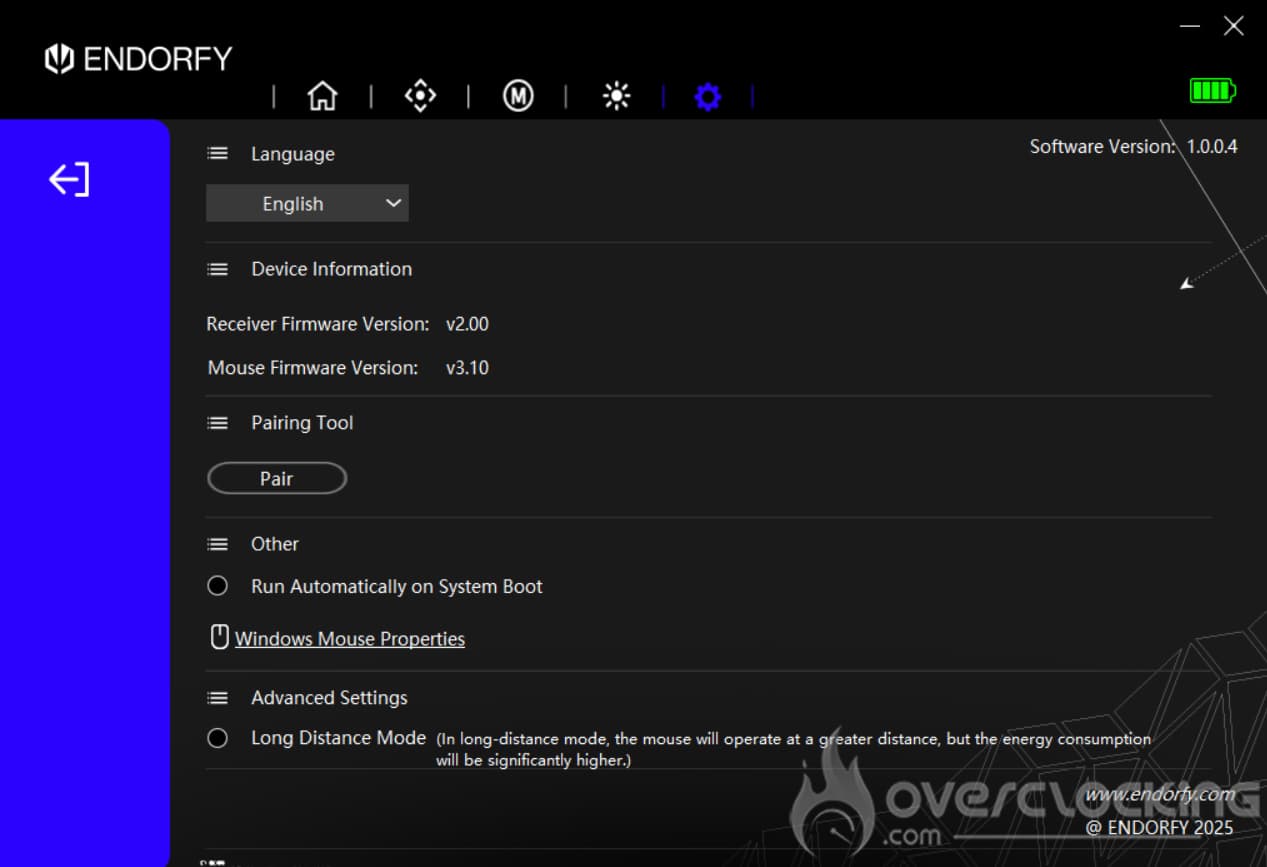
The last tab is the gear icon. Here you can access the languages (only one to date) and update information. In addition, on all the previous tabs, you have access to battery life at the top right.