
[nextpage title=”Introduction:”] As part of a review of NVIDIA RTX 5000 graphics card performance, we received early access to test the performance of Battlefield 6. The franchise has been around for over twenty years, featuring large-scale warfare. Battlefield 6 was developed by DICE and published by Electronic Arts. As a reminder, the last opus to date was Battlefield 2042, which didn’t totally convince fans of the license. We’d like to thank NVIDIA France for giving us the opportunity to carry out this test. We put all our NVIDIA RTX 5000 cards and the three RX 9000 models through their paces. You’ll find all the models we used in the presentation of our test configuration.
As a reminder, Battlefied 6 will be officially available on October 10, 2025, in two different editions. The ” Standard ” edition will be priced at 69.99 euros and the ” Phantom ” edition at 99.99 euros. As you’d expect, the Phantom Edition will come with a number of perks, including the BF Pro token, Phantom squad soldier skins, weapon packs, Deluxe EXP bonus and much more.
As you’d expect, our test will focus mainly on the performance of our graphics cards in all three resolutions: 1080p, 1440p and 2160p. We’ll also be testing upscaling, since Battlefield 6 is compatible with DLSS 4 and FSR 4. [nextpage title=”Our configuration and graphics parameters: “]
The configuration we’ll be using is the one we use for our graphics card comparisons. We’ll be adding Battlefield 6 to our panel of games from now on. If you’d like to reread the review of one of the graphics cards we’ve used, please click on its link.
Here’s the configuration we’ve used in detail:
- Motherboard : ROG Maximus Z790 APEX Encore
- Processor : Intel Alder Lake i9-14900K delid
- Cooling system: EK-Nucleus AIO CR360 Direct Die D-RGB – 1700
- Memory: 48 GB Corsair Dominator Titanium 8000 MT/s CL38
- Graphics card: NVIDIA RTX 5090 FE, NVIDIA RTX 5080 FE, AORUS RTX 5070 Ti Master, NVIDIA RTX 5070 FE, PALIT RTX 5060 Ti Infinity 3 16GB, ASUS RTX 5060 TUF OC 8GB, Gigabyte RTX 5050 Low Profil, Gigabyte RX 9070 XT Gaming, ASUS RX 9070 TUF OC and the XFX RX 9060 XT 16GB.
- Power supply: be quiet! Dark Power 13 1000 watts
- Operating system: Windows 11 64-bit 24H2 (26100.6584)
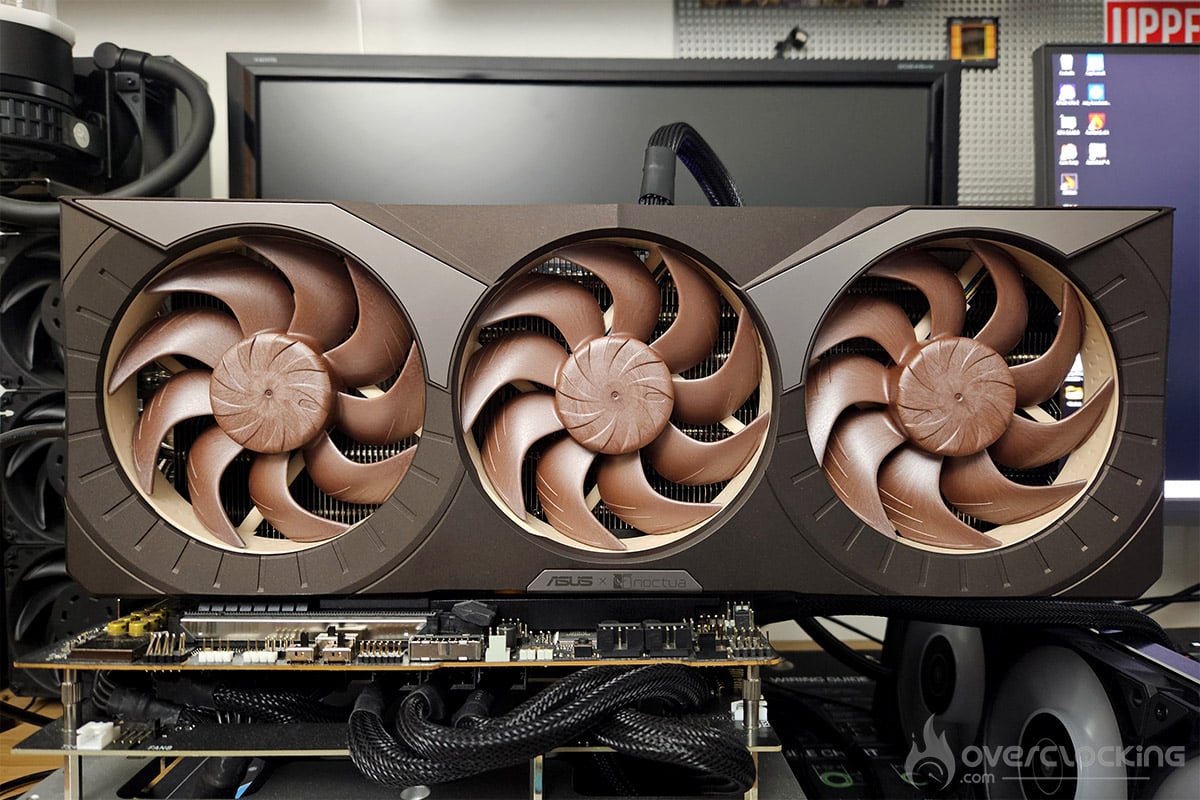
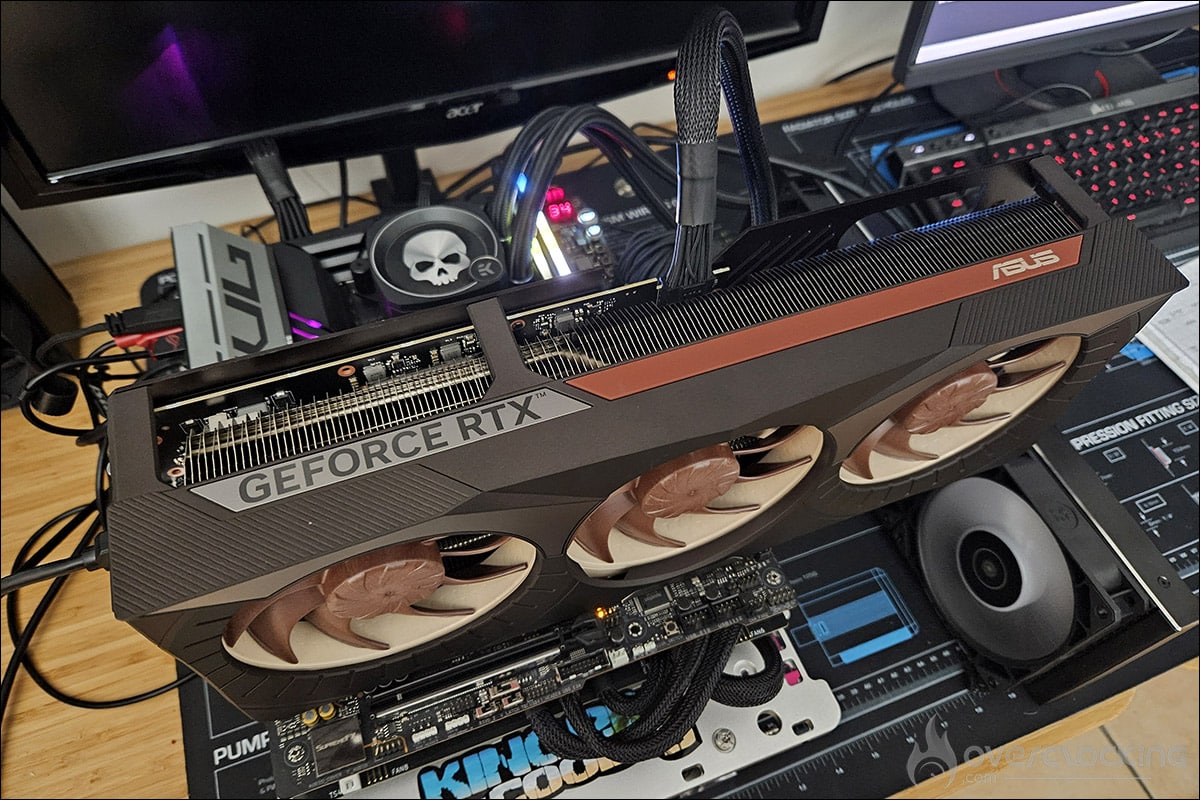
The drivers used for our tests are 581.42 for NVIDIA and 25.9.2.1. for AMD. For Battlefied 6, we tested the PC version on Steam. Here are the recommended configurations for Battlefield 6.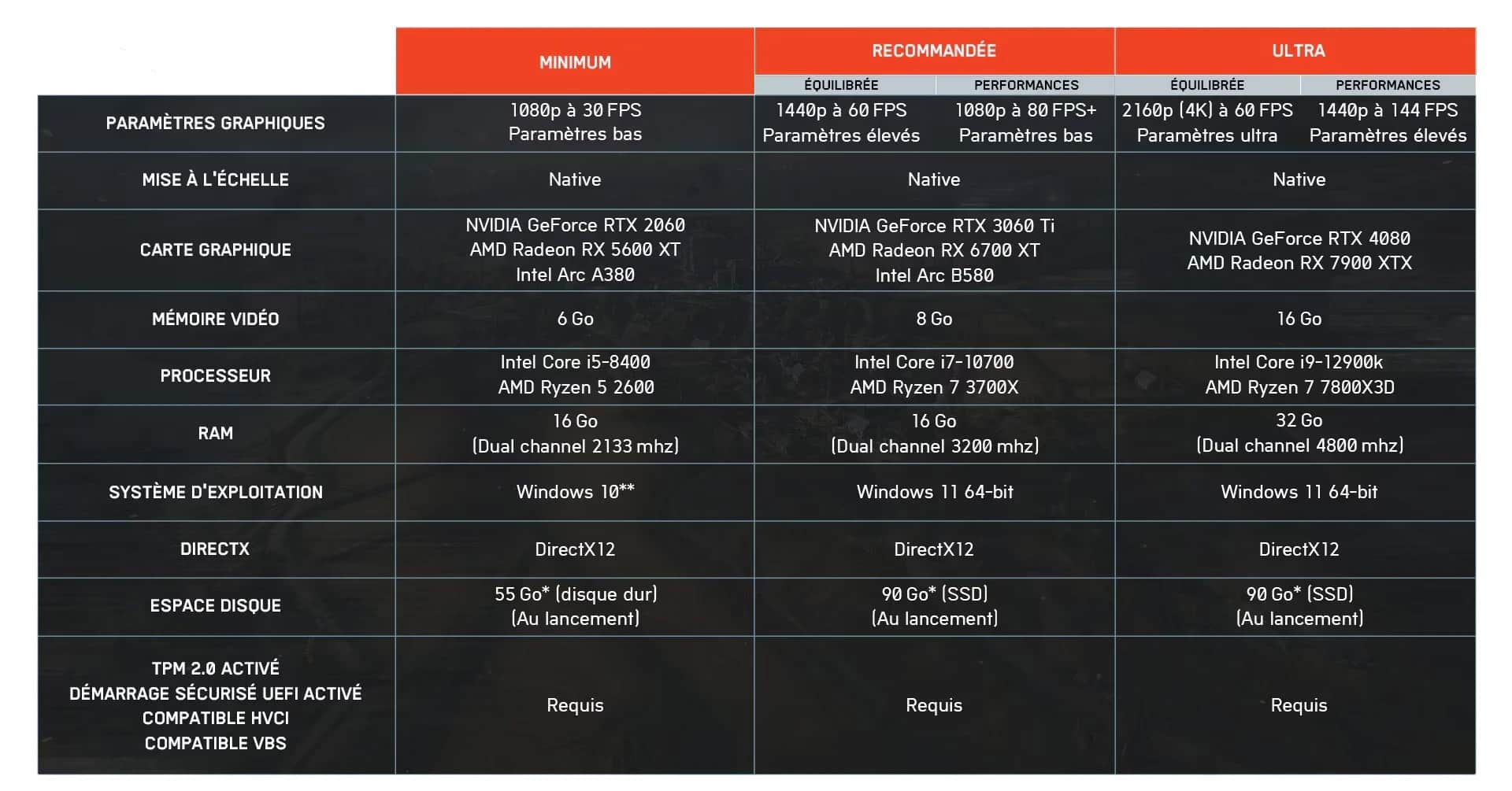
Graphics settings in Battlefield 6:
Here are the graphics settings we chose for all our tests. We opted for Ultra quality graphics. Battlefield 6 is of course compatible with NVIDIA’s DLSS 4, but also with AMD’s FSR 4. Both upscaling modes also give us access to NVIDIA’s Multi Frame Generation (x2, x3 and x4) and AMD’s Frame Generation. When DLSS 4 or FSR 4 are activated, we’ll combine NVIDIA’s MFG x4 and AMD’s FG at the same time
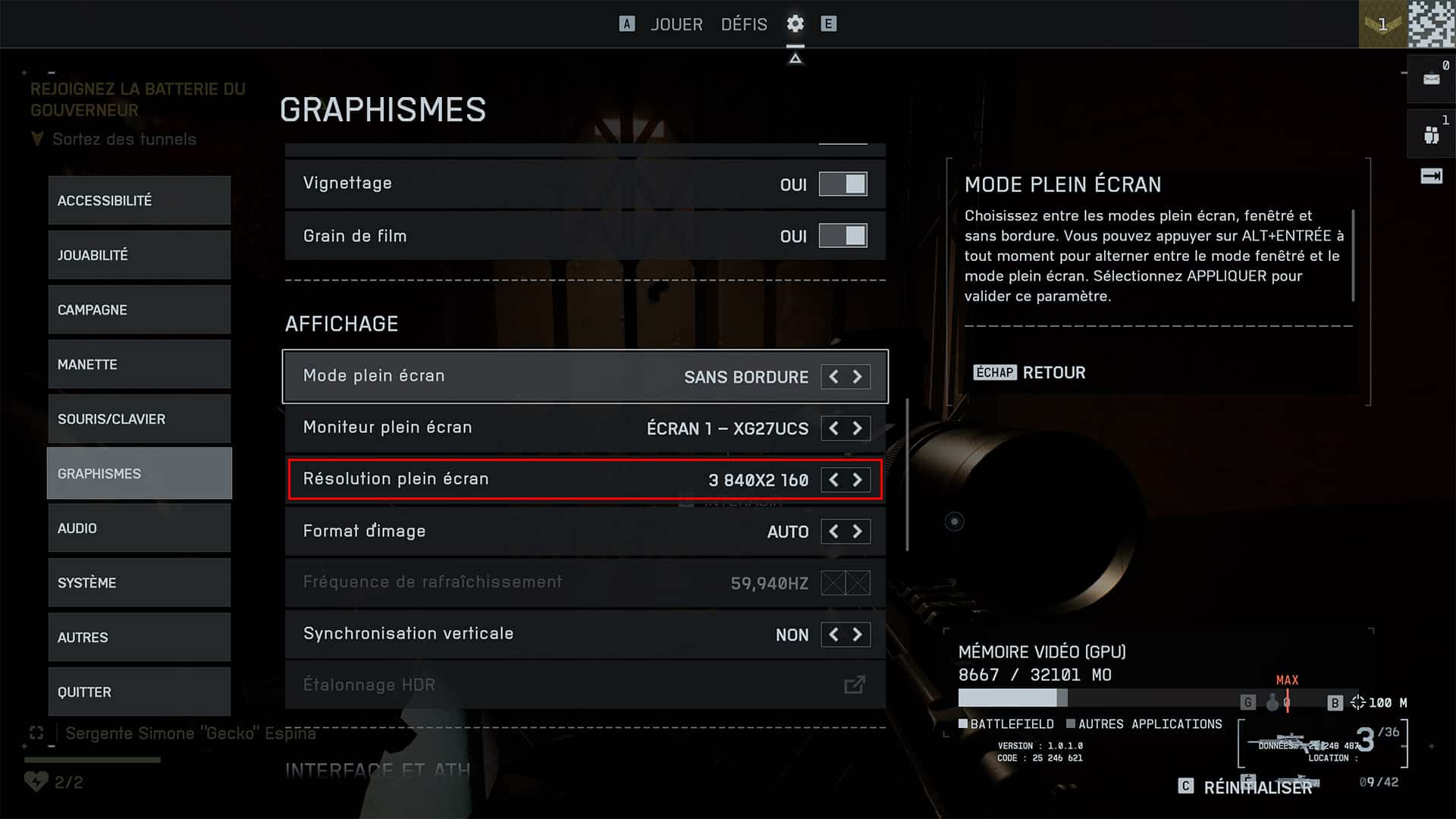
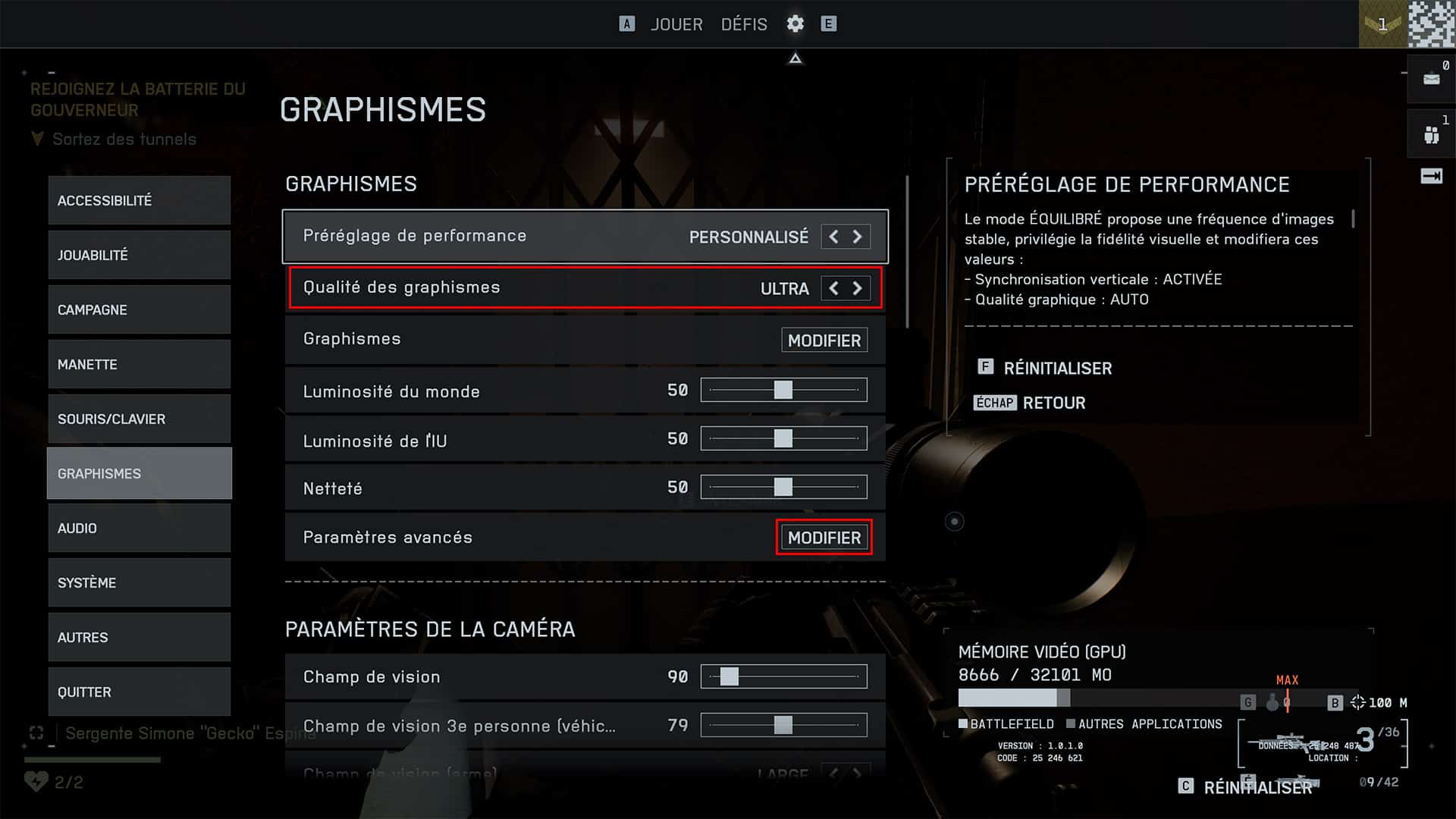
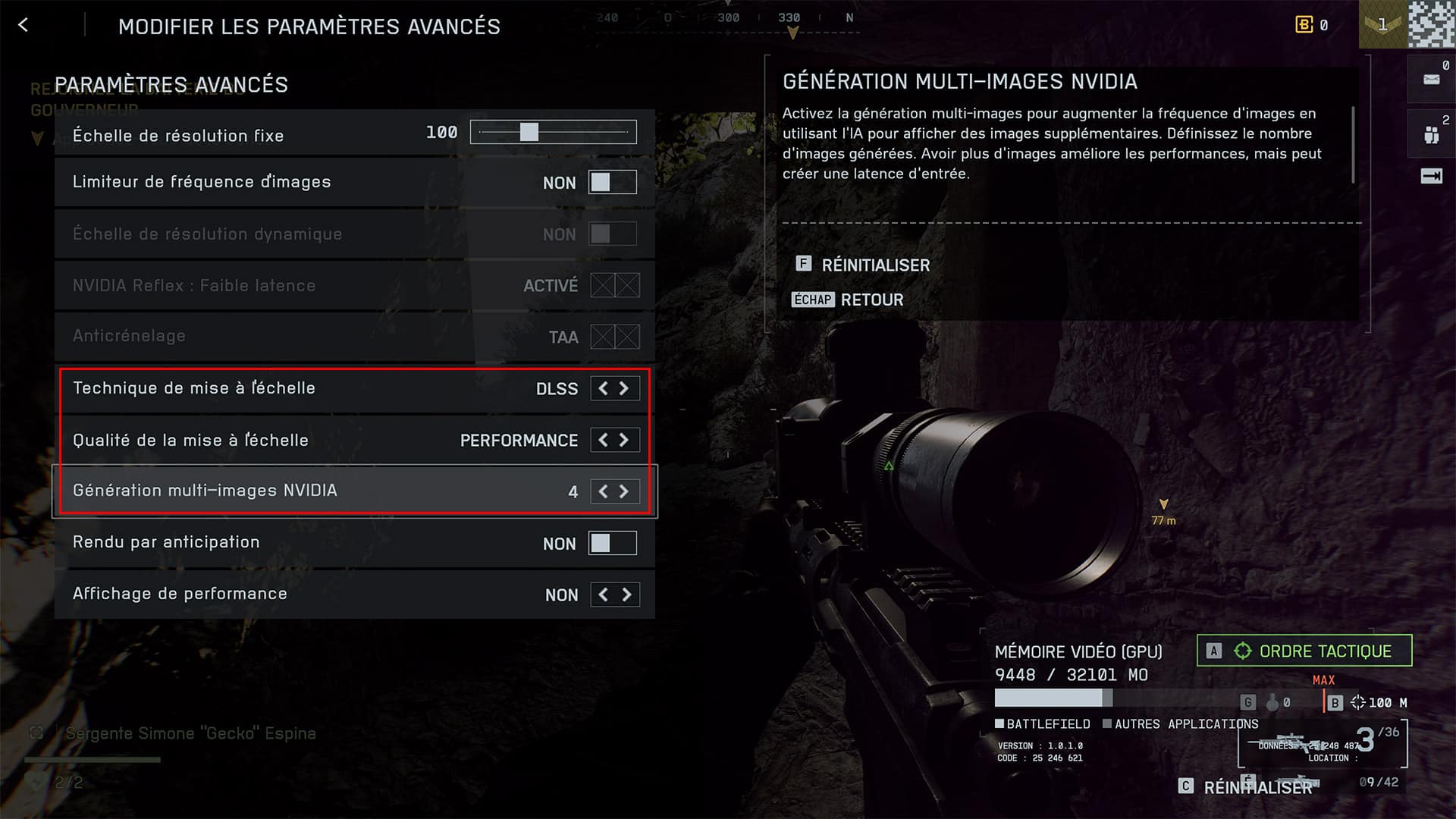
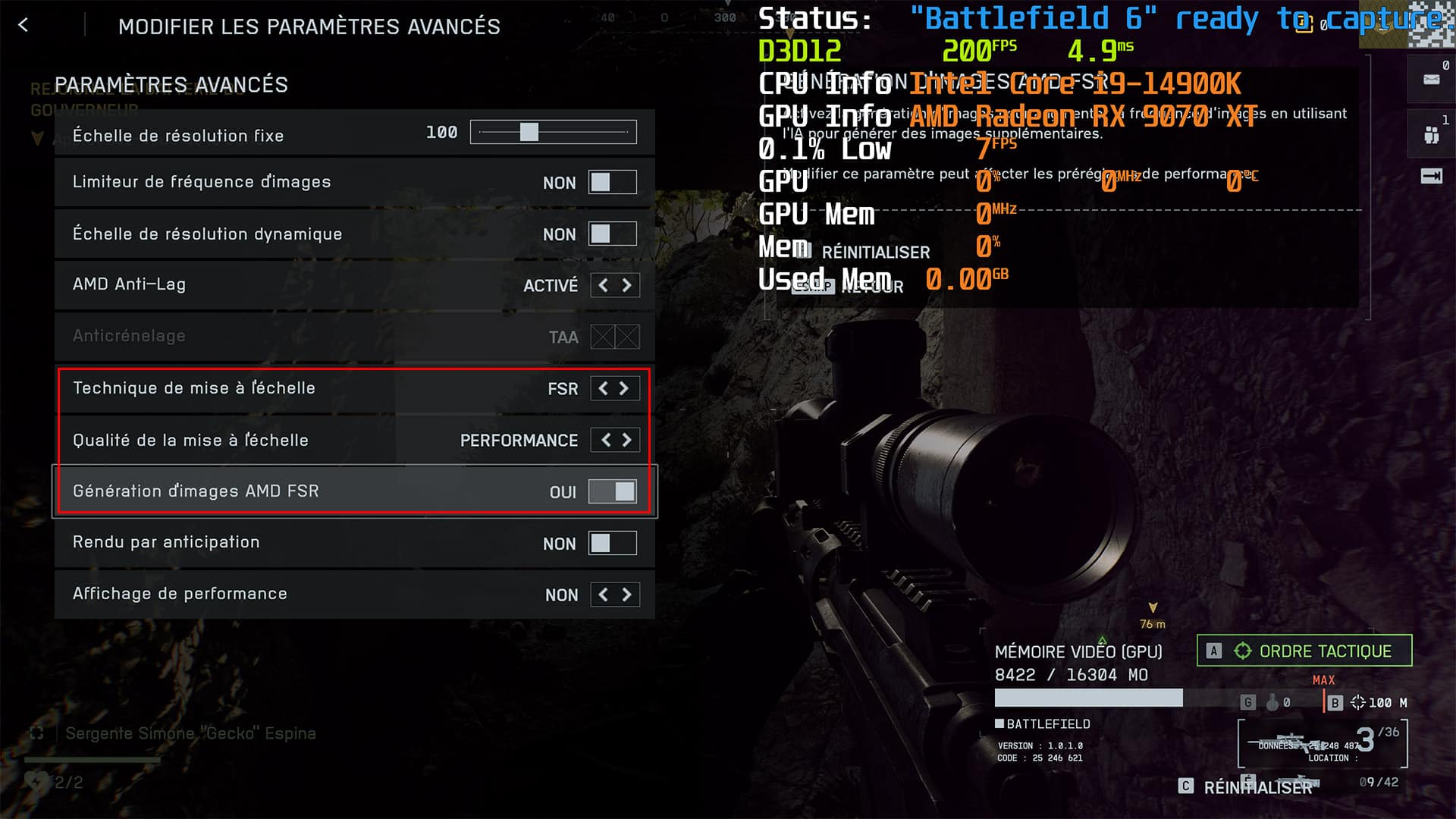
As for definition, we’ll test in 1080p, 1440p and 2160p, depending on the graphics card used. Surprisingly, Battlefield 6 doesn’t feature ray tracing, whereas previous opuses did. We’ll see that, given the performance of the cards, it’s a bit of a shame to have done without it.
CapFrameX for our readings:
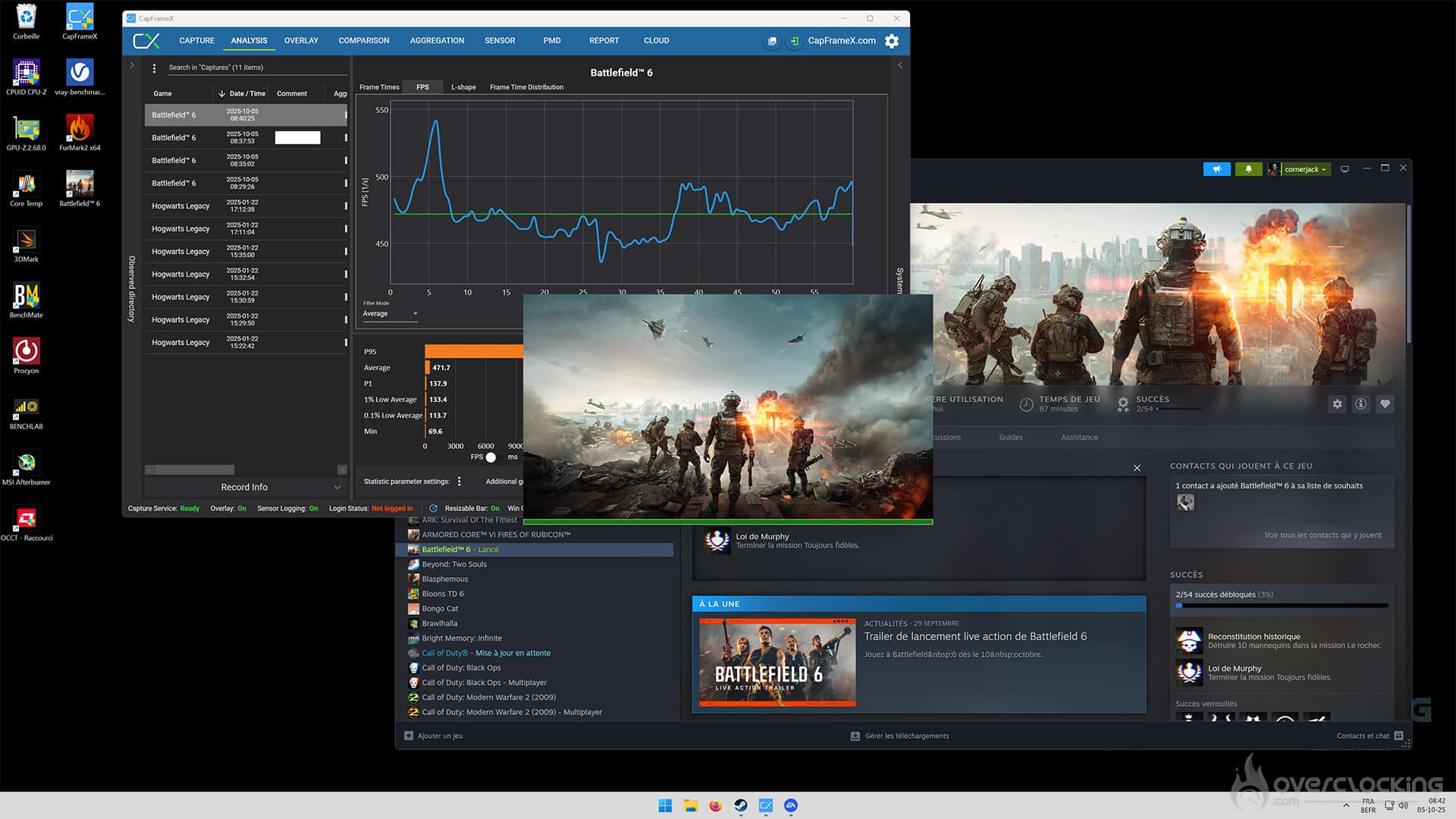
Battlefield 6 has no built-in benchmark, which is why we had to choose a scene from the campaign’s Mission 2, which we were able to repeat with all graphics cards. To measure performance, we used the latest version of CapFrameX. The software will give us the average FPS as well as the 1% Low, which corresponds to the lowest 1% of frames per second.
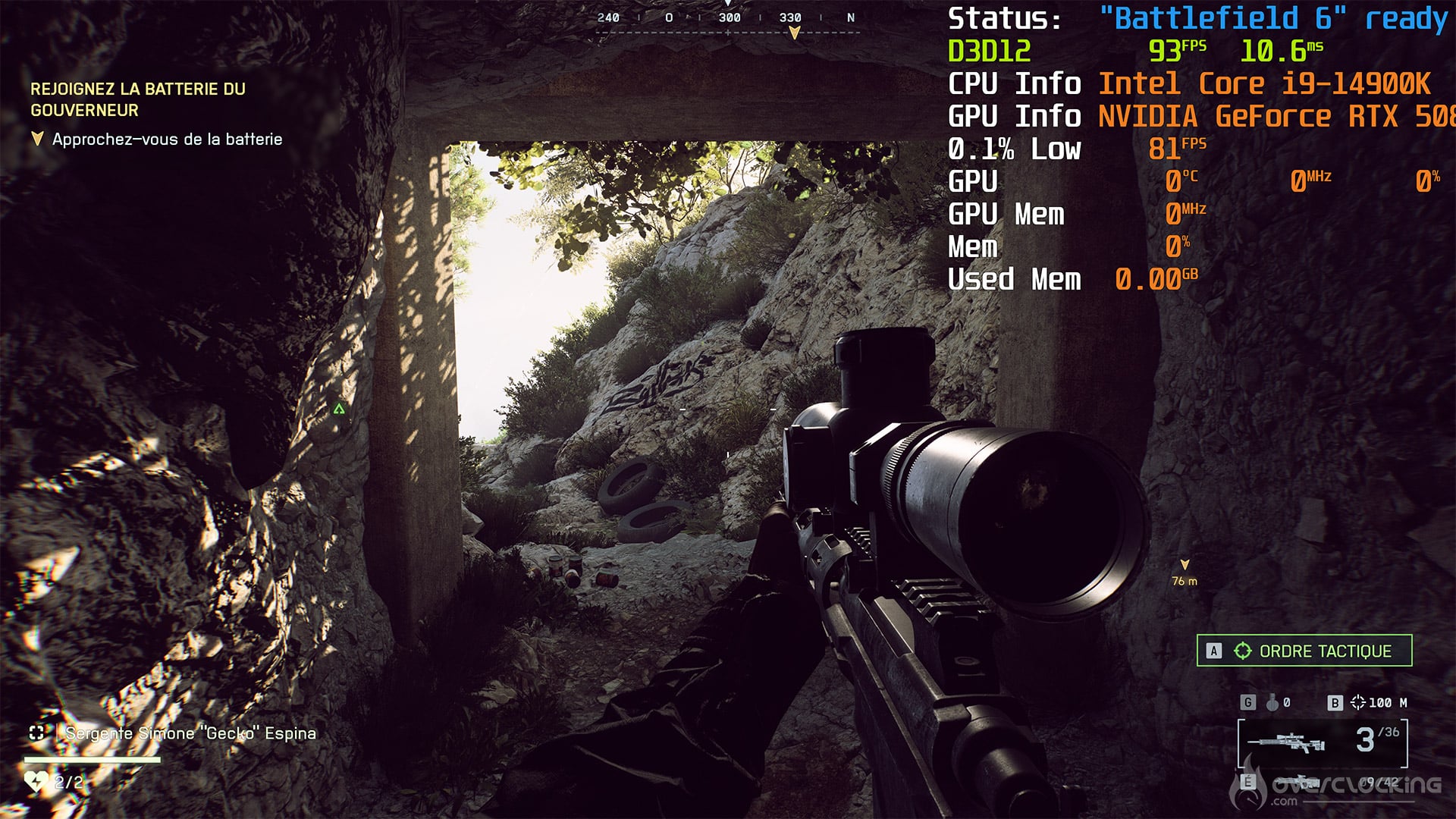
Now that you’re familiar with the various parameters of our tests, it’s time for the results. [nextpage title=”2160p performance:”]
Let’s start with 2160p definition for this first series of tests. We opted for six cards, choosing the NVIDIA RTX 5090 FE, NVIDIA RTX 5080 FE, AORUS RTX 5070 Ti Master, NVIDIA RTX 5070 FE, Gigabyte RX 9070 XT Gaming and ASUS RX 9070 TUF OC. The first table shows rasterization performance (native), while the second shows performance with upscaling. As a reminder, at NVIDIA, it’s DLSS 4 + Multi Frame Generation, which lets you choose between x2, x3 and x4. The latter was chosen for our tests. To understand the principle a little better, we invite you to take a look here. On the AMD side, it’s FSR 4 + Frame Generation.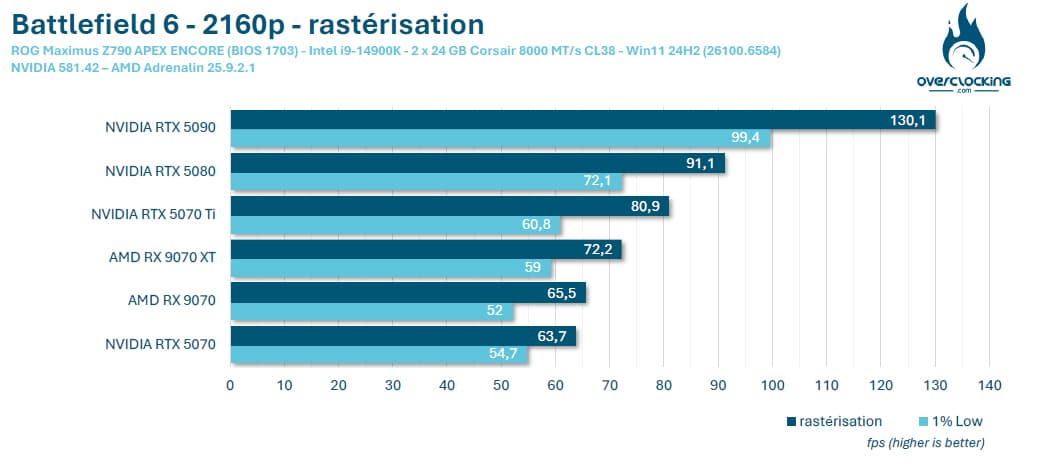

In 2160p definition, in rasterization, the top of our ranking is dominated by NVIDIA cards, with the RTX 5090 outperforming all other cards. The RTX 5070 struggles a little, and fluidity wasn’t perfect in our test, at least not natively. On the AMD side, both cards fared without too much difficulty. In the end, the top four cards in our ranking won’t need upscaling.
The activation of upscaling, whether by NVIDIA or AMD, is of great benefit to our panel of graphics cards. As a reminder, we’ve opted here for a Multi Frame Generation of x4 for NVIDIA cards, but this isn’t necessary, and you can lower it to x2 or x3, or even do without it altogether. [nextpage title=”1440p performance:”]
We continue with 1440p definition with the addition of two new graphics cards, the PALIT RTX 5060 Ti Infinity 3 16GB and the XFX RX 9060 XT 16GB. These two models are more in the 1440p definition range. Note that upscaling quality will be Quality for this definition.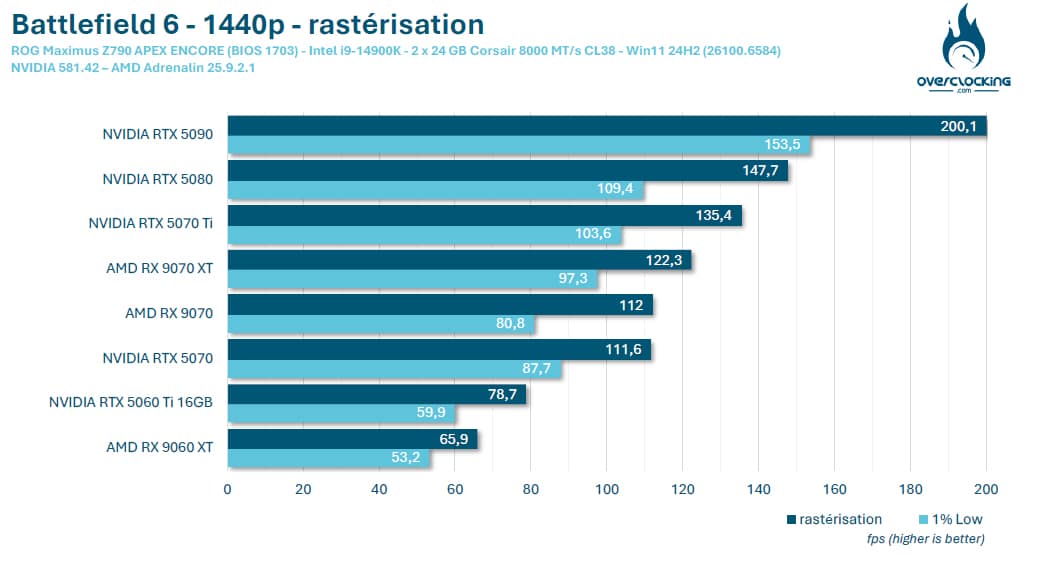
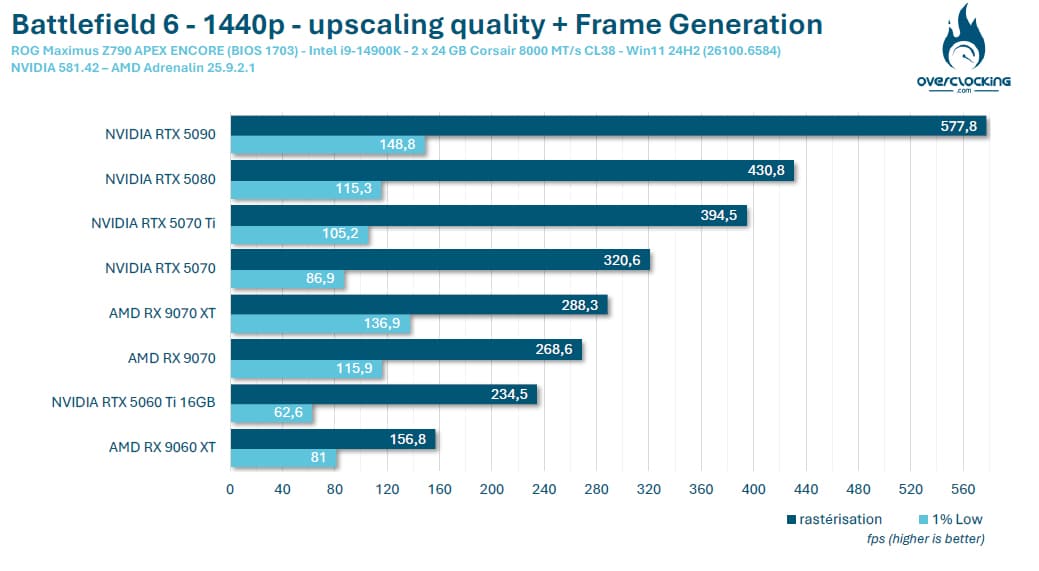
In 1440p rasterization, the order is identical to that of 2160p definition, and all cards perform perfectly. The XFX RX 5060 XT lags a little behind in this game against its main competitor, the 16GB NVIDIA RTX 5060 Ti.
With upscaling, the number of FPS explodes and won’t really be needed, apart from a slight reduction in power consumption. It’s worth noting that 1440p is becoming increasingly popular with gamers. [nextpage title=”1080p performance:”]
The last definition we’re reviewing is 1080p. We’ve added two new graphics cards: the ASUS RTX 5060 TUF OC 8GB and the Gigabyte RTX 5050 Low Profile. The RTX 5050 is NVIDIA’s entry-level version of this latest generation of graphics cards, which, depending on price and budget, could be a good alternative.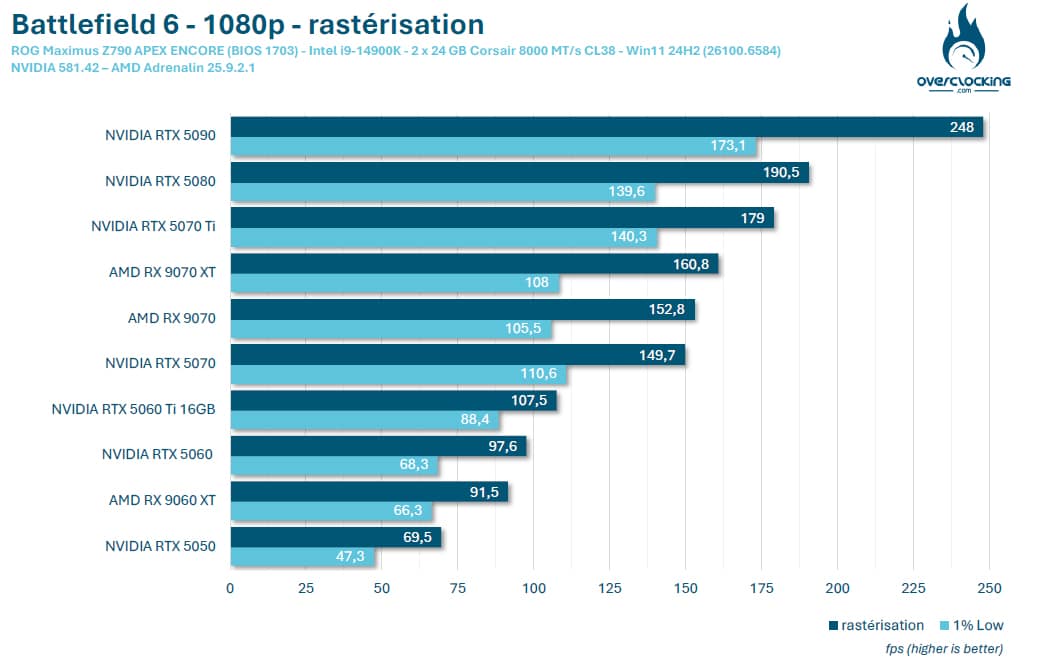
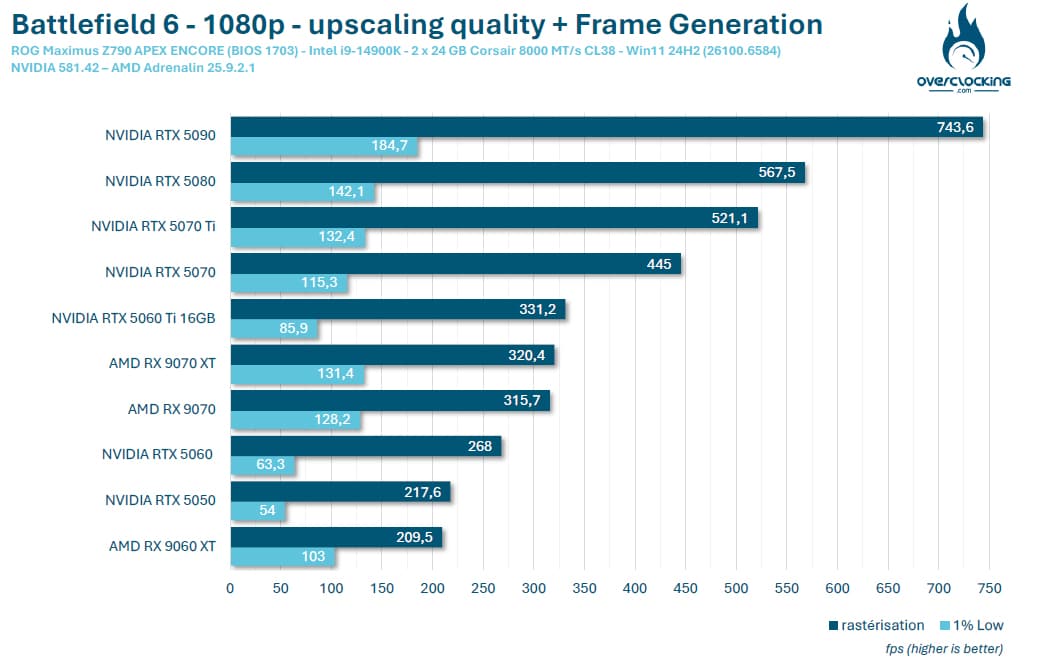
Battlefield 6 ‘s optimization seems to be holding up well, and upscaling is not at all necessary with this series of latest-generation cards from either NVIDIA or AMD. As time goes by, we’ll be adding cards from previous generations, or even specific models that are currently available second-hand. [nextpage title=”The final word:”]
Our impression of Battlefield 6 ‘s optimization is pretty good, since all the latest-generation cards we tested can easily enable you to enjoy this new opus. We would also have liked to test the Intel B580 model, but we no longer have this card at the editorial office.
During all our tests, which ultimately took a long time in the absence of integrated benchmarks, we encountered no problems with our NVIDIA cards. On the AMD side, things were a little less pleasing, with a series of crashes and display losses. At the time of writing, it’s hard to say whether this is a matter of Battlefield 6’s compatibility with AMD GPUs or a driver issue. We’ll be keeping a close eye on this in the days to come. We were on a private Discord to give feedback on our various tests, but most of the French testers were equipped with NVIDIA cards.
It’s hard to give you an overall impression of the game, since we limited ourselves to campaign mode for our tests. We will focus, once times are quieter, on exploring the multiplayer mode.
Thanks once again to NVIDIA, who gave us the opportunity to carry out this test, and if you’re a loyal fan of the license, see you on the battlefield!

