

[nextpage title=”Introduction”]
Since the health crisis, many of us have gone for a time, or even permanently, to telecommuting, emphasizing “mobility”. Combined with the shortage that has hit the computer industry, laptops have come back to the forefront, offering state-of-the-art performance components, as well as more attractive prices than their desktop counterpart.
For these reasons, but also to offer a more varied content, we are launching into the presentation and testing of laptops, to see how they perform.
We’ll start today with the GF76 Katana (GF76-12UEK) from MSI, a machine with a “mid-range” chassis that falls into the category of “classic” laptops with a price tag of around €1700.
 [nextpage title=”Specifications”]
Technical specifications
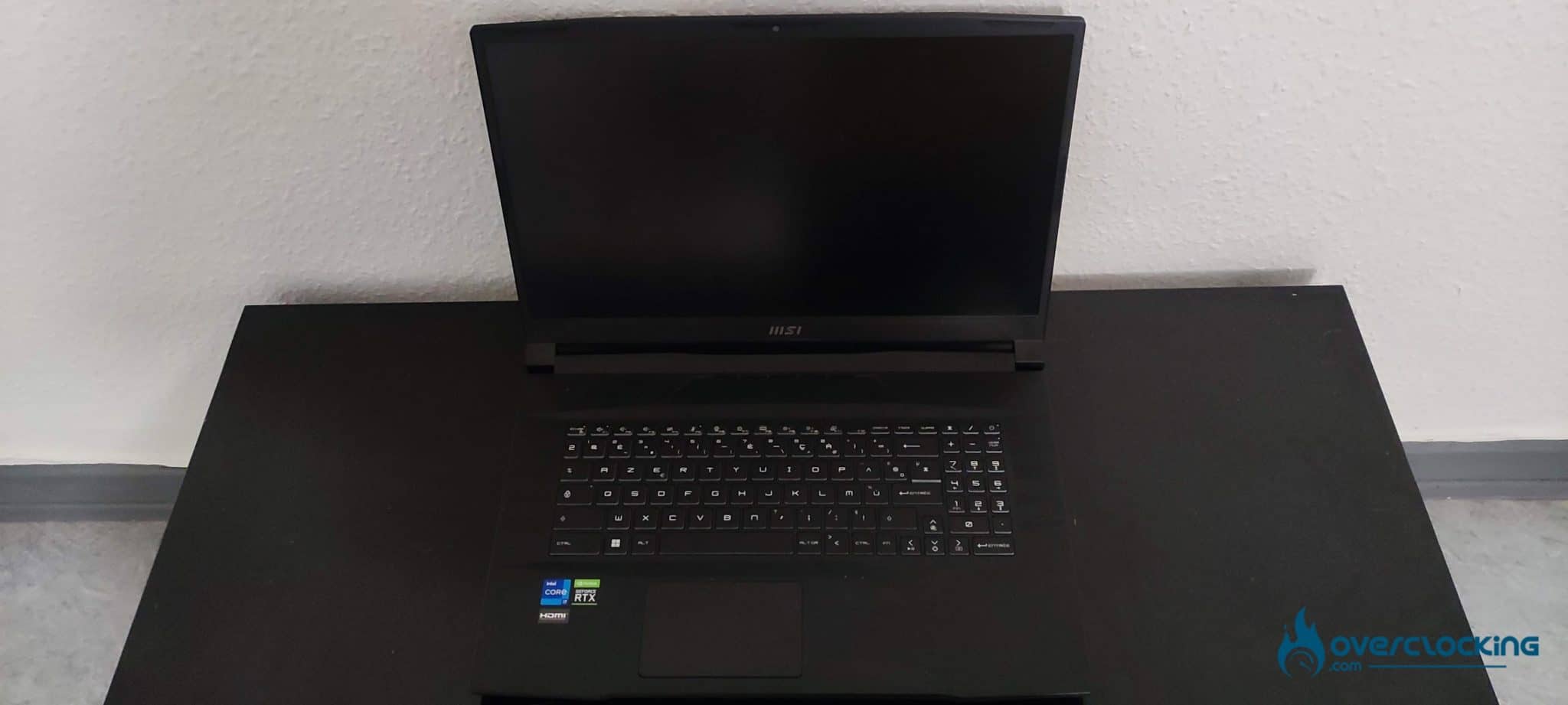
The GF76 Katana is a 17.3-inch laptop, featuring a 1080p IPS panel with a 144 Hz refresh rate. We find the latest generation of Intel and NVIDIA components, with a Core i7-12700H and an RTX 3060 coupled with 16 GB of DDR4 and a 512 GB NVMe SSD, accompanied by a 53.5 Wh battery.
| Model | MSI GF76-12UEK |
| Processors | Intel Core i7-12700H Alder Lake-H 45W |
| Graphics card | Nvidia RTX 3060 6GB 80W (105W Dynamic Boost) |
| Ram memory | 2×8 GB DDR4-3200 (2 slots, up to 64 GB) |
| Screen | 1920*1080 16:9, 17,3″, 144 Hz, IPS |
| Storage | 512 GB NVMe (2 PCIe 4.0 slots) |
| Connectivity | x1 USB C 3.2 Gen 1, x2 USB A 3.2 Gen 1, x1 USB A 2.0, 1 RJ45, 1 HDMI, 1 3.5mm jack |
| Battery | 53.5 Wh |
| Network | Intel AX201, Realtek RTL811HS-CG 1Gb/s, Bluetooth 5.2 |
| Dimension | 398x273x25.2mm |
| Weight | 2.6 Kg |
We are here on a very sober black chassis, mixing plastic and aluminum as materials, looking a bit ” cheap” at first glance, but which remain solid in use and transport.
The screen has a correct quality, offering a good brightness and a 144 Hz refresh for a better fluidity in game.

The 17″3 format would have made it possible to offer a keyboard adapted to this format, which is not really the case here, with compact keys, especially for the numeric keypad which will take some getting used to. The touchpad is classic but remains, like the keyboard, undersized compared to the chassis. 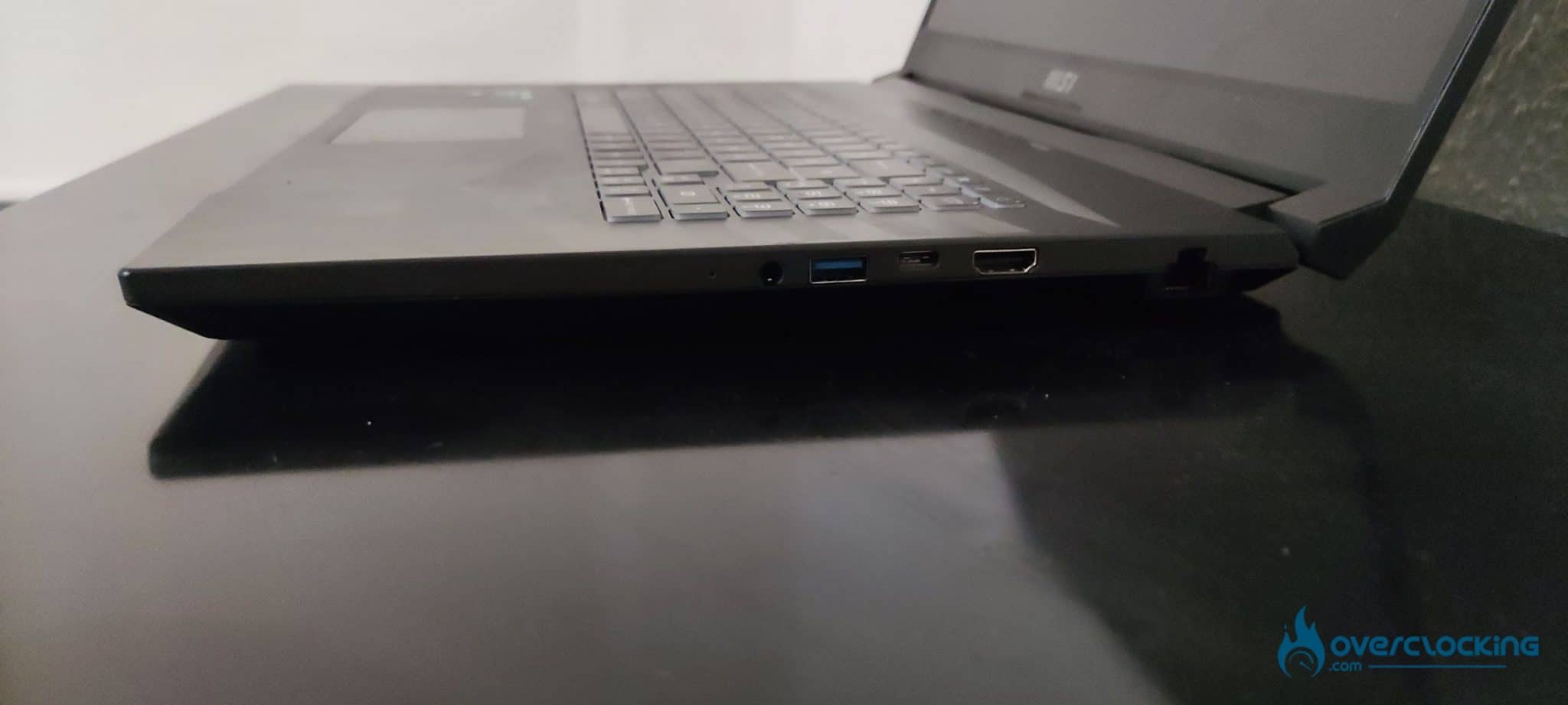
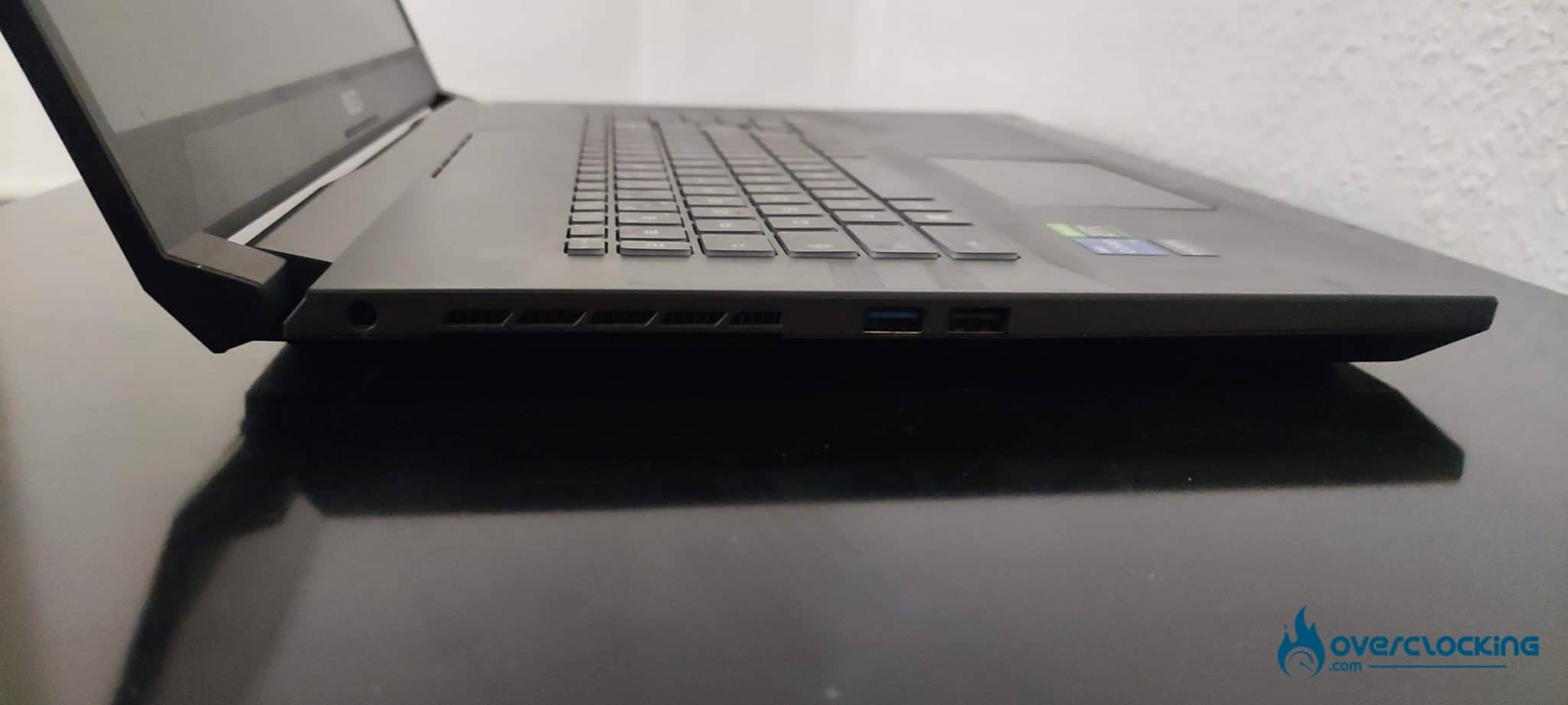 On the right side, we find a 3.5 jack port with two USB 3.2 Type A and Type C accompanied by an HDMI and RJ45 port. On the left side, we have the plug for the 240W charger and the rest of the USB with two Type A 3.2 and 2.0. This is still quite light for this size, but sufficient for its primary use: gaming. [nextpage title=”Protocol”]
We’ll start today with a protocol that will change according to the feedbacks. It will of course keep an established base with some popular software and games, but will evolve according to the needs (acquisition of hardware for better measurements, addition of new games, etc.).
All benchmarks will be done in the highest performance mode available (bios and Windows), to get an idea of what the machines are worth at their maximum. As for the drivers, we will mention and use the latest official versions available.
The basic definition will be 1920×1080, but other resolutions can be added depending on the laptop’s screen. We will use the highest graphic presets available on each game. For this first review, we will of course not make a comparison. That will come later when several laptops have been tested. In terms of synthetic tests :
- CPU
- Cinebench R23/R20, Geekbench 5, AIDA64.
- GPU
- TimeSpy Extreme, Fire Strike Extreme.
- Memory
- AIDA64.
On the video game side with the games: we choose popular licenses, but especially have ” in game benchmark” to allow a better representation and reproducibility of performance. This also allows you to compare your results with ours without difficulty. The list will of course be extended with new games.
- Borderlands 3 (DX12)
- Anno 1800 (DX12)
- Shadow Of The Tomb Raider (DX12)
The driver for the RTX 3060 is version 512.95.
[nextpage title=”Synthetic performance”]Synthetic performance
We are in the presence of an Intel Core of the last generation, namely an i7-12700H based on the Alder Lake architecture offering Performance cores and Efficiency cores.

With 6 Performance cores boosting up to 4.7 GHz and 8 Efficiency cores boosting to 3.5 G. Hz, the processor is indicated with a PL1 of 45W and a PL2 going up to 115 W.


On Cinebench R20, the 12700H gets a score of 6014 points in multi-core and 694 points in single-core. With the R23 version, we are on 15828 points in multi-core and 1804 points in single-core.
 In Geekbench 5, the 12700H climbs to 1683 points in single-core and 11504 points in multi-core.

On the RAM side, the GF76 12UEK is equipped with 16GB of DDR4-3200 CL22 RAM in dual channel and gear 1, which offers speeds of about 49GB/s read, 47 write and 46 copy, all with a latency of 93.9.
The notebook offers very good performance on the processor side, coupled with a sufficient amount of RAM, will have no trouble performing all the tasks that will be asked of it.

The graphics part is not left out with an RTX 3060 6GB. We ran it under Time Spy Extreme, where the card scored 4053 points in combined and 3923 points in graphics score
.  We then moved on to Fire Strike Extreme with 9705 points in combined and 10100 points in graphics score. As for the CPU part, there is nothing to complain about on the GPU, which is very powerful.
[nextpage title=”Gaming Performance”]Gaming Performance
Let’s move on to gaming performance, with the RTX 3060 80W (105W dynamic boost) which is the mobile 3060 with the lowest TGP.

The first game is Borderlands 3, whose graphics setting has been set to the brutal mode so on the DX12 API, the 3060 show good performance reaching 65 FPS on average.

Then we have Shadow Of The Tomb Raider set to ultra and DX12. Here too the results are convincing with an average of 97 FPS.

Third game: Anno 1800, also tested with the DX12 API and in ultra. The performance is quite excellent, with an average of 101 FPS on this title.
These 3060 mobiles, despite having the lowest GPR, still manage to offer more than 60 FPS in ultra on big games without having to sacrifice quality.
[nextpage title=”Temperature and Consumption”]Temperature
Temperatures measured during the gaming sessions were relatively correct for a laptop, with a rise to more than 80-90° on the CPU and GPU internally.
Externally, the chassis remained hot but not burning, with temperatures around 40° on the keyboard, allowing you to continue playing for several hours without worrying.

As for the power consumption, it remained within the manufacturers’ figures, with a maximum application of about 90W for the i7-12700H and about 110W for the RTX 3060.
In games (Borderlands 3), we had combined CPU and GPU figures in the range of 100 to 110W, allowing for a problem-free load with the 240W block.
[nextpage title=”Conclusion”]Conclusion
This MSI GF76 Katana fulfills its role as a mid-range laptop, offering good performance for the price, all in a sober chassis that looks quite good with the ventilation grids underneath.
However, its advantages also come with their disadvantages, the ridiculously small battery for a 17.3″ machine with only 53.5 Wh, giving it a low autonomy which is its main flaw, so you’ll have to stay close to an outlet. Nevertheless, the value for money remains excellent with a price around 1 650 €, which allows you to benefit from a significant CPU power and a good GPU capable of running the majority of games in ultra-60 FPS.
We liked:
- The performance in general
- The quality-price ratio
- The style and design of the chassis
We would have liked :
- A cooling system adapted to the size
- A higher battery capacity for the 17.3″ size
- Slightly larger keys
