
After our review of NZXT’s Lift 2 Symm mouse, we’re back with the Ergo model this time. Today, NZXT is unveiling two new mice on the peripherals market. Overall, we find similar features to the Symm, except that it seems to be more right-handed oriented than its counterpart. Once again, we’re dealing with a lightweight mouse, although the Ergo is a little heavier than the Symm model.
So, how does the NZXT Lift 2 Ergo stack up? Find out in our test!
Technical specifications :
Let’s start with the technical specifications of the NZXT Lift 2 Ergo. The Ergo measures 128.4 x 65.1 x 41.4 mm and weighs 61 g. It is therefore slightly larger than the Symm (67.1 x 126.6 x 38.3 mm) and heavier too (58 g). This is a lighter mouse than the MSI Clutch GM41 Lightweight Wireless (74 g), which I use on a daily basis. Similarly, the Model O weighs in at 67 g, while the Asus Harp weighs in at 54 g. Compared with NZXT’s previous generation Lift, the Ergo is 6 g lighter.
Like the Ergo, the Lift 2 Ergo features a PixArt PMW3395 sensor capable of 26,000 DPI. It boasts a maximum speed of 650 IPS and can withstand accelerations of 50G.
NZXT’s new mouse features PTFE Teflon glide pads and a 2m paracord sheathed cable. It comes with a two-year warranty.
System requirements :
To use the NZXT Lift 2 Ergo, you’ll need a USB A port on your PC. Of course, this model is also PC (Windows) or Mac compatible. It can also be used on Xbox or Playstation if required. As you’d expect, an Internet connection is required to download and install the CAM management software.
[nextpage title=”Unpacking”]
The box:
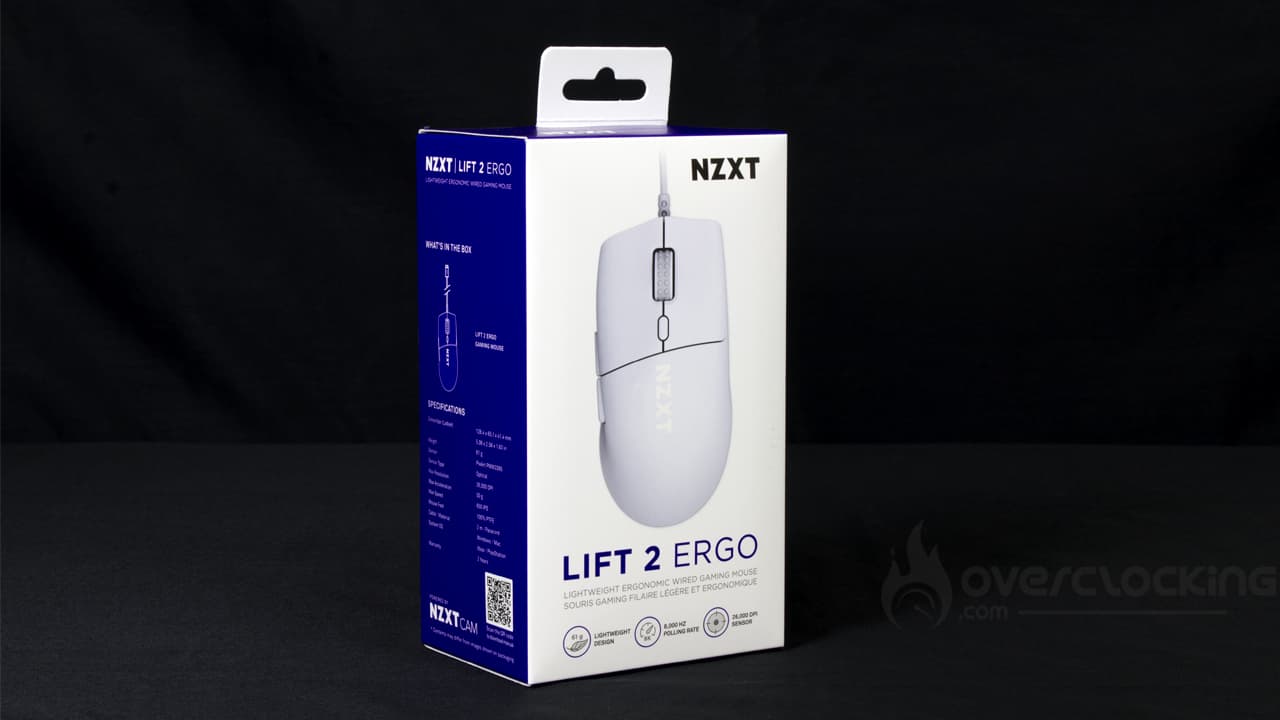
Our mouse of the day arrives in a small box in the familiar NZXT colors (white and purple). On the front, we’re treated to a representation of the mouse. Here, it’s a white model with no RGB. At the same time, we learn that this is an ergonomic, wired and lightweight mouse. NZXT highlights its featherweight of 61 g, 8,000 Hz polling rate and 26,000 DPI sensor.
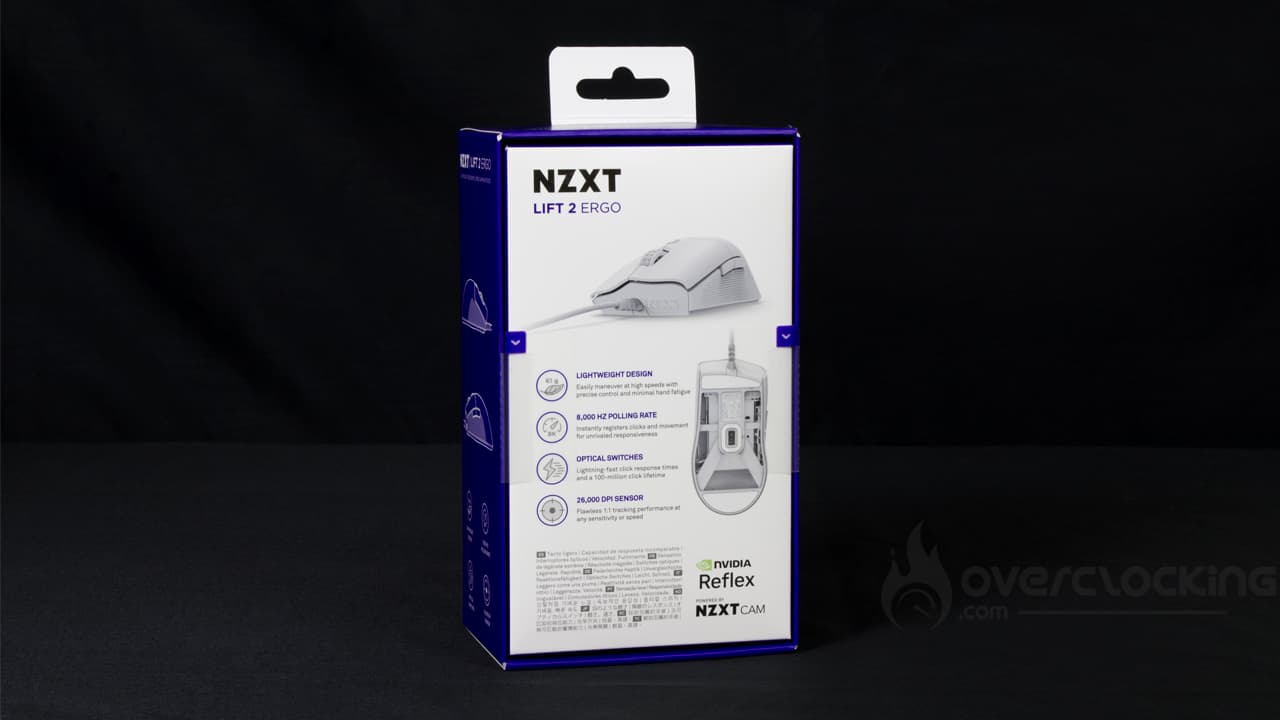
Let’s move on to the rear, where we once again see images of the Lift 2 Ergo. The brand highlights this mouse’s weight, polling rate and 26,000 DPI sensor. We also learn that it is equipped with optical switches capable of handling up to 100 million clicks.
In the box, the mouse is placed on a cardboard base. It was well protected as it arrived in excellent condition. The layout is also quite pleasing to the eye.
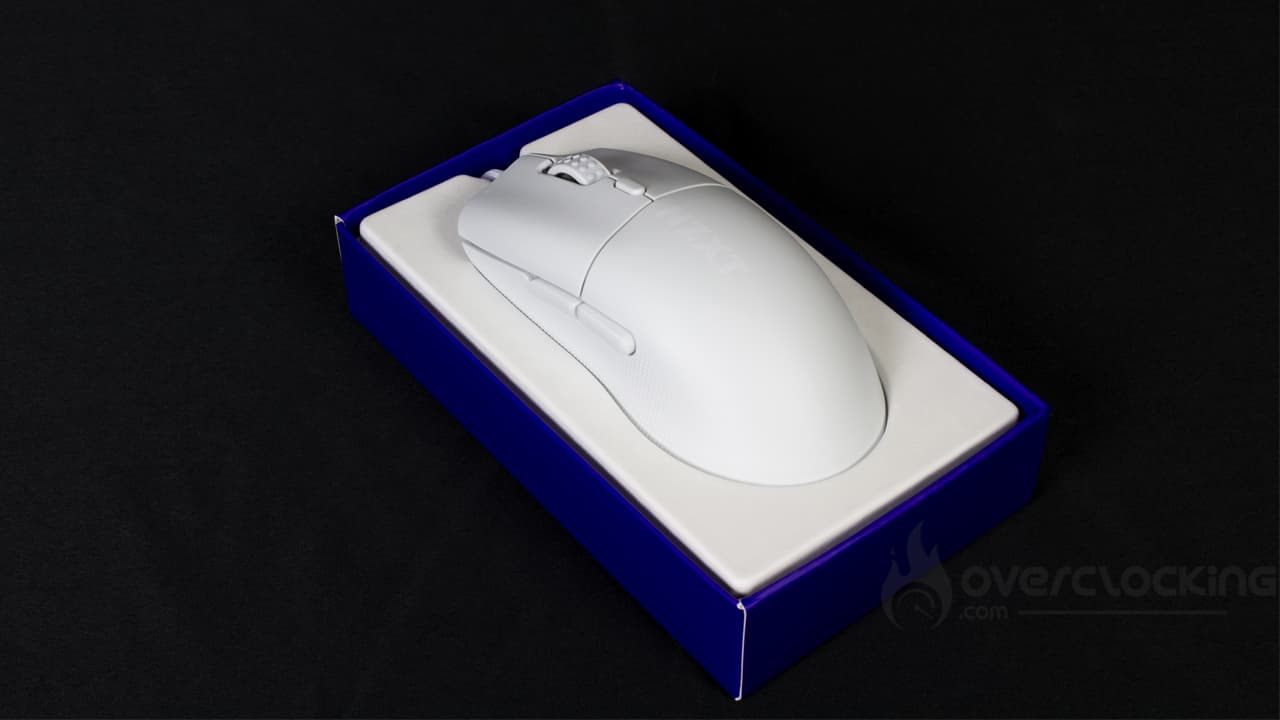
Unfortunately, like the Lift 2 Symm model, the Lift 2 Ergo arrives alone in its box. In fact, neither documentation nor replacement pads, for example, are available here. It’s a real shame.
Top:
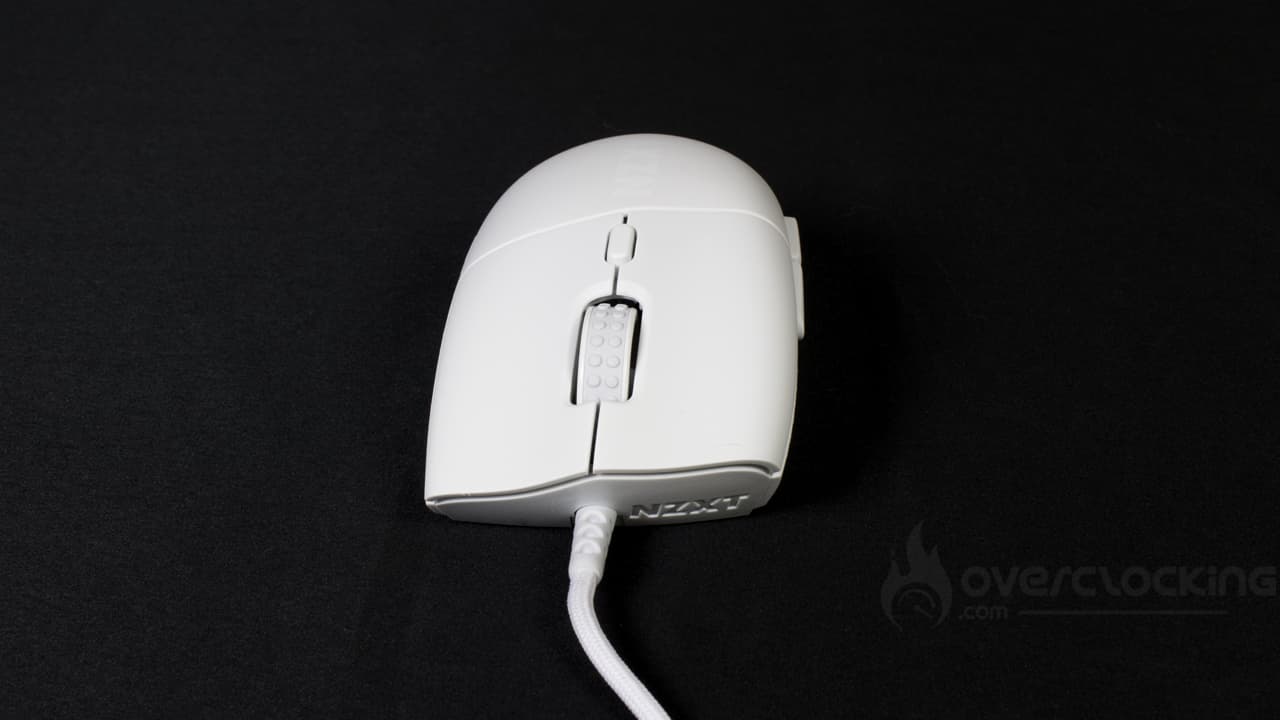
Right out of the box, we’re dealing with an attractive mouse. For this test, we received the white Lift 2 Ergo model. On the sides, we’ll find a non-slip coating that seems to do its job well. There are two buttons, accessible via the thumb if you’re right-handed. On the top, we can appreciate a very discreet NZXT logo that takes its place behind the button for managing DPI. In the center, of course, we find the mouse wheel. The coating is a little different from the usual, with small rubber circles. Otherwise, we have the classic left and right clicks, which are nothing special.
On the front of the mouse, the brand unveils a small NZXT logo molded directly into the mouse shell. On the right, there’s nothing special to say, as there are no buttons or other features, apart from the same coating as on the left.
Overall, this model is pretty straightforward and very similar to the Lift 2 Symm, and like the latter, it doesn’t have a slot for RGB LEDs.
The underside:
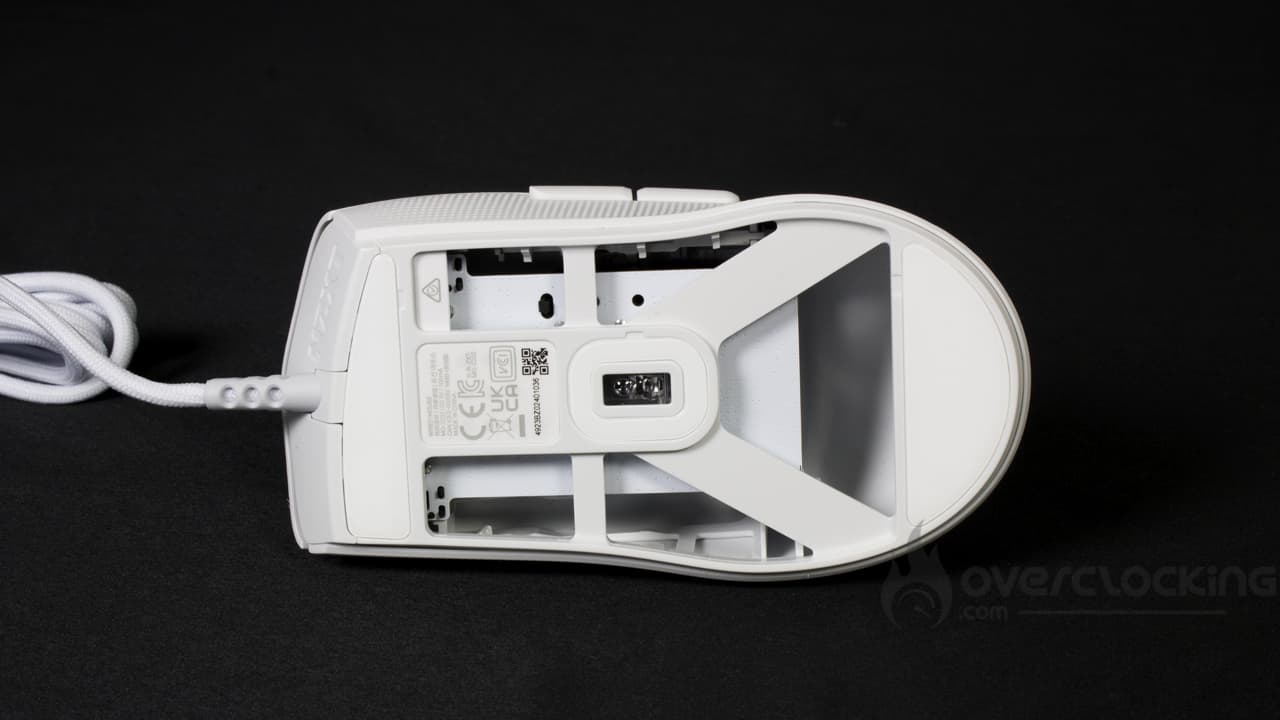
This is where you’ll notice a difference from the competition. The underside of the Lift 2 Ergo is perforated, probably to reduce its weight. This allows easy access to the mouse’s circuit board, although this is not especially necessary for its operation.
Otherwise, the Lift 2 Ergo has two large PTFE Teflon pads at either end. We also have the sensor in the center, surrounded by yet another PTFE pad, and a small insert with recycling information for this model. All in all, we’re on the same page as the Lift 2 Symm.
[nextpage title=”Software”]
The software used by NZXT to manage its mouse is CAM. Let’s take a look at the different settings available for the Lift 2 Ergo.
DPI settings

The first thing you’ll find are the DPI settings. By default, 5 parameters are available: 400, 900, 1800 and 6400 DPI. These can be changed by manually entering the value in the dedicated box, or by scrolling the cursor to the left.
Polling Rate, Macros, button remapping

At the very bottom of the application, we have access to mouse polling rate and “lift height” settings. This is the height to which we can lift the mouse before it stops detecting our movements. We can choose between 1 and 2 mm for this parameter.
Next, the menu just below offers a macro editor. Nothing out of the ordinary here, as it lets you record a sequence of keystrokes and their various timings.
Finally, at the very bottom, we have the option of changing the assignment of mouse keys. However, there’s no function to regulate mouse DPI. In this way, we could have created a ” sniper ” function similar to that offered by Corsair’s M65.
[nextpage title=”Test”]
It’s time to get to grips with NZXT’s Lift 2 Ergo and give you our impressions of it. We’ve used it for video games, as well as for more traditional office and navigation tasks. What did we think? Find out now!
Handling:
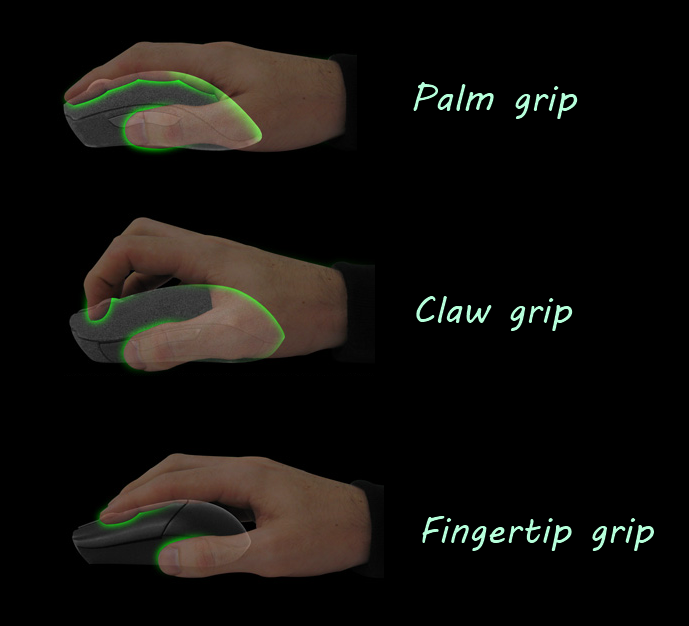
NZXT’s Lift 2 Ergo is a mouse with a very simple grip. In fact, the fingers naturally come to rest on its various slots. For example, the thumb rests under the two side buttons, while the index and middle fingers rest on the left and right clicks respectively. Finally, the ring and little fingers are positioned on the right-hand side of the mouse, and their sole role is to hold the Lift 2 Ergo. Overall, the grip of this mouse is very similar to that of featherweight mice such as the Model O, the MSI Clutch GM41 Lightweight Wireless or the Asus Harp. Compared with the Lift 2 Symm, there are no real major changes (apart from the fact that the Ergo model seems more suited to right-handed users than its sibling, as it is not “symmetrical”). We do appreciate, however, that the Lift 2 Ergo has no gutters for positioning the fingers, which requires a certain grip. Here, it’s totally free, and that’s just as well!
The Lift 2 Ergo is designed for claw grip and palm grip. These will be the most pleasant and suitable. Finger grips are also possible, but are more suitable for people with large hands.
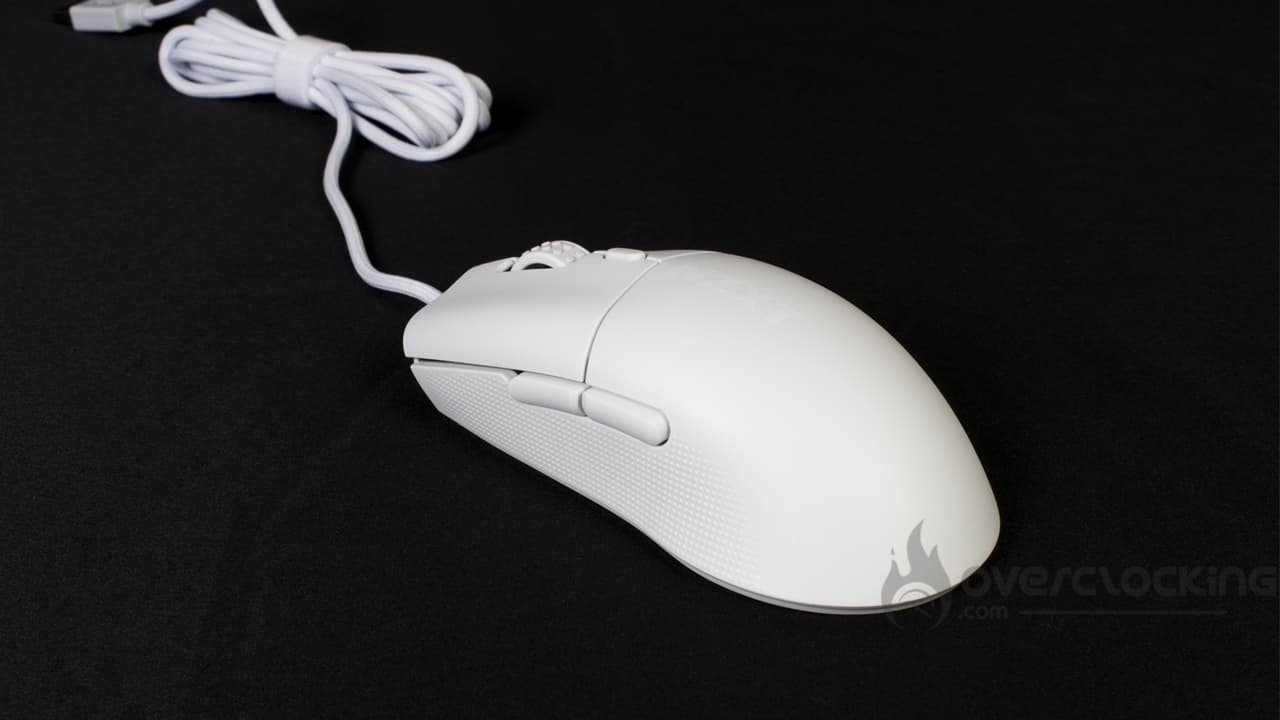
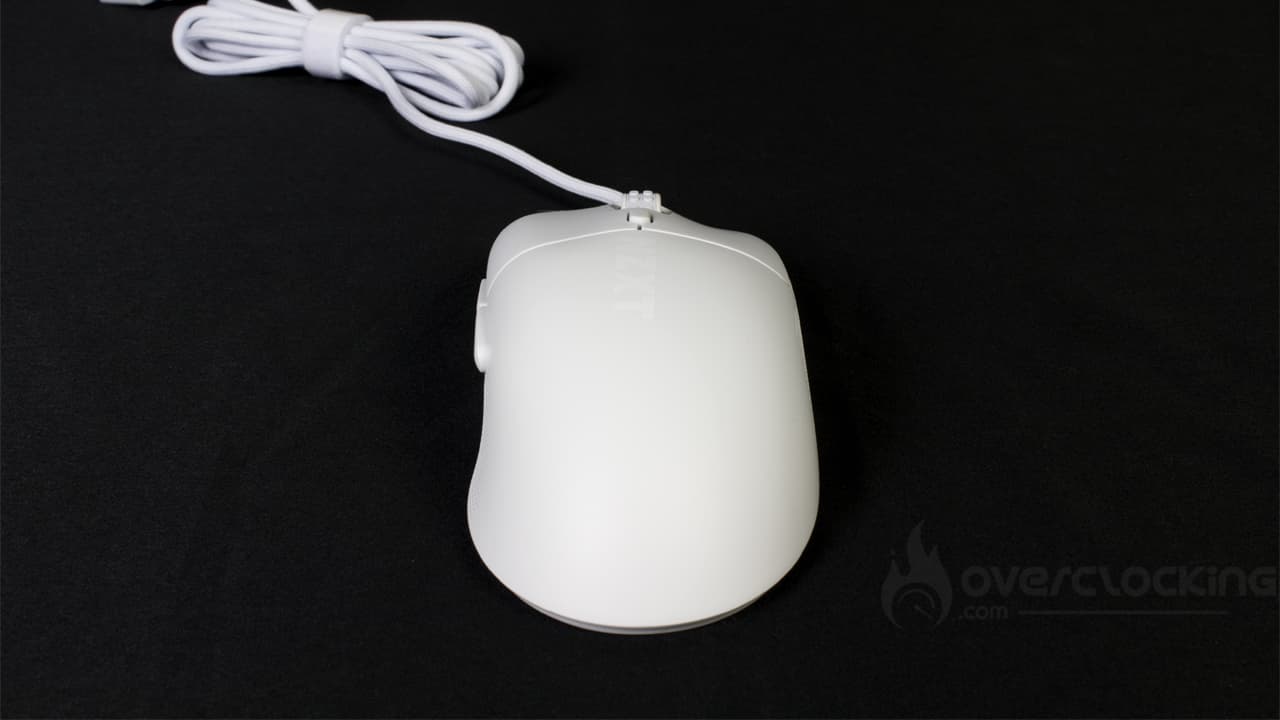
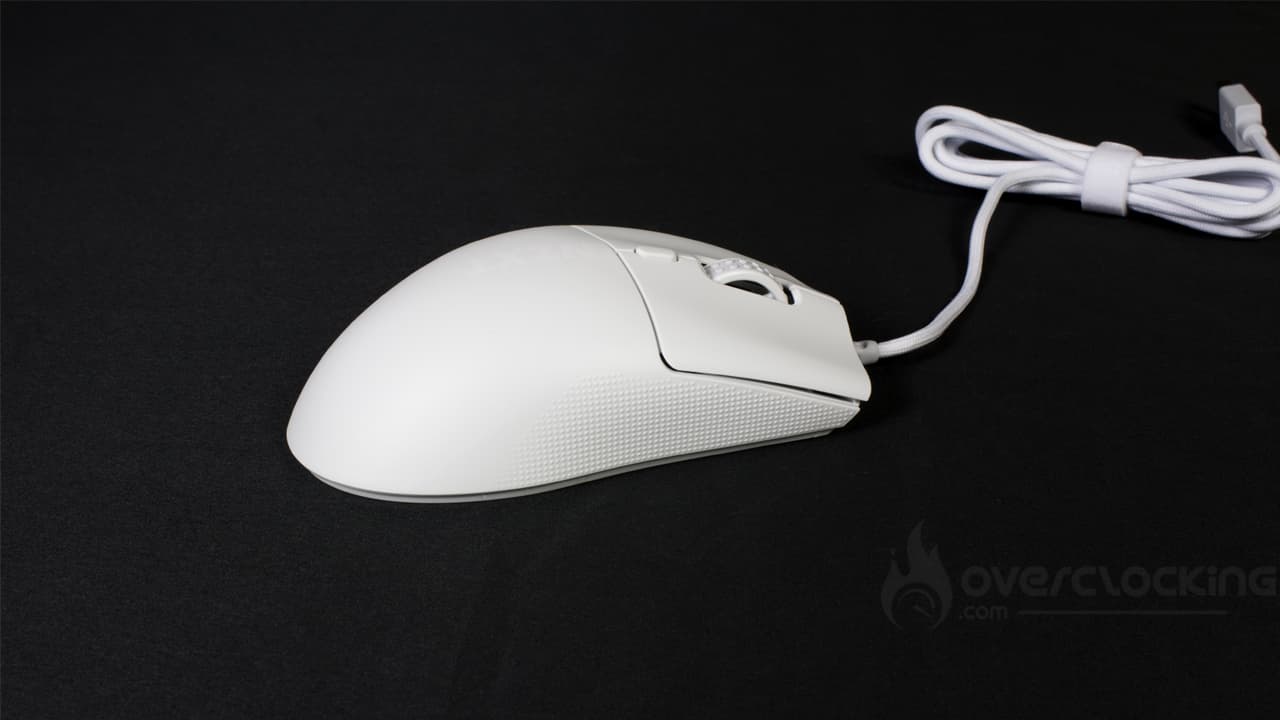
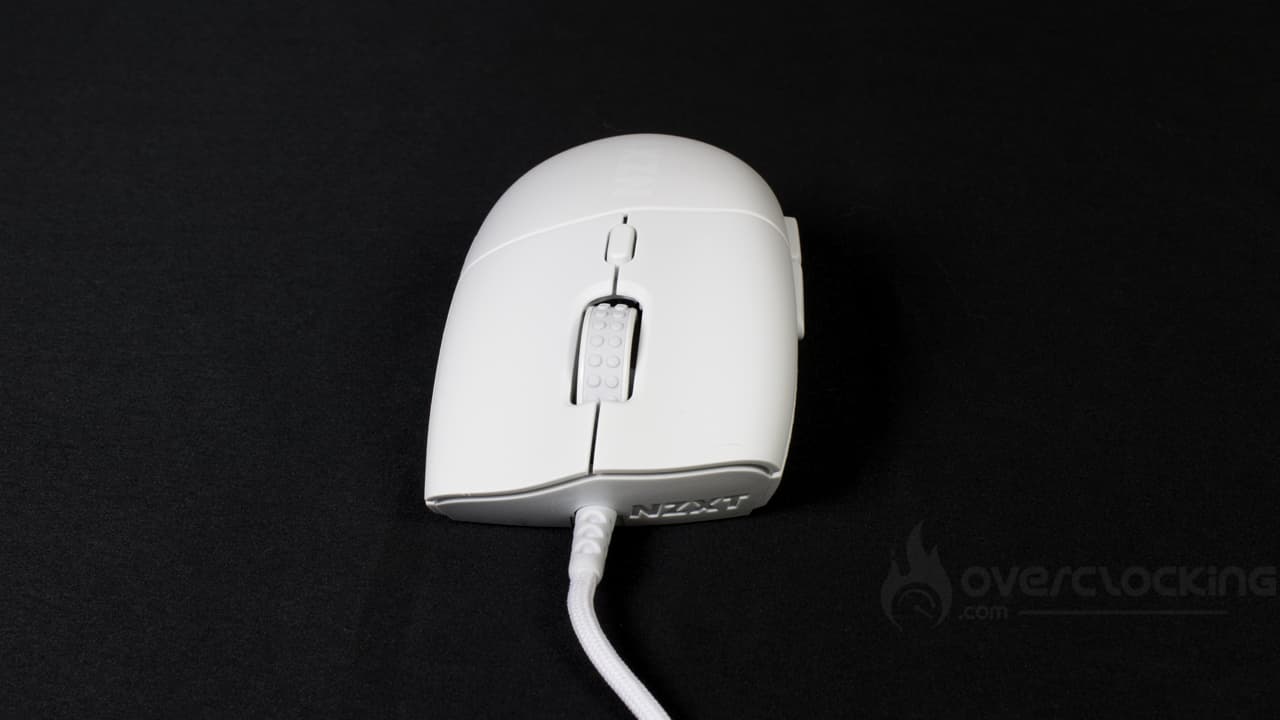
This Lift 2 Ergo mouse is clearly suitable for right-handed users, thanks to the buttons on the left-hand side, accessible via the thumb. On top of that, its shape clearly suggests that it is specially designed to be “ergonomic” for right-handed users. As a left-handed user, you could still use it, without being able to take full advantage of the buttons on the left. Likewise, even for right-handed users, the DPI button beneath the thumbwheel may not always be easy to operate, especially in the heat of the moment (gaming in particular).
Personally, I find the scroll wheel on this Ergo model to be a little softer than on my everyday mouse (MSI Clutch GM41 Lightweight Wireless). In fact, in use, I find it less pronounced than the latter, but also wider. In use, this has led to a number of incorrect manipulations of the fast scrolling function. Sometimes, it’s activated without my having wanted it to be. Likewise, as with the Lift 2 Symm model, I found that the clicks lacked firmness here too. It’s not easy and obvious at first to find the necessary force to activate them. This led to a lot of lost selections on Photoshop and the rage that goes with it! 😆 On the other hand, models such as the Model O or the Clutch GM41 Lightweight Wireless clearly don’t require the same force to activate them, and will therefore be easier to get to grips with from the outset.
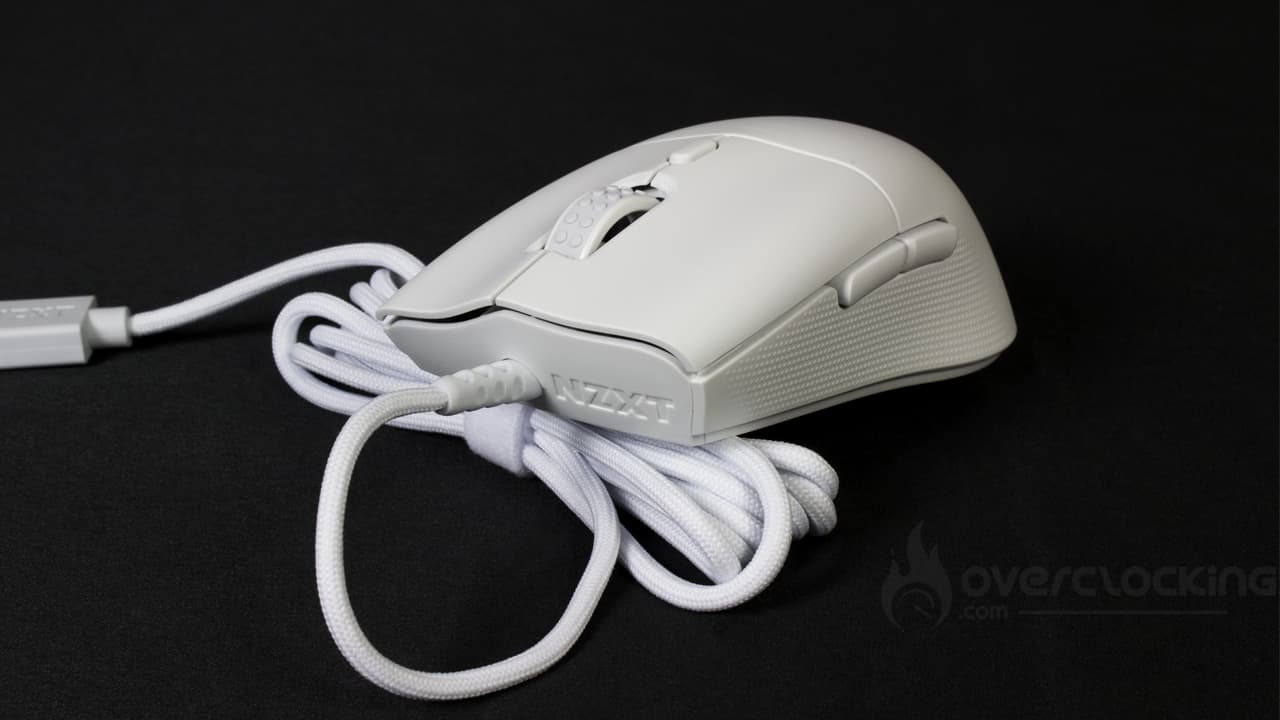
This mouse is available in just two colors, unlike NZXT’s first Lift, which could be customized on the brand’s website at no extra cost. We were able to add up to two colors from an admirable selection. Today, it’s more classic and dull. We think that’s a bit of a shame. Not to mention the fact that the Lift 2 Ergo is totally RGB-free. So you won’t be able to customize it at all.
On the other hand, the Lift 2 Ergo is absolutely fingerprint-free. That’s a good thing, especially if you spend a lot of time in front of the computer and tend to apply moisturizing hand cream, for example.
The sound of Lift 2 Ergo buttons:
In use, the Lift Ergo 2 emits a rather low, dull sound, like the Symm model. Compared to my usual mouse, it’s much duller than I’m used to. The noise is reminiscent of that made by the Harpe Ace Aim Lab Edition mouse from Asus. Nevertheless, it remains very quiet in use, much quieter than a Corsair Harpoon RGB Wireless, for example.
Gliding:
Here, unlike the competition, the Lift 2 Ergo’s glide isn’t perfect. Indeed, the presence of large PTFE pads at each end will tend to slow down our mouse when used on a cloth mouse pad. Unlike the MSI Clutch GM41 Lightweight Wireless, which has 6 smaller ones. This threw me off a lot at first, especially for manipulations that require great precision, like selections in Photoshop for example.
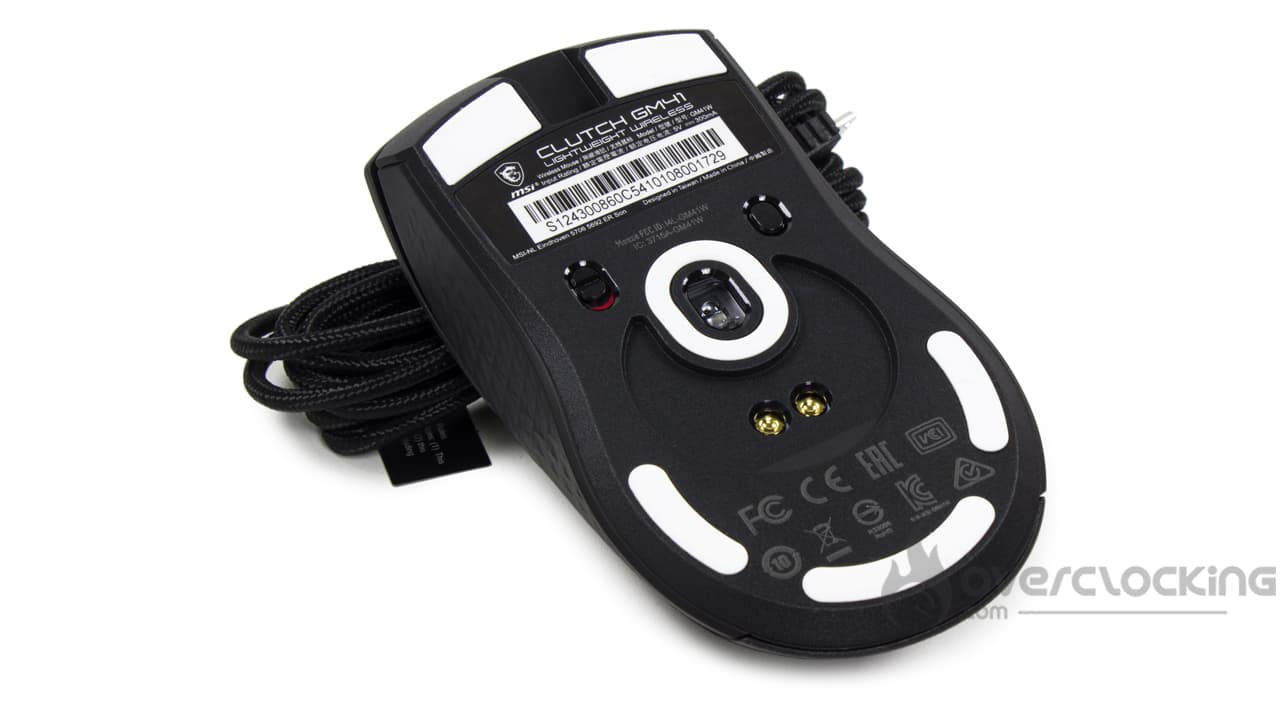
After a while, however, you’ll get used to this model and feel less self-conscious about using it.
[nextpage title=”Conclusion”]
We’ve now come to the end of our review of NZXT’s Lift 2 Ergo. So, what did we think of it?
The new Lift from NZXT is now available!
NZXT has finally announced an update to its first Lift, released in March 2022. With its Lift 2 Ergo, the brand offers software that’s as simple and intuitive as ever when it comes to setting parameters. What’s more, we’re dealing with a mouse that’s pleasant to use, with a coating that doesn’t leave fingerprints and grips well. Nevertheless, not everything is perfect: unfortunately, the Lift 2 Ergo’s glide is hampered by its two large PTFE glide pads. A solution with smaller glide pads, following the example of MSI or Glorious, would have been interesting.
Apart from this, the Lift 2 Ergo is quiet in use and remains light at 61 g on the balance (58 g for the Symm). Like the first version, it has a 2m paracord sheathed cable, which is nevertheless very discreet. However, we found that, in use, its clicks were relatively “soft” compared to the competition, leading to occasional mishandling. What’s more, we regretted the absence of any bundle with the mouse. What a shame!
How much does the Lift 2 Ergo cost?
NZXT offers the Lift 2 Ergo at the same price as the Symm version of the mouse, i.e. 59 euros. This is a really good point, as the price has not increased since the first version. It’s a fair and affordable price for most PC users. However, we regret the lack of customization compared to the first Lift. As a reminder, we could choose two different colors from a selection available on the manufacturer’s website. On top of that, it was equipped with RGB LEDs, which also enabled us to personalize our mouse a little.
Also, watch out for the competition. It can be tough, with the Model O and the MSI Clutch GM41 Lightweight Wireless (available for 65.99 and wireless!).
NZXT Lift 2 Ergo:
We liked:
- Simple, intuitive software
- Its pleasant plastic feel..
- … that doesn’t leave fingerprints
- Lightweight: 61 g
- Its flexible, paracord-sheathed cable
- Relatively silent in use
- Its affordable price
- The appearance of a rough coating on the sides of the mouse
Our least favorite feature:
- Slow glide due to large PTFE pads
- Its clicks, which seem a little soft compared to the competition
- Lack of customization like the original Lift model
- No bundle at all

NZXT’s Lift 2 Ergo is a lightweight (61 g), discreet and sober mouse. What’s more, it won’t leave fingerprints when in use, and is relatively quiet. Nevertheless, the absence of a bundle, its slightly softer clicks compared to the competition, and its slow glide due to PTFE pads, make it less than perfect for the moment. However, its contained price of 59 euros makes it a mouse to consider when choosing a lightweight mouse! For us, it’s silver.
Many thanks to NZXT!

