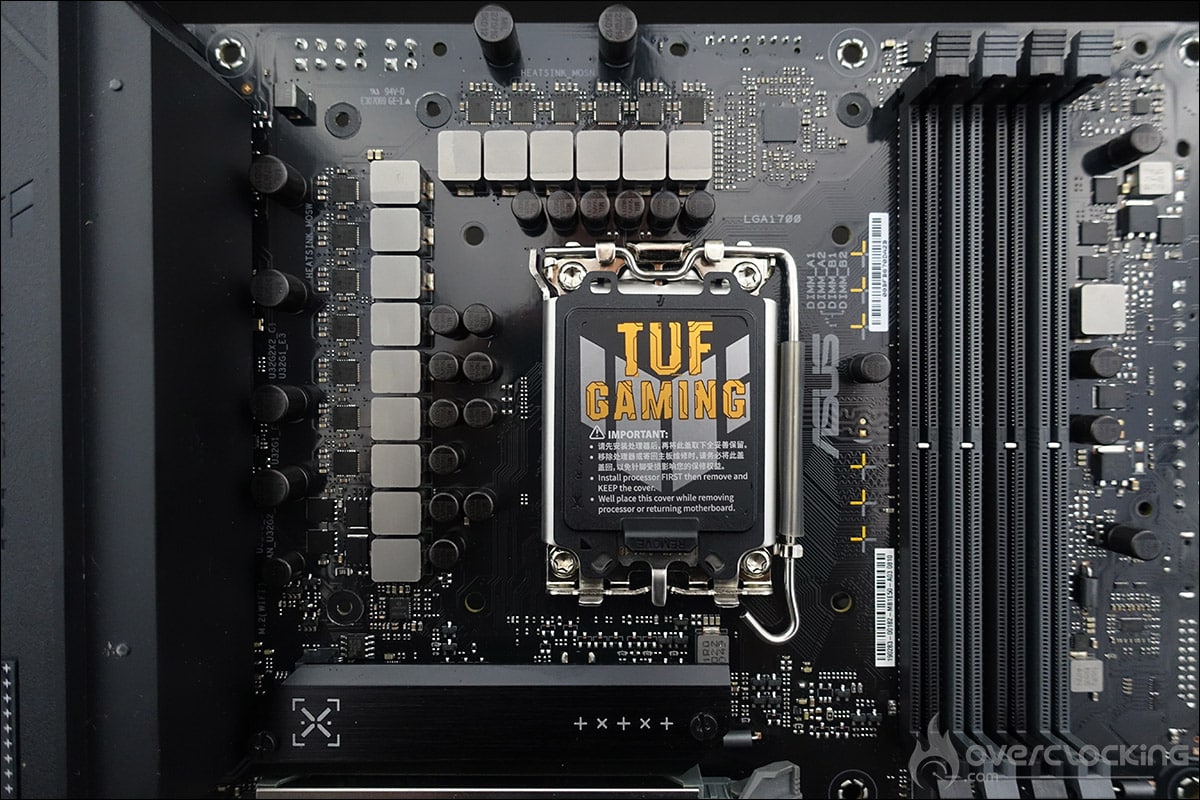
The PCB and connectors:
Clocker tools :
Let’s start with the elements inserted on the PCB, which can prove to be interesting tools for overclockers. There are very few of them, as this is an entry-level board. The only ones to be found are
- CMOS CLR: allows you to clear BIOS settings to return to the default ones.
Connections:
The rear panel features the following elements. Firstly, the Clear CMOS and antenna supports for dual-band Wi-Fi. The board also features an HDMI port and a DisplayPort.


There’s also a USB 3.2 Gen 2×2 Type-C port, two USB 3.2 Gen 2 ports (1 Type-A and 1 Type-C), three USB 3.2 Gen 1 ports (2 Type-A and 1 Type-C) and four USB 2.0 ports. The card also features traditional audio inputs and outputs, as well as a 2.5 Gb Ethernet port. Finally, the audio part is handled by a Realtek chip.
PCB:
The power supply stage on this TUF Gaming B760M-BTF WiFi D4 has 12 1 phases. The part in charge of the CPU has 12 phases, and this model has no doubler, but the phases are placed in parallel, so there are really 6 of them. The mosfets are 50A models.