

[nextpage title=”Introduction:”]
Today, I’d like to introduce you to MSI’s technological showcase and its best power supply to date: the MEG AI1600T PCIE 5.
An ultra-high-end 1600W Titanium-certified power supply, designed to push back the limits and demonstrate MSI’s expertise in terms of performance and efficiency. A true spearhead for the brand, it embodies MSI’s ultimate vision for a power supply.


MSI has been developing its range of power supplies for several years now, but in recent times a noticeable improvement in manufacturing quality has become evident. The brand’s visibility and reputation in this sector are growing all the time, thanks to quality design on its entry-level and mid-range models, coupled with an aggressive pricing strategy.
MSI’s objective is clear: to become a key player in the power supply market.
With EVGA having ceased production of its power supplies, MSI believes it will be able to occupy this field, at a time when this product segment is particularly hotly contested. But it seems that the brand is intent on upsetting the market leaders, notably Corsair, which has dominated the high-end power supply segment for years.
MSI, like many other brands, does not manufacture its power supplies directly. Instead, it works through OEMs (original equipment manufacturers) who design and produce the power supplies to the specifications requested.
And to build this MEG AI1600T PCIE 5, MSI has surrounded itself with one of the best OEMs on the market, choosing CWT (Channel Well Technology), with its CTF power supply platform.
[nextpage title=”The MEG AI1600T PCIE5″]
Presentation of the MSI MEG Ai1600T PCIe5 power supply box
MSI is clearly playing at the very top end of the market with this MEG AI1600T PCIE 5 power supply. From the first glance at the box, you can see the attention to detail and premium positioning of this power supply.
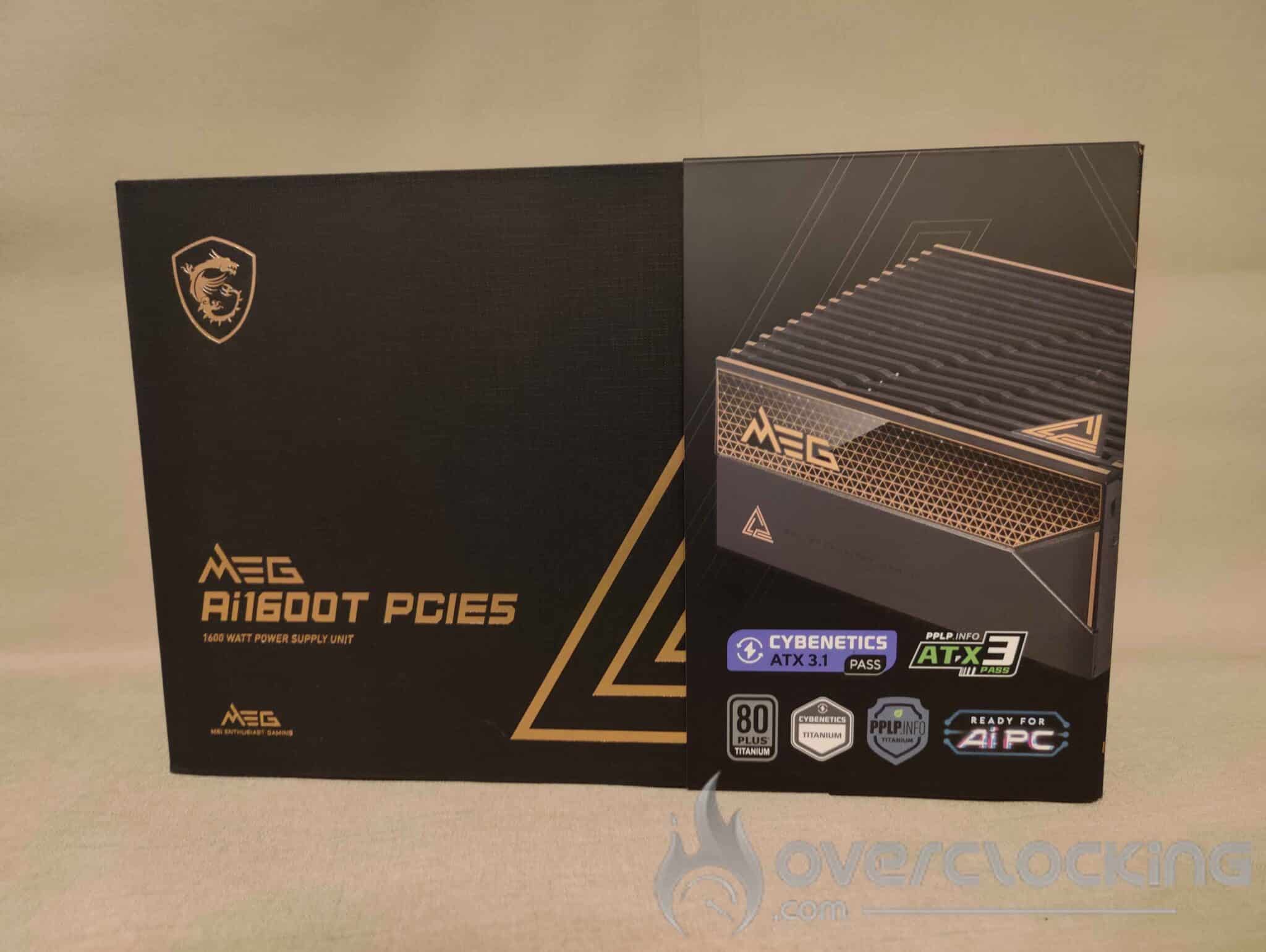
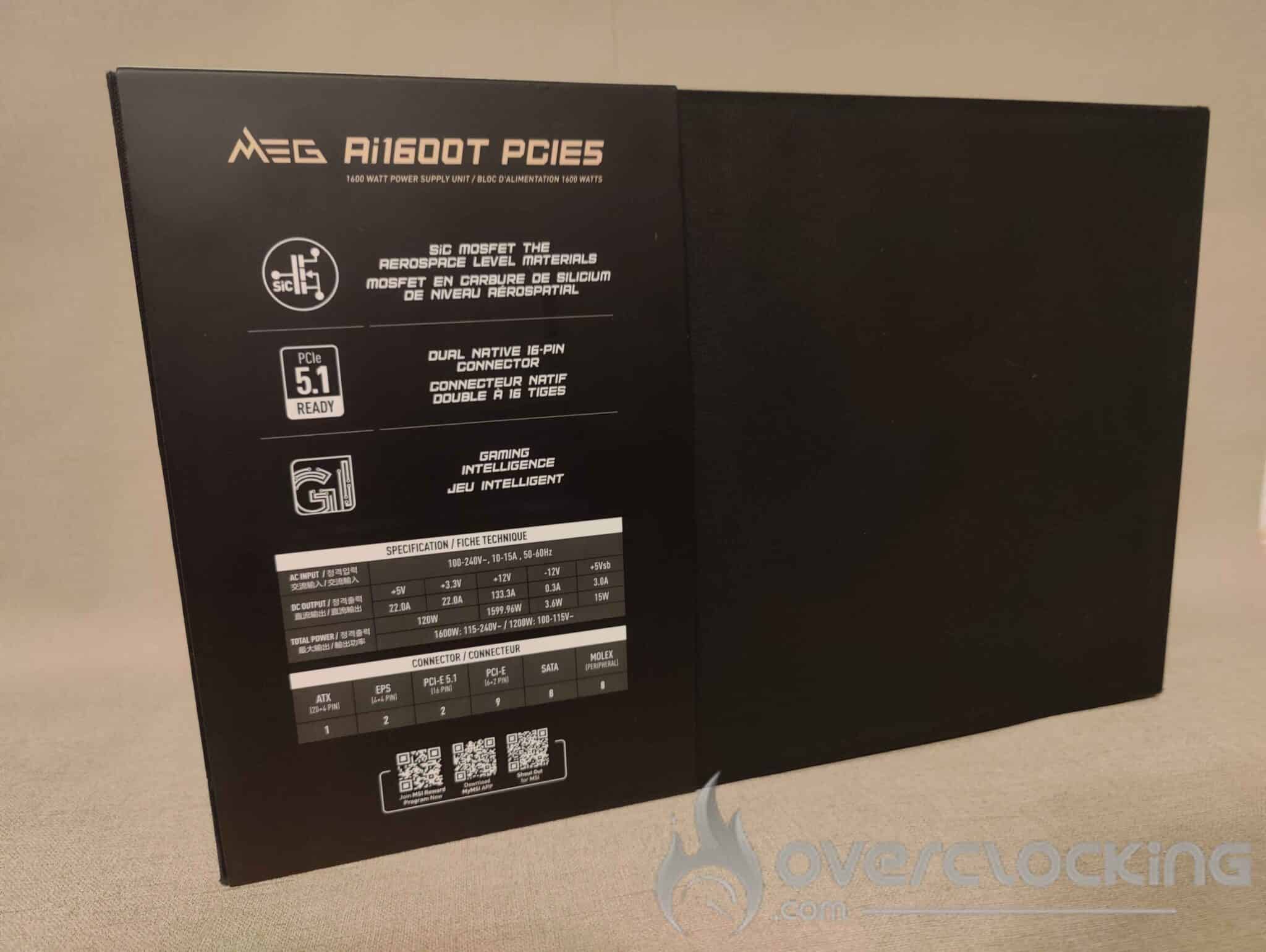
MSI has opted for a refined design, with a black box embellished with gold accents, giving it a sleek, luxurious look. This is the first time I’ve seen this ‘box effect’ on a power supply, a choice usually reserved for ultra high-end products, such as certain graphics cards.
Right from the front, MSI highlights its certifications and integrated technologies, with three certification bodies: 80 PLUS Titanium, Cybernetics Titanium and PPLP Titanium. We also find the latest standards, with Cybernetics ATX 3.1 Pass certification and PCIe 5.1 Ready. Finally, the mention of AI PC Ready seems to refer to the software integration that links the power supply to the motherboard via MSI Center, offering detailed monitoring of energy consumption and power management.
Inside the case :
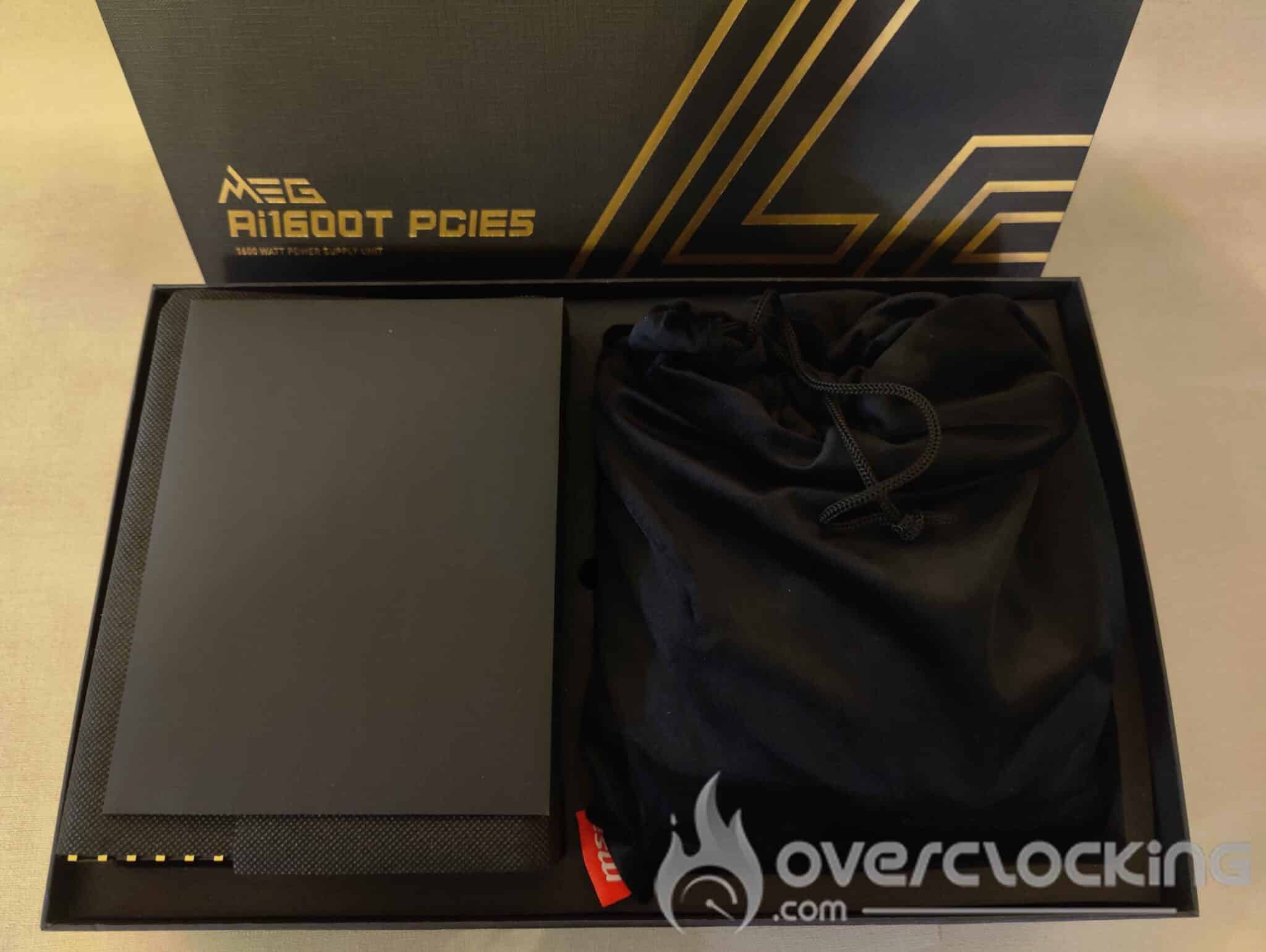
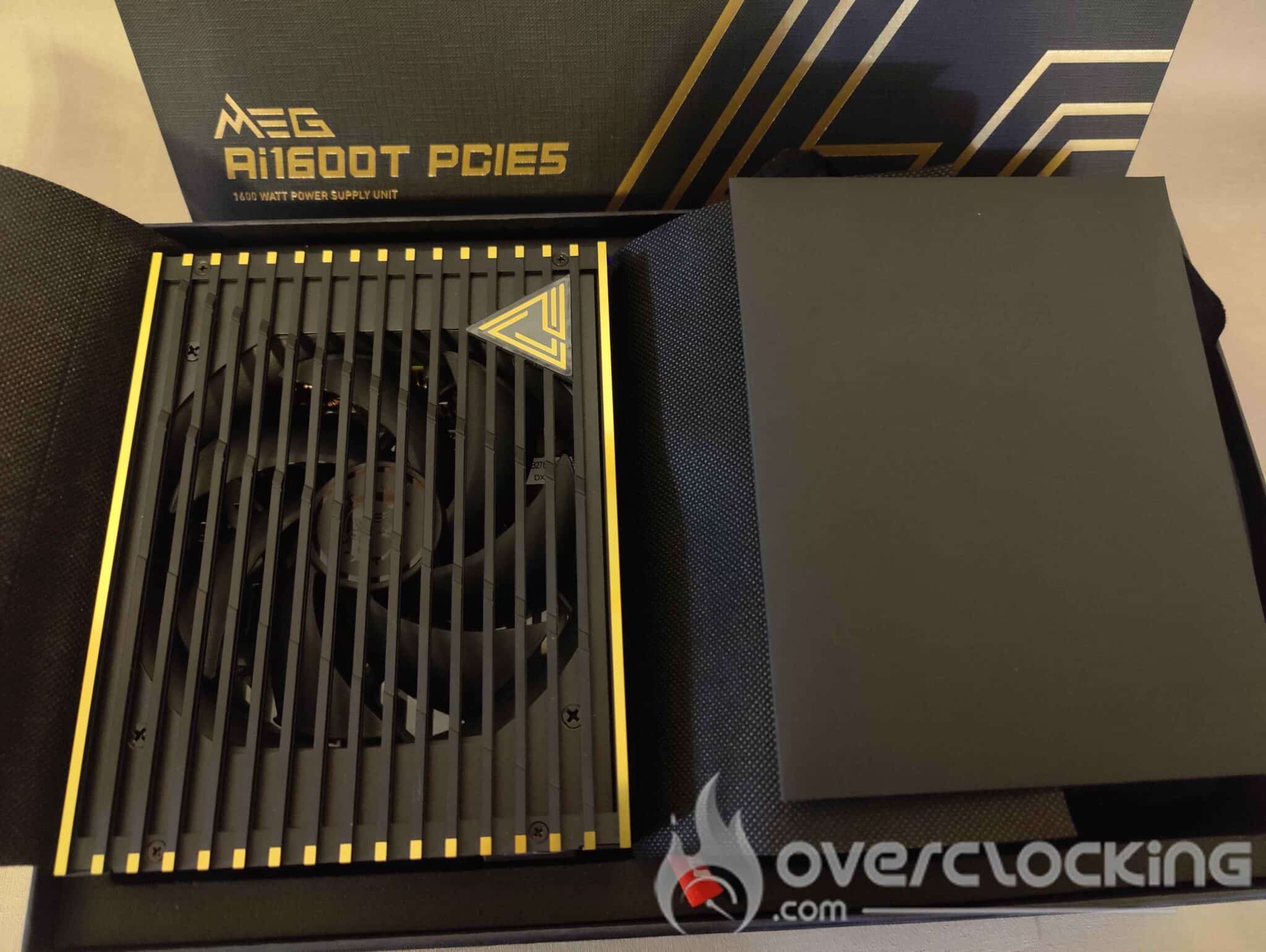
The ultra-premium experience continues when you open the box and unpack the power supply. As soon as the box is opened, MSI continues to assert its premium positioning with a neat, elegant presentation. The power supply rests neatly in its compartment, protected by an elaborate design that reinforces its high-end appearance. In the second compartment, a premium fabric bag houses all the modular cables, adding a touch of refinement rarely seen for this type of component.
To my knowledge, MSI offers the best unboxing experience for a power supply, with a level of care and detail usually reserved for high-end graphics cards or motherboards. It’s amazing to see a manufacturer attach so much importance to a power supply, a component often relegated to second place in terms of packaging and showcasing. With this approach, MSI is demonstrating that a power supply can also be an exceptional product.
The power supply :
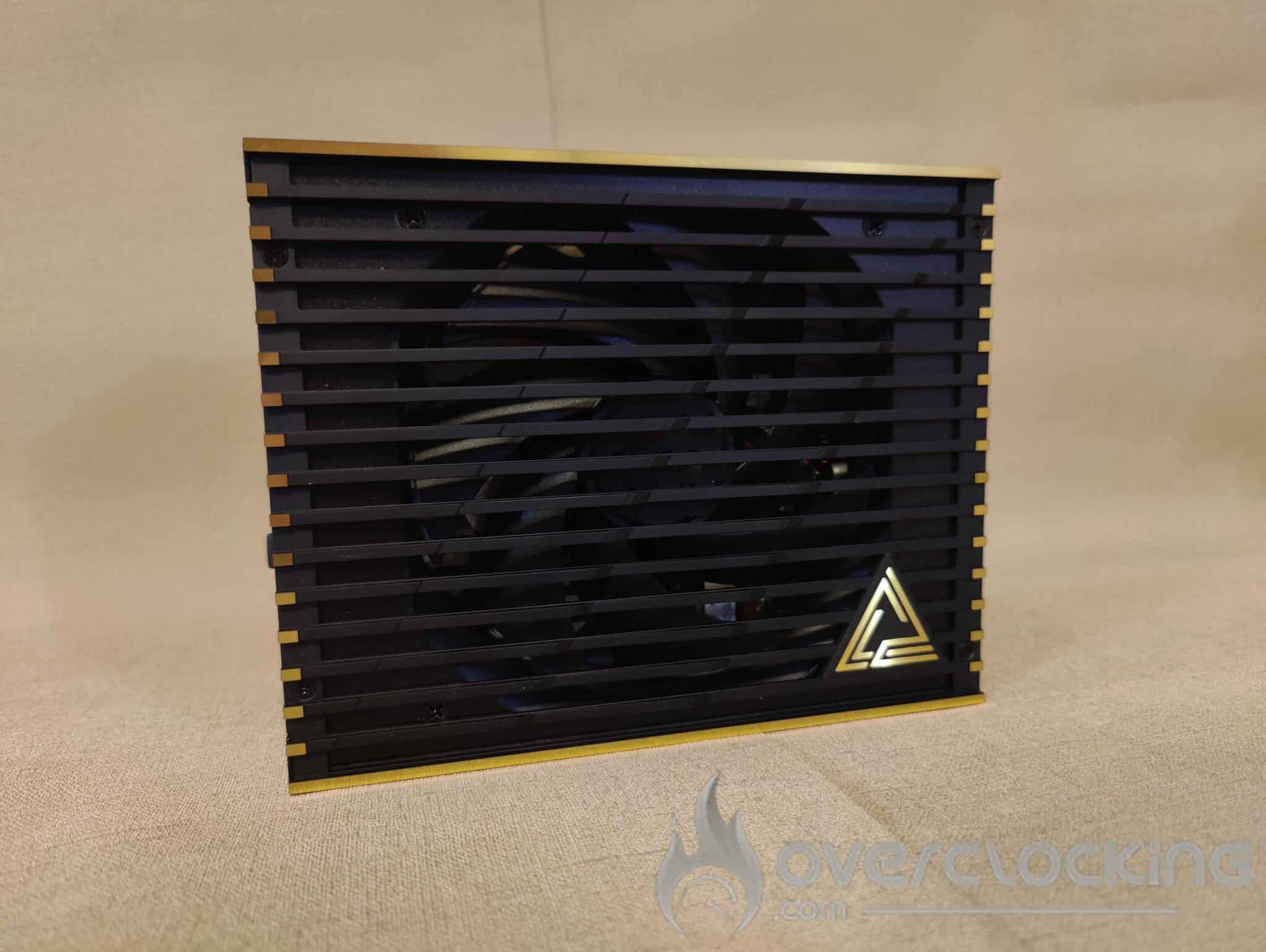
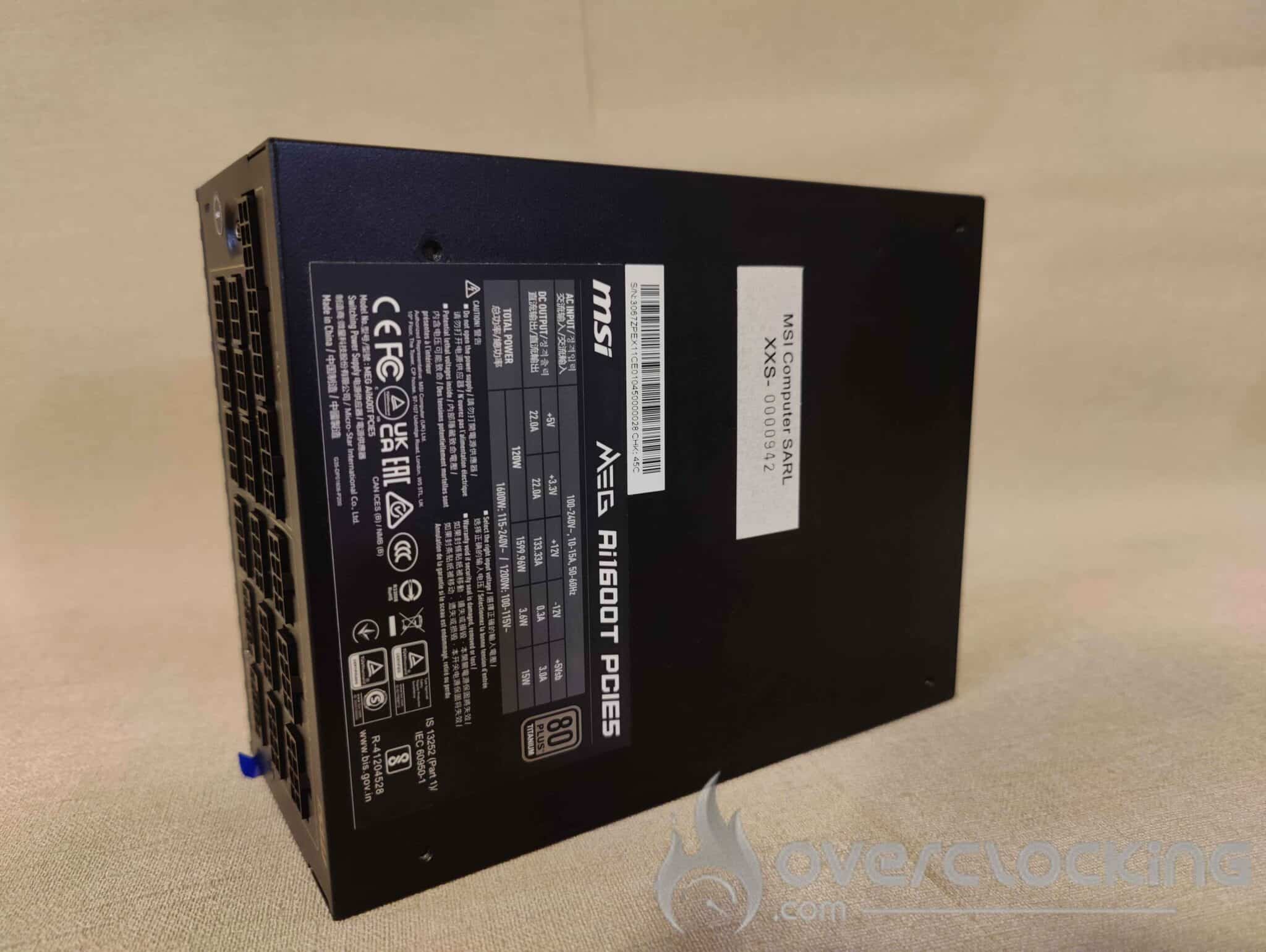
The MEG AI1600T PCIE 5 has a sober, elegant design, with a matt black finish enhanced by gold accents reminiscent of the appearance of the box. The power supply measures 150 mm x 85 mm x 190 mm, making it relatively compact for a 1600 watt power supply. It has a 135 mm fan and weighs 2.52 kg.


The front panel features an ON/OFF button, as well as a Zero Fan button, which activates the zero dB mode, enabling the fan to be switched off when the load is low, for totally silent operation.
The rear of the power supply features 17 ports, including two 12V-2×6 connectors. There’s also a USB Type-C port, so you can connect the PSU to your motherboard and monitor and control its operation via MSI Center, which I’ll talk about later in the article. This software, which I find rather interesting, turns out to be much more than just a gadget.
Cables:
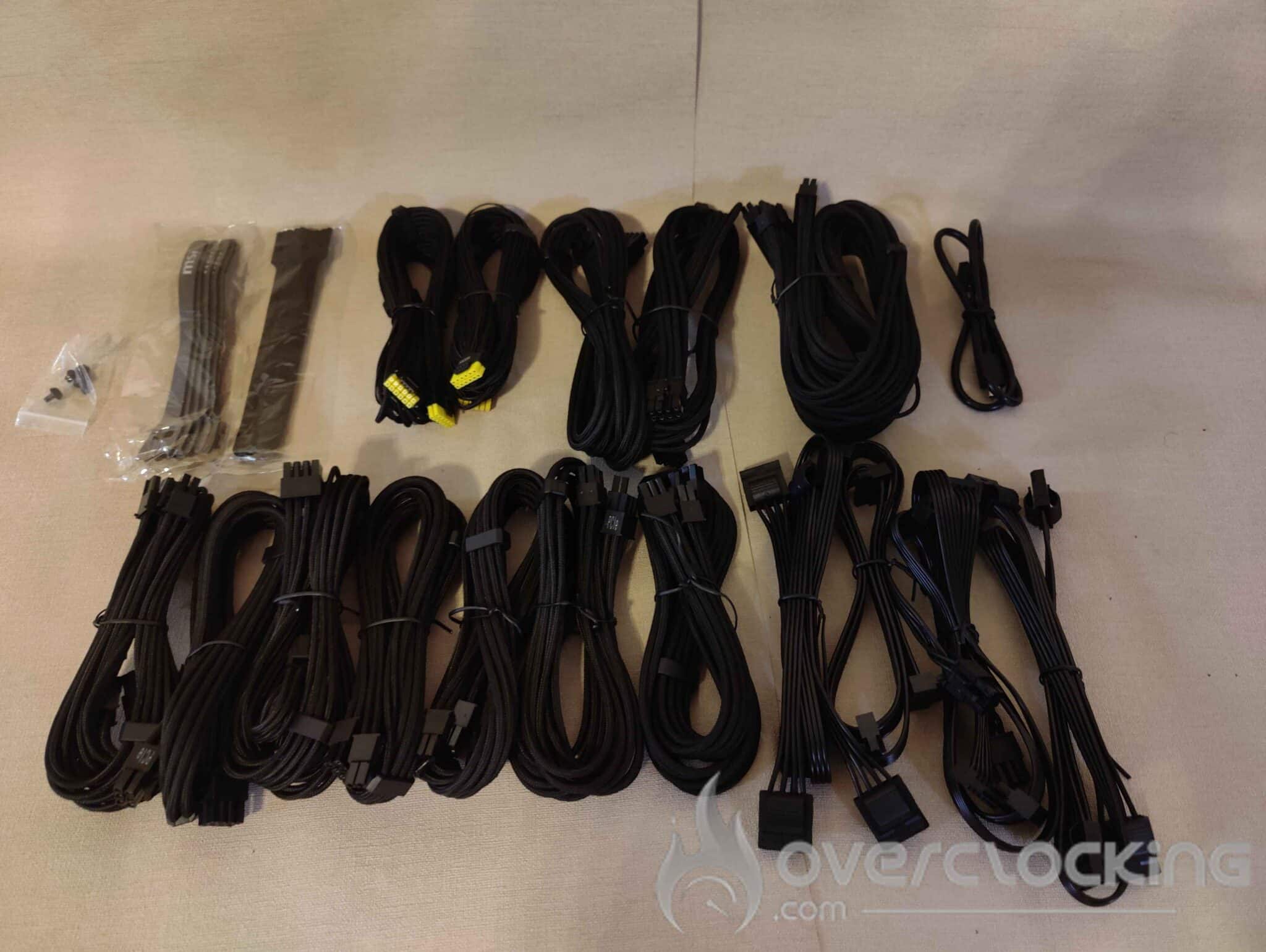
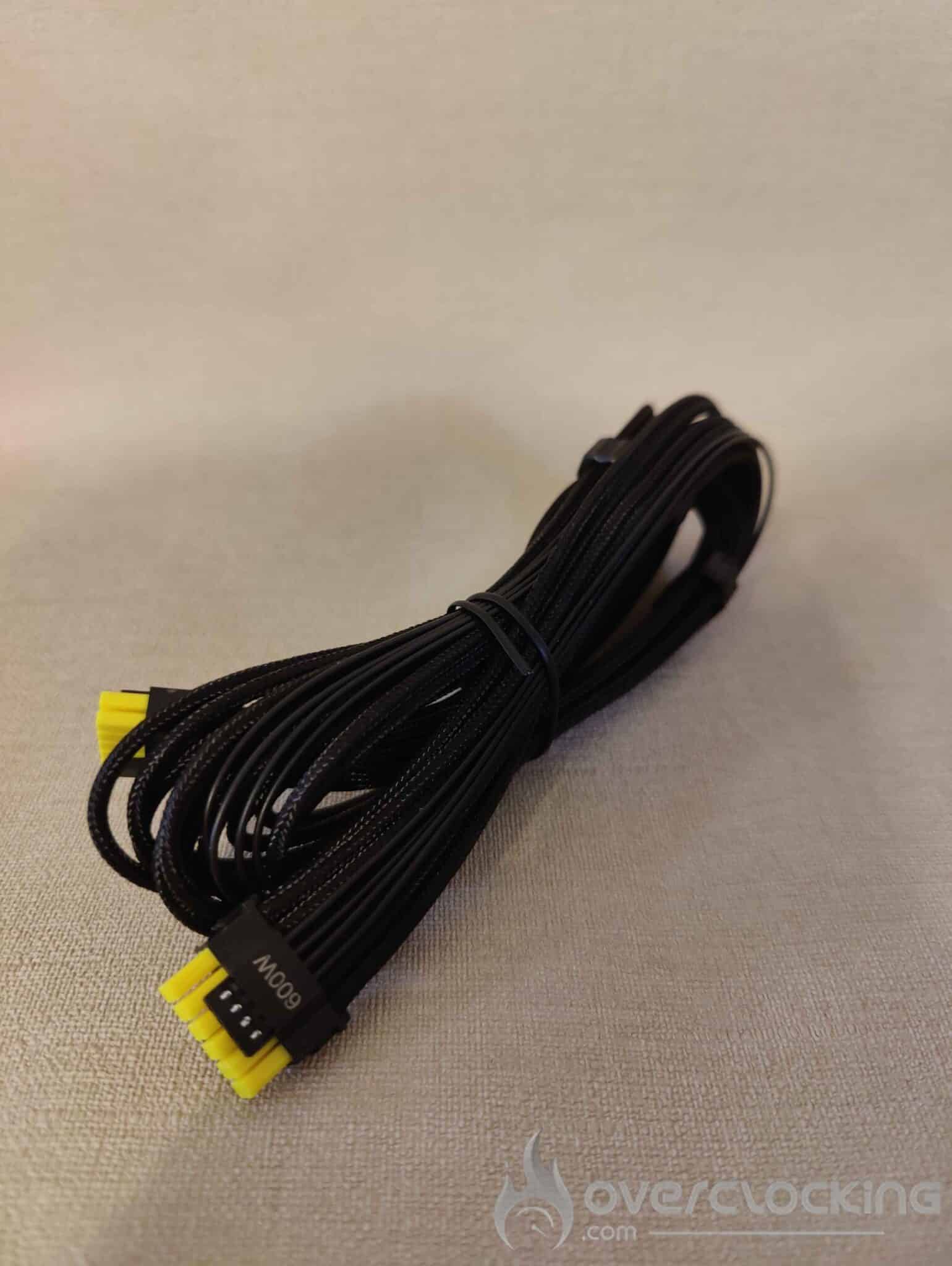
The sheathed cables are very well finished, with excellent build quality. But their real strength lies in their exceptional flexibility.
This is the first time I’ve seen cables that are so flexible, which is a radical change from the usual cables, which are generally rather rigid, often more like concrete than anything else, and which usually have to be pushed through a PC case with difficulty. This flexibility greatly facilitates installation and cable management, making assembly so much more enjoyable.
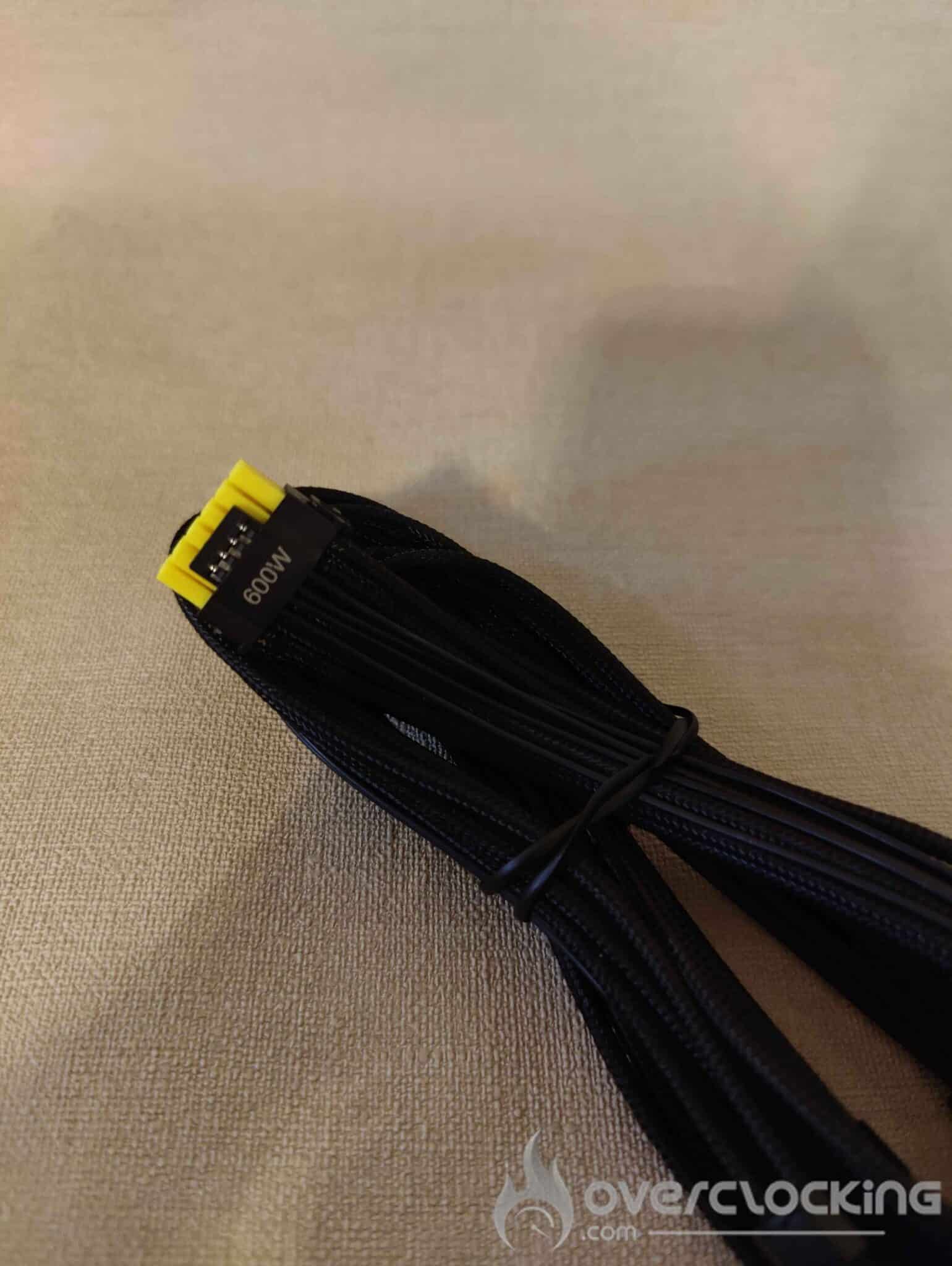
Another advantage of the cables is the yellow colour of the two 12VHPWR cables. With this ingenious detail, MSI makes it possible to visually check whether the cable is correctly inserted in the power port of your RTX 4000 or RTX 5000. If you can no longer see the yellow part of the cable, this means that it is properly connected, thus avoiding any incorrect connections that could lead to problems…
[nextpage title=”Technical specifications”]Specifications of the MSI MEG Ai1600T PCIE5 power supply :
Specifications:
- Power supply OEM: CWT (Channel Well Technology)
- Platform: FCT
- Warranty: 12 years
- Dimensions (power supply): 190 x 150 x 86 mm
- Weight: 2.52kg
- Power: 1600Watt
- Power excursion: 3840W (Up to 240% for 100 μs).
The power supply is rated at 1600W and can handle a peak load equivalent to 2.4 times its rated power. This means it can temporarily deliver up to 3840W, enabling it to absorb sudden spikes in consumption, particularly caused by power-hungry components such as an RTX 5090.
- Certifications: 80 PLUS Titanium, Cybenetics Titanium, with 91.556% at 115V and 93.218% at 230V, PPLP.info Titanium 115V
- Standards: PCIe 5.1, ATX v3.1 and EPS 2.92.
- Integrated protections: OCP / OTP / OPP / SCP / OVP / UVP / SIP / NLO
- Fan: 135mm dual ball bearing (ZFB132512H)
- Semi-passive mode: (can be activated by button as required)
- Rated speed: 500 – 1800 RPM
- Air Flow: 19.79 – 71.27 CFM
- Static Air Pressure : 0.16 – 2.09 mm-H20
- Lifetime: (MTTF): 150,000 hours (25℃)
MTTF stands for Mean Time to Failure. It represents the average operating time of a component before an irreversible failure occurs. Unlike MTBF (Mean Time Between Failures), which applies to repairable systems, MTTF is used for components that cannot be repaired once they have failed.
Connectivity :
- ATX connectors (24-pin): 1
- EPS connectors (4 4-pin) : 2
- PCIe 5.1 connectors (12 4-pin) : Dual 12V-2×6 native connector (600 W)
- PCIe connectors (6 2-pin): 9
- SATA connectors (15-pin): 8
- MOLEX connectors (4-pin): 8
Cable length :
- ATX cable length: 600mm
- EPS cable length: 750mm
- PCIe 12 4-pin (12V-2X6) cable length: 600mm
- Length of 2-pin PCIe 6 cable: 600mm
[nextpage title=”The software”]
Let’s move on to the MSI software: the MSI Center.
This is a fairly comprehensive software suite, with a wide range of functions. But today we’re going to concentrate on the power supply section.
But before we go any further, I’d like to make one point: many people regard this type of software as a mere gadget, especially for a power supply. However, I’m going to share my experience with you and show you why, in my opinion, it’s much more useful and practical than you might think.
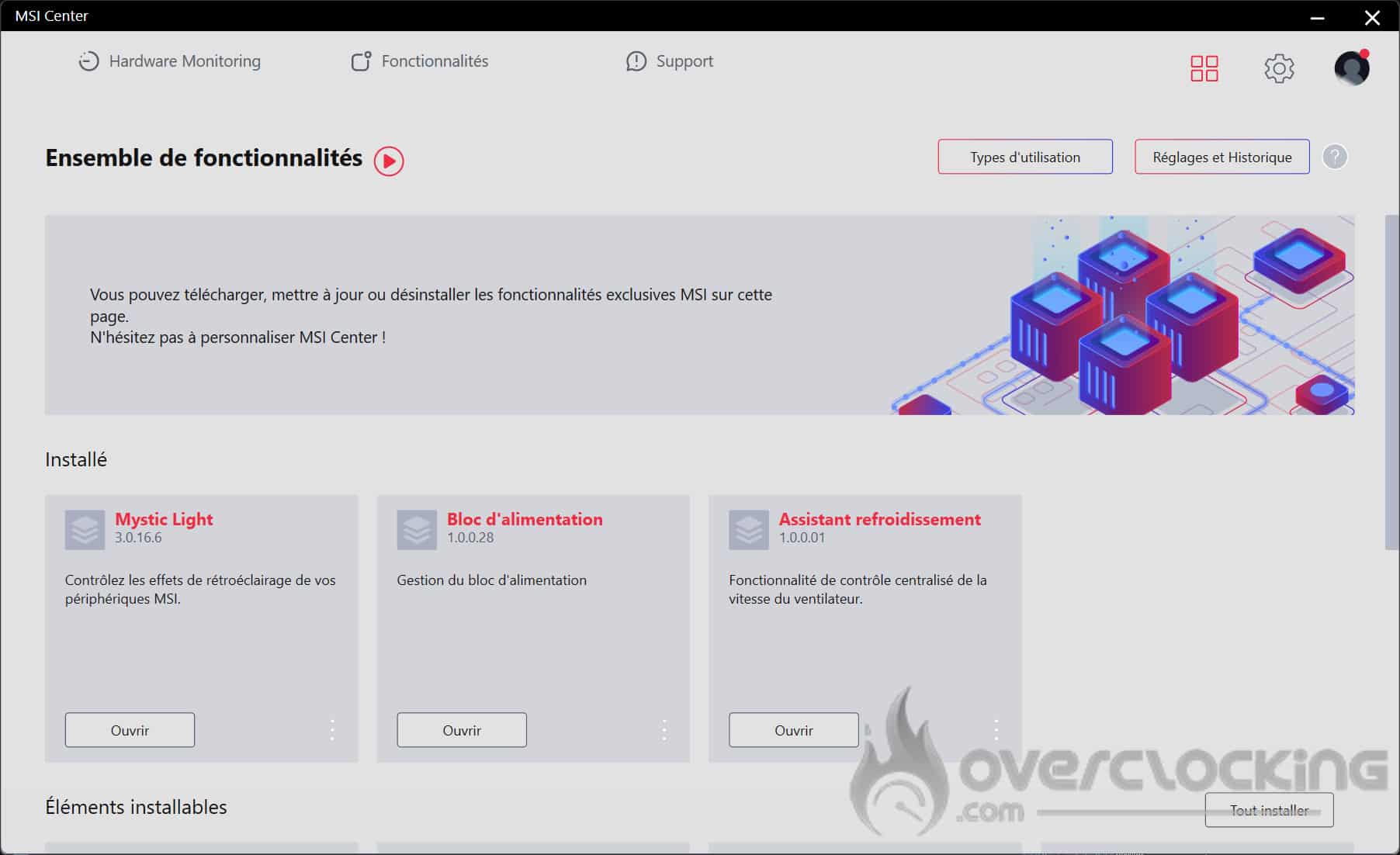
You’ll find 3 options for this Mystic Light power supply: because yes, this power supply is RGB, the Power Supply option for monitoring it, and the Cooling Wizard, which will allow you to manage the ventilation speed of your MSI power supply in addition to the GPU.
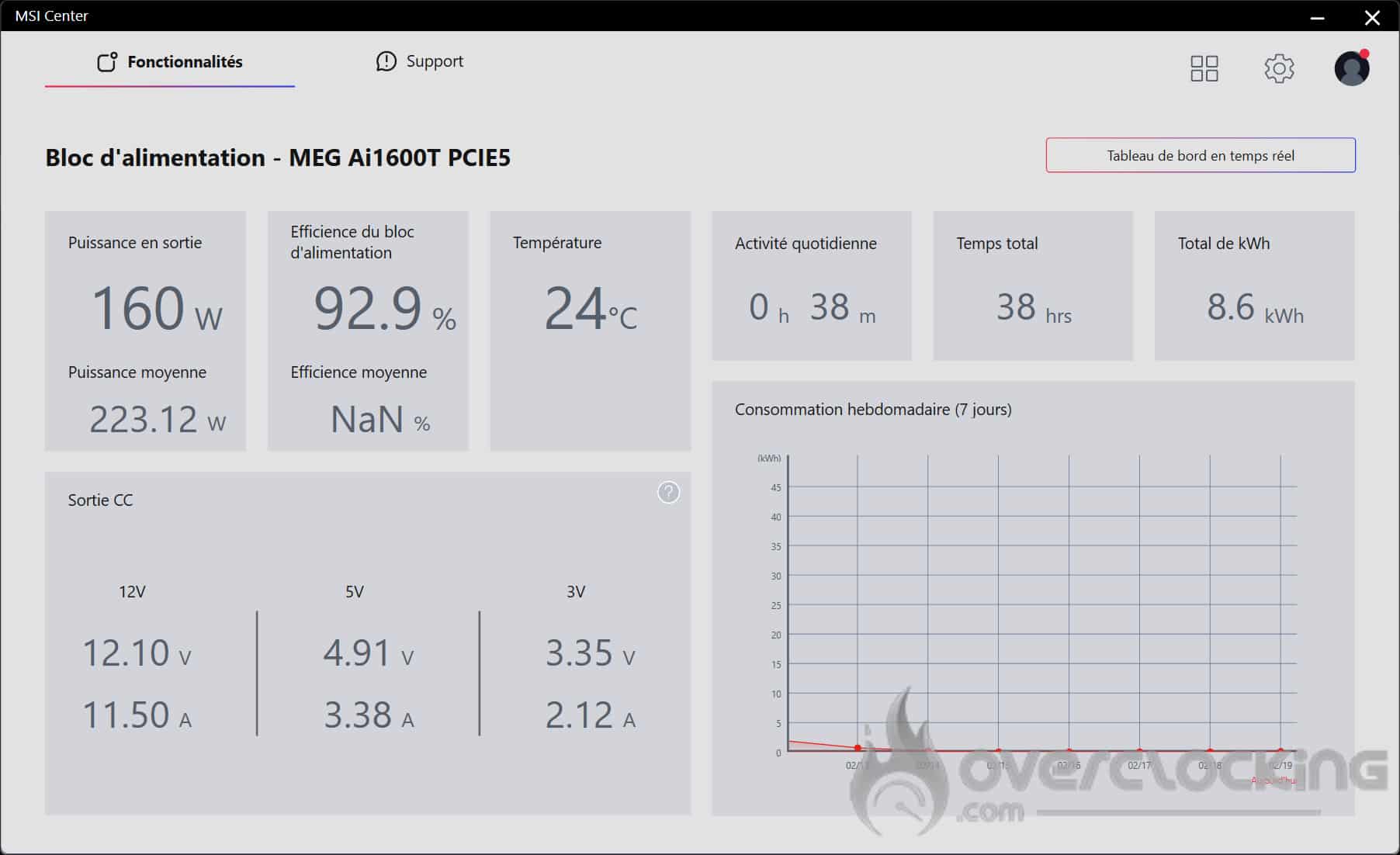
Functionality: power supply
With the PSU feature, you can monitor your PSU’s wattage consumption, energy efficiency and temperature in real time. You’ll also have access to information on the voltages delivered.
This type of monitoring is particularly useful for analysing the behaviour of the power supply and detecting any problems, in particular by checking the temperature and the correct operation of the fan. In addition, it allows you to accurately assess your system’s energy demand, providing a clear overview of its overall consumption.
What I find particularly well thought-out is the section dedicated to your computer’s daily activity. It displays the total running time as well as consumption in kWh.
Thanks to the consumption graph, you can see how long your PC is used each day, as well as its consumption in kWh. This is the kind of information I personally appreciate, especially as with the current cost of electricity, monitoring your consumption is more relevant than ever.
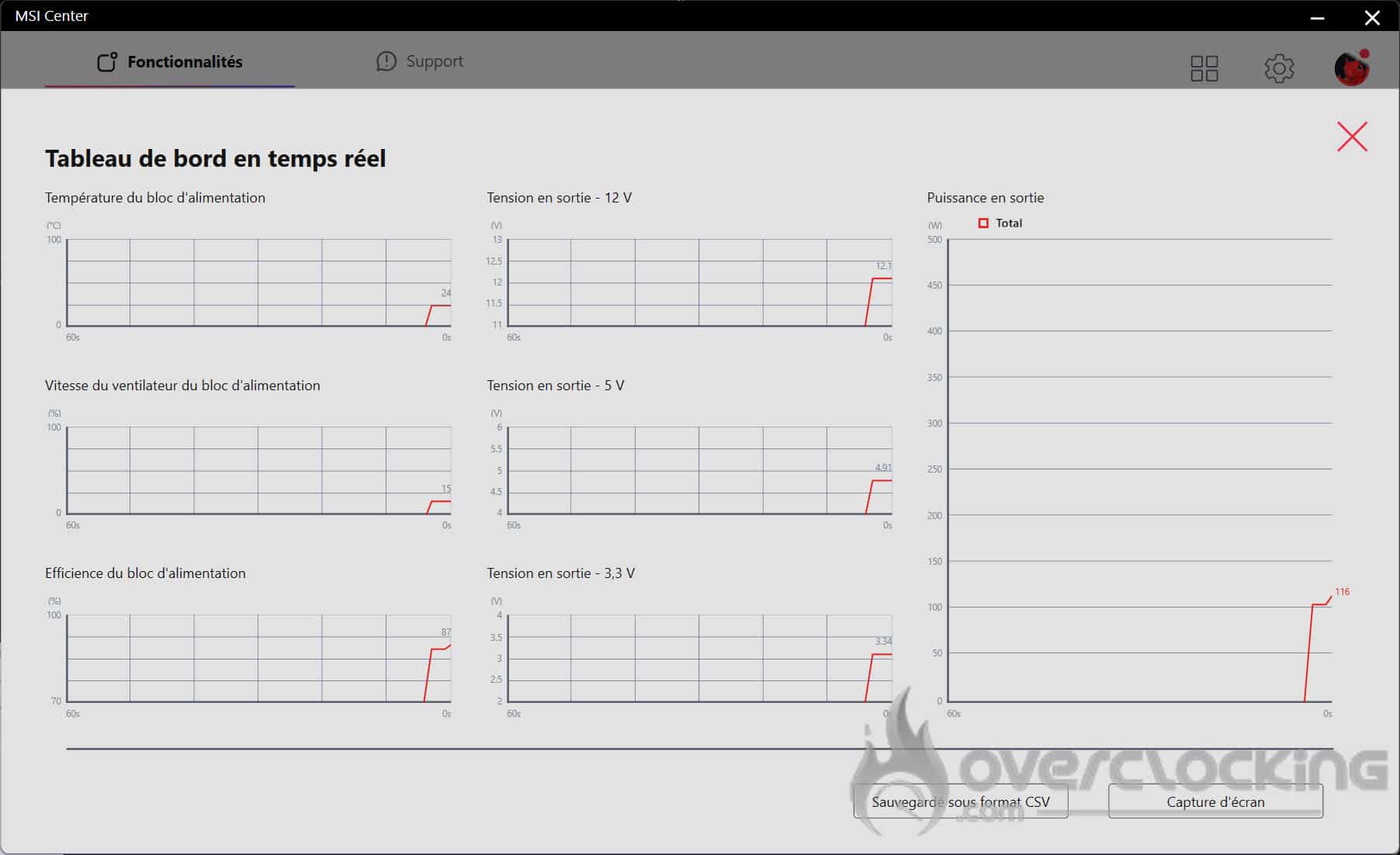
Here you’ll find a real-time table summarising the monitoring information. You can also save it in CSV format.
In the cooling wizard, you can manage the ventilation of your MSI MEG AI1600T PCIE 5 power supply. By default, the power supply is set to automatic mode, but you can customise the speed of your power supply fan in custom mode.
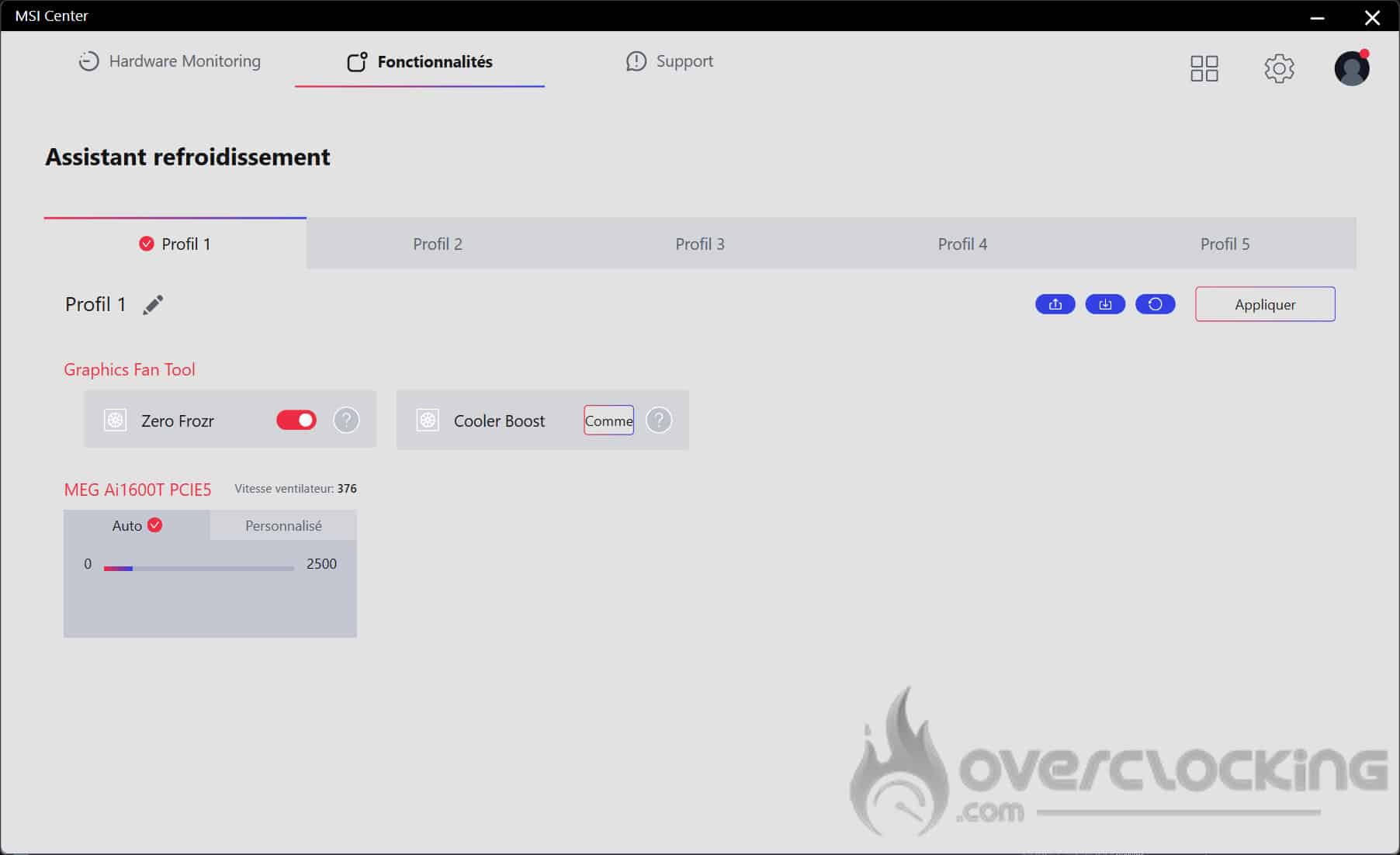
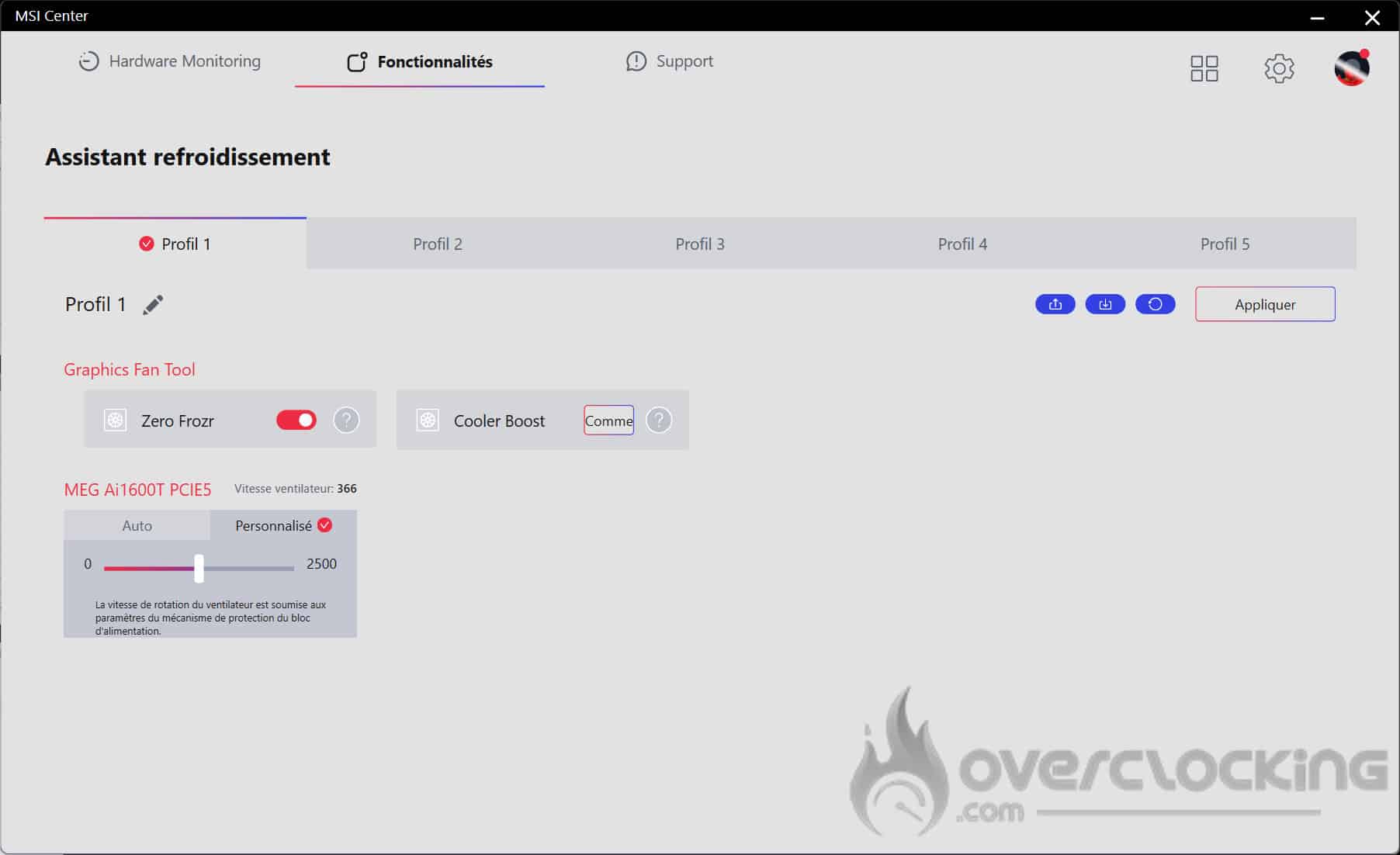
I find the software quite comprehensive and easy to use. For some it may seem like a gimmick, but personally I appreciate this kind of information to check that my power supply is cooling properly and that I’m using the right amount of energy.[nextpage title=”Performance”]
Performance :
Disclaimer: for the performance section, I’ll be relying on the certifications and analysis of Cybenetics, a benchmark in the field. Rigorous power supply testing is out of reach for any conventional media, because it requires a specialised laboratory, specific measuring equipment and technical skills that are also specific.
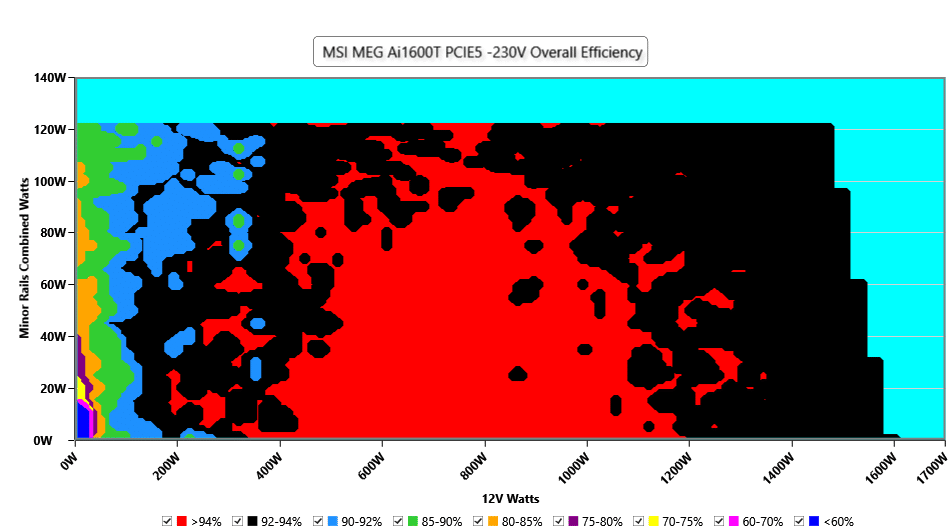
The colours indicate the efficiency of the power supply at different load levels:
? Red (>94%) = Very efficient (less energy lost as heat).
⚫ Black (92-94%) = Excellent efficiency.
? Dark blue (90-92%) = Good efficiency.
? Green (85-90%) = Correct, but not optimum.
? Orange (80-85%) = Less efficient.
? Violet (<70%) = Poor efficiency (significant energy loss).
Energy efficiency:
At 230V, MSI’s power supply offers excellent efficiency between 400W and 1000W, with the majority in the red zone (>94%), indicating optimum efficiency. Even between 1000W and 1200W, efficiency remains very high, reaching 92-94% (black zone). However, above 1200W, efficiency starts to gradually decrease, as shown by the appearance of the cyan and black zones. This means that the power supply dissipates more heat and loses more energy, a logical behaviour when it is heavily loaded.
At low loads (<200W), there are more blue and green areas (85-92%), indicating a loss of efficiency. This phenomenon is common on very high power supplies, as they are optimised for medium to high loads.
In conclusion: at 230V, this power supply offers exceptional energy efficiency, with an efficiency of over 94% between 400W and 1000W and competitive even at high loads (>1200W).
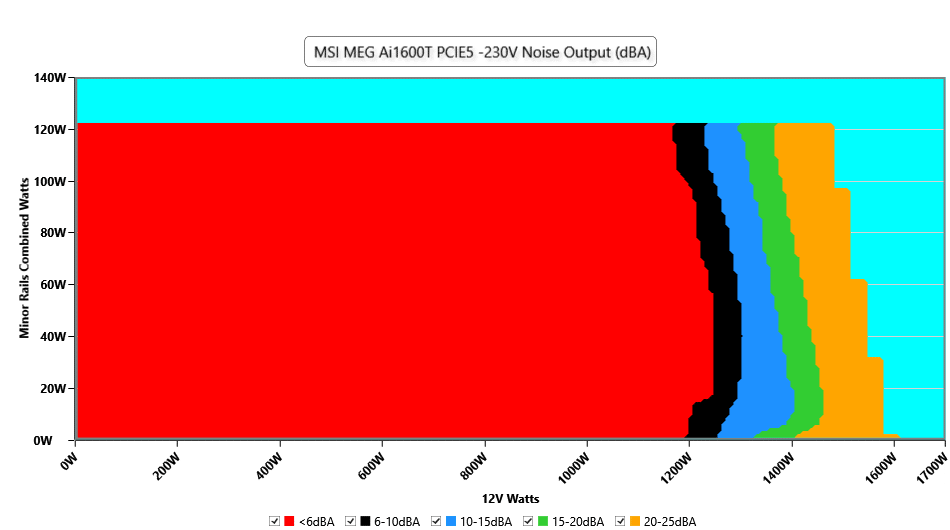
Colour scale in terms of decibel :
? Red (<6 dBA): total silence or almost inaudible.
⚫ Black (6-10 dBA): absolute silence, fans off or rotating very slowly.
? Light blue (10-15 dBA): very discreet.
? Green (15-20 dBA): slight fan noise, but almost inaudible in a closed case.
? Orange (20-25 dBA): audible but faint noise.
? Violet (25-30 dBA): ventilation well present, perceptible in a quiet environment.
Noise:
Up to 1100W, MSI’s power supply is completely silent (<6 dBA), as illustrated by the large red area in the graph. This means that the fans are either switched off or at minimum rotation, ensuring inaudible operation. From 1200W onwards, a slight increase in noise is felt, with the appearance of black and blue zones (6-15 dBA), but this remains extremely discreet. Even when the power supply reaches full load (1600W), the noise level does not exceed 25-30 dBA (green and orange zones), which remains remarkably quiet for a model of this power.
In conclusion: the power supply remains virtually inaudible up to 1000-1100W. Even at full load (1600W), the noise level does not exceed 30 dBA. I was able to confirm this in use with an RTX 5090 Suprim OC consuming 600 watts, kindly lent by MSI for the presentation of this power supply, as well as an i9-13900KS overclocked under nitrogen exceeding 400 watts. The power supply produced no perceptible noise. It’s quite impressive!
The rest :
Analysis of the tests reveals that the load regulation on the 12V rail is excellent, with a variation of only 0.38%, which ensures a stable and reliable power supply.
The regulation of the minor rails (3.3V and 5V) shows more marked variations than the main 12V rail, with a variation of 1.35% on the 3.3V and 0.68% on the 5V. The values are quite good and within the tolerances of the ATX standard. However, the voltage of the 3.3V rail is a little behind the competition
Full-load ripple at 230V is measured as follows:
- 12V ripple: 25.94 mV
- 5V ripple: 12.36 mV
- 3.3V ripple: 18.72 mV
- 5VSB ripple: 16.02 mV
These values are in line with ATX standards. The filtration is of good quality and effectively reduces ripples, guaranteeing a clean voltage for the components.
Of course, this MEG AI1600T PCIE 5 is equipped with all the necessary safety features to protect your configuration. The only downside, which is disappointing for a model of this calibre, is that there is no safety feature in case of fan failure. If the fan were to fail, the power supply would continue to operate without thermal protection, which could lead to overheating and potentially impact on its lifespan and reliability …
[nextpage title=”The conclusion”]
To conclude :
The MSI MEG AI1600T PCIE 5 Titanium is positioned as an ultra-high-end power supply, aiming to rival the market leaders. More than just a power supply, it represents a real technological showcase. It’s clearly the spearhead of MSI, which, having established itself in the entry and mid-range, now aims to cover all segments.
Its meticulous design, exceptional finish and surprisingly flexible cables are real assets. The on-board software, far from being a mere gadget, adds real value, and the overall construction is excellent. A fine demonstration of MSI’s expertise! Of course, this excellence comes at a price… and that’s probably what’s stopping us from awarding it gold. Since it is priced at €799.
Frankly, cables this flexible are a rarity! Pure joy when it comes to mounting your configuration in a case. And the silence of this power supply is just incredible. It’s a shame the price is so high, because it really is excellent. But honestly, when it comes to the flexibility of braided cables and silence, MSI is way ahead of the competition.
We like :
✅ Ultra-quiet, even under heavy load (surely the best in its class)
✅ Surprisingly flexible cables, a real plus when it comes to installation
✅ Useful, well thought-out on-board software
✅ Robust, top-of-the-range construction
✅ 1600W of titanium power for your future RTX 5090s
✅ Compatibility with the latest PCIe 5.1 and ATX 3.1 standards
✅ Two 12V-2×6 connectors
✅ Yellow indicator to ensure that the cable is properly connected
✅ Exceptional performance
✅ 12-year warranty
We liked less:
❌ The 3.3V rail voltage, which is slightly behind the competition.
❌ A price tag of €799, which is too high compared to competing offerings.
❌ No protection against fan failure.

Many thanks to MSI!
PS: you can find my overclocking of the RTX 5090 Suprim OC as well as the i9-13900KS under nitrogen in benchmark, equipped with this power supply, here: https: //www.twitch.tv/videos/2382748634