




Test configuration:
As we said in the introduction, we’ve updated all our graphics using the latest drivers from NVIDIA, AMD and, of course, INTEL. We also took the opportunity to slightly modify our test configuration and add new games to our protocol. So here we go again, with a new series of tests and graphics on this slightly modified configuration:
- Motherboard: ROG Maximus Z790 APEX Encore
- Processor : Intel Raptor Lake i9-14900K delid
- Cooling system: EK-Nucleus AIO CR360 Direct Die D-RGB – 1700
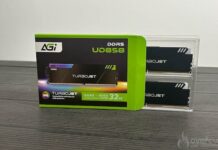
- Memory: 48 GB Corsair Dominator Titanium 8000 MT/s CL38
- Graphics card: ASUS TUF Gaming RX 9070 OC, Gigabyte RX 9070 XT Gaming OC, NVIDIA RTX 5070 FE, MSI Ventus RTX 5070 Ti, NVIDIA RTX 4070 Ti Super FE, NVIDIA RTX 4070 Ti FE, NVIDIA RTX 4070 Super FE, NVIDIA RTX 4070 FE, AMD RX 7900 GRE and AMD RX 7800 XT, RTX 5080 FE and RTX 5090 FE
- SSD: Western Digital Black SN750 2 TB with EKWB radiator
- Power supply: Corsair AX1600i
- Operating system: Windows 11 64-bit 24H2 (26100.2894)
For this test, we used a fairly high-end configuration based on a delided i9-14900K processor and DDR5 memory. For our tests, we used either an MSI Oculux NXG253R or a ROG Strix XG27UCS provided by Asus France, depending on the definition tested.
Our test protocol :
All cards are tested at stock frequencies and without any optimization. For the various benchmarks, whether synthetics or games, we will opt for 1080p, 1440p and 2160p resolutions, depending on the card’s performance.


Here, with this Gigabyte RX 9070 XT Gaming OC model, we’ll be testing two definitions, 1440p and 2160p, to get a full picture of the card’s performance. We’ll be using DLSS Super Resolution in Performance mode, with image generation and ray tracing where available, and similarly with FSR combined with Performance mode.
As you can see, we’re now running Windows 11 and have activated the ” ReSize BAR ” in the BIOS, which can be seen in GPU-Z. Now that you know everything about our test configuration, it’s time to get started!