
After a first test of the A-die chips on a dual rank kit from SK Hynix, we move today to the single rank version. It is a 2×16 GB kit which should be able to reach more than 8000 Mt/s on Intel platform. Let’s see if these A-die chips in single rank offer high level performances as expected.
We are here on the first chips available for purchase (in China), designed and manufactured directly by SK Hynix. It will be very difficult to get them without contact on the spot. But count on around 400 € for a 2×16 GB kit. Retails kits are gradually arriving on the market from Teamgroup or V-color at prices above 400 €. CornerJack received its first A-die kit this Friday, it is the Teamgroup Delta RGB 7200 Mt/s CL34.
For the kit tested today, no XMP, but only JEDEC profiles peaking at 5600 Mt/s CL46 for 1.1 V with the promise to reach frequencies and performances never seen before (we have already seen 7800 Mt/s CL32 here in 2×16 GB).
As CornerJack is not testing this kit, I could not compare it to other previously tested kits. However, we leave you free to look and compare it with the results obtained on its Z690 APEX. 
Small summary of the kits previously tested by Cornerjack :
Although this is not a comparative test, we did run a kit with an XMP 6000 Mt/s CL40 so you can get an idea of the performance. A performance comparison with the overclocked kits in game and bench will be released soon as well.
- 32 GB Kingston Fury Renegade 6400 Mt/s CL32 (Hynix)
- 32 GB Corsair Vengeance RGB 6400 Mt/s CL38 (Hynix)
- 32 GB Teamgroup Delta RGB 6600 Mt/s CL34 (Hynix)
- 32 GB Corsair Dominator Platinum RGB 6600 Mt/s CL32 (Hynix)
- 16 GB Kingston Fury Beast RGB 6000 Mt/s CL40 (Hynix)
- 32 GB Corsair Vengeance 5600 Mt/s CL36 (Samsung)
- 32 GB Teamgroup Delta RGB 6400 Mt/s CL40 (Hynix)
- 32 GB Dominator Platinum RGB 5600 Mt/s CL38 (Samsung)
- 32 GB Kingston Fury Beast 4800 – 5200 Mt/s CL40 (Micron)
- 32 GB GSKill Trident Z5 5600 Mt/s CL36 (Samsung)
[nextpage title=”DDR5 SK Hynix A-die 32 GB 5600B DR”]
The DDR5 SK Hynix A-die 16 GB 5600B SR
The kit we are testing today is actually a set of two separate RAM sticks and both are identical. You will notice that the PCB is green, they are actually memory sticks for PC assemblers.  As you can see below, the PCB and the chips are made by SK Hynix. The chips are A214, good quality A-die chips.


We noticed that all A-die kits have chips with different AXXX numbers. We have seen A214, A216, A224, but that would come from different batches.
[nextpage title=”How to identify your memory kit:”]Basic characteristics:
You will tell me that it is quite easy since you just have to look at the references announced by the manufacturer. Yes, but that’s not enough, especially if you want to practice overclocking. In the case of this memory kit, it was bought especially to benefit from the Hynix A-die chips, so we already know that it is equipped with them.

For example, in the case of our copy of the day, this is the information we already know:
- The brand : SK Hynix
- The model: PC5-5600B-UA0-1010-XT
- Capacity: 2 x 16 GB
- Frequency: 5600 Mt/s
- Timings: 46-45-45-90
- Voltage: 1 .1 volt
- Review: –
CPU Z  On CPU Z, we have the right to other information. The type of chips (SK Hynix) but also the serial numbers of the kit.
We also find the brand of the manufacturer of the kit, here SK Hynix as well.
For information, there are chips of different brands (Samsung, Micron, Hynix, …) and with different revisions (B-die, M-die, A-die…).
The PCB of our memory kit:
As we have previously specified, we are on a green PCB. Far from the black PCBs with RGB that we find in the market. Apart from the SMDs around the memory chips and the PMIC, there are no additional elements on the PCB. As for the layers, no information on this side, but we know that we have 8 layers for this PCB.
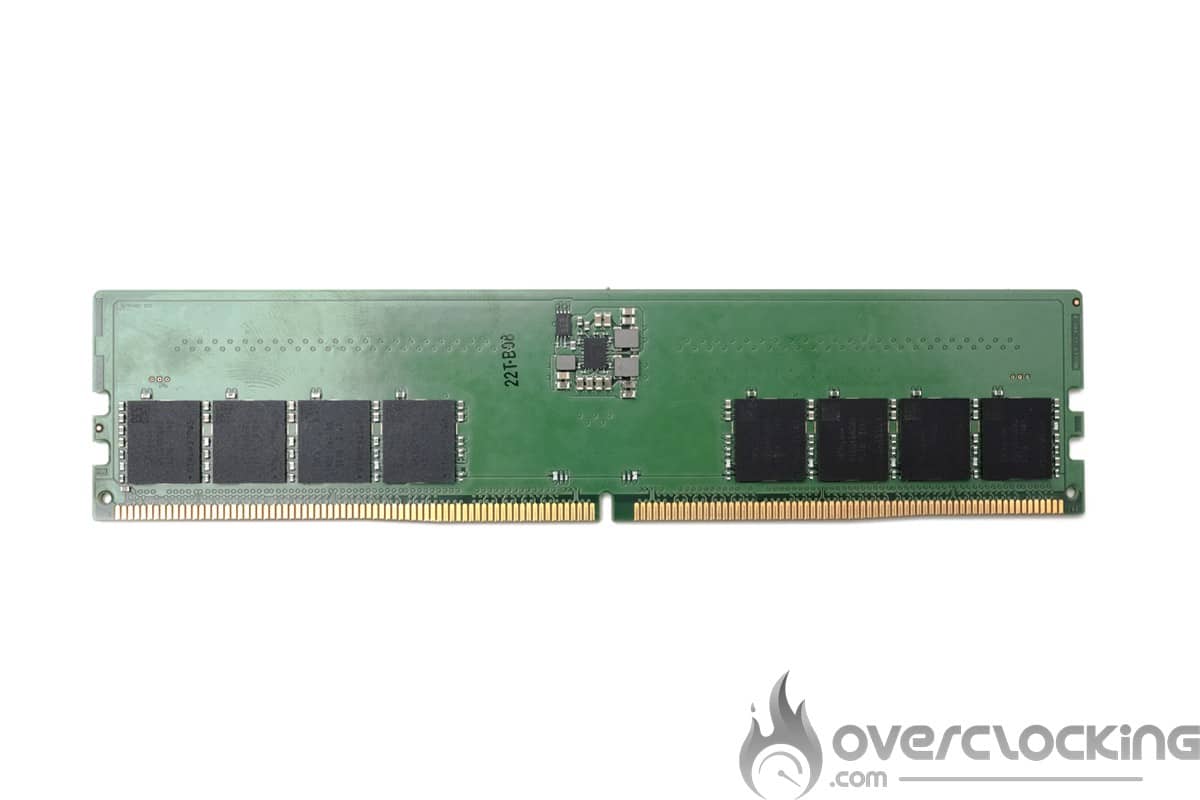
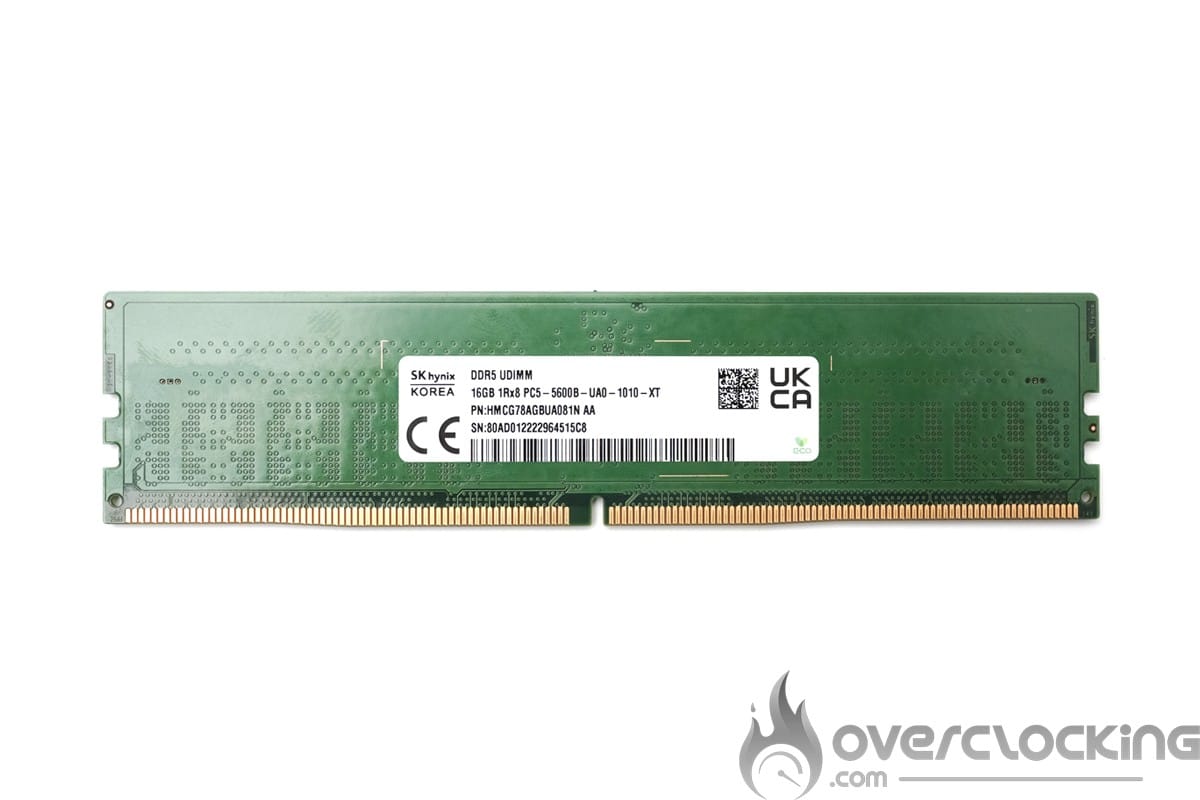
Our kit has a single rank PCB with Hynix A-die A214 chips. The PMIC is a Renesas P8911 located on one side of the PCB. An important point to underline, because it was the only PMIC allowing overclocking at voltages above 1.435 V on the A die kits available on the market at the time of purchase. Today, the new kits are equipped with Richtek PMICs that also allow overclocking at high voltages. A point to be taken into consideration, because the Renesas P8911 PMIC does not allow voltage unlocking on AMD platforms. It will be necessary to turn to kits equipped with Richtek PMIC or Renesas P8912. 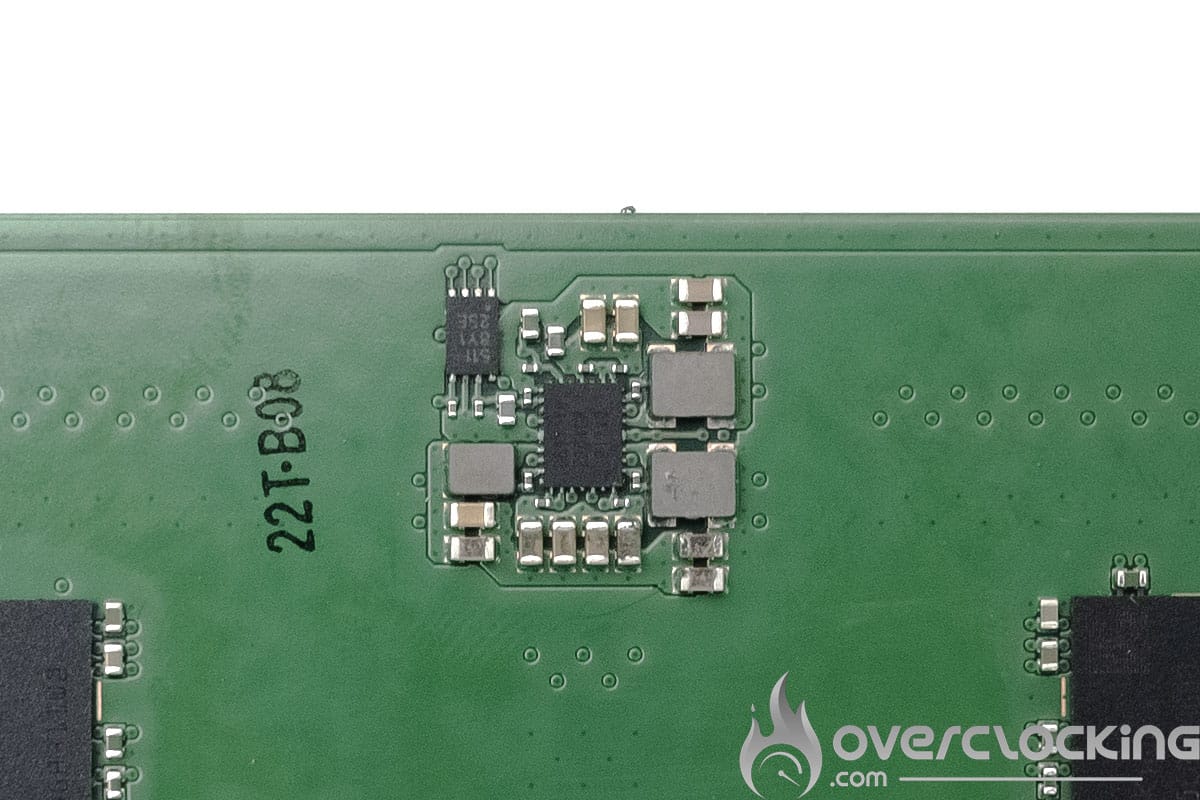 [nextpage title=”Settings in the bios:”]
Settings within the bios:
During these tests, I relearned how to overclock the DDR5 memory on this Z690 DARK KINGPIN. Starting with the CPU VDDQ setting, it’s about setting the PMIC turbo mode to auto and manually setting the CPU VDDQ. A setting not to be neglected because this voltage is very sensitive on the stability. A setting of 1.35 V to start with is a good starting point.


Next we have the RAM voltage setting, which cannot exceed the 1.435V mark without unlocking the PMIC. The Bios 1.15 of the Z690 Dark now allows this.  Now we come to the BMI and its limits. During our tests, unlike the DR kit, we were able to touch the VDDQ_CPU and the VDD2. For the latter, a value of 1.3 V was sufficient for 7800 Mt/s CL34 but the 8000 Mt/s Cl32 bar required to raise it to 1.4 V. We also have the option of disabling the Ecore to relieve the BMI and go even higher.


[nextpage title=”The Intel test setup”]
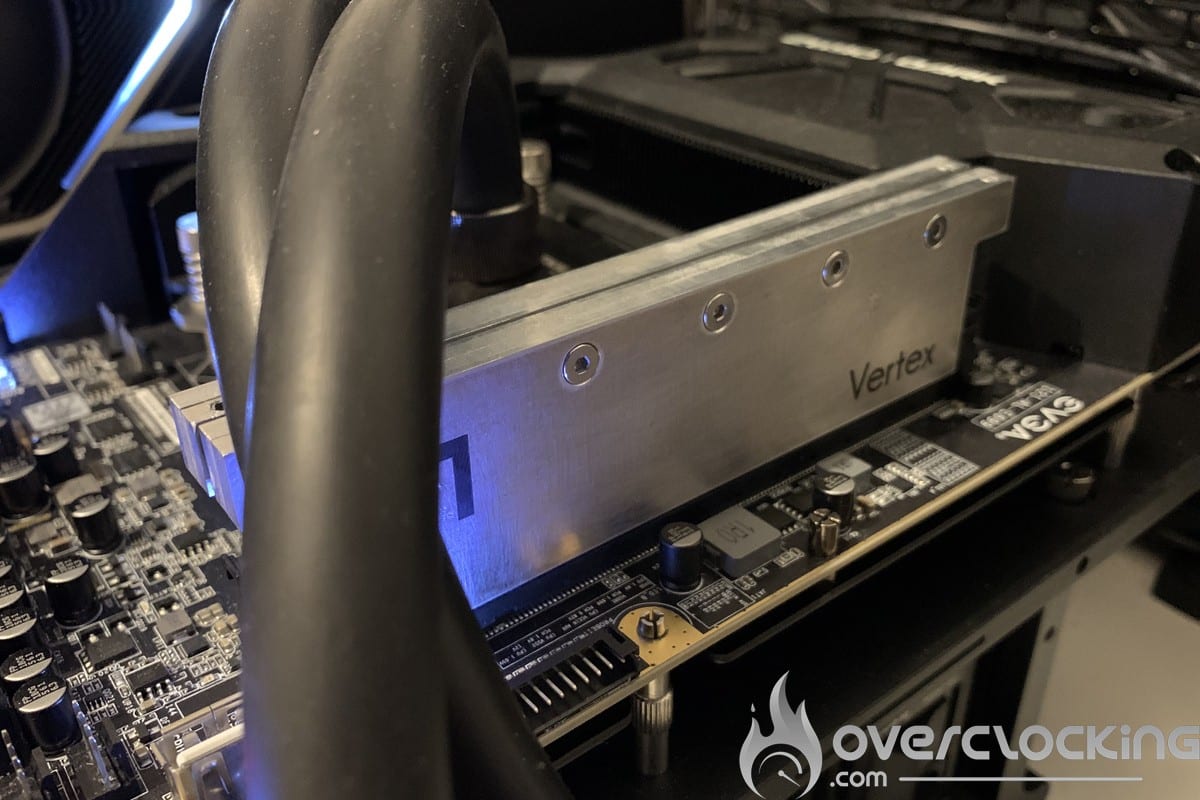
The test configuration
- Motherboard : EVGA Z690 DARK KINGPIN (BIOS 1.15)
- Processor : INTEL CORE I9 12900KS
- Memory : 2×16 Gb SK Hynix 5600B / 2×32 Gb SK Hynix 5600B / 2×16 Gb Adata lancer RGB 6000C40
- Graphics Card : GTX 750 ti / RTX 2080 Super
- Cooling system : Watercool Heatkiller IV basic + MO-RA3 420
- SSD : Western Digital SN850 500gb
- Power supply : Be Quiet ! Dark Power Pro 12 1200W
- Operating system : Windows 11 64 bits (version 21H2)
- Display : Millenium MD34-PRO 2
 [nextpage title=”Intel configuration comparison”]
Aida 64 :
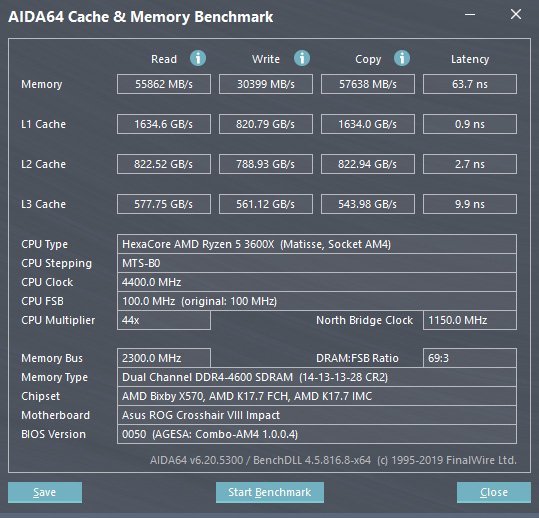
It is a software able to provide you with many information about your configuration, but it has the particularity to have a memory benchmark. This one will calculate the speed of reading, writing, copying and the latency of your memory kit. It is very often used to compare memory kits between them. It is an excellent tool if you want to compare the performance of your memory kit with what we have already had the opportunity to test. The version used for the tests is the latest 6.75.6100. Let’s start with the read speed. Here, our single rank A-die kit achieves the same throughput as the M-die single rank kit with handmade XMP.
 In the case of write speeds, this single rank kit also achieves the same number of Mb/s with the same profile.
 Same thing with the copy speed, here no gain between the single rank A-die and M-die. We notice that the dual rank version offers a gain of more than 3000 MB/s.
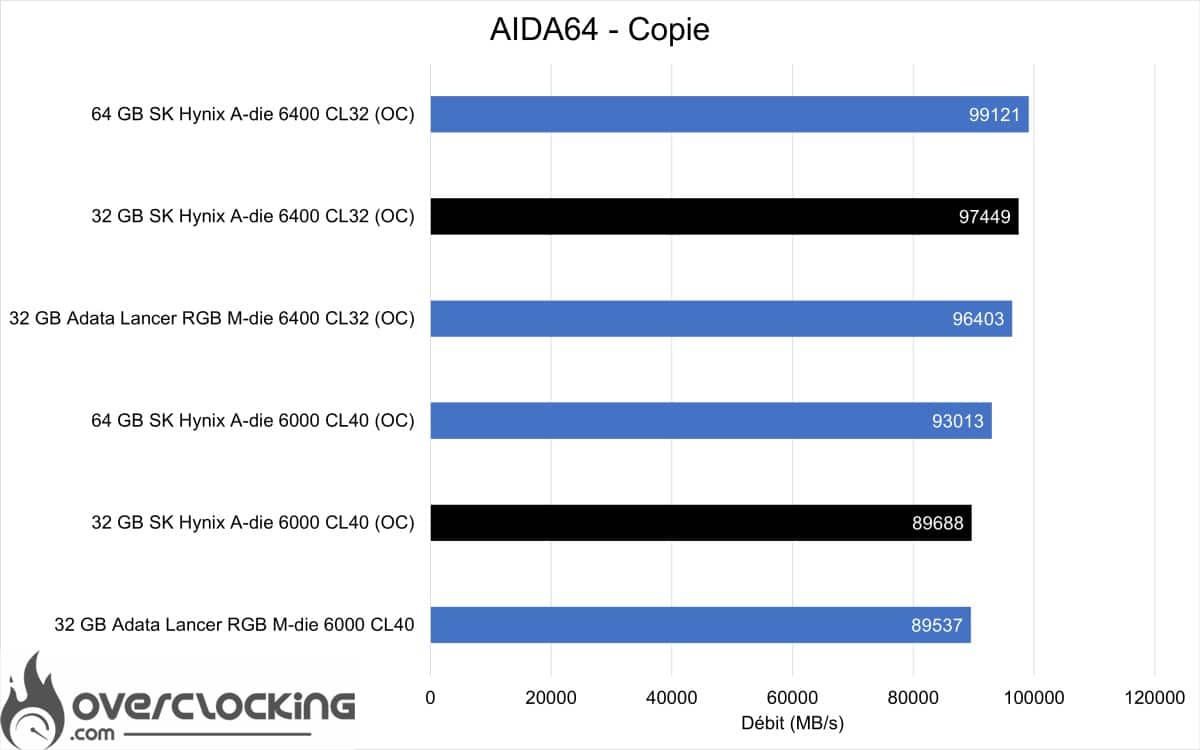
On the latency side, the timings play an important role. Here our memory kits manage to go below 60 ns, no noticeable differences for this benchmark not very repeatable in DDR5.

Geekbench 3.4.4 :
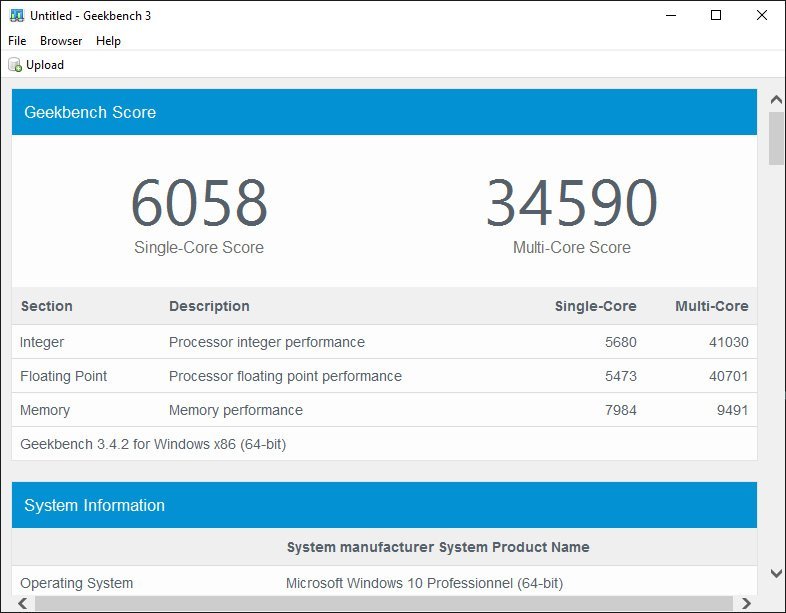 It is a benchmark available in several revisions, it is the standard for memory performance. It allows to obtain two scores: one in single and the other in multi. Using this benchmark, we will focus on the performances obtained on the score called ” Memory Multi-Core ” which allows to differentiate the memory performances. But also on the ” Multi-Core Score ” which does not always scale with the ” Memory Multi-Core “. The version used for the tests is 3.4.4.
We start with the single core part, here we can see that there is almost no difference with the single rank M-die kit. The dual rank Adie is well ahead.


[nextpage title=”Overclocking on the Z690 DARK”] To go even further, we overclocked our A-die single rank kit to its maximum. And, one thing is clear, just like the dual rank version, the capabilities of this kit are mind-blowing. We managed to reach 8000 Mt/s CL32, and almost 8600Mt/s in max freq. As a comparison, the single rank M-die, even under cold conditions, struggled to reach 8000 Mt/s in benchmark.
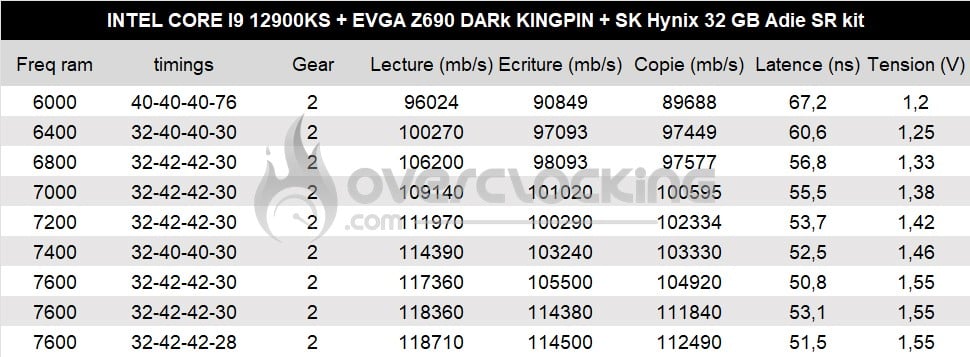
First connection of the kit… road to 9000 Mt/s, but with 1,4 V we don’t go far. 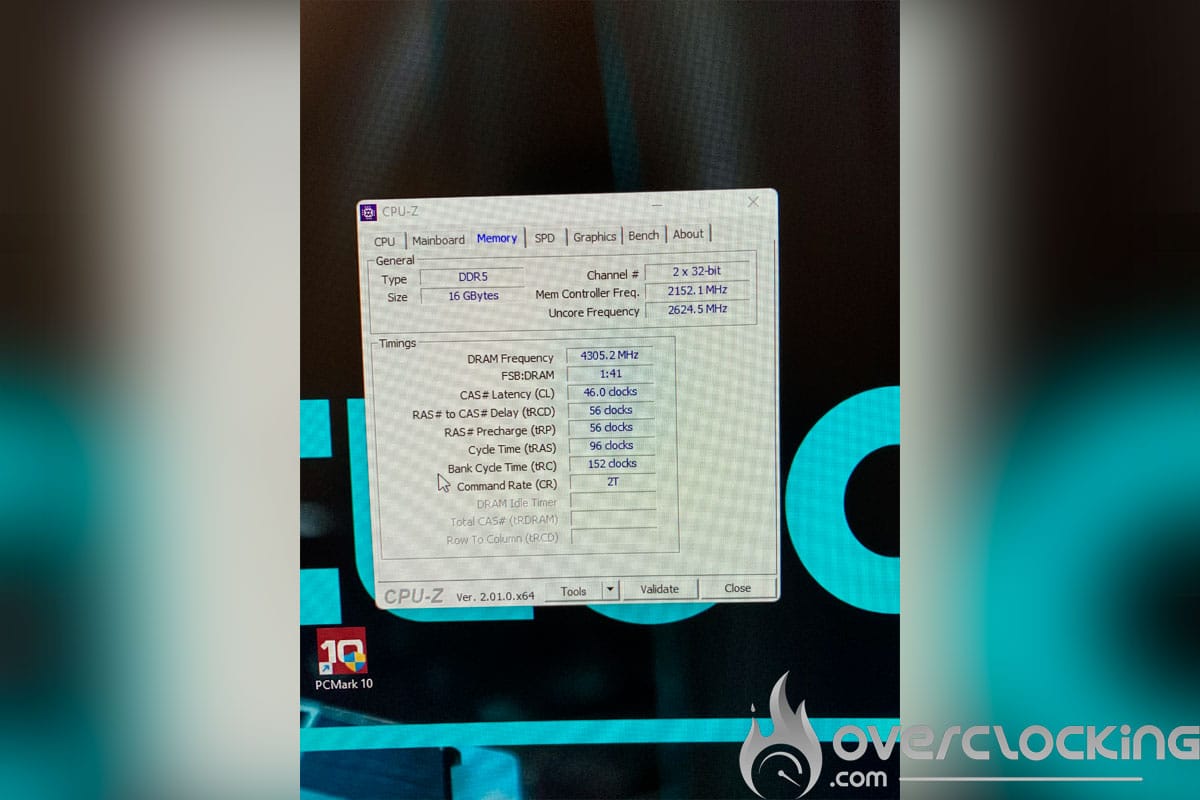 Overclocking on Geekbench 3 / Aida 64
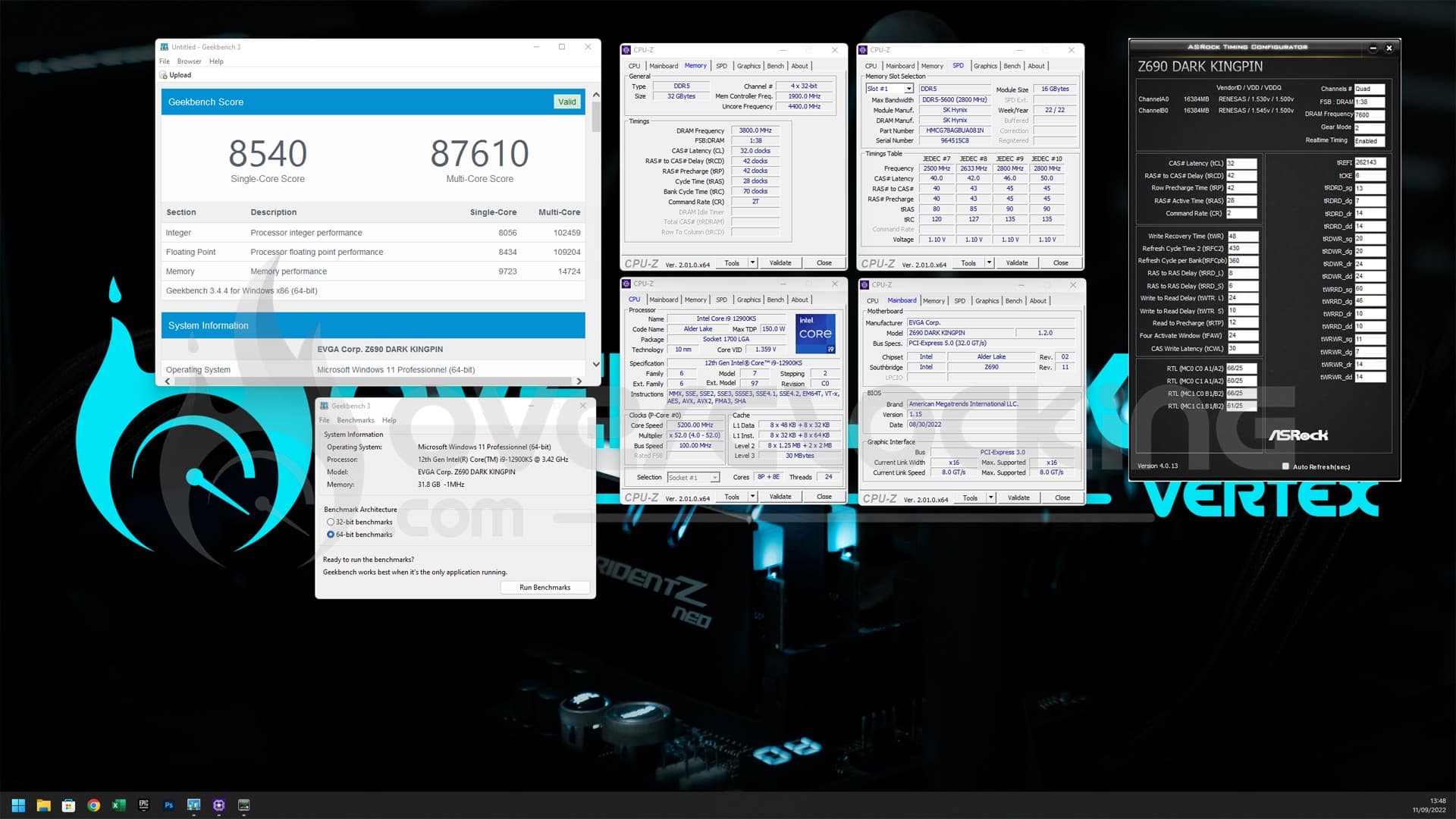
So we start with Geekbench 3 with the Pcore and Ecore active, in a configuration at 5.2 GHz on the Pcore, 4.1 GHz on the Ecore and 4.1 GHz on the cache. Here we managed to reach a benchmarkable maximum of 7600 Mt/s CL32.
 And here is a screenshot of the best score obtained with the active Ecore.
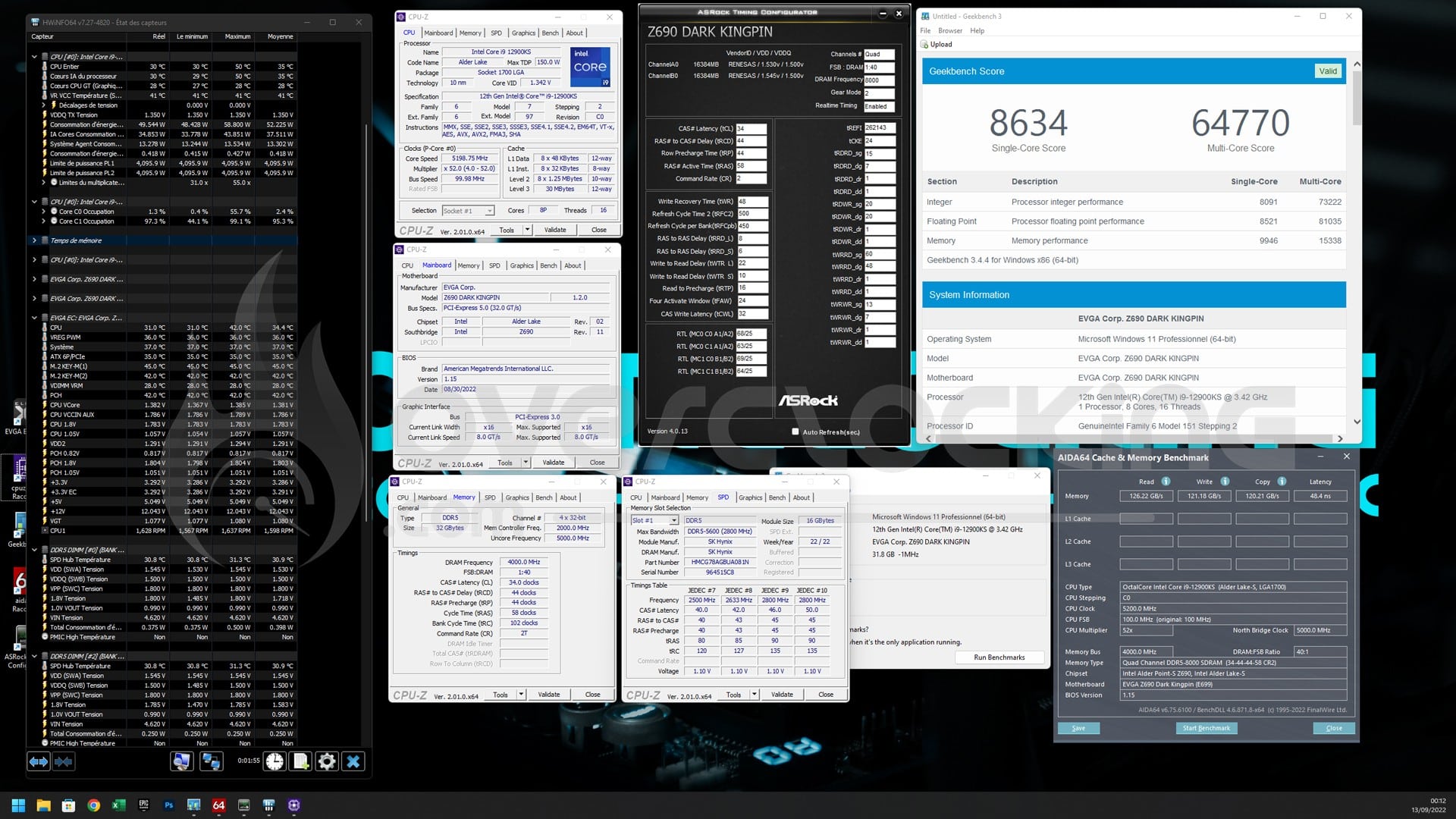
  Then we continue with the CPU only in Pcore configuration, the CPU is at 5.2 GHz and the cache at 5GHz. Starting from the best performing memory profile of the previous table we have reached 8000 Mt/s CL34. But that’s not all.


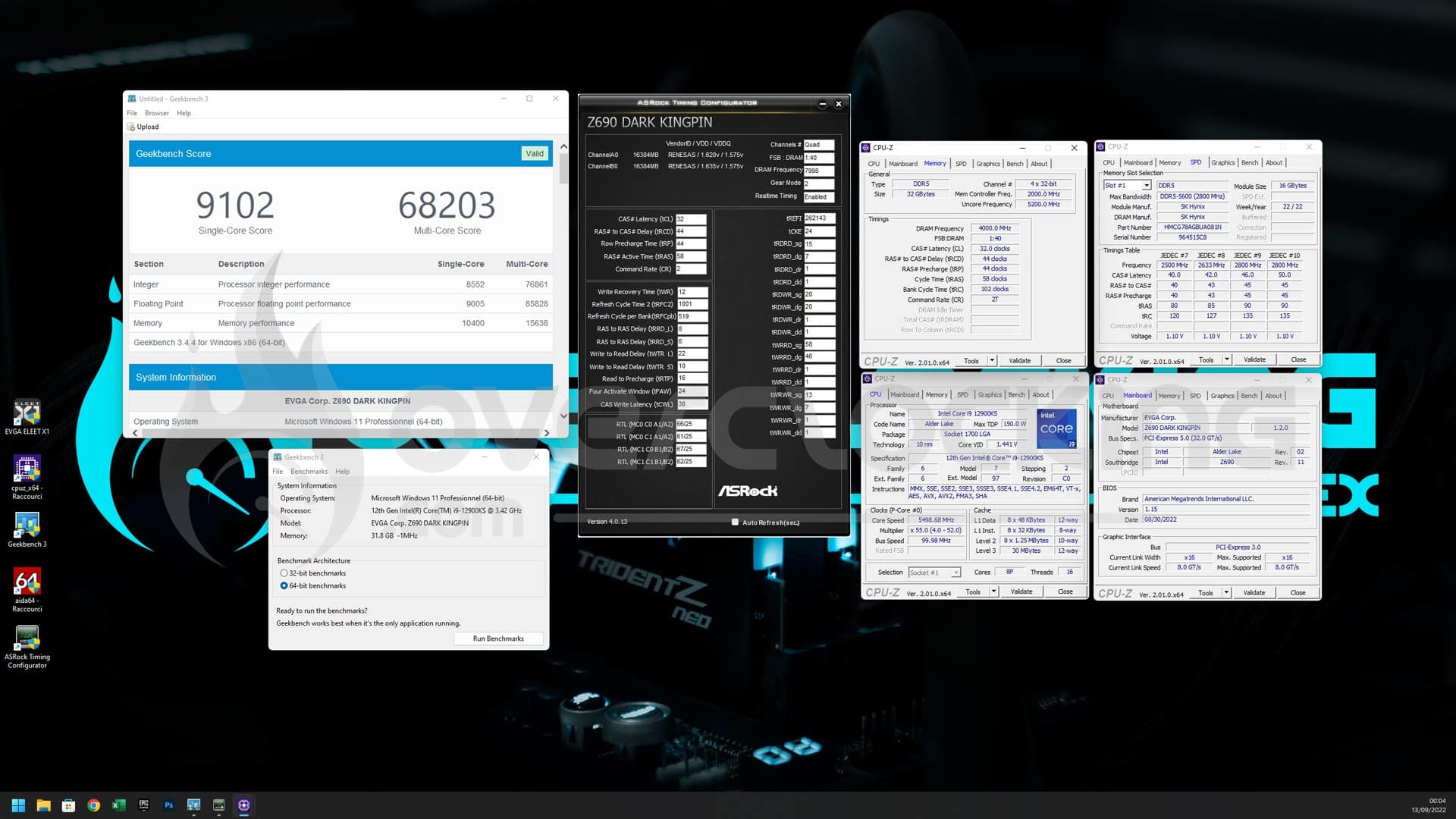
 After that, the memory was pushed again with 1.6V and much higher IMC voltages. But also the CPU and Cache to reach the best score ever in ambient on geekbench 3 on an eight core CPU. My previous record with the dual rank has been beaten. Finally, the overall score has been beaten but the memory performance score is relatively low compared to the A-die dual rank or the M-die single rank.
 [nextpage title=”The final word”] So we finish the technical tour of the new A-die chips from SK Hynix with this single rank kit. And what can we say except that the coming weeks will be exciting in the world of overclocking. Cornerjack on the other hand has finally received its consumer A-die kit. Don’t miss this review.
A small negative note for this end of test is the non-stability of these chips in the cold. During a session under dry ice on the Z690 tachyon and the Z690 Dark it was impossible for me to reach the frequencies in ambient. And this, with just -75°C at the ram…

DDR5 SK Hynix A-die 16 GB 5600B DR :
We liked:
- The overclocking capabilities of a whole new level
- Easy to train profiles to 7800-8000 Mt/s
- The new streamlined PCB
We would have liked :
- A PMIC supporting AMD platforms
- A stable overclocking less capricious
- A better hold under cold
 After the platinum award for the dual rank kit, we award the GOLD here. Because even if the overclocking capabilities are on a completely different level. I don’t think that current platforms are prepared to handle such high frequencies. It is not very presumptuous to imagine XMP stable at 7600 Mt/s. When the smallest variation of 0.01V makes a simple 7600 Mt/s CL34 manual not stable in daily use on a motherboard like the Z690 DARK Kingpin.

