
Back again with a device test, this time focusing on the new NZXT model. In fact, the American brand is offering us a new generation of mouse with its Lift 2 SYMM. With this new model, we’re continuing the trend towards lightweight mice, as you’ll see in our test, here we go!

Technical specifications :
We begin with a brief tour of the machine’s technical specifications. In terms of dimensions, this new model is 67.1 mm wide, 126.8 mm long and 38.3 mm high. With these dimensions, this new NZXT model is very close to Glorious’s Model O, the model I use on a daily basis. Nevertheless, these dimensions are more or less identical to those of the first-generation Lift.
In terms of weight, this is a mouse that relies on its lightness, weighing in at just 58 grams, without cables. Once again, we’re dealing with a reference surfing the ultra-light mouse trend. By way of comparison, the Model O weighs in at 67g, compared with 54g for ASUS’ Harpe Ace.
Internally, it’s still a debauchery of features, with crazy sensors displaying ever-higher DPIs. While the integrated PixArt PMW3395 sensor doesn’t boast the highest DPI on the market, we’ve still got 26,000 under our belts, which is more than enough. Otherwise, this sensor boasts a maximum speed of 650 IPS and is capable of withstanding accelerations of 50G. As for the polling rate, it can reach 8,000 Hz!
We end with an ultra-flexible cable, a bit like the one offered with the Model O. The sheath is made of paracord and is fairly loose so as not to impede cable movement.
System requirements :
In terms of system requirements, of course, you’ll need at least one free USB Type A port on your machine. Finally, the box mentions Windows, MAC, XBox and PlayStation compatibility. Of course, mouse management will be entrusted to CAM, the brand’s software suite.
[nextpage title=”Unpacking”]
The box:


As for the packaging, we’re back to the brand’s usual white and purple colors. As you can see, the front of the box features an illustration of the Lift 2 SYMM seen from above. A few elements are highlighted, such as its weight, its polling rate and the sensitivity achievable by the sensor.
On the back, we find more or less the same thing, with two illustrations of the mouse and more features highlighted. We also know that this model uses optical switches. If you’re looking for detailed specifications, you’ll have to look at the sides of the box.
The Bundle:
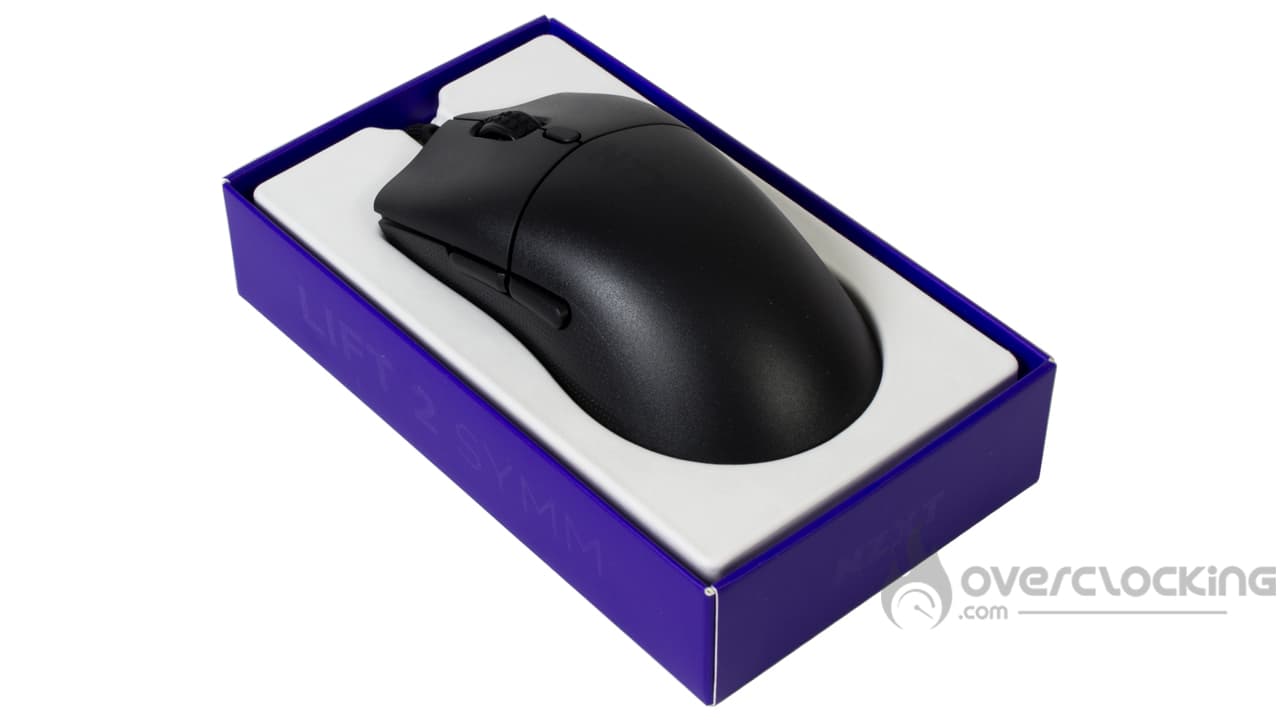
Red card for NZXT, which finally offers no accessories with its mouse, nothing, not even a warranty or safety guide… It’s a pity, since we were regaining faith with ASUS, who offered us a set of extra pads or adhesive tape to stick on the mouse, but here, nothing of the sort. Disappointing…
The top :
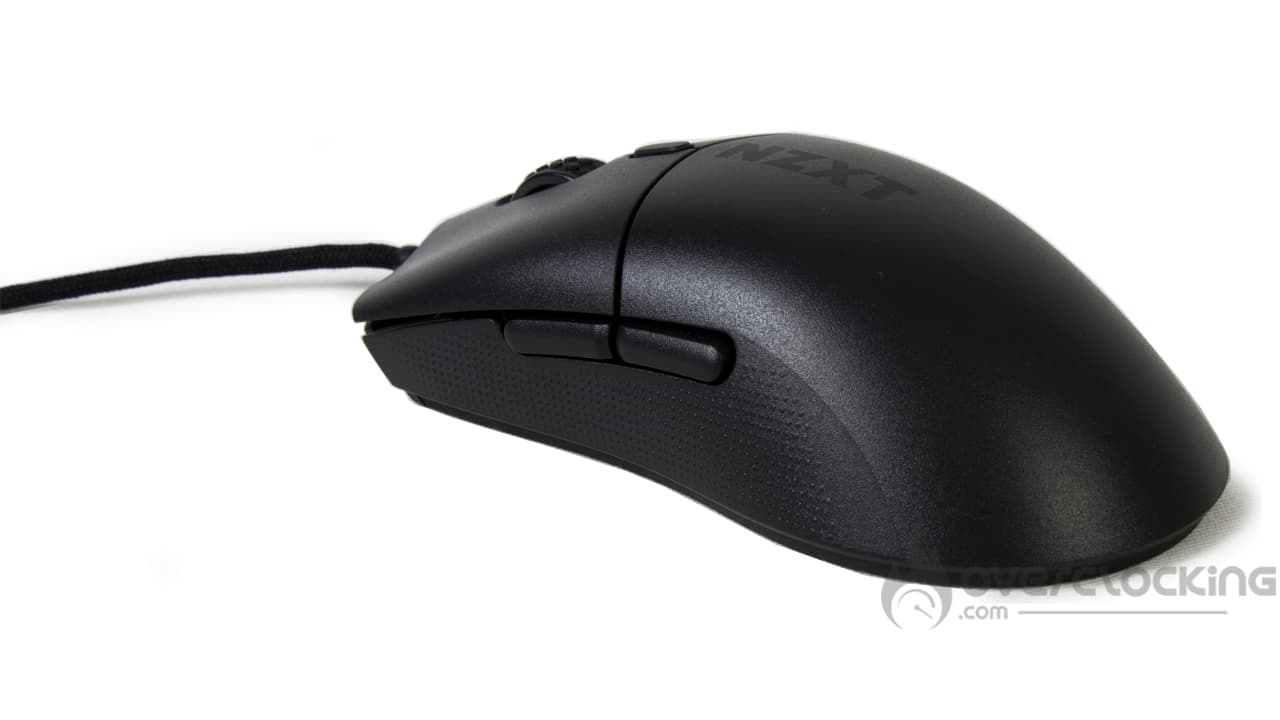
With this model, we find a rather basic model in its shape. In fact, its shape is similar to that of our Model O from Glorious. The design is sober, with a simple NZXT reminder in very dark grey on the top of the knob, and that’s all there is to it.
In fact, we’re surprised to see that the American brand doesn’t even offer an aRGB zone for the thumbwheel. This is in stark contrast to the company’s usual products, especially as the first-generation Lift was illuminated in the form of a border around its base. In short, if you don’t like lights in all directions, you should be satisfied.
Finally, the sides of the mouse feature small dots designed to improve grip. This is also one of the innovations compared to the previous generation, which featured a completely smooth shell.
As for the buttons, the left and right clicks are separated from the rest of the casing. Just above the scroll wheel, we find a DPI scroll button (which can be set via CAM). On the left-hand side are the “next” and “previous” buttons.
Bottom:
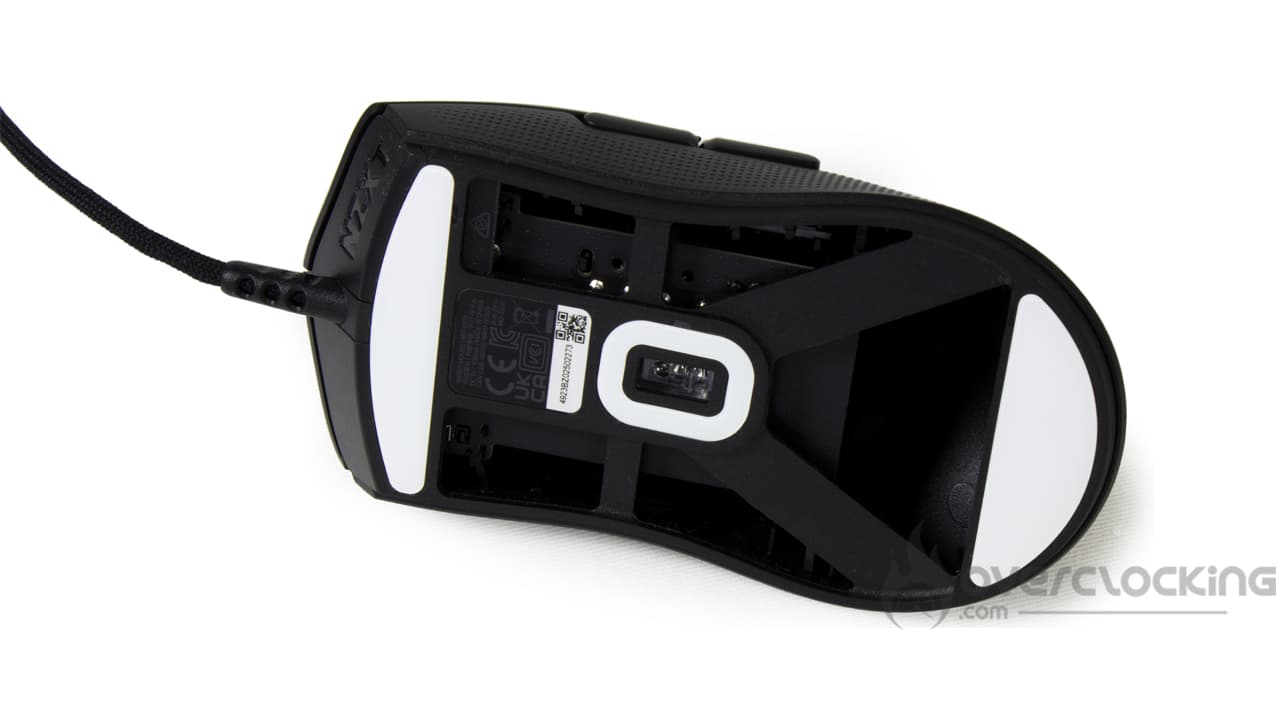
Under the mouse, it’s immediately clear why this model is so light: there’s no bottom! In fact, the PCB and all the internals of this model are exposed. Nevertheless, to maintain a certain rigidity, paddles are present, and this works, as the mouse retains good rigidity.
Otherwise, there are three PTFE pads, a low-friction material for maximum glide. These are located at the ends of the Lift 2 SYMM, with a third surrounding the sensor.
[nextpage title=”Software”]
The software used by NZXT to manage its mouse is CAM. Let’s take a look at the different settings available for the Lift 2 Symm.
DPI settings

The first thing you’ll find are the DPI settings. By default, 5 parameters are available: 400, 900, 1800 and 6400 DPI. These can be changed by manually entering the value in the dedicated box, or by scrolling the cursor to the left.
Polling Rate, Macros, button remapping

At the very bottom of the application, we have access to mouse polling rate and “lift height” settings. This is the height to which we can lift the mouse before it stops detecting our movements. We can choose between 1 and 2 mm for this parameter.
Next, the menu just below offers a macro editor. Nothing out of the ordinary here, as it lets you record a sequence of keystrokes and their various timings.
Finally, at the very bottom, we have the option of changing the assignment of mouse keys. However, there’s no function to regulate mouse DPI. In this way, we could have created a “sniper” function similar to that offered by Corsair’s M65. It’s a function I use regularly when editing photos, for example, as soon as the need for precision arises.
[nextpage title=”Test”]
It’s time to take the NZXT Lift 2 Symm in hand and give you our impressions of it. We’ve used it for video games, as well as for more traditional navigation and office work. What did we think? Find out now!
Handling:
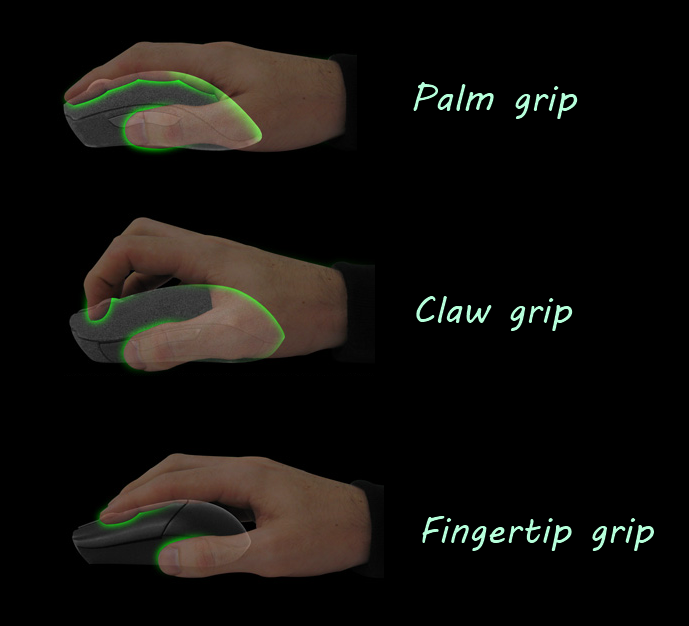
If you’ve ever tried a Harpe Ace or Model O mouse, look no further than the Lift 2 SYMM from NZXT. It’s simple to use, and won’t take you long to get used to it, since your hand simply rests on it. There’s no guide, and no element to force your fingers into position like on an IronClaw, for example.
The result is a natural grip, with the thumb positioned just below the side buttons. Meanwhile, the index and middle fingers are simply placed over the left and right clicks. Finally, the ring finger comes to rest on the little finger on the right-hand edge of the mouse, while the palm of the hand comes to rest on the knob.


The dimensions of this model mean that claw grip and palm grip will be the most comfortable grips. To attempt the finger grip, you’ll need either very large hands, or to hold the mouse very high on its clicks.
Moreover, although the mouse has a symmetrical body, it is far from being ambidextrous. The additional buttons are positioned on the left-hand side of the casing, so as a left-handed user, you’ll only be able to reach them with difficulty. And speaking of button placement, the DPI button, mounted above the thumbwheel, will be difficult to press by accident, as you’ll have to seriously raise your index finger to reach it.
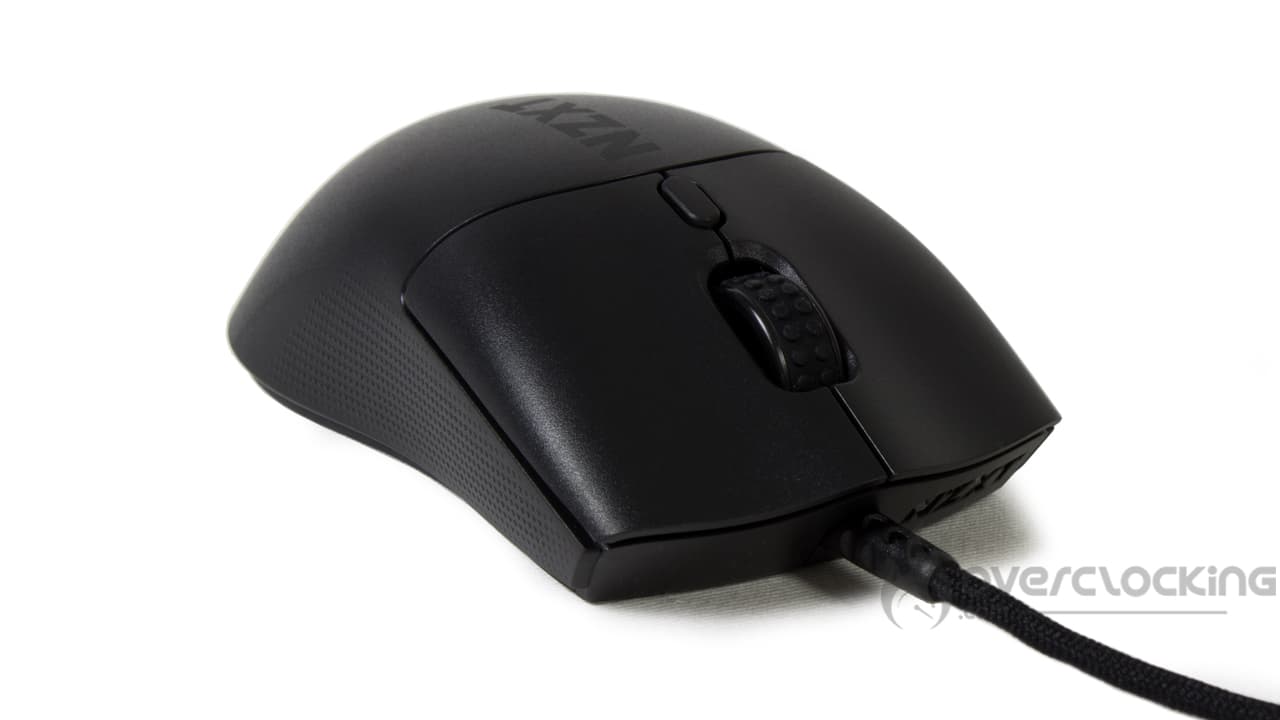
As far as the thumbwheel is concerned, the Lift 2 SYMM benefits from a wider thumbwheel than the Model O, while being much shorter. It also has a rubber coating that grips well under the fingers, so there’s no risk of slipping. As for scrolling, the notches are well marked, more so than on my everyday mouse in any case. In the heat of battle, you’ll be able to switch from one weapon to another with ease, without getting confused.
However, the main clicks lack a little firmness. In my opinion, this takes a little getting used to, as it’s not easy to find the necessary force to just activate the click. Clearly, less force is needed to activate it on my Model O by Glorious. So we’re all familiar with double-clicks during a long selection on Photoshop…
The sound of the Lift 2 Symm buttons:
As you can hear, the mouse emits a rather low, dull noise compared to the Model O. In fact, the sound it emits turns out to be quite similar to that of the ASUS Harp Ace. In fact, it’s pretty quiet, but whether you like this type of noise or prefer higher-pitched sounds remains to be seen.
Glide:
As far as glide is concerned, even though there are Teflon pads, unfortunately the glide won’t be up to the level of my everyday mouse. Yes, the Lift 2 SYMM benefits from two large glides offering a large contact surface with the mat, which inevitably slows things down… The Model O, on the other hand, has four small glide pads in each corner, ensuring a much smoother glide on carpet.
On a rougher surface, such as the wood of my worktop, the glides don’t filter the asperities very well, whereas the Model performs better… So on a rigid carpet, it’s better not to mention it.
[nextpage title=”Conclusion”]
We’ve now come to the end of this test of NZXT’s Lift 2 Symm. So, what did we think?
The umpteenth featherweight reference on the market!
With this new reference, NZXT offers us yet another lightweight mouse on the market… No, in fact it’s an update of the first-generation Lift. It comes with a few changes to the casing and an updated specification sheet. However, NZXT has removed all traces of RGB lighting, making this model even more discreet. On our side, we’re not going to hide it, we like it.
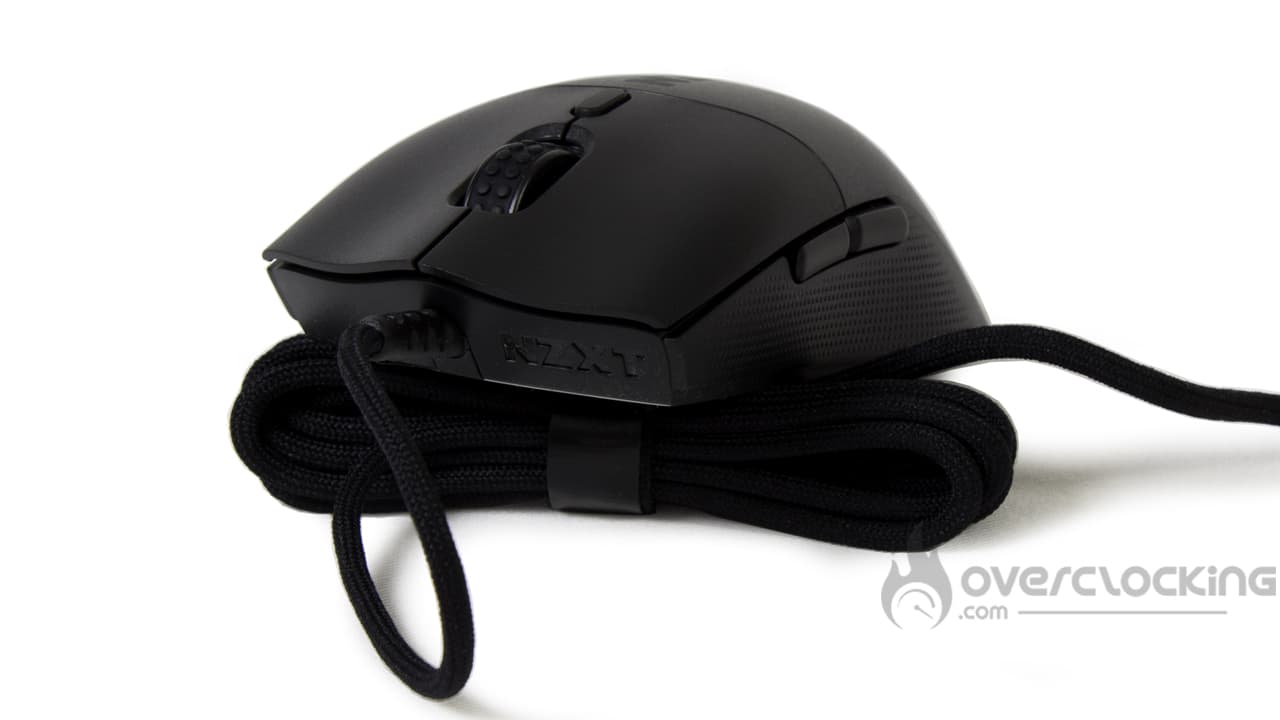 Even if grip is a subjective matter, we’re not going to lie to you: we like what NZXT has come up with here… At the same time, the grip is very similar to that of our benchmark mouse.
However, not everything is perfect: the wide PTFE pads tend to slow down glide on a large mouse pad, especially as they don’t filter rough surfaces very well. As for the micro-switches, these are fairly soft and don’t require a great deal of force to activate.
At the same time, the noise it emits is rather muffled, and the soft cord doesn’t offer any resistance.
How much does the Lift 2 Symm cost?
The pleasant surprise is the price, which remains unchanged at €59, just like the original model. Clearly, the pricing remains good, and you won’t break the bank. However, the competition remains tough, and our reference Model O is still on sale, which will impose some serious competition… Even with a less advantageous technical specification: less DPI and lower polling rate.
What’s more, NZXT could have distinguished itself by offering several colors, as it did with the first version of the mouse, but this is no longer the case. Apart from black and white, that’s all there is. Gone are the black/yellow, blue or cyan mice.
NZXT Lift 2 Symm:
We liked:
- No RGB!
- The grip is very similar to that of our reference mouse, so you feel right at home (but that’s subjective)
- Rough side strips for improved grip
- Its light weight of 58g, even lighter than the first generation
- Ultra-soft, resistance-free cord
- Silent operation
- Affordable price
What we didn’t like :
- The totally non-existent bundle!
- Slower glide than the Model O
- Soft clicks
- Where have the colors gone?

In the end, we’ve decided to give this new NZXT mouse a silver award. If the specification sheet improves and improvements are proposed, this model will face strong competition, especially if we take into account the slightly “soft” clicks or the slow glide on soft carpet. However, it has the advantage of retaining its original price of €60, while boasting a featherweight, flexible cable, all without RGB. Just a shame to lose the different colors of the original version!
Many thanks to NZXT!

