

[nextpage title=”Introduction:”]
We’re continuing our tour of motherboards built around the Z890 chipset with yesterday’s arrival of the MSI MEG Z890 Unify-X (product page). It was part of the press pack we received from Intel France, along with a copy of the Core Ultra 5 245F and Core Ultra 9 285F. We also received a copy of the Kingston Fury 48 GB 8200 MT/s CL40 CUDIMM memory kit and an MSI MAG CoreLiquid I360 cooling system, which NHU9B has just reviewed.
But it’s great to see MSI reintroducing its ‘Unify-X’ series with the launch of the Z890 chipset. The last model we had the opportunity to test was the MSI MEG Z690 Unify-X. This new card is undoubtedly one of the models that will be prized by overclockers in order to push their Arrow Lake processors to the limit. It’s what we call in the jargon an ‘XOC’, meaning a motherboard that can be used for extreme overclocking tests. Most brands have an XOC model in their catalogue, such as the ROG Maximus Z890 APEX, the ASRock Taichi Z890 OCF or the AORUS Z890 Tachyon.
The Intel Core Ultra 200S processors in the press kit :
This one uses the same colour code as the one we received for the launch of the 14th Gen, with blue dominating. The first step is to open it from the left, like a book.


There’s an illustration of a Core Ultra 200S processor and, on the right, a transparent block into which is inserted, not a processor, but a hardback illustration of a Core Ultra 200S. At the back is a table listing the five processors that will be officially launched on 24 October: the Core Ultra 9 285K, the Core Ultra 7 265K/265KF and the Core Ultra 5 245K/245KF.


Finally, if you open the second section on the right, the Core Ultra 9 285K and Core Ultra 5 245K are revealed. They are, of course, protected by a plastic shell before being placed on one of our Z890 motherboards.


Thank you to INTEL France for making this Intel press pack available. Don’t forget that our full report on Intel’s Core Ultra 200S announcements is available by following this link.
[nextpage title=”The MSI MEG Z890 Unify-X:”]
The ‘Unify’ series was launched at the end of 2019 with the excellent MEG X570 Unify, which we were lucky enough to be able to test exclusively. MSI’s idea with this new series was to offer a card that went straight to the essentials, leaving aside the RGB backlight, in order to focus primarily on overclocking.
The bundle:
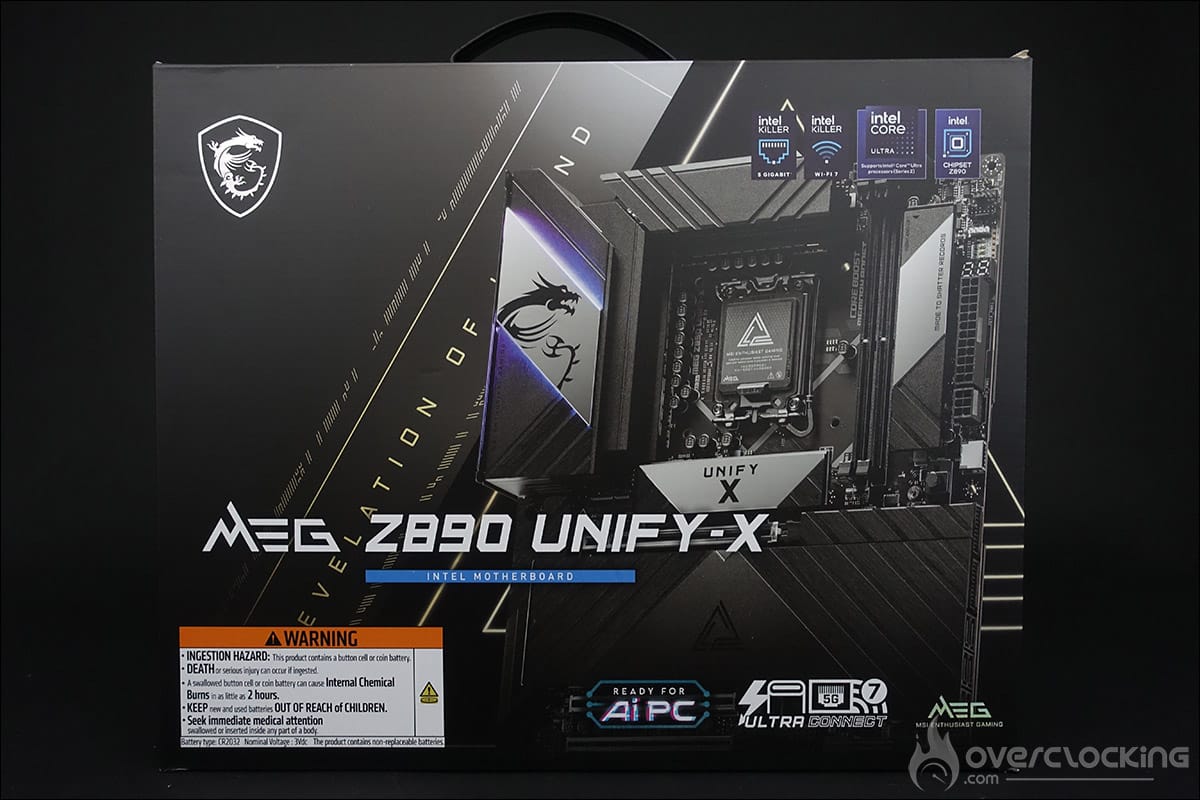
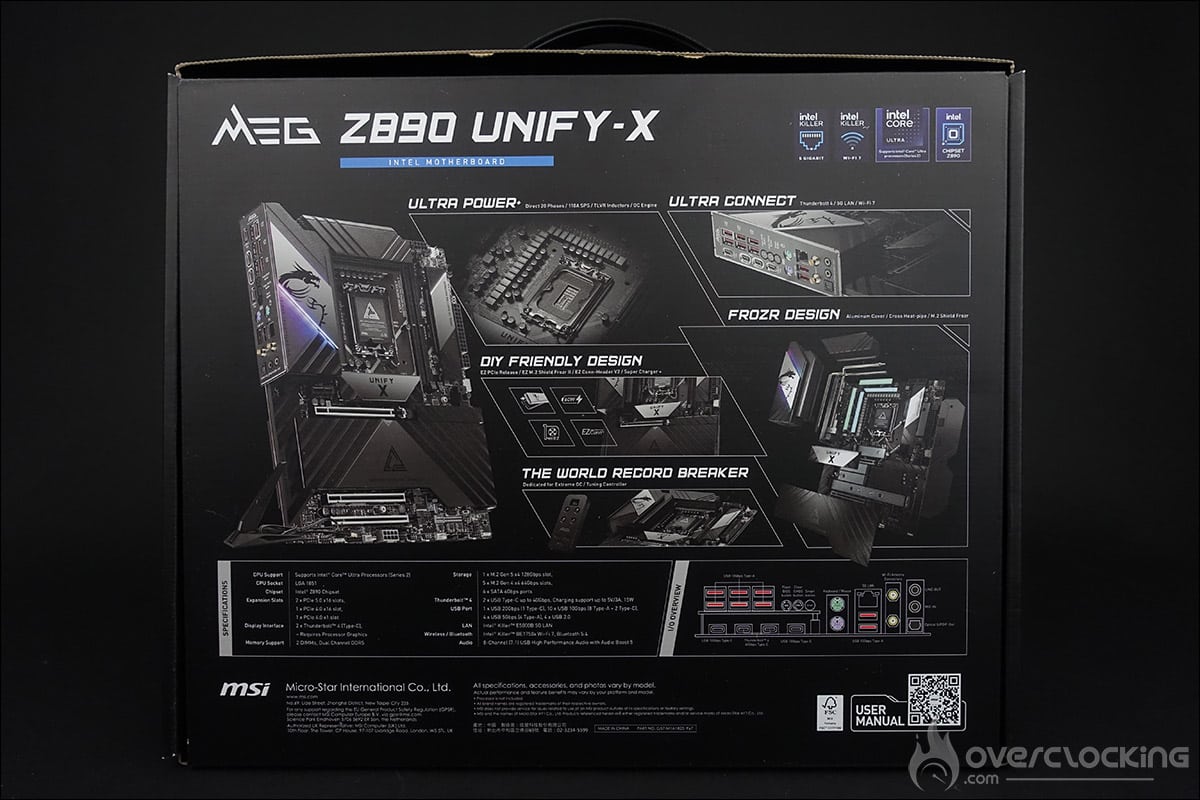
The box here is relatively dark, with a strong emphasis on black and grey, in the same spirit as the PCB. A few touches of blue and purple remind us that we’re dealing with an Intel motherboard. The MSI Z890 Unify-X is part of MSI’s ‘MEG’ series, which stands for ‘ MSI Enthusiast Gaming ‘ and represents MSI’s top-of-the-range, and therefore often most expensive, boards. It’s often on this series that we discover the new technologies introduced by MSI, which are then rolled out to the other series.
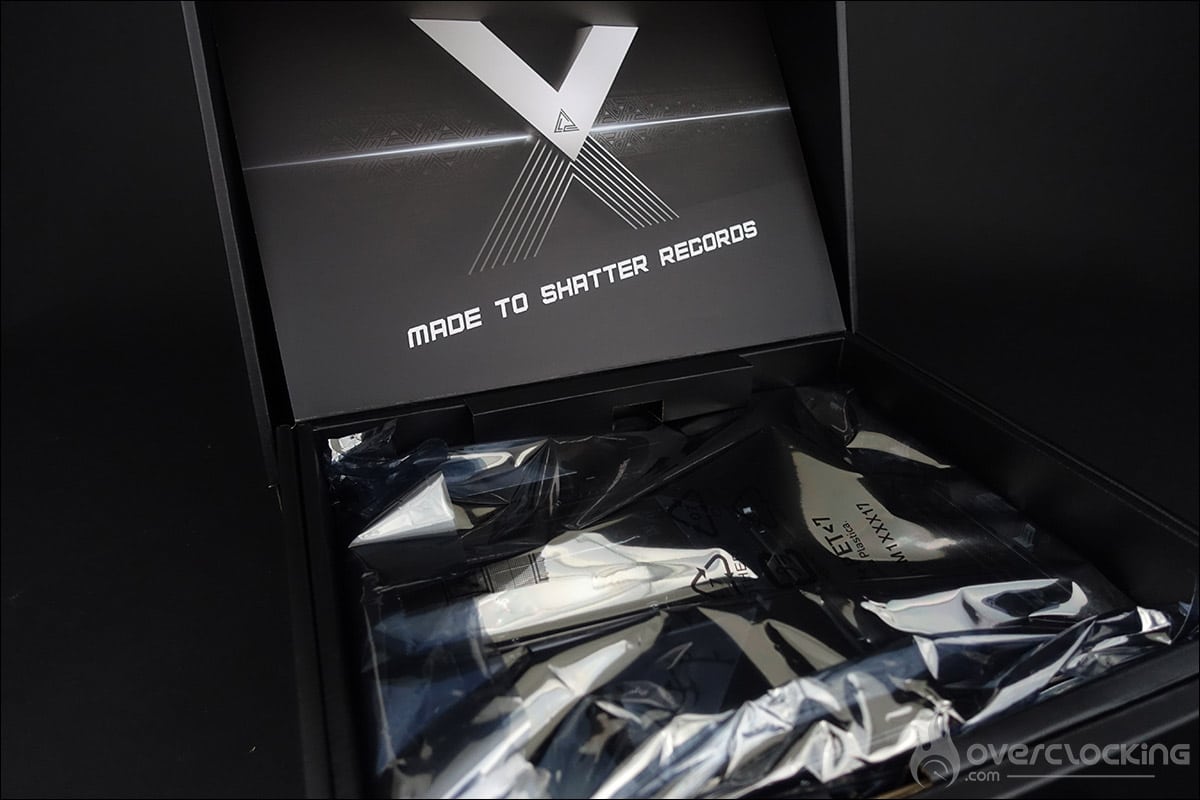
As soon as the box is opened, MSI makes no secret of its intentions with a ” Made to shatter records ” statement: the tone is set. A quick look at the MSI MEG Z890 Unify-X bundle to see if it comes with any “special accessories”. It’s a fairly comprehensive bundle, with perhaps two items that stand out.
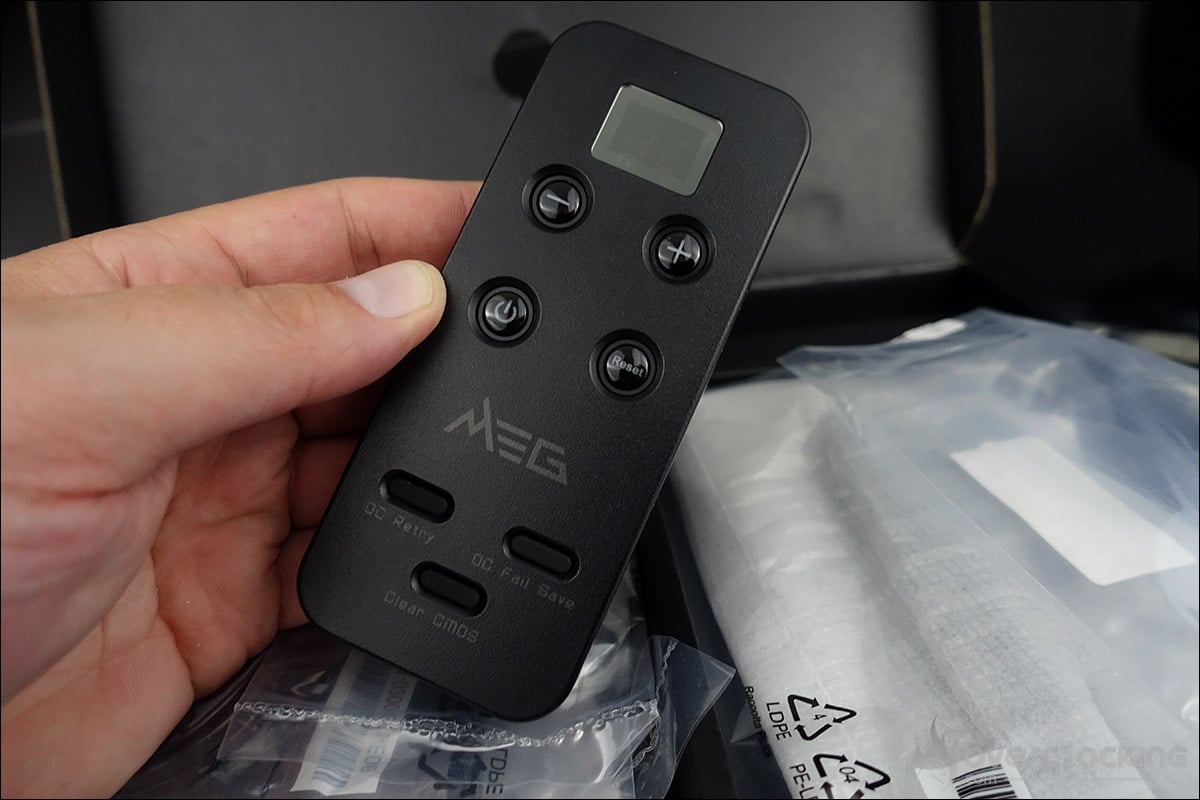
Firstly, the ‘ Tuning Controller ‘ remote control with its ‘EZ Front Panel’ cable. It’s aimed primarily at overclockers, who will be able to change settings with a single click. We’ll explain the various functions on the next page.
And secondly, a small spanner – not a screwdriver, but a hexagonal socket – which is mainly used to make it easier to remove and install the M.2 fixing screws.
New Z890 chipset and LGA-1851 socket:
This new motherboard is built around Intel’s new Z890 chipset. One of the major changes is the socket, which is no longer an LGA-1700, but continues to grow with 1851 pins and will therefore be called LGA-1851. The good news is that the centre-to-centre distance remains the same, which means you can still use your cooling system compatible with the LGA-1700 socket.
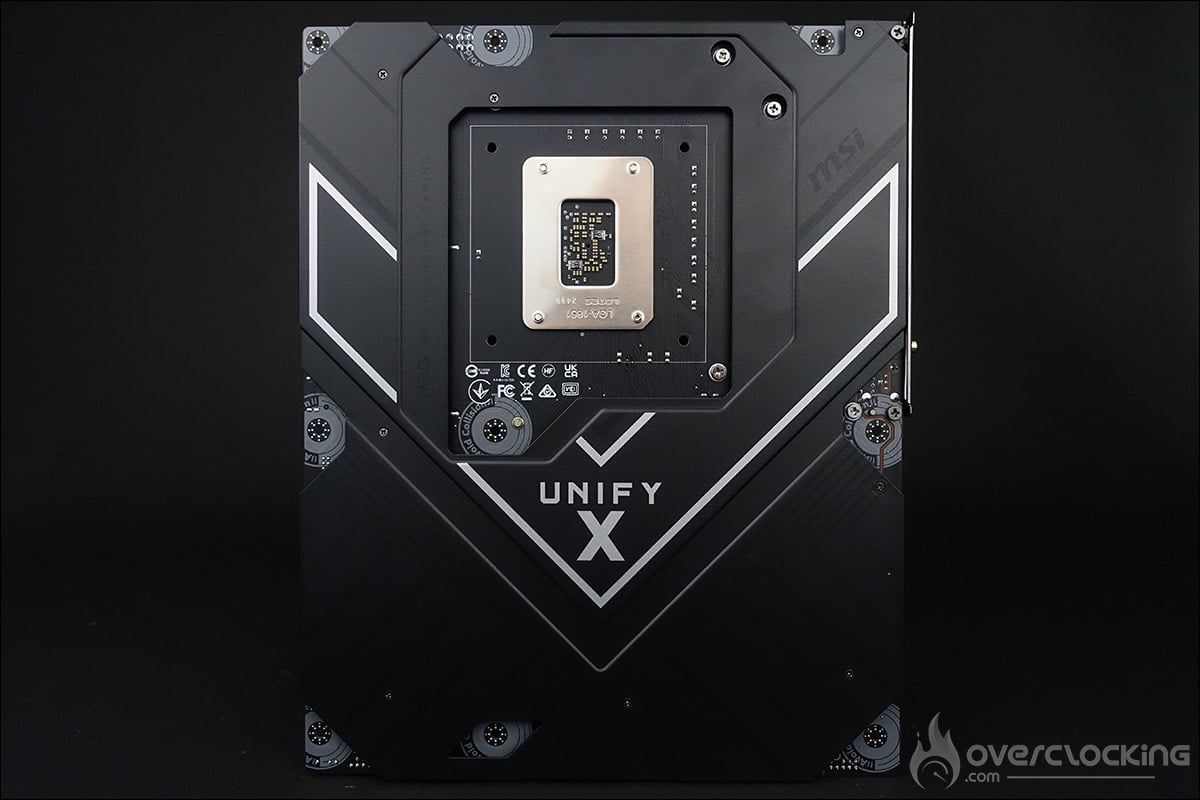
We can see that the card has an imposing steel backplate at the rear, whose role will also be to optimise the cooling of the mosfets via the rear of the PCB. Thermal pads link the PCB to the backplate to transfer heat.
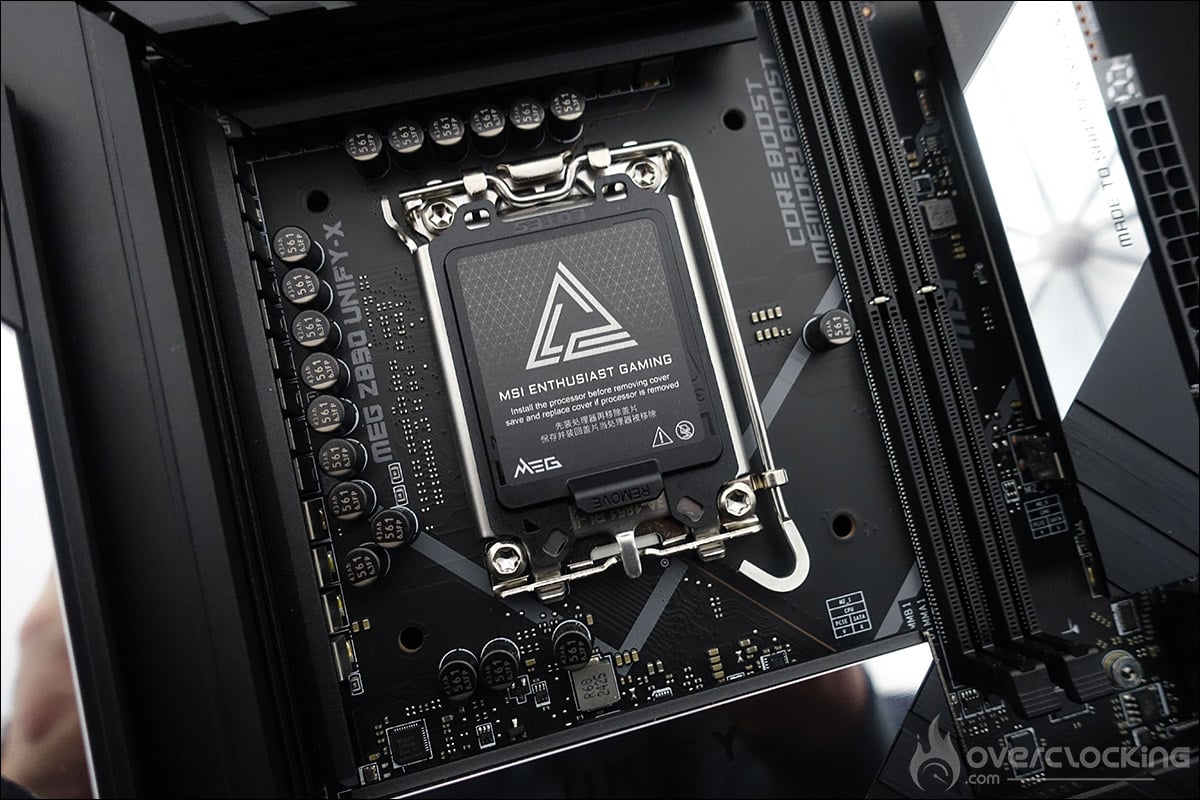
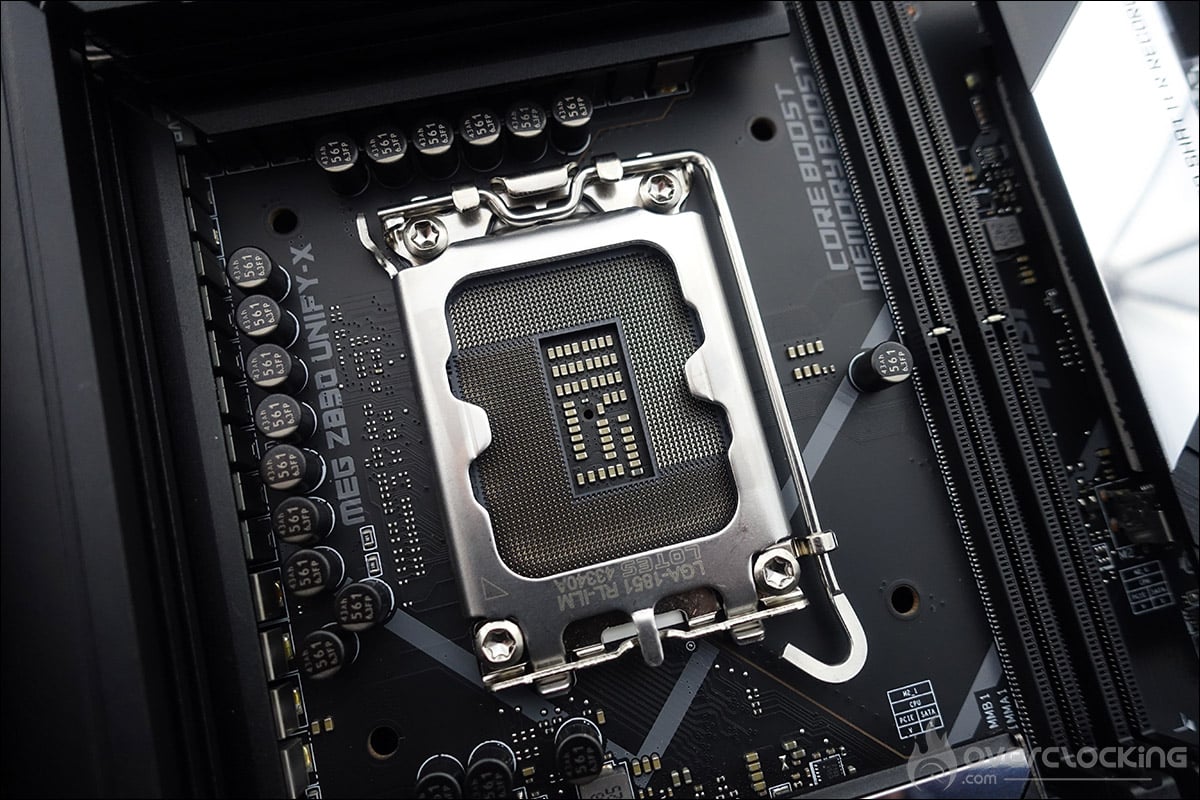
We’ll be coming back to this socket in more detail, and to Arrow Lake processors in particular, as it seems that the processor’s hot spot is different from the previous generation.
The different heatsinks :
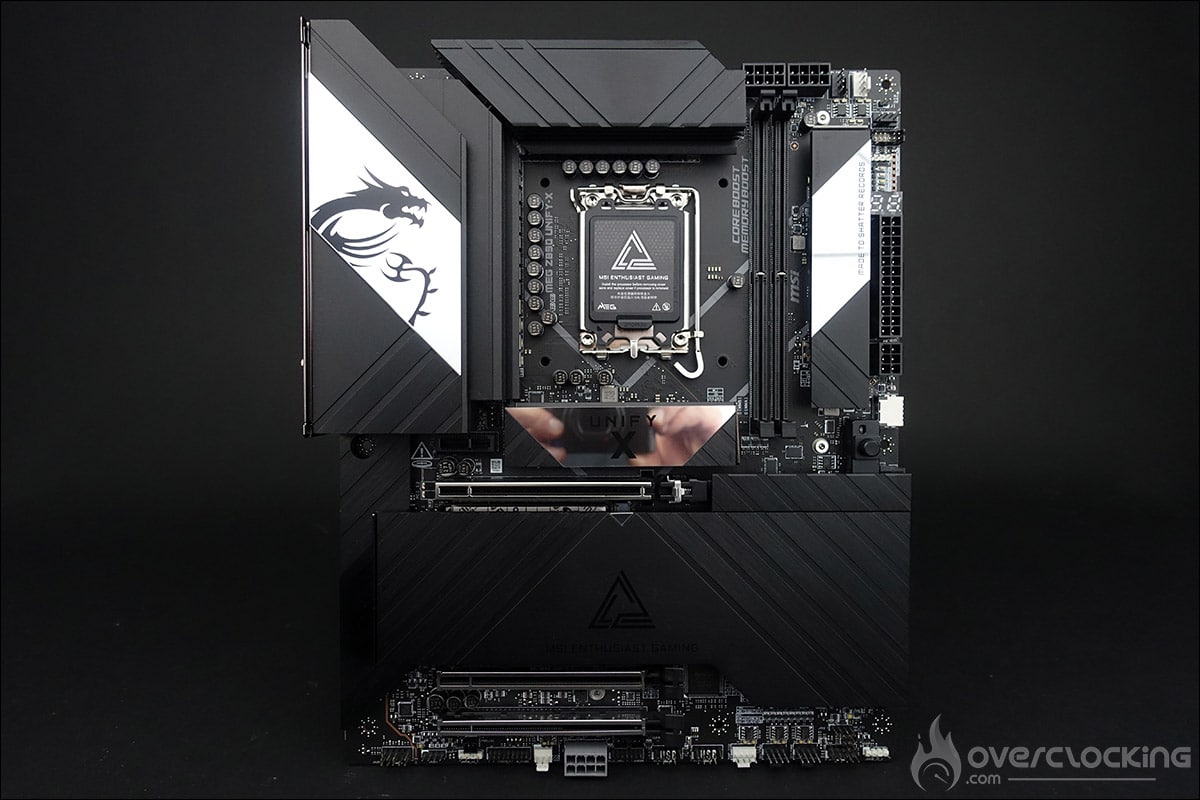
The PCB, made up of eight layers, measures 305 mm x 244 mm, which corresponds to the ATX format. The dominant colours on the PCB are black and grey, but what makes it so special is that it has (almost) no RGB backlighting, which gives it a great deal of elegance. At a time when manufacturers sometimes rival each other in imagination to make your motherboard sparkle, having the opportunity to do without it is a real luxury.

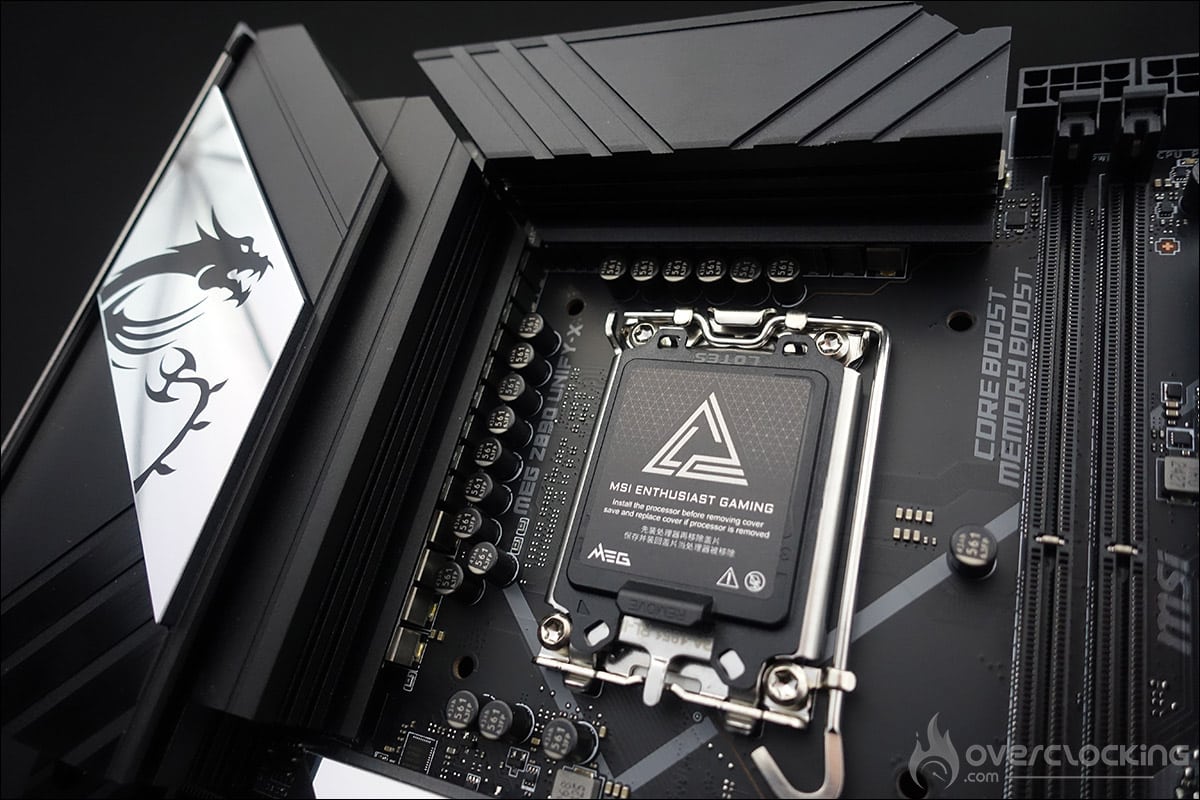
Let’s start with the three heatsinks!
Firstly, two of them located on the top of the motherboard and surrounding the socket. These imposing blocks cover the power supply stage and have U-shaped heat pipes running through them. One part is inserted into the radiator and the other is in direct contact with the mosfets. There is, of course, a 9W/mK thermal pad between the two. These pads should provide a gain of 2.5°C over the 7W/mK. The aluminium cover that covers the external outputs is stamped with the MSI logo, represented by a dragon.
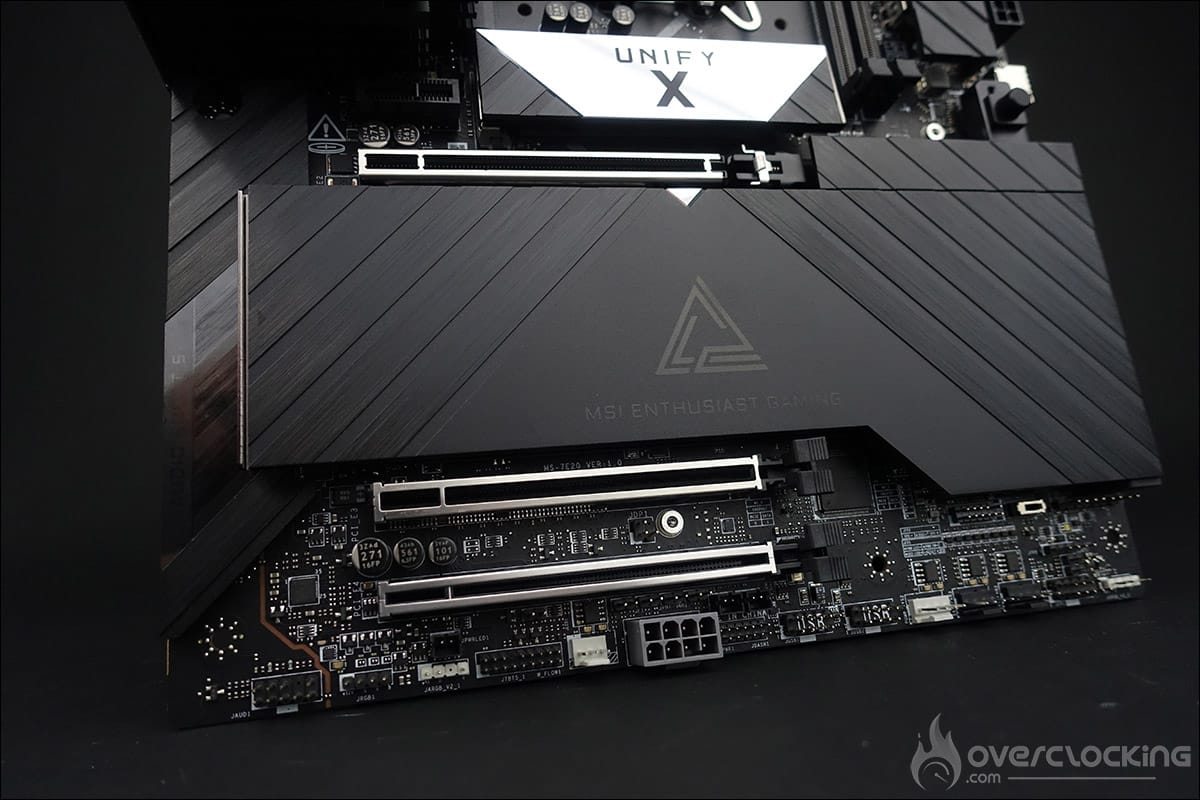
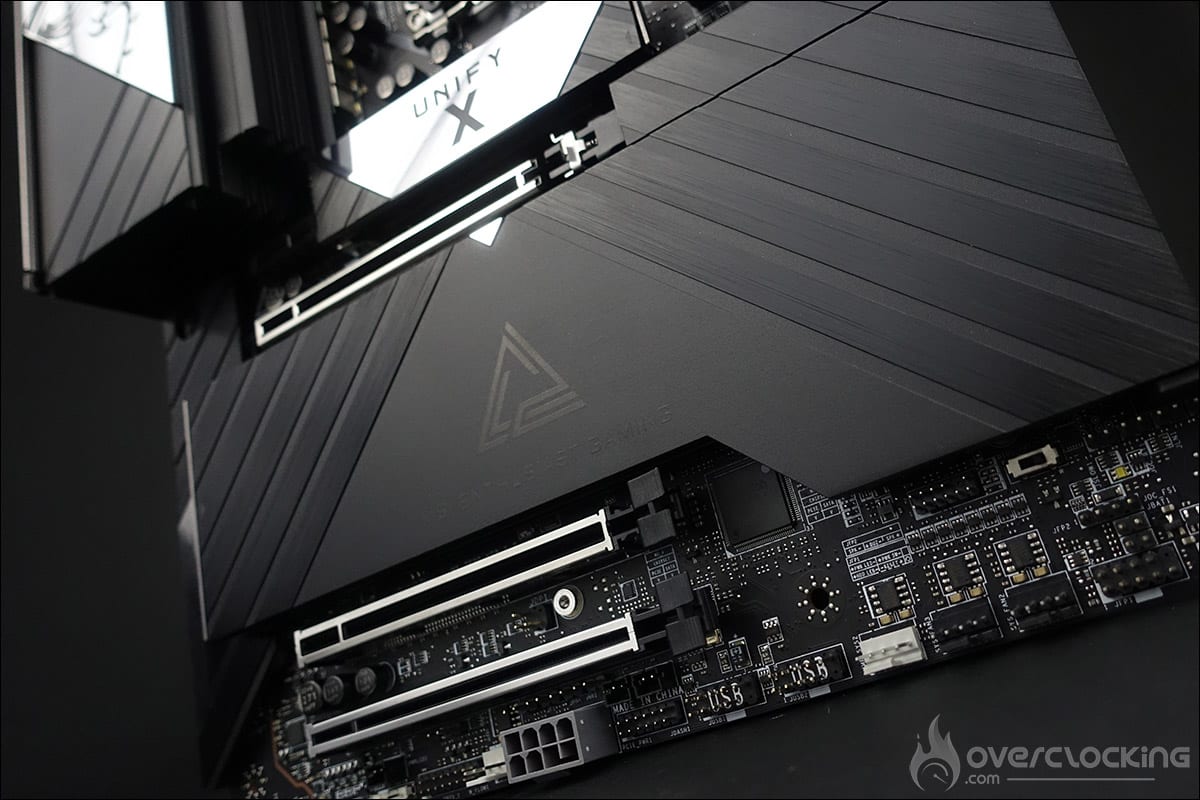
Finally, the third panel covers not only the chipset but also the numerous M.2 SSD slots that are hidden inside. The height is low to allow the graphics cards to be easily inserted. The MEG series logo with the words ‘ MSI Enthusiast Gaming ‘ can also be seen. If you pay close attention, you’ll notice that the motherboard has a number of diagonals running through it, forming the X of this Unify series.
PCIe and DDR5 memory slots:
This MSI MEG Z890 Unify-X can accommodate a maximum of two DDR5 memory slots. It supports dual-channel memory kits up to 9600 MT/s (OC) and for a maximum quantity of 96 GB. In our test, we’ll be looking at the use of CUDIMM DDR5 memory modules, since it is compatible with this type of memory module. As a reminder, the special feature of these new modules, compared to what we currently know with DDR5 UDIMM, is the presence of a new chip integrated into the PCB, called CKD (Client Clock Driver). This CDK chip can dynamically adjust the memory frequency and voltage according to the workload.
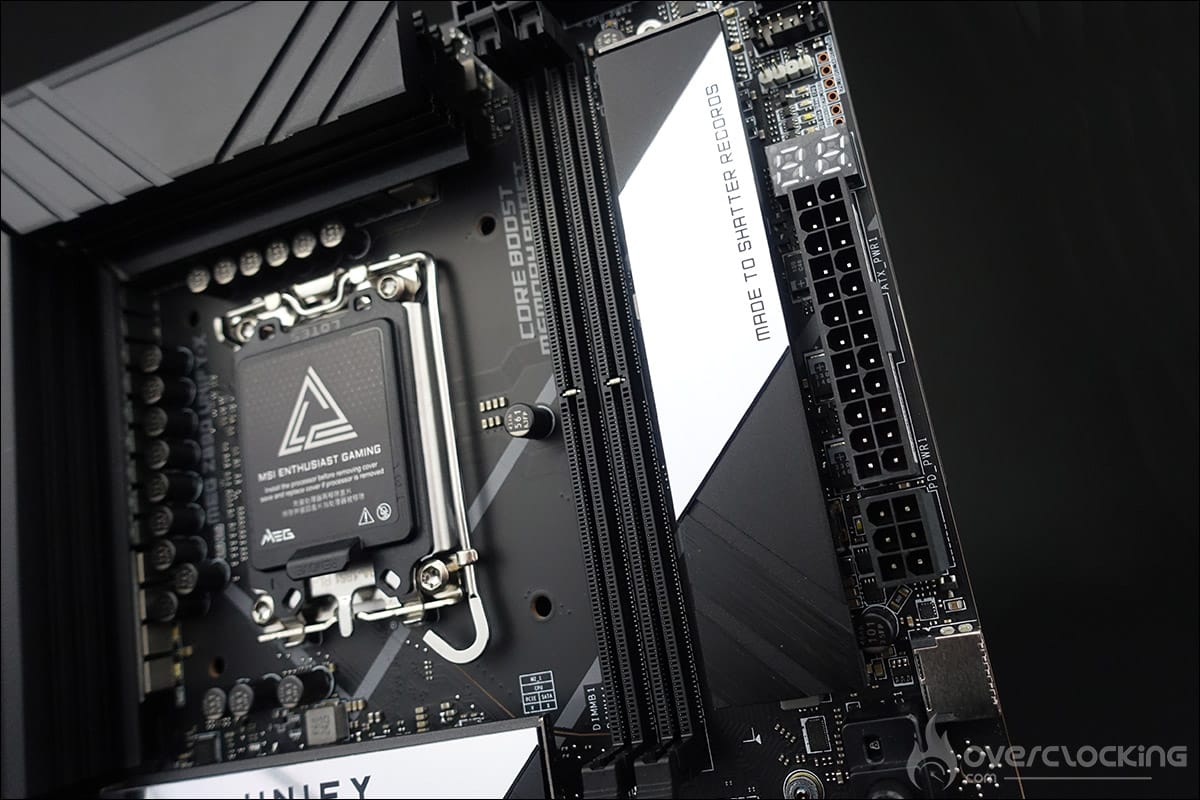
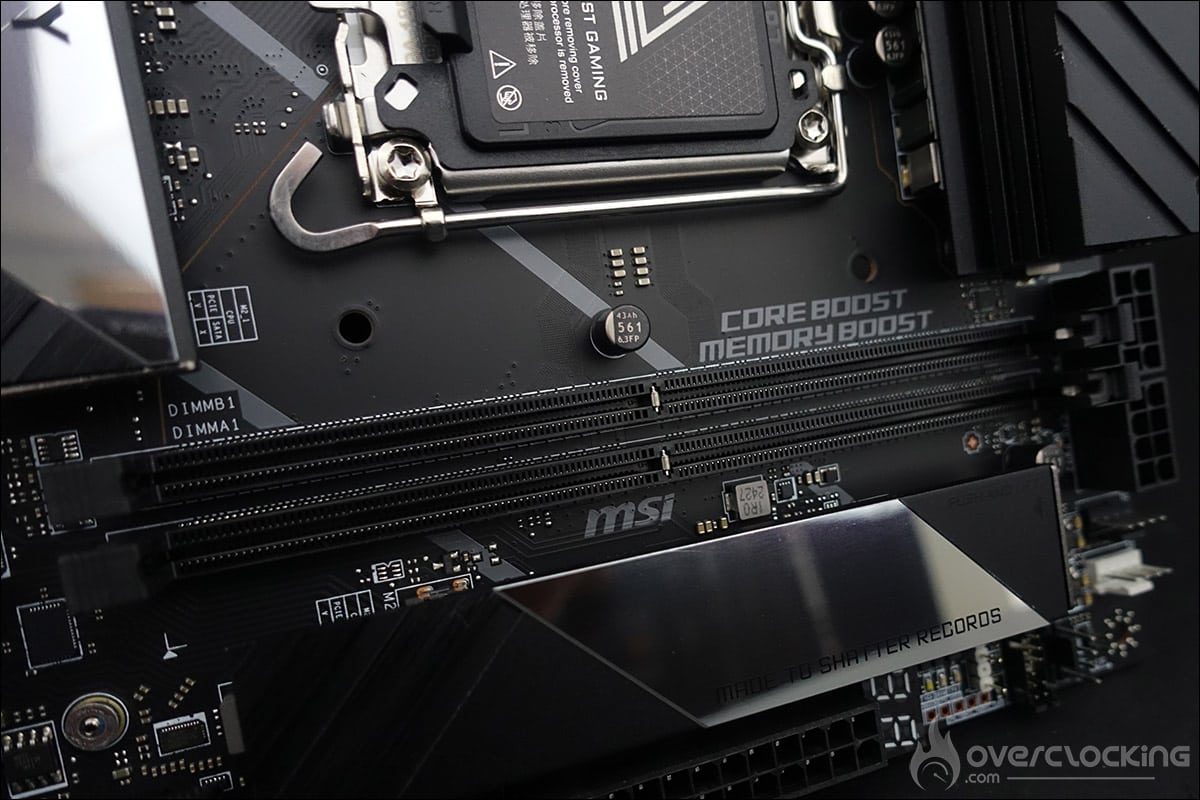
As far as PCIe ports are concerned, this MSI MEG Z890 Unify-X has two PCIe 5.0 x16 and x8 slots, one PCIe 4.0 x4 slot and one PCIe 4.0 x1 slot. The main PCIe slot features the “EZ PCIe Release” function. You can easily release your graphics card at the touch of a button.
Six M.2 SSD slots:
A black aluminium plate, perfectly cut to match the chipset, covers not one, not two, not three, not four, but five M.2 SSD slots on the PCB! Isn’t that a bit much? Let’s recap, starting with the first one, which is located just next to the memory slots (M2_6) and is wired in PCIe 5.0 x4 and can accommodate an M.2 2280/2260 SSD. The next one is located under the socket (M2_1) and is wired in PCIe 4.0 x4 and can accommodate an M.2 2280/2260 SSD.
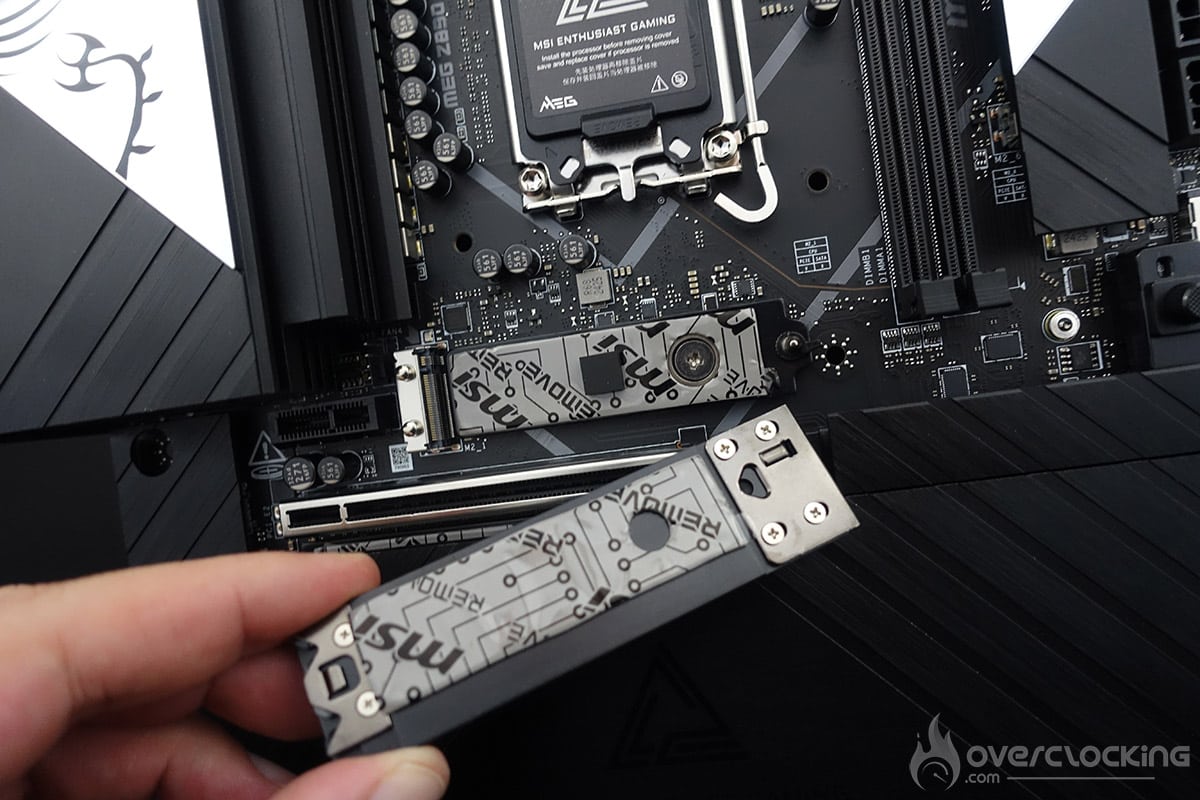
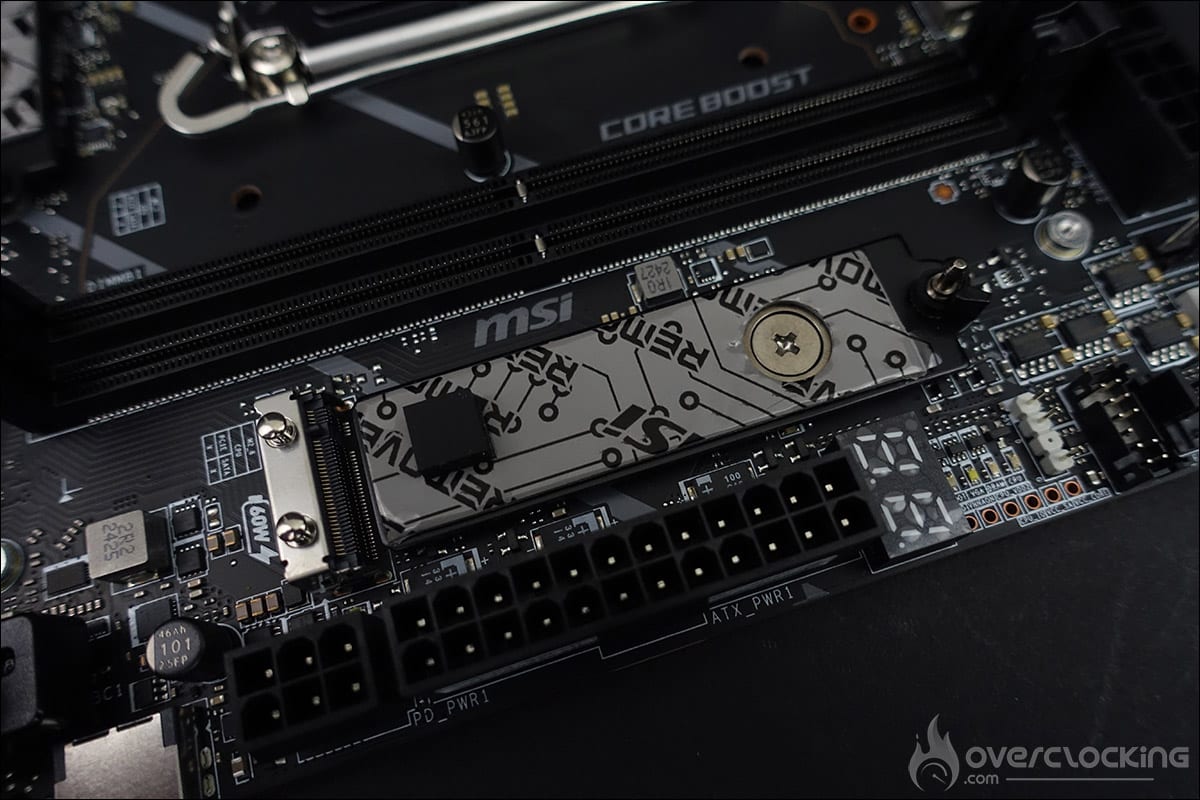
Then there are the three other M.2 SSD slots, with a type 2280 M.2 in PCIe 4.0 x4, a type 2280 M.2 in PCIe 5.0 x4 and another type 2280 M.2 in PCIe 5.0 x4.
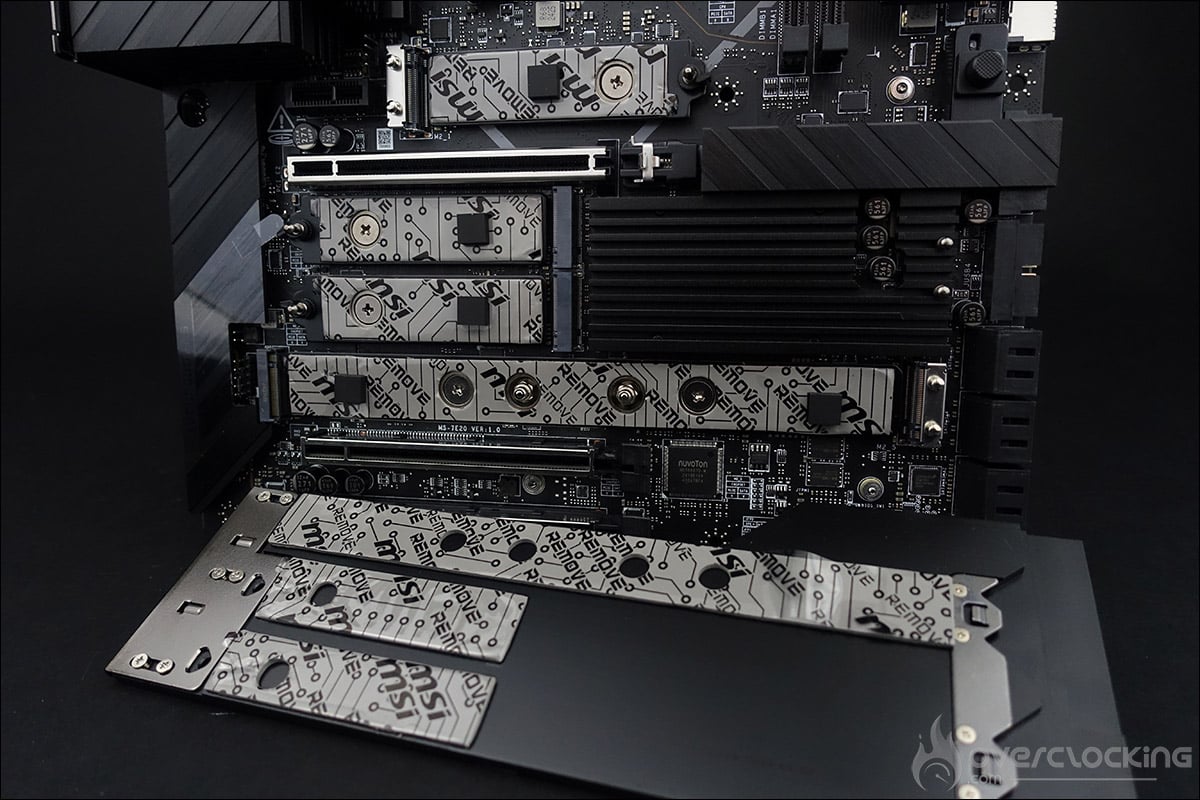
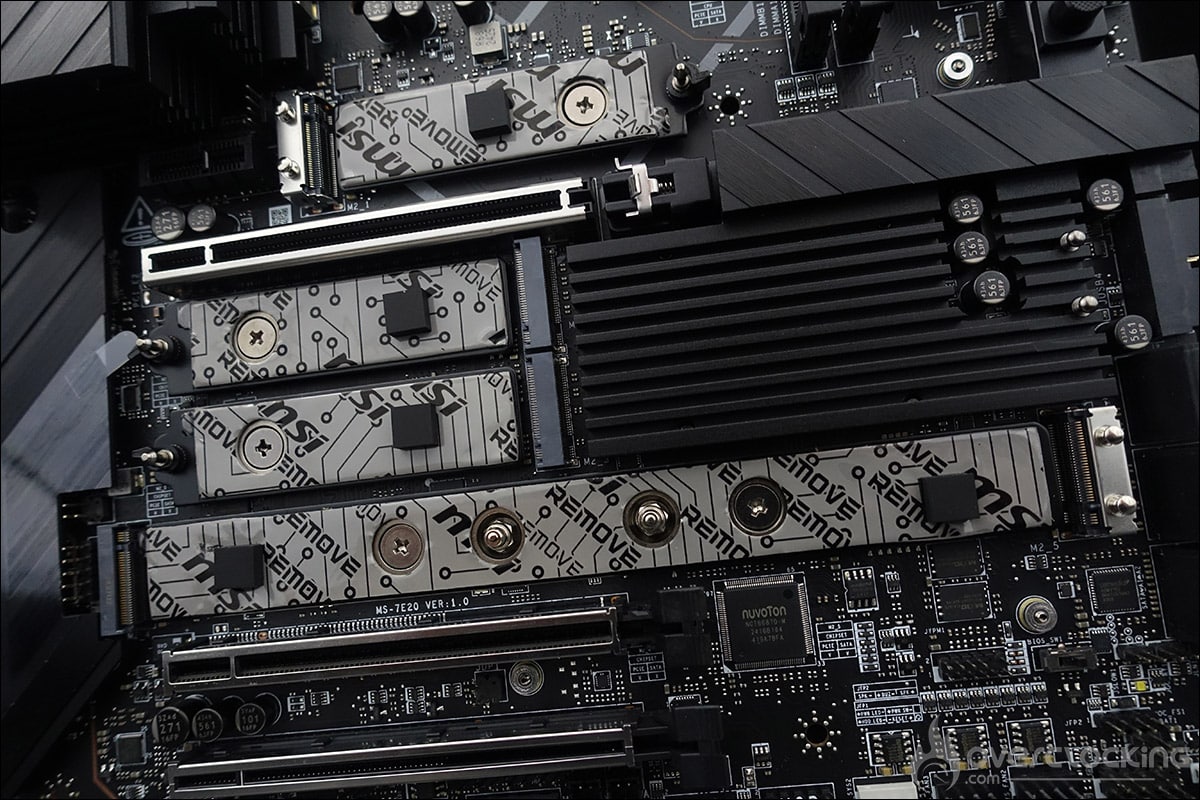
Then there are another four M.2 SSD slots, wired in PCIe 4.0 x4 and which, depending on their location, can accommodate M.2 22110/2280/2260 SSDs. The fixing system for these various M.2 SSD slots requires no screws. Simply place your SSD in the slot and lock the security clip. What’s more, all the SSD slots benefit from “EZ M.2 Shield Froze II” technology, meaning that you have a thermal pad under and over your SSD to optimise dissipation. You won’t be able to say you’re short of storage on this motherboard.
[nextpage title=”The PCB and connectors:”]
Tools for clocking:
Let’s start with the elements inserted on the PCB, which can prove to be interesting tools for overclockers. There are a lot of them on this model, which has become a habit with ASUS on their APEX model. This confirms its position as a board dedicated to overclocking. A series of these tools can be found on the remote control included in the bundle, and here are the different functions it offers. The cable is 130 cm long, so there’s plenty of room for manoeuvre!

- The Debug Code LED: displays a code corresponding to the component responsible for the boot error.
- The OC Button +/-: depending on your choice in the BIOS, increases either the BCLK frequency or the multiplier coefficient.
- Power Button: powers up the motherboard.
- Reset: restarts the motherboard in the event of failure. The button can now be assigned to another task via the BIOS.
- OC Retry: during cold tests, the OS sometimes freezes and a reset does not restart the motherboard: the only solution is to hold down the START button for 6 or 7 seconds. With the ReTry button, it restarts immediately.
- OC Fail Save: allows the board to be restarted even if the parameters selected in the bios do not allow booting. This avoids having to do a CMOS Clear to reboot and thus lose your encoded settings.
- CLR CMOS: clears the BIOS settings to return to the default settings.
Finally, this MSI MEG Z890 Unify-X has a number of buttons on the PCB or on the rear with the external connectors:
- The EZ Debug LED: 4 LEDs (CPU – DRAM – VGA – BOOT) which can be used to diagnose errors when the card is booted . If one of them stays lit, the corresponding component has a problem.
- ES Digi-Debug LED: displays a code corresponding to the component responsible for the boot error.
- EZ Memory Detection LED: a small LED that tells you if your memory stick has a problem.
- BIOS Switch: switches between the two bios. You can choose to have an ‘ overclocking ‘ bios and a more stable bios for a round-the-clock configuration.
- ProbeIT: allows you to measure voltages using a multimeter directly on the PCB.
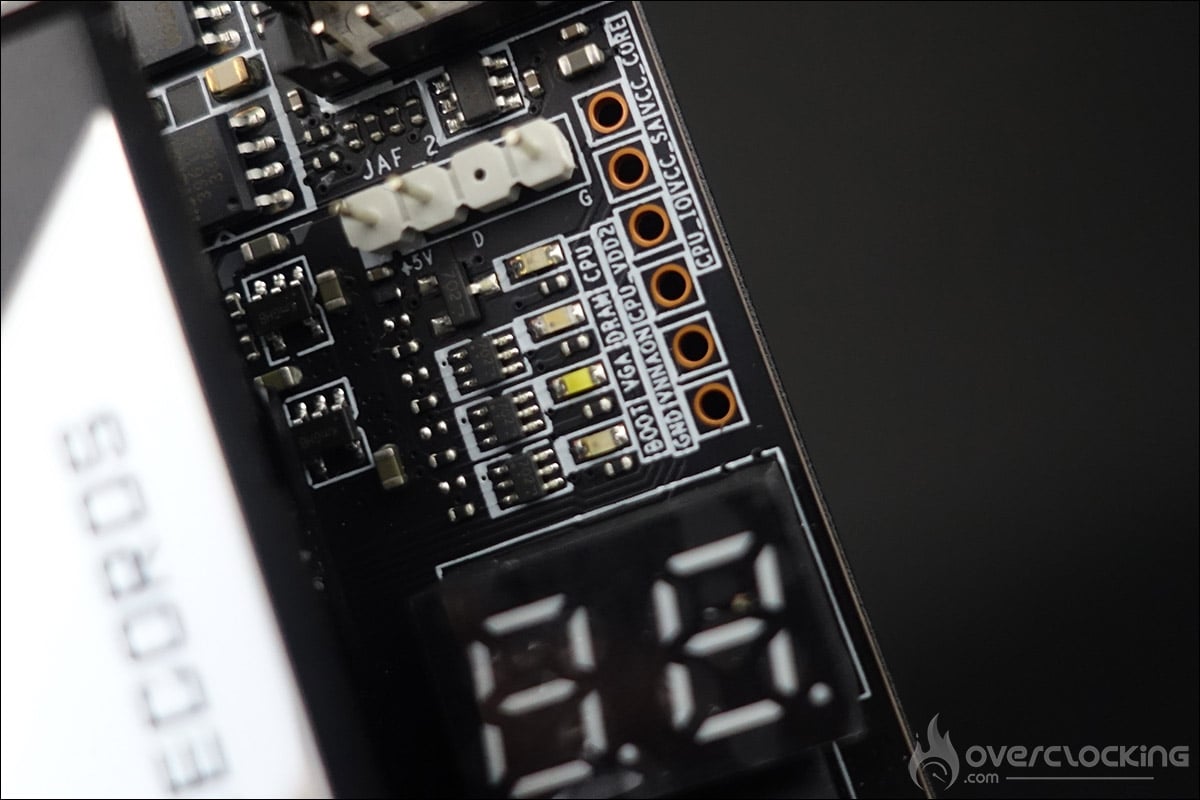
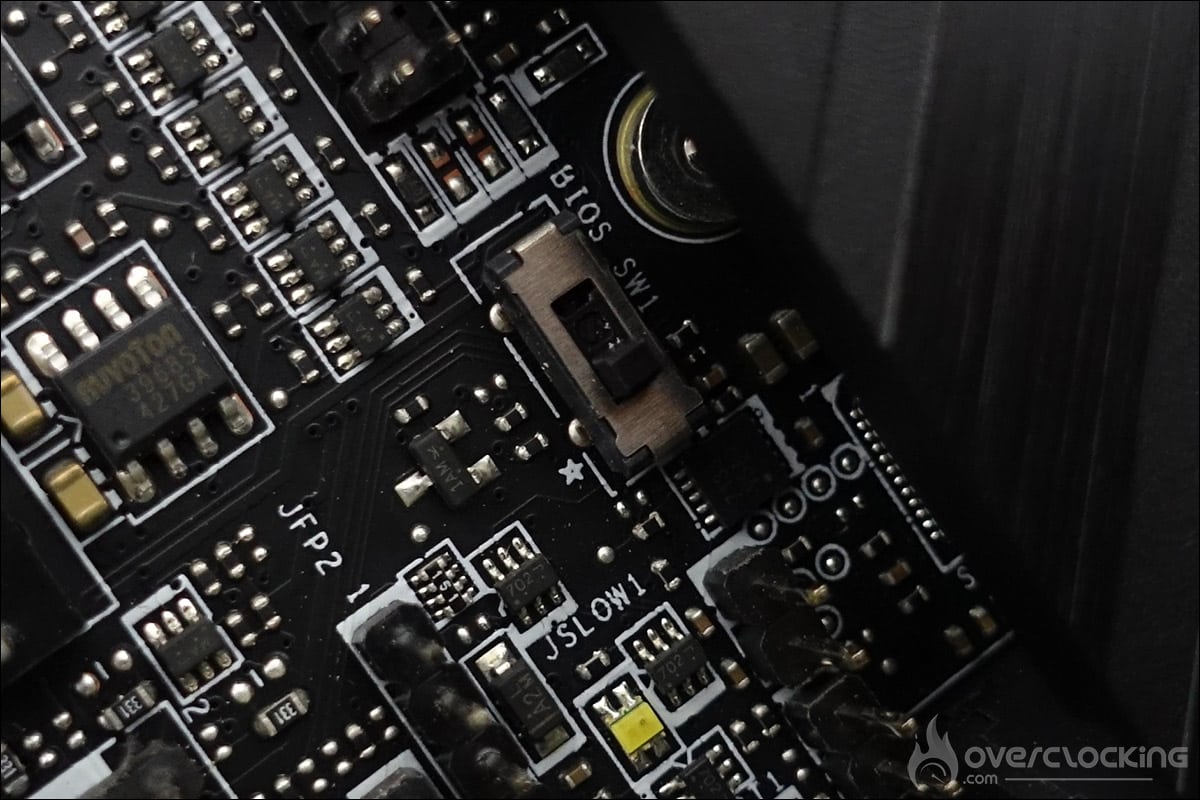
And finally, the three buttons on the rear of the motherboard, at the level of the external connectors:
- Flash BIOS: this allows you to flash your motherboard directly via a BIOS placed on a USB key. You can also flash it via the BIOS interface.
- CMOS CLR : allows you to erase BIOS settings in the event of a boot failure.
- The Smart Button: by default, this will have the same function as the reset. But, via the BIOS, you can set it to turn off the various LEDs (Mystic Light ON/OFF), to have a Safe Boot function to force a reboot but retain the settings, or to have a Turbo Fan function, so that all the fans connected to the motherboard run at full power.
The PCB :
Our MSI MEG Z890 Unify-X is based on a 22 (110A) VCORE + 2 SA +1 GT +1 VNNAON phase power supply. The 22 phases are placed in parallel and are therefore 11 in number. The controller is a Renesas RAA 229131 chip, already used on high-end motherboards with the Z790 chipset. Suffice to say that it will have no problem supporting the new high-end Intel Core Ultra 200S processors.

The 22 mosfets are all 110A Renesas R2209004 models, grouped in parallel by phase, allowing them to be duplicated without the need for a doubler. The mosfets in the power stages generate the most heat because they are responsible for voltage conversion and delivery to the CPU from the 12-volt EPS connector.
Connectors :
The MSI MEG Z890 Unify-X offers a comprehensive range of connectors. Let’s start with the three buttons that flash the BIOS, perform a CMOS Clear and the Smart Button whose function we explained above. Personally, I think you’ll have to be careful when inserting a USB, blindly, behind your case, not to push on one of these buttons. We would have liked to see them positioned higher up.
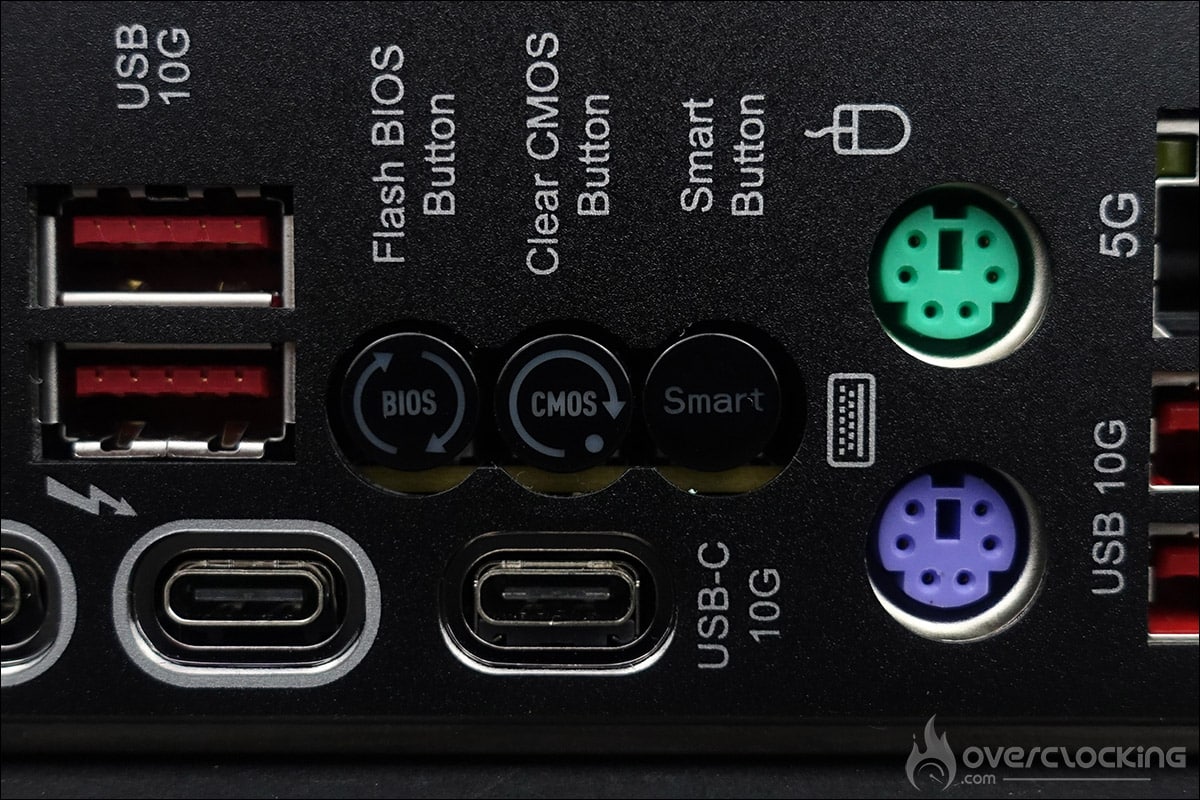
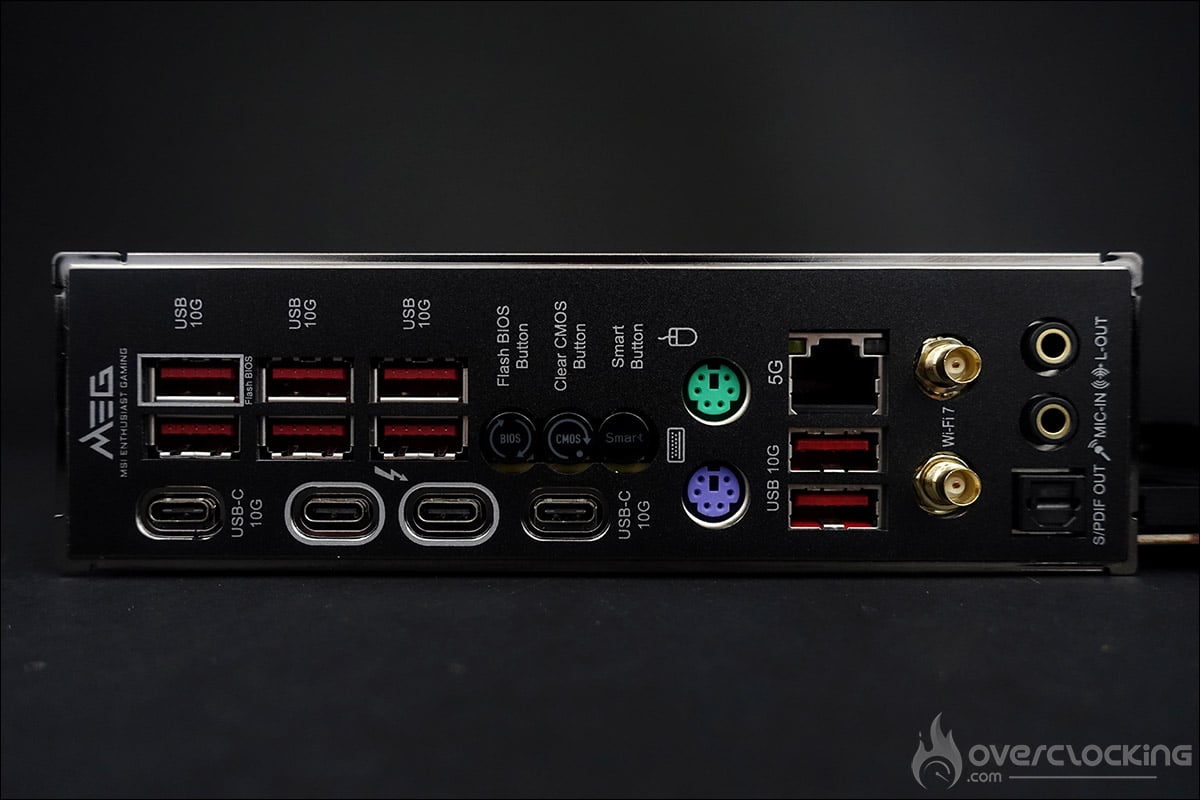
Then there are eight USB 10Gbps (Type-A), two USB 10Gbps (Type-C), two Thunderbolt 4 40Gbps (Type-C), a 5G Ethernet port and the two Wi-Fi antenna tips that simply clip on. Good news for overclockers, too : the card has two PS/2 connectors for connecting a keyboard and mouse. But why are we still using this type of connector in 2024? Quite simply because some benchmarks perform better under XP (Super Pi) and using non-USB peripherals makes OS installation much easier.
Kingston Fury CUDIMM memory kit:
In order to have a complete platform, we also received a 48 GB Fury at 8200 MT/s CL40 CUDIMM kit from Kingston. This consists of two 24 GB modules, for a total of 48 GB. As far as timings are concerned , apart from the CL40, we don’t know about the others, as the box doesn’t mention them and the kit doesn’t seem to be listed online yet.
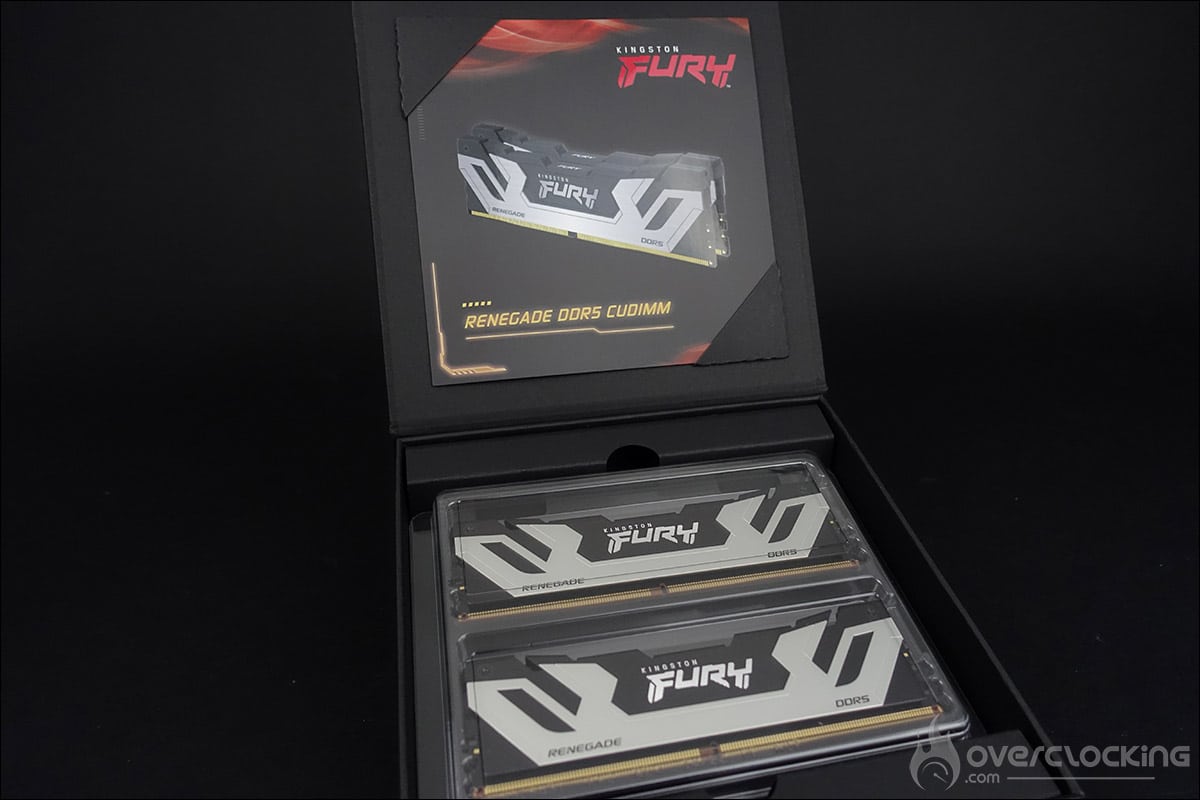
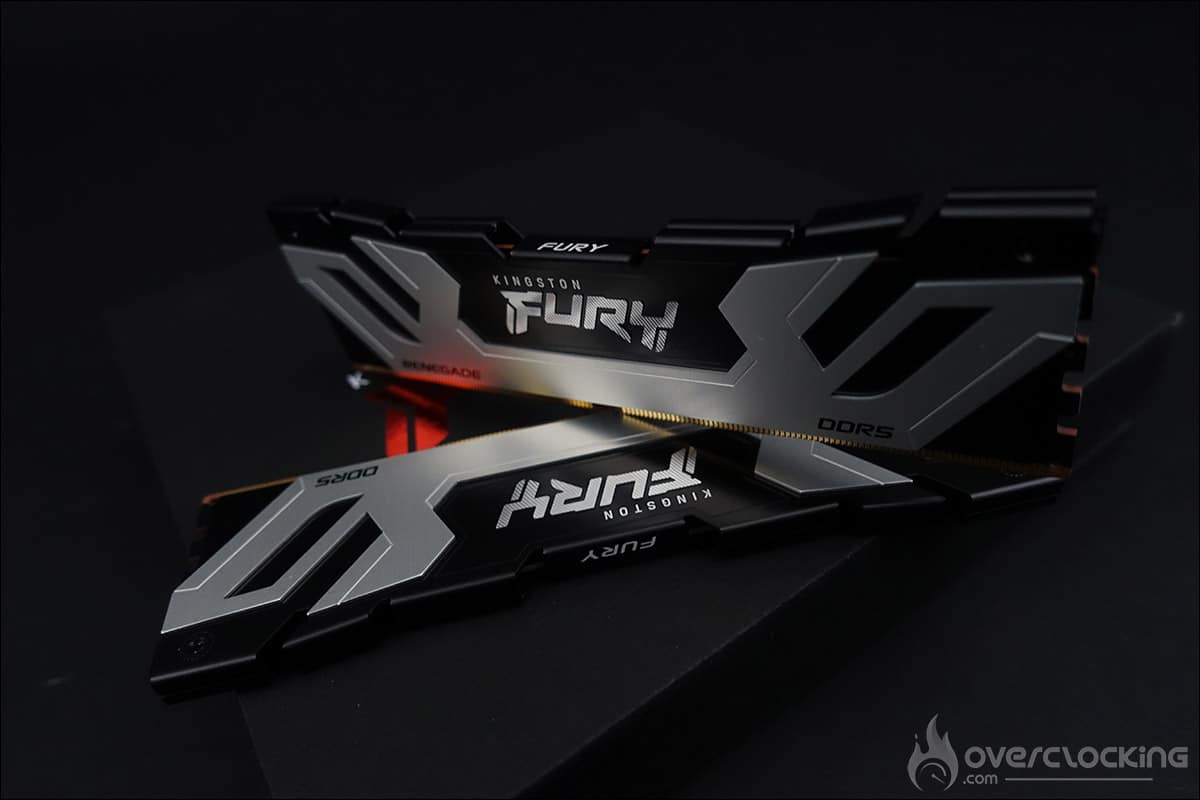
So it is a CUDIMM kit. Yes, but what’s the difference? These new CUDIMM memory kits will make it possible to reach higher frequencies than we currently know. This CDK chip will dynamically adjust the memory frequency and voltage according to the workload. From what we have been able to read, the DDR5 CUDIMM kits will need an Arrow Lake processor, and therefore the 15th GEN memory controller, as well as a Z890 platform to operate.
To round off this unboxing, we also received a copy of the MSI MAG CoreLiquid I360 AIO cooling system, which NHU9B has just reviewed. Its conclusion was clear: it received a platinum award.
See you on 24 October for a full review of these components.