
Another AIO watercooling kit test, this time from MSI. The brand has sent us a copy of its latest MAG CoreLiquid i360. As a reminder, this is an AIO series that was initially presented in July 2024. So we’ll see if this one holds up and is worth your money!

Presentation:
With this new range, the brand is offering a total of four kits, in 240 mm and 360 mm versions. In terms of colours, we can expect white and black versions. There will be no intermediate models in 280 mm, for example, and no small models in 120 mm.
In all cases, MSI has indicated that it is offering very practical AIOs for installation. Firstly, there are multi-socket mounting arms on the pump. This means we don’t have to change them depending on the platform on which we need to mount our kit. Next, the fans are connected in series, which limits the number of connections to be managed in the case, while a cable cover on the side enhances the aesthetic appearance of the whole unit.
As for the accessories, they are neatly presented on a plastic tray. Clearly, it’s not just neat and tidy, it’s practical too. You don’t end up with a multitude of re-sealable sachets.
The company also boasts that a pump mounted above the cold plate improves performance. It also points out that this type of assembly reduces vibrations during operation, compared with kits where the pump is mounted directly in the pipes or radiator. In any case, it is advertised as “ultra-efficient” by the brand.
As for the ventilation, the brand states that it uses “dynamic loop” bearings to reduce friction, noise and wear as much as possible.
Finally, at processor level, the pump unit features an enlarged cold plate with a diameter of 50 mm. This will completely cover the IHS of Ryzen and Intel Core I processors on socket LGA-1700. Otherwise, to ensure maximum heat transfer, there are 0.1 mm micro-fins, which can be used in large numbers to increase the exchange surface with the liquid circulating on the inside.

All that’s left is to talk about prices, with the AIO starting at €130, although it is generally sold for around €140. The 240 mm version will be more affordable: between €100 and €110, while there will be no extra cost for the white colour.
[nextpage title=”The MSI MAG CoreLiquid I360″]
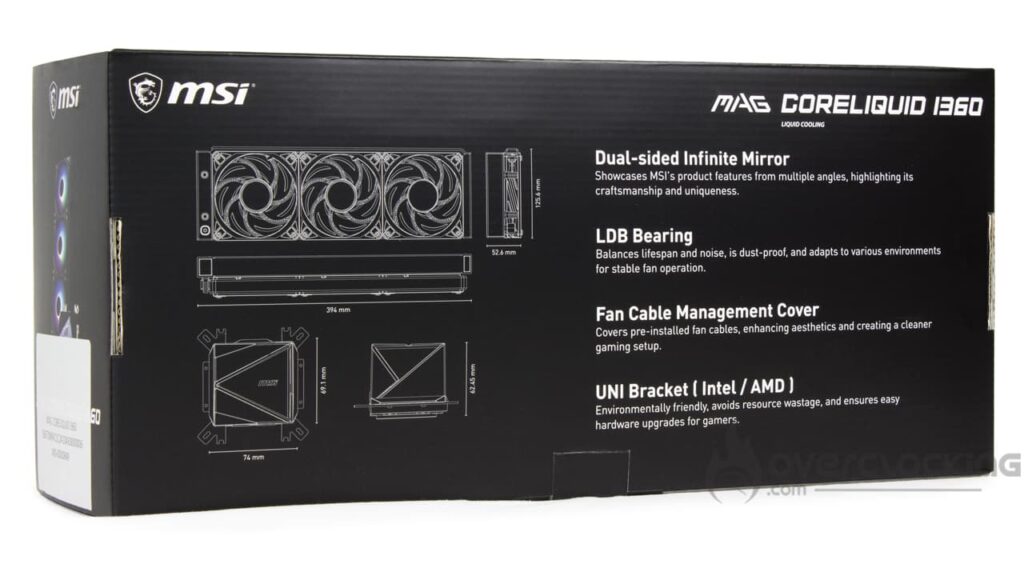
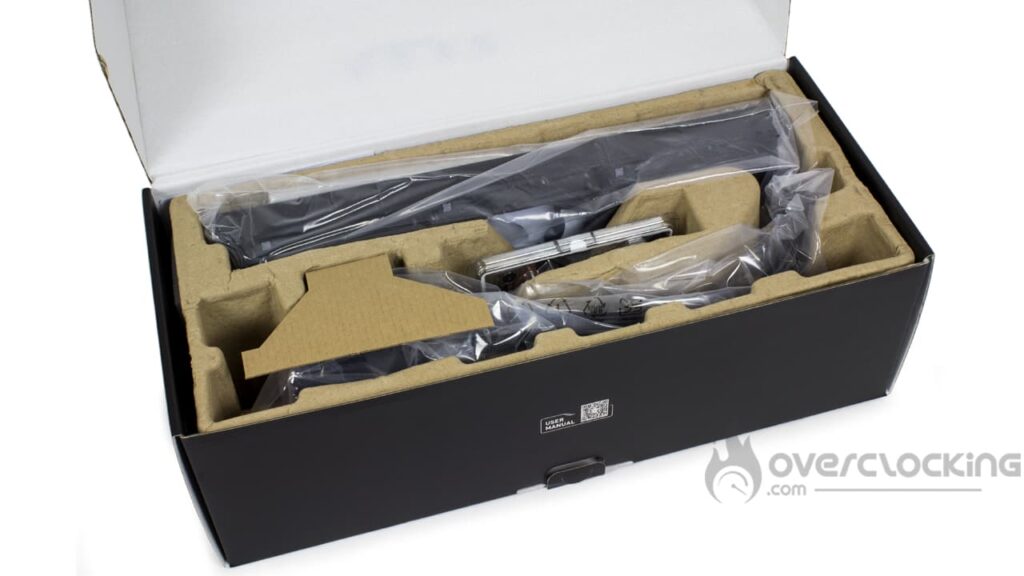
As far as the packaging is concerned, MSI has come up with an attractive box with shades of grey, black and a small yellow stripe, typical of the MAG series of components. Naturally, there’s an illustration of the kit on the front and a reminder of its features and characteristics on the back and sides.
Inside, the kit is well packaged, with plastic bags and white foam reinforcement on the back of the radiator. Finally, the whole unit is housed in a cardboard mould.
The radiator :

The radiator is a classic block with a rectangular shape. The radiator is also neatly finished, with no visible rivets on the sides, unlike the seventh-generation Asetek kits. What’s more, the black coating is evenly applied to the fins and sides. However, we would have appreciated a small MSI logo on the sides, which is completely absent here.
In terms of construction, the radiator is made of aluminium, one of the most common materials used in this field. And when it comes to dimensions, there’s nothing to worry about either. In terms of thickness, the radiator is 27 mm thick, 394 mm long and 120 mm wide. Unlike a Hyte Thicc Q60 or an Arctic Liquid Freezer III, there are no nasty surprises when it comes to fitting your AIO into your case.

To connect the kit’s pump to the radiator, the kit has two low-evaporation rubber hoses. These are approximately 40 cm long. What’s more, they are beautifully finished with a finely braided nylon sheath.
The pump unit :
The pump unit is a rather compact 69.1 x 74 x 62.45 mm. Here, everything will fit neatly on a motherboard without obstructing the RAM slots.

Visually, the pump looks pretty good, with its plastic construction. There are also mirror-effect parts, one of which bears the brand logo on the top. When powered up, these parts reveal triangles on a background with an infinite depth effect.
Once again, the characteristics of the pump are not known. The only information we have is its speed: 3400 rpm. Note also that it is powered via a four-pin PWM socket, while two aRGB male and female connectors are also present.

The copper base, as can be seen, is similar to that found on the ML240 Atmos from Cooler Master in particular. The profile seems similar, with an extra thickness where it comes into contact with the CPU, while the copper part is screwed on using the same eight triangular-headed screws. In all cases, it has a total diameter of 64 mm, while the part coming into contact with the CPU is 50 mm.
Finally, we note that the multi-socket mounting arm is present as standard. It will be used to mount Intel and AMD platforms, so there’s no need to change it depending on your motherboard.
Compatibility :
When it comes to sockets compatibility, MSI focuses on the mainstream platforms such as :
- Intel: LGA-1700 – LGA-1200 – LGA-115x
- AMD: AM5 – AM4
Here we find support for the usual motherboards on the market. More exotic models such as the LGA-2000 or TR4 and derivatives are not compatible. What’s more, the brand’s product sheet mentions compatibility with “new generation” Intel sockets. This clearly refers to the Arrow Lake-S LGA-1851.
Fans:
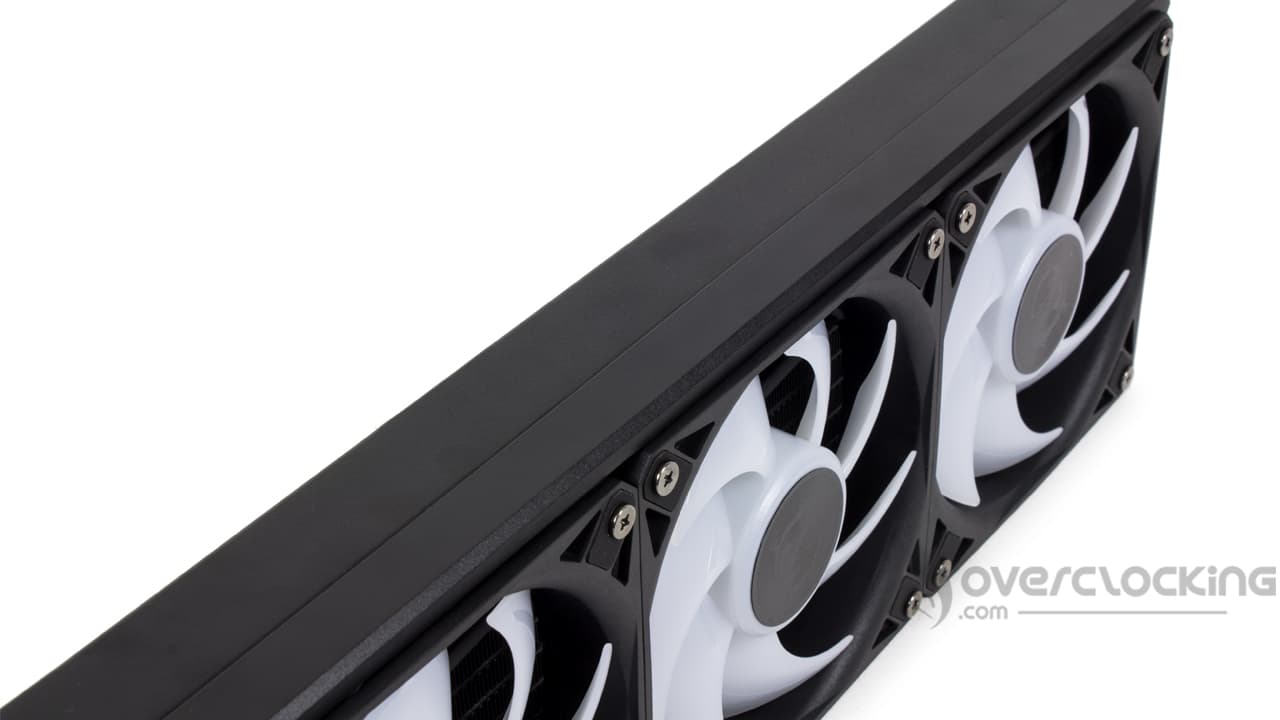
To ensure ventilation, we find a trio of 120mm fans. Unfortunately, the model in question is not known, or at least it doesn’t appear that these fans are available for purchase.
However, these fans have a square frame with silenblocks in all four corners. The aim is to keep vibrations to a minimum. As for the blades, they are white and translucent. There are seven of them, with a rather thick profile and a fairly significant curvature, attached to an imposing central hub.

The connectors here are proprietary, with a tiny six-pin cable. These six pins will be used for PWM and aRGB lighting management. MSI has opted for this connector as part of the EZ Connect system, which enables each fan to be connected via a single cable.
Otherwise, as far as their characteristics are concerned, we know that these fans will spin at up to 2350 rpm ±10%. Finally, at full speed, the static pressure will reach 70.7 CFM. Unfortunately, the static pressure is not known.
The bundle:
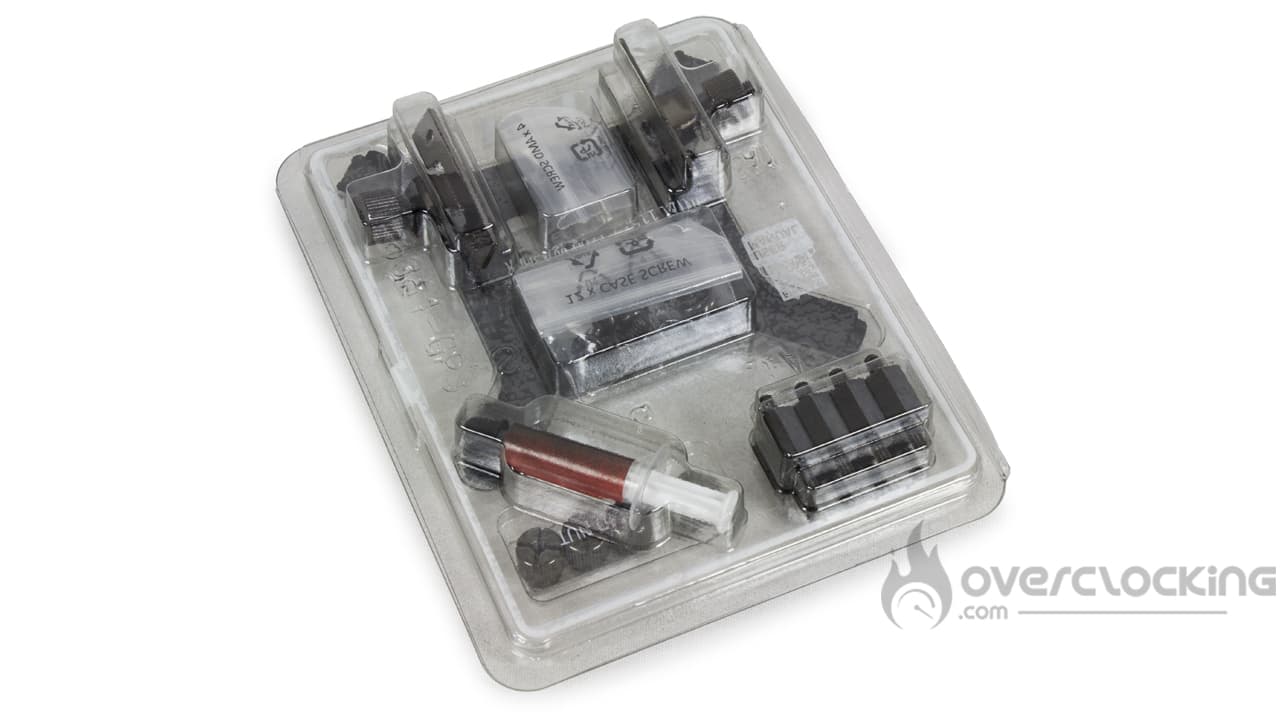
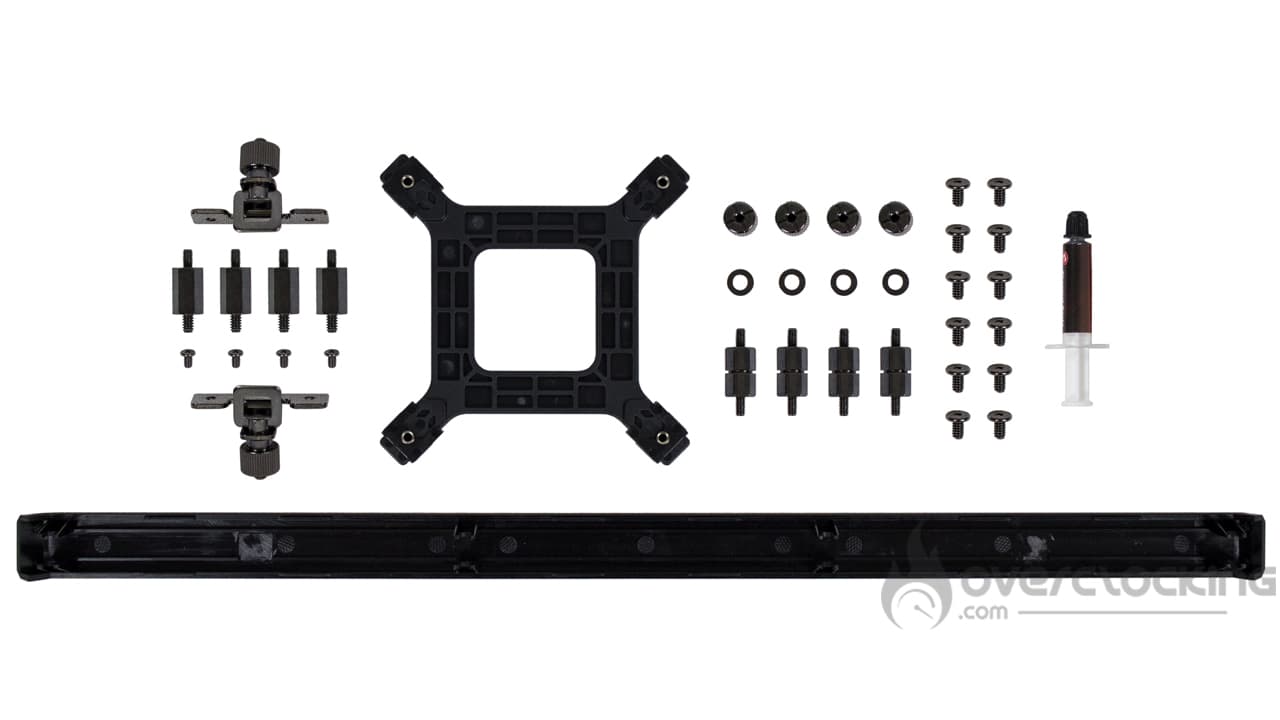
Here, the accessory part is housed in a small fold-out plate containing all the components needed for assembly. It looks great, especially as it can be closed again. In short, we find :
- Hand-tightened AMD mounting arms
- Steel spacers for alternative mounting on AMD sockets
- Mounting screws for said mounting arms
- Intel multi-socket backplate
- Hardware required for Intel socket mounting
- Radiator mounting screws
- Syringe of thermal paste
- Side cable cover
In fact, the accessory section is limited to the bare essentials, with only what is needed to mount the AIO. However, the way it’s presented makes it very easy to handle and store. We all know how unpleasant it is to have loose screws and bolts in a plastic bag.
Roughly speaking :
Broadly speaking, the MAG CoreLiquid I360 is an AIO with an attractive finish and design. It also has an interesting mounting system, and its accessories, although limited to the bare essentials, are very well presented. It’s also worth noting that the ventilation is pre-assembled and pre-wired as standard, leaving the user to fit only the pump and radiator.
[nextpage title=”Installation”]
For installation, you’ll need to keep your AMD backplate, as Corsair doesn’t supply one. If you no longer have one, a quick look on eBay should enable you to find one easily.
Assembling the MAG CoreLiquid I360 :
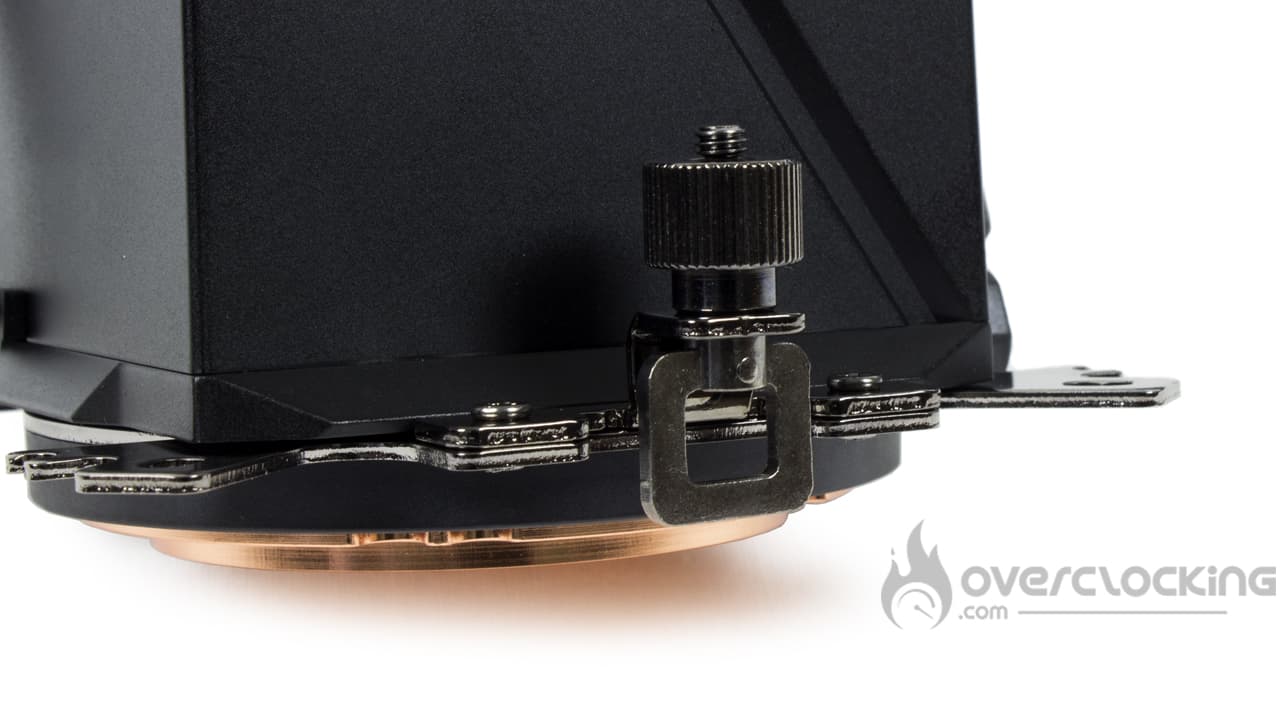
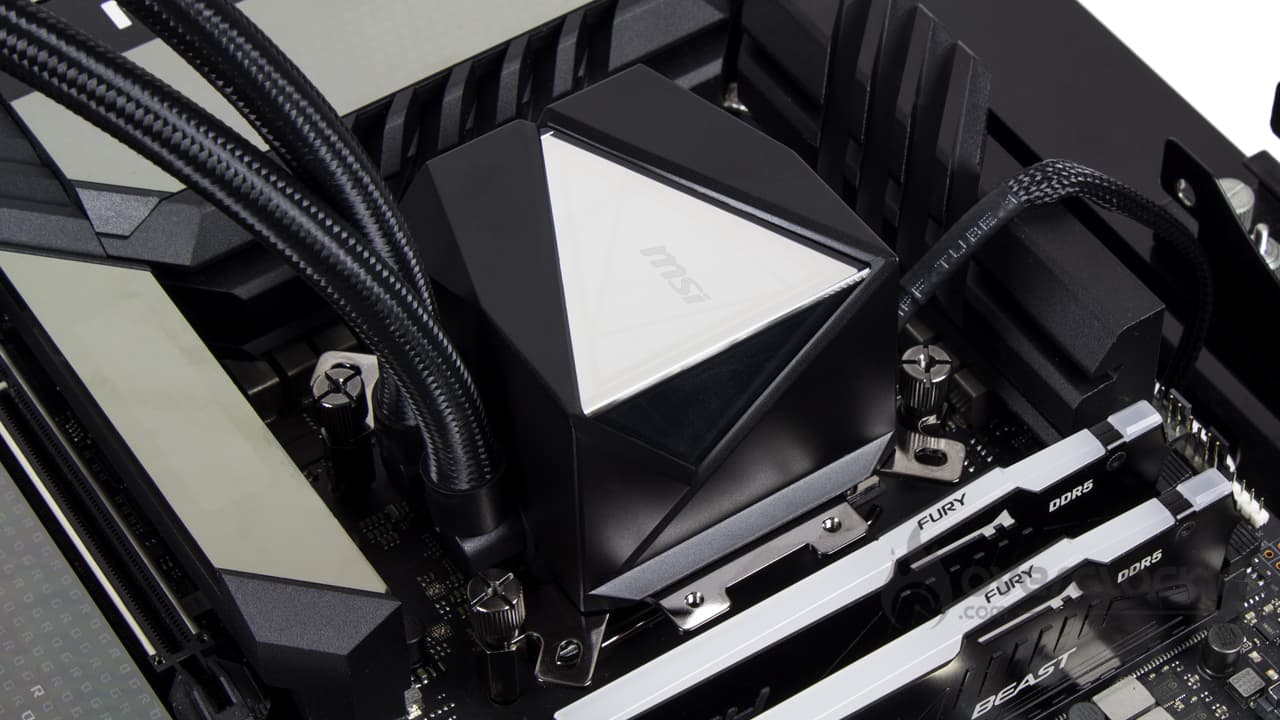
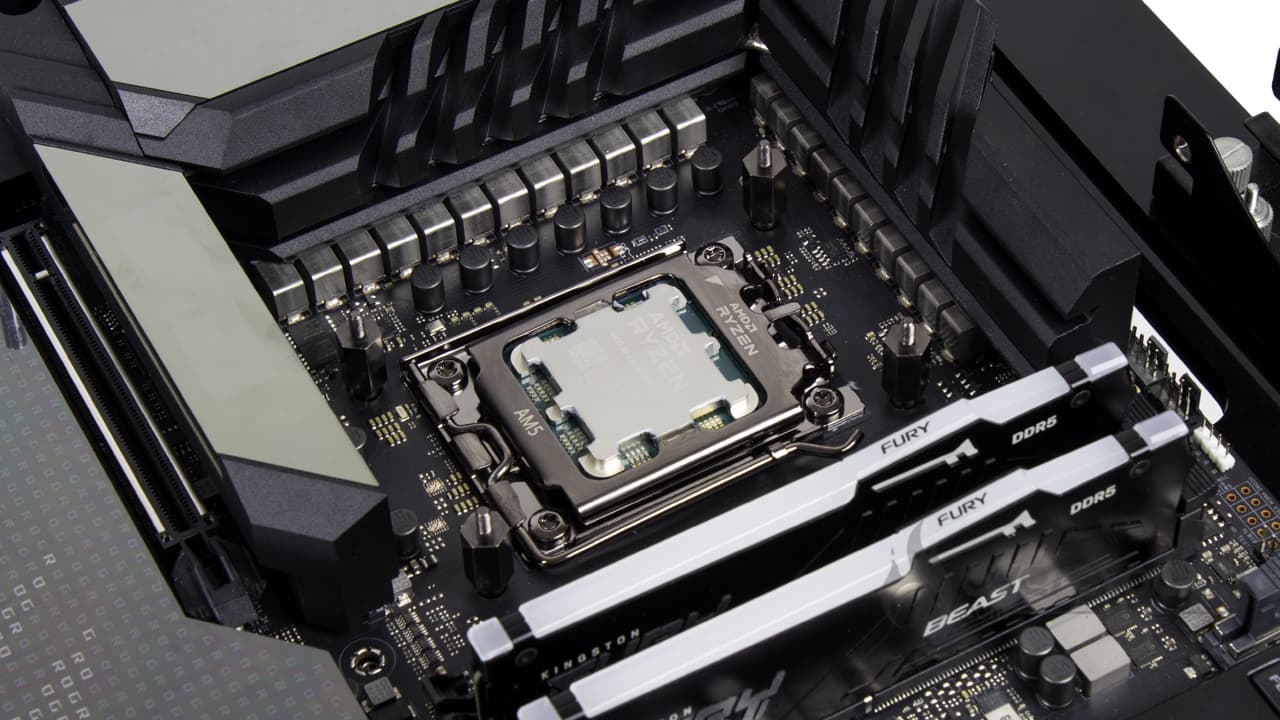
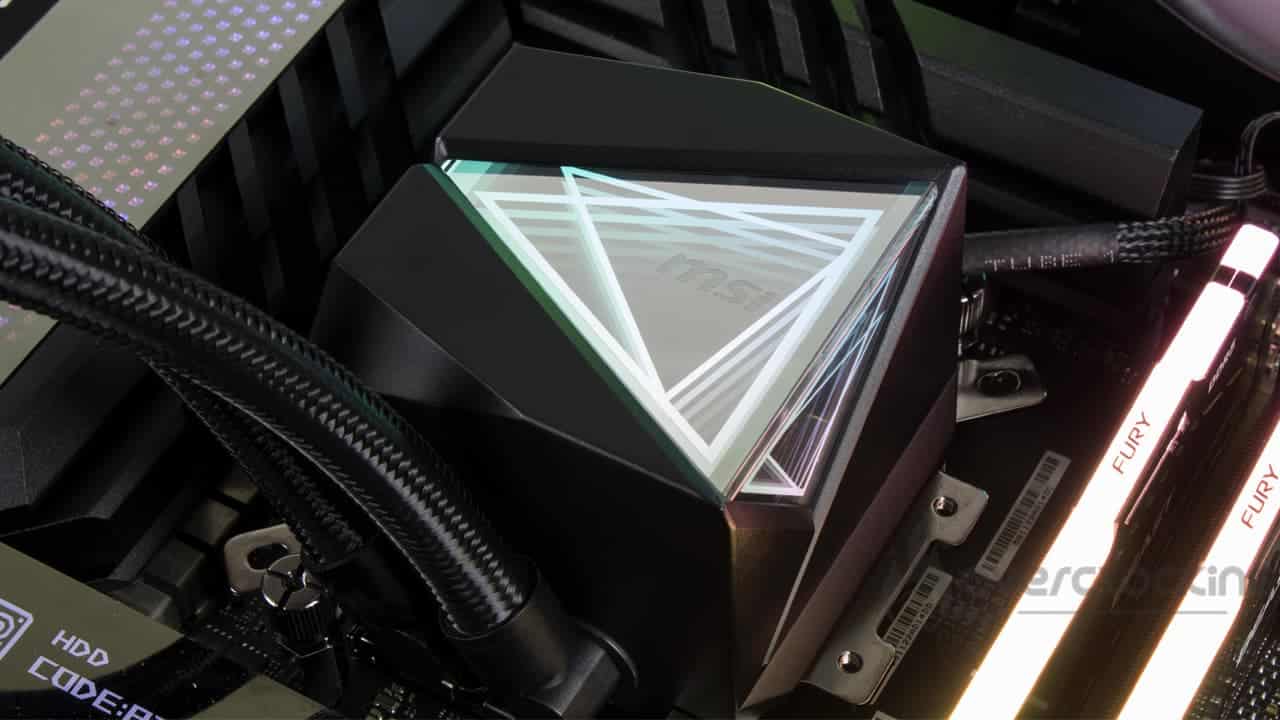
When it comes to mounting on an AMD socket, we have two options:
- Either we use the old-style arms, with a hook system to be screwed onto the socket
- Or we can use a more traditional system based on spacers and nuts
In the first case, it’s simple: you need to attach the hook arms to the pump’s multi-socket system, and then you have no choice but to get out the screwdriver. However, this system does not require you to remove the original AM5 socket arms. Once the mechanism is in place, place the pump on the CPU, take the hooks from the original arms and tighten the nuts by hand.
In the second case, you’ll need to remove the original arms from the AM5 socket and screw in spacers at all four ends. Next, place the pump on the CPU and screw it on using the nuts supplied. This is what you can see in the last two photos in the gallery above.
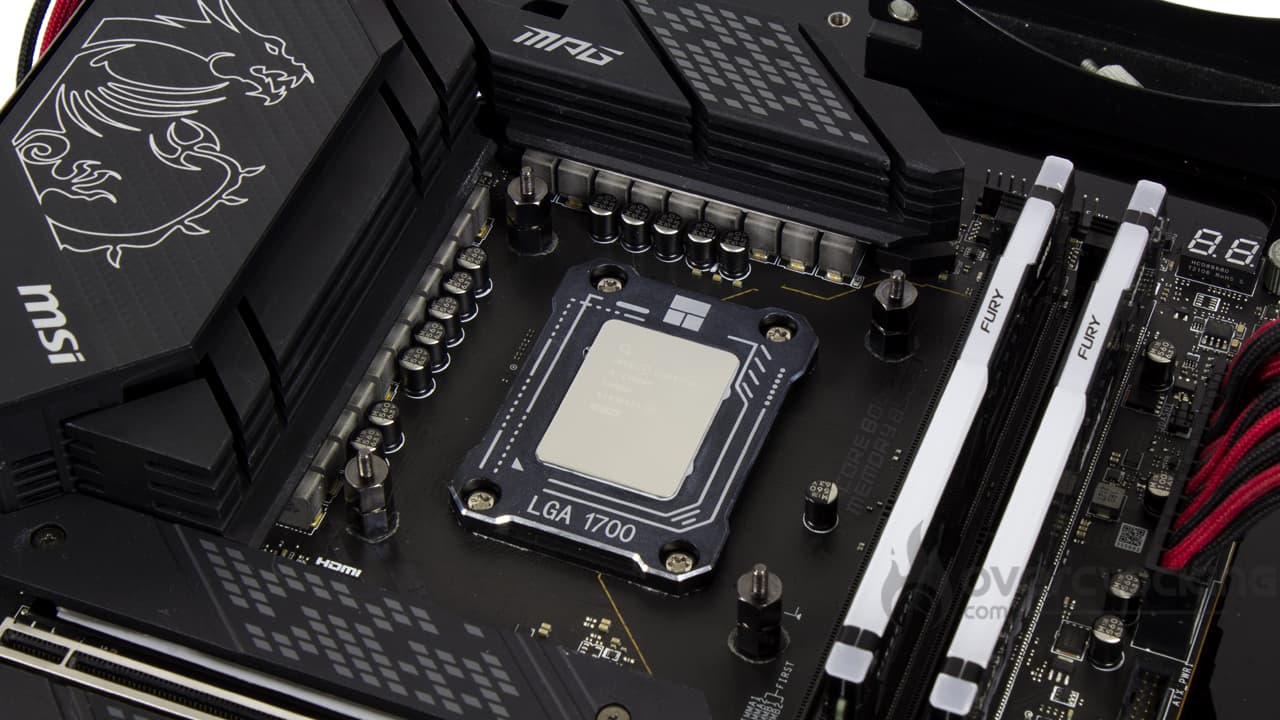
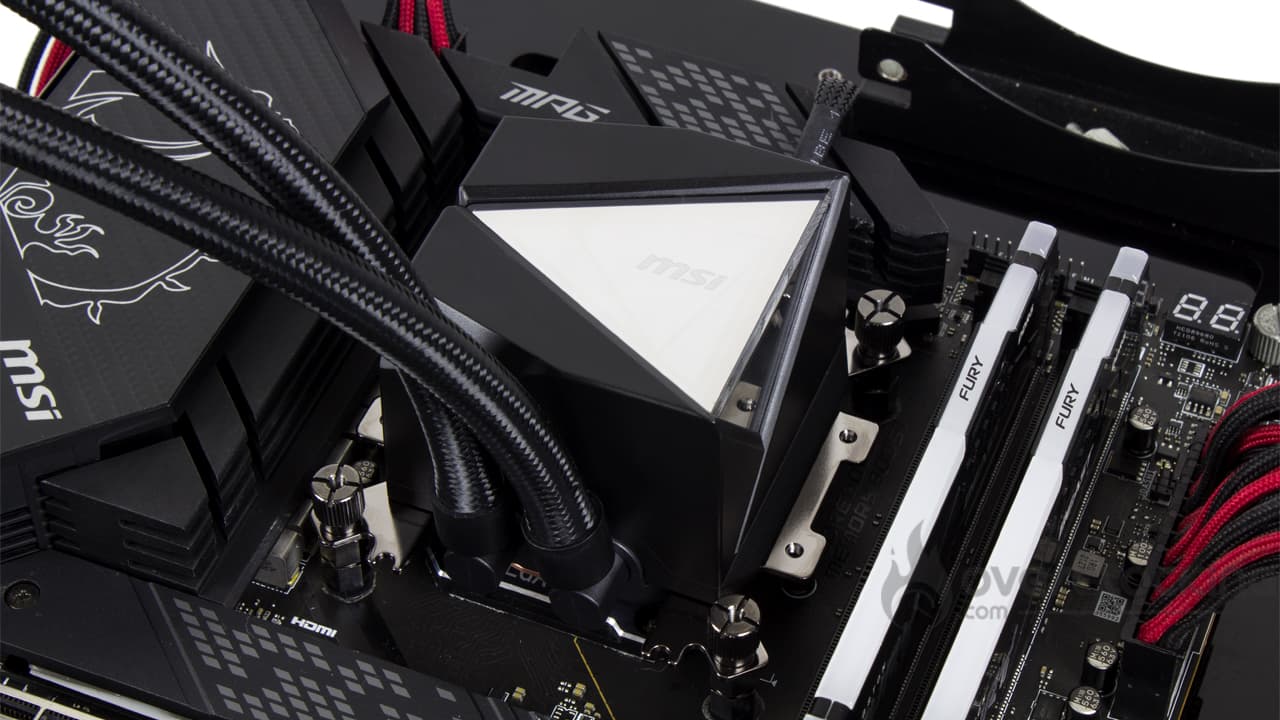
On an Intel socket , there’s no question, there’s no alternative. The installation here is similar to the second solution on an AMD platform, since a backplate has to be fitted to the back of the motherboard. Of course, you’ll need to manage the centre-to-centre distance of the screw threads:
- Towards the centre: sockets LGA-1200/115x
- Towards the outside: socket LGA-1700/1851
Next, screw four spacers to the ends of the socket, place the pump on the processor and screw it in place using the nuts supplied.
On older platforms, small washers need to be fitted to the spacers before the pump is positioned. Older CPUs have a greater height, so if you settle for LGA-1700/1851 mounting, you’ll damage your motherboard/processor.
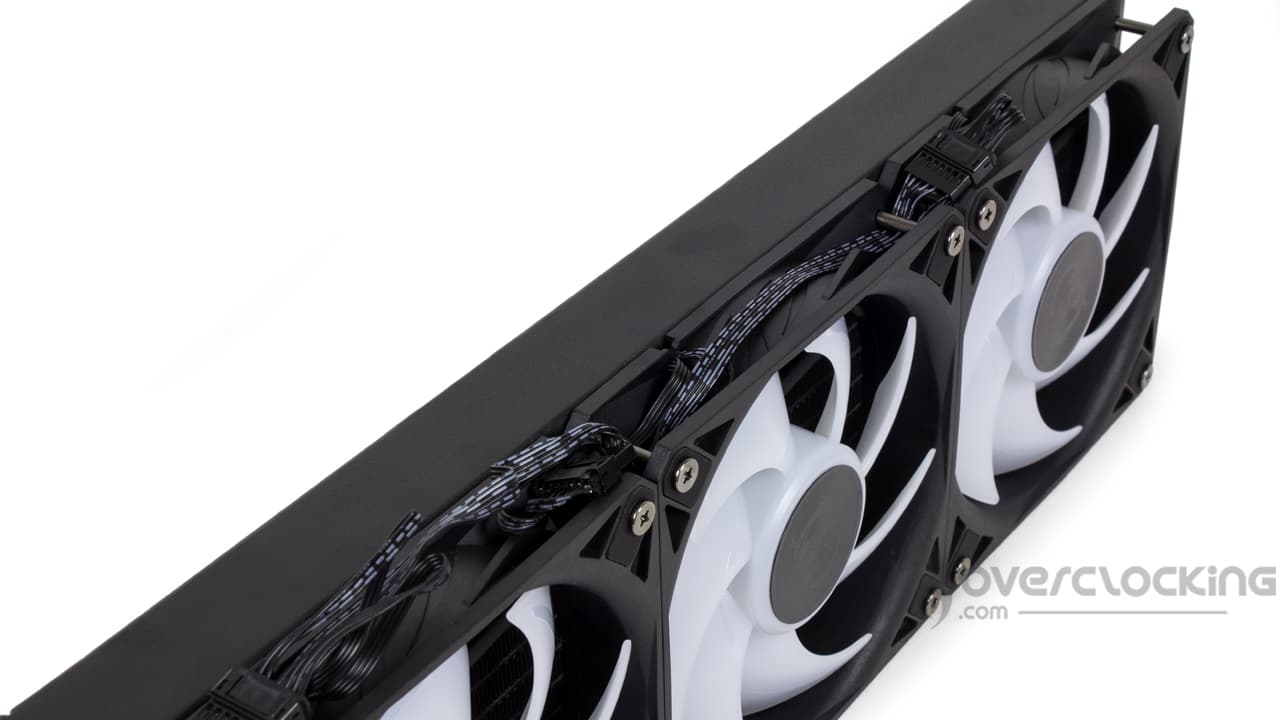
Finally, once the heatsink has been fitted in your case, you can fit a side cover to hide the fan cables. There’s nothing tricky about this; it simply clips onto the fan screws.
[nextpage title=”Protocol”]
When it’s not one, it’s the other, and after having problems with our AMD platform, it’s now the turn of our Intel configuration to play up. We’ll only be showing you the readings taken on our Ryzen 7 7900X consuming 105W and 170W. No 65W, as we don’t think this consumption is relevant for assessing the performance of the watercooling kit.
Here, we are now measuring the delta between the temperature measured on our CPU and the ambient temperature. Finally, the management of the fan speed is now entrusted to our motherboard. During the tests, we run the fans successively at 100%, 66% and 33%.

For the purposes of the test, we’ll be comparing the MAG CoreLiquid I360 with other 240, 360 and even 420 mm models:
- iCUE Link H170i RGB (Corsair)
- iCUE Link Titan 360 RX RGB (Corsair)
- Light Loop 240 (be quiet!)
- Liquid Freezer II 240 (Arctic)
- MAG CoreLiquid i360 (MSI)
- ML240 Atmos (Cooler Master)
- Ryuo III 360 (ASUS)
[nextpage title=”Speed and noise”]
Fan speed :
So we’re starting our series of temperature readings from scratch. Let’s specify the fan speeds recorded during our readings (for 12V, 8V, 5V):

In terms of fan speeds, the MAG CoreLiquid I360 has a rather high fan profile, as you can see. With 2250 rpm raised to full speed, it is just behind Cooler Master’s ML240 Atmos and its 2350 rpm.
At 66% PWM signal, the kit runs at 1700 rpm, another high speed that Cooler Master is looking for. Finally, at low speed, it’s also one of the fastest at 900 rpm. Coupled with its 360 mm heatsink, we can expect it to hold temperatures well at low revs.
Noise :

Despite rapid ventilation, noise levels remain under control. At 100% PWM signal, the noise level rises to 42.5 dB, before falling back to 34.5 dB at 66%. Finally, at 33%, the kit will no longer be heard, especially as its pump will remain discreet during operation, unlike that of the ASUS Ryuo IIIs.
[nextpage title=”AMD CPU temperatures”]
Processor at 105W :
Here, our CPU will run at 2.70 GHz constantly and on all its cores. We apply a VCore of 1,030 to obtain a power consumption of around 100 watts. This corresponds to the TDP of a Ryzen 7 7700X.

Once mounted on a processor consuming 105W, the cooling system is very comfortable. In fact, at full speed, it’s on a par with the other kits in the comparison… The Ryuo III 360 is still well ahead of the rest. However, it’s at low revs that it stands out, helped by its fans operating at 900 rpm, which generate sufficient pressure and air flow to prevent temperatures from soaring!
170W processor :
Finally, we end with our 170W profile. Here the heat output is higher, and corresponds to the default TDP of the 7900X. Let’s see how our coolings fare!

On a CPU consuming 170W, at full throttle, the MSI kit comes in just behind the Corsair kits, and even then, by a short head… While at half speed it takes the lead (just) over the Titan RX 360. However, it’s at low revs that it surprises us. Without being on a par with the excellent Ryuo III 360, helped by its fans, the MAG CoreLiquid I360 comes out on top of Corsair’s offering.
Summary:
Broadly speaking, this is a very capable kit in thermally. Admittedly, it doesn’t rival the excellent Ryuo III 360, but it’s easily up there with Corsair’s 360 and 420mm AIOs. But it’s especially at low revs that it stands out from its competitors, helped by its fast but silent fans!
[nextpage title=”AMD temperature/noise ratio”]
On these perf/noise ratio graphs, we remind you that it’s best to be positioned as far to the bottom left of the graph as possible. For reading purposes, the leftmost point symbolises ventilation at 12V, the centre point ventilation at 8V and the rightmost point ventilation at 5V.
105W consumption :

In terms of temperature/noise ratio, this MAG CoreLiquid I360 is positioned very aggressively on the graph. Although it doesn’t rival ASUS’s Ryuo III 360, at 105W, it outperforms its other competitors, even Corsair’s 360 and 420 mm kits.
170W power consumption :

With a power consumption of 170W, the kit is also formidable. It is positioned between the Ryuo III 360 and the other kits. Note that the Light Loop 240 is also very good, but it doesn’t hold up at low speeds where the MAG CoreLiquid I360 works very well!
[nextpage title=”Conclusion”]
We’ve come to the end of this test of the MSI MAG CoreLiquid I360. Are we dealing with a successful product? Let’s take a closer look!
Pre-assembled as standard!
With this MAG CoreLiquid I series, MSI has, in our opinion, produced a very good range of all-in-one watercooling kits. From a finishing point of view, there’s nothing to criticise, and at the same time, this type of product has been mastered for a long time now, so it would be a shame to find ourselves faced with a poorly finished reference… But that can always happen. Otherwise, from a design point of view, it looks good, and the pump cover is very attractive. After that, it’s a matter of taste.
However, as is the case with more and more references, this AIO comes with fans pre-mounted on the radiator as standard. What’s more, like the Arctic kits, we have a cable that allows all the fans to be connected along the length of the radiator. This makes for neat assembly. Nevertheless, it’s a shame that MSI has opted for a proprietary connection system for its fans. In the event of a failure, this leaves little room for change, or you’ll have to connect your fans in a more conventional way.

As far as assembly is concerned, having the fans mounted directly on the pump unit clearly saves time. The same goes for the multi-platform mounting arms fitted directly onto the pump. In the end, all that’s left to do is screw the spacers around the socket, position the pump and screw the radiator to the case, and you’re done! What’s more, to complete the look of the installation, we have a side cover to hide the fan connections.
Honorable performance!
In terms of performance, we’re dealing with something quite satisfactory. Indeed, the kit performs well, often coming out ahead of Corsair kits. However, on our AM5 platform, the king remains the Ryuo III from ASUS, which is still untouchable. However, from what we saw, it was able to hold our Ryzen 9 7900X with a power consumption of 170W while running at low revs… And at correct temperatures.
In terms of noise, it’s a pleasant surprise to find that the kit is perfectly bearable, even at full speed. At low revs, it’s inaudible, especially as the pump is discreet, unlike the Ryuo III, which requires the speed of the pump to be reduced. Inevitably, all this means that the MAG CoreLiquid I360 offers a solid temperature/noise ratio.
An affordable price!
Finally, the last pleasant surprise is the sale price of this solution, which remains completely affordable… At least compared to what is currently available. The AIO comes in at €130 or €140, depending on the shop, in 360 mm. What’s more, the white colour won’t have any impact on the final bill, which won’t be a hindrance to those who want to build an all-white configuration.
MSI MAG CoreLiquid I360 :
We like:
- Good overall finish
- Pre-assembled and pre-wired ventilation as standard
- Universal mounting arm as standard!
- Neatly presented accessories
- Quick and easy assembly
- The cable cover on the side completes the aesthetics of the installation
- Silent operation despite three fans
- Good temperatures and, by extension, a good temperature/noise ratio
- Not overpriced
We liked it less :
- Proprietary fan connectors
 In the end, we decided to give this MSI kit a platinum award. When it comes down to it, we can’t see any reason not to opt for this kit, apart from the fans’ proprietary connectivity… But it could be a long time before a windmill rattles. Aside from that, this is a high-performance solution, admittedly not as good as ASUS’ Ryuo III, but it also costs less than half as much. Otherwise, it’s not too noisy, has a good finish and is easy to assemble. Unless you don’t like the design, it’s a solid performer.
Many thanks to MSI !

