
Today we’re reviewing the MSI B760M Gaming Plus Wifi, a complete entry-level motherboard for gaming use. This is the first DDR5 B760 chipset motherboard we’ve tested. Let’s see what MSI has to offer for its entry-level DDR5 for Intel Alder Lake, Raptor Lake and Refresh platforms.
Priced at around €179.99, this B760M offers a complete solution for those who want a high-performance gamer PC at a lower cost, without having to overclock the processor.

Thanks to MSI for providing us with a copy for this test.
[nextpage title=”The MSI B760M Gaming Plus Wifi:”]
The bundle:
A quick look at the bundle for this B760 Gaming Plus WiFi to see how well supplied it is. Unsurprisingly, we find something fairly standard: SATA cables, manual, CD and Wi-Fi antenna. A bundle in keeping with its price.


Architecture:
Like the B660 chipset, the B760 version does without PCIe 5.0. This chipset does, however, support DDR5, enabling higher data rates and greater memory capacity.
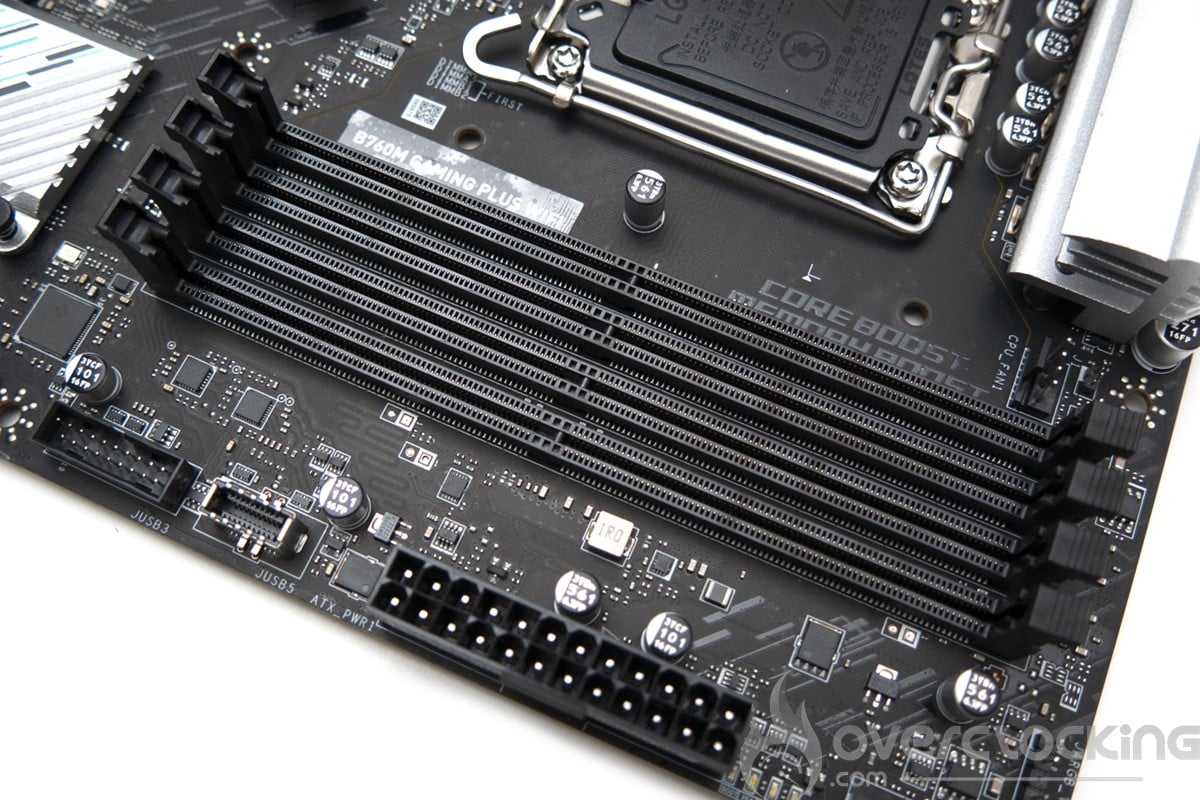
The various heat sinks :
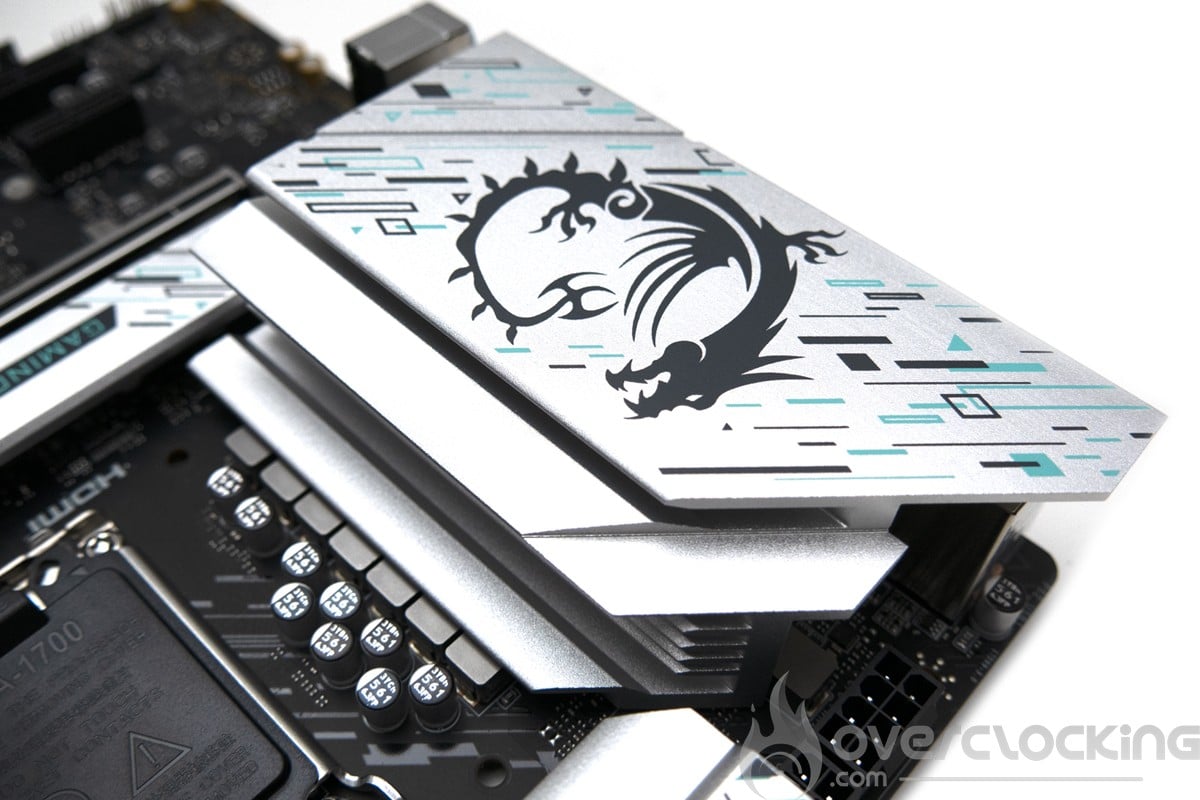
The dimensions of the board are 244 mm x 244 mm, corresponding to the micro-ATX format. The dominant color on the PCB is black, with touches of light gray on the heat sinks. There’s no RGB on the PCB here, which makes it very sober.


On the cooling side, the VRMs have two aluminum radiators covering the IO. For the chipset, we have a small radiator and another small radiator for the first M.2 slot


Two M.2 SSD slots:
We start with the M.2 slot connected to the CPU in 4.0, which is positioned above the first PCIe slot. The latter is cooled by a passive radiator. We then have an M.2 PCIe 4.0 slot between the PCIe slots supporting SATA.
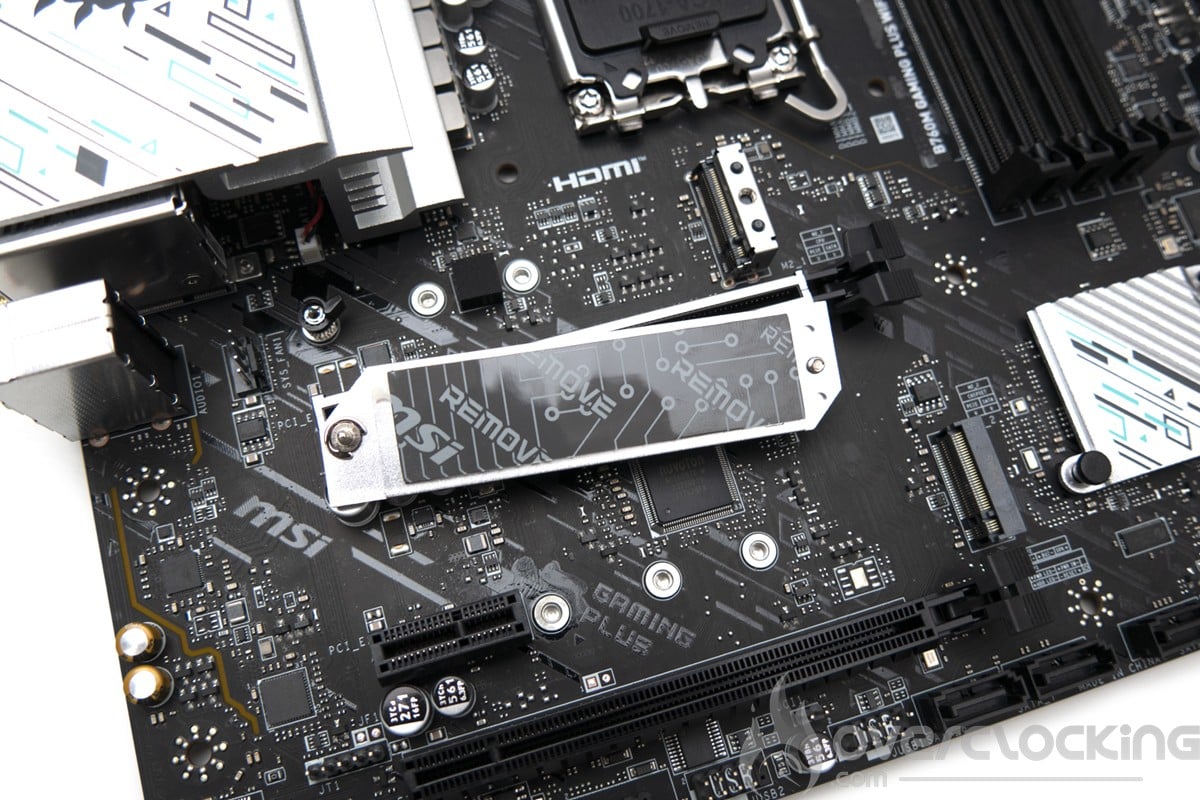
Technically, we have very few M.2 slots, which is understandable given the micro-ATX format. SATA, on the other hand, has four slots.
Socket and PCIe :
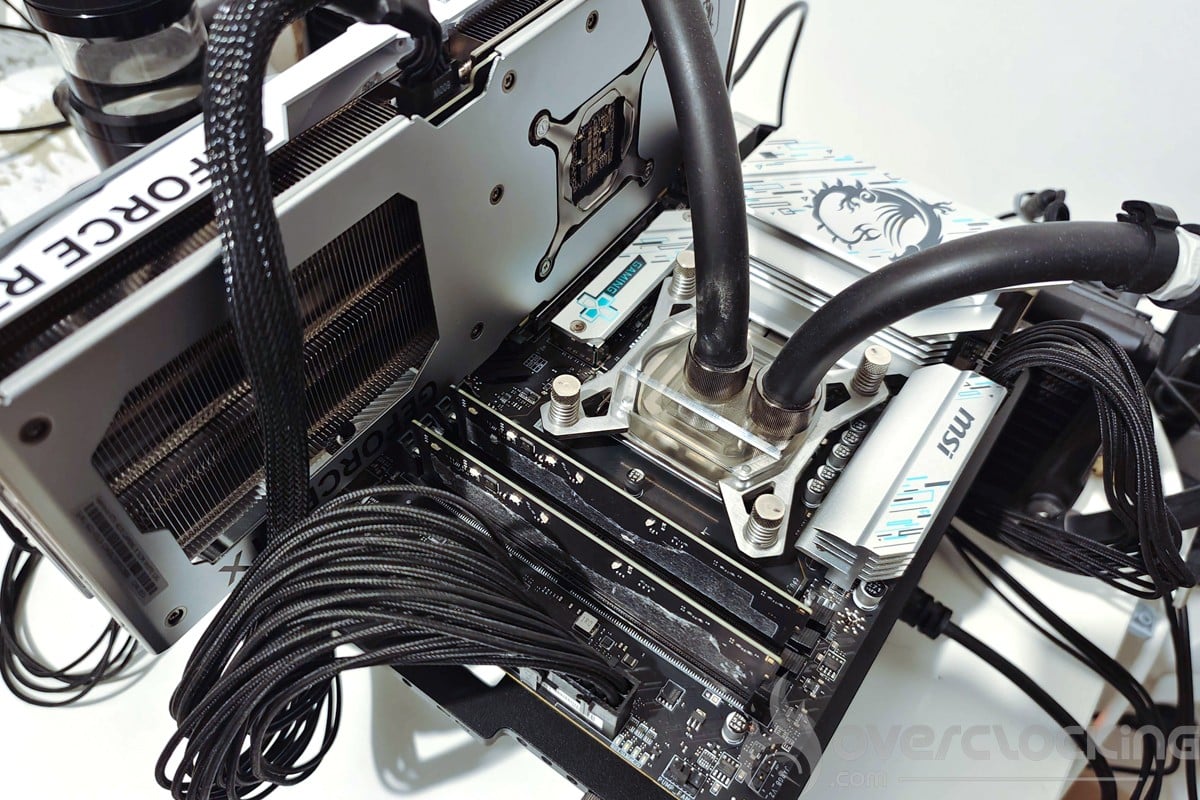
The space around the socket is quite full of capacitors. This can lead to incompatibilities with certain coolers, which could hit the capacitors. VRM radiators are spaced far enough from the socket to allow cooling systems to be installed. In our case, Watercool ‘s Heatkiller IV waterblock only passes in one direction, the least efficient. The latter comes into contact with the capacitors in the right direction, which prevents it from being fitted.


This B760M Gaming Plus Wifi supports dual-channel DDR5 memory kits up to 6800 Mt/s (OC) and for a maximum quantity of 128 GB. There’s a PCIe X16 4.0 slot, a PCIe X16 4.0 x4 slot and a PCIe X1 3.0 slot.


To power all this, the board has a 24-pin connector and 8 4-pin connectors next to the power supply stages.
[nextpage title=”PCB and connectors:”]
The PCB :
This MSI B760M Gaming Plus WiFi is pretty straightforward in terms of the PCB, we’re here on a well-designed and well-made motherboard but nothing more. The PCB has 6 layers.
The power supply stage is based on a power supply whose CPU-loading part is made up of 12 phases (in parallel 6 6).
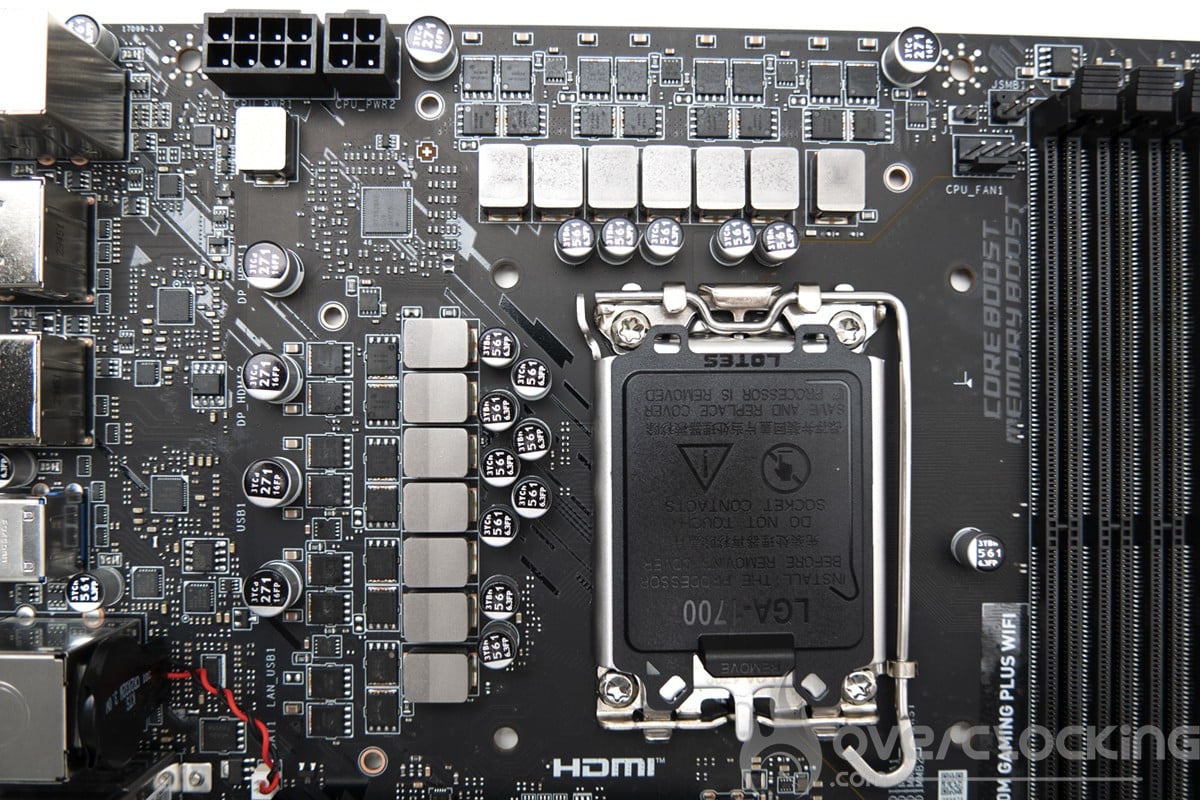
The controller used would be a Richtek RT3628AE capable of managing all phases. The 12 CPU phases are all combinations of 2 x 33A AONS36303s. Enough to easily power even the largest CPUs. We then have the same configuration for the VCCGT (IGP) and VCCAUX (PCIe and IMC), with one phase each.
Connectors :
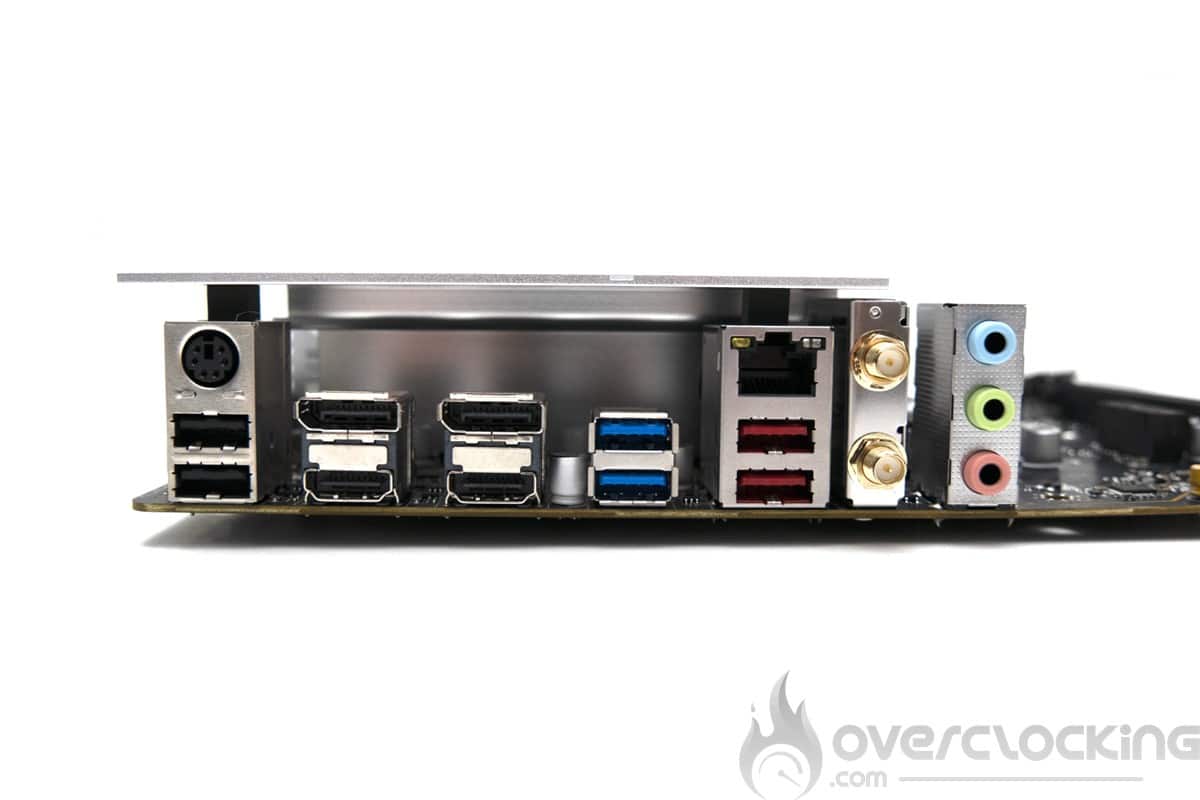
The rear panel features the following elements. Firstly, 2 USB 2.0 ports, plus a PS/2 port for connecting keyboards, mice and other peripherals. In addition, there are two USB 3.2 Gen 2 and two USB 3.2 Gen 1 Type-A ports. No USB Type-C port here. On the network side, we have a 2.5GbE Ethernet port on a Realtek chip and Wi-Fi 6E. Audio features two jacks for microphone and line output, plus SPDIF out on a Realtek ALC897 chip.
[nextpage title=”The BIOS”]
The BIOS :
The Bios of this MSI B760M Gaming Plus Wifi is quite complete. However, the ergonomics and navigation between categories are not very intuitive.
For overclocking, we find everything we need for a B760M motherboard, namely LLC and CPU tensions (in offset only). There are no options for setting the BCLK.
For RAM, everything is accessible and the various elements bear their real names, XMPs work perfectly and we can even activate user XMPs n° 4 and 5. For memory overclocking, we used 1.2 V VCCSA, 1.35V VDDQ and 1.45V VDD2 for 8000 CL34 on the 14600KF. On the memory voltage side, we’re at VDD_mem = VDDQ_mem 0.05V. These settings are not definitive and will need to be adjusted for each use.


Finally, don’t forget to activate your memory kit’s XMP! Of course, you can also modify timings and subtimings manually. Don’t hesitate to ask for advice on discord if you have any problems setting up your Bios.
We’ll come back to the overclocking section later in this article to show you the settings we’ve used.
[nextpage title=”Test configuration:”]
Here’s the configuration that will be used for the test:
- Motherboard: MSI B760M Gaming Plus Wifi (7D99vH2)
- Processor: INTEL CORE I5 14600KF
- Memory : 2x16gb G.skill Trident Z5 7800C36
- Graphics card: MSI RTX 4070 gaming x slim white
- Cooling system: Watercool Heatkiller IV basic radiator 420mm
- SSD: PNY CS900 120 gb
- Power supply: Be Quiet ! Dark Power Pro 13 1600W
- Operating system: Windows 10 64-bit (version 21H1)
- Display: Dell S2721QSA
[nextpage title=”CPU and RAM performance:”]
Our CPU section will focus on the performance of the i5-14600KF. It’s important to note that this B760M Gaming Plus Wifi does not allow CPU overclocking. So we’ll just take a look at how well it performs.
Reference scores and effective frequencies :
Let’s take a look at the results obtained under Cinebench R20 and R23, taking care to also note the voltage (vcore), max temperature during the benchmark, power consumption and, of course, the score obtained.


We’re taking advantage of this test to take a look at effective frequencies, voltages and temperatures. As we can see from the Benchmate window, the effective frequency is very close to the maximum frequency. Here, we’re at 99.73 Mhz at the BCLK, which has a negative impact on processor and RAM frequency. The BCLK cannot be adjusted in the Bios, and core ratios are also locked. It will therefore not be possible to increase performance in this area. As for temperature and power consumption, we’re at around 70°C and 165W for these benchmarks.
Memory overclocking
We now turn to this motherboard’s memory overclocking capabilities. Here, the B760M Gaming Plus Wifi doesn’t aim to offer the best experience in this area. MSI claims maximum compatibility at 6800 MT/s on its datasheet, but in reality we had no trouble running XMP at 7800C36.
As for maximum achievable performance, we managed to reach 8000 Mt/s in pure benchmark mode, with a fairly light profile at 8000CL34, extending very close to the instability limit on Geekbench 3.


For this motherboard, we recommend XMP at 7200 CL34 in 2×16 Gb or 7200 CL36 in 2×24 Gb to maximize performance while maintaining a margin of stability. There’s nothing to stop you from manually overclocking the RAM to get even more performance. Simply switching from the XMP 7800 CL36 to a relatively complete profile at 8000 CL34 yielded a 3% score gain in multi and 6.6% in single on Geekbench 3.
[nextpage title=”Conclusion:”]
Conclusion:
We’ve come to the end of this test: with the B760M Gaming Plus Wifi, MSI offers a no-frills solution for those who’d like to build a gaming PC on a non-K Intel CPU base. Here we’ve got everything we need, with good network connectivity and all the elements required to assemble a gaming PC. We also appreciate the design, which goes perfectly with the brand’s X white gaming graphics cards.
Priced at around €179.99, this B760M offers a complete solution for those who want a high-performance gamer PC at a lower cost, without having to overclock their processor.
MSI B760M Gaming Plus Wifi
We liked :
- Full bios
- The design
- Performance
We would have liked :
- More aggressive pricing

With the B760M Gaming Plus Wifi, MSI offers a complete, well-finished motherboard for gaming configurations. Its design, with its light gray radiators, blends in perfectly with the brand’s Gaming X White range. In terms of overall performance, we’re pleased to report good DDR5 compatibility.

