

The ASUS Pro WS TRX50-Sage WiFi:
As we said in the introduction, we received a copy of the ASUS Pro WS TRX50-Sage WiFi motherboard. Until recently, it was the only board in the ASUS catalog built around this chipset . ASUS has just added a new model, virtually identical, but labelled ASUS Pro WS TRX50-Sage WiFi A. This model features a different layout but, above all, should be more affordable.
The bundle:
A quick look at the bundle of this ASUS Pro WS TRX50-Sage WiFi to see if it benefits from “special accessories”. As this is a motherboard intended for professional desktop PCs, the bundle should be reduced and different from what we’re used to finding on consumer boards


Finally, we find a fairly classic bundle reduced to its simplest expression, with SATA cables, Q-connector and a quick installation guide.
W790 architecture and chipset:
This ASUS Pro WS TRX50-Sage Wi-Fi is built around the AMD TRX50 chipset. It features a new sTR5 socket. As you’ll see, the socket size is larger than what we’re used to seeing, particularly with the current AM5 socket on consumer motherboards. This socket remains unchanged and corresponds to the one we already used to test the AMD Ryzen Threadripper 7000X generation.


What’s most striking are the imposing radiators on the top of the motherboard. In fact, this is a common feature of the various motherboards announced by the brands for this TRX50 chipset. It therefore seems necessary to be able to dissipate the heat from the power supply stages efficiently. The TRX50 chipset naturally supports PCIe 5.0, offering higher storage performance than the previous generation, as well as DDR5 support. Speaking of DDR5, the TRX50 chipset supports a maximum of 4 memory slots, compared with 8 for the WRX90. ASUS does not yet specify memory support on its website, but you should know that we’re not talking about DDR5 kits as we’re used to, but DDR5 RDIMM(Registered DIMM).
The various heat sinks :
The board’s dimensions are 305 mm x 280 mm, corresponding to the CEB format. If you acquire this motherboard, don’t forget to check that your case is compatible with this format, otherwise you’ll have to leave it sitting on its box. The dominant color on the PCB is black, but this contrasts with the two metallic-grey heat sinks. ASUS has chosen to keep the color neutral. The design is rather unusual in that the memory slots are above and below the socket, whereas if you remember the ROG Zenith II Extreme TRX40 board, the memory slots were on the left and right of the processor.


Let’s start with the radiators, of which there are four, yes, that’s right! First of all, the two imposing radiators on either side of the socket, covering the power supply stages. The third, which joins this duo via a heatpipe, is also responsible for cooling some of the components in the power supply stage. We’ll have a better idea of the PCB’s design once we’ve removed the various heat sinks


Oh, but what a surprise: in reality, the two metallized plates conceal two 40 mm fans responsible for keeping the power supply stages cool. At first glance, we might have thought the board was entirely passive, but that’s not the case at all.


Last but not least, the fourth one covers the chipset – more on this later in the article. The height is low, so that graphics cards can be easily inserted.
The socket and PCIe :
The space around the socket is quite limited, which is quite logical given its size and the various heat sinks that surround it. This ASUS Pro WS TRX50-Sage Wi-Fi can accommodate a maximum of four DDR5 memory modules. Unfortunately, we have no information on the specifications of these slots. What we can say is that the kit we received for testing is a 128 GB, 6400 MT/s G.SKill ZETA R5 EXPO


There are no less than five PCIe slots: three are 5.0 16x and two are 4.0 16x. To power all this, the board has two 24-pin and four 8-pin connectors. This means you can connect up to two power supplies if required. Please note that AMD recommends a minimum power supply of 1,200 watts for the Threadripper 9980X, or 1,500 watts if you’re using a high-end graphics card


Some of the power connectors are covered, so as not to confuse them with those that need to be powered if you’re only using one power supply!
Three M.2 SSD slots:
The first M.2 SSD slot is located beneath the two PCIe 5.0 x4 ports. The other two, more difficult to locate, are actually under the radiator covering the chipset. The two M.2 5.0 x4 SSDs are 2242/2260/2280 compatible, while the third, 4.0 x4, can accommodate the 2280 format.

All M.2 SSD slots are equipped with thermal pads, and all feature the quick-clamping system already present on a large part of the mainstream motherboard range.
Clocker tools :
Let’s start with the elements inserted on the PCB, which can prove to be interesting tools for overclockers. There are quite a few on this model, which is perhaps surprising on this type of motherboard. This confirms Asus’ desire to offer a professional board with overclocking tools.
- The power button: powers up the motherboard.
- Flex KEY (reset): restarts the motherboard in the event of failure. The button can now be assigned to another task, such as Safe Boot or disabling the backlight.
- Safe Boot: allows the board to be rebooted even if the settings in the bios do not allow boot. This avoids having to perform a CMOS Clear to reboot and thus lose your encoded parameters.
- ReTry Button: when testing in cold conditions, sometimes the OS freezes and a reset can’t restart the motherboard: the only solution is to hold down the START button for 6 or 7 seconds. The ReTry button restarts immediately.
- LN2 jumper: enables LN2 profiles in the BIOS.


- Q-LED: 4 LEDs (CPU – DRAM – VGA – BOOT) to diagnose errors when the board is booted . The one that stays lit corresponds to the problem.
- Q-Code: displays a code corresponding to the component responsible for the boot error. This is now displayed on the OLED screen, and the list of codes can be found in the manual.
- CMOS CLR: clears BIOS settings to return to default.


- ProbeIT: measures voltages with a multimeter directly on the PCB.
- Slow Mode: allows you to boot with a coefficient of 16x, and once in the OS to reset the coefficient chosen in the bios. Mainly for max screens.
- RSVD: when activated under cold conditions (-120°C), prevents cold boot bugs.
PCB:
Our ASUS Pro WS TRX50-Sage Wi-Fi is based on an 18×2 (vcore) + 3 (vdd11) + 4 (vddio ) + 4-phase (vsoc ) power supply . This is the motherboard with the largest power supply stages we’ve ever had! The part in charge of the CPU is made up of 36 phases, but actually uses a new organization called “Teamed”.


The mosfets, Infineon PMC41430, in the power stages generate the most heat, as they are responsible for voltage conversion and delivery to the CPU from the 12-volt EPS connector. The board features two Digi+ ASP2205 controllers on the rear of the PCB for the vcore phases . These are the same controllers used on the ROG Crosshair X670E Gene. It will therefore be necessary to keep them cool via the imposing heat sinks that equip this ASUS Pro WS TRX50-Sage Wi-Fi.
Connections:
The rear panel features the following elements. First of all, the Clear CMOS and the button for flashing the BIOS from a USB key.

In terms of USB ports, this ASUS Pro WS TRX50-Sage Wi-Fi is equipped with two USB 2.0, six USB 3.2 Gen 2 type A and one USB 3.2 Gen 2×2 type C ports. There are also two Ethernet ports, one Intel 10Gb and one 2.5Gb. Last but not least, there are audio outputs and support for Wi-FI 7. nextpage title=”Other components in the AMD kit:”] In order to test these new Ryzen Threadripper processors to the full, AMD has provided us with a number of other components. Of course, the ASUS Pro WS TRX50-Sage WiFi motherboard we’ve just presented to you, but also a G.SKill ZETA R5 NEO EXPO kit with 128 GB at 6400 MT/s and a Silverstone XE360-TR5 cooling system.
G.SKill T5 NEO EXPO 128 GB at 6400 MT/s CL32 :
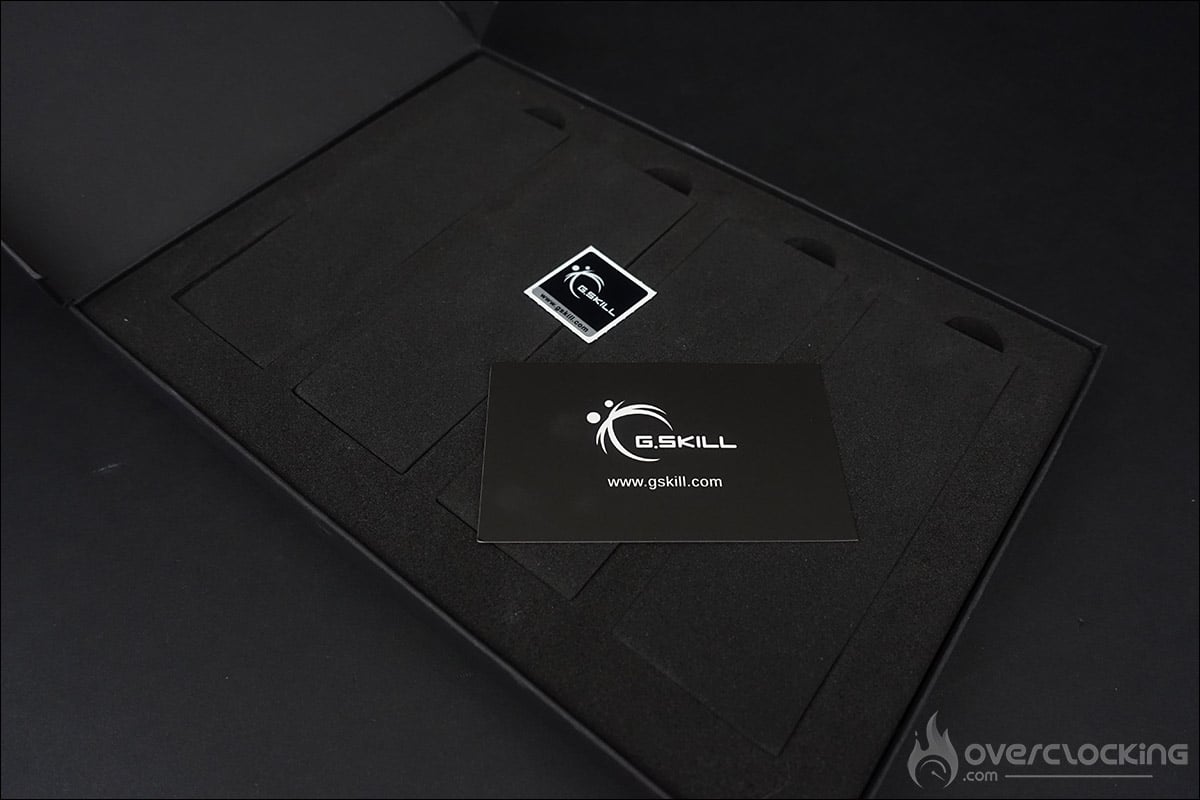
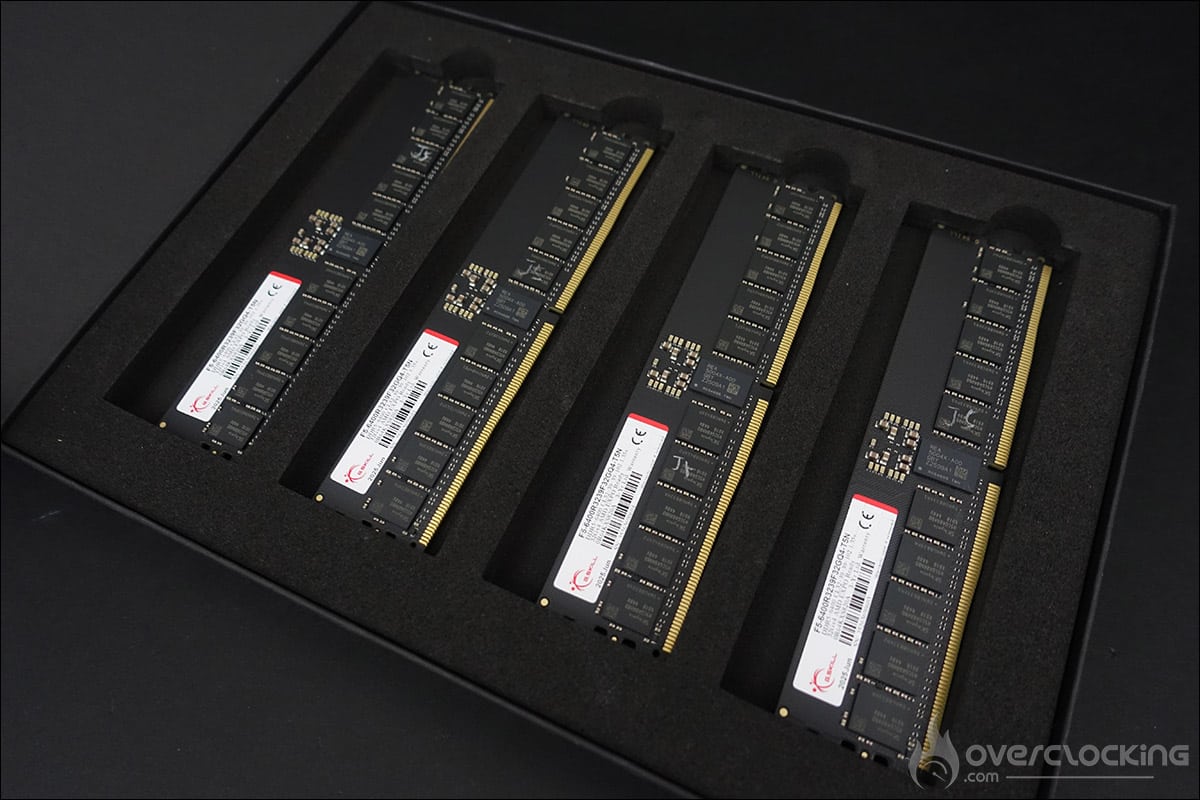
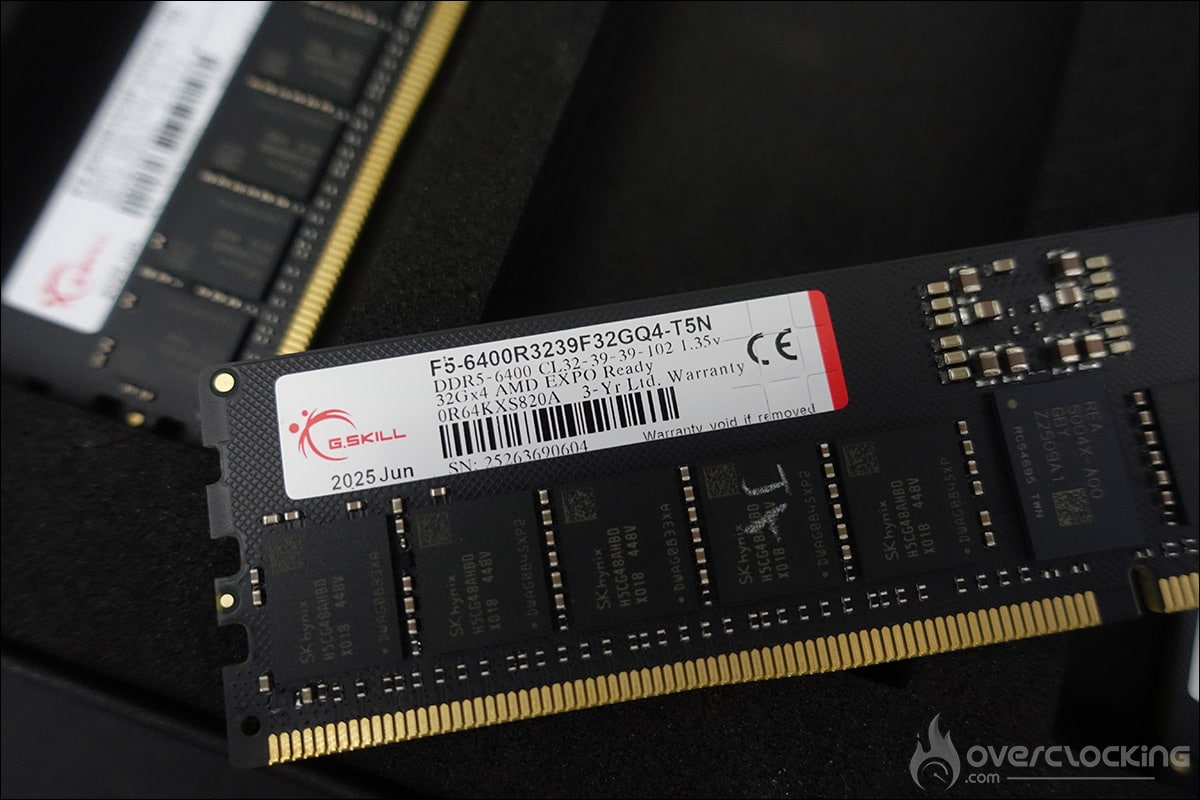
The G.SKill kit is a high-end kit with 128 GB capacity. It differs slightly from the one we received for the previous generation. As you can see from the photos, this kit consists of 4 DDR5 memory sticks, each with 32 GB. As usual, GSKill takes great care with the packaging, and thanks to pre-cut foam pieces, your kit will arrive at your home in complete peace of mind. Please note that these are R-DIMM models and will therefore not be compatible with consumer motherboards
Our kit is clocked at 6400 MT/s with timings of 32-39-39-102, requiring a voltage of 1.35 volts to operate. As you can see, the finish is very basic, as there are no heatsinks on the PCB. We can also see the chips, which bear the SKhynix reference H5CG48AHB0
We don’t yet know the price of this kit, but it’s already listed on the brand’s website with a dedicated page.
The Silverstone XE360-TR5:
The cooling system supplied to us is the Silverstone XE360-TR5, with a 360 mm radiator. We’ll see whether we use this cooling system or our Alphacool XPX Aurora PRO sTR4/sTR5 waterblock in full black finish, combined with Alphacool’s Eiszeit 2000 chiller.