
After last year’s review of the Vigor GK71 Sonic, we’re back with an MSI keyboard test. This time, we’re dealing with the little Vigor GK41. This is a fairly affordable reference (around 50/60 euros), yet it still benefits from mechanical switches and RGB LEDs. At first glance, it seems to have a solid construction and good functionality.
In short, what’s MSI’s solution worth? Answer in our test!
Technical specifications :
With this model of mechanical keyboard, we find a 100% format reference that measures 442 x 138 x 43 mm for a weight of 1.1 kg. This is heavier than the previous Razer keyboard we tested (880 g). The Vigor GK41 features ABS keycaps and linear mechanical switches that should withstand up to 50 million keystrokes.
Here, too, we’re treated to beautiful RGB LEDs to illuminate the keyboard. These can be modified via keyboard shortcuts or with the MSI Center software. Despite its low price, MSI’s new keyboard comes with a 1.8 m USB cable.
Like most keyboards, it features N-Key Rollover technology with Anti-Ghosting and a 1 GHz polling rate .
Recommended system:
To use the Vigor GK41 in the best possible conditions, you’ll need to leave a USB 2.0 port available on your PC. Likewise, you’ll need Windows 10 or higher. Of course, you’ll need an Internet connection to download and install the MSI management software.
[nextpage title=”Unpacking”]
The box:
Before discovering our keyboard of the day, let’s take a look at its box. On the front, as usual, we find a representation of the keyboard illuminated by its RGB LEDs. Otherwise, apart from the logo, the name of the keyboard and the words ” mechanical keyboard “, we won’t have much more to say on this part.
Let’s move on to the rear, where we’re treated to more technical information. We find specifications on the keyboard’s mechanical switches and a reminder of possible shortcuts. In the same vein, the brand highlights the 10 light effects available and the N Key Rollover functions.


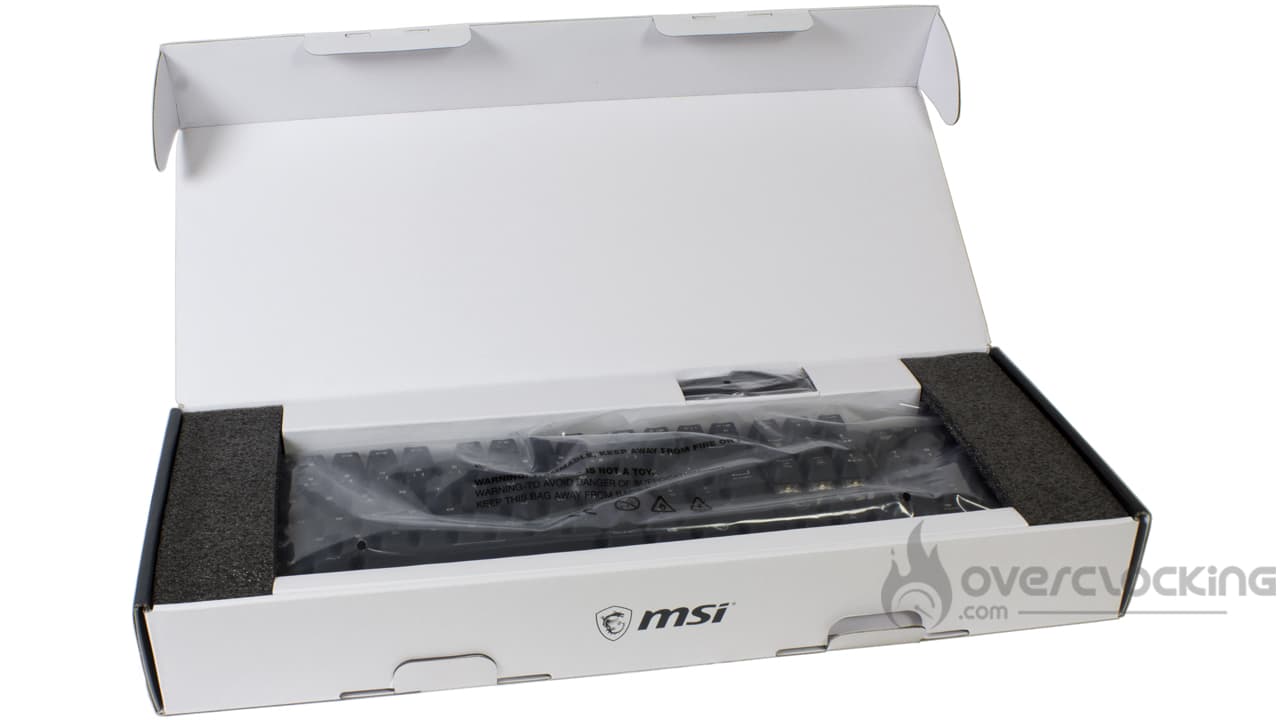
Inside, the keyboard is protected in a plastic bag and wedged between cardboard and foam protectors. In any case, this did the trick, as everything arrived in excellent condition.
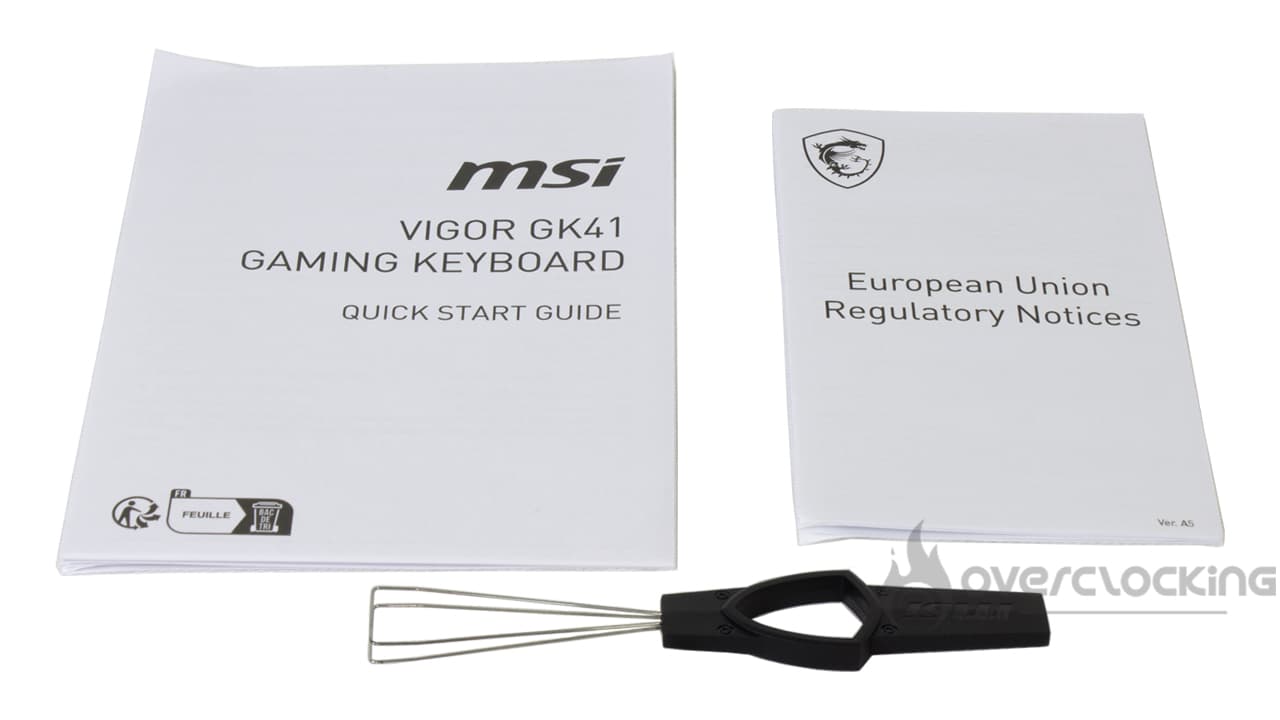
In the box, don’t expect any wonders. You’ll find two instructions and a small key-puller. But that’s something! If you take Razer’s Huntsman V3 pro, which costs almost 300 euros, it’s already more!
Vigor GK41:
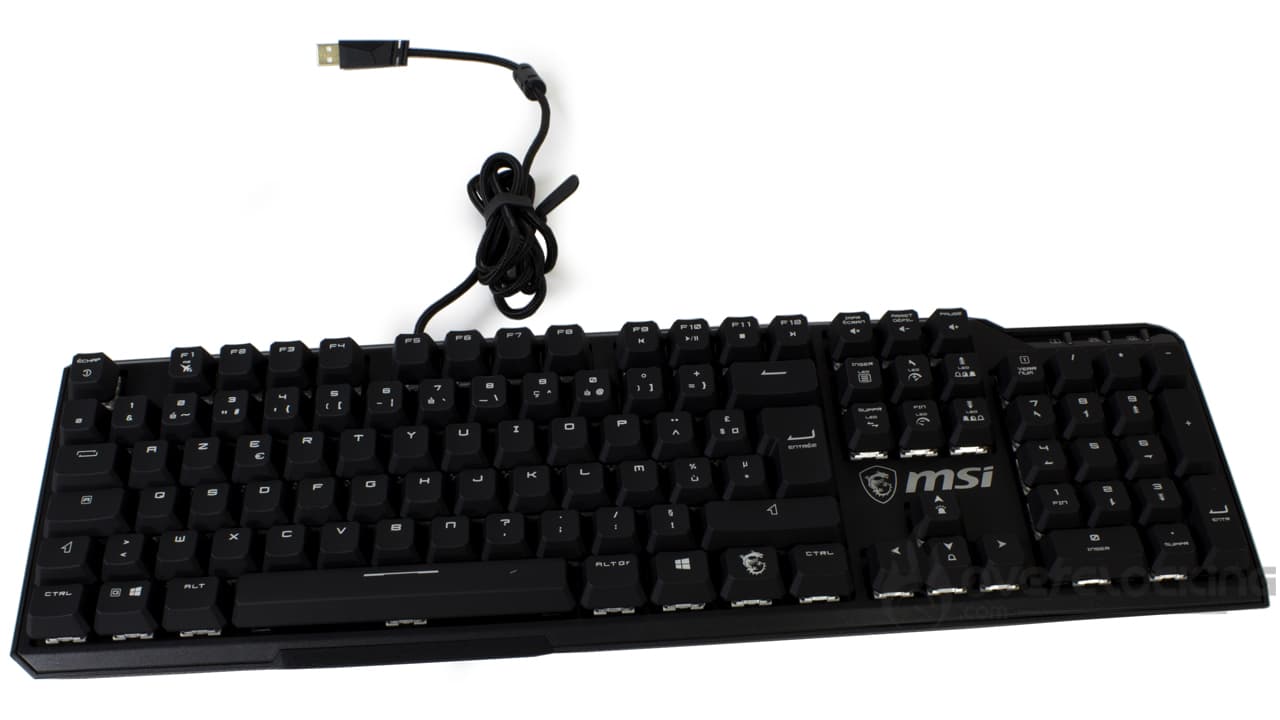
It’s time to discover the Vigor GK41 from MSI. First of all, we’re dealing with a classic keyboard reference, with no particular frills. In spite of everything, it remains simple and sober. Although the small recess in the top right-hand corner of the keyboard may break its sobriety a little.
This model is in 100% format, i.e. 104 keys on average. The keycaps are made of ABS – no PBT here – but it’s hard to fault it for its price. Moving to the right of the Vigor GK41, we find the keyboard’s multimedia keys and numeric keypad. Incidentally, to manage the sound, you’ll need to use a small combination of keys. In the top right-hand corner, as you may have guessed, we’ll find small LEDs indicating which options are activated (shift, numeric keypad, etc.).
How does it look from the back?
Let’s move on to the back of the keyboard. Overall, there’s not much to say. There’s a fairly large logo engraved into the keyboard. In the center, we also find a label with recycling information. Otherwise, we’ll note the presence of a few pads for better support on its stand.
Last but not least, the Vigor GK41 has two elevating legs to raise the keyboard to a single level.


[nextpage title=”Test”]
Let’s move on to testing the Vigor GK41. We put it to the test in just about every scenario: video games, office automation, etc…
Handling:
The Vigor GK41 is a classic keyboard in terms of grip. Clearly, if you’re used to 100% format keyboards (104 keys), switching to this model shouldn’t be a problem.
Unlike some Corsair keyboards, for example, there are no macro keys. The K100 RGB, for example, had an extra row on the far left. Once we’ve got used to it, we’re usually one line behind when writing. With the MSI model, we don’t have this problem. With the Vigor GK41, we still find a few shortcuts thanks to the function keys, which can be used to increase the PC’s sound volume, or to skip to the next song, pause it, etc. There are also a few shortcuts for changing the keyboard’s lighting effects or deactivating/reactivating the RGB LEDs. Unlike the Vigor GK71 Sonic, we don’t have a thumbwheel to control the sound.
Likewise, compared with its big brother, here the elevating legs don’t fold up by themselves when you move the keyboard. It’s really great that this problem has been corrected, as it can be a real pain on a daily basis. This model also features rubber bands for a secure hold on any surface. And it won’t slip on your mouse pad, unless you really want it to.


Otherwise, with this Vigor GK41, we have a relatively aesthetic, well-built keyboard. It doesn’t creak when you handle it and apply a little force. Despite being made entirely of plastic, it clearly looks well-made. As we said earlier, this keyboard remains relatively sober and simple for a gaming keyboard.
Switches :
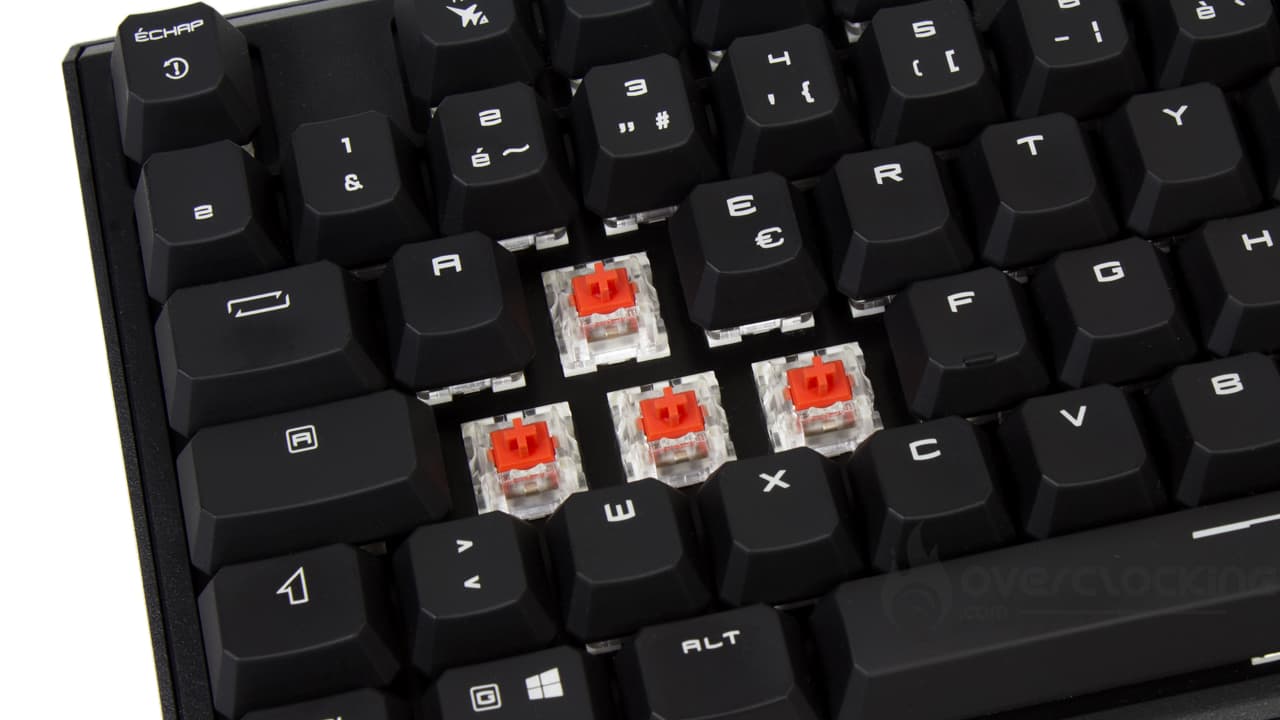
The MSI keyboard features linear switches. These are Kailh Red models. They have an activation distance of 1.9 mm for a total distance of 4 mm. To activate them, a force of 50 g is required. They too are relatively conventional in use. A far cry from the blue switches of the Vigor GK71 Sonic tested last year.
Like all linear switches, in use they will be very sensitive. There’s very little resistance, and they’re very fluid. They are therefore particularly recommended for video games where you need to react quickly (FPS, for example). When writing, typos will be plentiful thanks to their responsiveness. On the other hand, they’re much quieter than touch or clicky switches. There’s no spring noise here either, as on the Xtrfy K4 RGB, which were also Kailh Red linear switches, as on our copy of the day.
Noise :
In use, this is a relatively quiet keyboard. It’s a far cry from the clicky switches of the Vigor GK71 Sonic. Likewise, there’s no springing noise as we’ve heard on other keyboards with the same switches .
So you’ll be able to use it at home, as well as at work, without disturbing the people around you!
RGB:
We end this test section by talking about the RGB present on MSI’s solution. Here, the result is really very nice. We have very good brightness. What’s more, thanks to the numerous effects available with MSI Center, we’ll have a pretty interesting choice for customizing our keyboard. All the letters/characters are clearly visible on the keys. This is much better than on Razer’s Huntsman V3 Pro, for example, where some characters were not illuminated.

[nextpage title=”Conclusion”]
It’s high time we came to a conclusion about MSI’s Vigor GK41. So, what did we think of it?
A keyboard that performs well!
With its Vigor GK41, MSI offers us an excellent keyboard with very interesting features, especially for its contained price. In fact, despite the heavy use of plastic, the construction is solid and the design meticulous. What’s more, this model has really bright, flawless RGB LEDs . We remember the keys on the Vigor GK71, which didn’t diffuse the LEDs very well across all the keys.
In spite of everything, this keyboard offers numerous shortcuts that will save us from constantly using the software. This is all to the good, especially as the software takes a long time to download, not to mention the additional modules you’ll need to install if you want to benefit from all the Vigor GK41’s features.
On top of all this, we find quality switches (Kailh Red), which are relatively quiet in use. We remember the same switches with a persistent spring noise on Xtrfy’s K4.
In addition, the brand has corrected a number of shortcomings that we pointed out when testing the Vigor GK71 last year. These included the over-elevating legs, which folded in on themselves when the keyboard was moved sideways. Here, we no longer have this problem! This model is also held securely in place by its rubber feet.
How much does the Vigor GK41 cost?
The Vigor GK41 from MSI can be found for under 60 euros in most online stores. At the time of writing, you can even get it for 50 euros. That’s a very aggressive price for a mechanical keyboard! At this price, it’s hard to find much to complain about.
MSI Vigor GK41
We liked :
- Solid construction despite the presence of a lot of plastic
- Top-notch, bright RGB LEDs
- The number of shortcuts available, so you don’t have to install software
- Attractive price for a mechanical keyboard (under €60)
- Discreet switches
- Slim, unobtrusive sheathed cable
- Its neat, aesthetic design
- Rubber feet to hold it securely in place
- The correction of some of the Vigor GK71 Sonic’s shortcomings
We liked it less:
- Its software is rather cumbersome to download, requiring additional modules

MSI offers us a virtually flawless keyboard. In fact, it boasts solid, high-quality construction and a meticulous design. What’s more, the RGB LEDs are really bright and can be assigned a number of lighting effects via the brand’s management software. In spite of everything, it benefits from linear mechanical switches that are silent in use. Not to mention the presence of a thin, discreet sheathed cable. Last but not least, its price is super-attractive (less than 60 euros). For us, it’s gold!

