
A new keyboard manufacturer has arrived at the editorial office: Taiwanese Ducky. In fact, we’ve just received a keyboard from Taiwan, the Channel One 3 in its Mist Grey version. We invite you to discover this new model in today’s test. So, is Ducky a brand worth considering (yes, yes, yes!)? We’ve got the answer.

Technical features :
With this keyboard from Ducky Channel, we’re back with a 100% format model, i.e. full size, or 104 keys. So, even though it’s de facto larger than a 60% or a TKL, it remains fairly contained, with dimensions of 450 (W) x 140 (D) x 40 (H) mm. By way of example, it’s just as tall, a little wider but much shallower than a Corsair K70 Max, for example.
The rest of the datasheet contains a few grey areas. For example, while we know that this keyboard benefits from an N-Key Rollover, we don’t know if theanti-ghosting feature is integral. The same goes for the polling rate, which is not mentioned. Nevertheless, given the product’s range, it’s reasonable to assume that there’s full anti-ghosting and a 1000 Hz polling rate .
The keyboard also benefits from aRGB lighting, and is connected to the PC via a USB-A 2.0 cable.
A top-of-the-range keyboard with numerous variations:
In terms of price, we’re clearly dealing with a top-of-the-range keyboard, as evidenced by its price that can exceed €200. It also comes in a wide range of versions. It will be available in :
- Cosmic Blue: mix of dark blue/black with red and yellow lettering
- Mist: a mix of gray/purple shades with green and white lettering
- White: an all-white keyboard with transparent lettering for illumination
- Aura / White: a keyboard with translucent shell and keys in white or black
- Yellow Dycky : all-yellow with white lettering
- DayBreak: a mix of acid blue, gray and yellow or white lettering
- Gossamer Pink: a mix of shades of pink on a white base, with pink or white lettering
- Matcha: mix of pink and pale green with black or green lettering
- Fuji : mix of pink and dark blue with pink lettering
And all these colors are also available in a wide range of formats. There’s something for everyone: 100%, TKL and 65%/60%.
Recommended system:
Once again, the Taiwanese brand isn’t very forthcoming about the recommended system. However, we can assume that a PC equipped with a USB-A port will be more than adequate to operate this model. Furthermore, no software is supplied. All settings will be made via keyboard shortcuts.
[nextpage title=”Unpacking”]
The box:
With this keyboard, we find the box rather mysterious, since it doesn’t provide any direct information about the product. Indeed, the only thing we find are two One logos with a few stylistic effects. On the back of the packaging, there’s nothing really special either, with, once again, the One III logo and some technical information. The packaging provides information on the keyboard’s weight: 1.25 kg (rather heavy), as well as its dimensions. Of course, there are also a few reminders from the manufacturer, in case you’re visiting Taiwan!


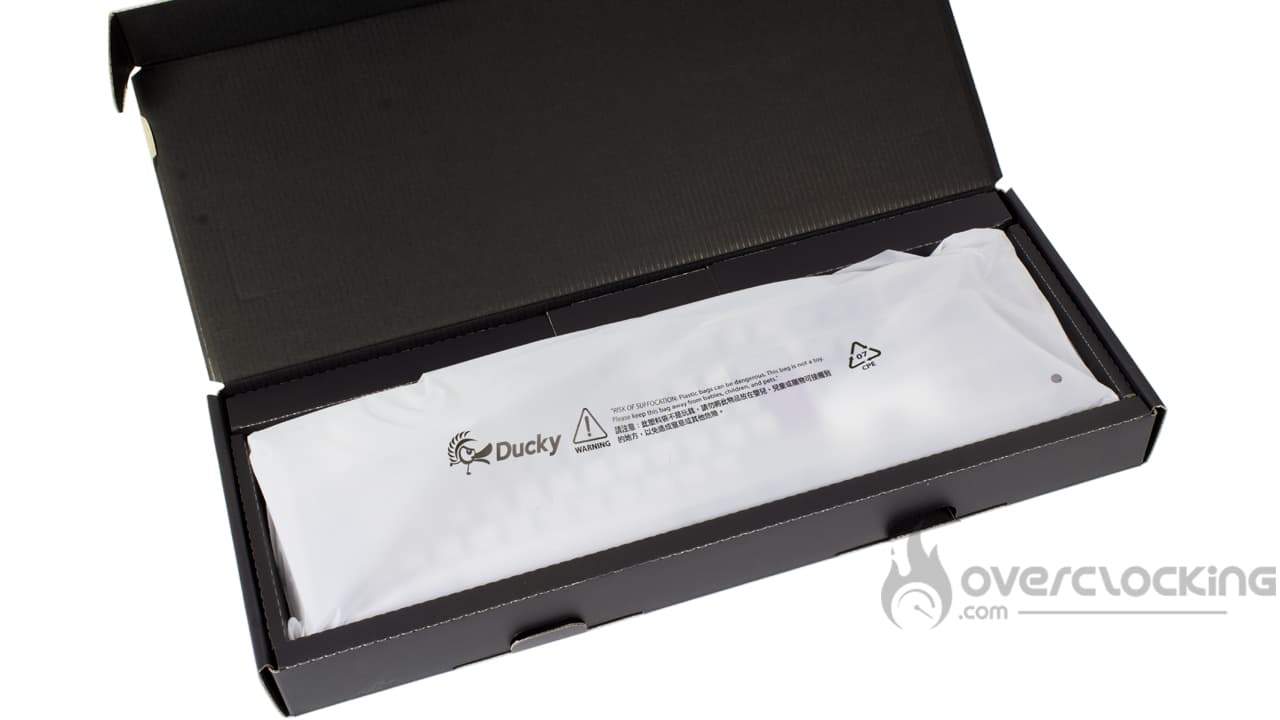
Inside, we find a keyboard perfectly protected in a plastic bag. On top of that, a plastic shell covers everything under the plastic packaging. In short, it makes the coffee, no breakage to be deplored, especially when you consider that this keyboard comes from the other side of the world… Taiwan, that’s not next door.
The bundle:

In a small compartment just above the keyboard, we find the accessory section. It’s a rich one, including :
- A sheet of three stickers
- A leaflet inviting you to download the instructions, in Chinese, from the brand’s website
- A steel switch puller
- The keycaps puller
- White braided USB cord
- An additional set of keycaps in purple and gray
Clearly, it’s been a long time since we’ve seen such a comprehensive accessory section. With its One 3 Mist and One 3 more generally, the brand provides everything you need to personalize your keyboard. And it goes one step further by adding extra keys!
The One 3 Mist:
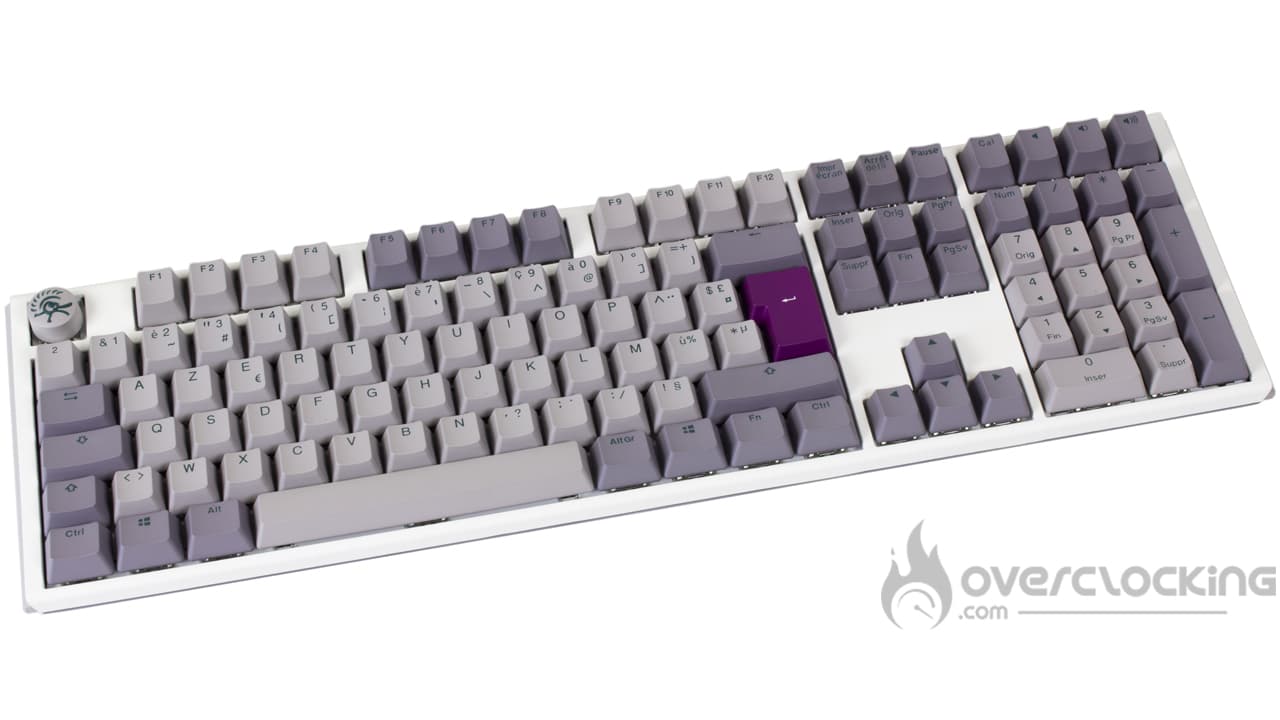
The first thing you feel when you take out the keyboard is a sensation of solidity, really. The keyboard is heavy – over a kilogram, as mentioned earlier – and above all, it’s well built. Admittedly, it doesn’t boast an aluminum plate – we’re talking full plastic here – but on the other hand, it’s a quality plastic, thick and, above all, it doesn’t crack.
Otherwise, from a visual standpoint, this Mist version gives us a feeling of nostalgia. Indeed, the different shades of gray immediately evoke the old, unbreakable keyboards of yesteryear. By default, however, a hint of purple is added to the mix, adding a touch of cheerfulness. Another distinctive feature of this keyboard is the original shape of the escape key: circular, with the Ducky logo. Finally, this model is also distinguished by the presence of green lettering, which is clearly not to be found on every street corner.
The base, for its part, is rather elaborate, with a white cover plate and a gray base. The rear edge is rounded, as are the sides. All in all, this is a sober keyboard from Ducky.
What does it look like from the back?
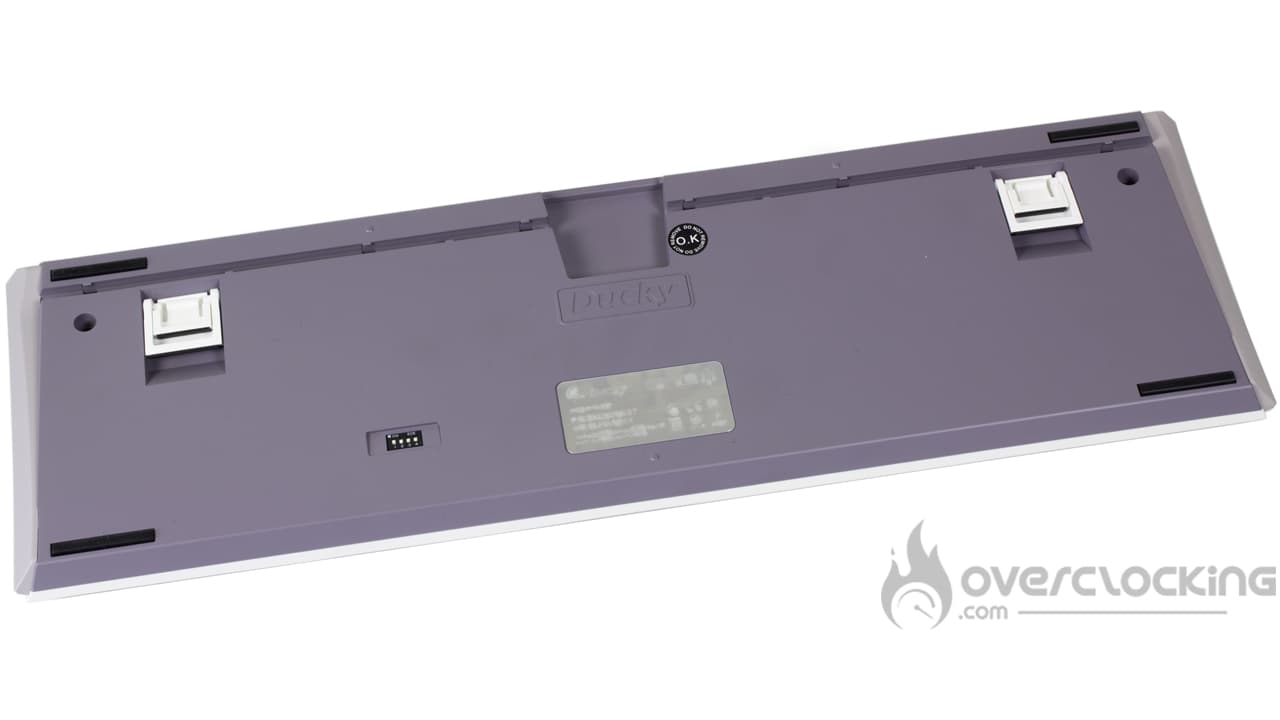
The rear of the One 3 Mist is pretty basic in itself, with the two-stage elevation tabs in the upper corners. To contrast with the gray color, these are white. Otherwise, two grooves at the top are used to control the direction of cable exit, while four dip switches are located at the bottom. Finally, four thin rubber strips are also present to ensure a firm hold on the desk, but as we’ll see, it’s the weight of the keyboard that helps it stay in place!
[nextpage title=”Test”]
Let’s move on to testing the One 3 Mist. We put it to the test in just about every scenario: video games, office work, etc….
Getting started:
If you’re already used to using a 104-key keyboard, switching to the One 3 Mist won’t be too complicated… at least in this format. In fact, it has everything you need, with a numeric keypad, navigation keys and arrow keys.
However, as I’m used to using NZXT’s Function MiniTKL, switching back to this format for a test made me a little disorientated. Yes, you quickly get the impression of having to deal with a surfboard, so imposing is this format compared with a small keyboard. If you’ve been eating on your desk up until now, it’s going to be a real challenge to put a plate on it.
 Otherwise, considering its size, this is a classic keyboard, with no tricks up its sleeve. Yes, there are a few functions dedicated to sound management, but there’s no need for the usual thumbwheel found on Corsair or Roccat keyboards, for example. No, this is rustic! This rusticity is also reflected in the weight, which we feel is quite substantial. As the saying goes, a heavy product is a quality product!
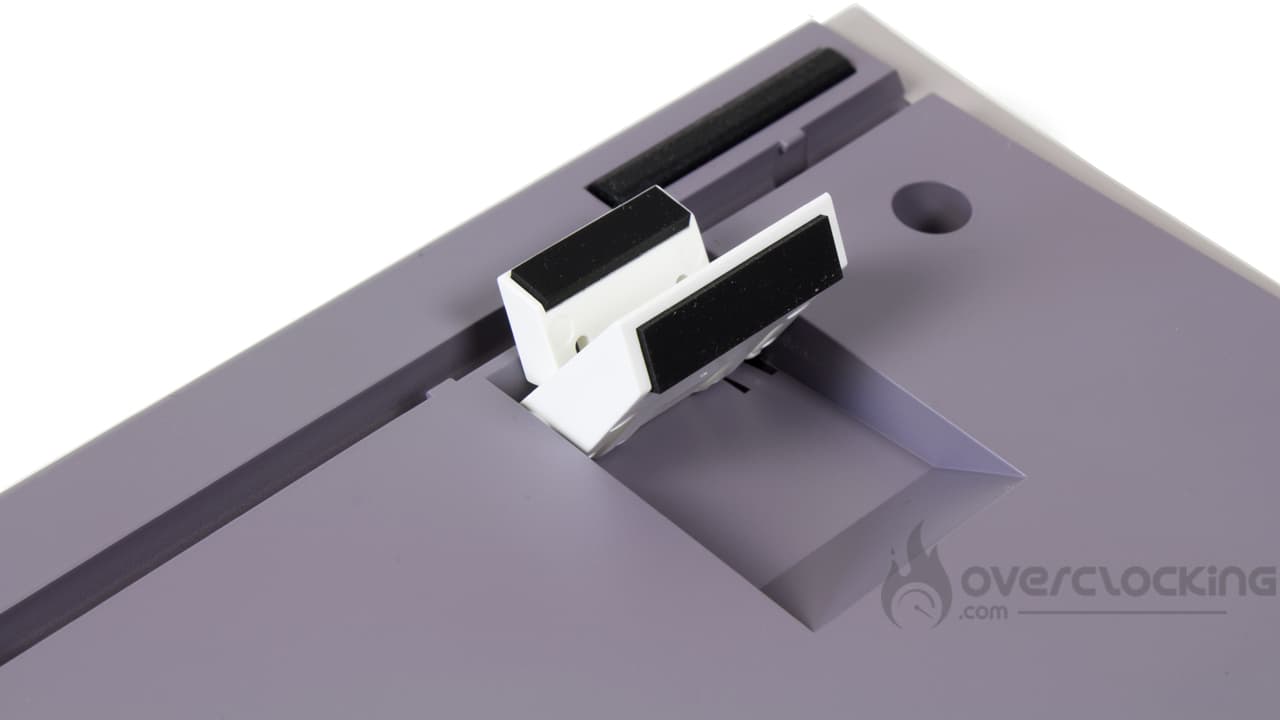
Once on the desk, unfortunately, we find a keyboard that tends to slide quite a bit on our mouse pad. As we saw earlier, the thin rubber strips won’t prevent this tank from moving around on a desk. Fortunately, raising the height-adjustable feet partially corrects this problem, except that the first level will fold down as soon as the keyboard is pushed. The last level, however, is more solid. This is certainly an area for improvement in a future revision of the keyboard.
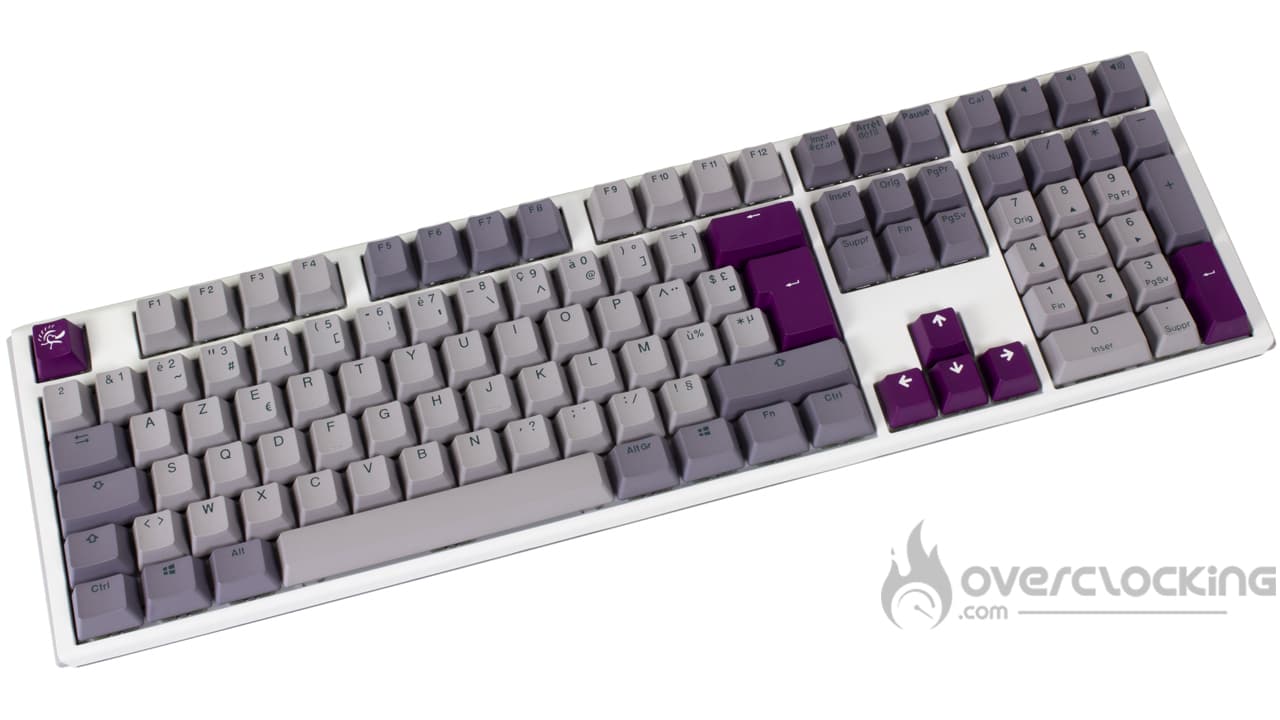
The other thing we really like about this keyboard is its “old-fashioned” look. The white base, the keys in different shades of grey with a few purple keycaps, all this reminds us of the old keyboards of yesteryear. However, this model also plays the originality card, breaking away from current keyboard patterns with sometimes exuberant looks.
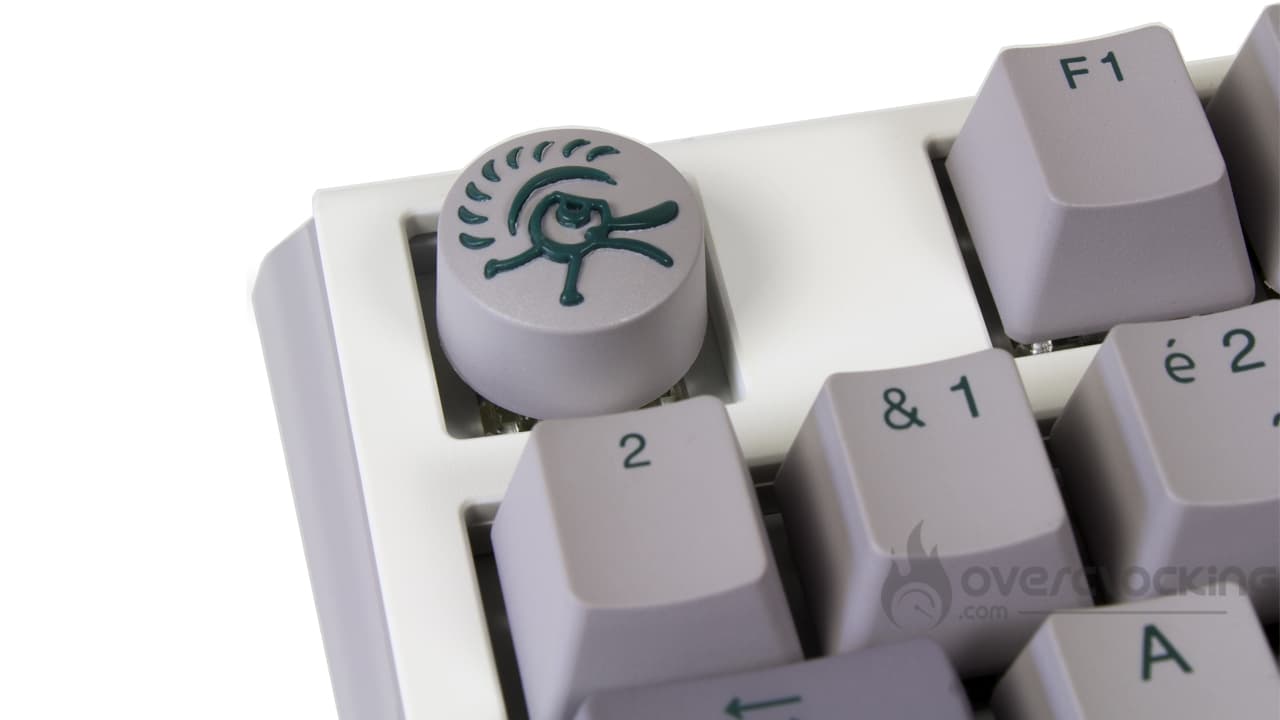
If you’re looking for a bit of contrast, Ducky provides a few extra purple keys. On the other hand, you could also replace the circular escape key and the enter key with grey keycaps for a more sober look. In any case, these are double-injection PBT keys, with the lettering molded into the key. The big advantage of this is that the letters won’t fade, while PBT ensures that they’ll stand the test of time!
No software!
A disadvantage for some, an advantage for others, this keyboard doesn’t come with any software. As a result, lighting settings, lighting customization and macro recording are done on the fly, via shortcut combinations. What’s more, the keyboard is completely software-independent, so there’s no need to install yet another piece of software on your computer.
However, as soon as you try to record the slightest little macro, you’ll have to hang on, as you’ll quickly find yourself chaining together convoluted combinations based on Fn Ctrl or Fn Alt. In short, depending on the functions you want to “macro”, you can quickly get lost. In any case, a quick look at the user manual is a must, provided you’re not allergic to English. Unfortunately, if you’re “Anglophobic”, you’ll have no choice but to go through a translator.
Switches:
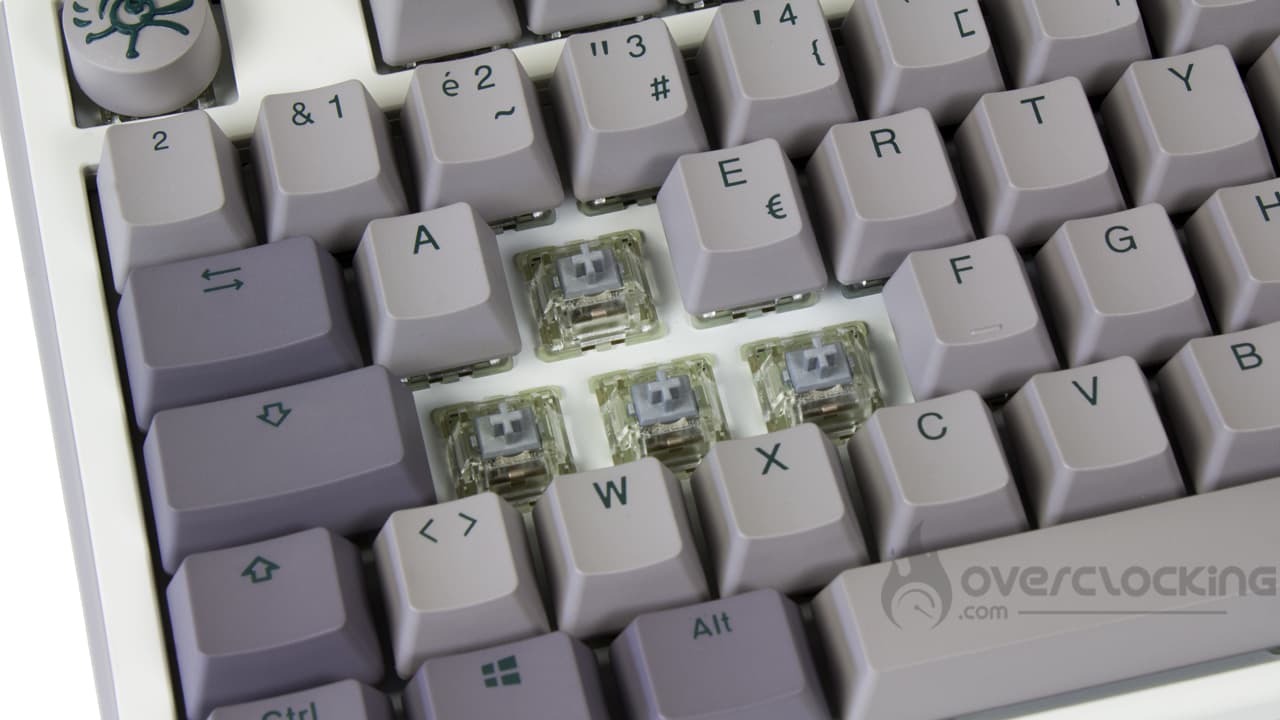
For this version, we received a keyboard equipped with Cherry MX Silver Speed switches. In itself, nothing original, since we’re talking about the German manufacturer’s sensitive linear switches. Making spelling mistakes won’t be too difficult, as these switches require a force of just 45g, as with the MX Red, but the point of emphasis is only 1.2 mm. What’s more, the overall stroke is shorter: 3.4 mm vs. 4 mm. This is where these switches are most sensitive.
Once again, the One 3 Mist offers a range of different switch types, as Cherry’s entire product range. We find tactile switches with the MX Brown, clicky switches with the MX Blue, less sensitive linear switches with the MX Red and special MX switches with the MX Ergo Clear. However, there will be no MX Black or MX Green for those who like harder switches.
Fortunately, this is not a problem, as the keyboard is ” hot swappable “. If you wish, you can put any switch you like on it, as long as it’s of the Cherrry type. Secondly, the keyboard offers no particular restrictions, as both 3-pin and 5-pin switches are accepted. If you feel like it, you can mount it with Gateron Ink Silent Black, as on NZXT’s Function MiniTKL or the recently announced Glorious Raptor!


Changing the switch is not very difficult, as you need to press and pull on the plastic clips at the top and bottom of the switches . The operation will be performed with the switches puller supplied as an accessory… Or even the key puller since on this type of keyboard, it’s not uncommon to see the switch come with the key.
Noise :
As far as noise is concerned, this keyboard’s typing noise is quite acceptable. In fact, the keyboard has a solid layer of insulation between the reflector and the keyboard’s printed circuit board. This will seriously attenuate keyboard noise.
As for the long keys, the noise they emit is rather matt, again helped by the sound insulation, but not the only one. We suspect that the stabilizers play a not inconsiderable part in the story. At least, when striking, the space bar doesn’t slam in all directions as it rises, which is very pleasant.
Finally, there will be some spring noise, due to unlubricated switches. In this respect, we’re on a par with the Xtrfy K7 with its Kailh Red switches.
Of course, we’re just giving our impressions of other mainstream keyboards , but if we add the custom variable into the equation, the conclusion is radically different.
RGB:
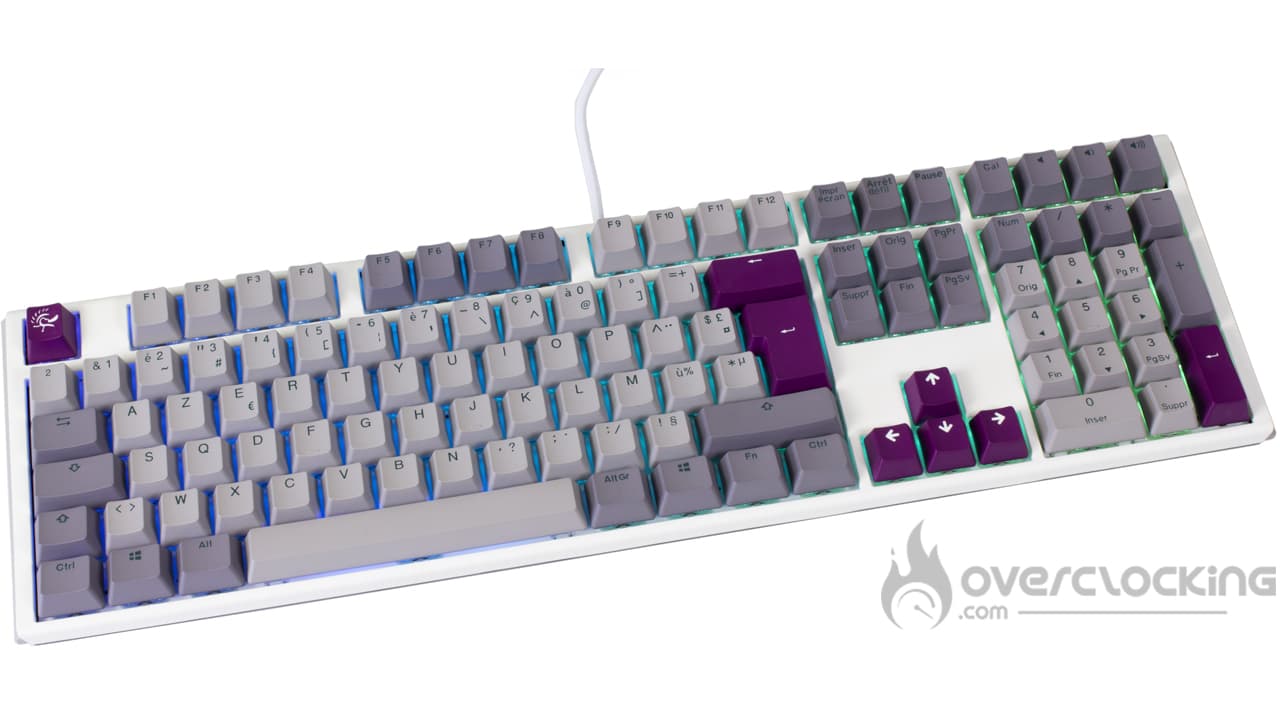
As for the RGB part, the keyboard does pretty well, but it could be better. As we said, the keys are made of double-injected PBT , but the lettering is green. This means it’s not transparent and won’t let light through. This is where we’re glad to have a predominantly white keyboard. This way, the reflector will help diffuse the light between the keys and remain quite present… In any case, much more so than our customized NZXT Function MiniTKL that we use on a daily basis.
[nextpage title=”Conclusion”]
It’s high time to move on to our conclusion regarding Ducky Channel’s One 3 Mist. So, what did we think of it?
Plastic construction… but quality!
With its One 3 Mist Keyboard, the Ducky brand offers us a model that is not extravagant – quite the contrary. As we’ve seen, this is more of an “old-fashioned” model. Its gray keycaps, coupled with a white shell, strike a nostalgic chord with us.
What’s more, despite its all-plastic construction, there’s no denying the quality of its assembly. The plastics don’t crack and won’t move a muscle. As for the keys, here we find the sacrosanct PBT, a more resistant plastic than ABS. The latter is rather thick, with a deliberately grainy texture and double-injection lettering. Over time, you won’t risk erasing the lettering, unless you literally sand the key.

Compared with other mechanical keyboards on the market, this Ducky model comes with a small layer of sound insulation to limit resonance in the base. What’s more, it also features hotswappable switches. So, if you’re not happy with the default switch settings, you can easily change them, especially as it unconditionally accepts three- and five-pin switches!
Keyboard operation is software-free, which is good and bad. Indeed, this means using numerous shortcuts, as there will be no software interface. If we get lost in the procedures, we don’t have a lifeline. On the other hand, it’s also interesting if you’re fed up with collecting 50 different pieces of software. In any case, you’ll need to refer to the manual, which will be in English at best.
How much does One 3 Mist cost?
As far as price is concerned, we’re dealing with a keyboard that targets a mid-range price bracket, since you’ll have to shell out something like €149 to afford this keyboard via a lower price. At this price, we’re looking at a good keyboard that offers a solid base while offering a certain freedom of customization via easily interchangeable switches. What’s more, Ducky offers a wide variety of formats, including 104-key, TKL, 65% and 60% keyboards, all with a wide range of switches. In our opinion, this is a model that has the ability to outshine the mainstream competition.
Ducky Channel One 3 Mist
We liked:
- Meticulous assembly quality despite plastic construction
- Wide choice of formats, colors and switches
- Double-injection PBT keyset, very solid in use
- Comprehensive accessories section
- The ability to change switches at will, ideal for customization
- The absence of software… For some
- Detachable USB-C cable
We didn’t like :
- The absence of software for others
- Raising tabs that lack firmness
- Anti-slip strips that need to be wider for better support
- Instruction manual in English at best
- The rather loud springs

With its One 3 Mist, Ducky offers us an old-fashioned keyboard, as robust as we like it. It’s a model that will come in many versions and formats, so you’ll be able to find the one that suits you best… And if that’s not enough, you can customize it by changing the switches. For €150, this is a solid model, but not without its faults either.
Thanks to Ducky!

