
Here’s a new brand we’re testing at Overclocking. Today we’re featuring Drop and its Holy Panda X switches. Drop offers many different switches , some more sensitive than others. Just as some make a clicky noise on activation, others are silent. In short, there’s something for everyone!
For the sake of this test, we’ll place the Holy Panda X on Corsair’s latest keyboard, the K65 Plus Wireless, unveiled on February 20.
Presentation:
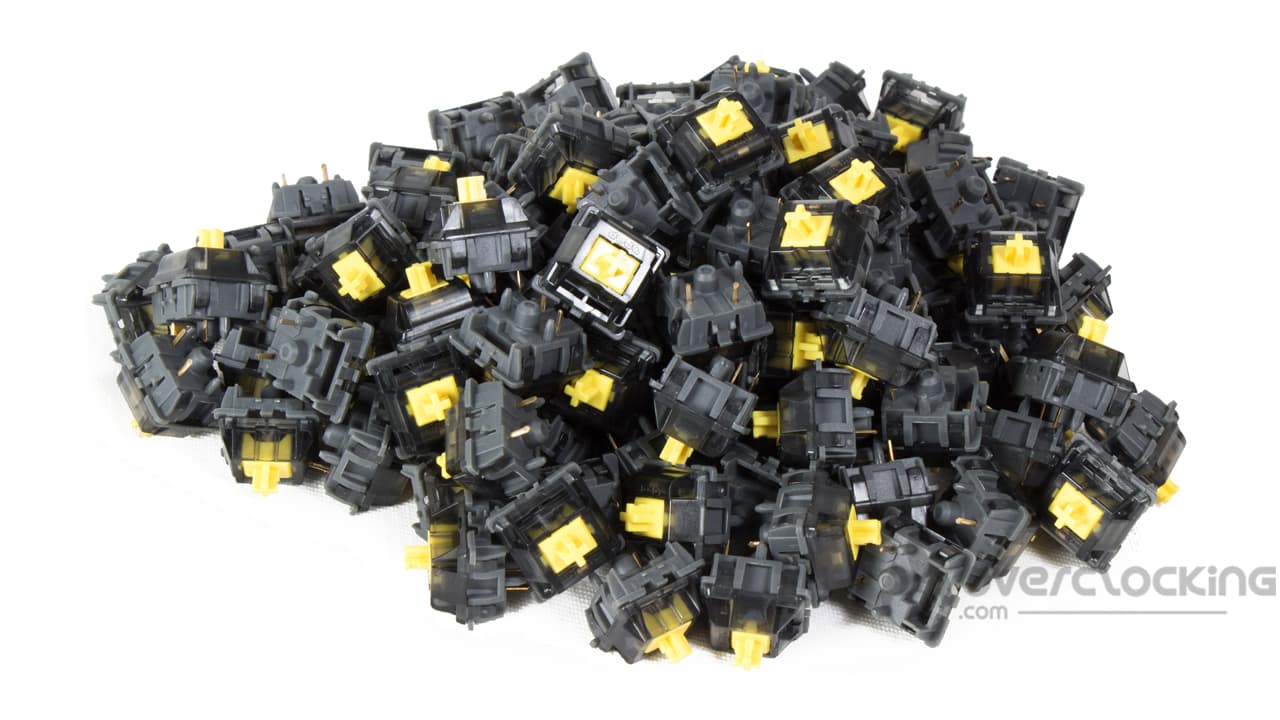
Holy Panda X switches are part of the Drop range of switches . They are designed by Drop and produced by Gateron. Drop offers linear (10), tactile (16) and clicky (2) models. Here, we’re dealing with tactile switches specially designed for editorial use. Drop offers two different models of the Holy Panda X, a first pack in 3 pin and a second in 5 pin. The choice depends on the type of keyboard you have. In our case, with Corsair’s K65 Plus Wireless, we opted for 5 pins. Like the Glorious Raptor switches, our switches du jour are pre-lubricated from the factory.
A quick word about the features of the switches we’re testing today. In use, they are tactile and silent. To activate them, you’ll need to apply a force of 60 g to the key, while the activation point is 2 mm away on a total stroke of 3.4 mm.
As with Glorious switches , the stem is made of POM (Polyoxymethylene). The rest of the switch is made of polycarbonate and nylon.
Finally, let’s talk about the price of these Drop switches . Here, for 5-pin models, you’ll have to pay $35 for a pack of 35 switches ($1 for the switch itself). For a 104-key keyboard, you’ll need 3 boxes, for a total of $105. Overall, we’re talking about a similar price to the Glorious Raptor we tested. Please note that 3-pin versions are also available at the same price.
[nextpage title=”Unpacking & testing”]
Unpacking :
We now move on to the unpacking part of this test. The Holy Panda X switches are housed in small, plain black square boxes, with little information. Indeed, apart from a reminder of the brand and the switch reference, we won’t know much more.
On opening the box in question, the switches are arranged in rows in a second small box, this time in plastic, covered by a transparent plastic cover to allow the switches to be seen. They are arranged in 5 rows of 7 switches.


Once again, unlike Glorious, there are no “extras” such as documentation or stickers. We’ll have to make do with what’s in front of us.
The switches themselves :
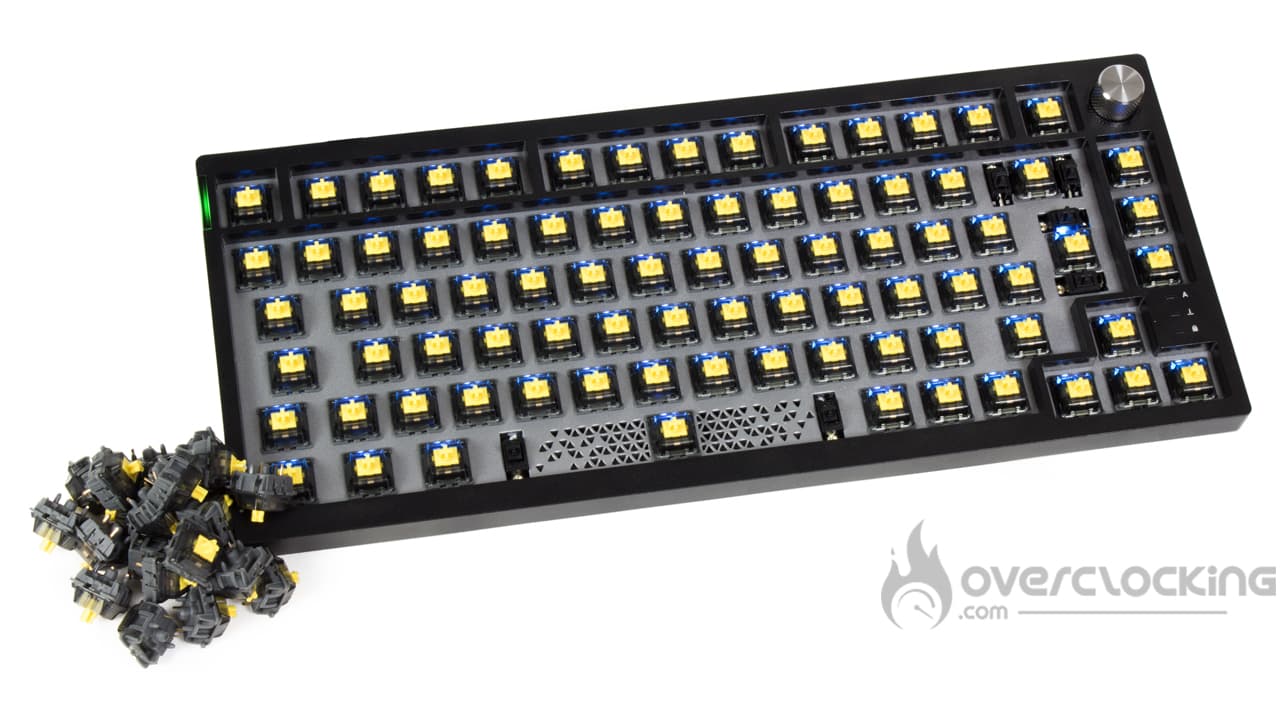
With the Holy Panda X, we’re dealing with yellow switches resting on a black casing. Unlike the Glorious Raptor or even Corsair’s switches on the K65 Plus Wireless , which were transparent, they’re bound to let less of the keyboard’s RGB LEDs through. Otherwise, the yellow color is a little different from other switches on the market. The vast majority are red, brown or blue.


Otherwise, for keyboard mounting, you’ll need to make sure you have a PCB designed to accommodate the five-pin switches. As you can see, under the switch we find the central pin followed by two lateral lugs. Finally, there are two metal pins, which will send the signal to the keyboard that a key has been pressed. Of course, be careful to position the switch correctly on the PCB to avoid bending any pins when inserting it. It would be a shame to break 1€/piece switches.
Assembly and under your fingers :
Fitting new switches isn’t very complicated in itself, it’s just rather time-consuming if you’re changing the ones already in place on your basic keyboard. That’s what we’re going to do here with the Corsair K65 Plus Wireless we recently tested. Allow at least half an hour to remove the keys, remove the previous switches, replace them with the new ones and put the keys back in the right order.
In short, you’ll first need a key-puller to remove all the keys from the keyboard. Once the keys have been removed, use a switch-puller to remove the switches. This tool is usually supplied with the keyboard, as it was with the K65 Plus Wireless. However, if you don’t have one, you can easily find one on the net!
Once you’ve removed all the original switches from your keyboard, you’ll need to recover the Holy Panda X and position them in the right direction on the PCB. To find your way around, leave the openwork part facing upwards (to let the RGB LEDs through) and make sure you’re positioned opposite the pin slots before clipping it onto the keyboard. Be careful to position it correctly on the PCB, otherwise you risk bending the pins and breaking them. As I said above, at 1€/piece, you’ll have to be careful! In my case, I’ve got a few keys left over, as it doesn’t take three full boxes to replace the switches on a 75% keyboard.


Now that our Holy Panda X switches from Drop are installed, let’s talk about how we feel about them. First of all, they’re a little harder to activate than linear switches , because of the 60 g force (compared with 45 g for the Corsair switches on the K65 Plus Wireless). What’s more, you’ll have to press slightly “farther” than with the original switches, since the activation stroke is 2 mm (vs. 1.9 mm for Corsair). As for the total stroke, Drop’s is 3.4 mm vs. 4 mm for Corsair. Overall, in use, when you press the switch, you feel a slightly soft stop under your finger, which you’ll have to get over to activate the key. In my case, I notice a real difference when writing, with far fewer typos. This seems logical, since they are less sensitive than Corsair red linear switches .
Noise :
As far as noise is concerned, I don’t see any real difference from the original Corsair K65 Plus Wireless switches. The Corsair red linear mechanical switches are also pre-lubricated from the factory. What’s more, Drop’s Holy Panda X tactile switches are not clicky. In other words, they won’t make an audible click on each activation. What’s more, with the Holy Panda X, we don’t find the springing noise that can sometimes be heard on certain switches. The Kailh Red on Xtrfy’s K4 RGB, for example, comes to mind.
Typing on the Corsair K65 Plus Wireless keyboard with the original Corsair switches.
Typing on the Corsair K65 Plus Wireless keyboard with Holy Panda X switches.
What does the lighting say?
Unlike the original Corsair K65 Plus Wireless switches , the Holy Panda X switches have a black, non-transparent base. This inevitably blocks the diffusion of the RGB LEDs. However, they still manage to show up at the top of the switch. That’s enough to illuminate the switch just a little.
[nextpage title=”Conclusion”]
Conclusion:
We’ve come to the end of this test of Drop’s Holy Panda X switches. So, what did we think of them?
First of all, their installation is quite straightforward and won’t require any special maneuvering, provided you put them on a hot-swappable keyboard of course; otherwise, it’ll be more complicated, with some soldering involved. Otherwise, in use, their firmness is very pleasant and will save us many of the typing errors that were legion on the original linear switches of the K65 Plus Wireless. What’s more, they’re compatible with many commercial keyboards, thanks to their availability in 3 or 5-pin versions on the brand’s website.
During the editing process, we appreciated their silence, not to mention the absence of spring noise as can sometimes be found on certain switches. And let’s not forget the fact that they are factory pre-lubricated, enhancing comfort. And although their base is entirely black (and not transparent), it won’t totally block the diffusion of our keyboard’s RGB LEDs, and that’s something to be appreciated!
Let’s talk about the price of Drop’s Holy Panda X. A pack of 35 switches (3 or 5 pin) can be found for $35 on the official website. This comes to a total of $105 for three boxes of switches , enabling them to be installed on a 104-key keyboard. This works out at an average of 97 euros for us in France. The price is similar to that of Glorious switches. So it’s not cheap if you want to change your switches. Not to mention the fact that Drop switches are only available from their official store.
Drop Holy Panda X:
We liked:
- Compatibility with many keyboards on the market (5 or 3 pins available)
- Their firmness when typed
- No spring noise in use
- Lubrication improves sound quality compared to conventional switches !
- They don’t totally block the diffusion of the keyboard’s RGB LEDs
We liked less:
- The high price of the switches at almost €1/piece
- Availability far from guaranteed in all stores
 Drop’s Holy Panda X switches are quality switches with a pleasantly firm feel. On top of that, they’re quiet and factory pre-lubricated, not to mention compatible with a wide range of keyboards thanks to their 3 or 5-pin design. However, this is an expensive reference, at almost €1 per switch. You might as well say that changing your switches on a 104-key keyboard will be expensive. What’s more, they’re not available in all the usual stores. For us, and for all these reasons, it’s all about the money!
Many thanks to Drop !

