



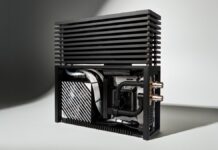
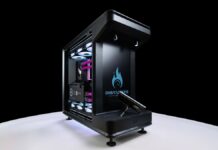


The Fractal North needs no introduction. As soon as it was released in December 2022, the wood-clad case was the talk of the town. Its design inspired many others, and wood has now taken over PC configurations. Since then, it has been joined by an XL version, which can even accommodate an Alphacool distroplate for custom water cooling enthusiasts.
In a surprise move at the start of 2026, Fractal is back with a new edition of its best-selling wooden case : the Fractal North Momentum Edition.
We were lucky enough to get our hands on the newcomer, giving us the opportunity to build the ultimate air-cooled configuration.
Fractal North Momentum: what’s new?

It’s impossible to radically redesign a chassis that won the prestigious Red Dot Design Award in 2023. The North is an icon in its genre. Fractal has therefore decided to offer us an extreme edition, both in style and performance.
The dimensions and overall shape of the case remain strictly unchanged: 447 x 215 x 469 mm, weighing 7.6 kg (mesh) or 7.7 kg (glass). The XL version (503 x 240 x 509 mm, weighing 9.5 kg) is also available. Our model is a standard glass version.

However, the exterior colors no longer have much in common with previous models. Whereas the Fractal North was light and airy, in keeping with the popular Nordic style, the new edition is completely black. The darkest variant to date, Charcoal Black, retained its lightness thanks to a fairly light wood tone and the addition of small details that brightened up the whole (golden feet, tab, start button).
On the North Momentum Edition, everything is black or shades of gray. The dark oak of the front panel almost disappears into the mass of the chassis. We must admit that we quite like this bold look. The tab, button, and feet are now gray.
And inside?

To see the main difference, you have to remove the wooden front panel of the North Momentum. Behind it, we discover three 120 mm fans of the same name. Newly added to the Swedish brand’s catalog (at the same time as the Meshify 3), they replace the Aspects, previously supplied with the North. And that’s no small thing! It’s true that their predecessors are starting to show their age.
Fractal North Momentum: the fans

With the Momentum fans, Fractal makes no secret of its desire to compete with the industry leaders.
- New blade design
- LCP (Liquid Crystal Polymer) blades
- FDB (Fluid Dynamic Bearing) bearings
- PWM control with zero RPM mode
- Daughterboard connection possible
- Integrated anti-vibration mounts
Nothing new, but a summary of what makes the leaders in this field so successful. The number of blades (7) and their design are intended to ensure maximum airflow, at the expense of static pressure. The small cutouts on the blades are designed to limit turbulence. They are intended to be quiet, with a direct competitor in their sights: Noctua.

Fractal claims 67.34 CFM for the Momentum, which places them among the best in terms of airflow, ahead of the Noctua NF-A12x25 G2 and their 63.15 CFM. But beware, while the Austrian fans do not exceed 1800 rpm, our Fractal Momentum fans achieve this performance at 2200 rpm. In real-world use, it is the performance/noise ratio that will make the difference for the user.
On a radiator, the Momentum fans will be average, but will not shine with their static pressure of 2.51 mm H2O.

In practice, the detailed test carried out by our colleagues at Hwcooling confirms their excellent performance as case fans: a serious competitor for Noctua in the same price range. The test also proves that any obstacle or radiator will compromise these fans. They remain satisfactory, but do not shine.
They are therefore an excellent choice for the front of the North. As the main source of fresh air for a case whose dimensions encourage air cooling, they should work wonders discreetly: let’s check it out.