











The configuration
It seemed obvious to us to assemble an air cooling configuration for this discovery of the Fractal North Momentum Edition. The dimensions and style of the case lend themselves perfectly to this. For water cooling (custom or AIO), we would prefer the XL version. We won’t dwell on the unchanged capacity of the Fractal North. It retains the strengths and weaknesses of the original model and imposes few limitations on the components chosen (GPUs up to 355 mm).
Fractal North Momentum: air cooling
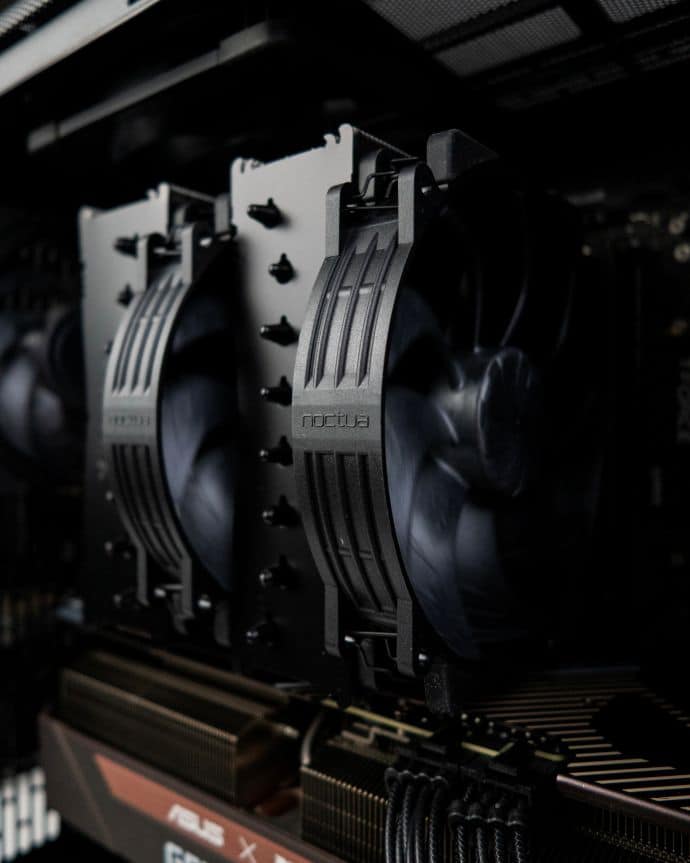
Our configuration of the day focuses on air cooling. The configuration is as follows:
- Asrock B650E Taichi
- AMD Ryzen 9 9950X delided
- TeamGroup Tcreate DDR5 32GB
- Asus X Noctua GeForce RTX 3080 OC
- Seasonic Vertex PX-1200
Fresh air is supplied by the three Fractal Momentum fans included with the case.
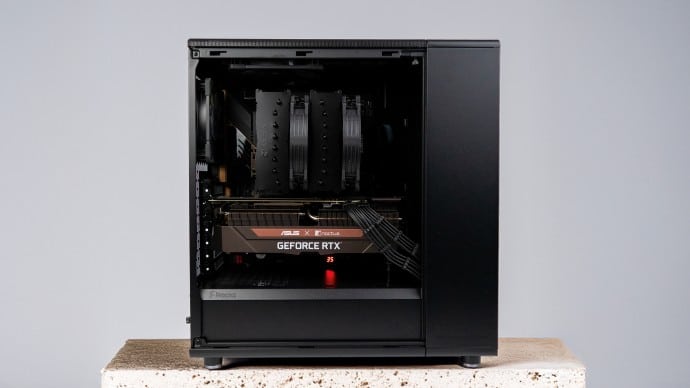
Hot air is extracted by a Noctua NF-A14x25 G2 fan at the top and an NF-A12x25 fan at the rear. Although competitors in the field of ventilation, the Noctua and Fractal models are a perfect match. There are countless North configurations equipped with Austrian fans. We will see that the chemistry is still there.
The highlight of the show will be our Noctua NH-D15 G2 Chromax Black. The king of air coolers will coolthedemandingRyzen 9 in aDirect Die configuration. The glass version of the case can accommodate the 170 mm NH-D15 G2. The mesh version , equipped with its side ventilation support, would not allow this.
Assembly
Again, no surprises here. The North Momentum does not revolutionize the formula.
Once the critical step of applying liquid metal to the CPU and installing the NH-D15 G2 has been completed, the rest is a formality… except for cable management. The motherboard and cooler assembly is set up in a matter of moments. There is sufficient space in the case. The same goes for the imposing ASUS x Noctua graphics card. We appreciate the Fractal Momentum’s daisy chain connection: a single wire to connect to the motherboard for the front panel. While not disastrous, cable management remains an area for improvement on the North. The rear chamber lacks a little depth and, more importantly, there is no dedicated passage for GPU cables at the front. It’s nothing dramatic, and we see it as a challenge: organizing the cables is not an option in this case.
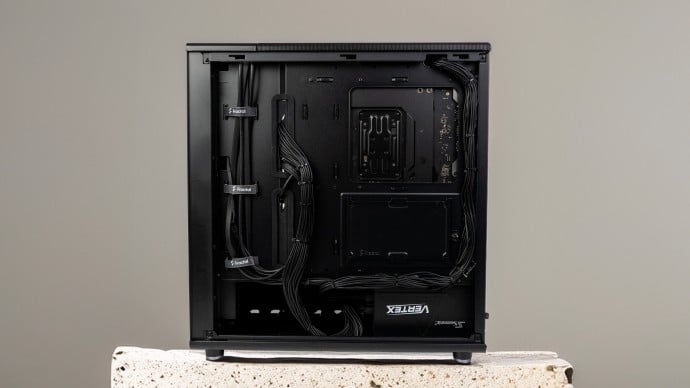
Assembly is quick and easy. The various panels and materials exude quality. The overall effect is superb, for those who appreciate this type of extreme aesthetics. Let’s move on to usage.