
[nextpage title=”Introduction”] Today we’re reviewing the Razer Blade 16 2025, the first Razer laptop we’re testing. It’s a lightweight, almighty 16-inch laptop with a Ryzen AI 9 365 and a mobile RTX 5080. The Razer Blade 16 is available for €3,499.99 in the Ryzen AI 9 365, RTX 5080 and 1TB SSD version we’re testing here.
Thanks to Razer for providing us with this sample.
@overclocking.com Laptop Razer Blade 16 #techtok #unboxing #gaming #razer @razer @razerfrance ♬ original sound – overclocking.com
[nextpage title=”The Razer Blade 16″]
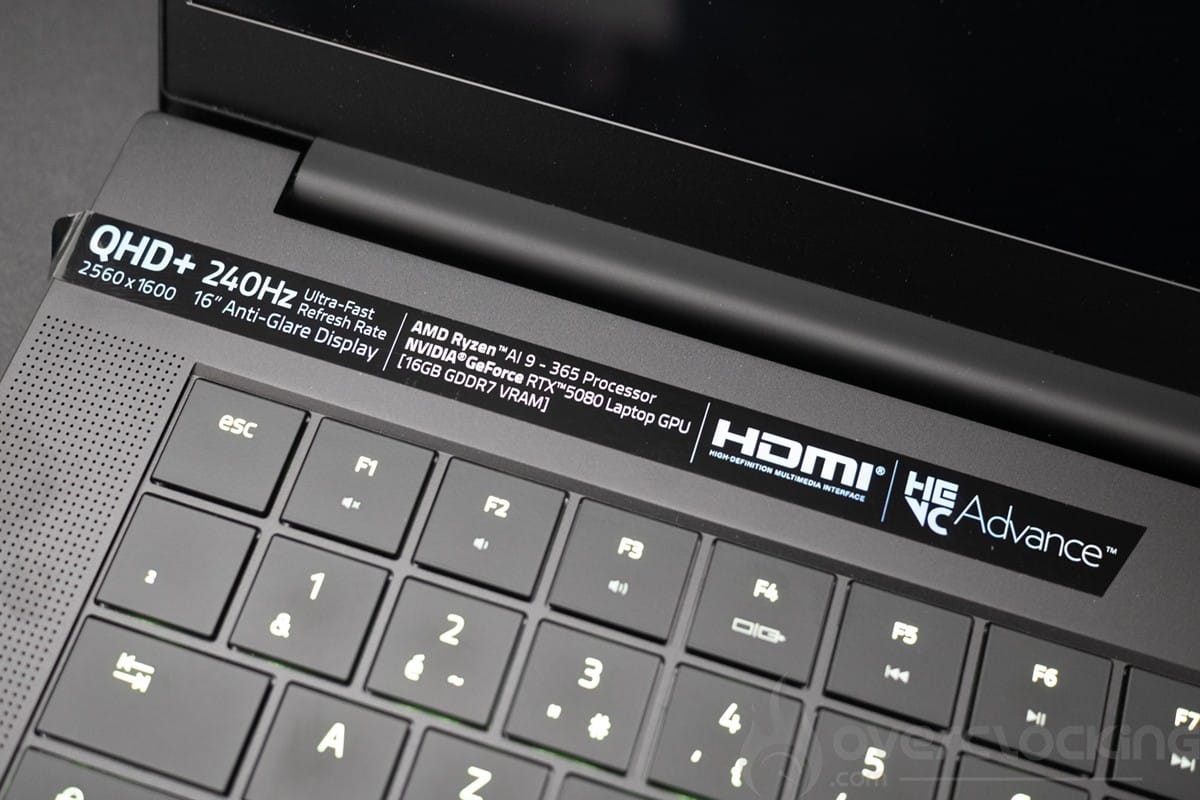
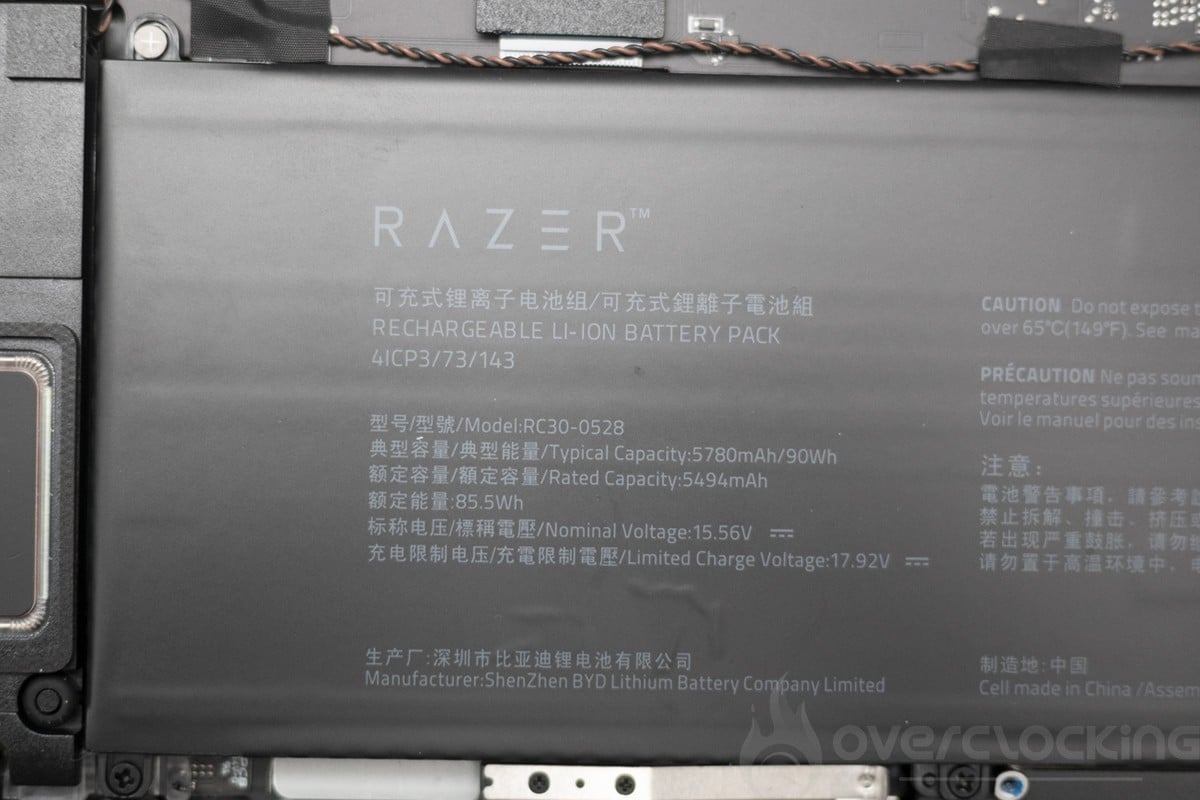
The Razer Blade 16 is a 16-inch laptop, featuring a 2560 x 1600p OLED panel with a 240 Hz refresh rate. The processor is an AMD Ryzen AI 9 365 accompanied by 32 GB of LPDDR5X RAM, a 1 TB NVMe SSD and powered by a 90 Wh battery.
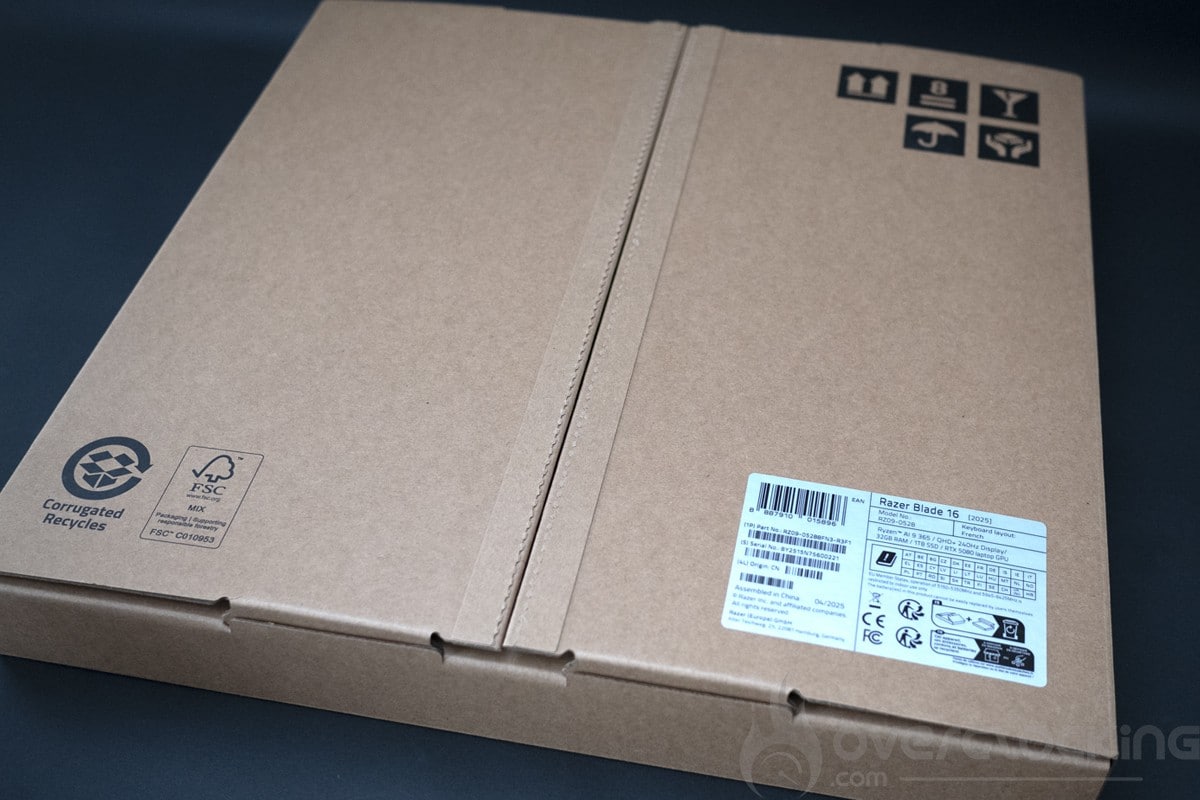
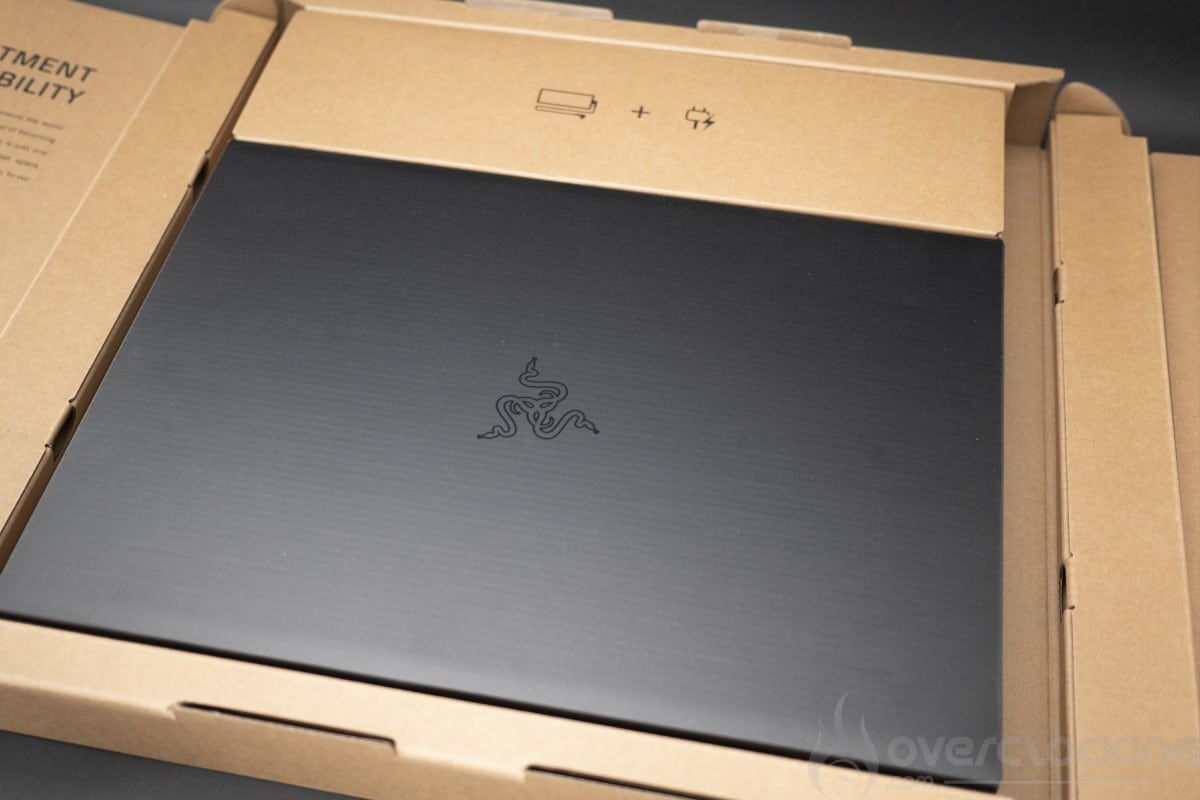
We start by unpacking the device, which comes in a rather sober, colorless box. Inside, we have two boxes with the laptop in the middle and the accessories underneath


We also notice the Razer messages printed on the box welcoming us to the sect of Razer worshippers. As well as a message showing us Razer’s goal of becoming “carbon neutral”, a term that means anything and everything as long as the carbon impact is offset in one way or another by 2030. Planting trees won’t put lithium and rare earths back in the mines, but never mind… The gesture is there and we’d love to see other players set up this kind of action plan, more details on https://www.razer.com/en-en/go-green/.
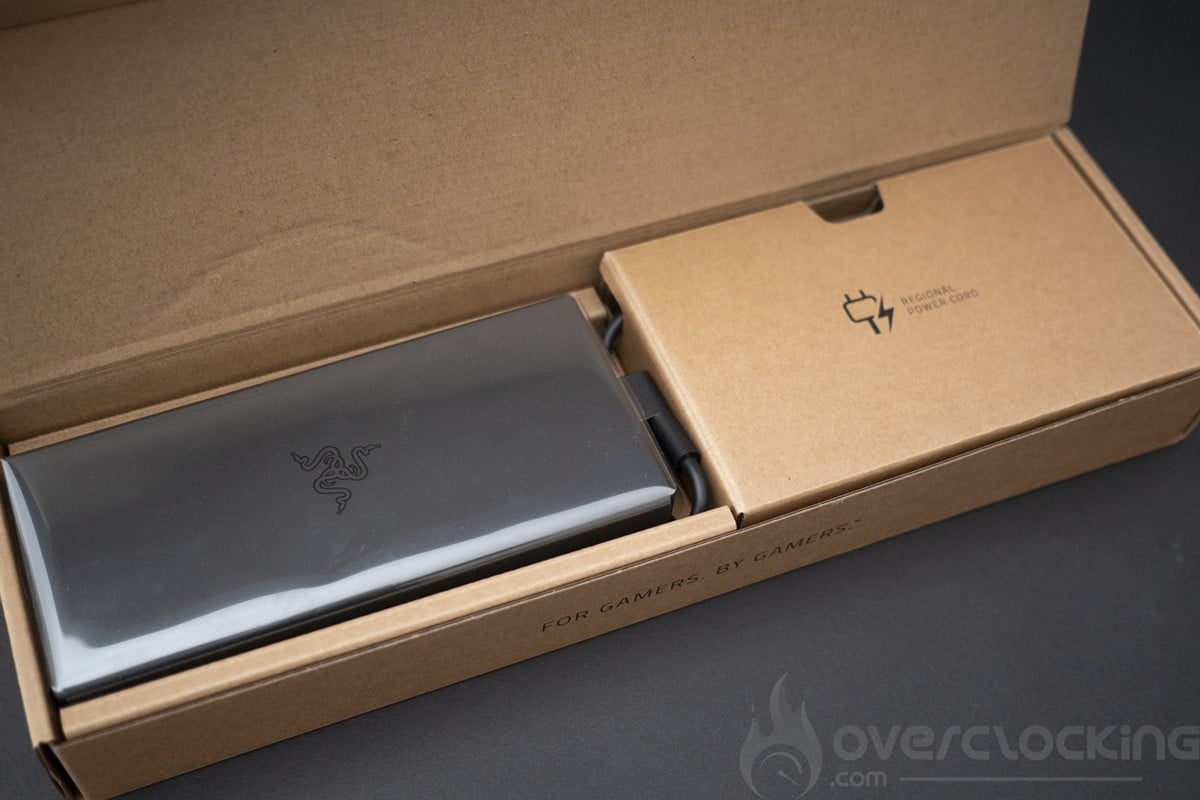
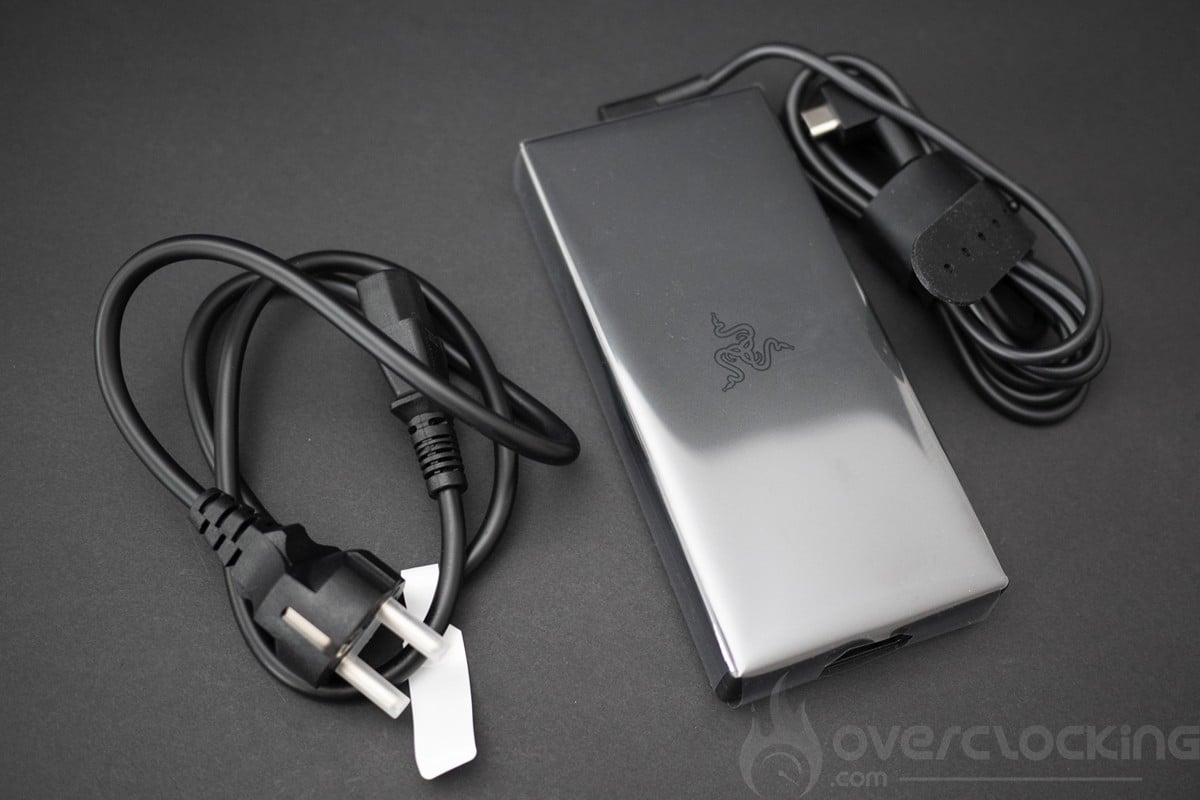
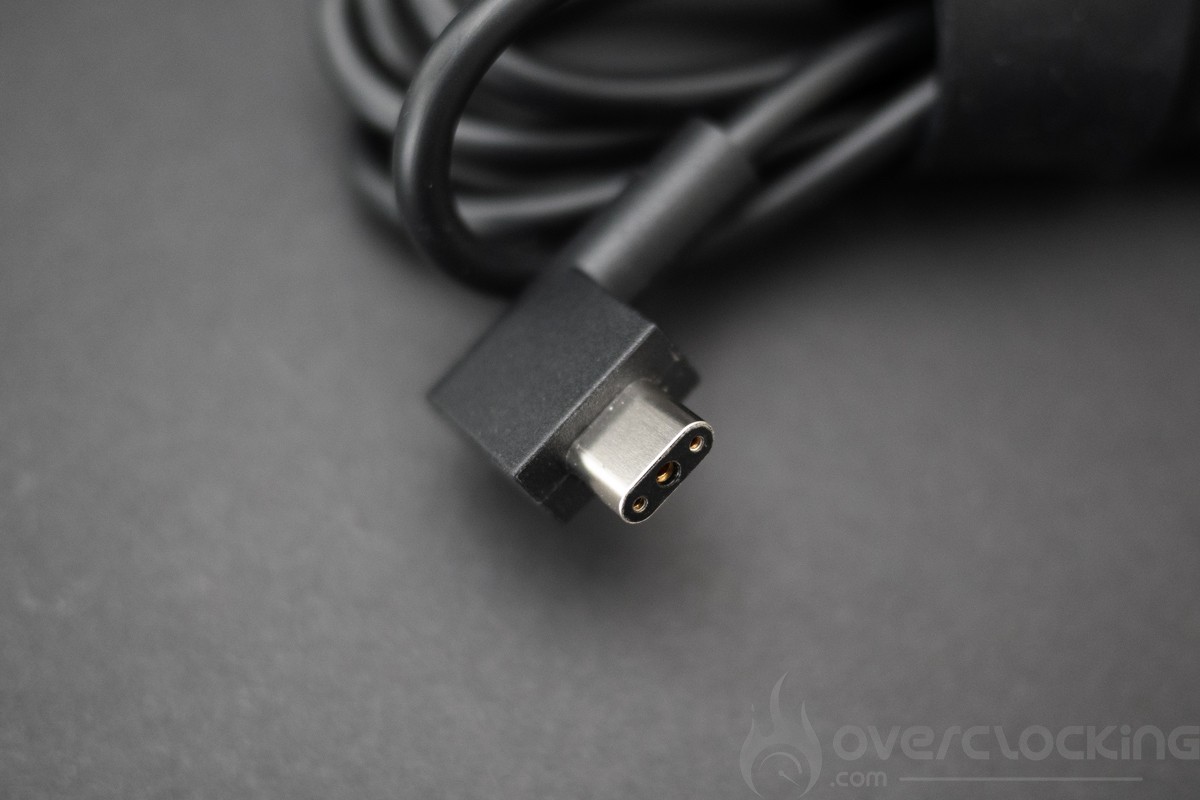
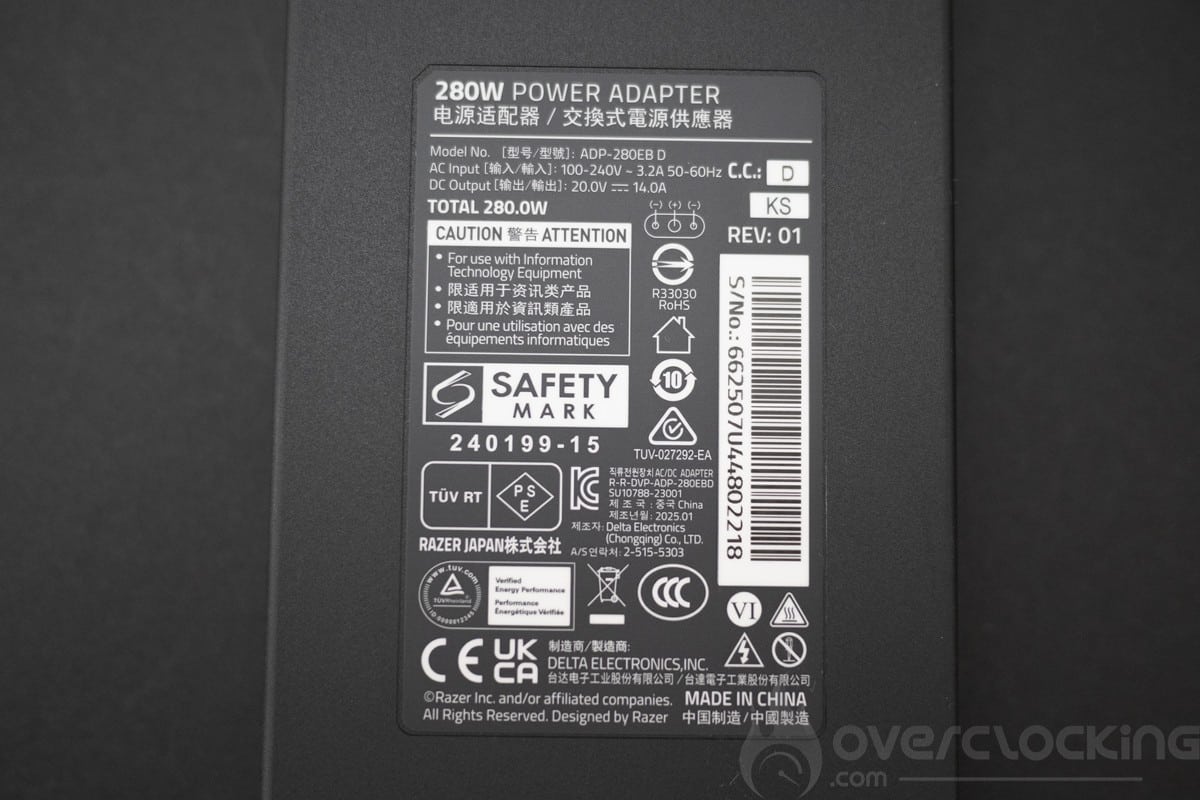
The charger is a 280 W power pack using specific rectangular connectors. It can also be charged with 20 V USB-C chargers with PD 3.0 (100 W) via USB 4 type C ports.
Presentation
For starters, we’ve got the weight, with less than 2.14 kg on the scales, and the thickness is equally impressive at just 14.99mm. It sits perfectly in place, and the screen can be opened with a single finger. The overall design is entirely in machined, black-anodized aluminum, with only the screen featuring plastic.
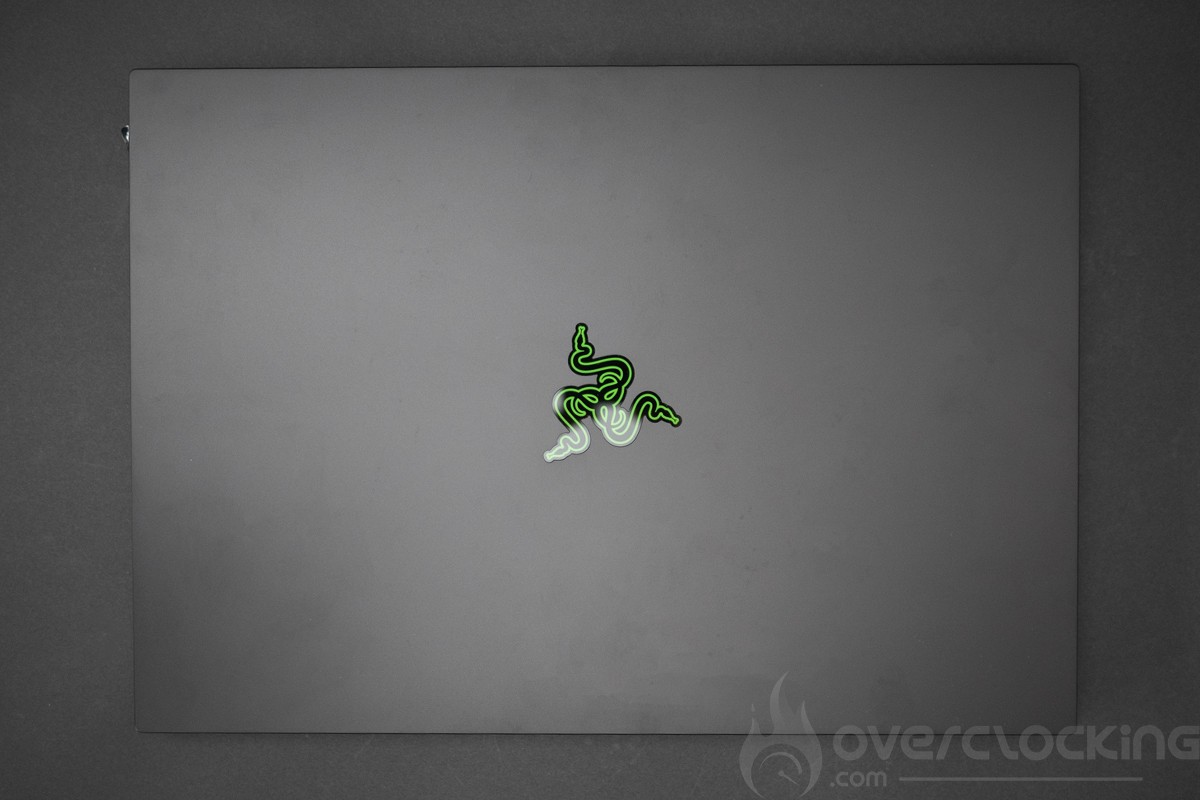
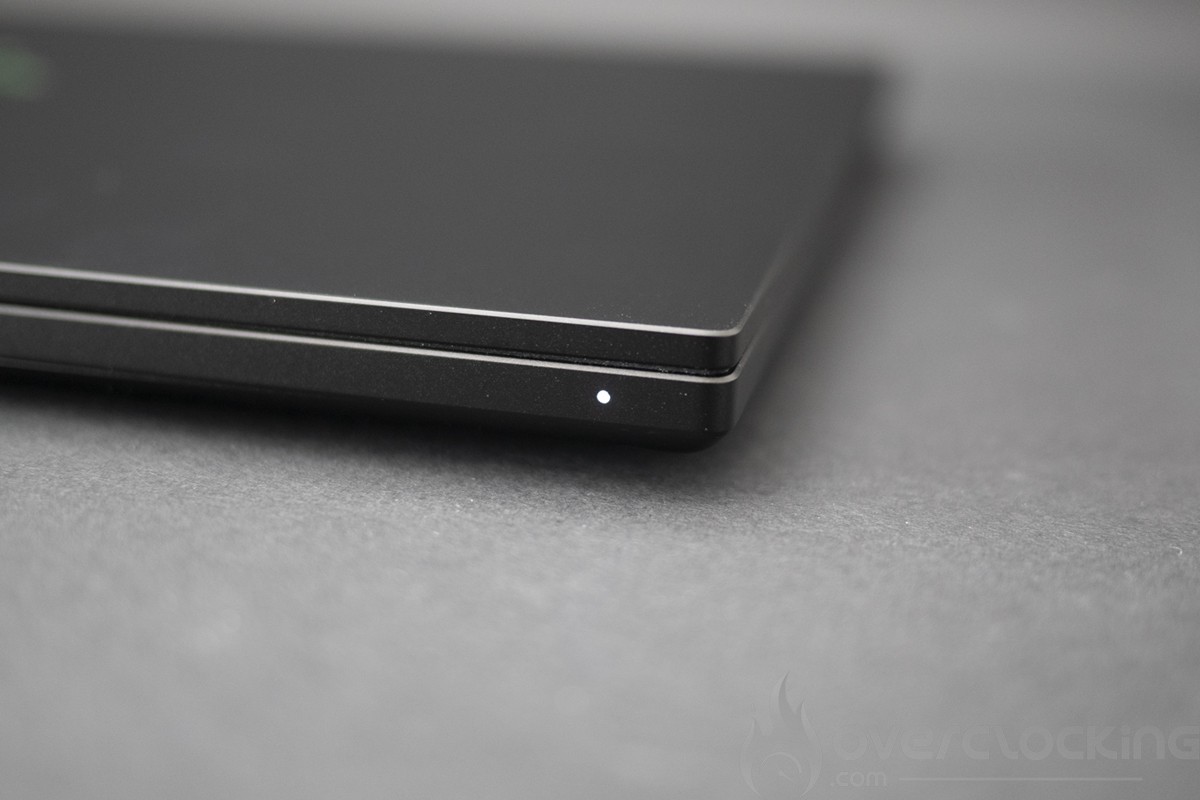
First observation: according to Razer, the anodized aluminum finish is supposed to have a special fingerprint-resistant coating. After 2 weeks of use, this is not the case, and it’s very difficult to remove traces.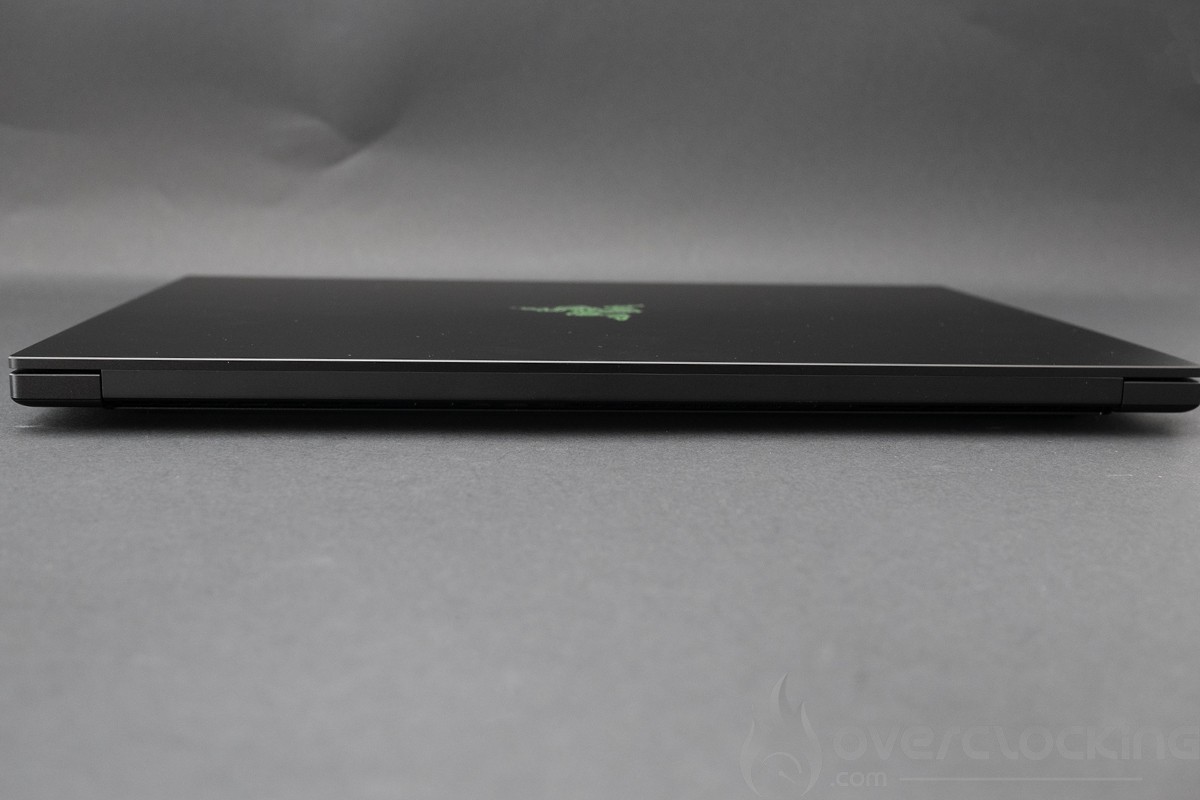
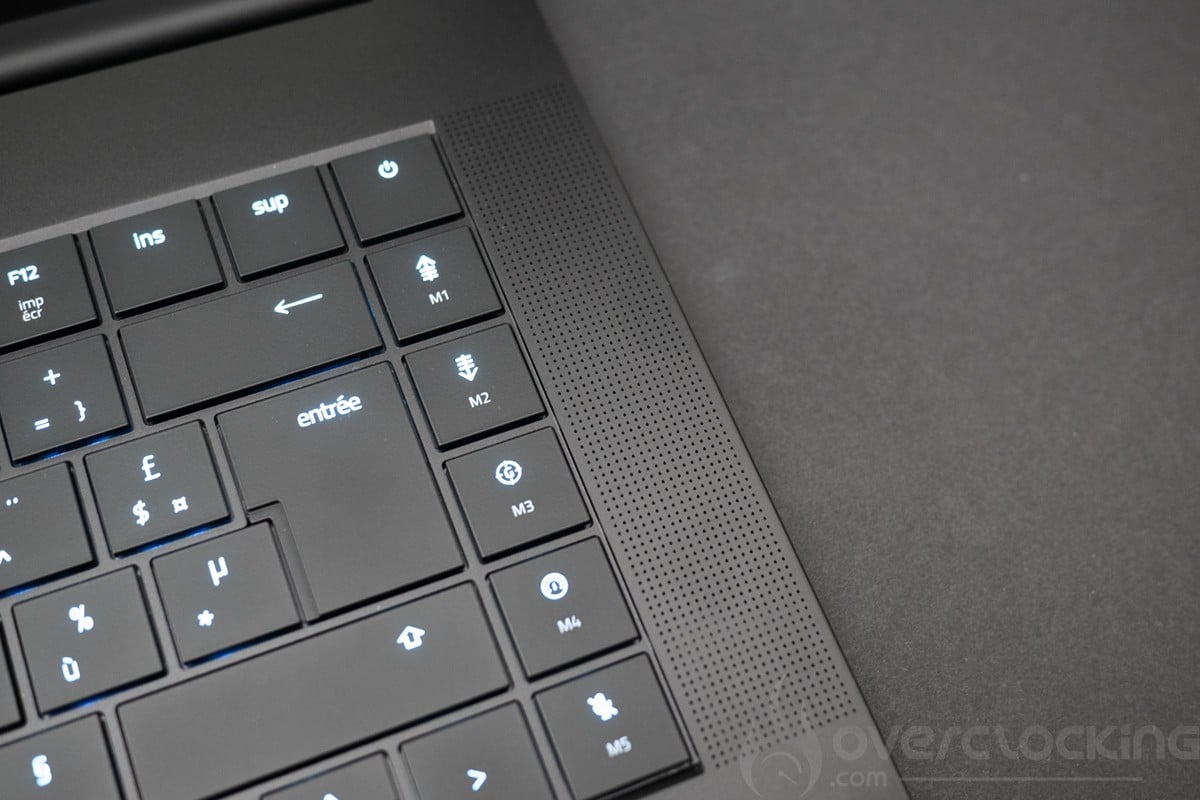
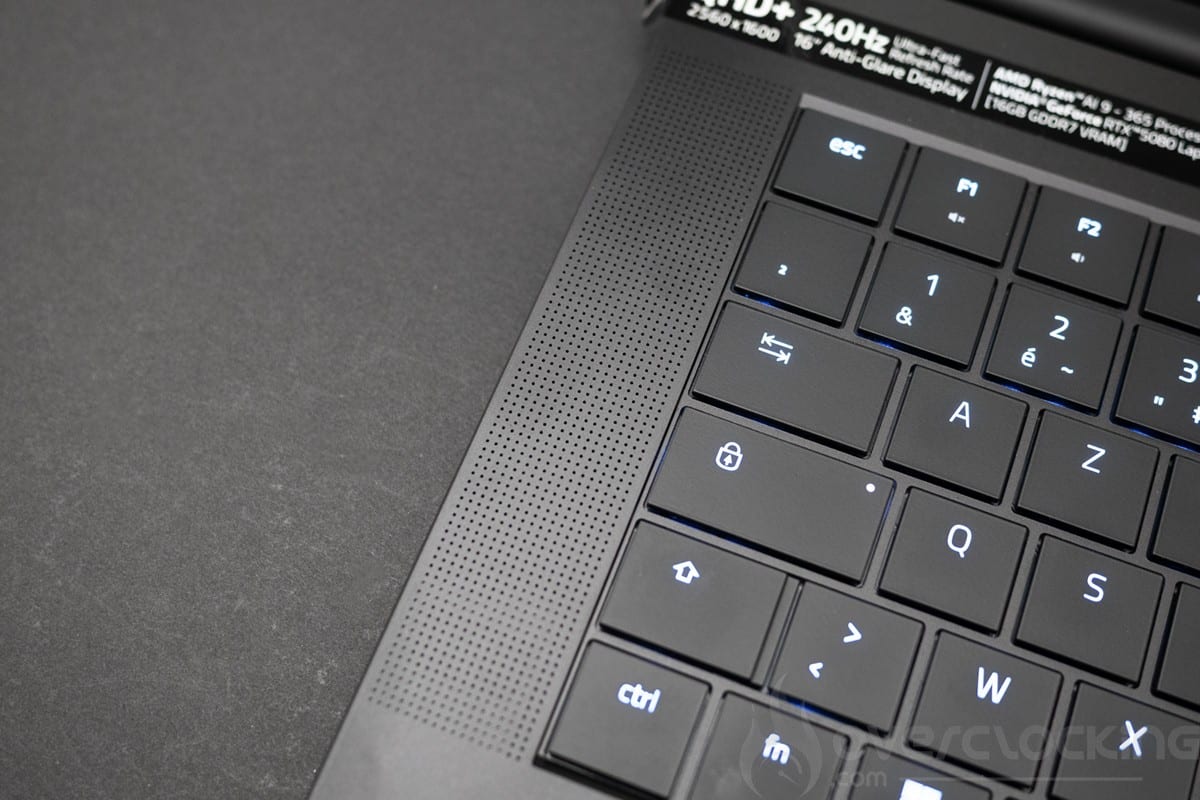
Let’s start with the keyboard, which is very pleasant to use, quiet and well-balanced. It’s a flawless keyboard, with a long activation stroke of 1.5 mm.
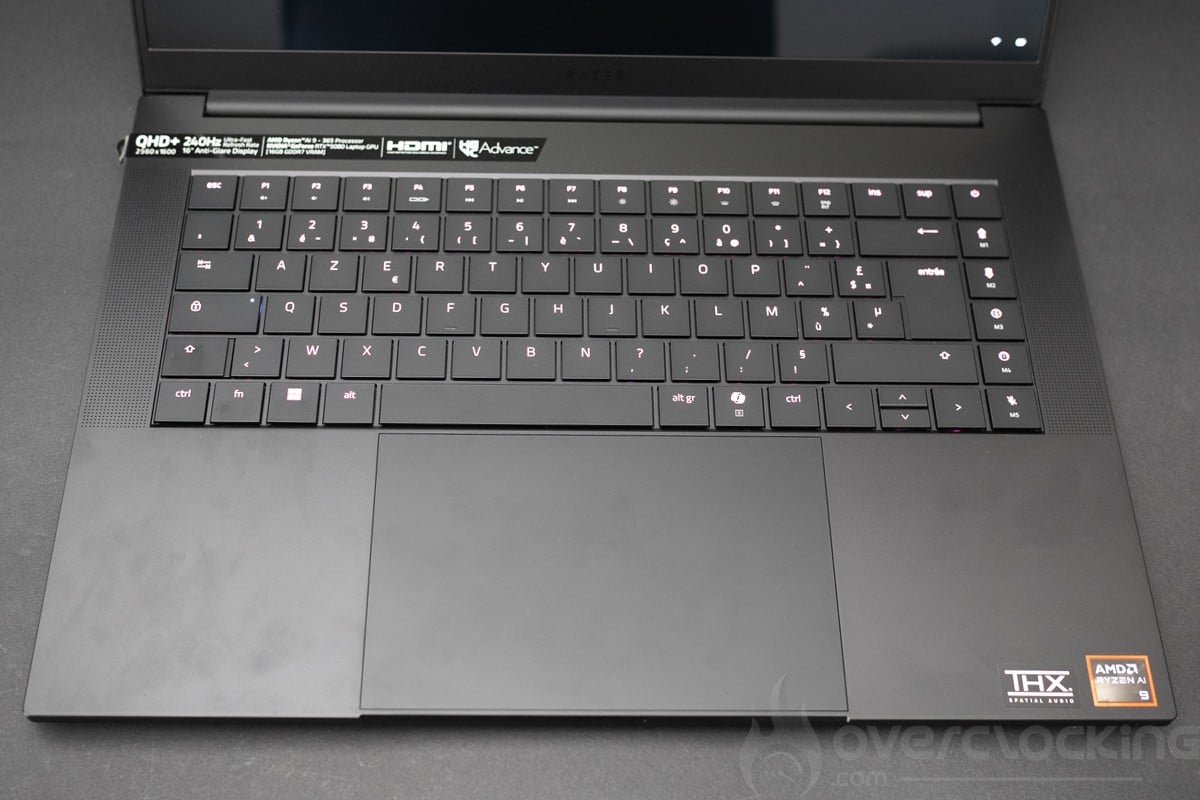
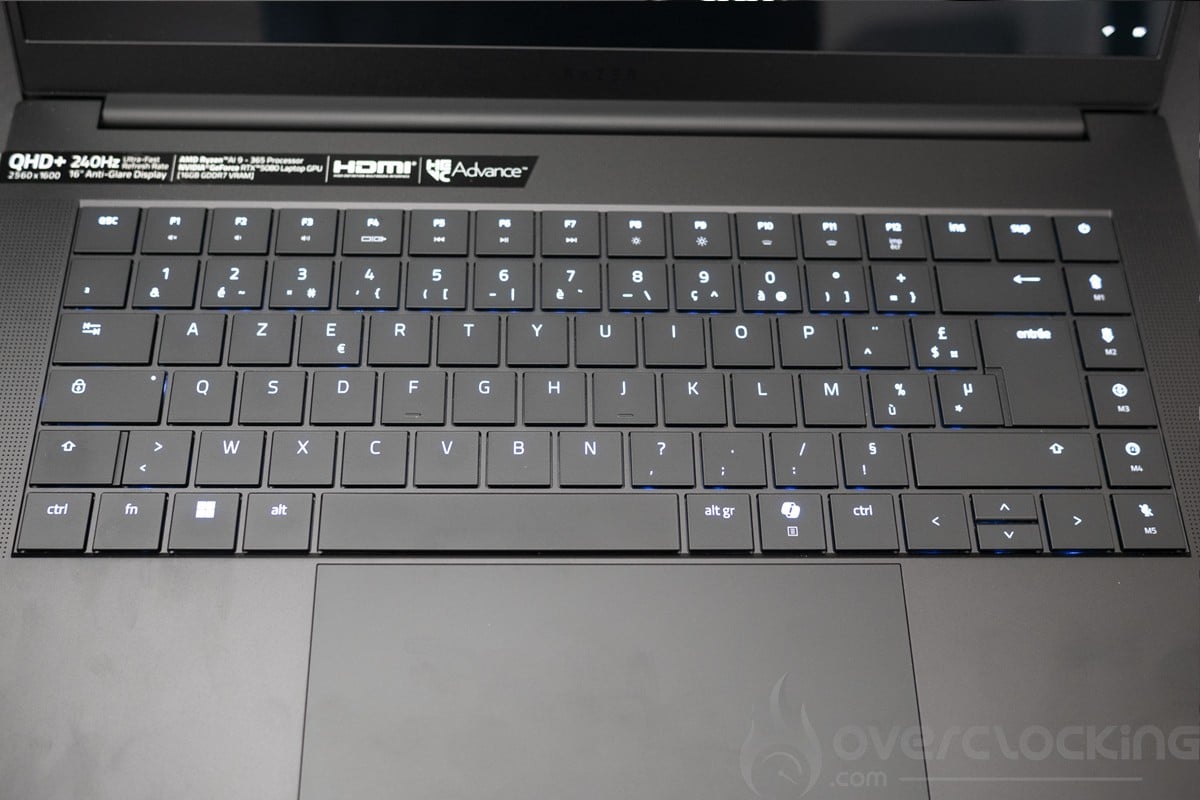
The trackpad is made of extremely smooth glass and is absolutely pleasant to use, thanks to its large size. The PC can be secured by password or via the infrared camera. Once again, a flawless trackpad.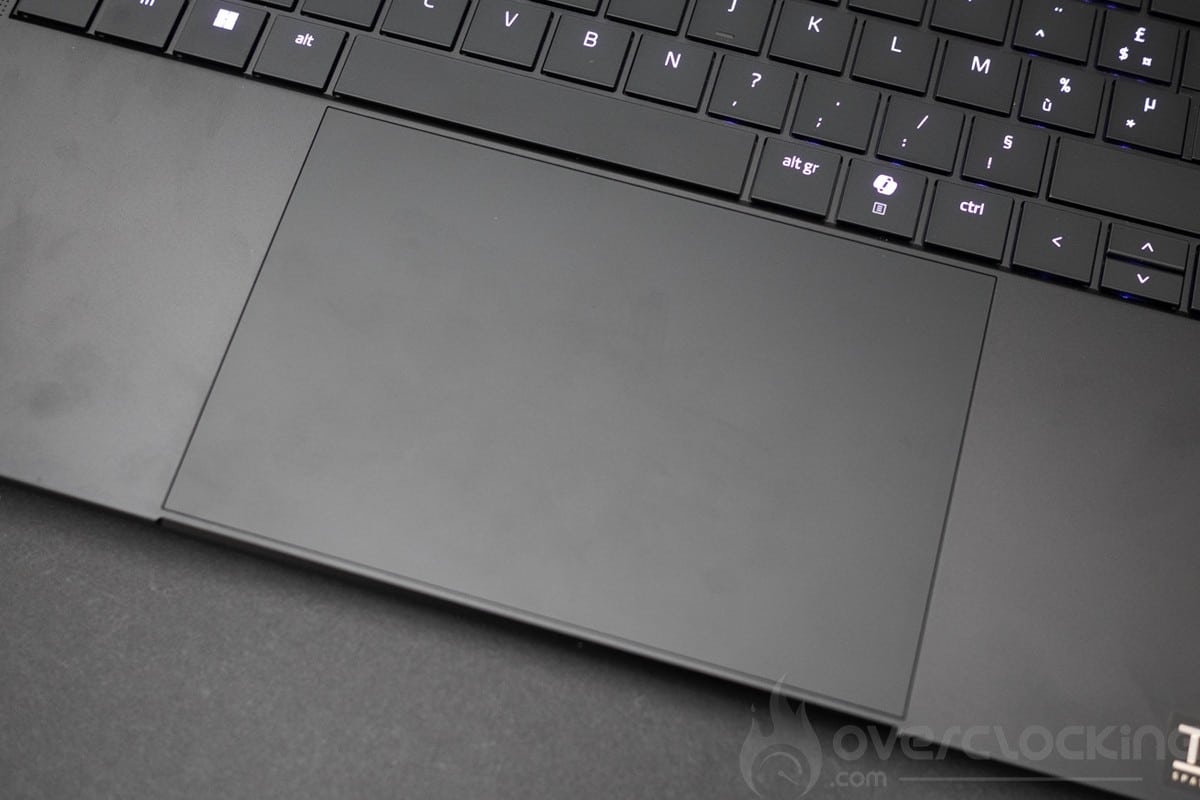
Let’s move on to audio. Here we have a six-zone setup, including two at the rear of the laptop. Bass is present and the sound is well detailed. Overall, the sound is acceptable for watching and playing certain games, but headphones are preferable for greater immersion.
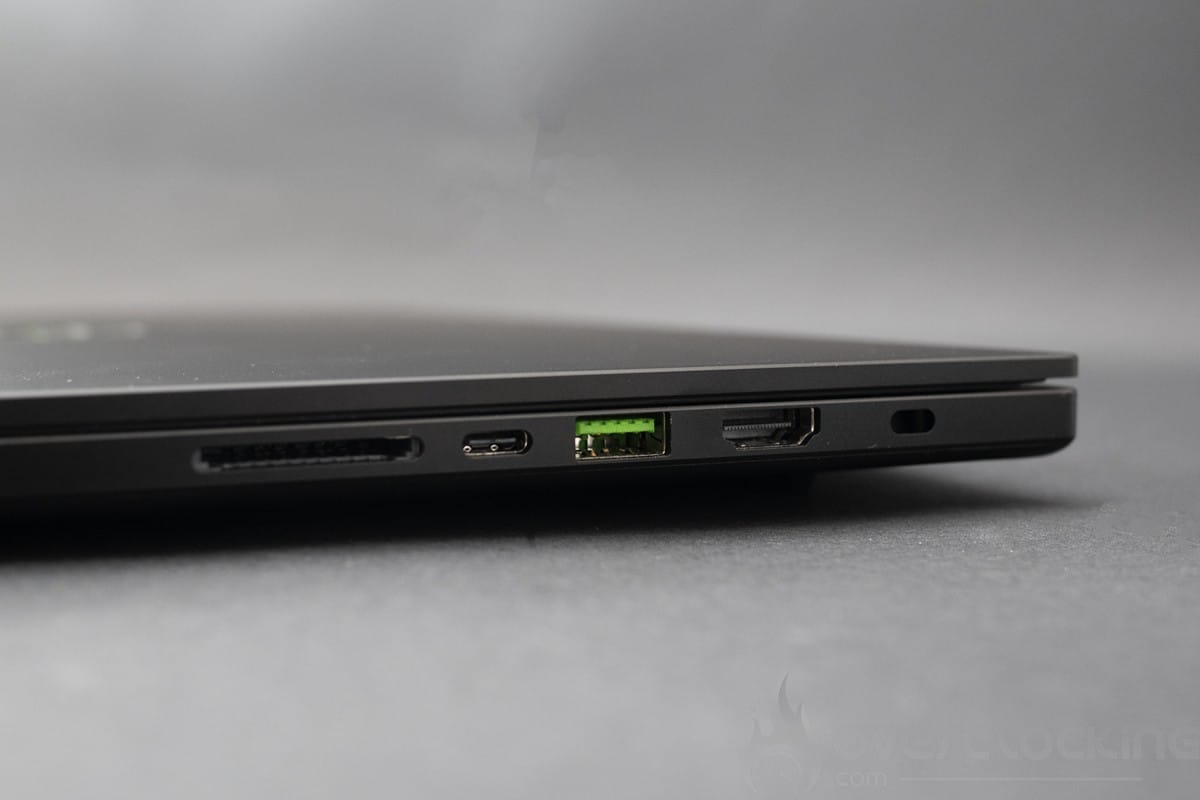
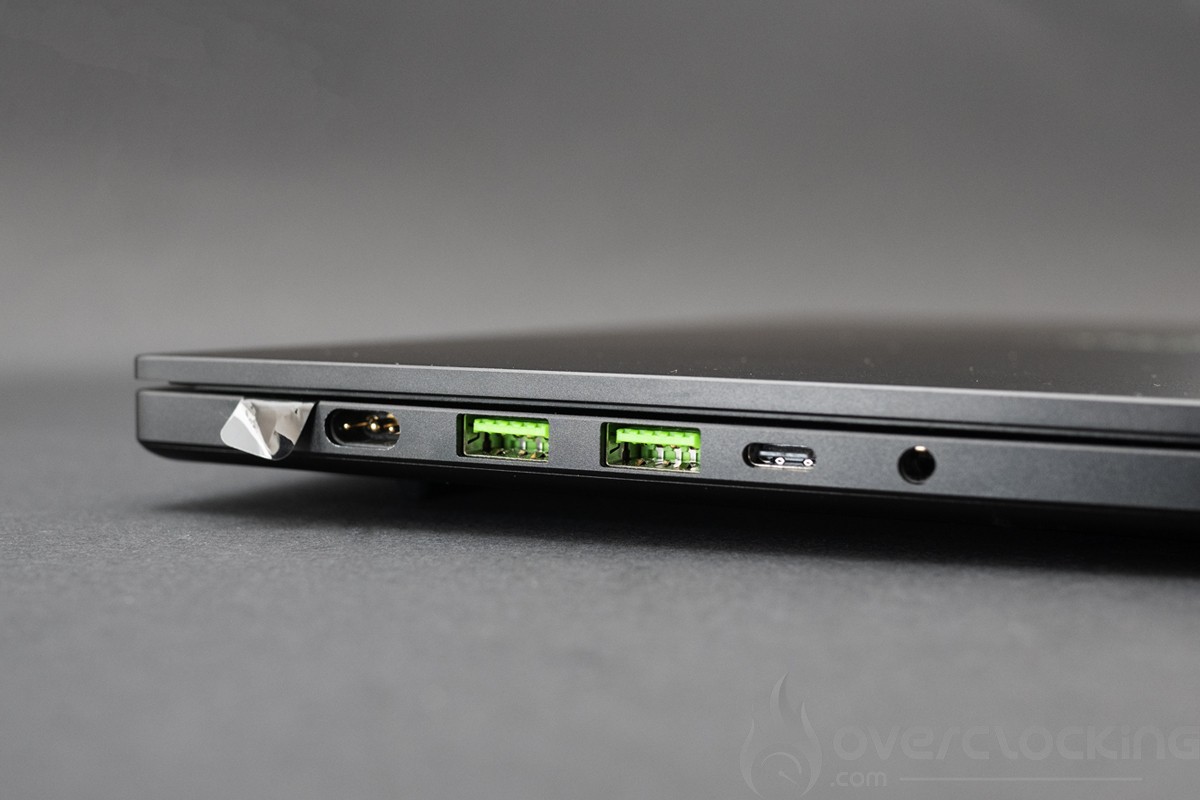
Next, we have the connectors, and here we have a complete solution with no compromises. On the right of the laptop we find a USB A port, a USB 4 type C port, an HDMI 2.1 socket, an SD UHS-II card reader and a lock port. On the left of the laptop are the power port, two USB type A ports, a USB 4 type C port and a headphone jack
The camera, meanwhile, is an FHD (30 fps @ 1080p) with infrared and is sufficient for unlocking via Windows Hello. Windows 11 supports background blur, eye contact and subject tracking thanks to the NPU integrated into the AMD Ryzen AI 9 365.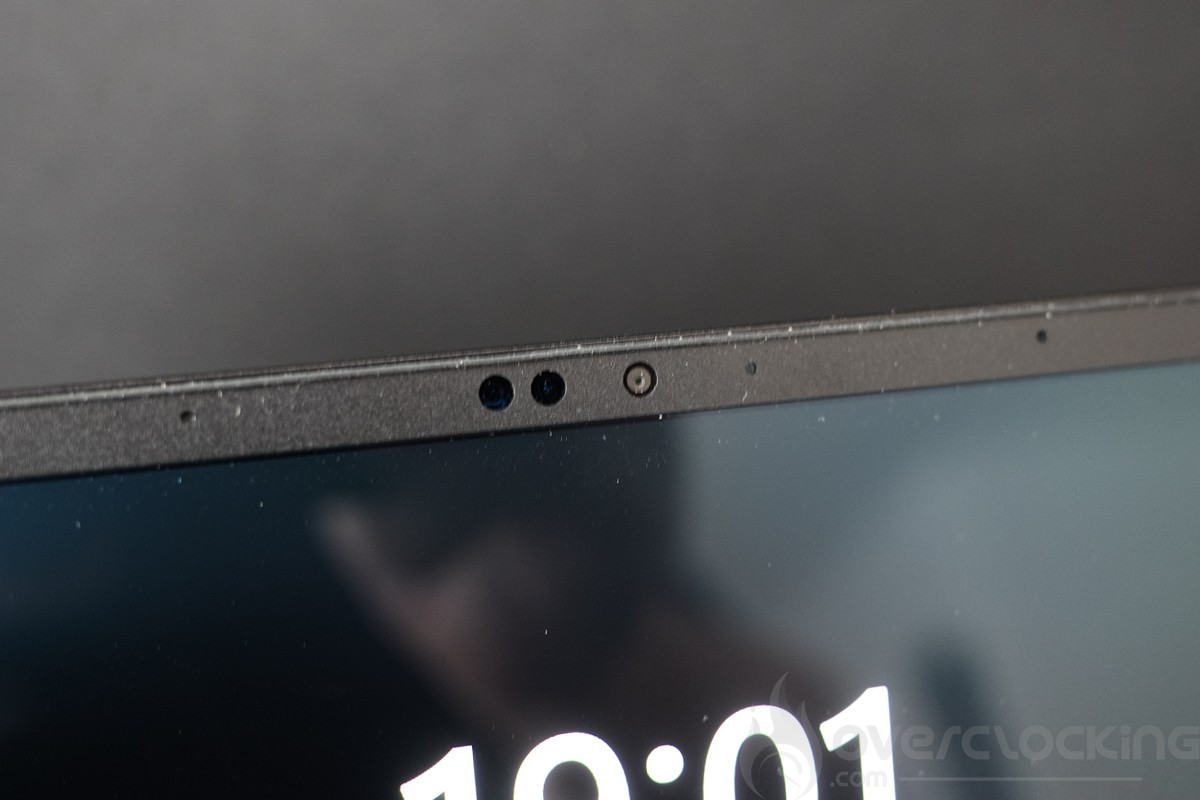
[nextpage title=”Configuration overview”]
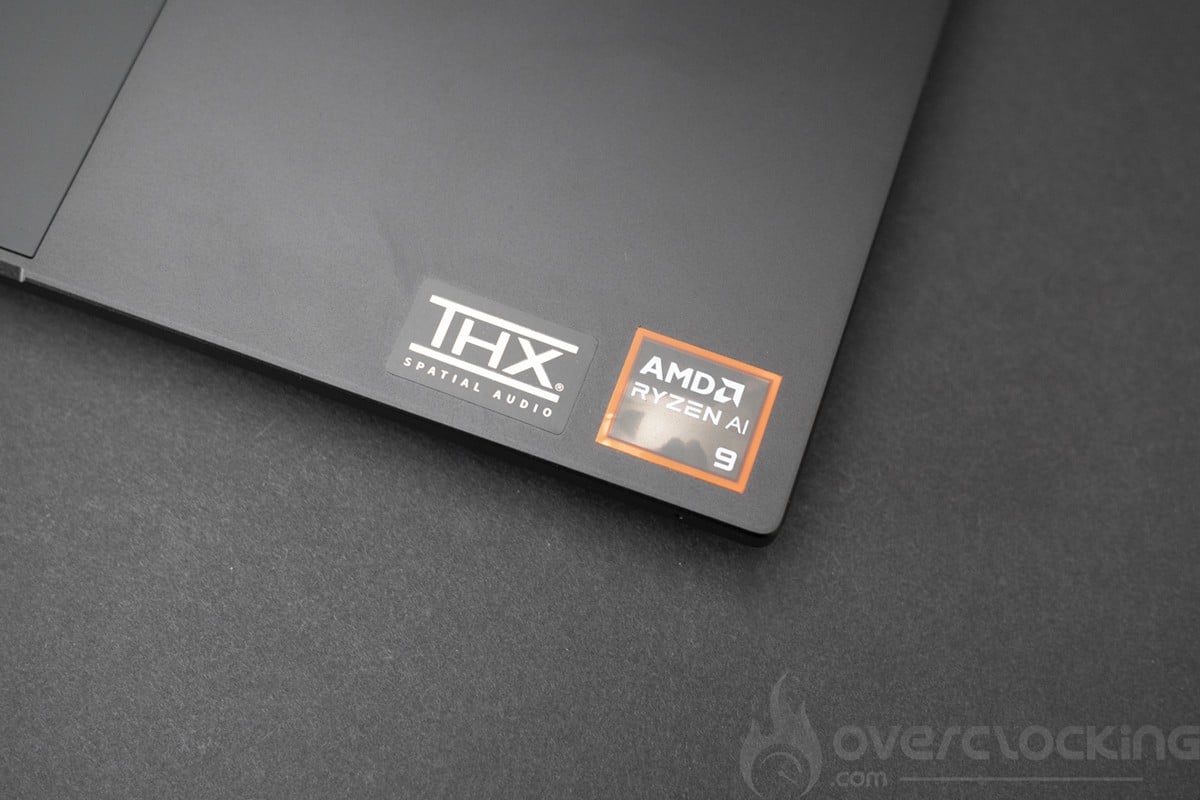
The configuration of this Razer Blade 16 is based on an AMD Strix Point platform. The CPU used (Ryzen AI 9 365) features a new 4 nm etch, plus the integration of an NPU dedicated to AI. It is based on the Zen 5 architecture used in desktop processors, while incorporating more energy-efficient Zen 5c cores
.
The various components
We start with the CPU, motherboard and RAM, here on CPU-Z, we can see that the Blade 16 is equipped with a Ryzen AI 9 365 in 4-core Zen 5 and 6-core Zen 5c configuration with hyper threading for both. For RAM, we’re on 32 GB LPDDR5X at 8000 Mt/s.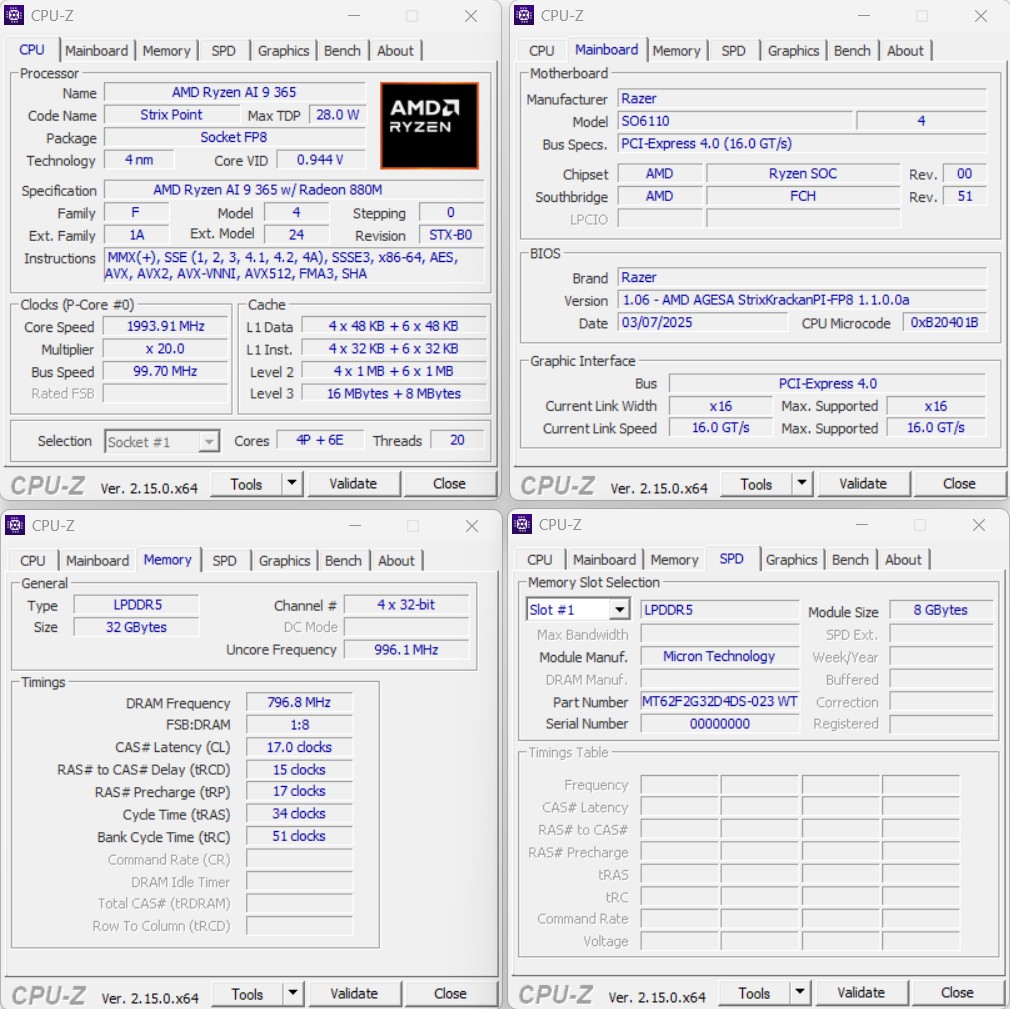
Let’s move on to the graphics card. Here, we’re on Nvidia’s next-generation solution, the RTX 5080 mobile. This card uses a configuration somewhere between the RTX 5070 and desktop RTX 5070 Ti, with 16 Gb of GDDR7. Frequencies have been lowered, and we can expect performance close to that of the previous-generation RTX 4080 mobile, excluding DLSS4.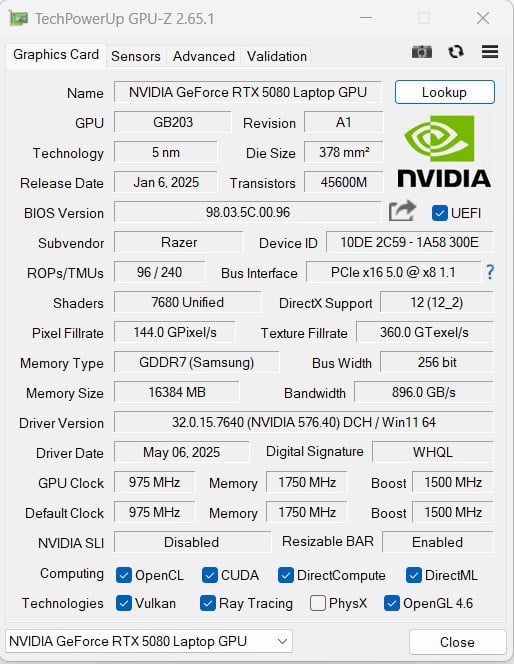
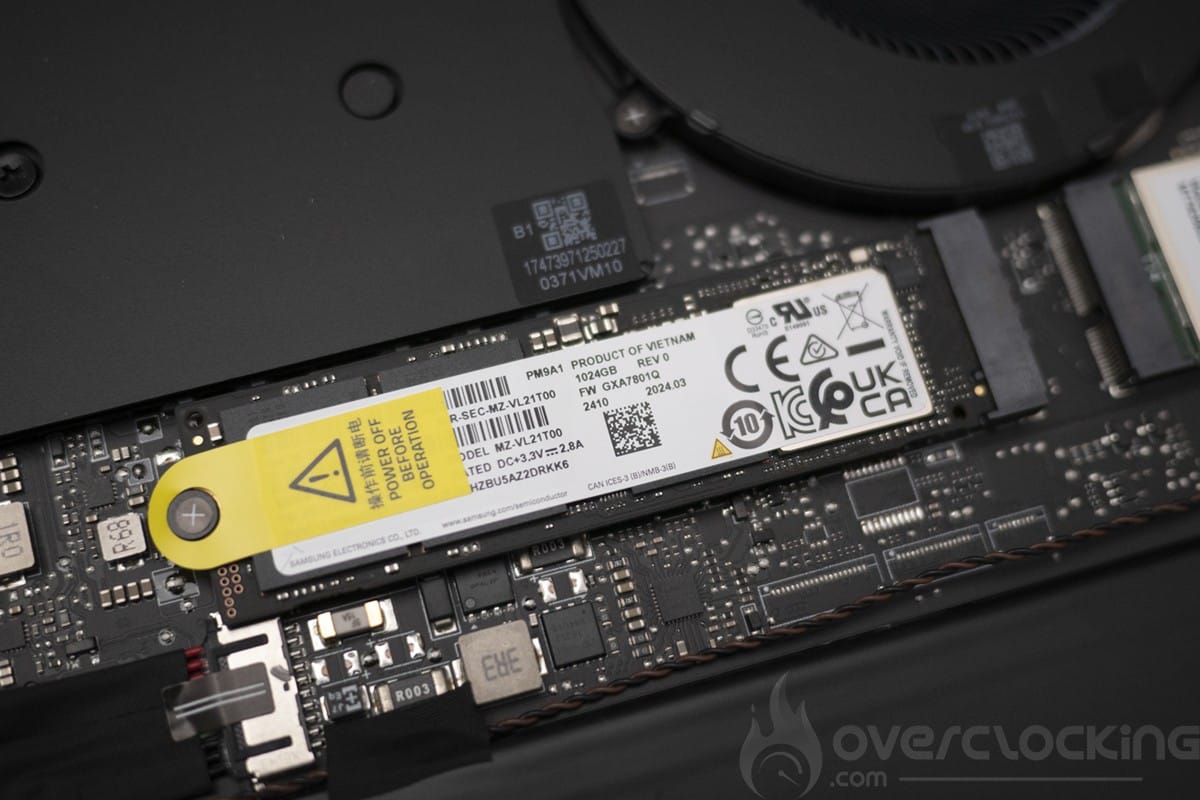
For storage, we have a 1TB Samsung SSD in PCIe 4.0, whose performance reminds us of an old 980 Pro from 2020, which even then wasn’t the best on the market, far from it. In 2025, it’s a bit of a shame to offer such a low-performance SSD on a machine costing over €3,000.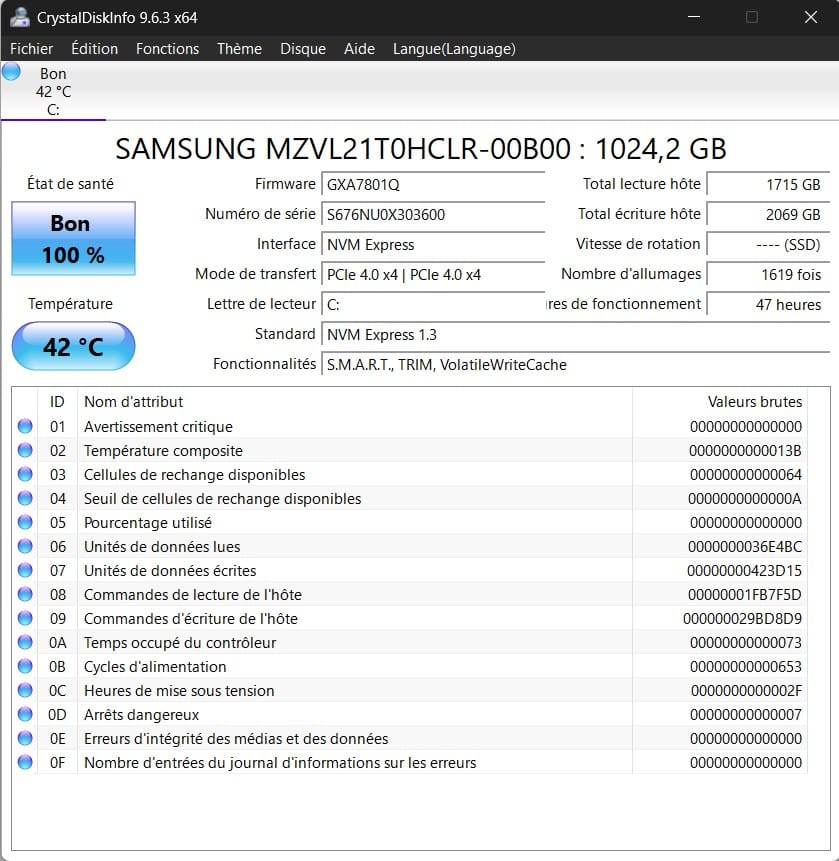
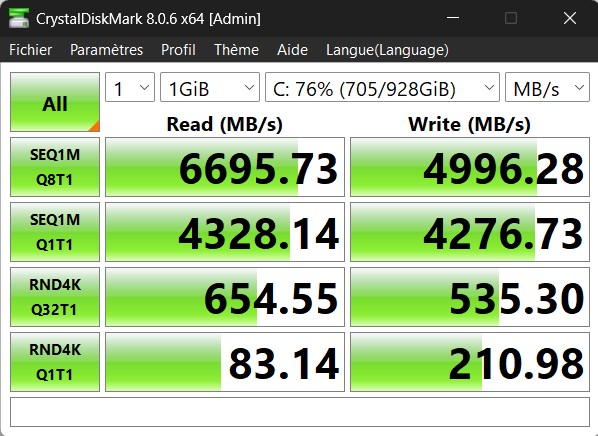
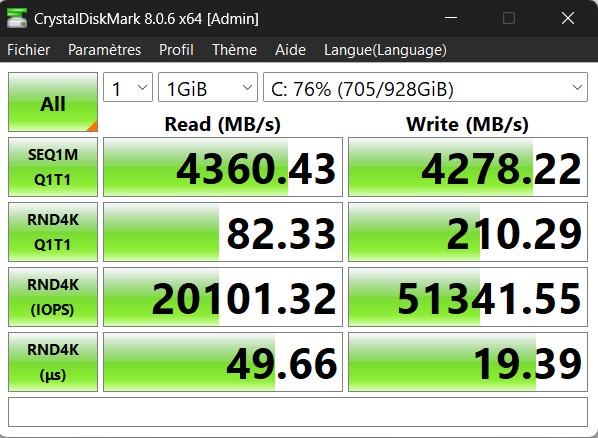
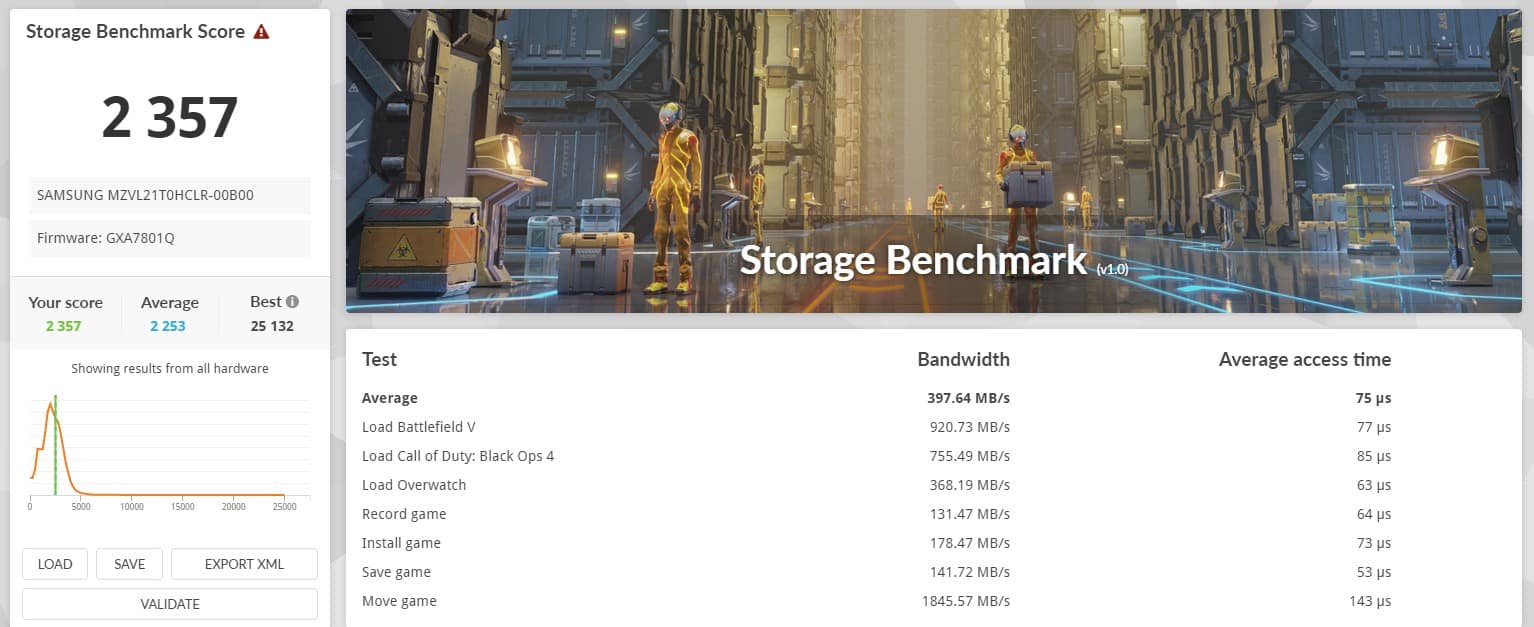
As for the screen, we’re talking about a 240 Hz OLED panel (2560x1600p) capable of achieving around 400 nits.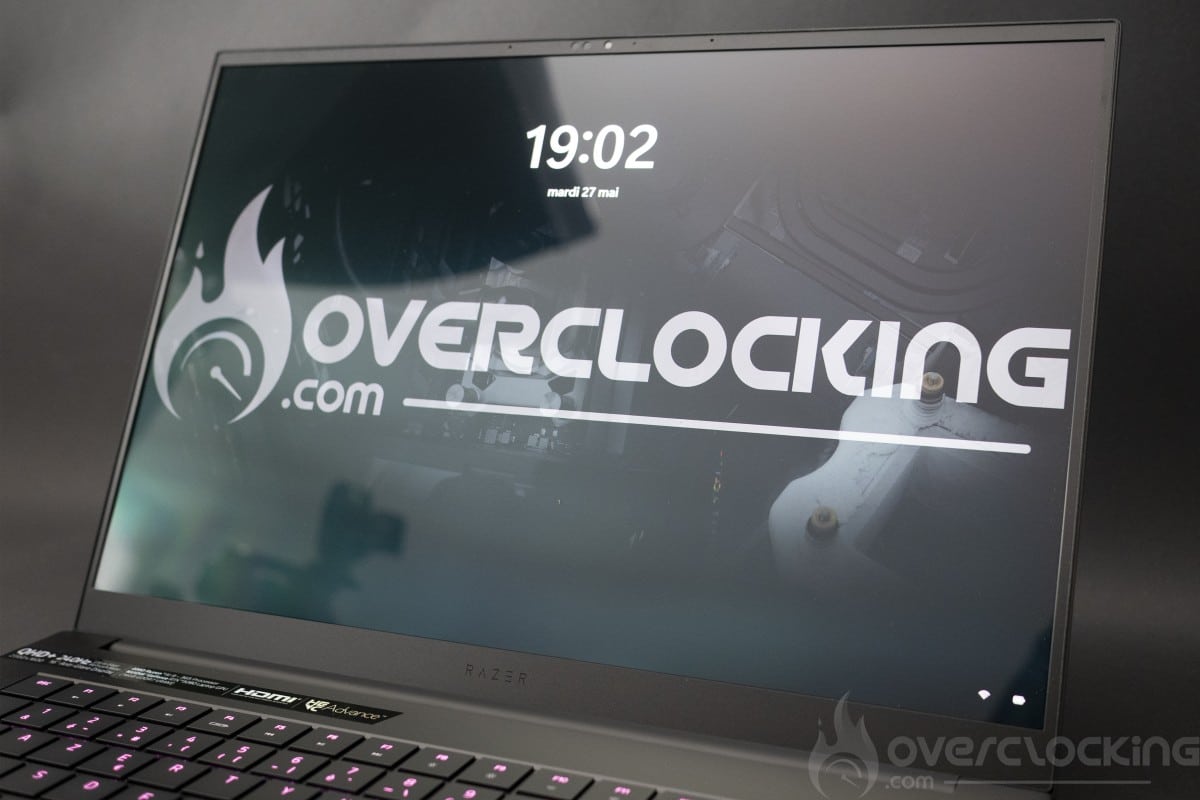
Disassembly, repair and upgrade
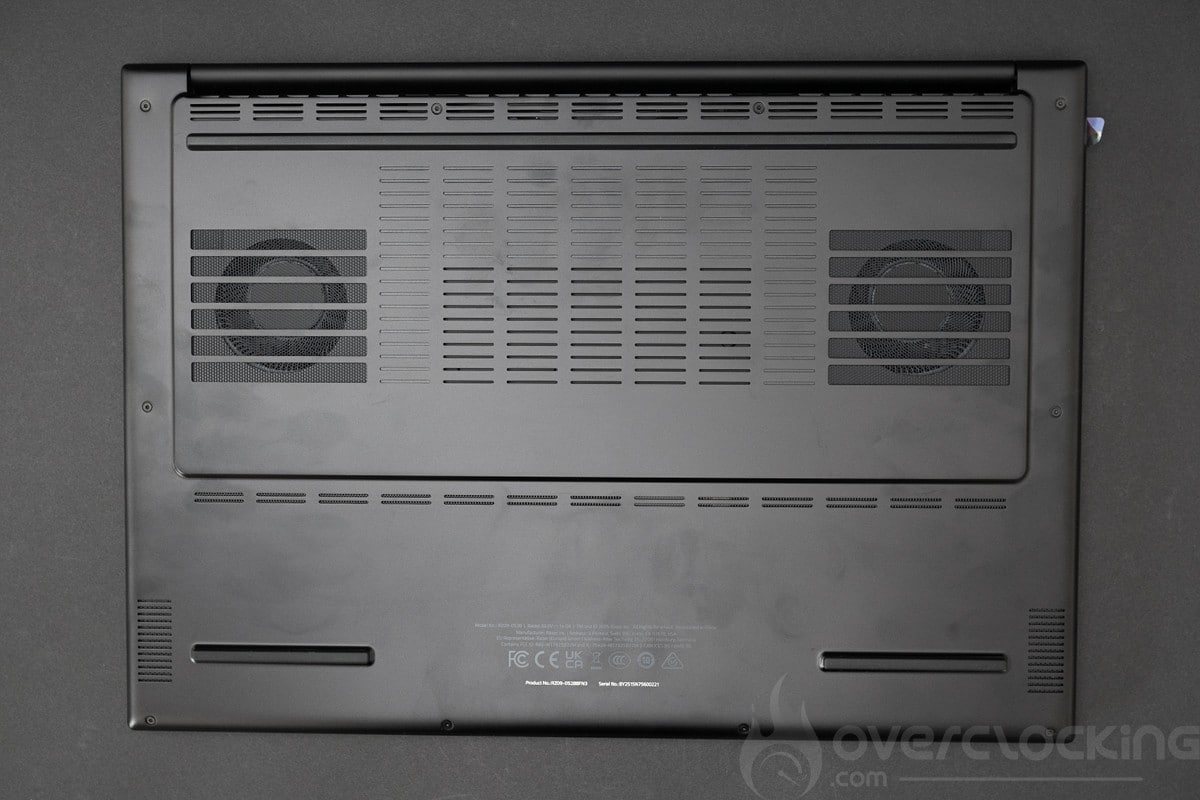
Disassembly is achieved by removing the 10 screws on the back of the device, then simply lifting the cover – no retaining clips here, a very good point. For any modification or manipulation, the battery must be disconnected. Disassembly was fairly straightforward, and the all-plastic cover is easy to remove
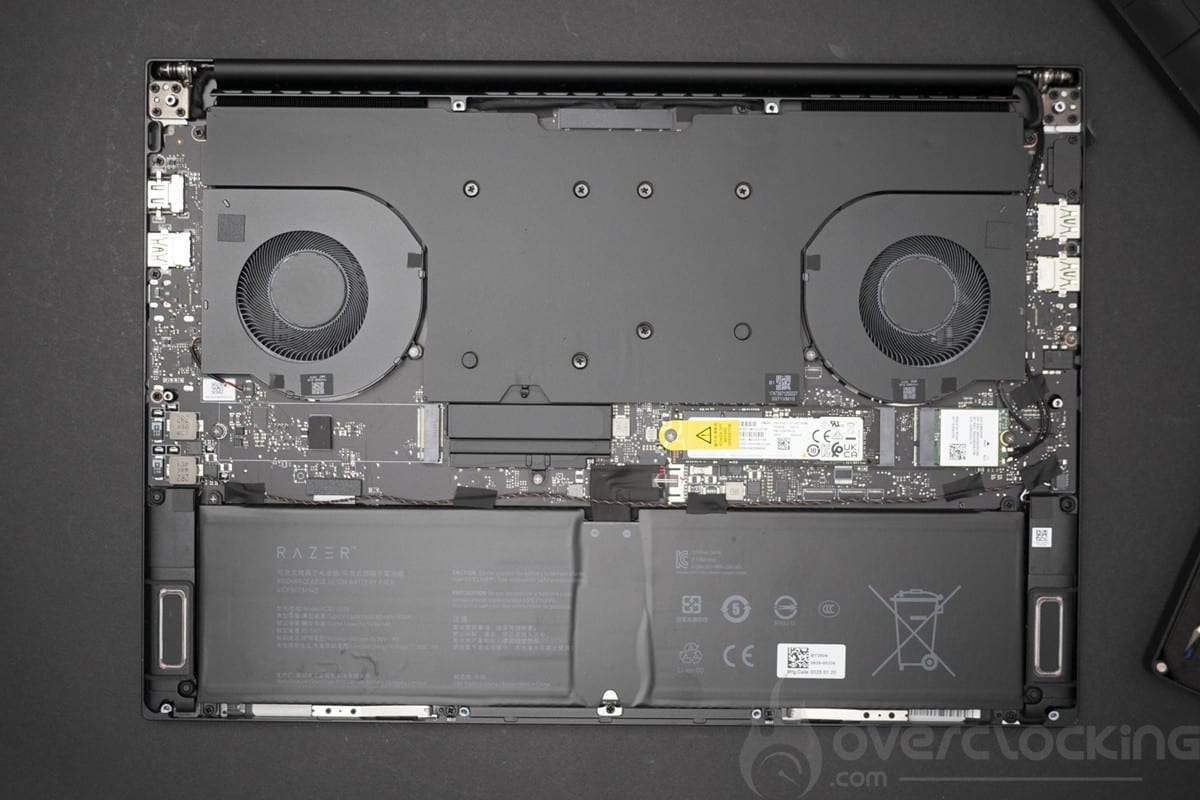
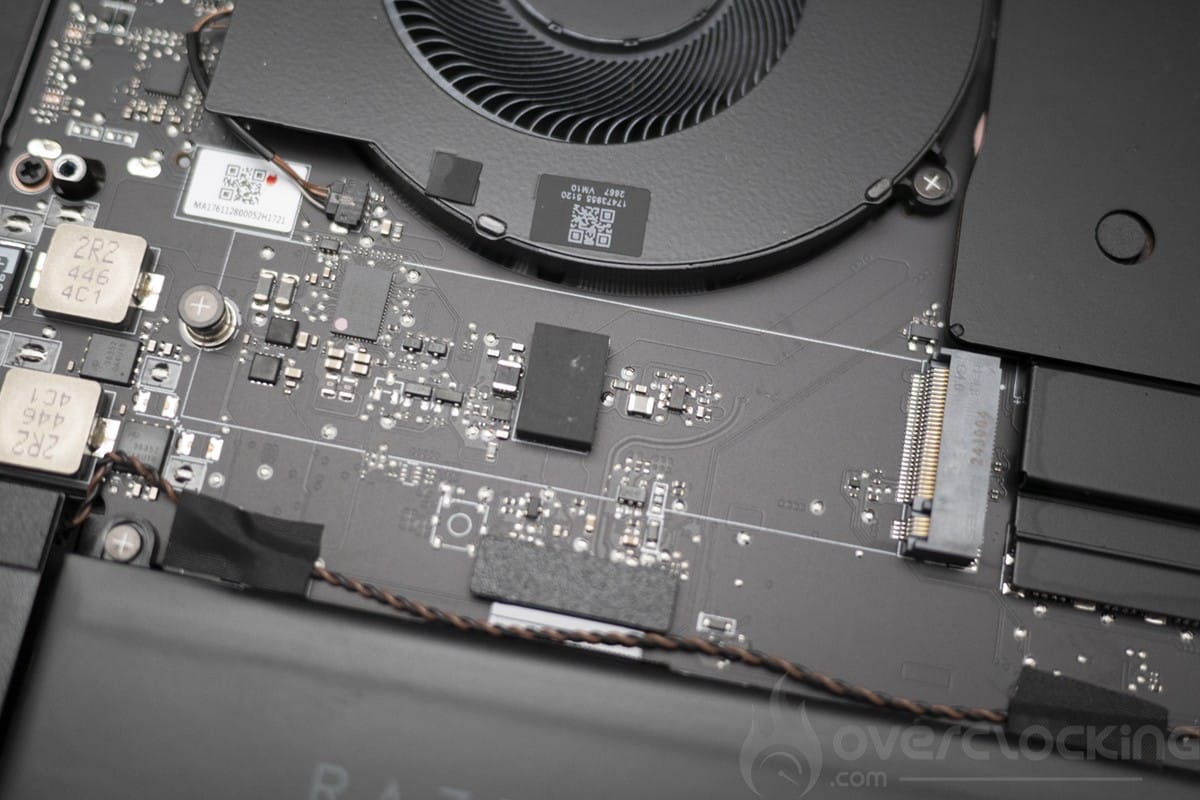
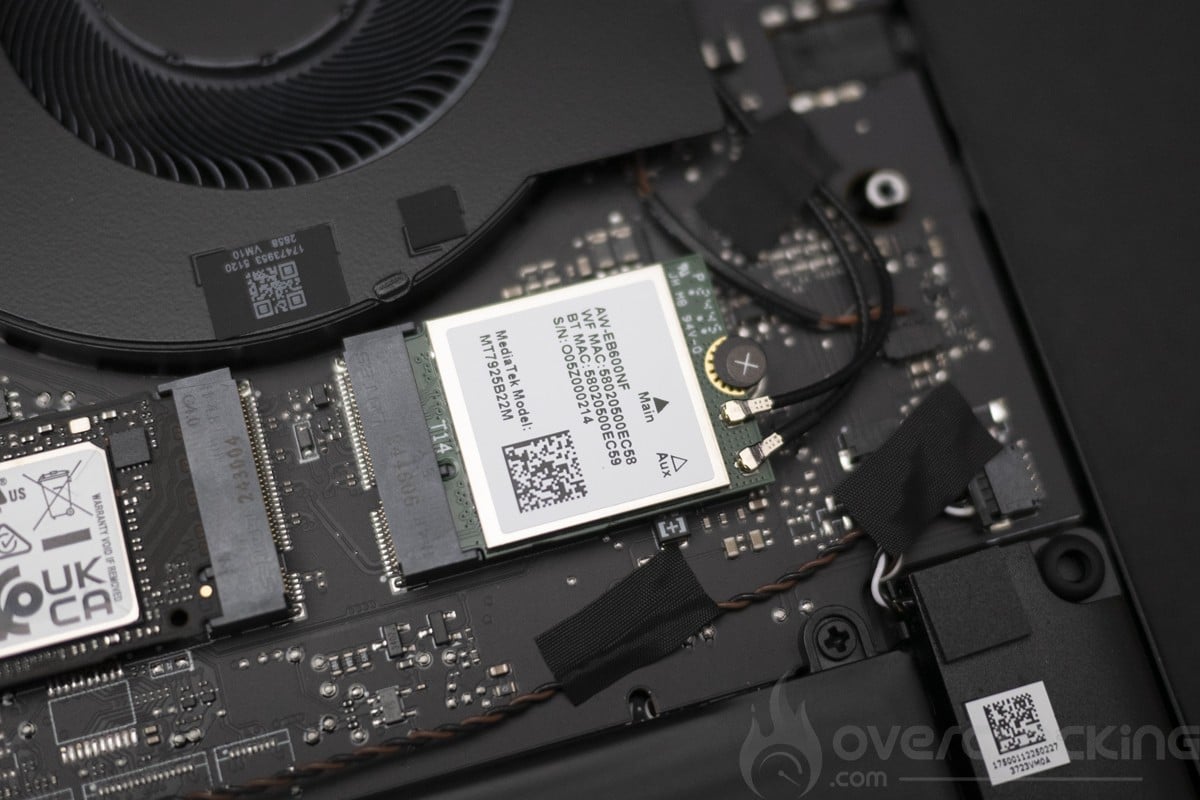
From a modification point of view, we have easy access to the two M.2 PCIe slots in 2280 PCIe 4.0 format. The Wi-Fi card is also easily accessible.
[nextpage title=”Test protocol”]The test protocol has been revised due to incompatibilities with recent architectures, and the Geekbench, AIDA and Da Vinci Resolve benchmarks have been removed, as they don’t work properly. Many of the previous gaming results have been withdrawn, as drivers and graphics engines have evolved too much recently to have anything comparable with measurements taken 2 years ago. So we won’t have a direct comparison with previous results obtained on platforms tested since the launch of the Intel Arrow Lake platform.
The protocol
- Screen measurements
- Autonomy and heating
- Synthetic CPU test Cinebench R20 Cinebench R23 OCCT Latency/Bandwidth OCCT Memory benchmark 3DMark CPU Profile
- Synthetic GPU performance 3DMark Timespy 3DMark Timespy extreme 3DMark Firestrike 3DMark Firestrike Extreme 3DMark Firestrike Ultra 3DMark Speedway 3DMark Steel nomad
- Productivity performance PCMark 10 Extented PCMark 10 Applications test Blender Benchmark UL Procyon : AI Vision
- Game performance Anno 1800 Cyberpunk 2077 War Thunder Assetto Corsa Competizione Farming Simulator 25 Raimbow Six Siege Counter Strike 2
Tests were carried out with the newest Nvidia driver version.
[nextpage title=”Screen measurement with probe”]
Screen measurements
We began our test with the panel, and in order to know the colorimetric quality of this screen out of the box, we took measurements of the screen.It was tested on DisplayCal following 51 color patches with the sRGB profile as the target.The colorimetric space is as follows:
- 100% sRGB
- 98.2% Adobe RGB
- 99.4% DCI P3
Getting started with mains SDR :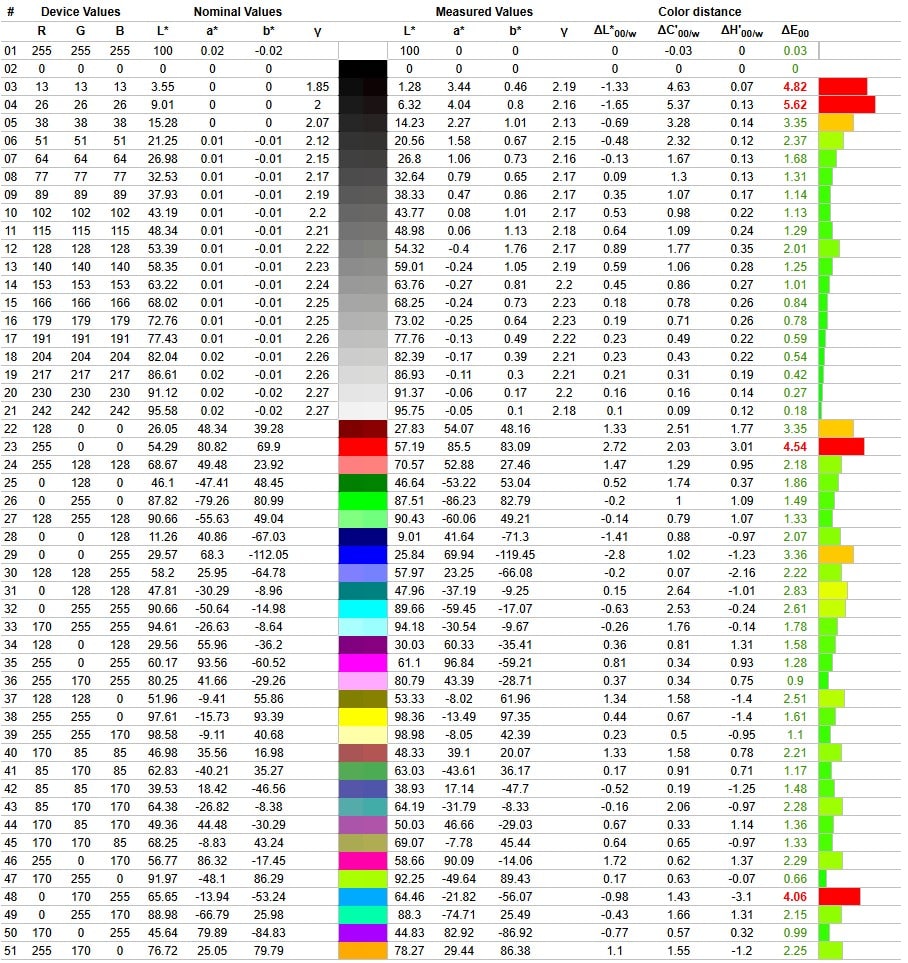
As can be seen, calibration is basically acceptable, with 6900K for the 6500K expected. Delta E is 1.79% on average and 5.62% at maximum.As for brightness, the screen can reach 404 cd/m² with an infinite contrast ratio.Measurements after SDR calibration: The screen was calibrated according to an sRGB target profile for office use.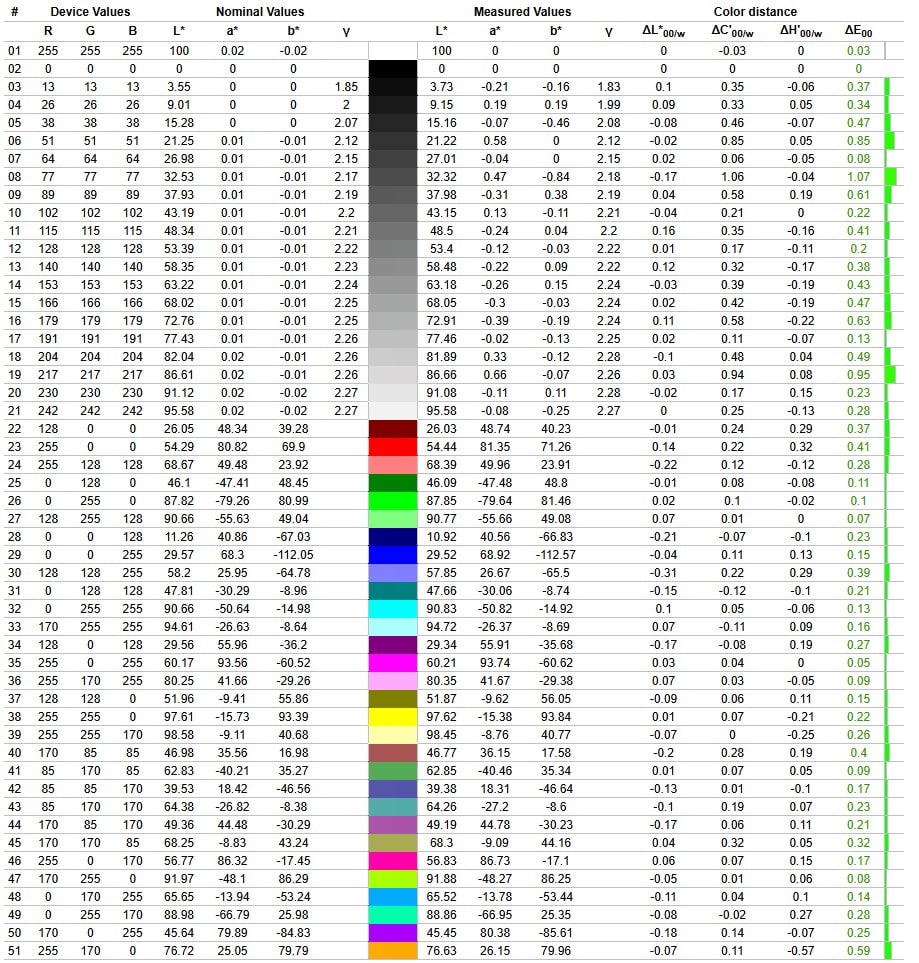
Once calibrated, the slab proved very interesting, with 6530K for the expected 6500K, which is very good. The delta E is 0.3% on average and 1.07% at maximum.As for brightness, the screen can reach 387 cd/m² with an infinite contrast ratio.As for screen reflectance, we have a glossy plastic panel. A good choice for photography, but less so for limiting reflections, even if their treatment is quite effective.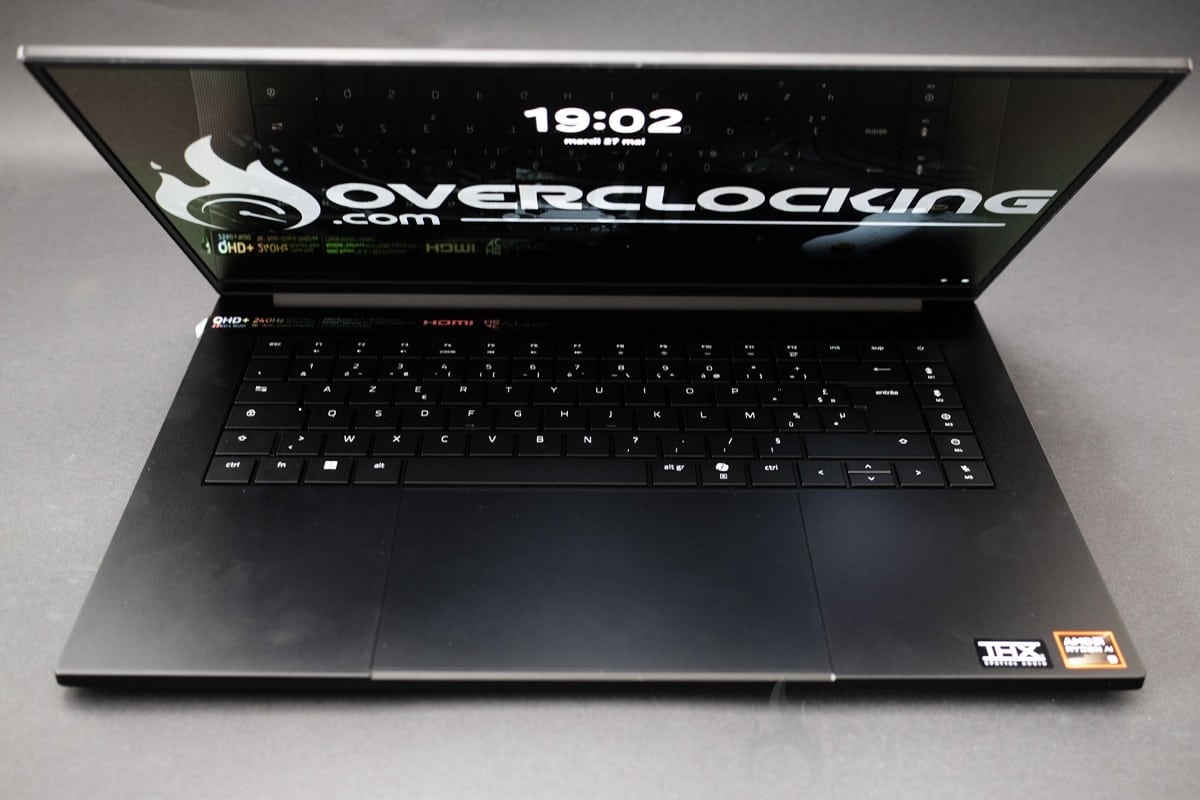
[nextpage title=”Autonomy and heating”]
Autonomy
Autonomy was measured using PCMark10’s built-in battery benchmark. The modes tested were video, productivity and gaming. Power management remained in normal mode. Screen brightness was set to 200Cd/m² without HDR, and sound was output via headphones plugged into the laptop‘s jack.
As you can see, we’ve got very good video playback autonomy here, at just over 9h20. The application test, on the other hand, fell short, with an autonomy of around 7h15. All in all, the Razer Blade outperforms even the Aorus 15, which until now has been the best gaming laptop in terms of battery life.
The cooling system
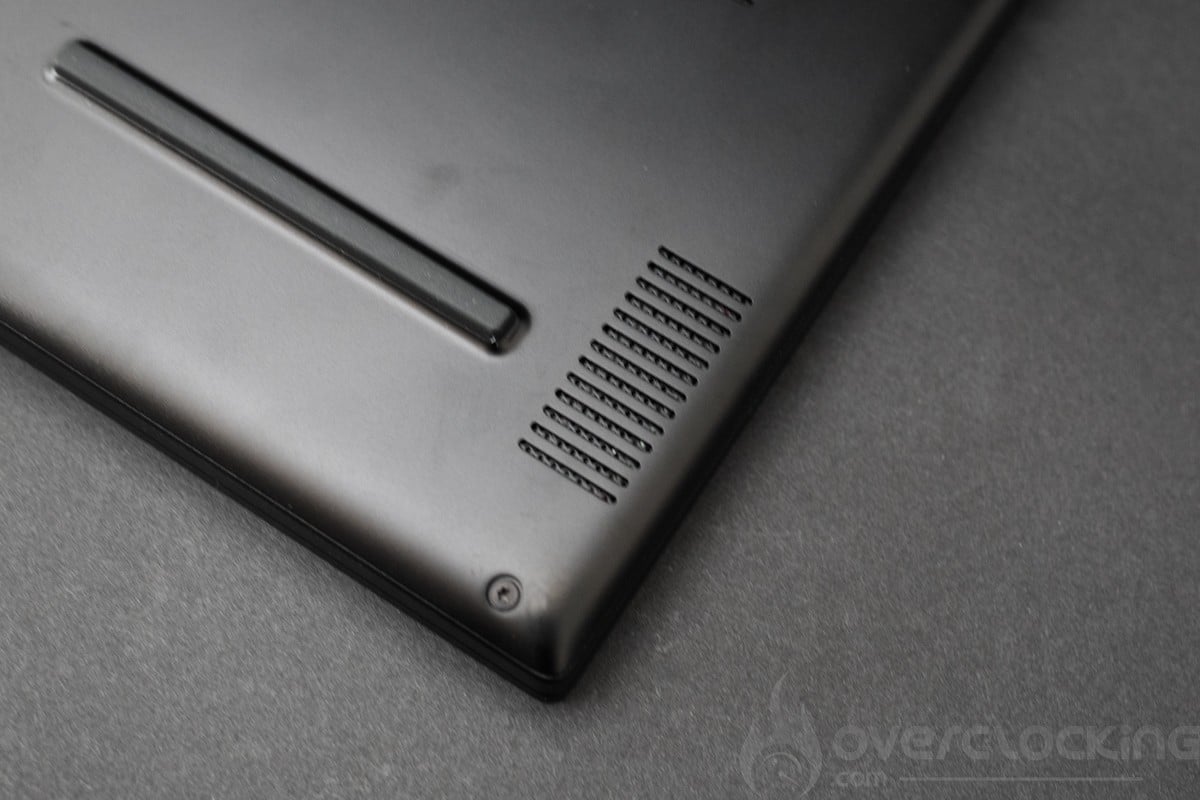
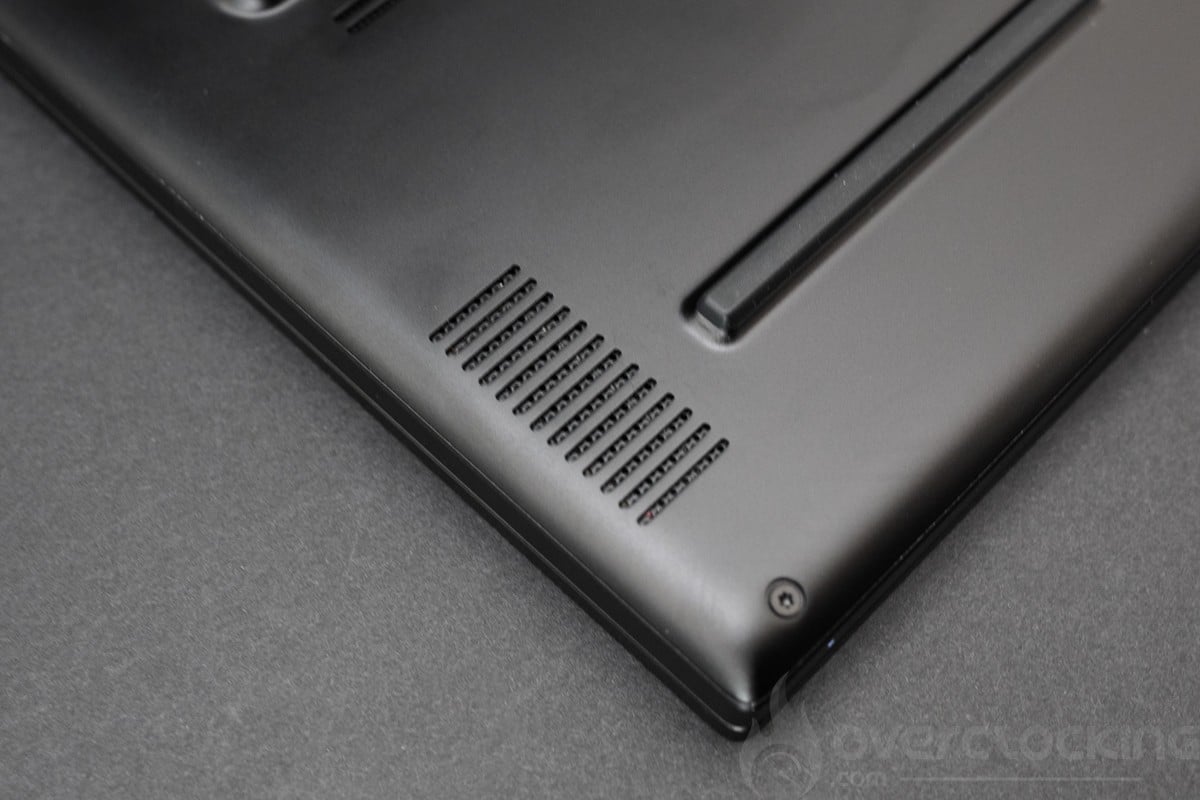
On the outside, we have plenty of openings on the underside to draw in cool air and then expel hot air at the rear.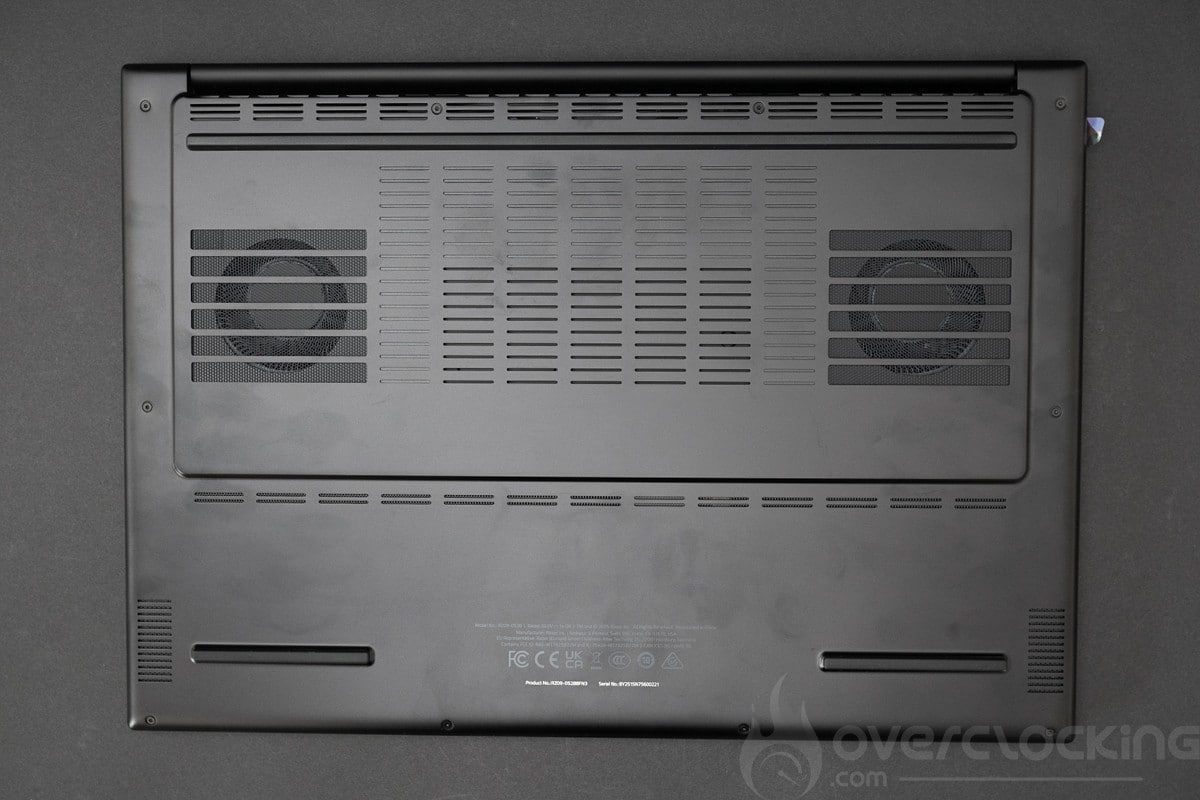
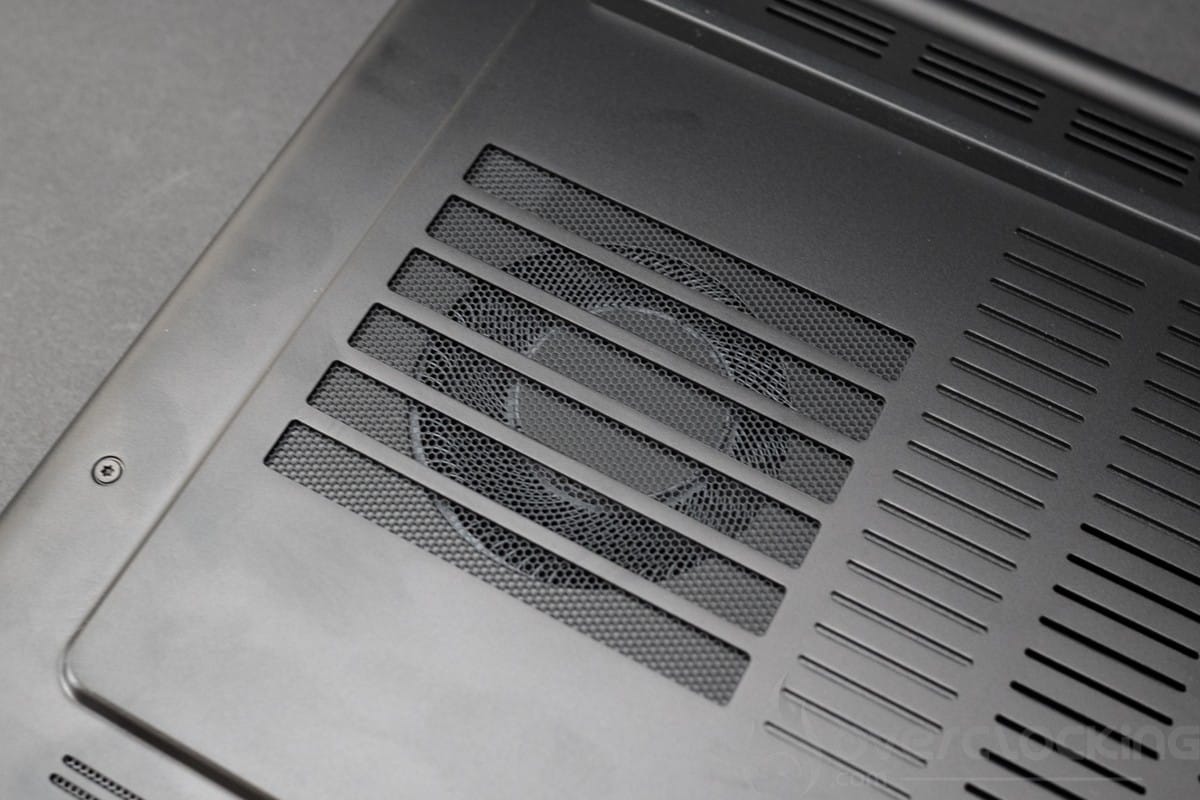
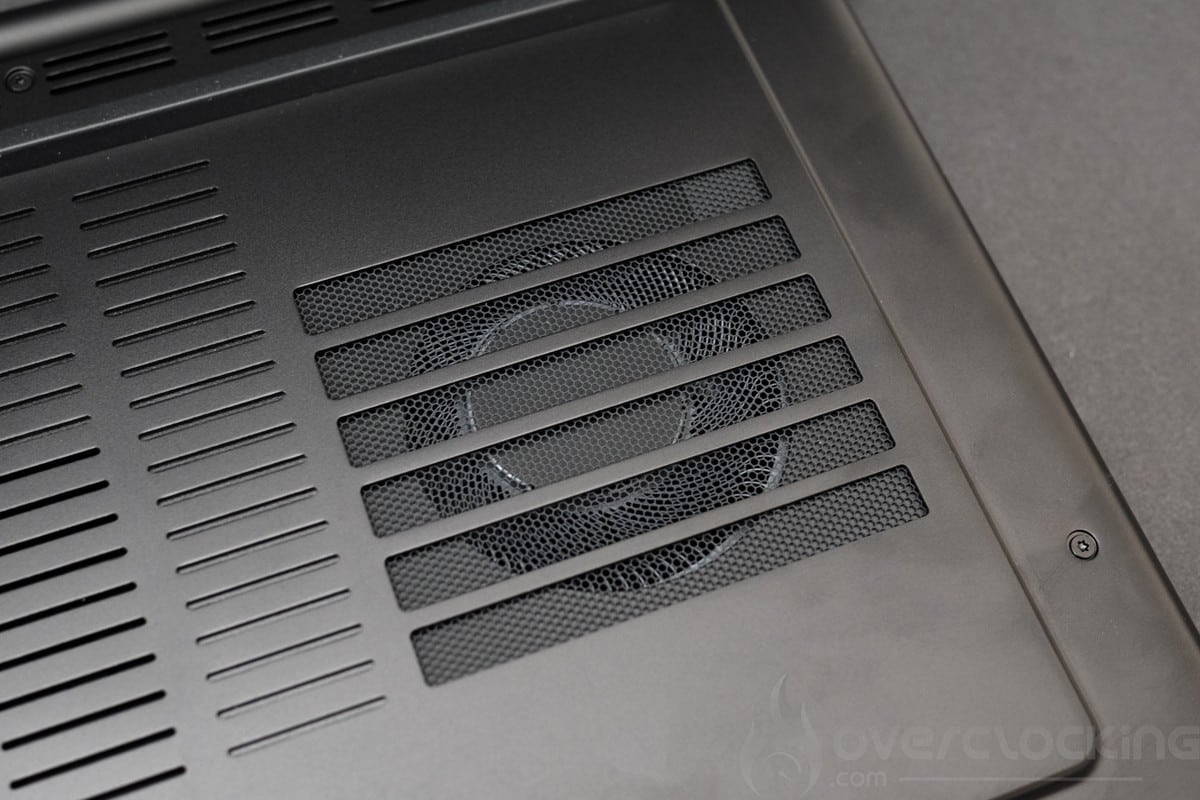
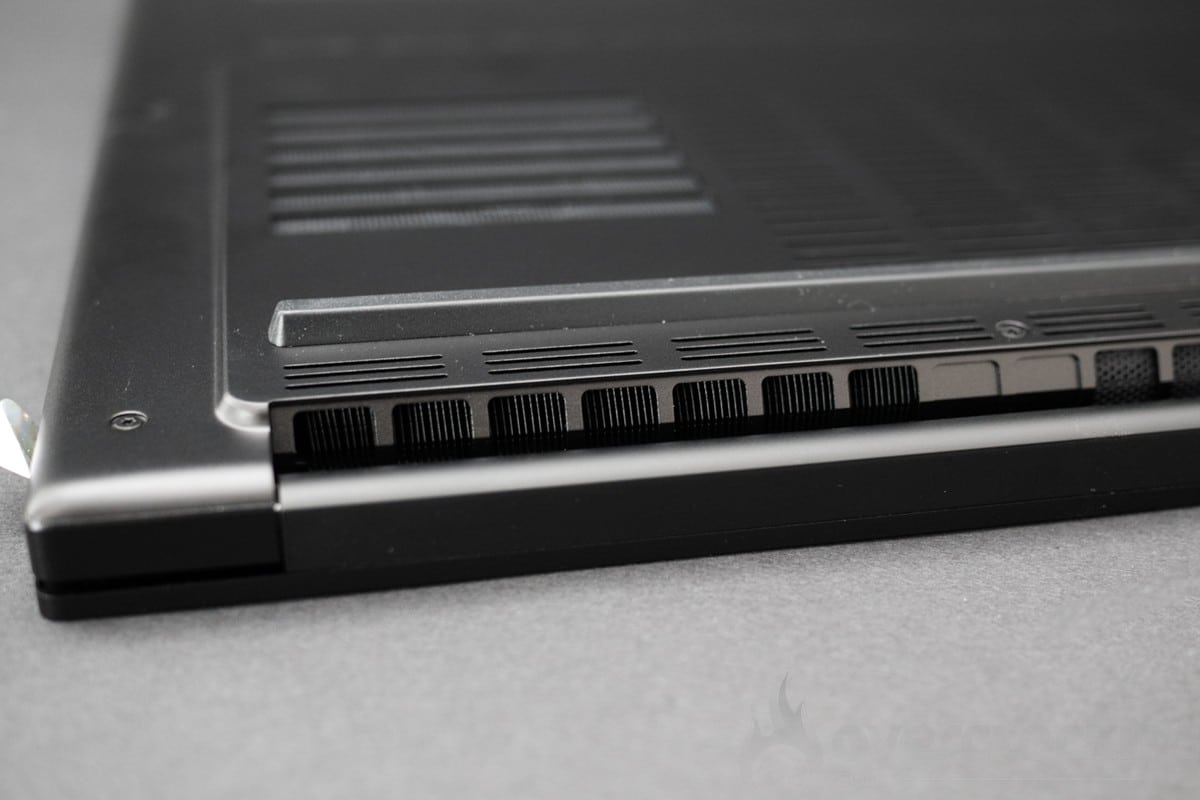
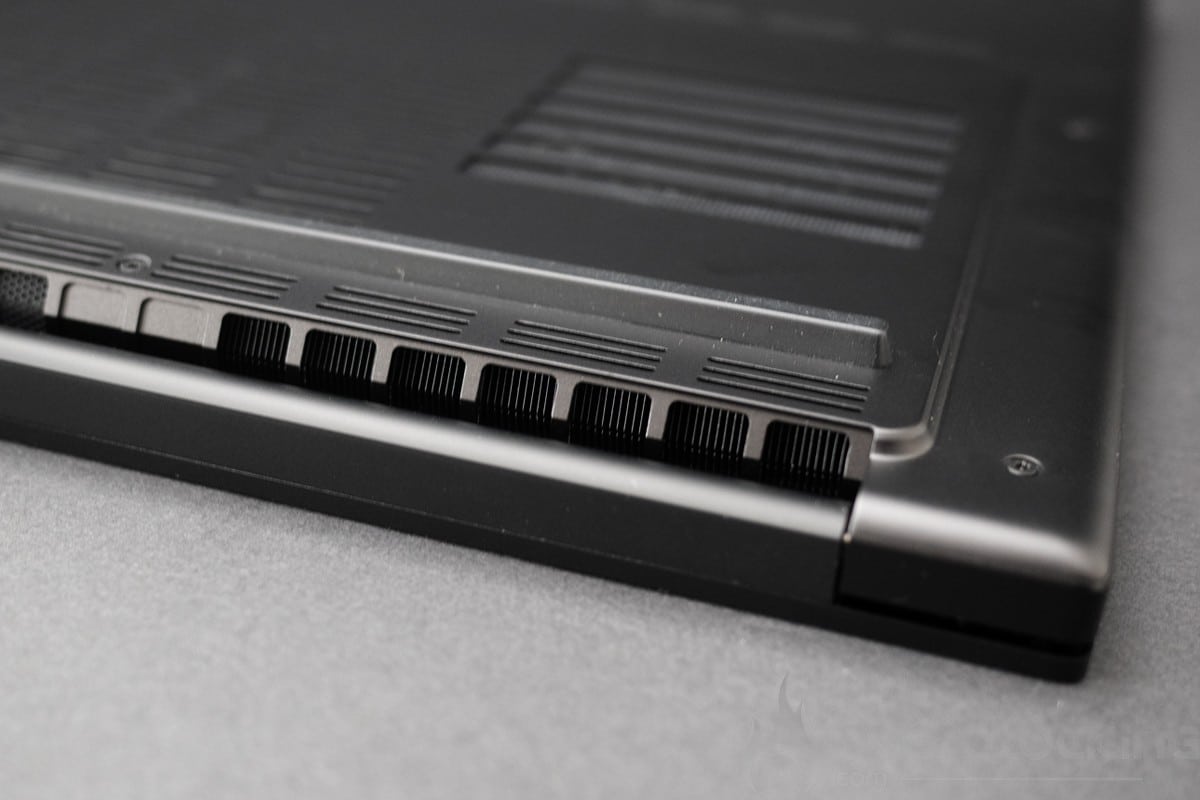
A mesh in the center of the rear also draws in some air, so you could say this laptop has plenty space to breathe.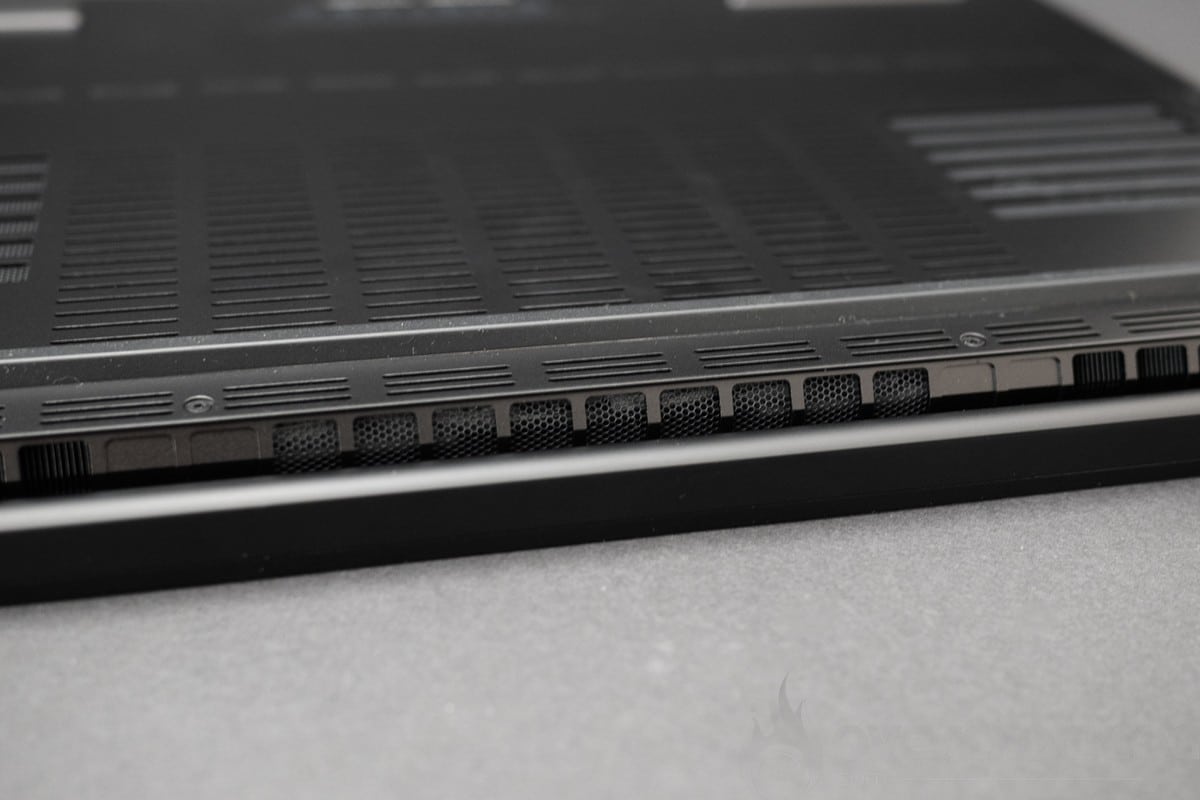
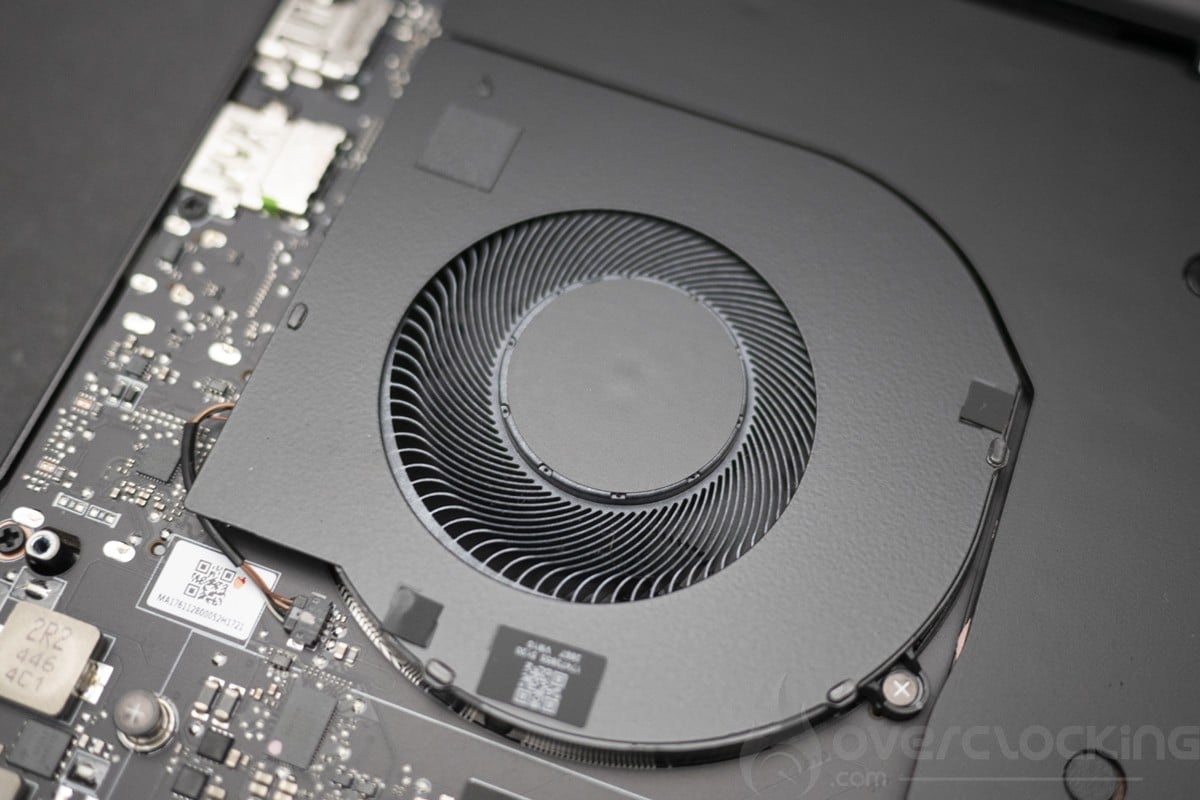
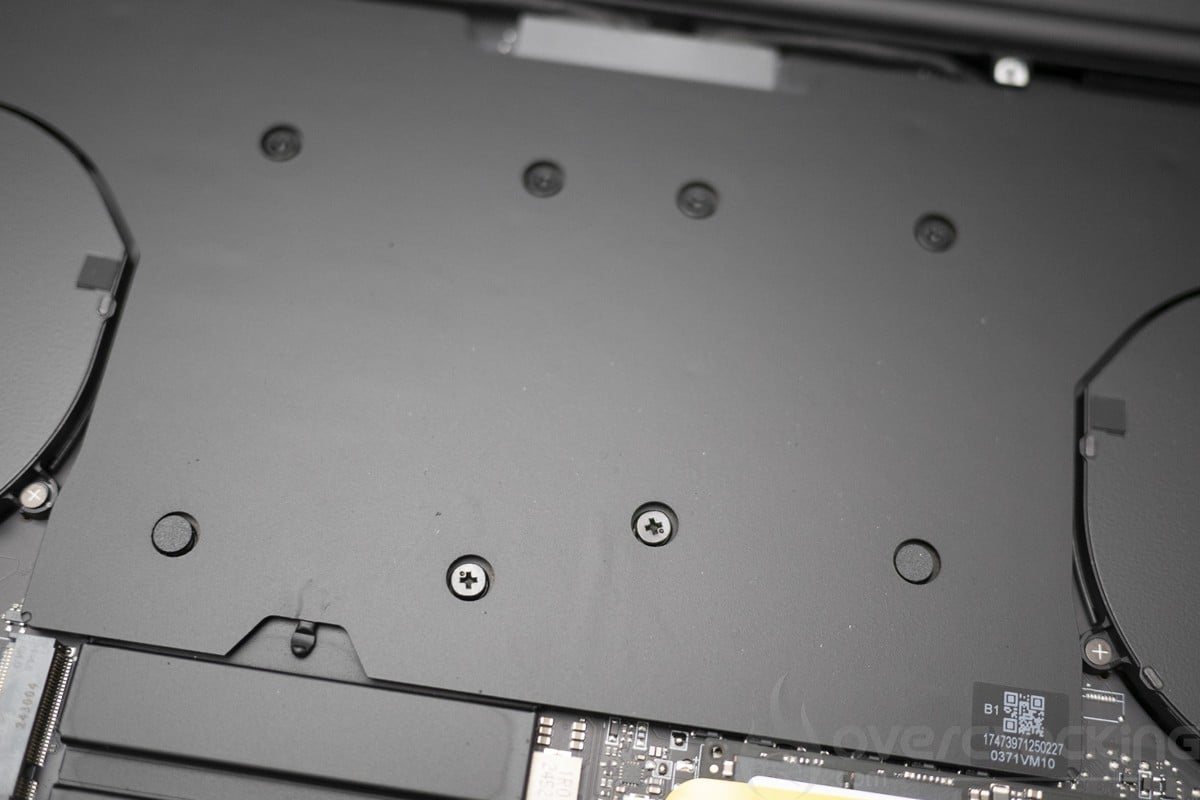
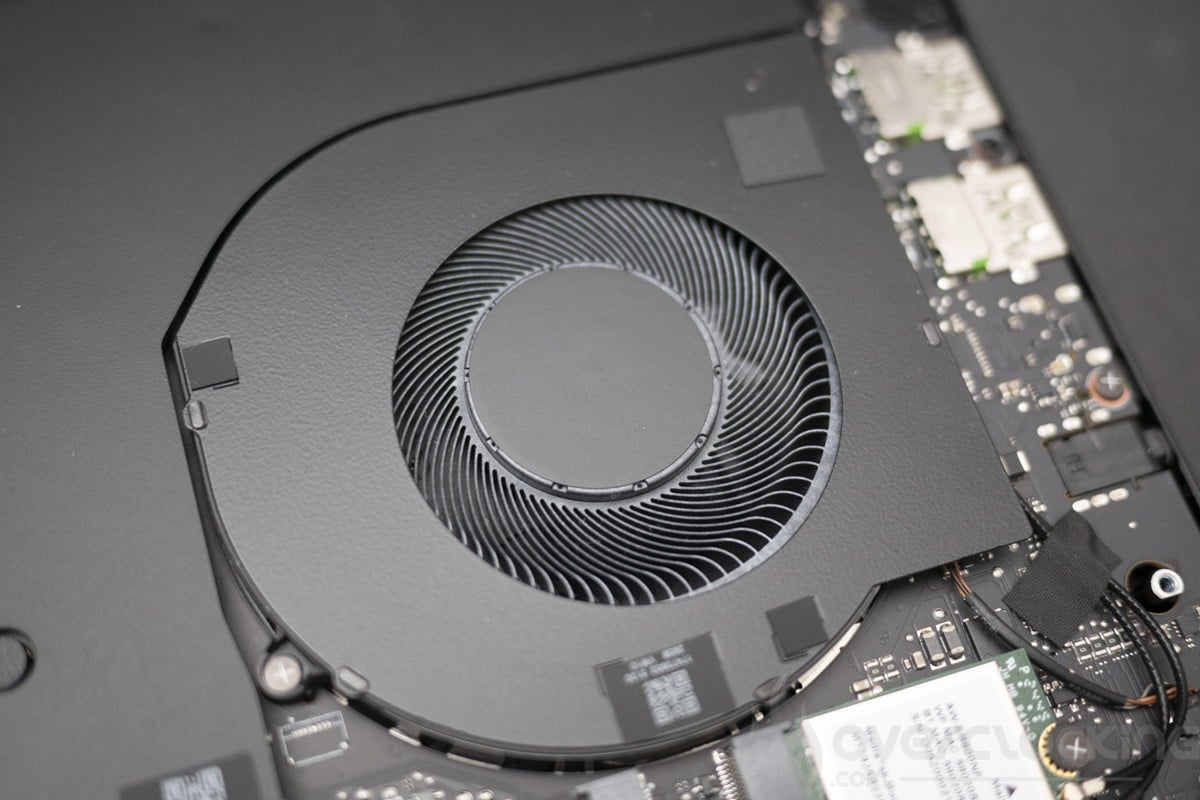
Inside, two large fans cool the CPU via heat pipes and a vapor chamber. Interestingly, Razer chose to use phase-change thermal pads, which are highly efficient on laptops and more robust and durable than thermal paste or liquid metal.
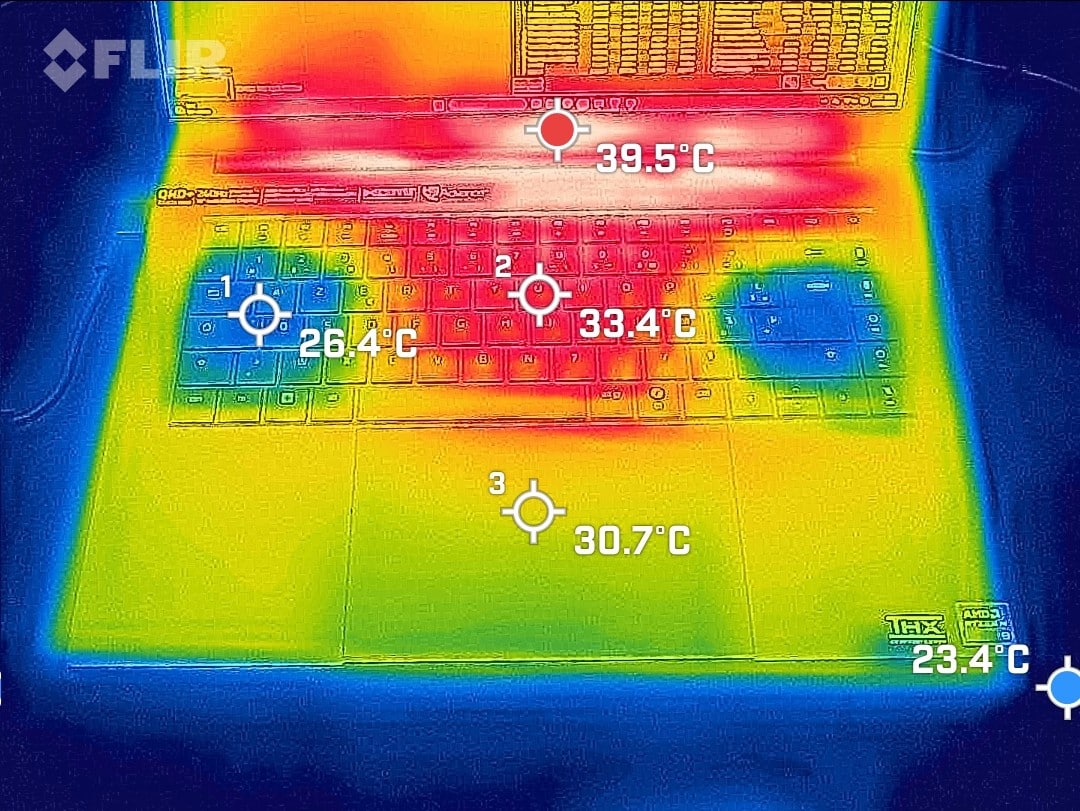
IDLE measurements
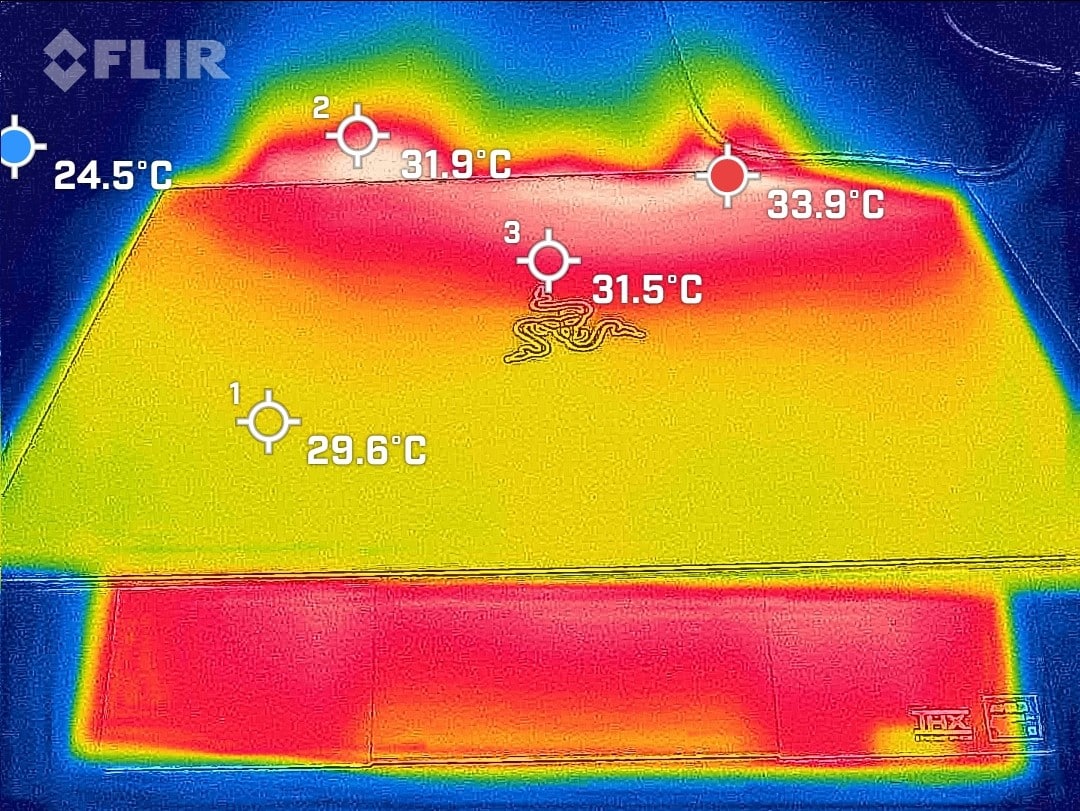
10 Min load measurements on Cinebench R23
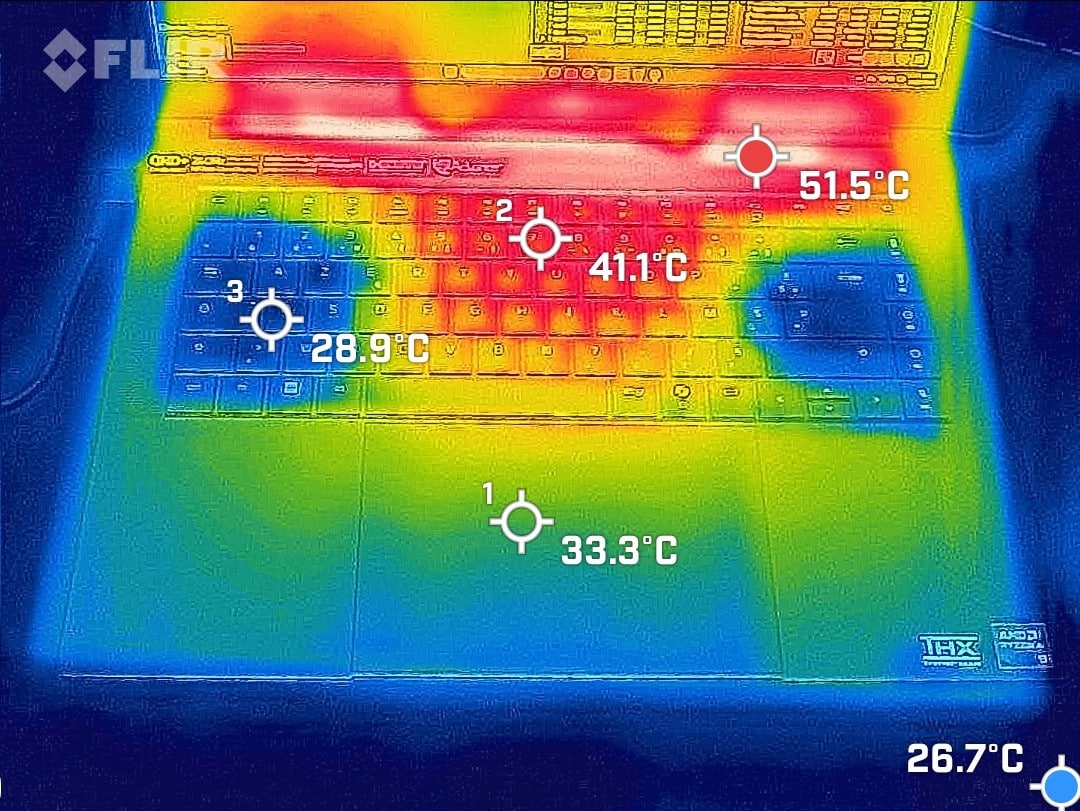
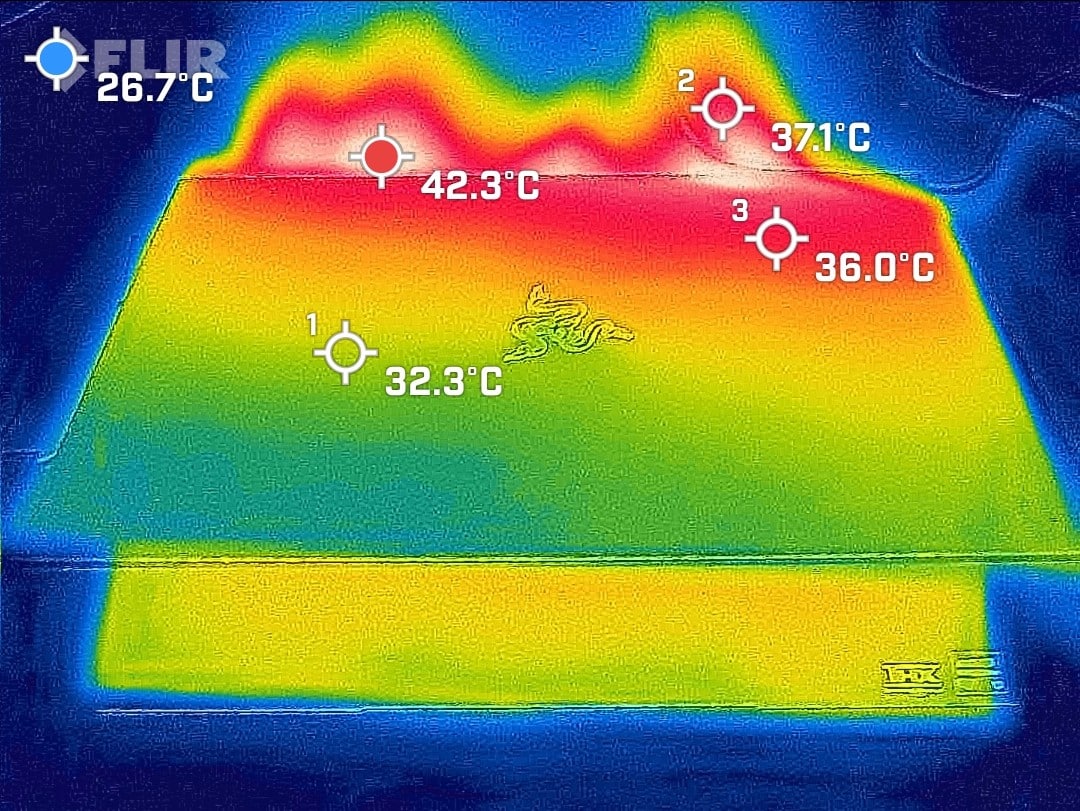
In actual fact, the cooling system manages to hold a 4047 MHz on the Zen 5 cores and 3079 MHz on the Zen 5c cores at less than 60 W, with the temperature stabilizing at 78°C. Frequencies remain almost constant across all cores, varying by only 60 to 70 MHz, so the Blade 16 manages to keep the CPU Strix at a stable frequency without any loss of performance. On the GPU side, it stabilizes at around 80-83°C, with a power consumption of 160 W and a frequency of 2100 MHz. Surface temperatures are 26 to 40°C in IDLE mode and 29 to 41°C in Load mode on the keyboard side. Noise levels are well contained, at just 43 dbA when measured at normal operating distance. The positive bridge that can be seen with the thermal camera is the fan zones running through the keyboard. This reduces the temperature in the ZQSD zone, which is used extensively in gaming.
[nextpage title=”Synthetic CPU performance”]
Synthetic CPU performance
Let’s take a look at what this machine has up its sleeve, starting with CPU and memory performance on a few synthetic benchmarks. The Ryzen 9 AI 365 on board this machine will be compared with the Intel Ultra 9 285H.
Cinebench R20
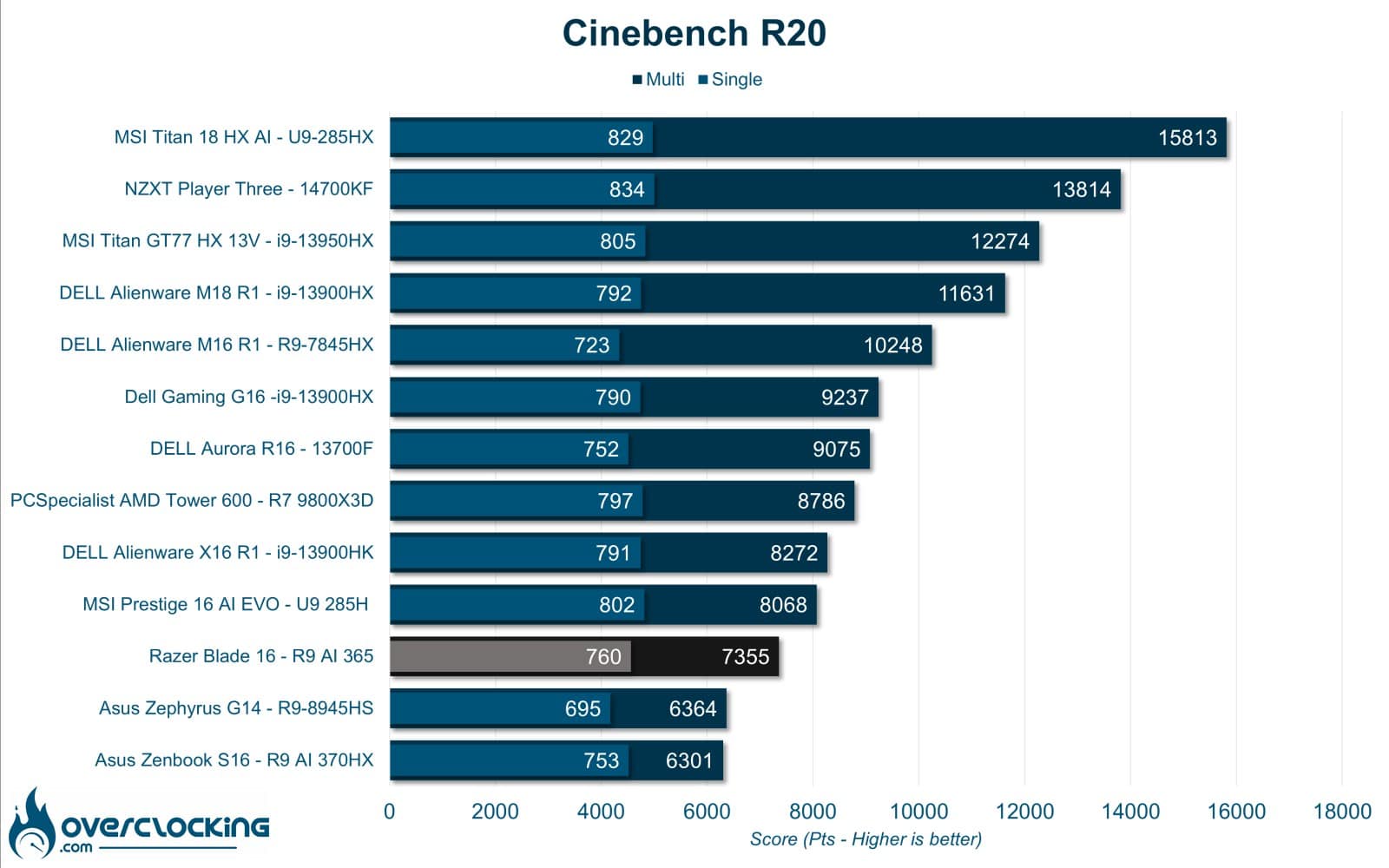
Starting with Cinebench R20, the R9 AI 365 performs better than the AI 370HX on the Zenbook S16, which was throttled. Here, the CPU’s full potential is realized through cooling.
Cinebench R23
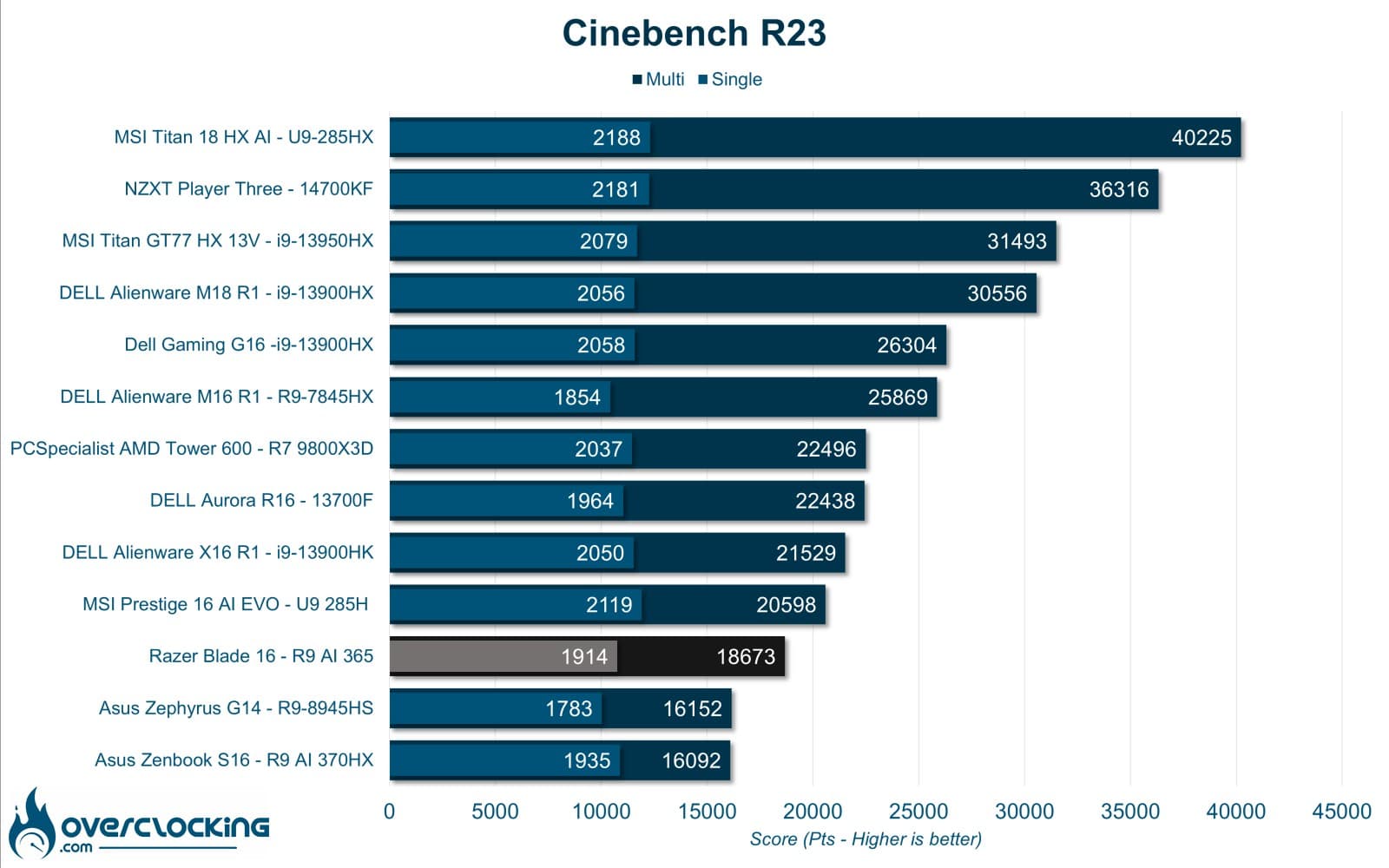
Continuing with Cinebench R23, the AI 365 once again performs well, but lags behind the U9 285H.
OCCT Latency / Bandwidth
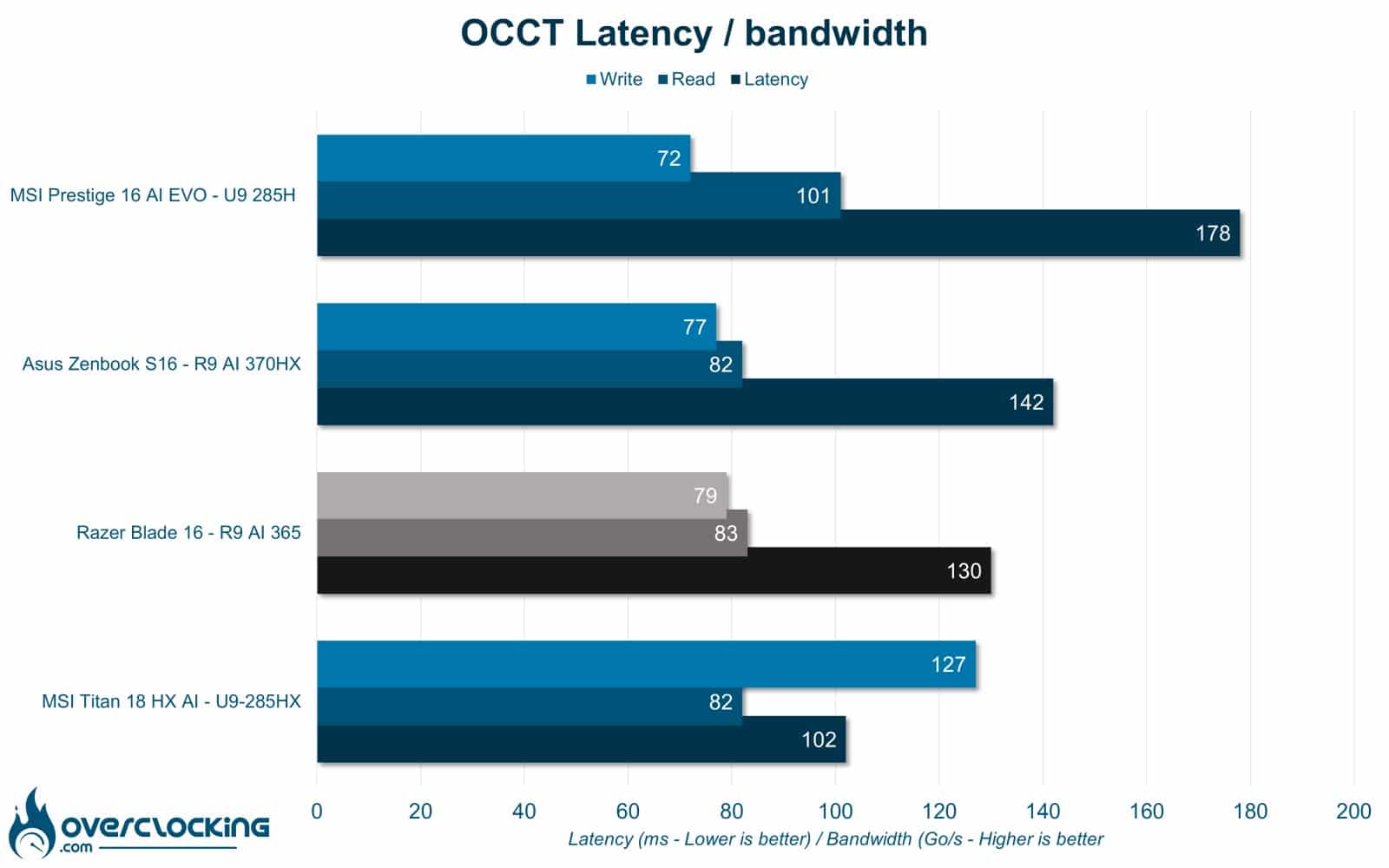
On OCCT, the Razer Blade 16 displays very high latency and very low bandwidths for its 8000 Mt/s.
OCCT Memory Benchmark
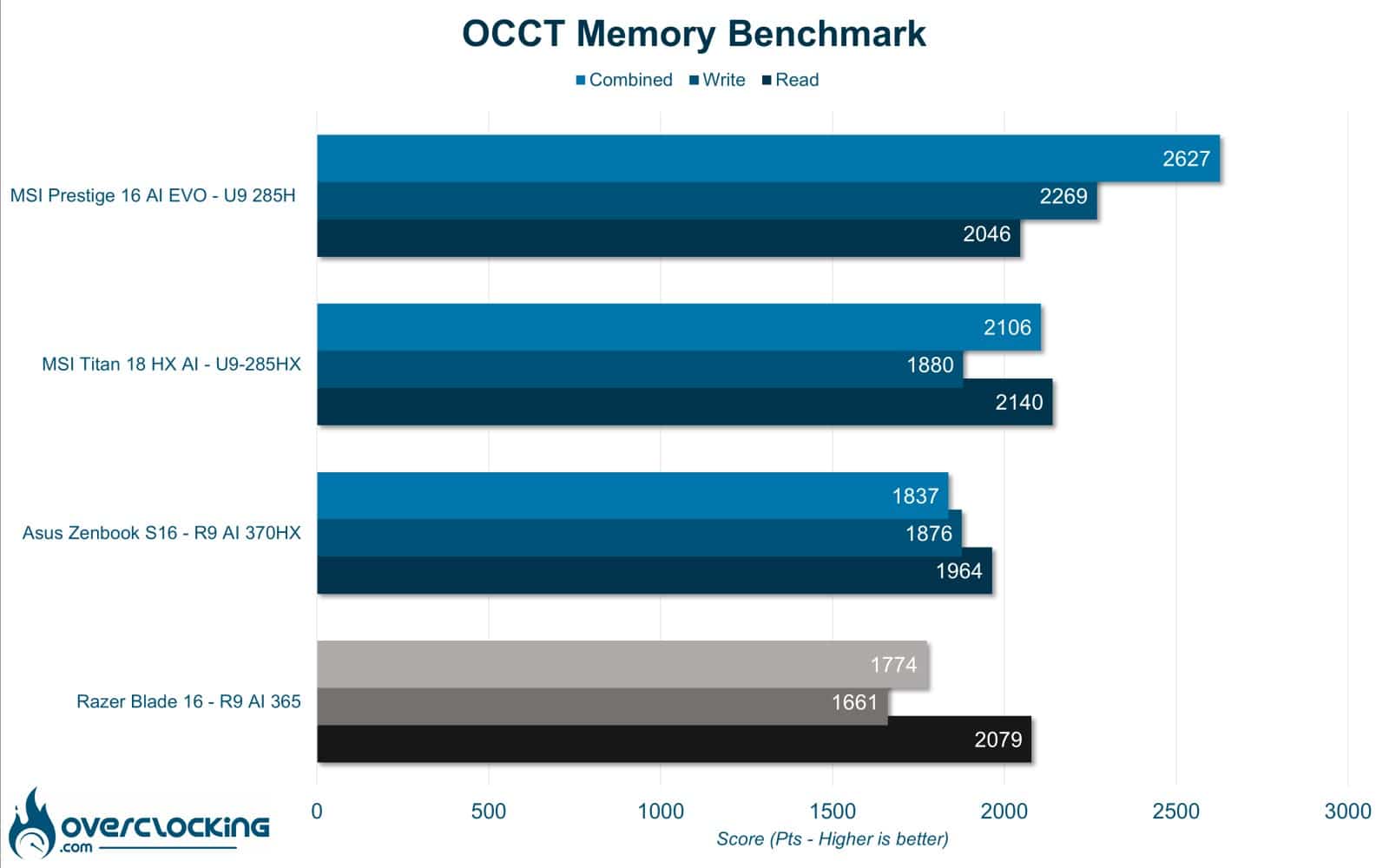
In this second OCCT test, we take a look at overall memory-related performance. Here, the Ryzen 9 AI 365 clearly lags behind.
3DMark CPU Profile
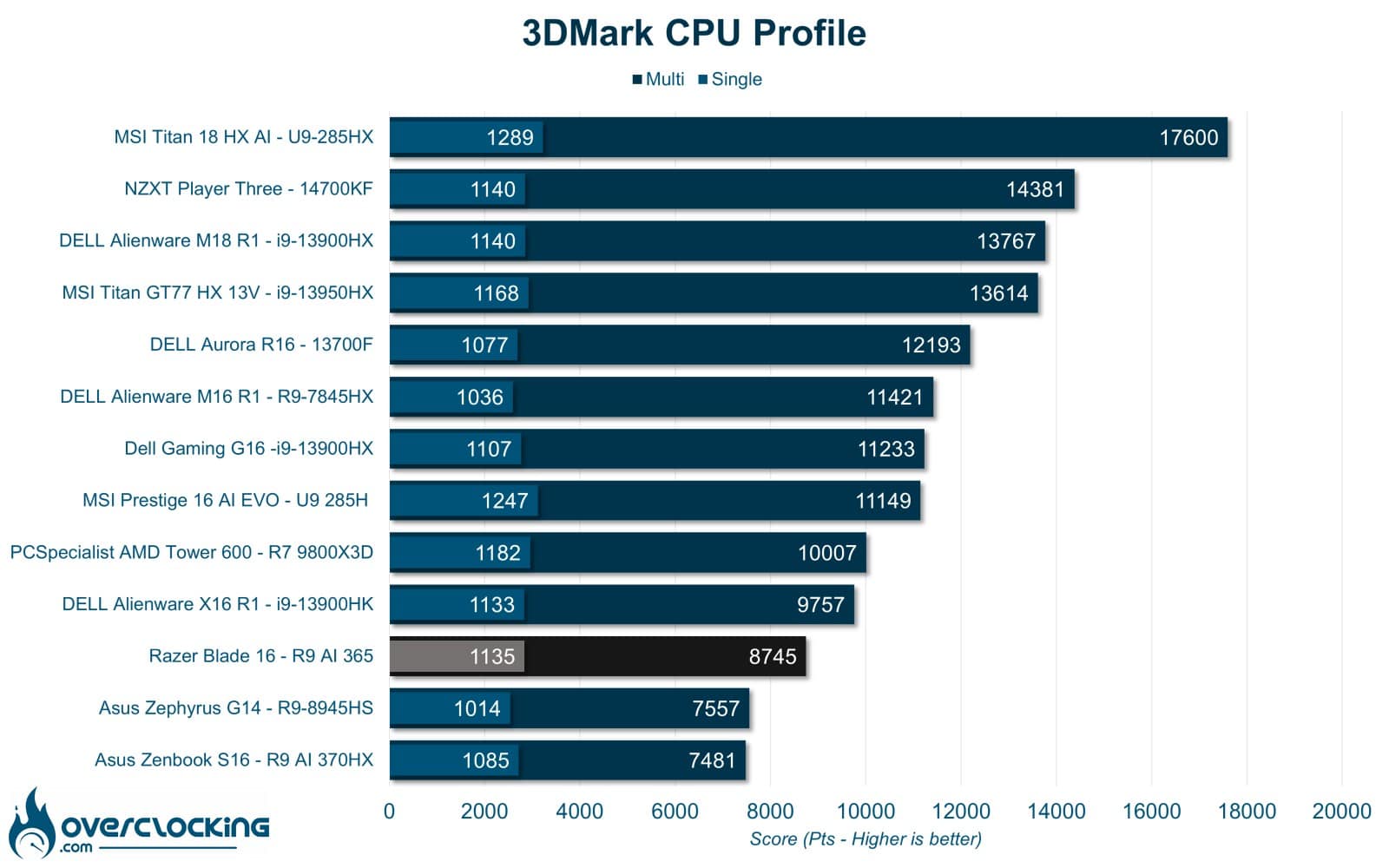
In the 3DMark CPU profile, the Ryzen 9 AI 365 once again delivers the performance we’ve come to expect. Overall, the Razer Blade 16’s processor is clearly not its strong point, but it still performs well enough, with a Cinebench R23 score on a par with a Ryzen 7 9700X at 65 W. [nextpage title=”Synthetic GPU performance”]
Synthetic GPU performance
Now that we know the performance of the CPU part, we can move on to the GPU on a few synthetic benchmarks. The Razer Blade 16 is equipped with a new-generation RTX 5080, and here we’ll compare it to the previous RTX 4080 mobile. In raw performance, since DLSS 4 doesn’t exist here.
3DMark Timespy
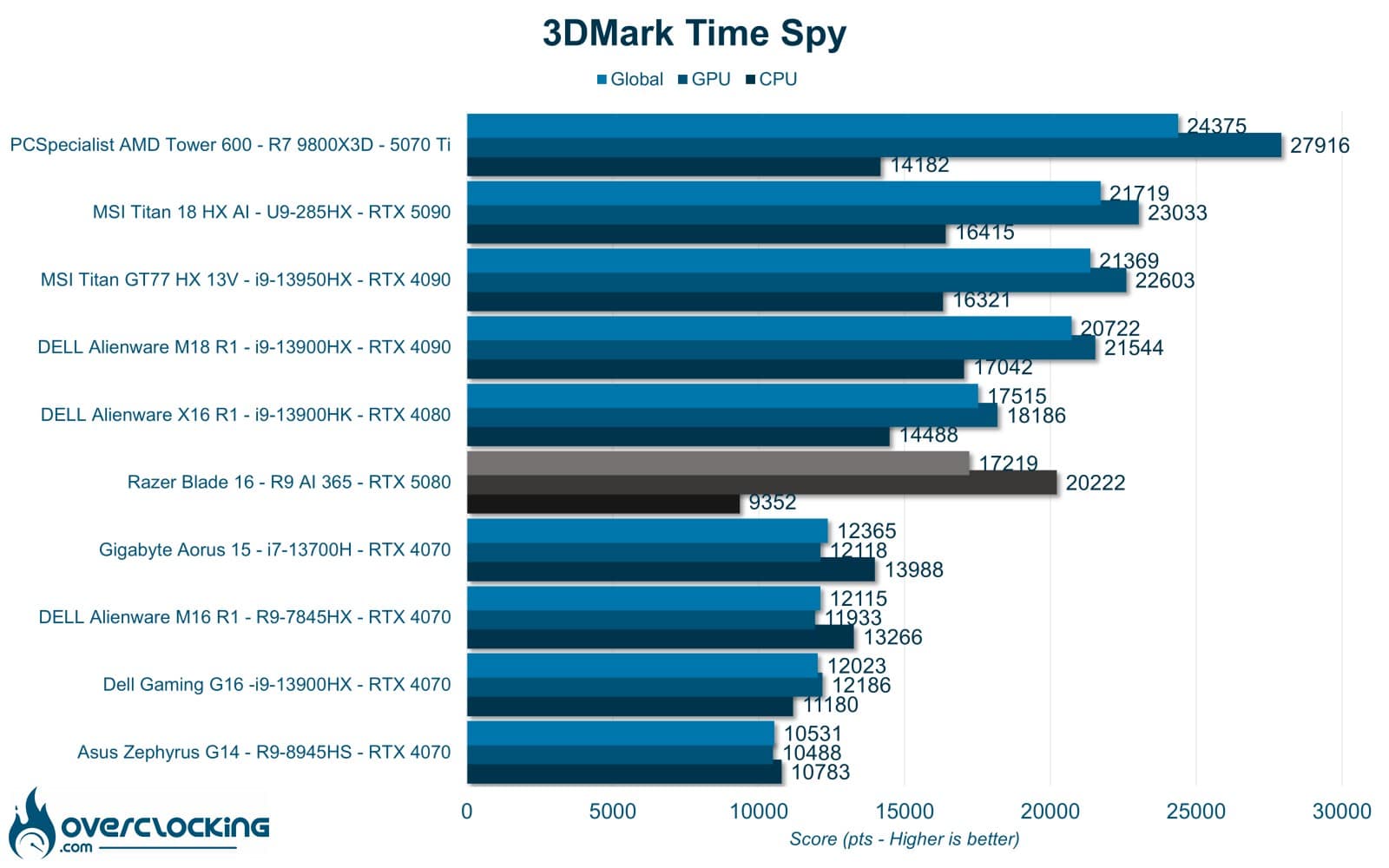
Let’s start with 3DMark Time Spy. Here, the RTX 5080 performs well, at just over 11% of the RTX 4080 mobile. The CPU, however, lags well behind the 13900HK.
3DMark Timespy extreme
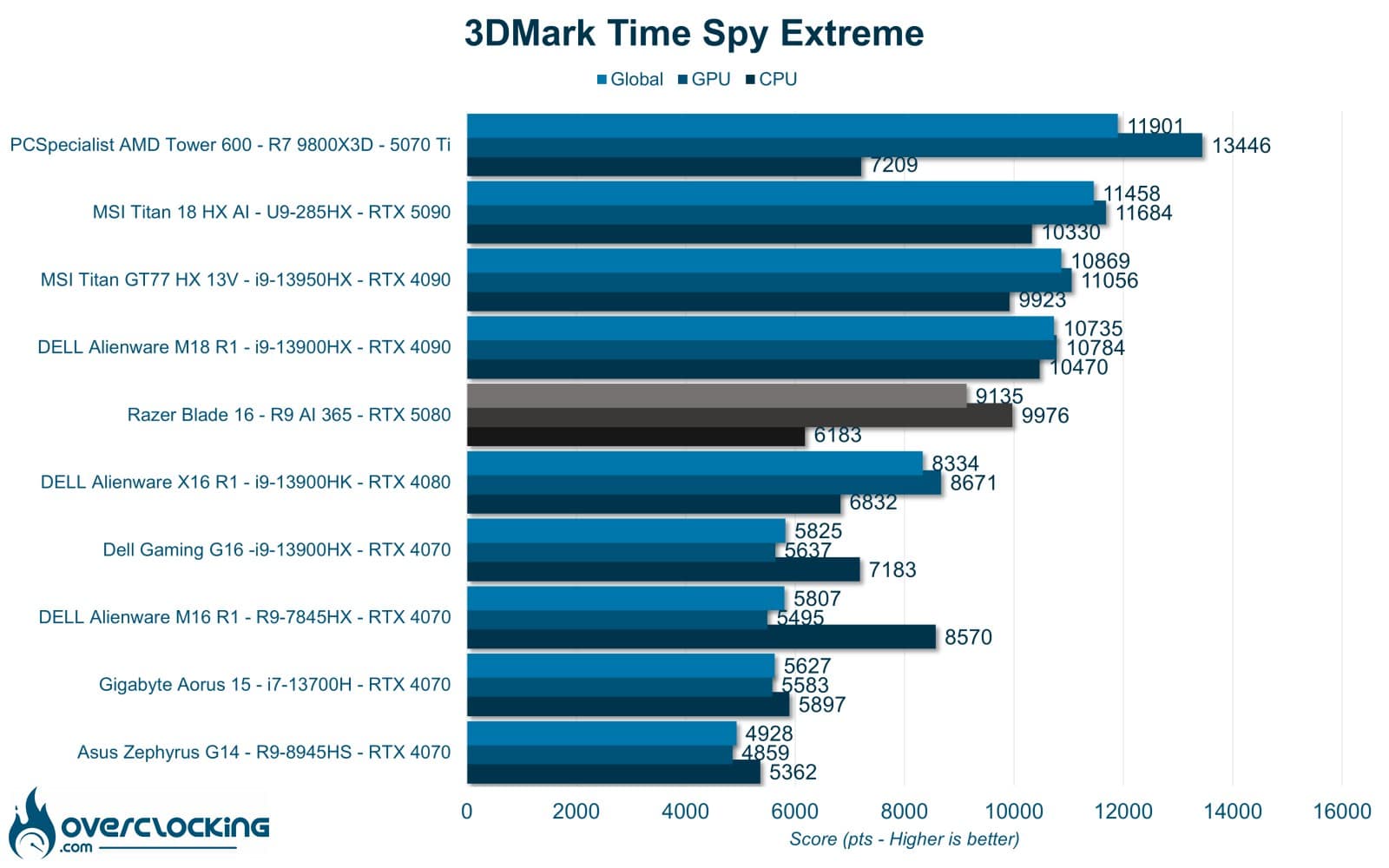
As with Time Spy, the same applies. Here, the gap widens and the Blade 16 overtakes the Alienware X16 R1.
3DMark Firestrike
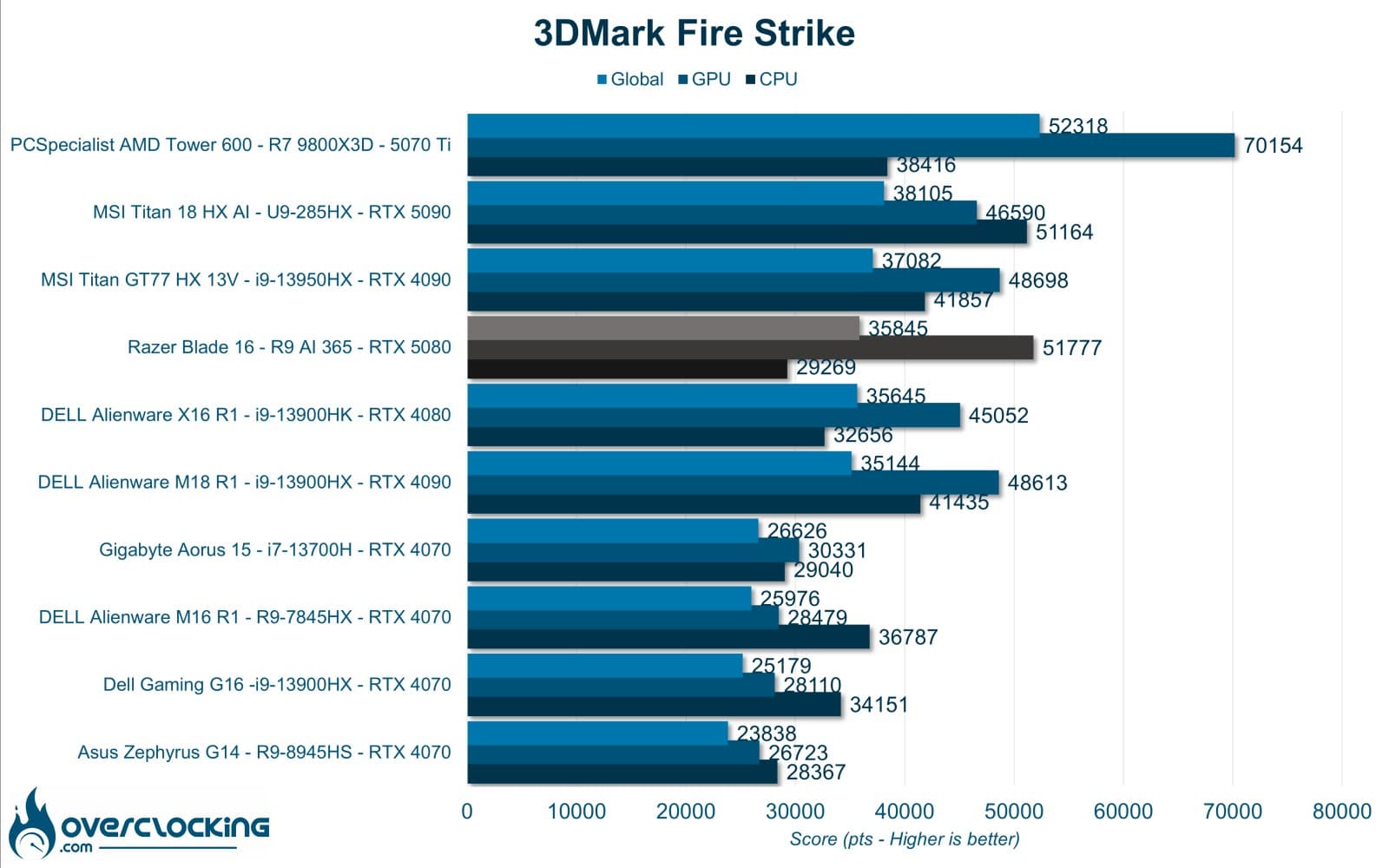
On 3DMark Firestrike, the RTX 5080 shows astonishing performance here, coming out ahead of the RTX 5090 mobile.
3DM Firestrike Extreme
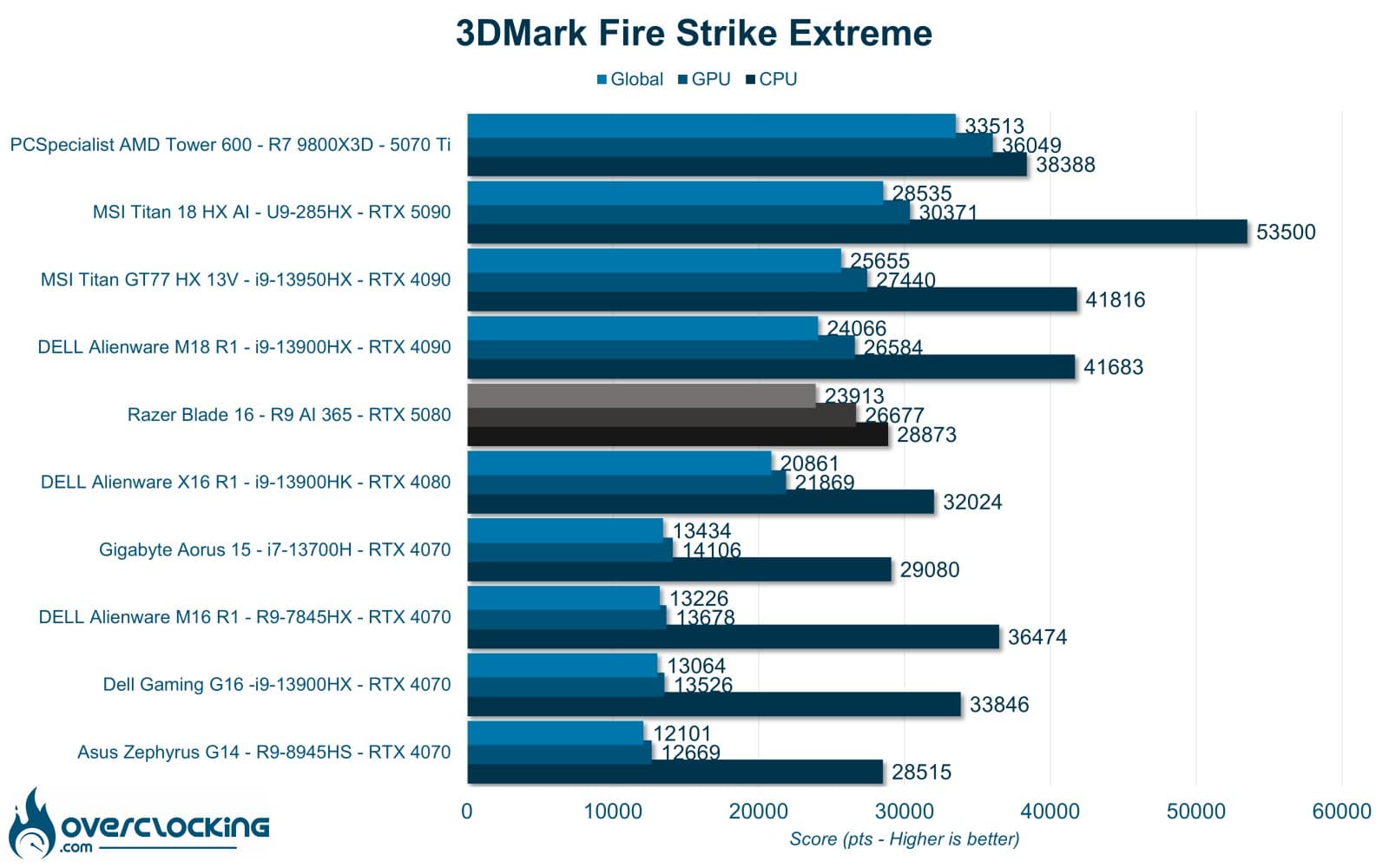
On 3DMark Firestrike Extreme, RTX 5080 performance is close to that of the RTX 4080.
3DM Firestrike Ultra
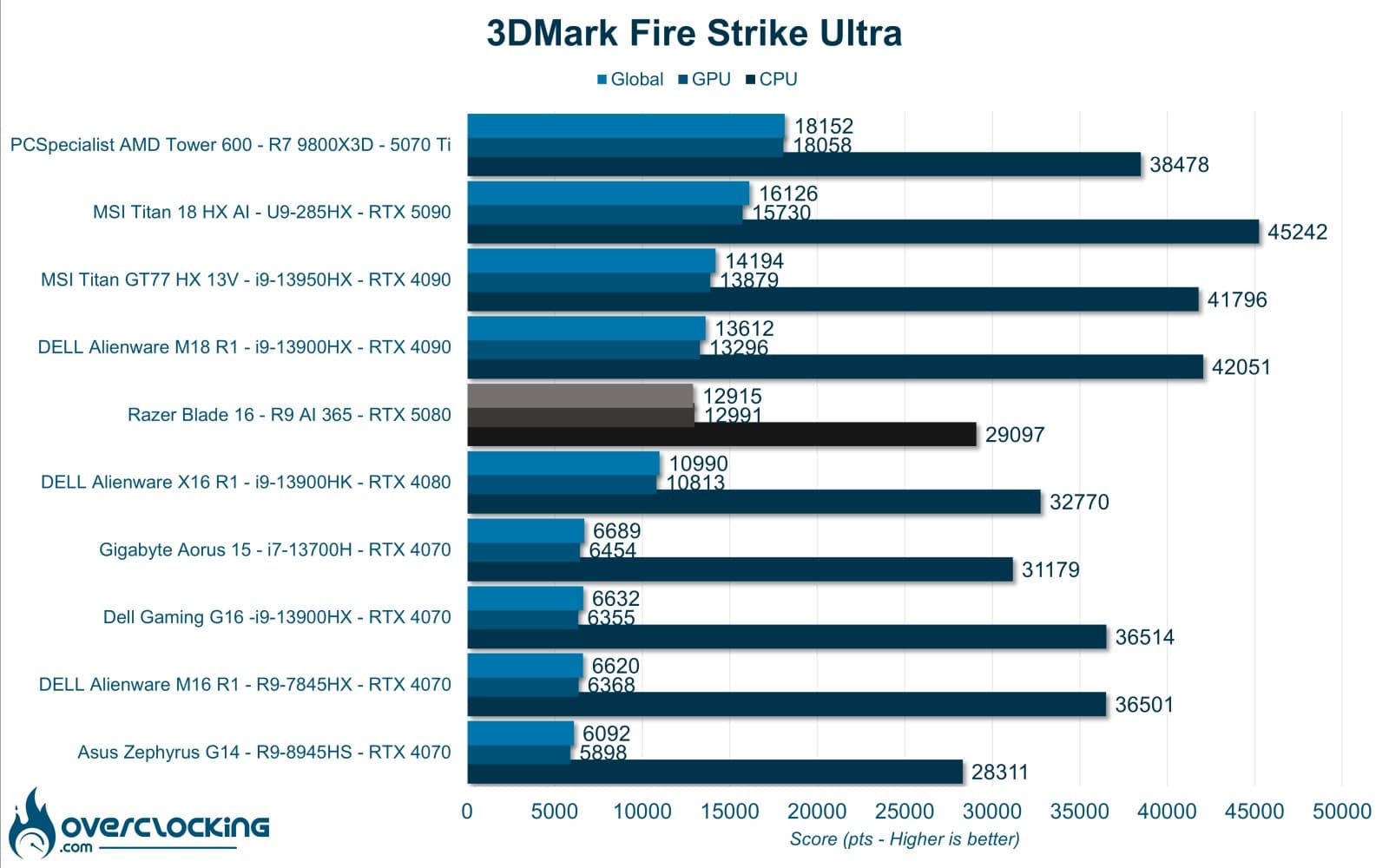
On Firestrike Ultra, the RTX 5080 lags behind the RTX 4080 and even some RTX 4070s.
3DM Speedway / Steel Nomad
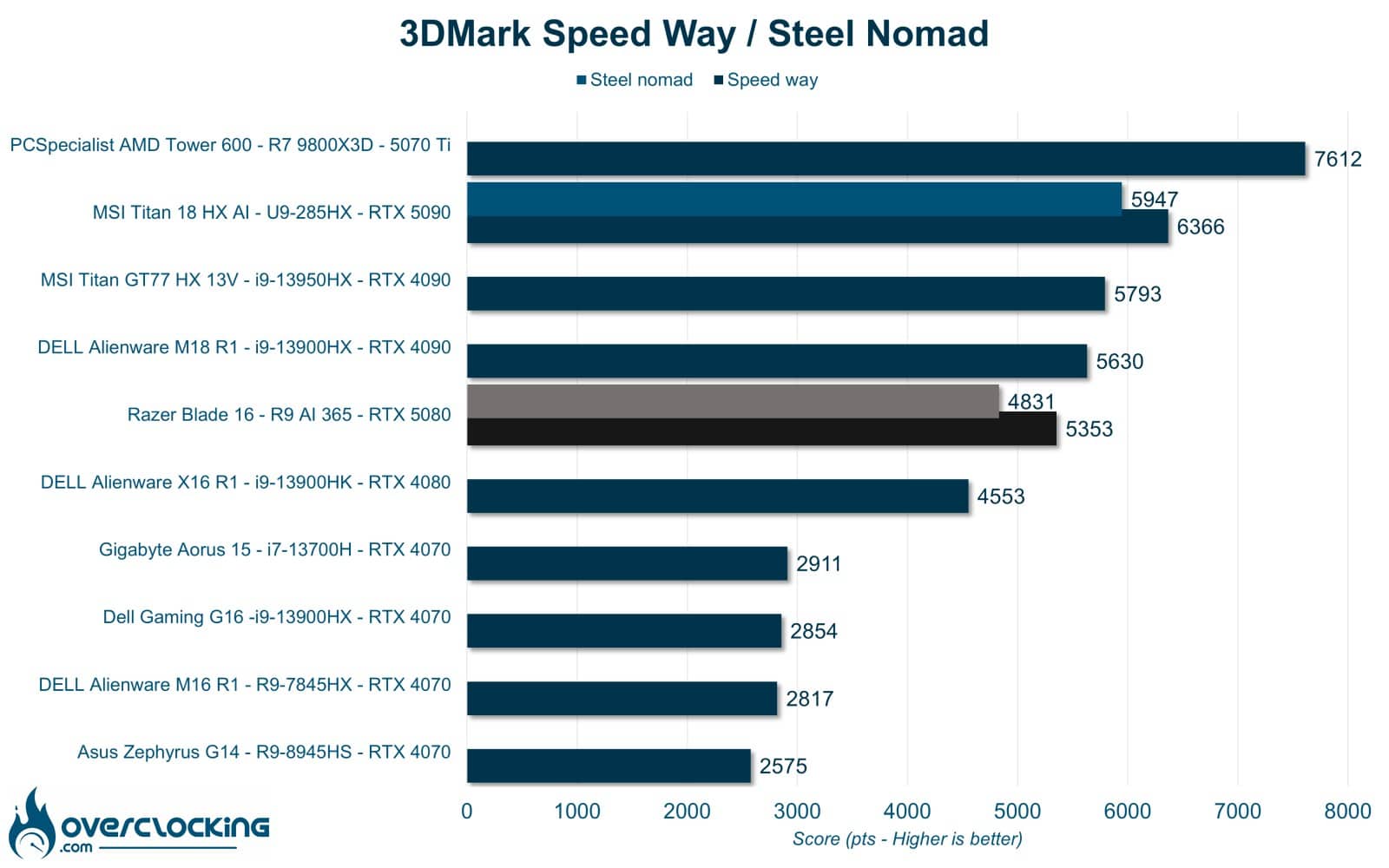
Last but not least, 3DMark Speedway and Steel Nomad are graphics-only benchmarks. Here, the gain in Ray tracing is minimal compared with the RTX 4080. As a reminder, these cards were tested with the drivers used at the time, which were less powerful than today’s.[nextpage title=”Productivity performance”]
Productivity performance
In this section, we’ll focus on productivity performance. In other words, the machine’s performance on software such as Microsoft Office, Blender or UL Procyon.
PCMark 10 Extented
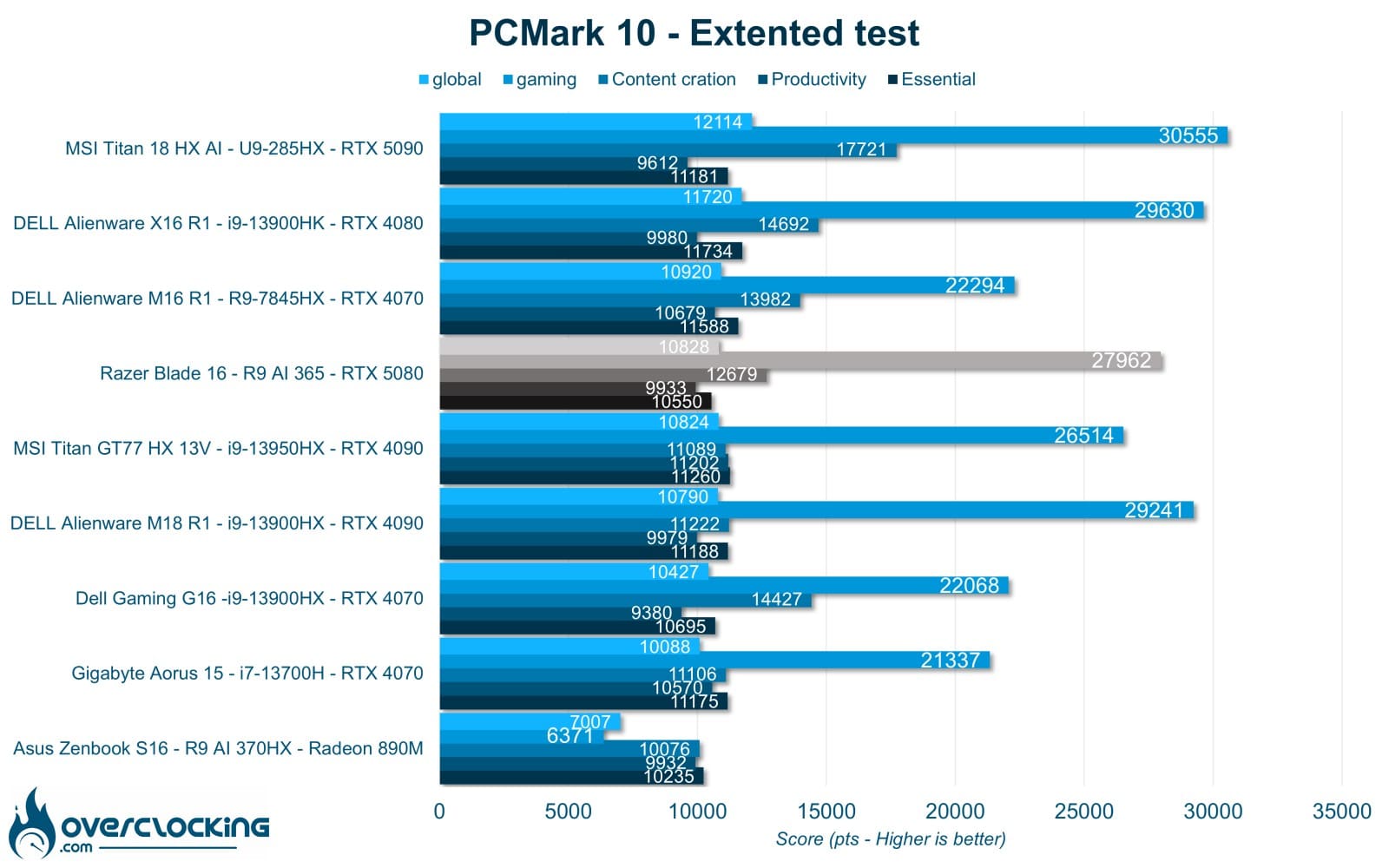
On PCMark 10, the Titan 18 HX AI performs very well and ranks fairly high. The SSD is certainly a limiting factor here, as is the CPU.
PCMark 10: application
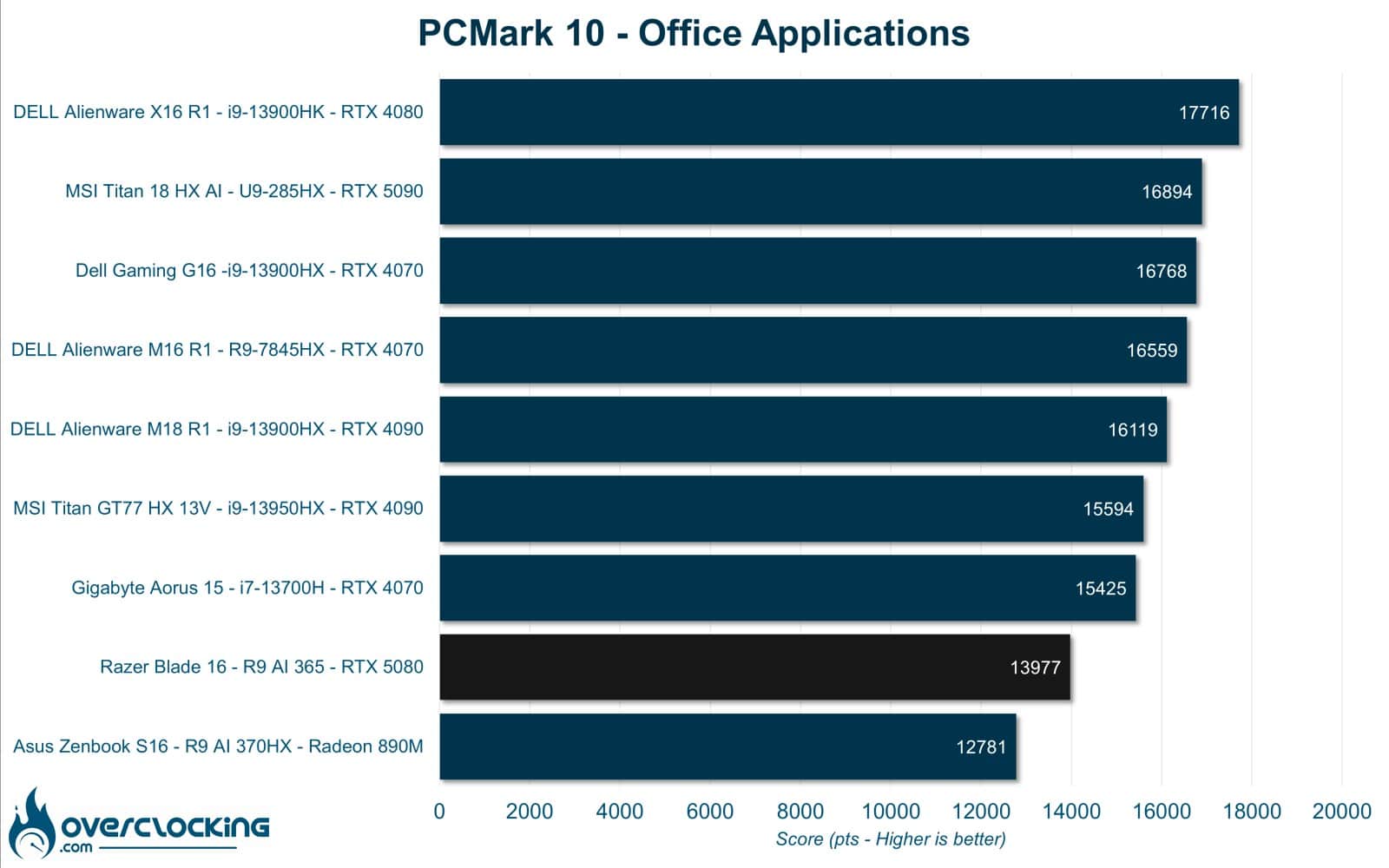
The benchmark presented here uses the Microsoft Office suite to give us our machine’s performance on Word, Excel and Powerpoint. Here, the Razer Blade 16 shows very low performance, partially because unfortunately this benchmark is very SSD-dependent.
Blender
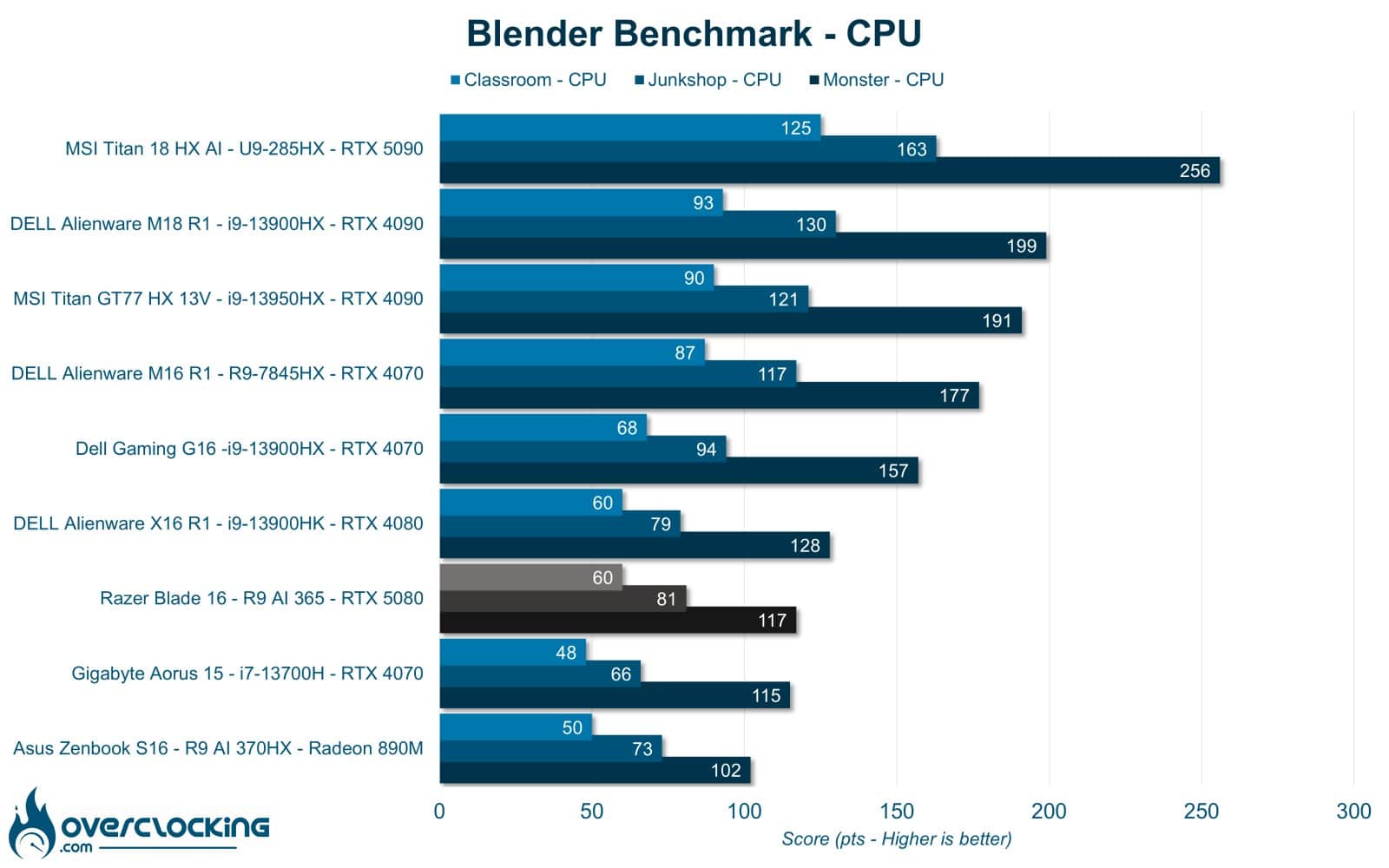
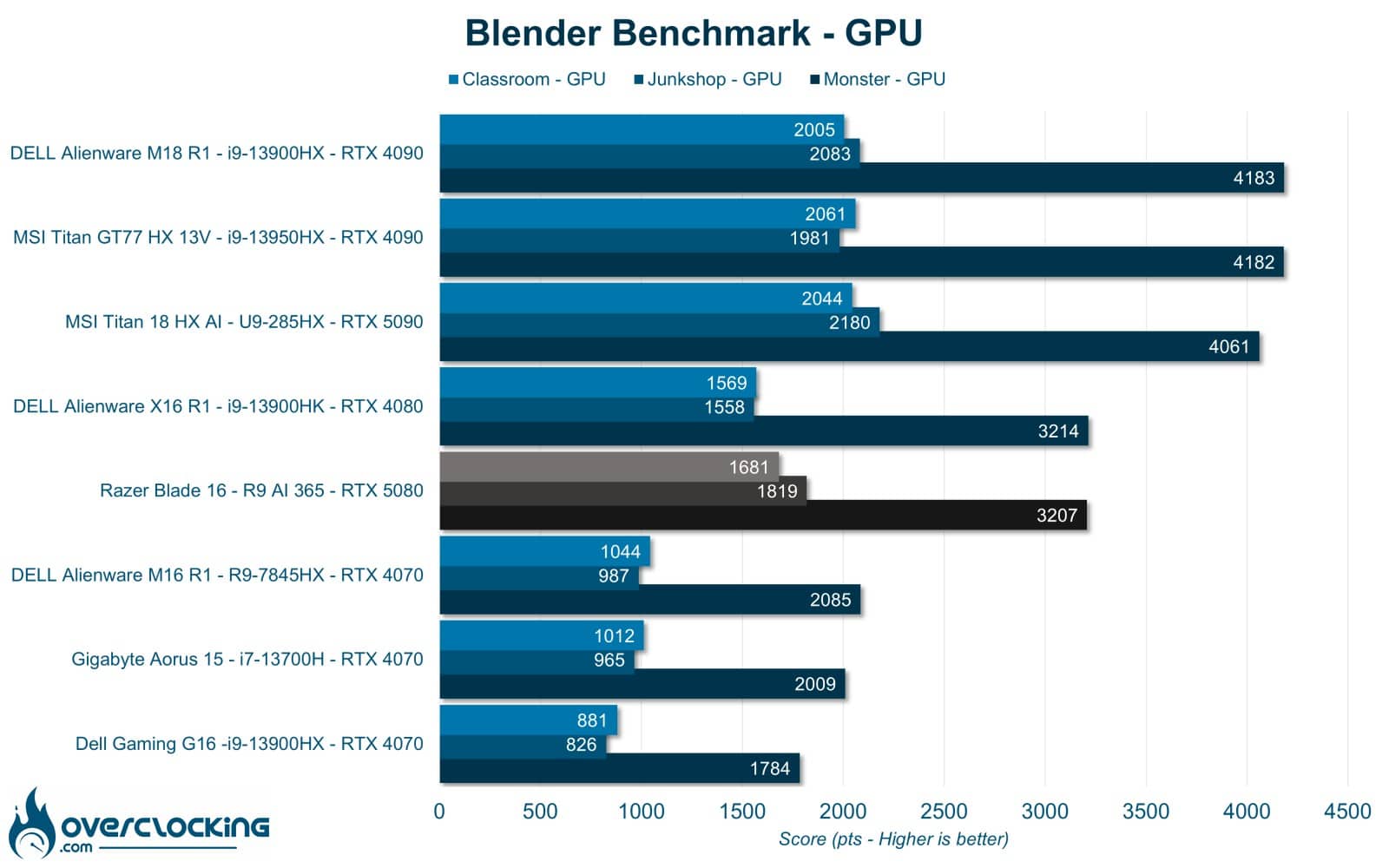
On Blender, the Blade 16 performs very well on the CPU benchmark for power consumption, but lags behind the RTX 4080 on the GPU benchmark.
UL Procyon : AI Computer vison
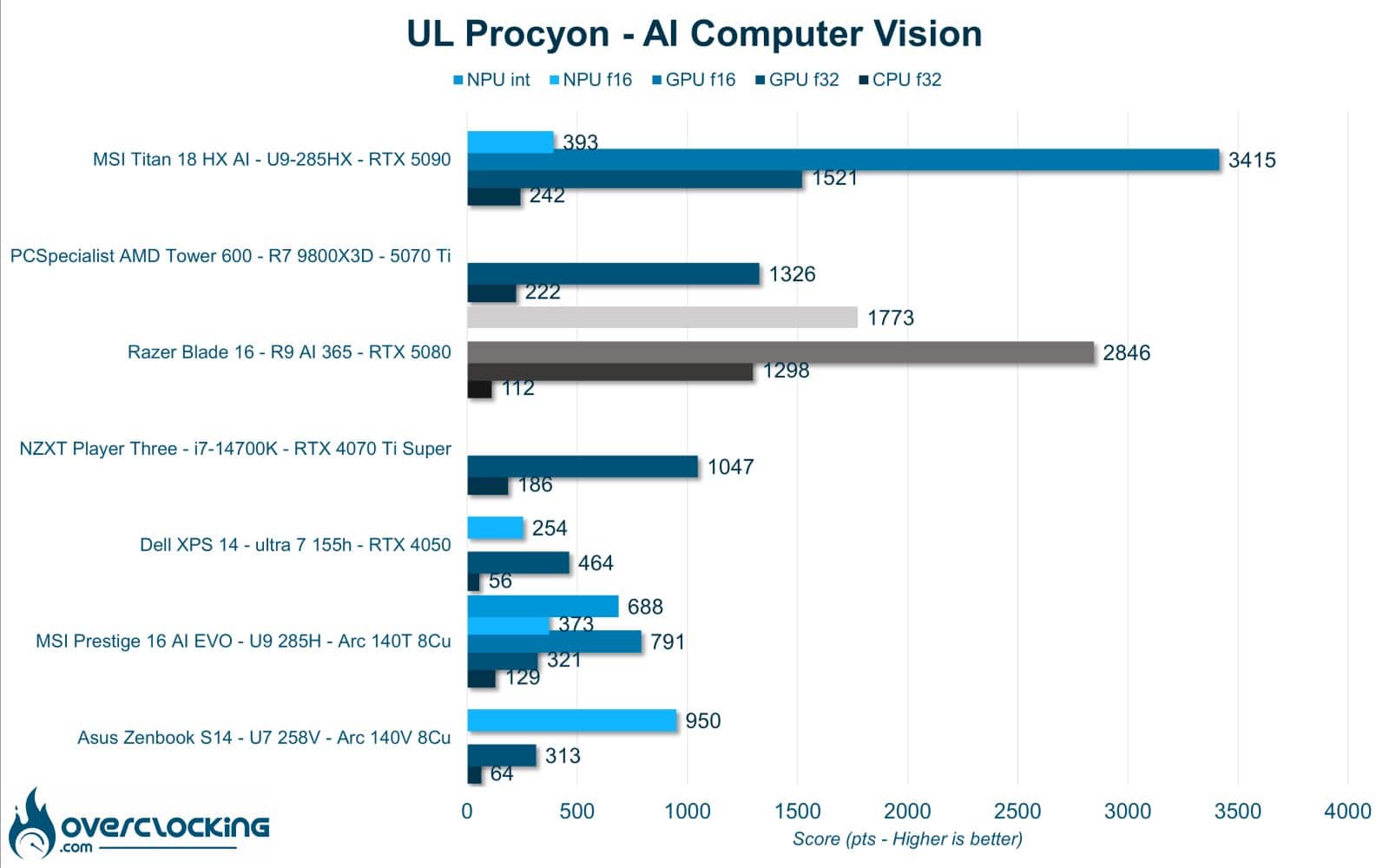
UL Procyon AI Computer Vision is a benchmark that gives an overview of the performance of AI inference engines. Here, the benchmark was run under AMD AI for the NPU and NVIDIA Tensor for the GPU. CPU-only performance is quite good, as is that of the GPU. As for the NPU, it’s only tested in INT 8, whereas Intel offers Float 16, which is much more useful. Overall, this Razer Blade 16 shows very good performance for GPU productivity, with AI support. However, we’re disappointed by the low-performance SSD, which greatly reduces certain scores.
[nextpage title=”Gaming performance”]
Gaming performance Rasterization
Now that we’ve finished with the synthetic benchmarks, let’s move on to the gaming tests. Initially, these will be AAA titles in native resolutions and with DLSS when available.
Anno 1800
Anno 1800 integrated benchmark results. In ultra quality, at 1080p and 1600p native under DX12.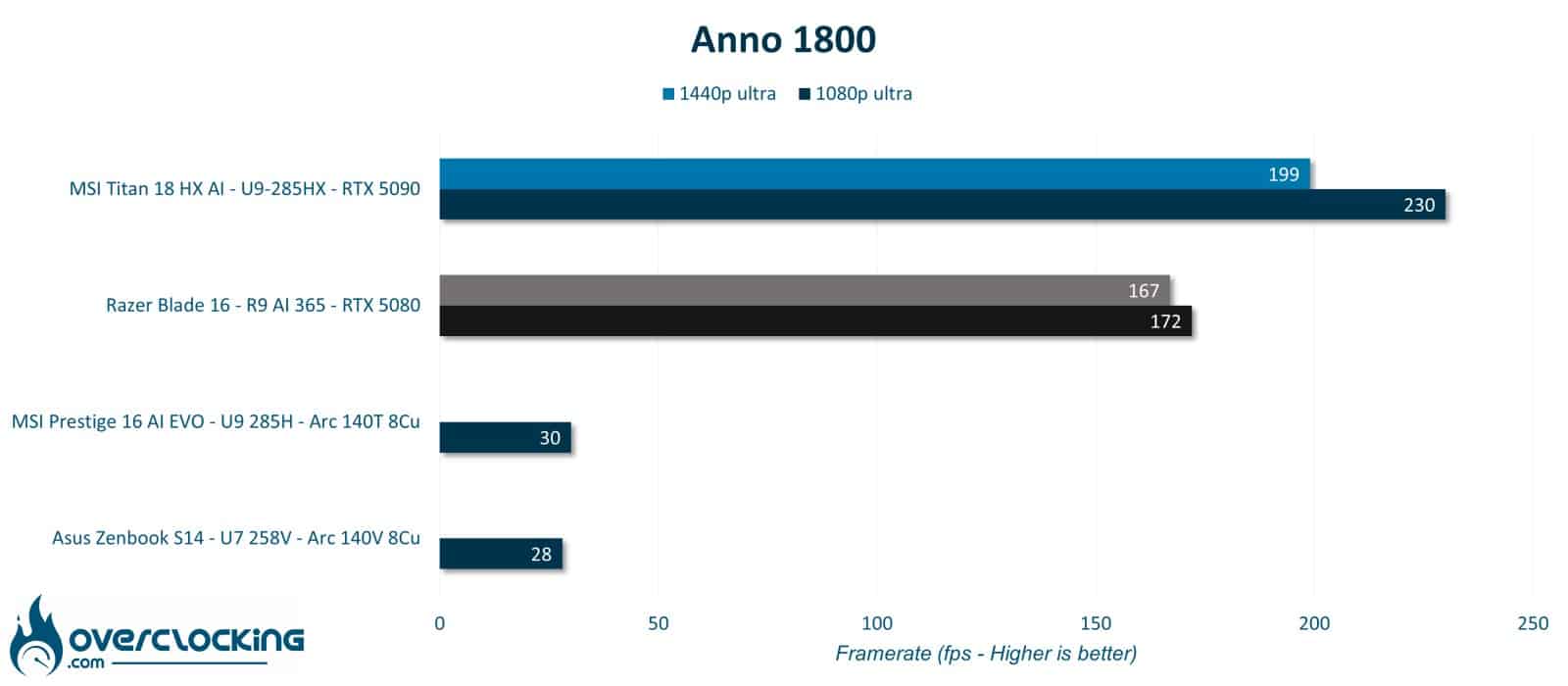
Cyberpunk 2077
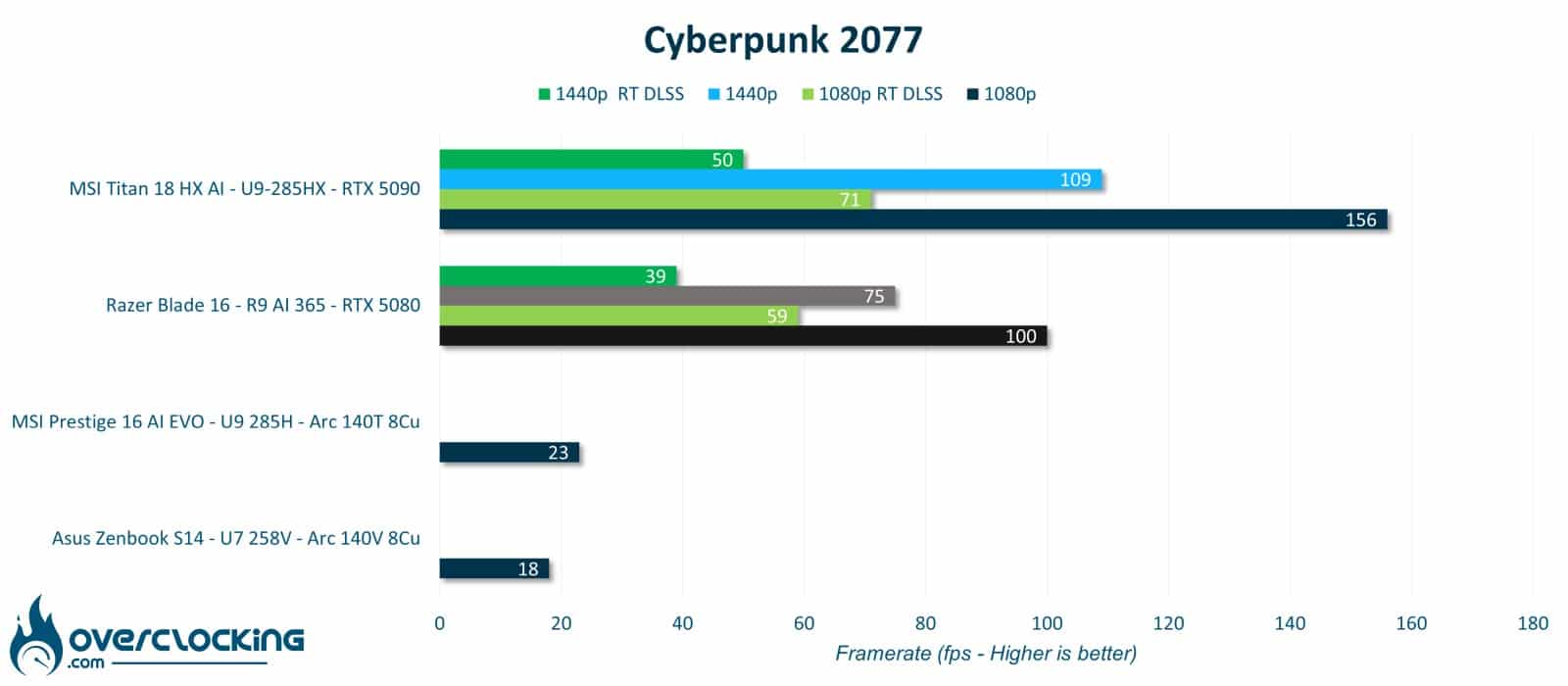
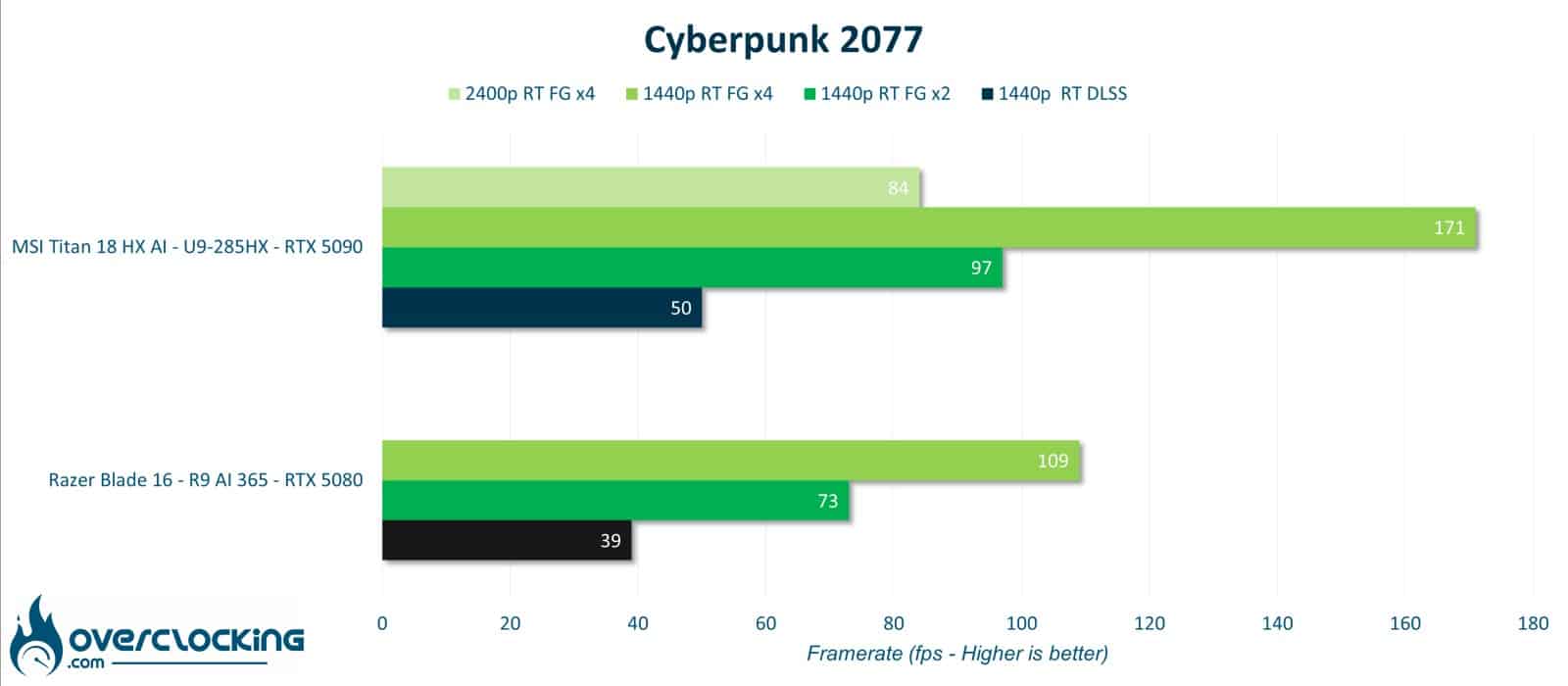
Built-in benchmark results for Cyberpunk 2077. Ultra quality, 1080p and 1600p, with and without Path tracing + DLSS Quality under DX12. Second table with the addition of Frame Gen X2 and X4.
War Thunder
War Thunder integrated benchmark results. Ultra quality, 1200p and 1600p native DX12.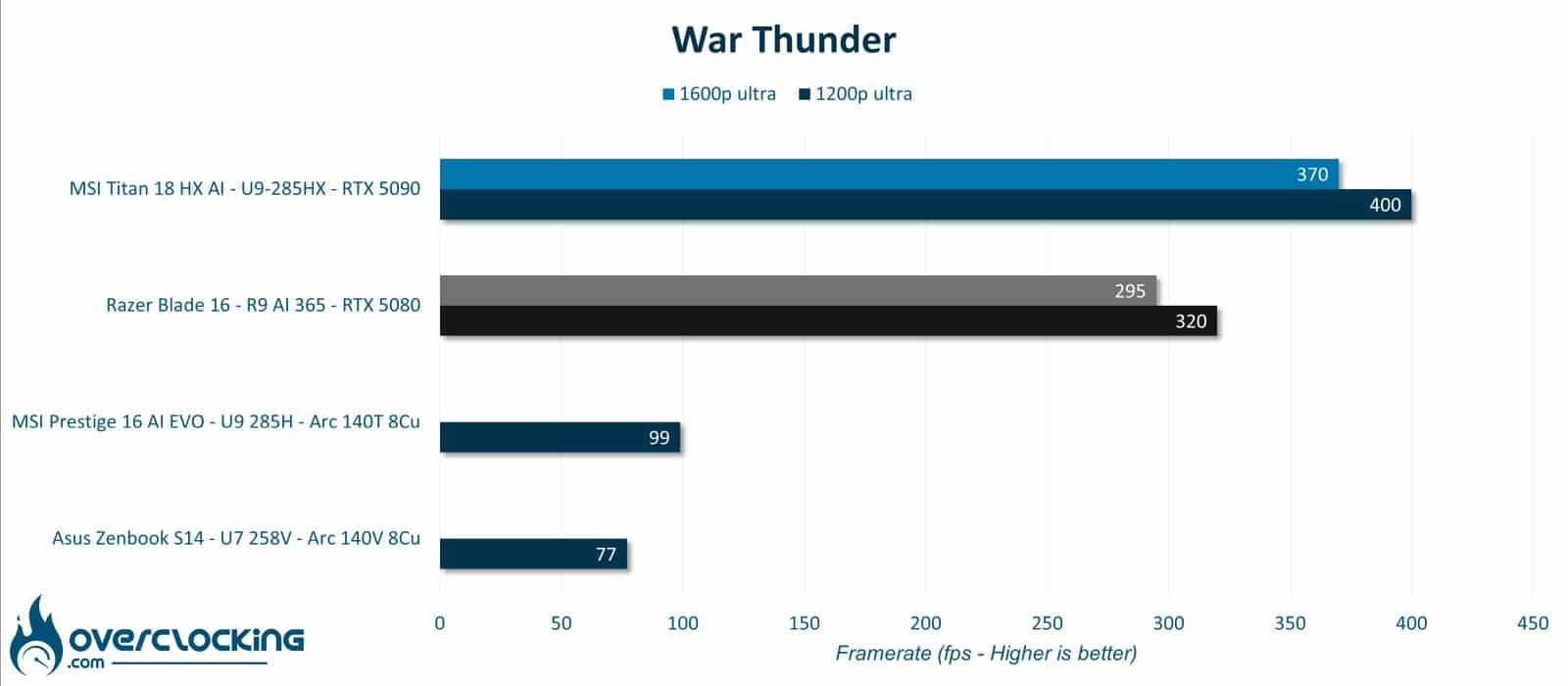
Assetto Corsa Competizione
1-lap Barcelona benchmark results via CapframeX on Assetto Corsa Competizione. Ultra quality, 1080p and 1600p native DX12.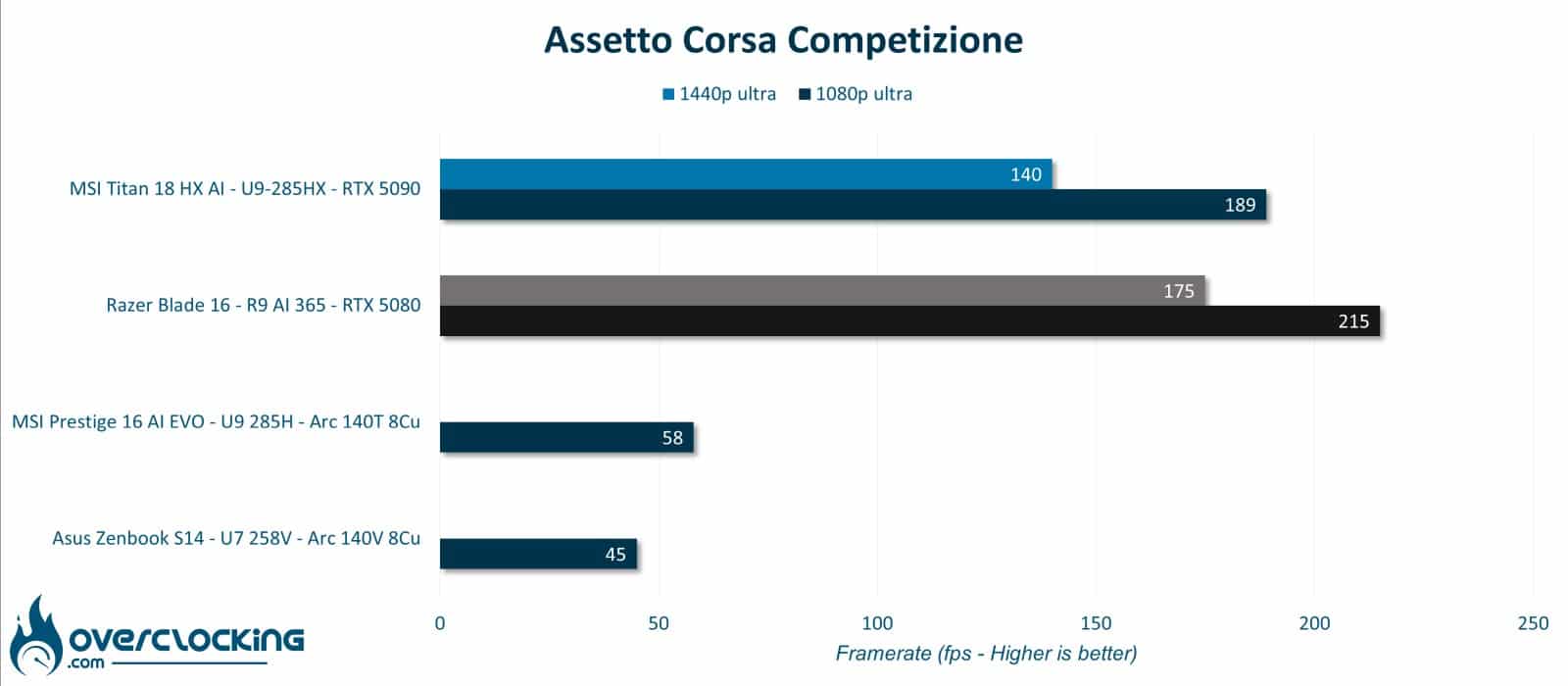
Farming Simulator 25
300s harvester benchmark results via CapframeX on Farming Simulator 25. In ultra quality, at 1080p, and 1600p native under DX12.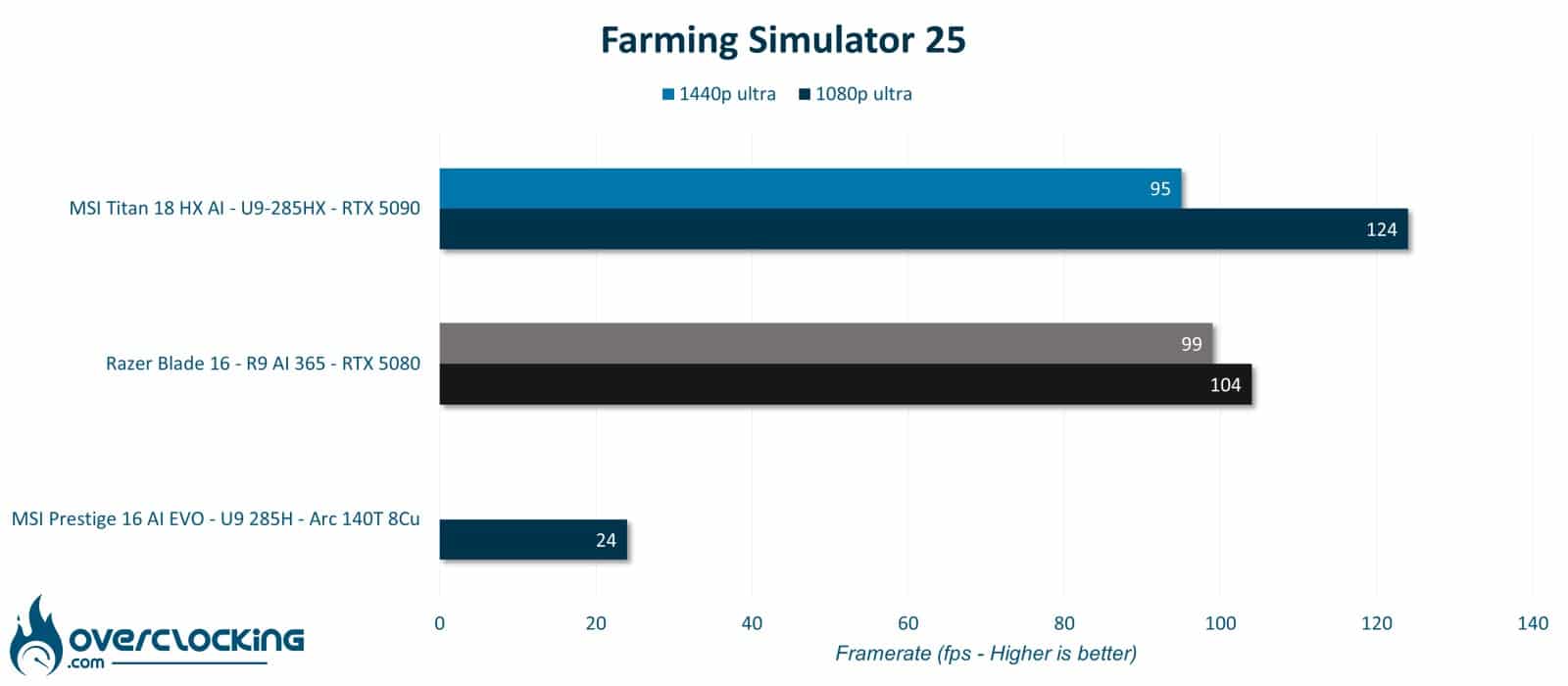
Counter Strike 2
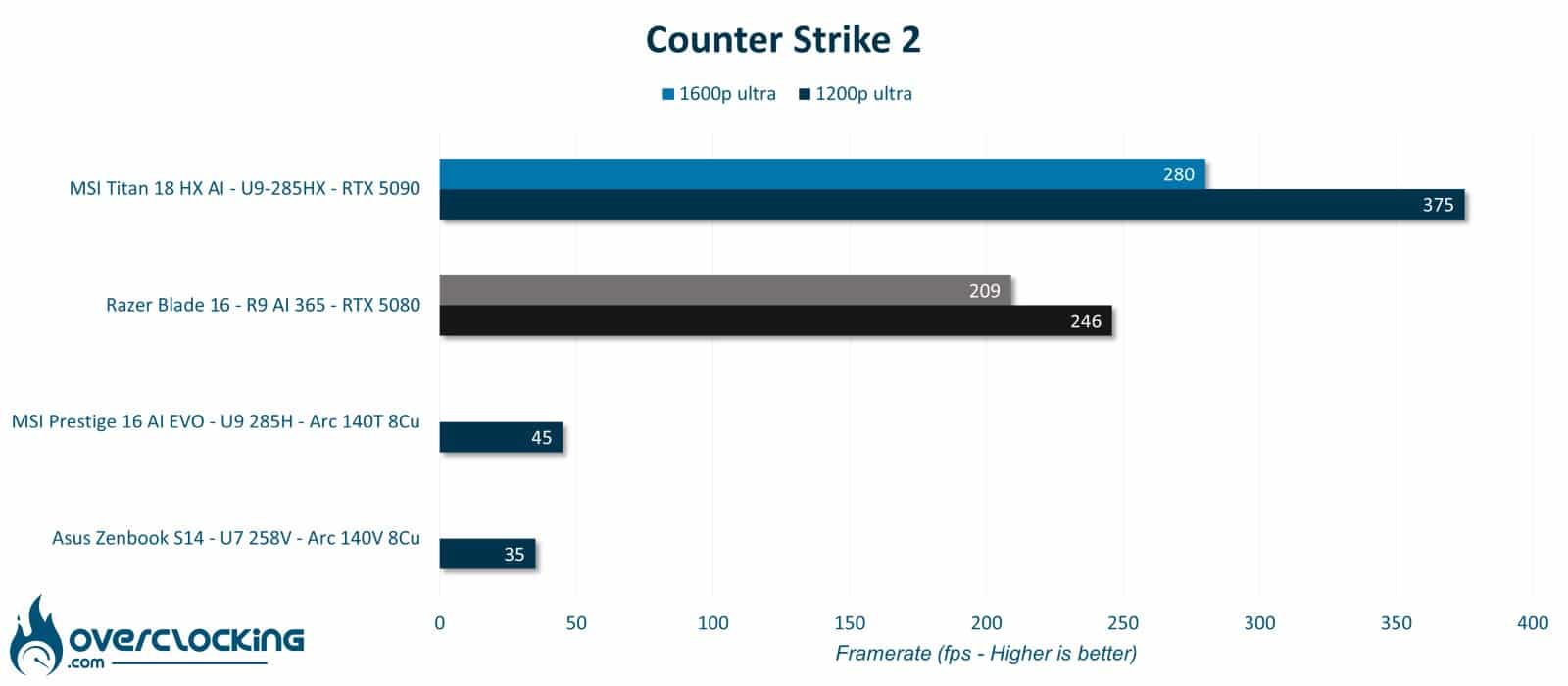
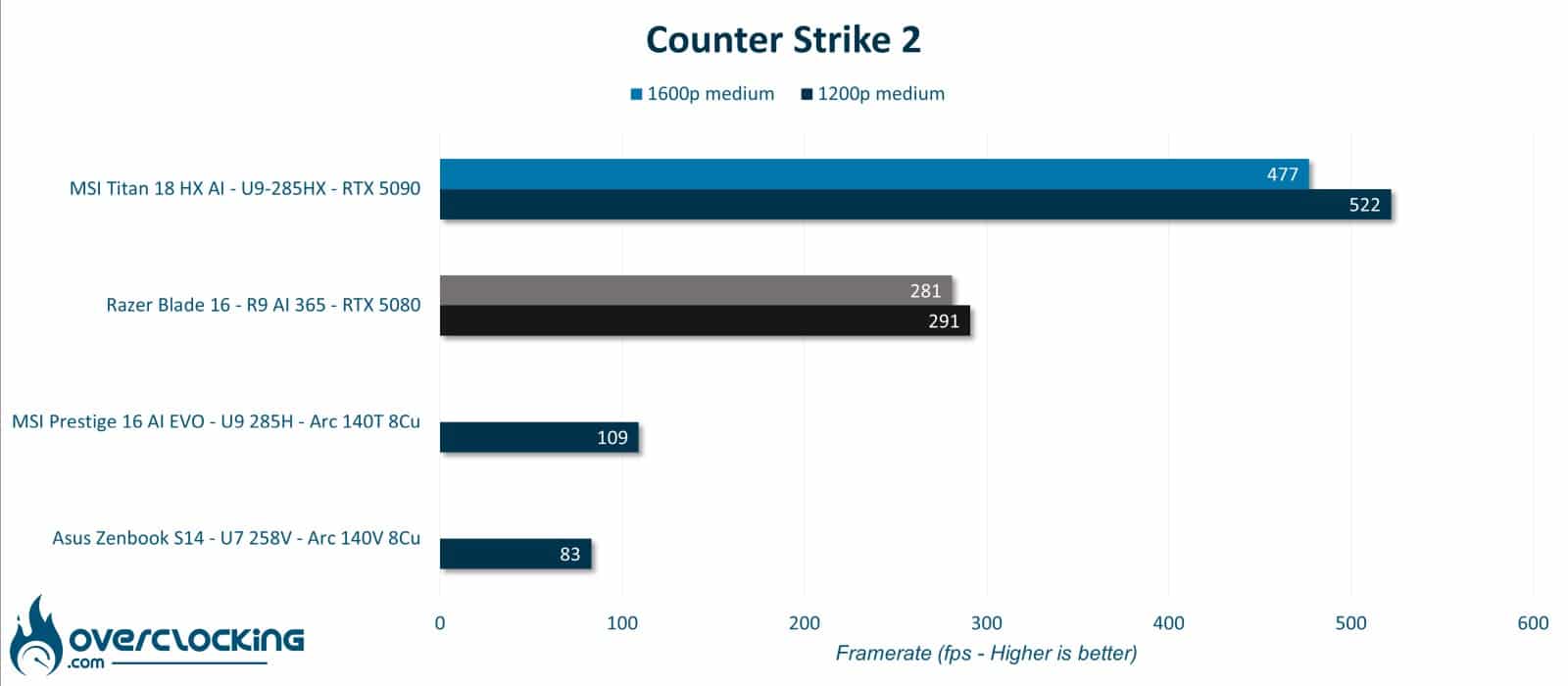
Counter Strike 2 integrated benchmark results. Ultra and medium quality, at 1200p and 1600p native under DX12.
Rainbow Six Siege
Integrated benchmark results for Rainbow Six Siege. In ultra quality, at 1080p and 1600p native under DX12.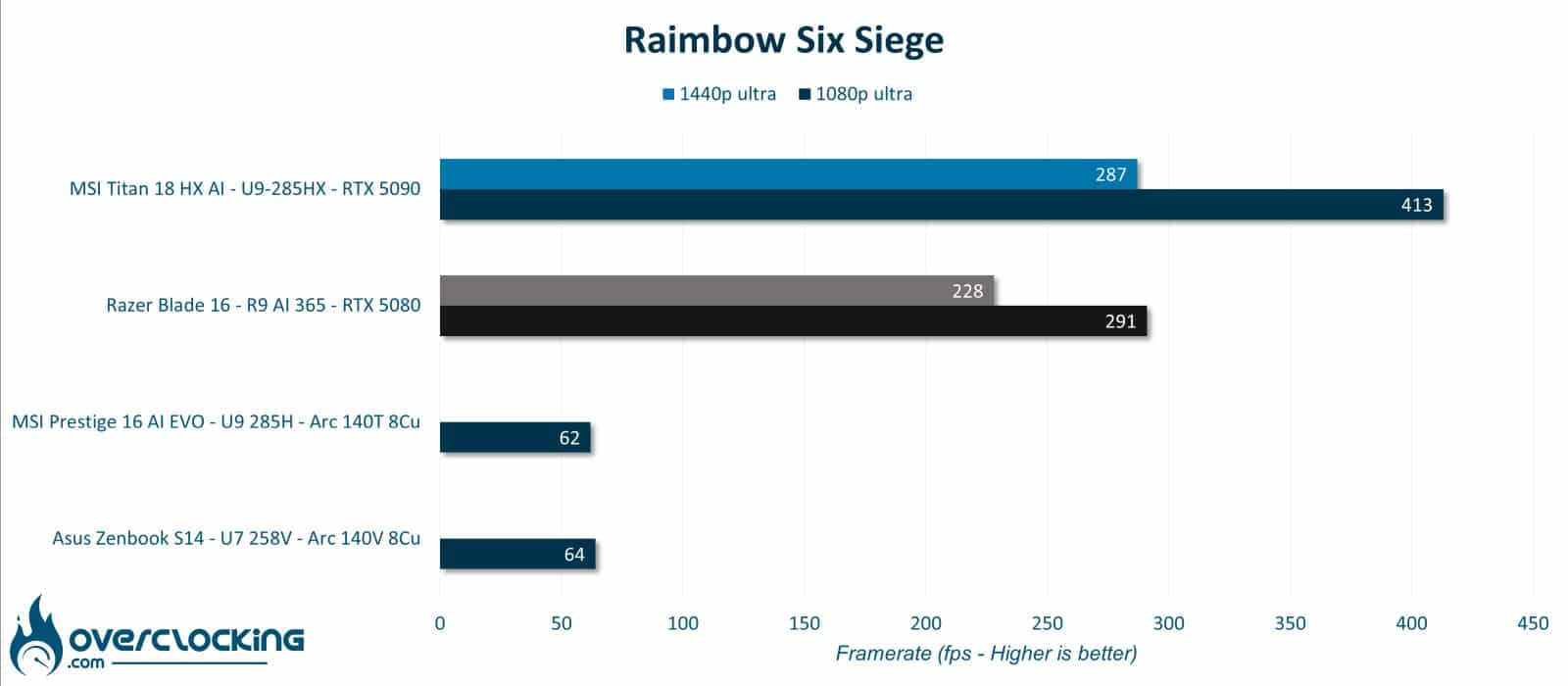
Overall, the Razer Blade 16 delivers top-notch performance, among the best for gaming use. Most competitive games can be played in 1600p at over 240 fps. For more demanding games and raytracing, you’ll have to make do with 100 fps, and resort to DLSS 4 in some cases, such as Cyberpunk 2077. This laptop is clearly designed for gaming use, and although the CPU is a little slower, it manages to keep up with the RTX 5080’s gaming load. Its low power consumption means that the GPU can handle 160 W without a hitch, with efficient, silent cooling[nextpage title=”Conclusion”].
Conclusion
We’ve come to the end of this test and this Razer Blade is certainly the best laptop I’ve tested so far. The chassis, keyboard and trackpad are worthy of a Macbook, and the OLED panel is really pleasant to use. I really thought that the thinness would be a hindrance for the graphics card, but it’s not, the thermal management is doing it’s job to keep performances worthy of a much thicker PC that we can see from Alienware at over €4000. All in all, it’s almost a no-brainer, as we’d have liked to see manufacturers finally abandon old-generation Samsung SSDs by 2025. Although Razer’s pricing policy is sometimes absurd(think PC cooling components), they sometimes get it right. And in addition to their Viper mice, we can add the Razer Blade 16 range.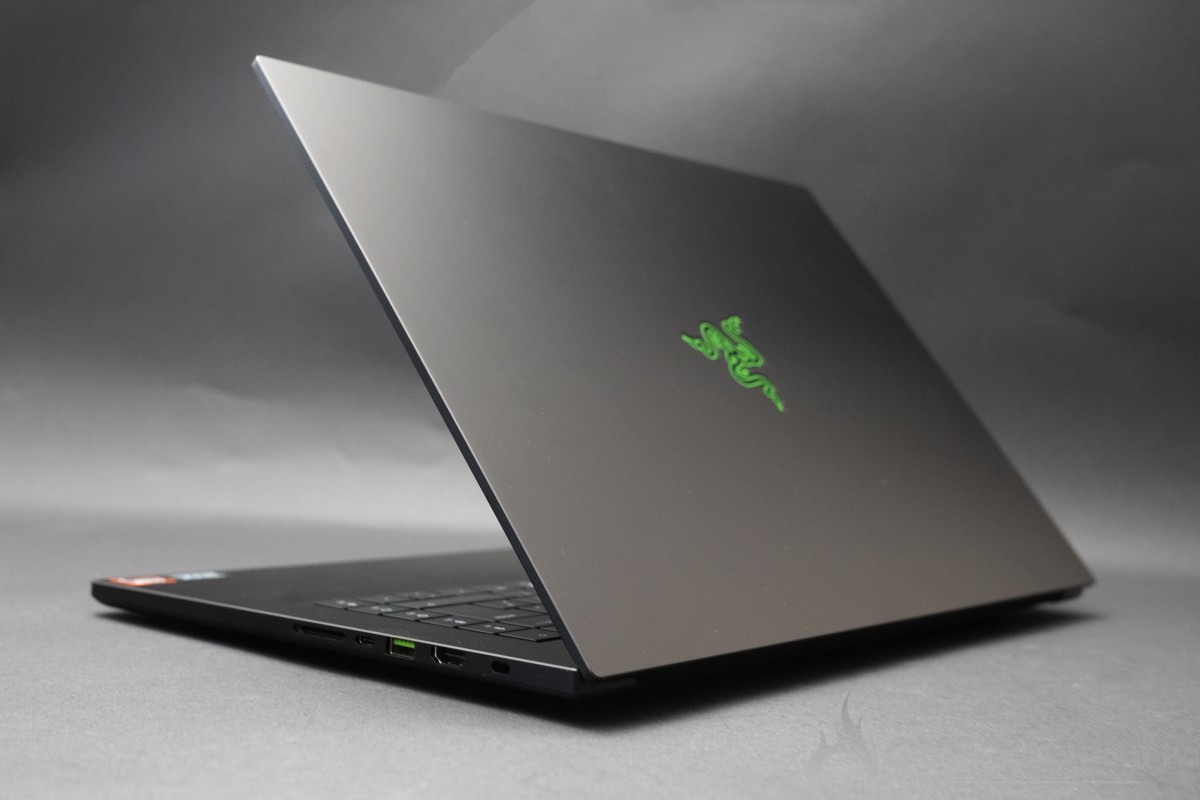
As a reminder, the Razer Blade 16 is available for €3,499.99 in the Ryzen AI 9 365, RTX 5080 and 1TB SSD version we test here.
The Razer Blade 16
We liked:
- CPU energy efficiency
- GPU performance
- OLED panel quality
- Efficient vapor cooling
- Silent operation
- Build quality
- Autonomy
- Great I/O
- High-quality keyboard
- DLSS 4 gain!
We would have liked :
- A better SSD


This is the first Razer laptop we’ve tested, and it’s clearly a “coup de coeur” accompanied by a GOLD rating. It would certainly have received top marks with a latest-generation 4.0 SSD. What we have here is an ultra-thin laptop, less than 15 mm thick, which manages to exploit the full power of the RTX 5080 mobile silently. What’s more, this chassis is worthy of the finest achievements of a well-known brand. What’s more, it’s allied to an excellent keyboard and trackpad. Last but not least, the 240 Hz OLED screen flatters the eye and is perfectly exploited on the most competitive games, with over 240 fps at all times. We’re on the verge of faultless…