
[nextpage title=”Introduction”]
Today we’re reviewing the PCSpecialist Lafité 14 AI AMD laptop. It boasts excellent connectivity in a compact 14-inch format, with high-performance components and a large battery.
The Lafité 14 AI AMD PCS is priced at €1,167 in the R7-8845HS version, with 1TB storage and 32GB RAM that we’re testing here. The price can be reduced if you don’t take out a Windows licence or if you reduce the configuration to a minimum in order to buy better components later on. For example, the minimum price is €801, but if you add a very good Lexar NM790 at €88 and 2x16Gb 5600C40 at €115, you get a more powerful machine for just €1,004.

Thanks to PCSpecialist for providing us with this example.
[nextpage title=”The PCSpecialist Lafité 14 AI AMD”]
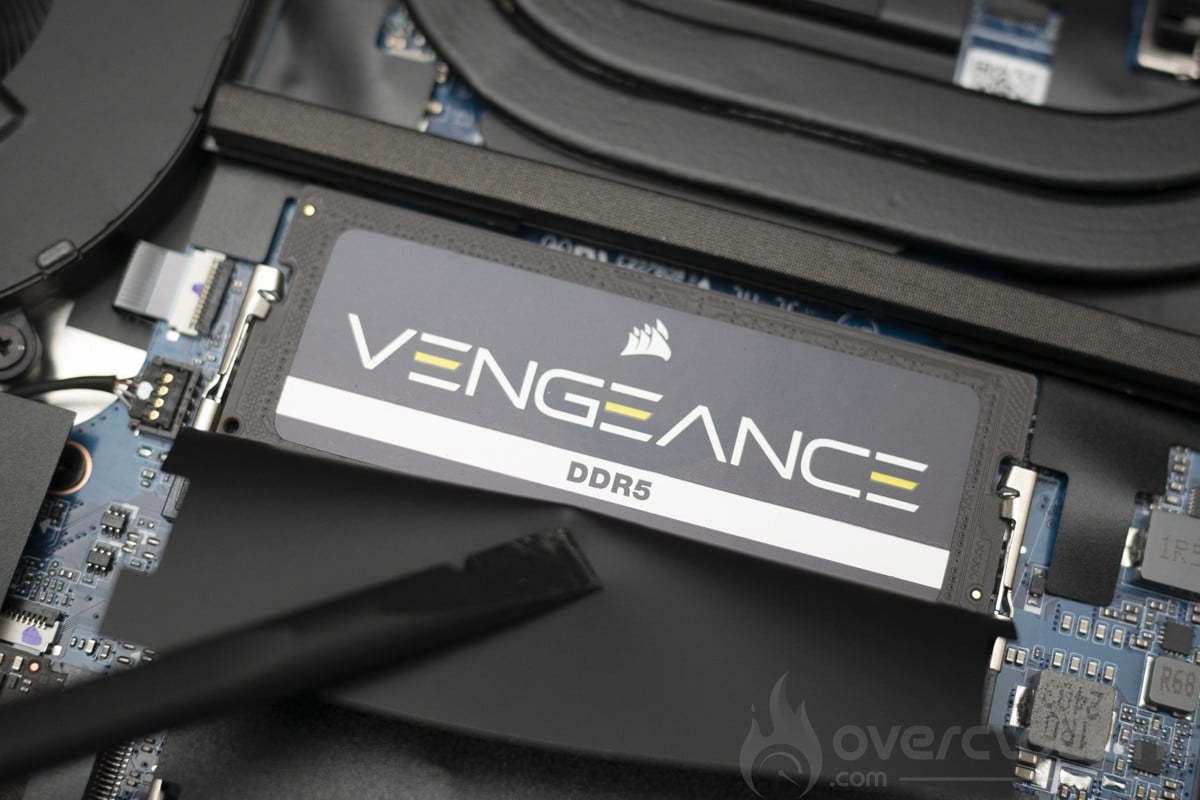
The Lafité 14 AI AMD PCSpecialist is a 14-inch laptop with a 2880 x 1800p IPS panel and a 120Hz refresh rate. The processor is an AMD Ryzen 7 8845HS, powered by a 72 Wh battery. The rest of the components are à la carte, with a minimum of 8 Gb DDR5-4800 and 256 Gb SSD. At best, we’ll have Corsair 5600CL48 memory and 2 Soldigdim P44 SSDs.
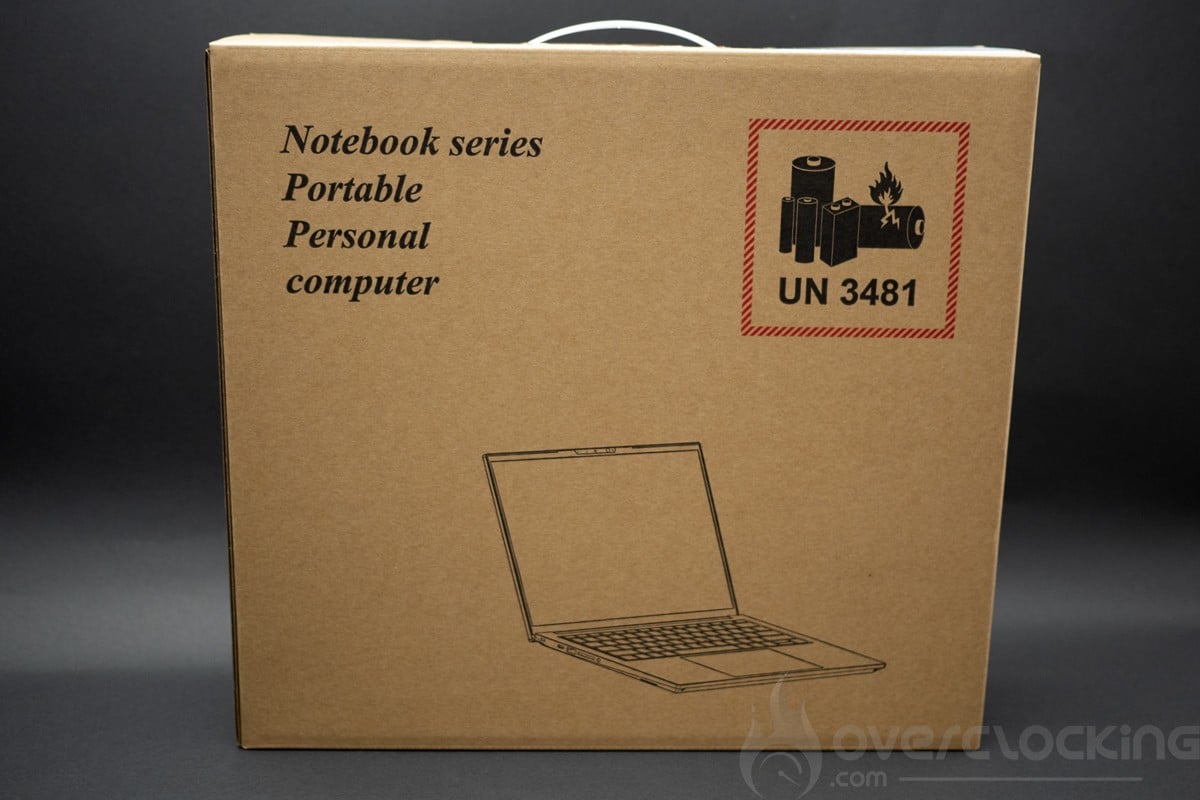
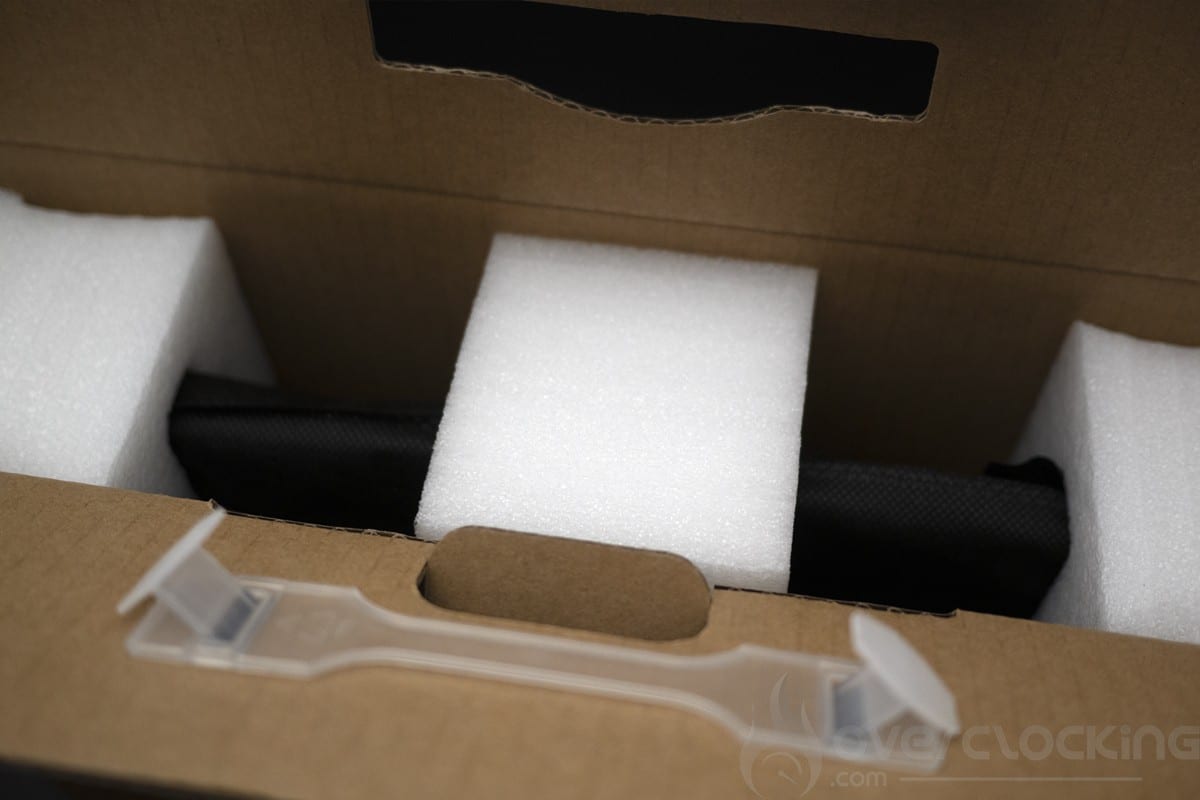
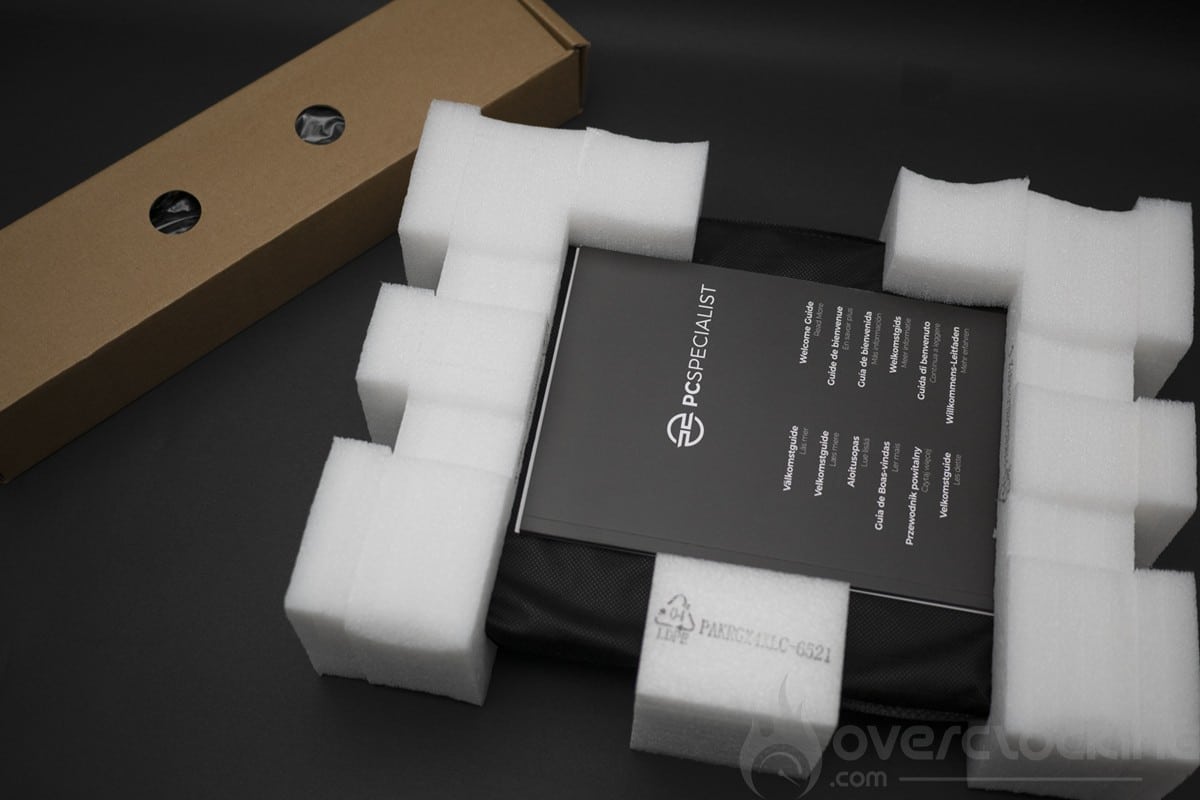
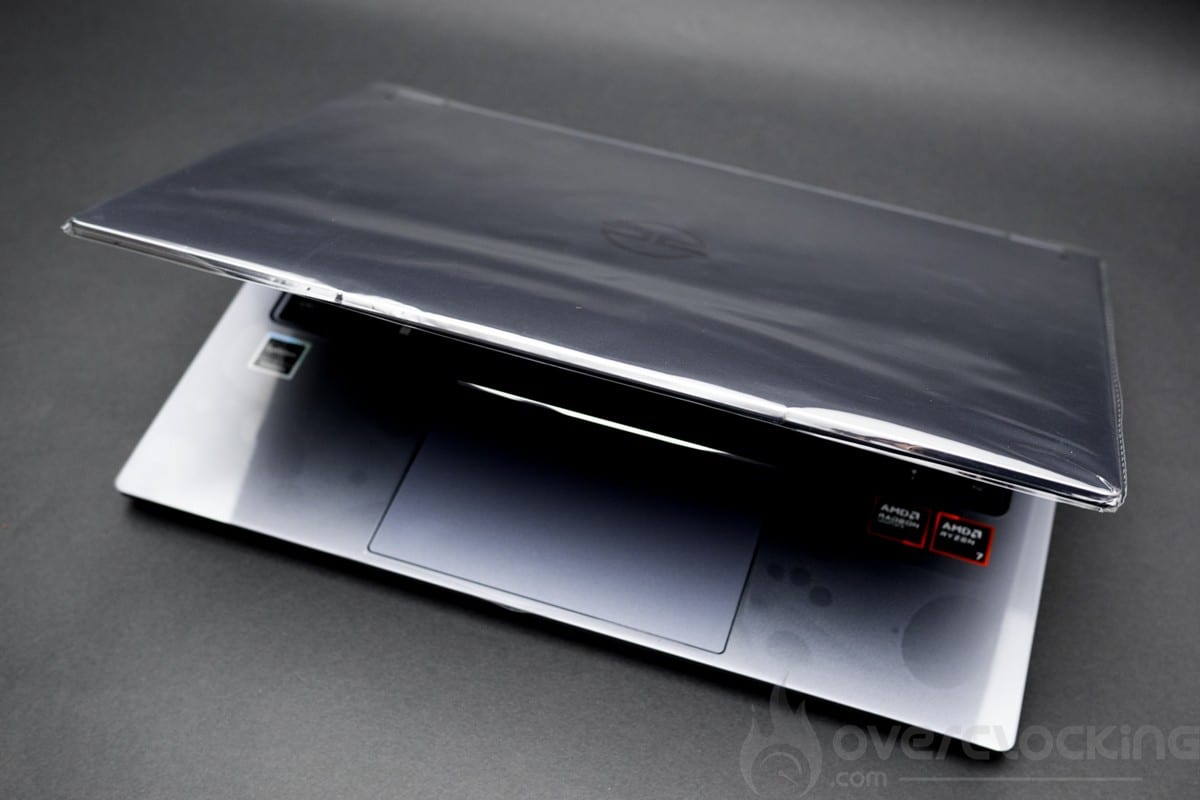
We start by unpacking the device, which comes in a rather plain box. Inside, there are compartments for accessories and the laptop. The laptop is very well protected with foam and plastic protectors on the chassis and screen.
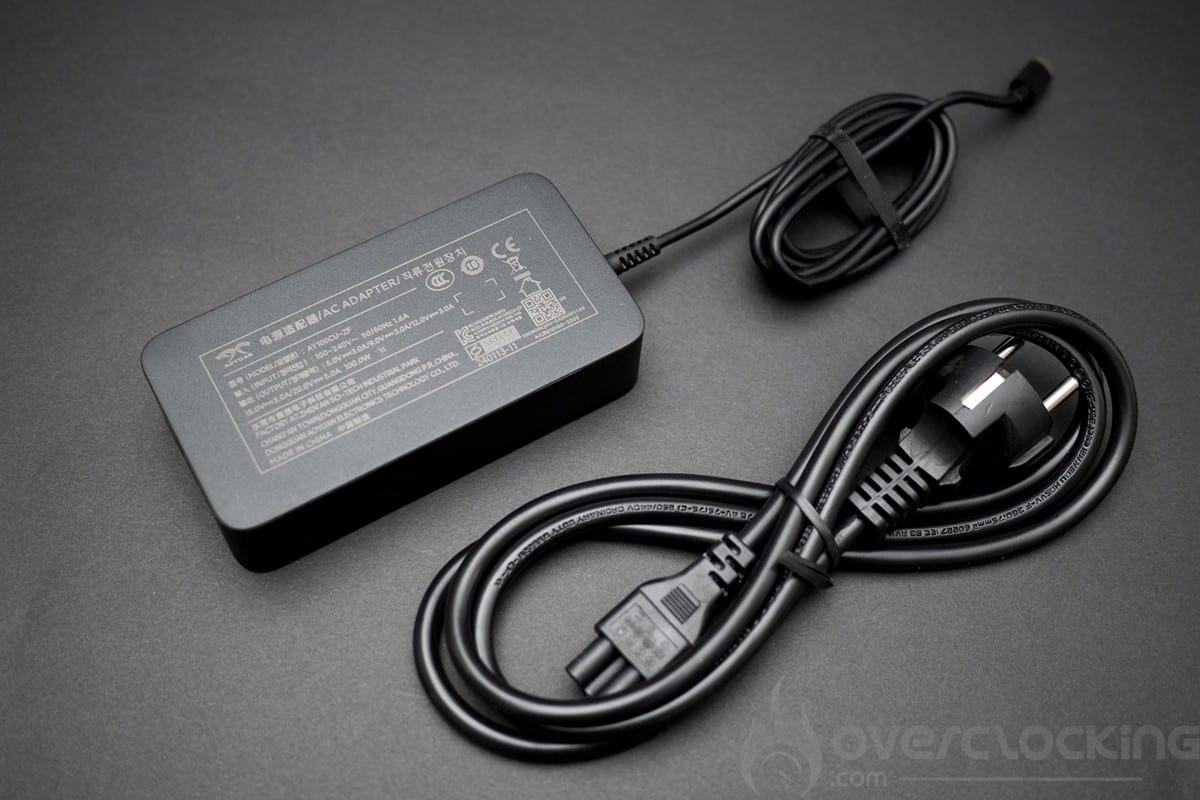
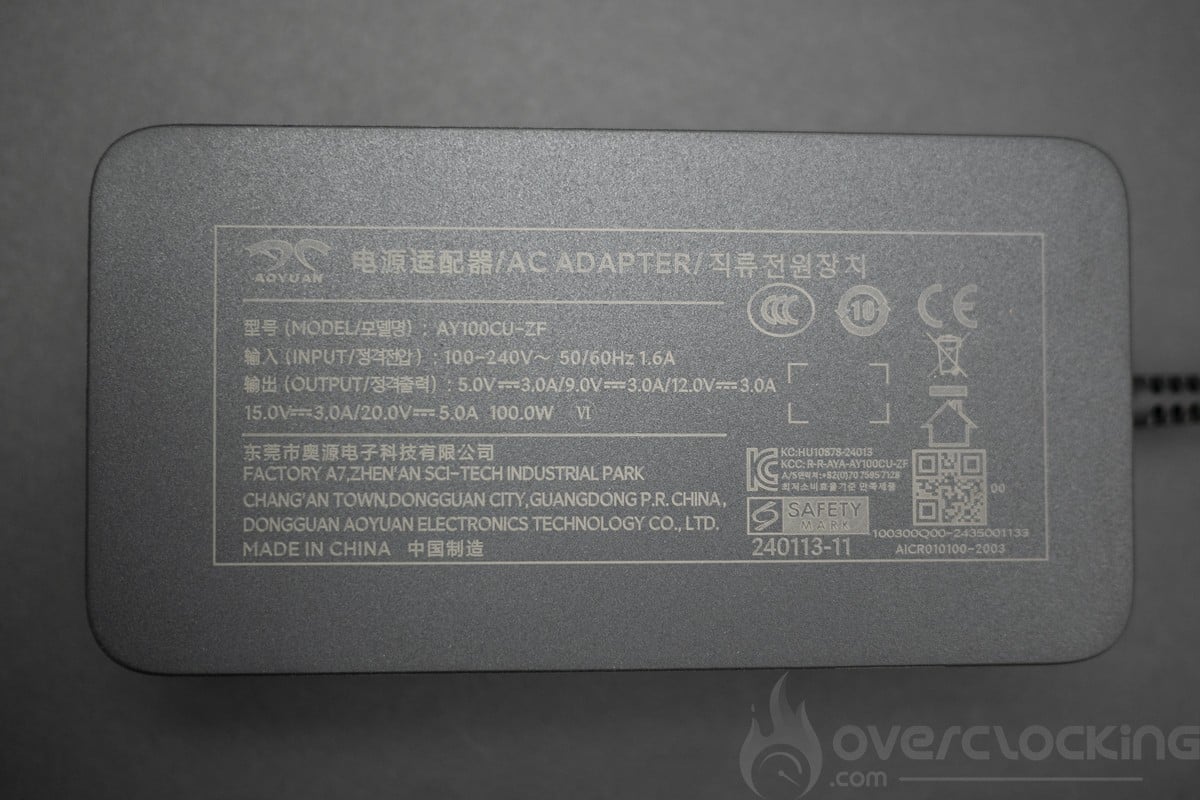
The charger is a 100W power supply using a fairly basic USB type C connector. Note that this laptop charges perfectly with a Ugreen Gan 100W charger (65W output).
Presentation
To start with, we have the weight with less than 1.4 kg on the scales, it fits perfectly in place and the screen can be opened with a single finger even if we note a hard spot at the beginning which disappears with use. The overall design is entirely aluminium with a plastic panel. Plastic is used on the RGB 45 socket and the hinges. Overall, this PCSpecialist Lafité 14 AI AMD is of very good quality.
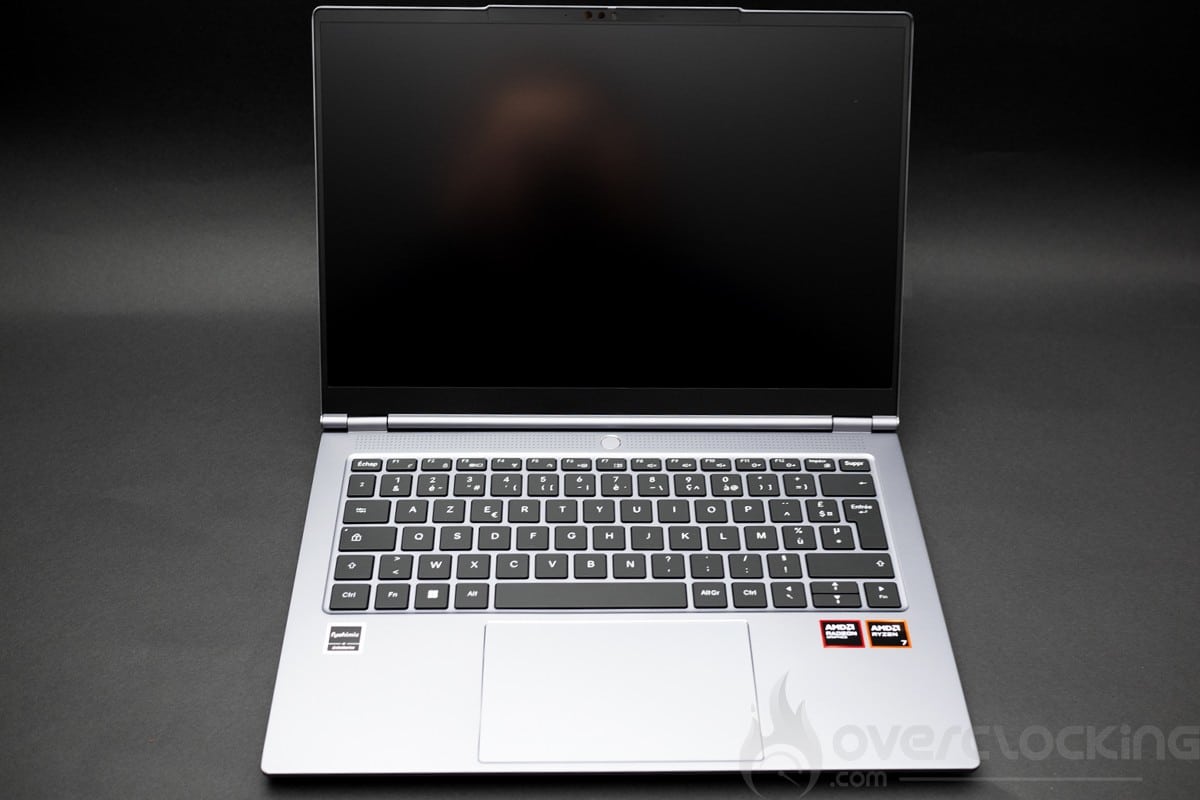
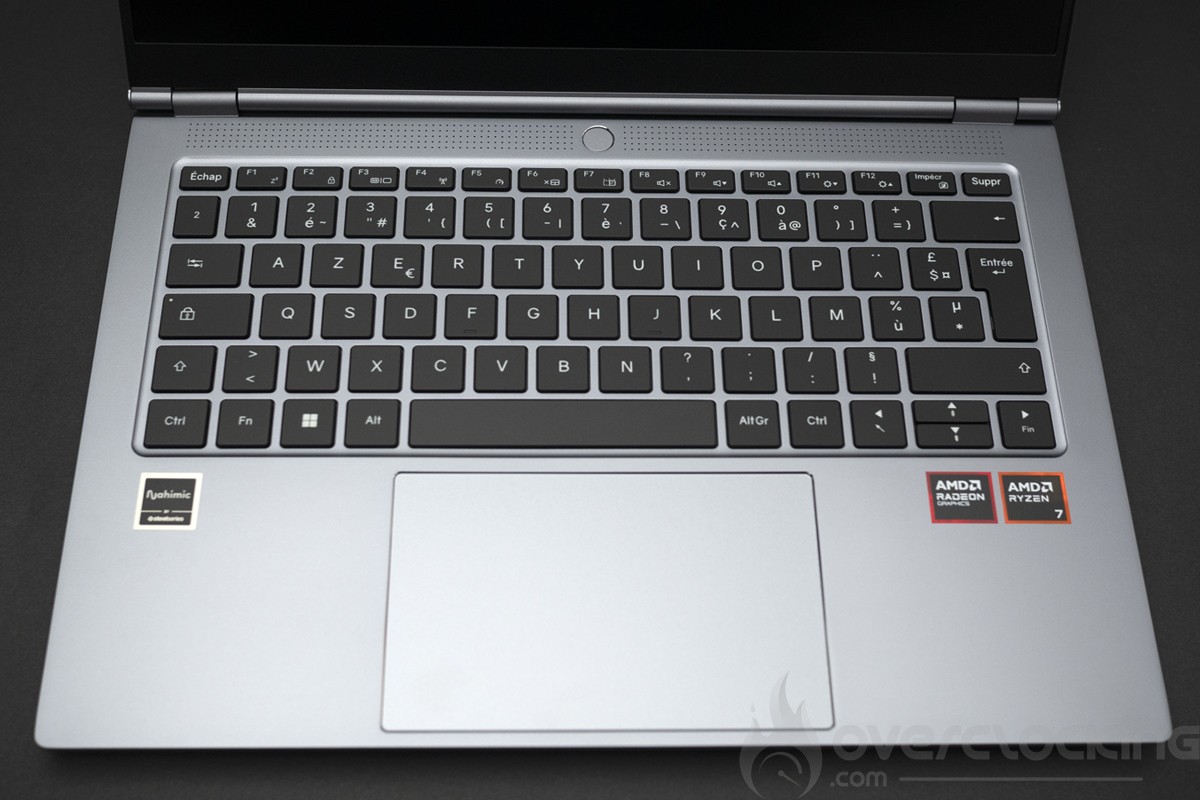
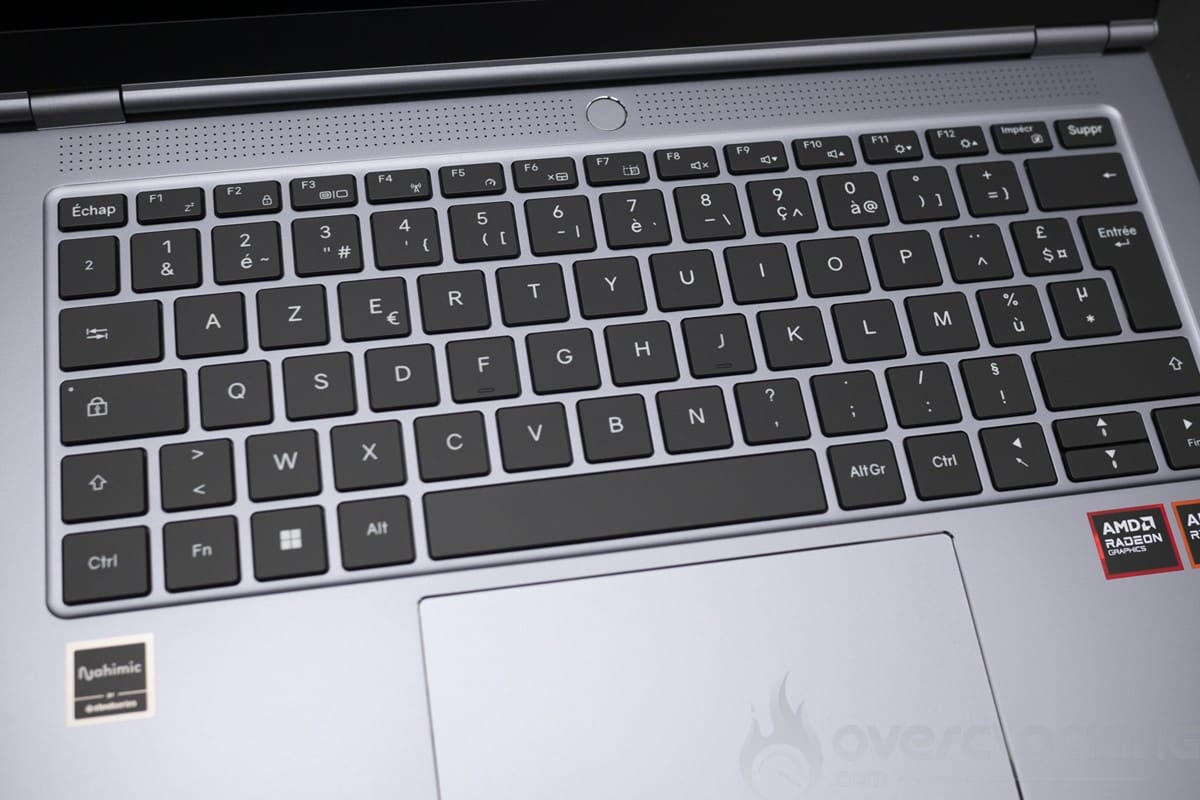
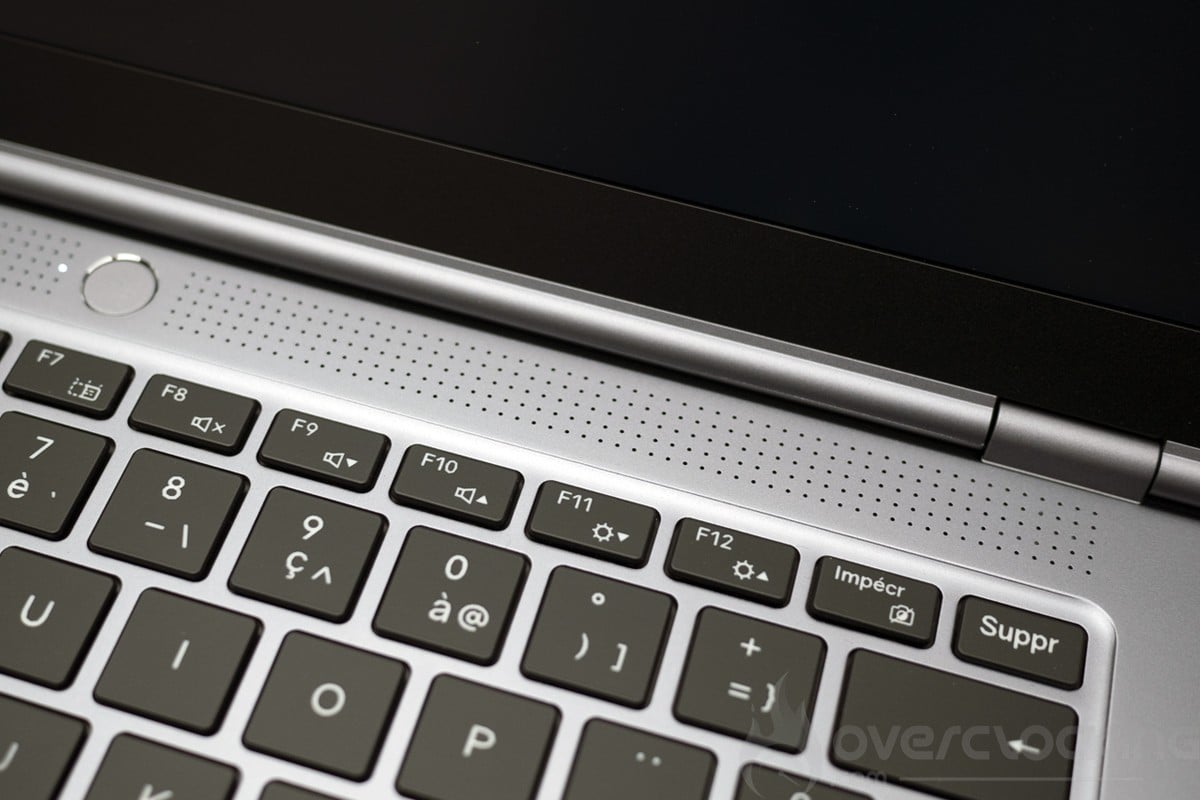
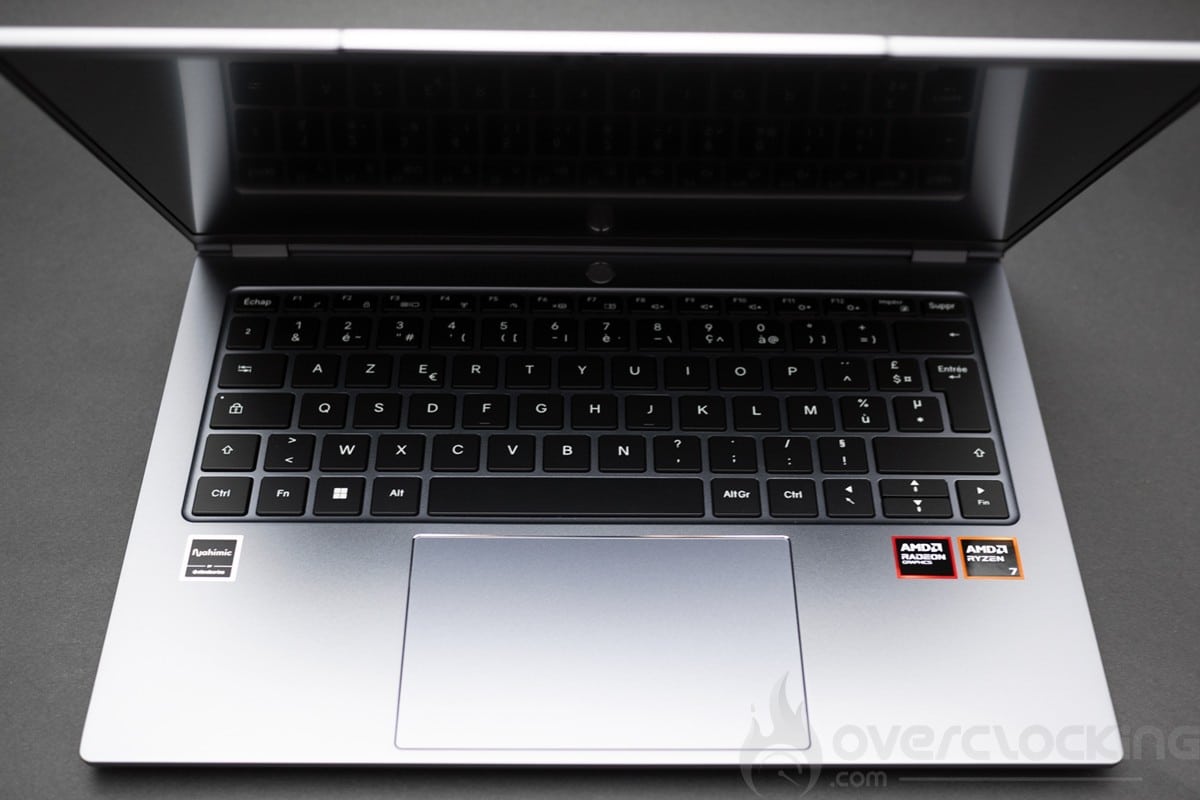
We start our tour with the keyboard, which is quite pleasant to use. Coupled with the rigidity of the chassis, we have a very quiet keyboard with well-balanced keys. At the top centre is the power button. This is a good point for this keyboard, although it’s still not up to the level of the best keyboards such as the Asus Zenbook S14.
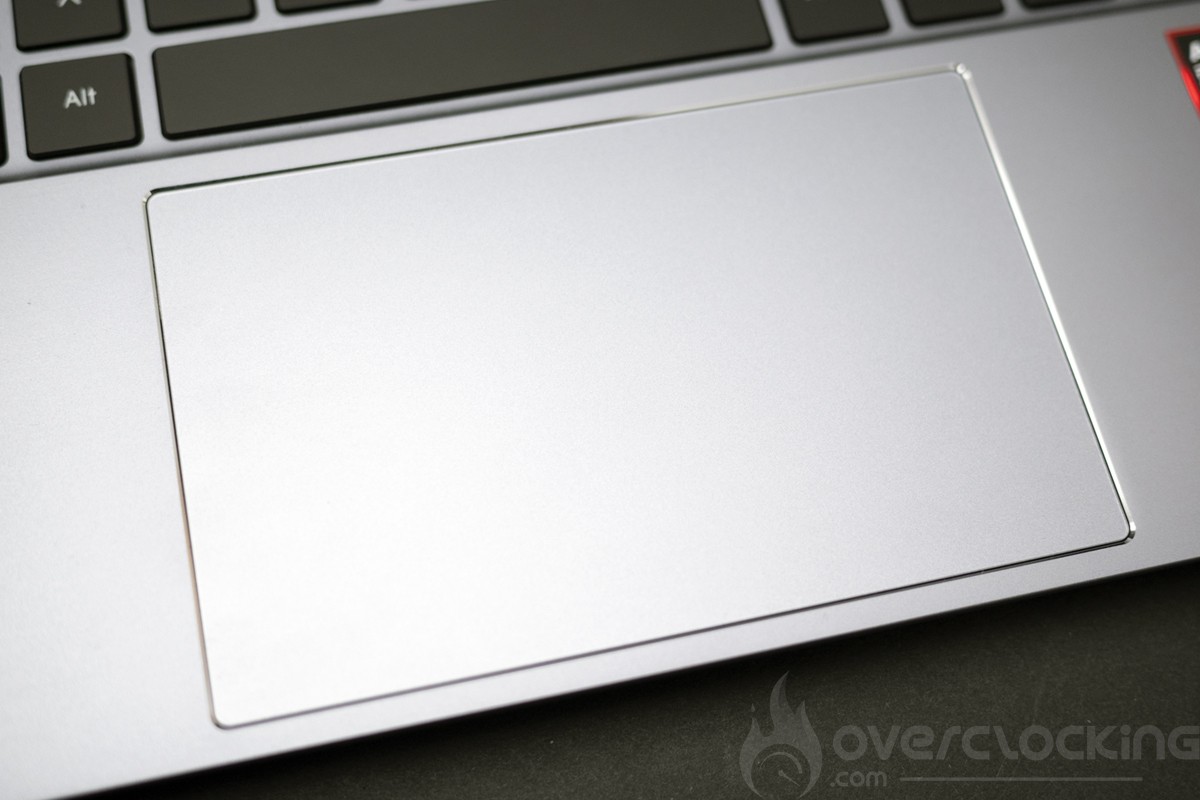
We’ll now move on to the trackpad, which is extremely smooth and really pleasant to use thanks to its large size. There is no fingerprint reader here. The PC will be secured by password or via the infrared camera.
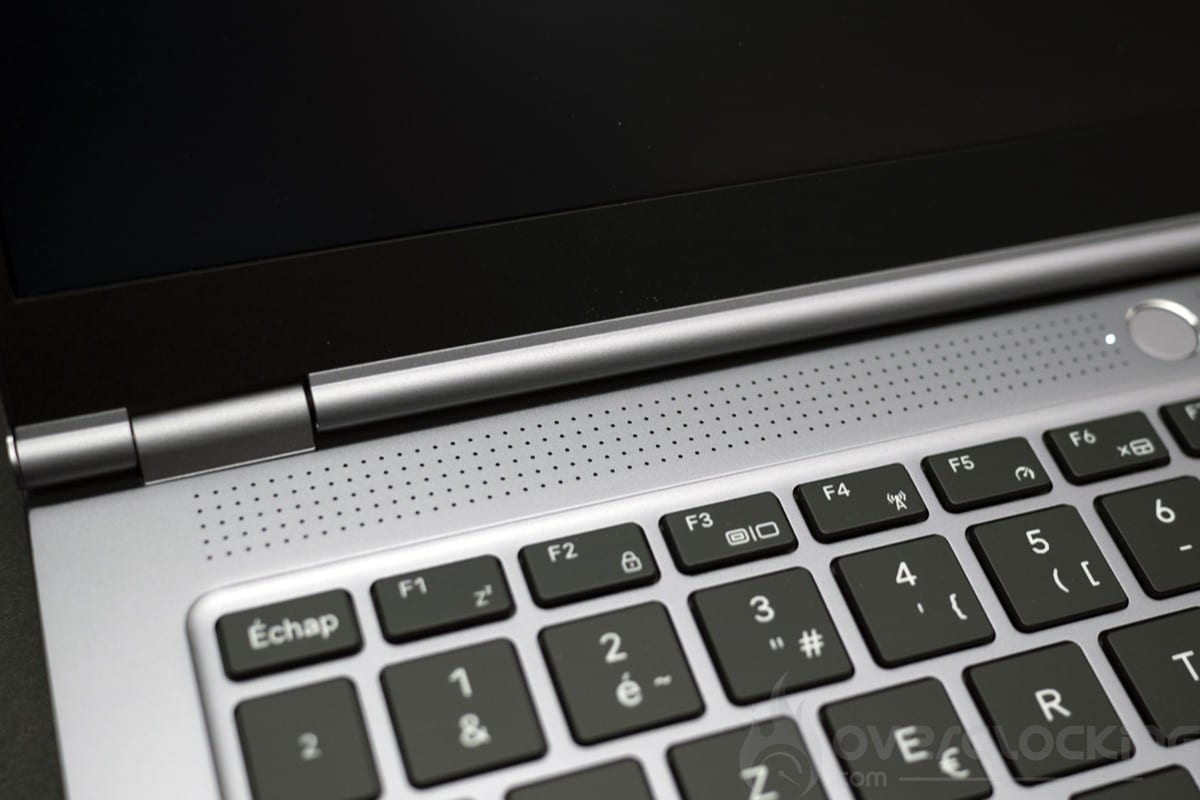
Let’s move on to the audio. Here we have a zone under the screen and two zones at the rear of the laptop, the sound is of very poor basic quality, the Nahimic software is badly adjusted and you’ll have to deactivate the surround and adjust certain parameters to get a decent sound. Out of the box, it’s one of the worst laptops we’ve tested in this respect.
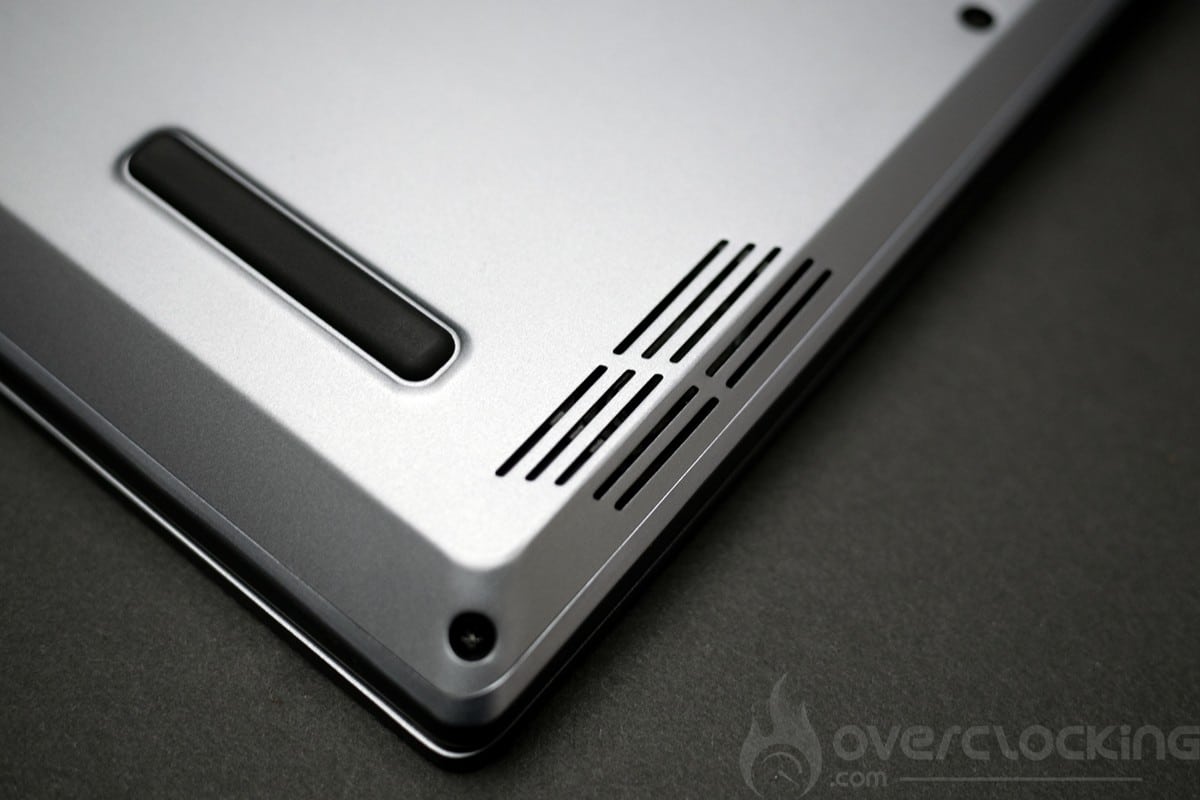
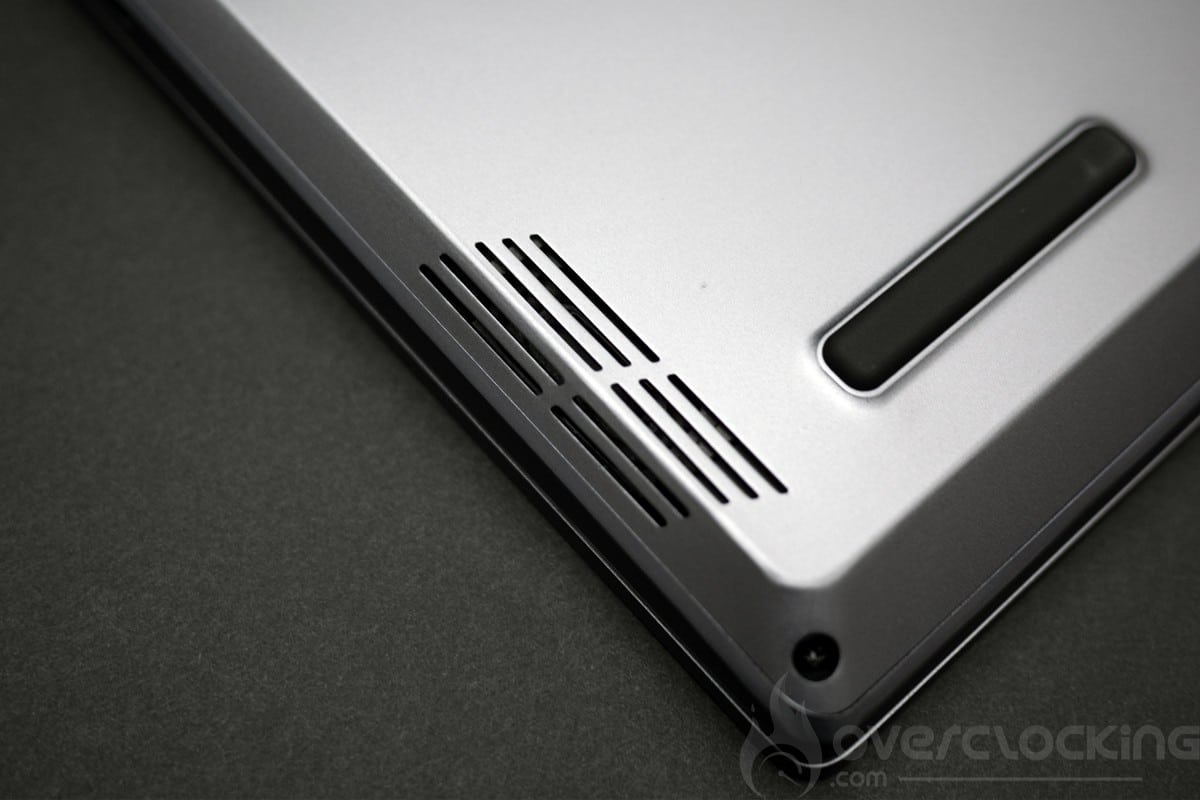
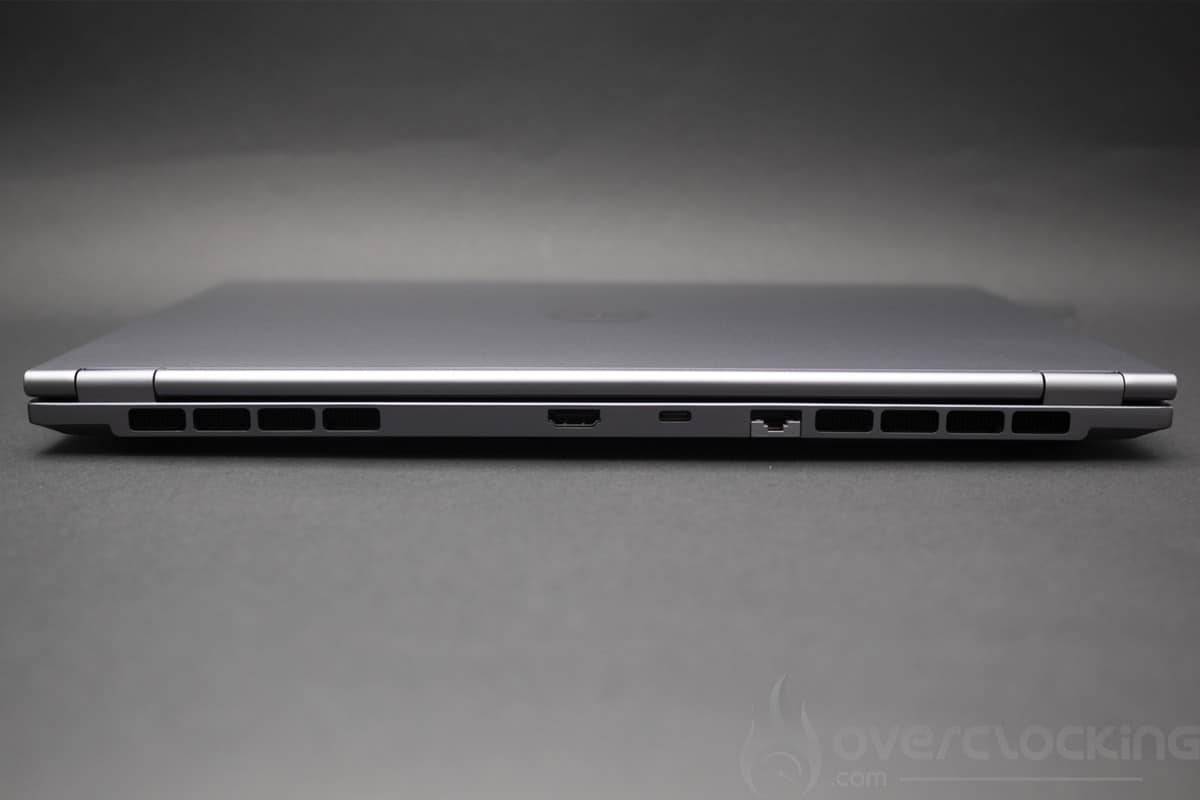
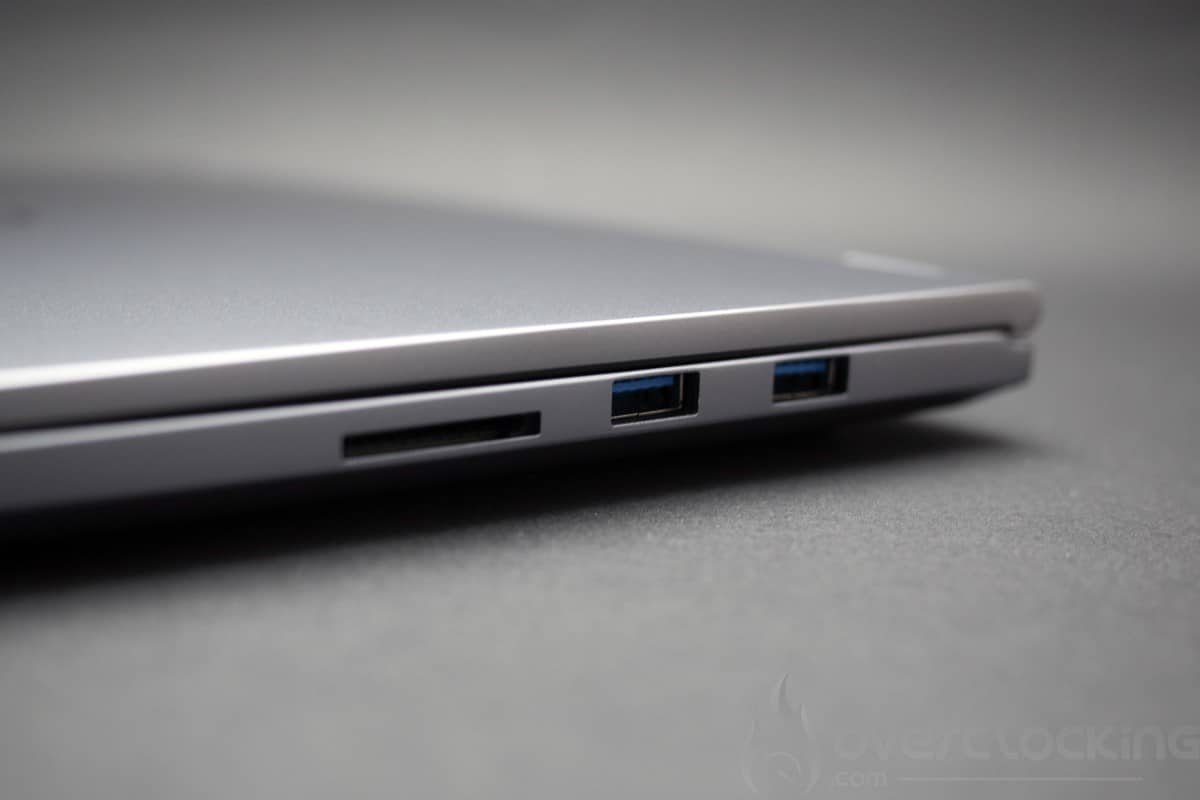
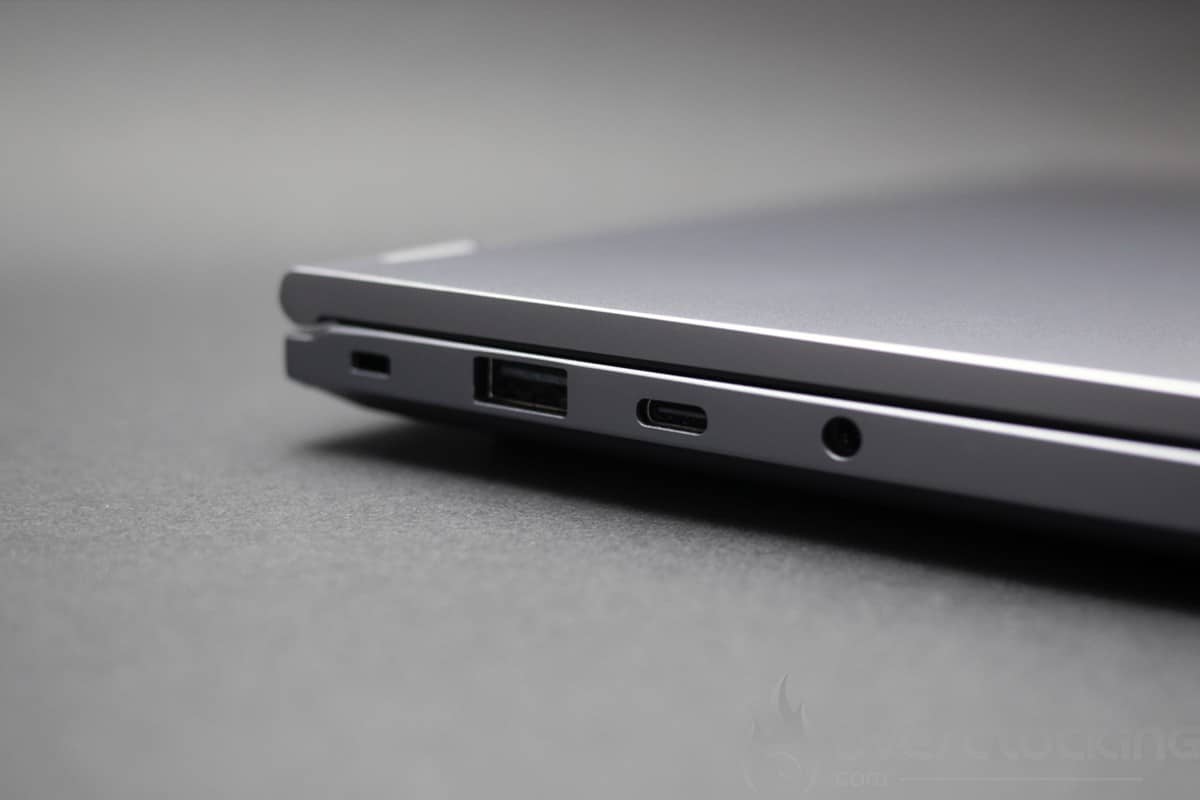
Then there are the connectors, and here we have a very complete solution for the format. On the left of the laptop, there are two USB ports, one USB A and one USB C, and a headphone socket. On the right-hand side of the laptop, there are two USB Type-A ports and a full-size SD card slot. The rear of the laptop has an HDMI socket, an Ethernet socket and a USB 4.0 type C socket.
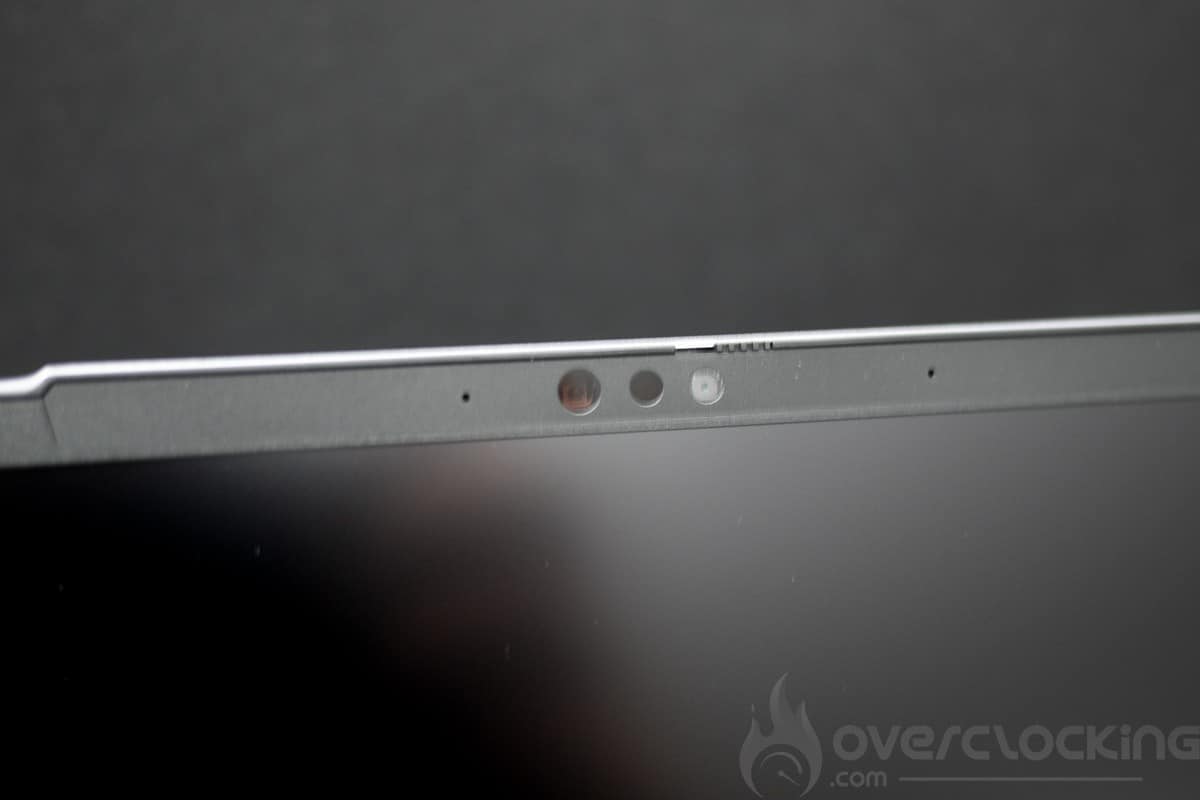
The camera, meanwhile, is FHD (30 fps @ 1080p) with infrared and is rather disappointing. Windows 11 supports background blur, eye contact and subject tracking thanks to the NPU built into the Ryzen 7 8845HS.
[nextpage title=”Configuration overview”]
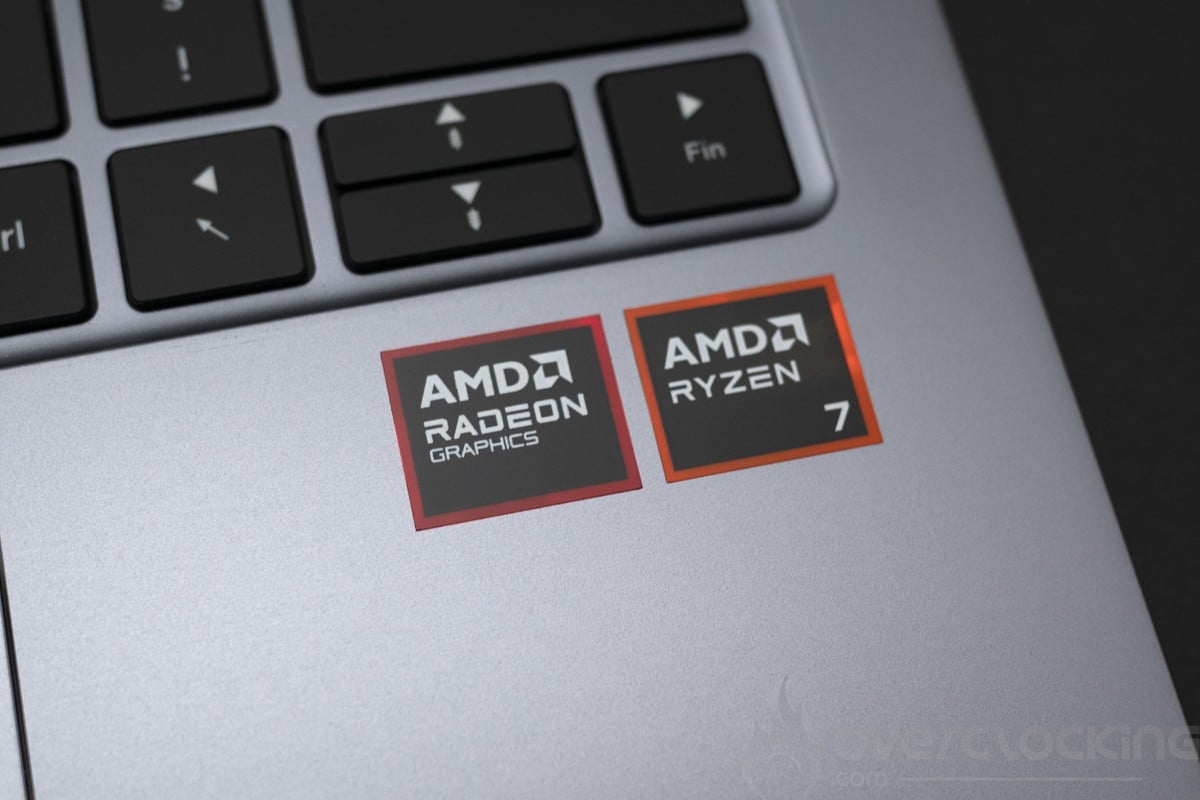
The configuration of this AMD Lafité AI PCS is based around an AMD Hawk Point platform. The CPU used (R7-8845HS) features a 4nm etch with the addition of an NPU dedicated to AI.
The various components
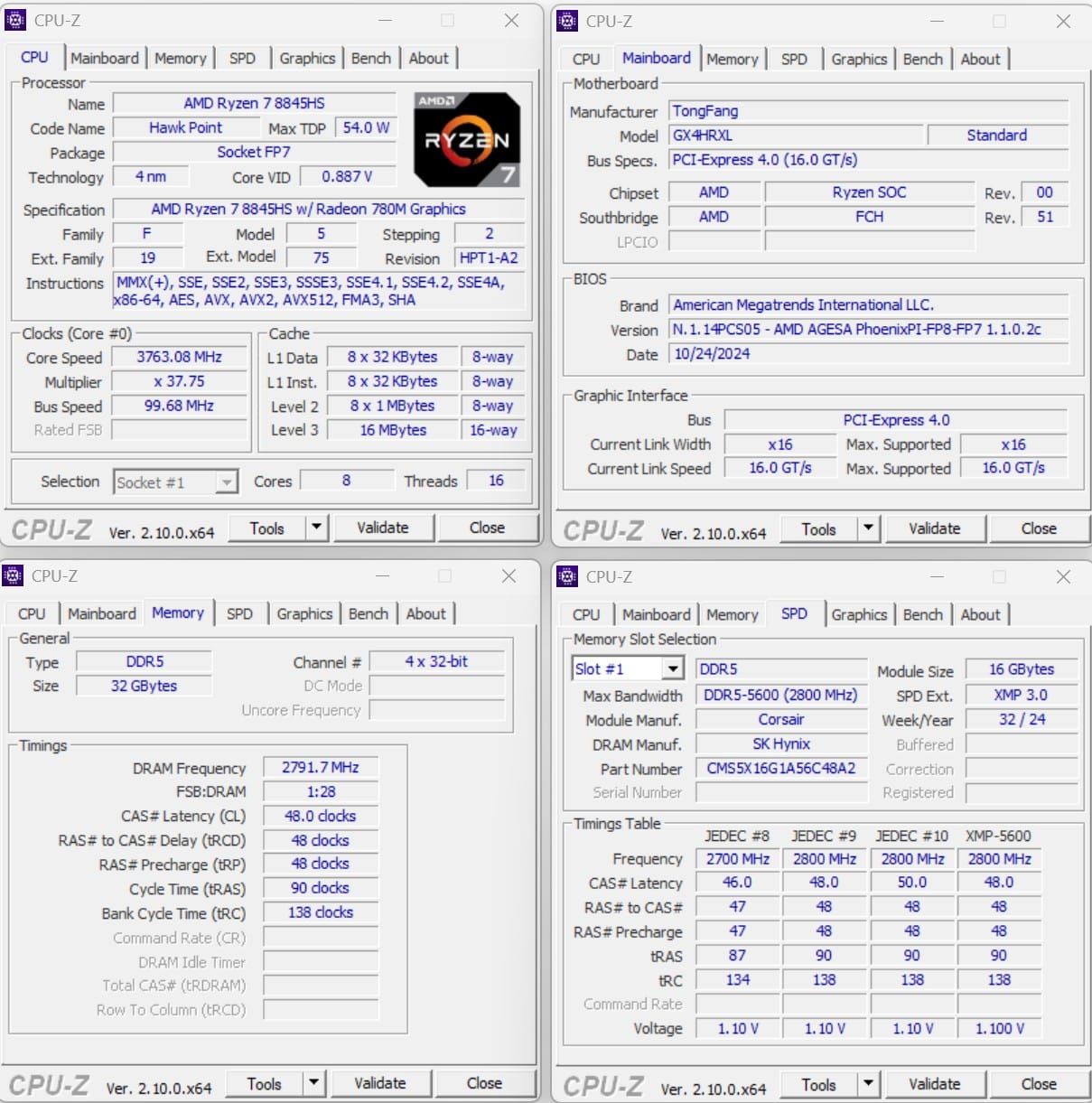
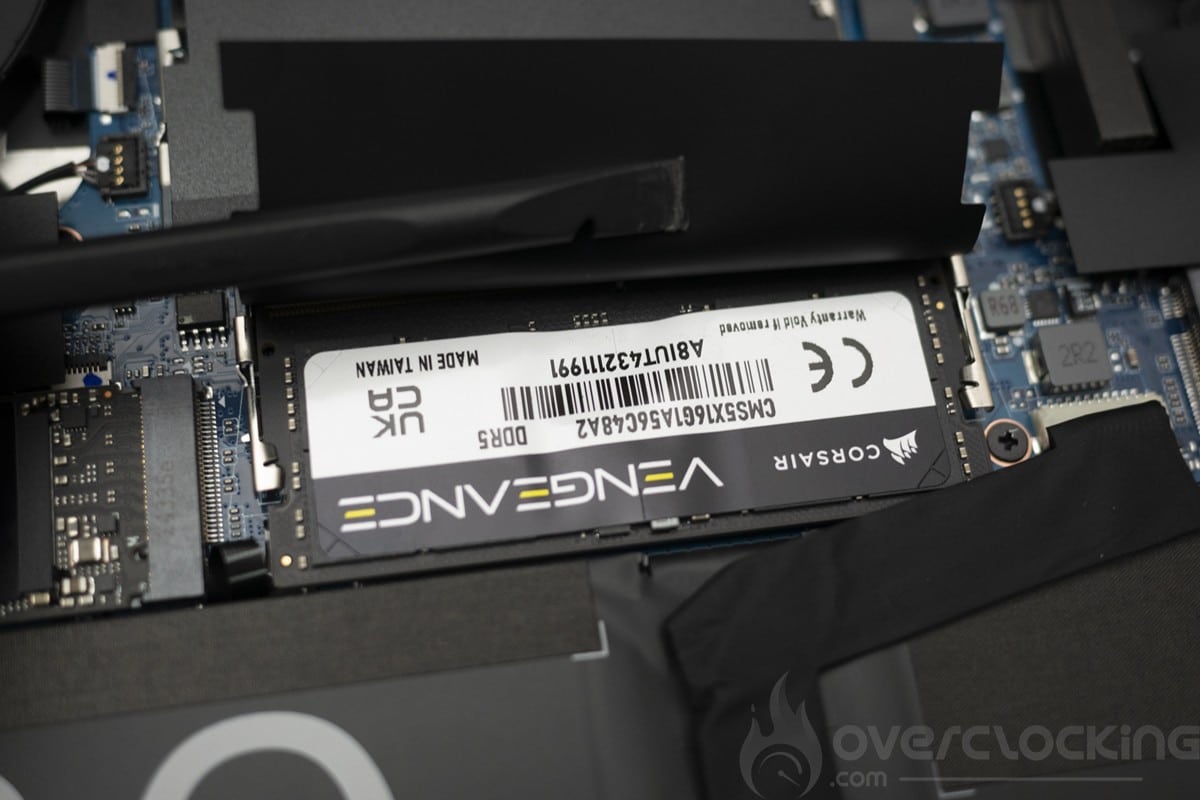
Let’s start with the CPU, the motherboard and the RAM. Here on CPU-Z, we can see that the PCS Lafité AI AMD is equipped with an R7-8845HS in an 8-core, 16-thread configuration. For RAM, we’re looking at 32GB of DDR5 running at 5600 Mt/s CL 48.
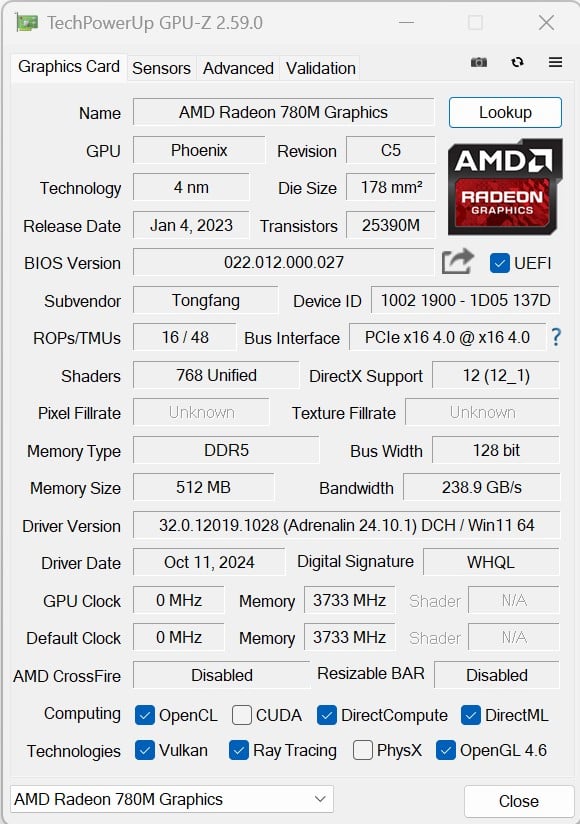
Let’s move on to the graphics card. Here we have the AMD solution integrated into the 768-core RDNA3 processor, which can run at 2800 MHz.
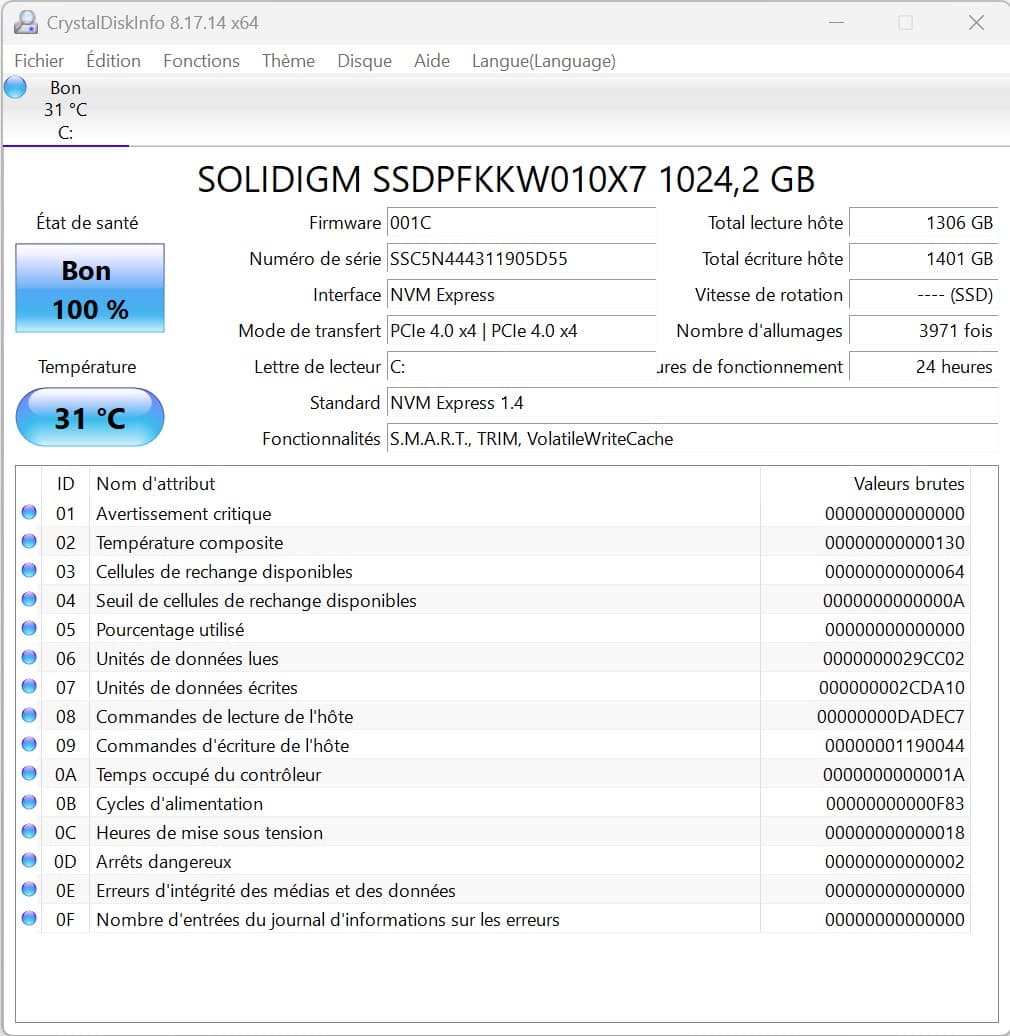
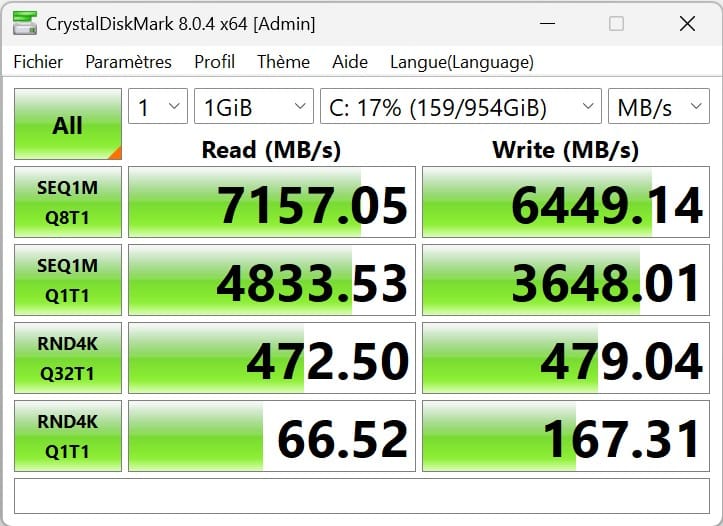
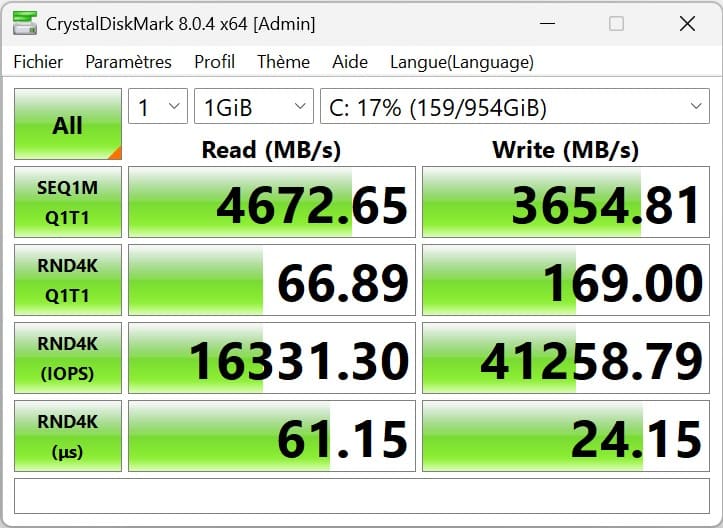
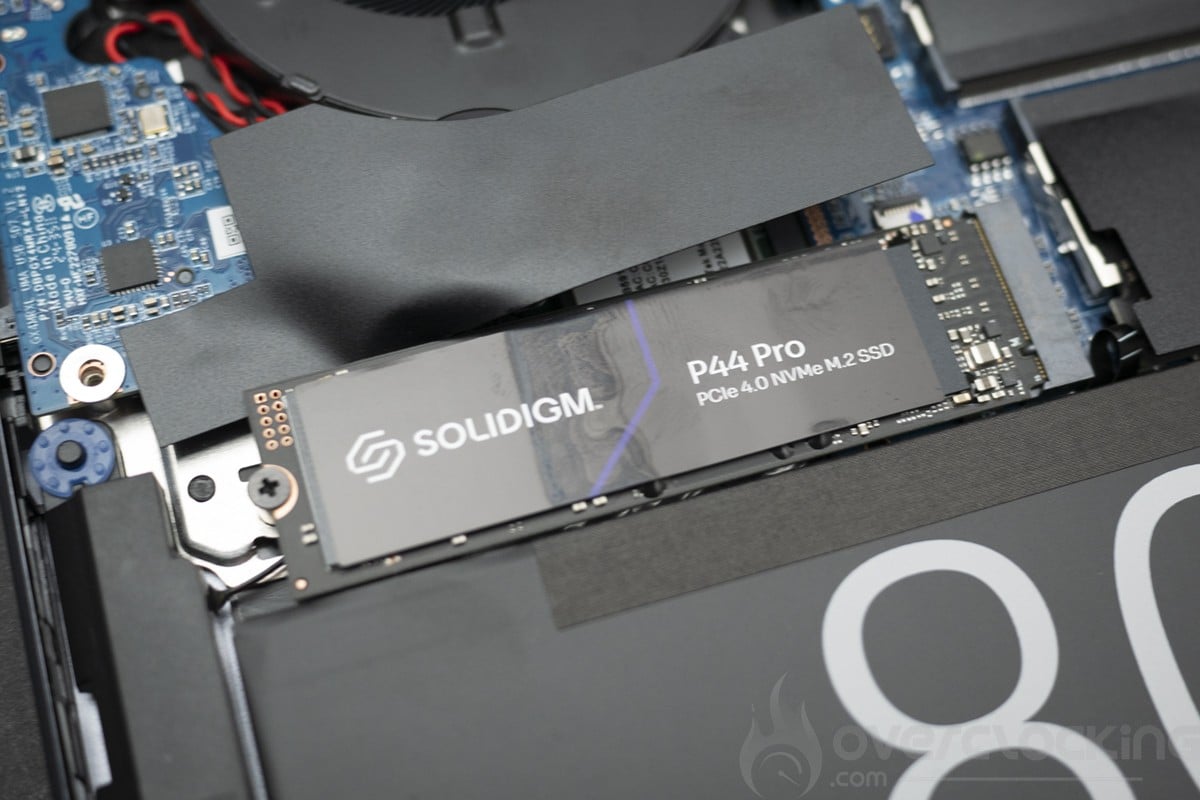
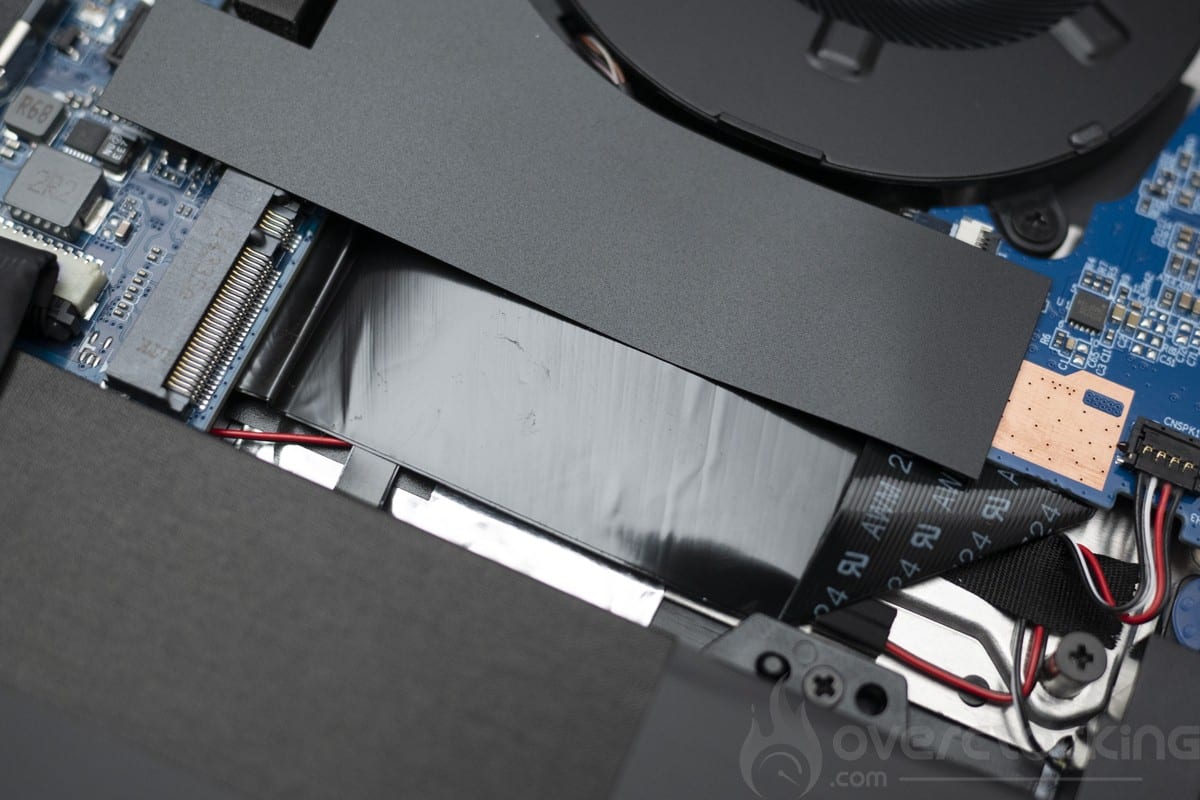
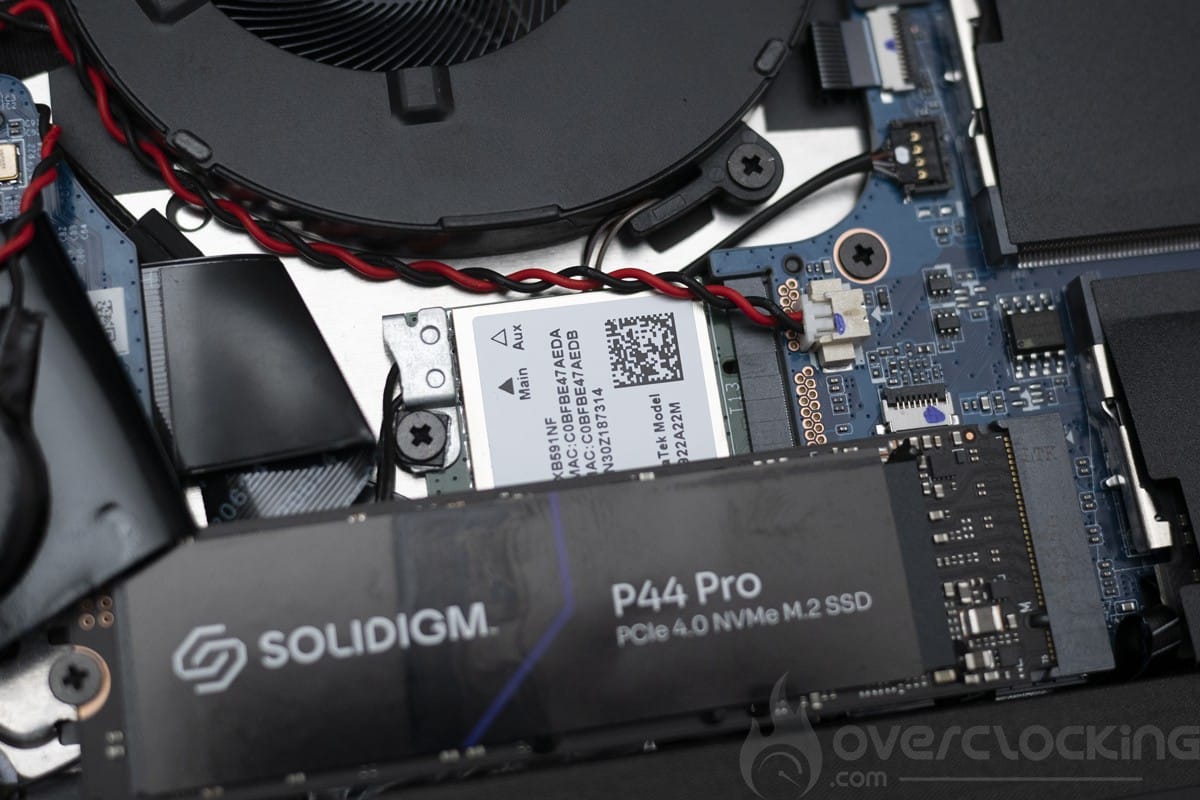
For storage, we have a SOLIDIGM P44 PRO PCIe 4.0 x4 SSD. The performance of this SSD is among the best on the market in PCIe 4.0, making it the best choice for this laptop in the catalogue, alongside the 990 PRO from Samsung. Note that a second M.2 slot is available to increase storage before or after purchase.
As far as the screen is concerned, we’re looking at an IPS panel (2880x1800p) in 120Hz capable of reaching 400 nits.
Disassembly, repair and upgrade
Dismantling is done by removing the 6 screws on the back of the device, then using the plastic tools found in ifixit kits. The battery must be disconnected for any modification or manipulation.
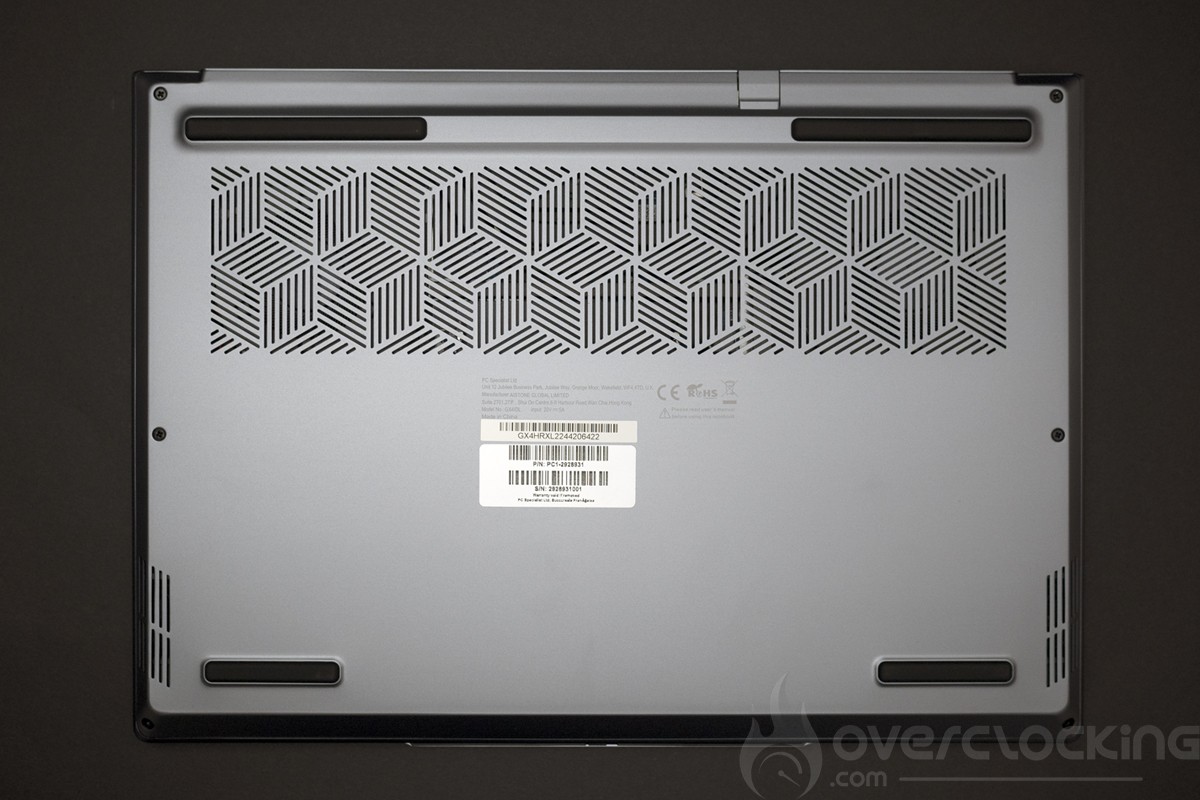
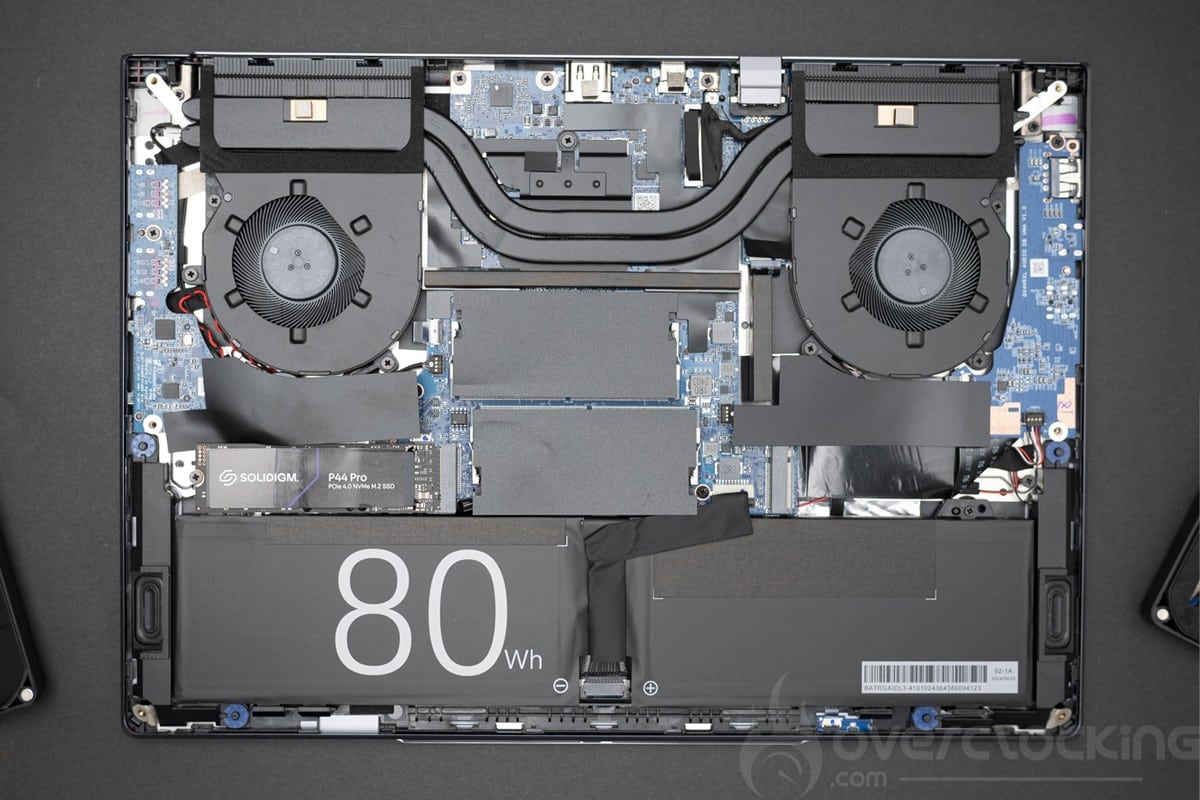
From a modification point of view, we have easy access to the two PCIe 4.0 x4 M.2 slots in 2280 format. The Wi-Fi card is also easy to change, as is the RAM. All in all, the PCS Lafité AI AMD is a very good example for repairs and upgrades.
[nextpage title=”Test protocol”]
The test protocol is currently being updated for future tests, here we have limited ourselves to benchmark and productivity performance measurements. It was also tested on other benchmarks and certain video games, but without sufficient points of comparison, these will not be disclosed for the time being.
The protocol
- Screen measurements
- Autonomy and heating
- Synthetic CPU test
Cinebench R20
Cinebench R23
Geekbench 3
Geekbench 5
3DMark CPU Profile - Synthetic GPU Performance
3DMark Timespy
3DMark Timespy extreme
3DMark Firestrike
3DMark Firestrike Extreme
3DMark Firestrike Ultra
3DMark Speedway - Productivity performance
PCMark 10 Extented
PCMark 10 Applications test
UL Procyon: AI Vision
The tests were carried out with the AMD driver version.
[nextpage title=”Screen measurement with probe”]
Screen measurements
We began our test with the panel, and in order to find out the colour quality of this screen out of the box, we took measurements of the screen.
The screen was tested on DisplayCal using 51 colour patches with the sRGB profile as the target.
The colour space is as follows:
- 99.3% sRGB
- 71.4% Adobe RGB
- 73.7% DCI P3
To begin with, the measurements before calibration:

As we can see, the calibration is basically acceptable, with 7000K for the expected 6500K. The delta E is 1.7% on average and 3.34% at maximum. Here we don’t have any major variations in any particular colour.
As for brightness, the screen can reach 417 cd/m² with a contrast ratio of 1411:1.
Measurements after calibration:
The screen has been calibrated to an sRGB target profile for office use.

Once calibrated, the panel proved to be very interesting, with 6600K for the expected 6500K, which is very good. The delta E is 0.3% on average and 0.87% at the maximum. Once again, there were very few major variations.
As for brightness, the screen can reach 388 cd/m² with a contrast ratio of 1314:1.
As for the screen’s reflectance, we have a matt panel. A good choice for office use, with a fairly fine grain for photography.
[nextpage title=”Autonomy and heating”]
Autonomy
The device’s battery life was measured using the PCMark10 built-in battery benchmark. The modes tested were video, productivity and video games. Power management remained in normal mode. Screen brightness was set to 200Cd/m² without HDR, and sound was output via headphones plugged into the laptop‘s jack.
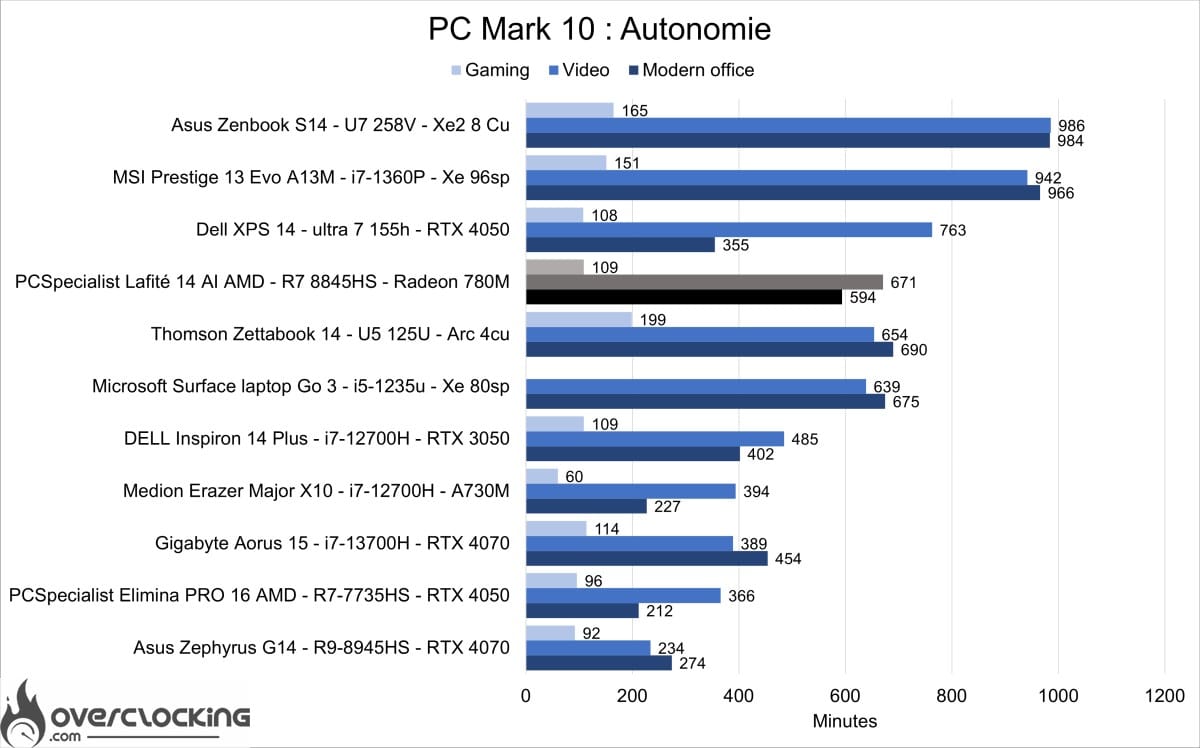
As you can see, this is a very good performer in video playback, with over 11 hours of battery life. The applications test is just as good, with almost 10 hours of autonomy. All in all, the Lafité AI AMD PC is a very good performer when it comes to battery life, even if we were expecting better from an 80 Wh battery.
The cooling system
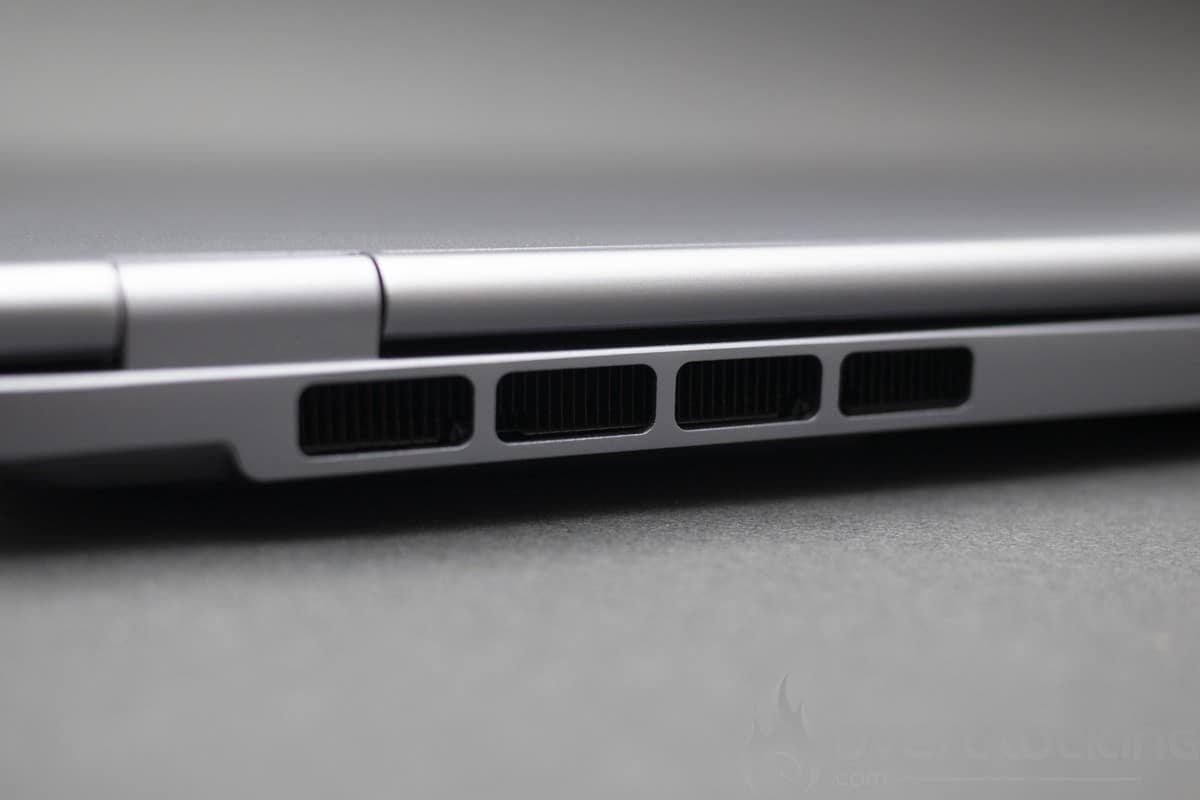
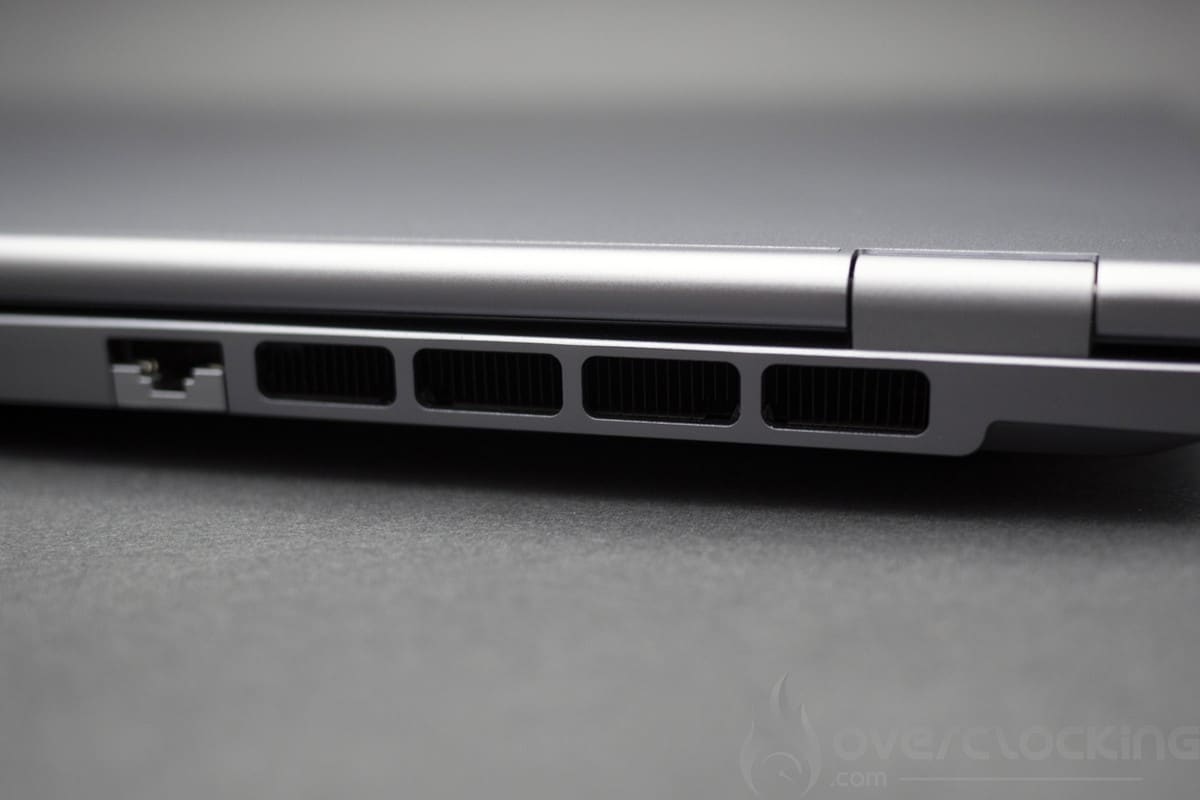
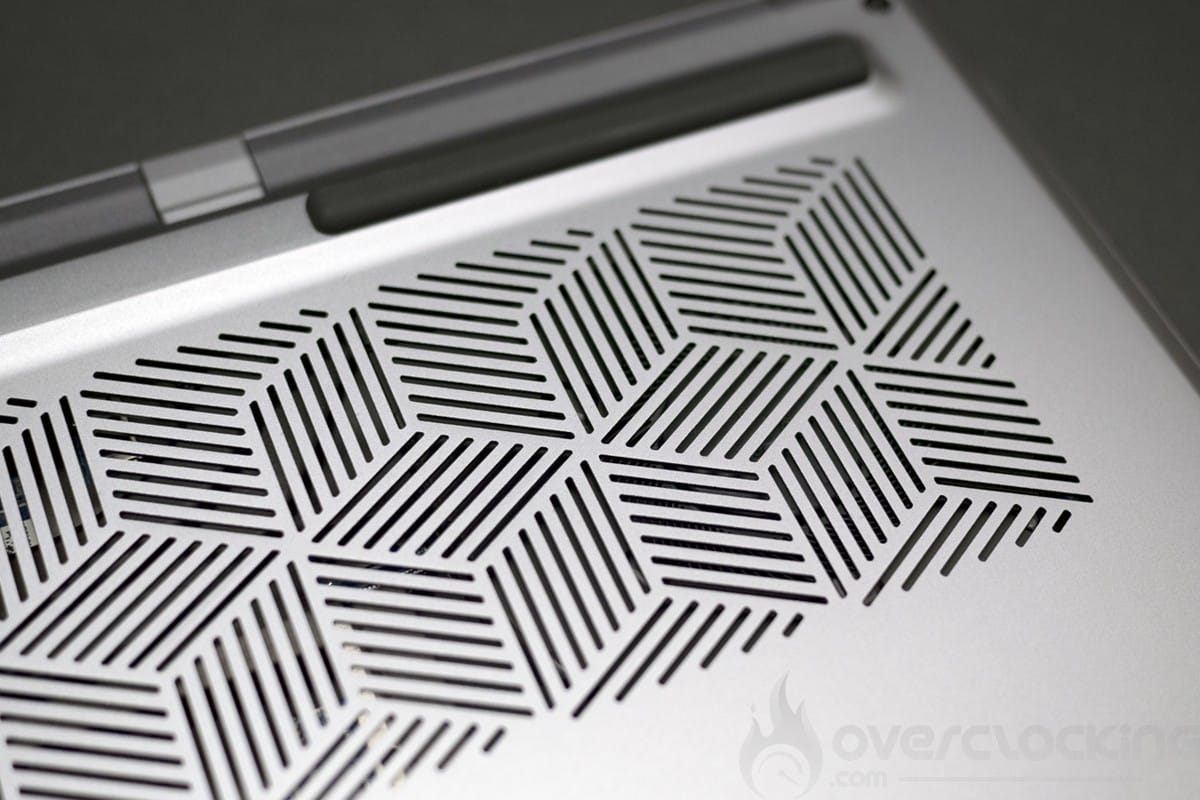
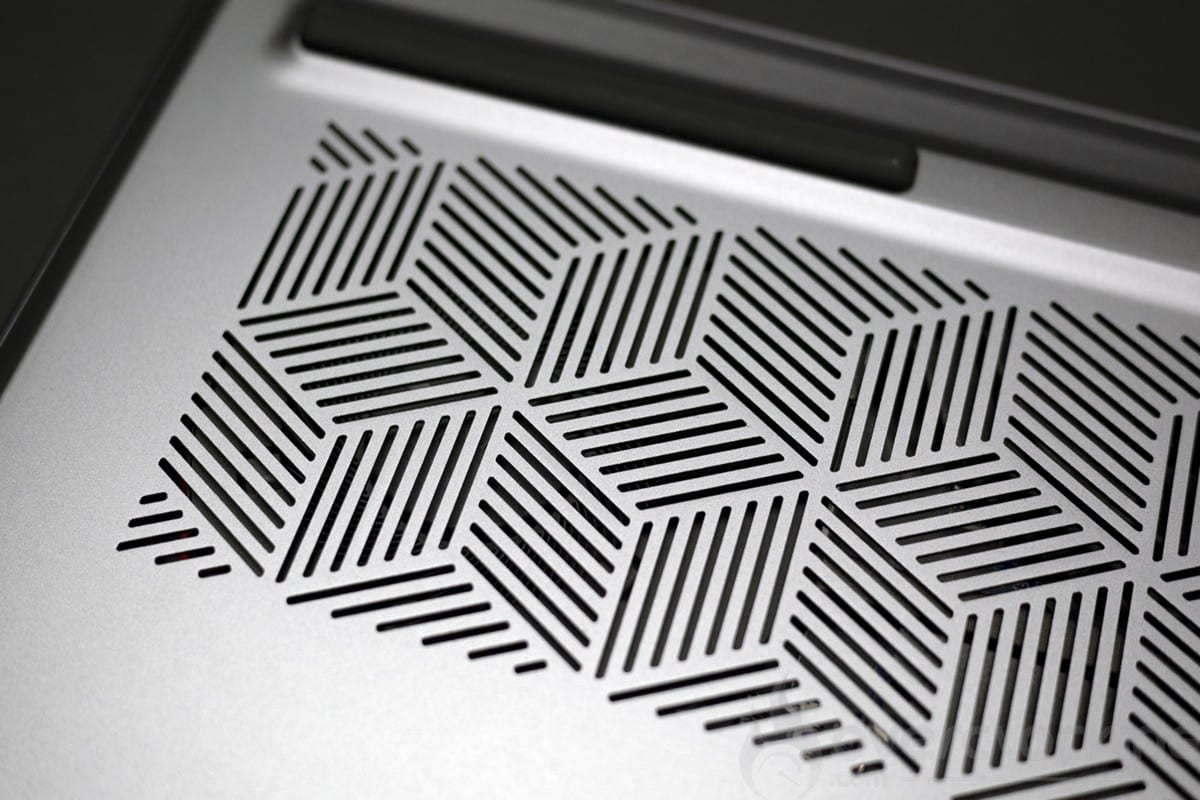
On the outside, we have a large opening on the underside to draw in cool air and then expel hot air from underneath the screen.
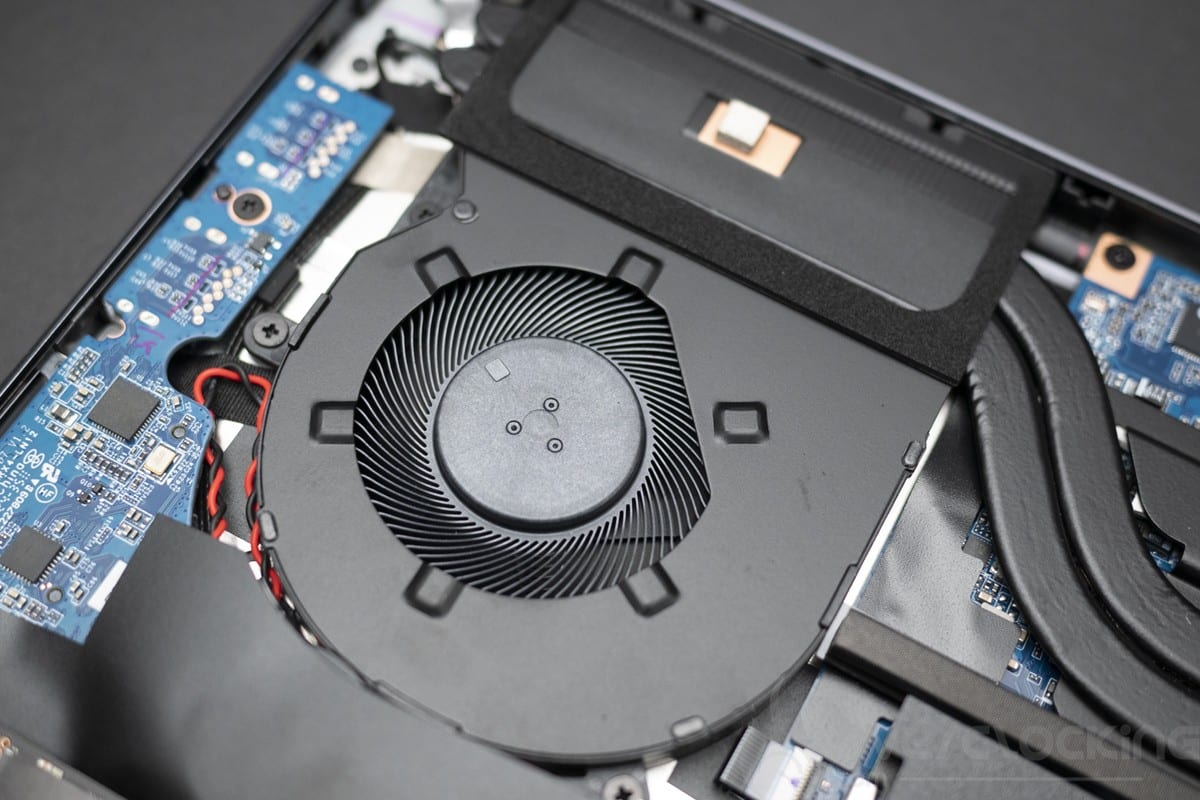
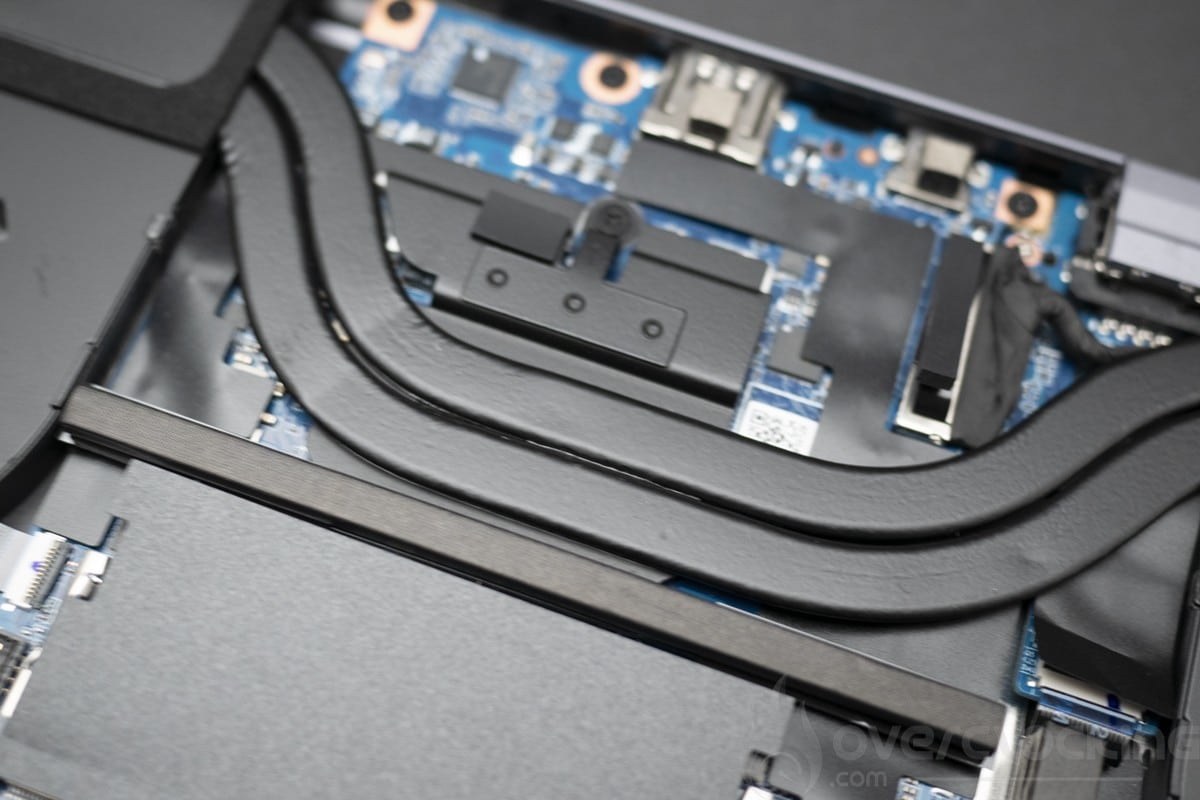
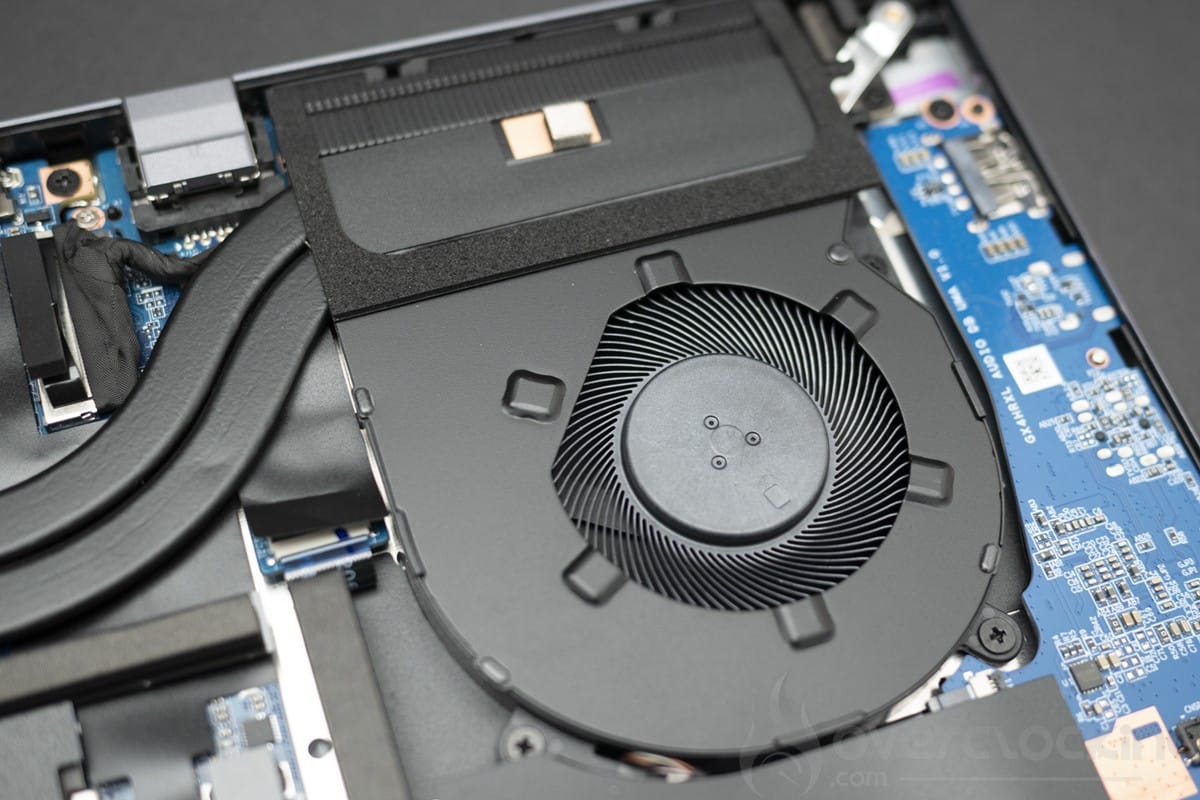
Inside we have two fans that cool the CPU via two heat pipes.
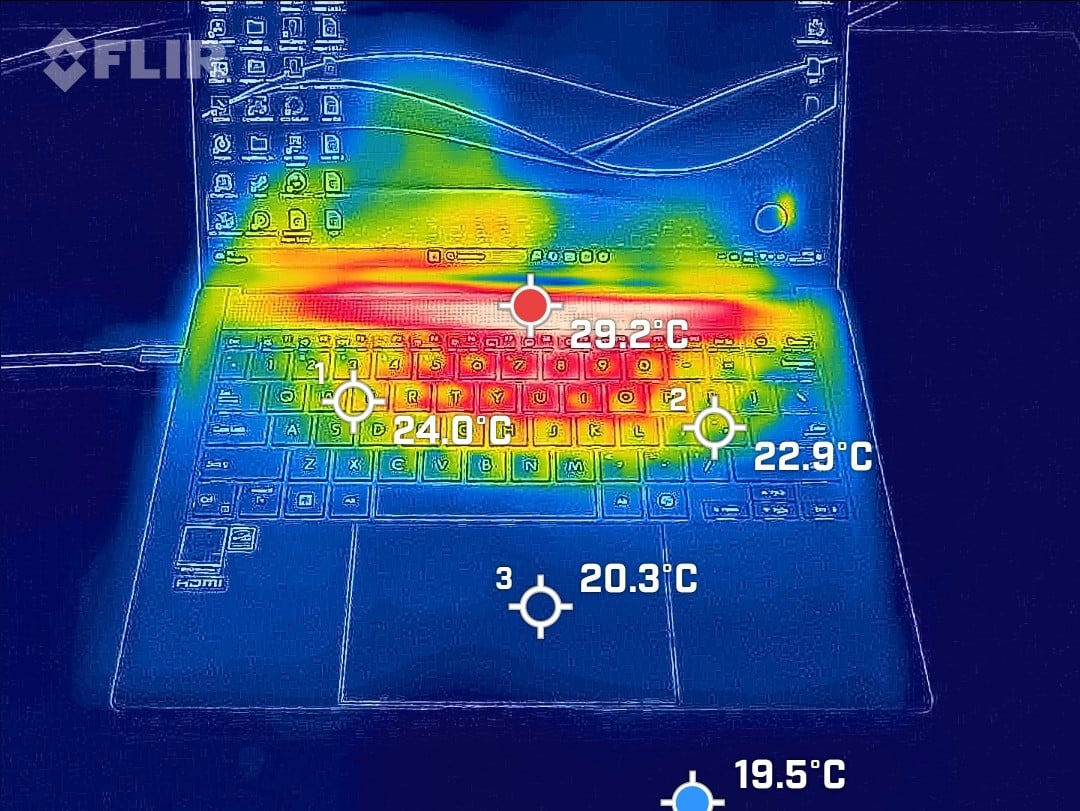
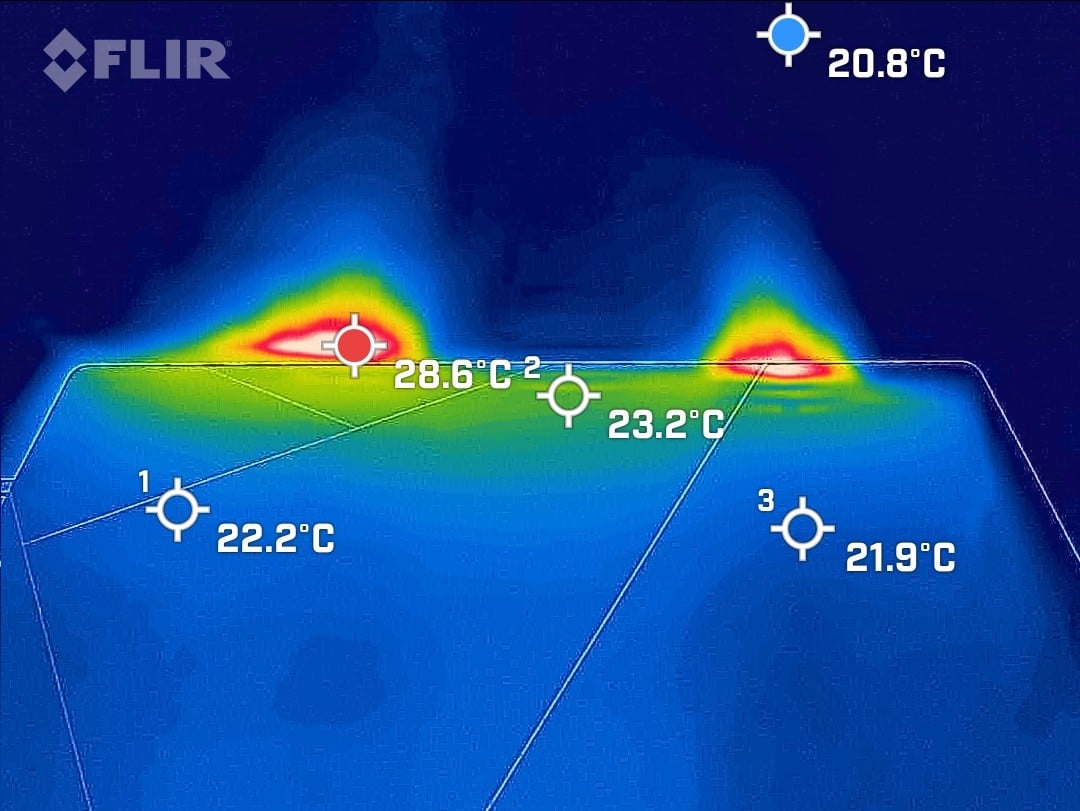
IDLE measurements
Measurements under 10 Min load on Cinebench R23
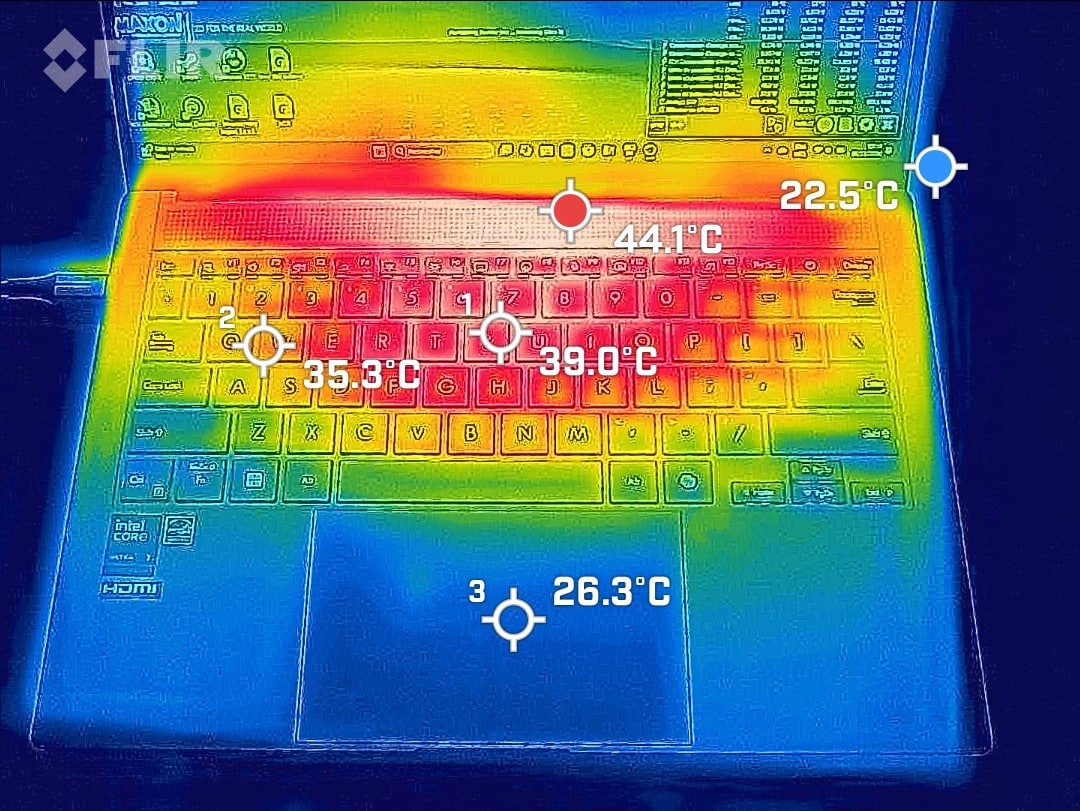
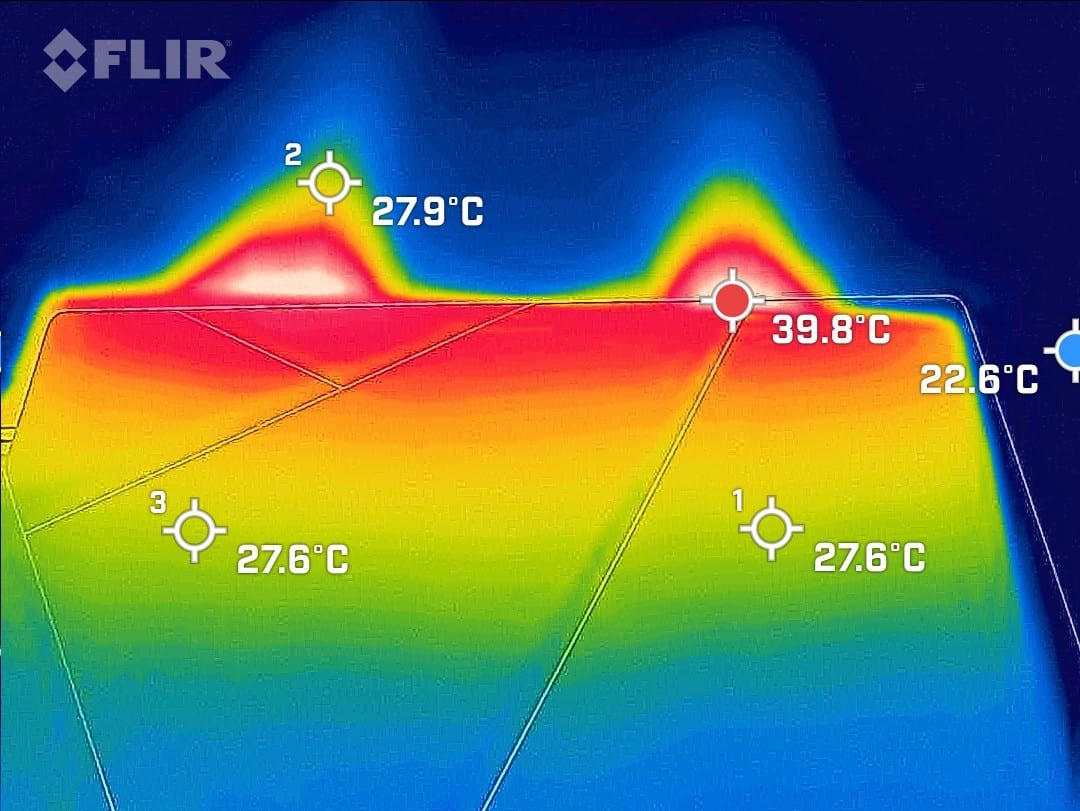
In fact, the cooling system manages to maintain a 4000 MHz at less than 45W at a temperature stabilising at 70°C. Frequency and power consumption drop very slightly after several minutes, from 4100 MHz to 50W at 72°C max, at the values seen above. This has an impact on performance of just 7%, with a final score of 14500 points.
The PCS Lafité AI AMD is therefore very well cooled and manages to maintain good frequencies even over long periods while keeping the CPU cool. As far as surface temperatures are concerned, we’re talking about 20 to 29°C in IDLE mode and 26 to 44°C under load on the keyboard side.
[nextpage title=”Synthetic CPU performance”]
Synthetic CPU performance
Let’s take a look at what this machine has to offer, starting with CPU and memory performance on a few synthetic benchmarks.
Cinebench R20
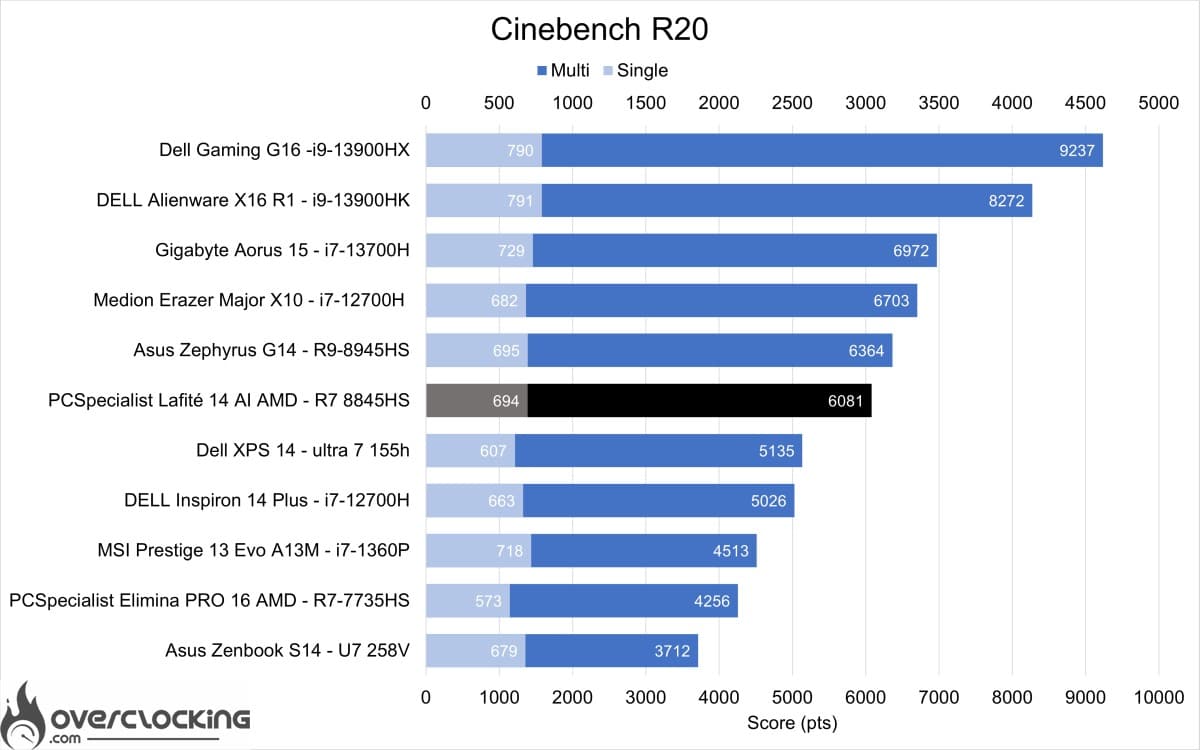
We start with Cinebench R20, where the 8845HS performs very well and comes second among 14-inch laptops behind the Asus Zephyrus G14 (R9-8945HS).
Cinebench R23
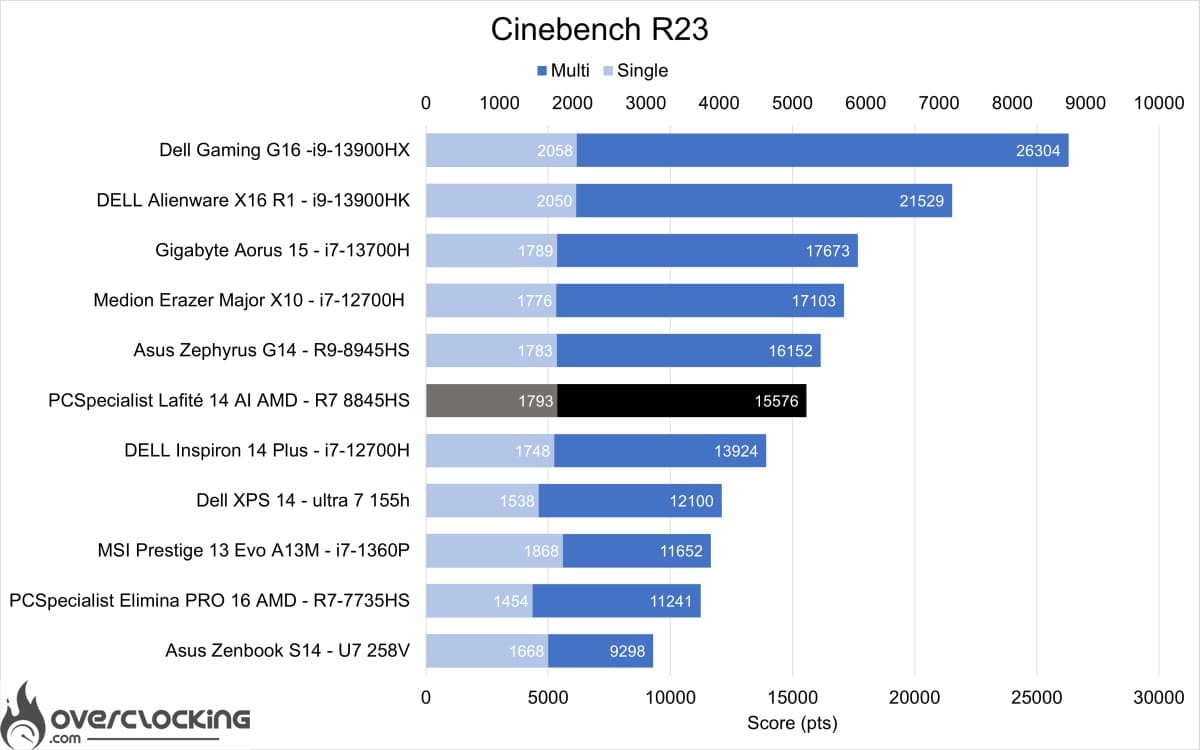
Moving on to Cinebench R23, the 8845HS once again proves to be a very powerful performer.
Geekbench 3
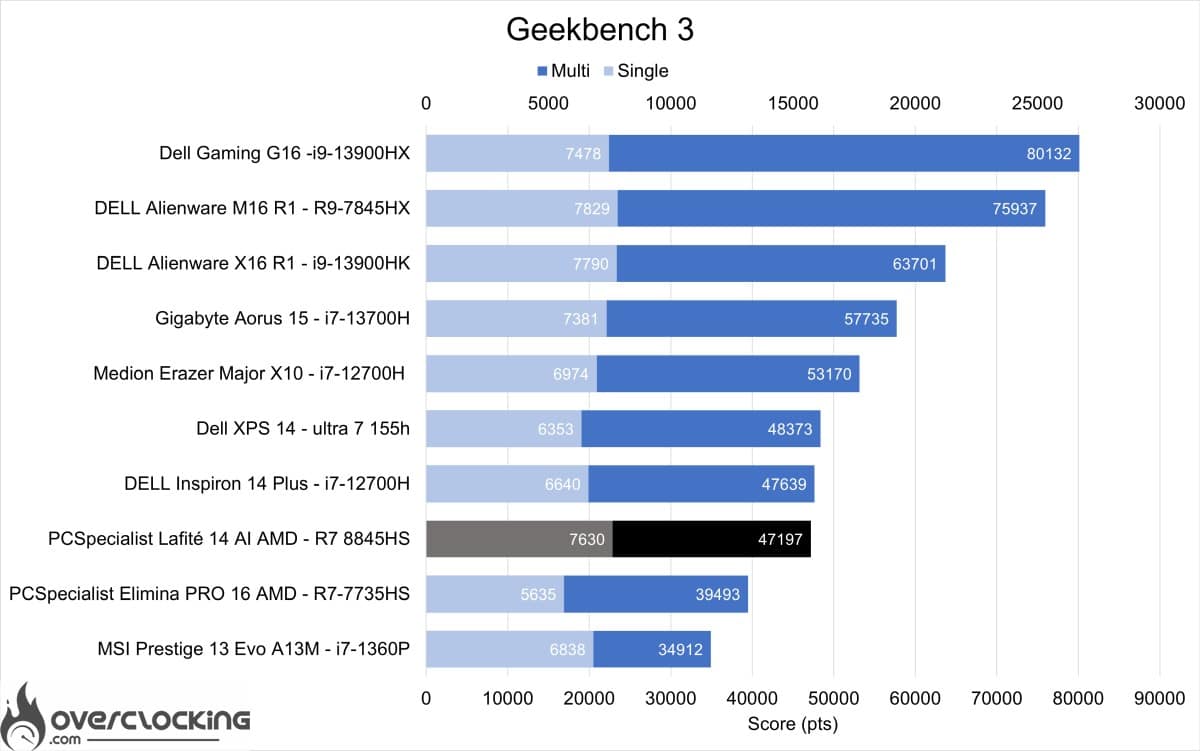

Geekbench 3 also shows good performance from Intel CPUs with more cores.
Geekbench 5
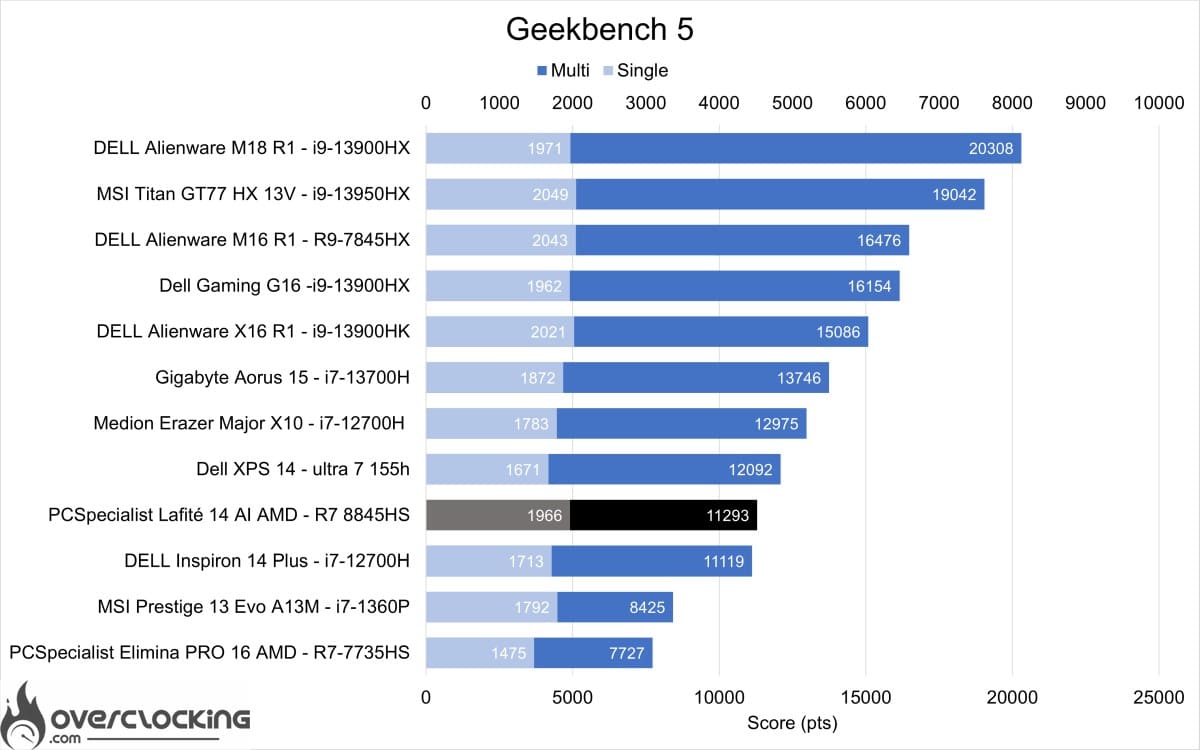
We now move on to Geekbench 5, and this time the 8845HS is a little behind the Intel solutions.
3DMark CPU Profile
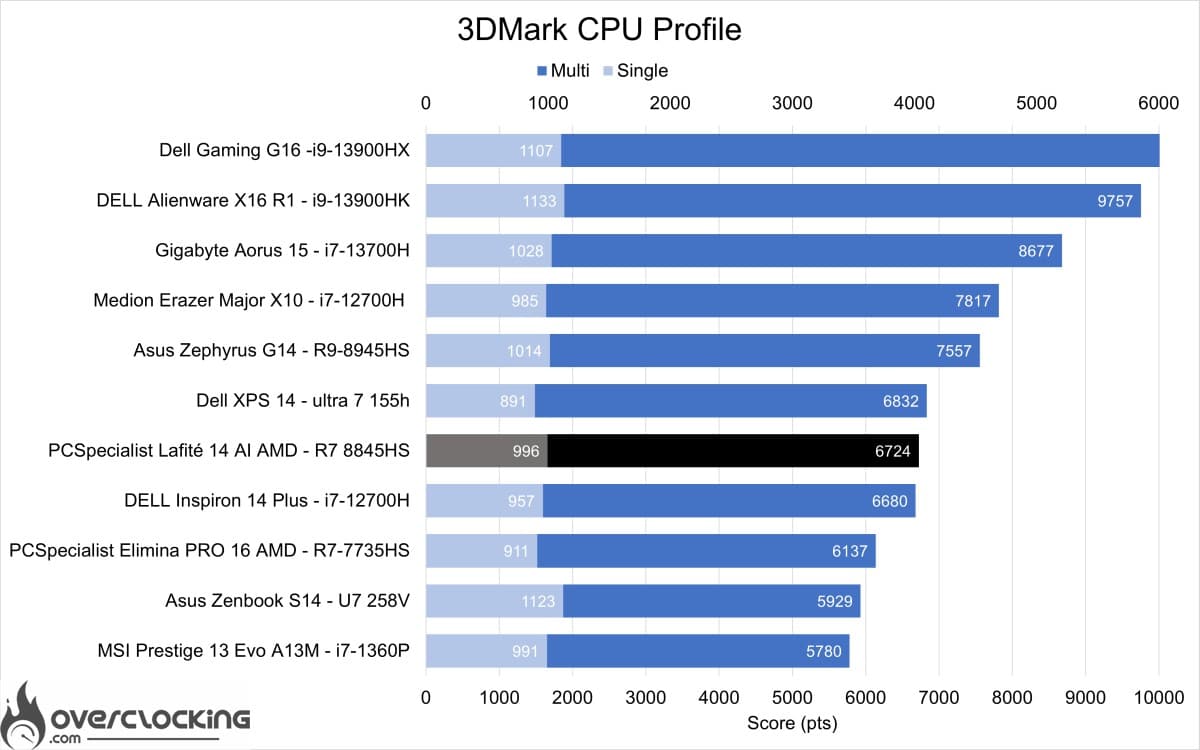
On the 3DMark CPU profile, this 8845HS performs less well than the 8945HS, and is on a par with Intel’s 12700H and 155H.
Overall, this Lafité 14 AI AMD PCS performs very well for its size and, above all, for its price. It manages to deploy the maximum performance of the 8845HS, even if it could be even more powerful by unbridling the TDP.
[nextpage title=”Synthetic GPU performance”]
Synthetic GPU performance
Now that we know the performance of the CPU, we can move on to the GPU on a few synthetic benchmarks. The PCS Lafité 14 AI AMD has an IGP integrated into the R7-8845HS CPU, a Radeon 780M with 12cu or 768 cores. Its performance for an IGP should be decent compared with Intel solutions.
3DMark Timespy
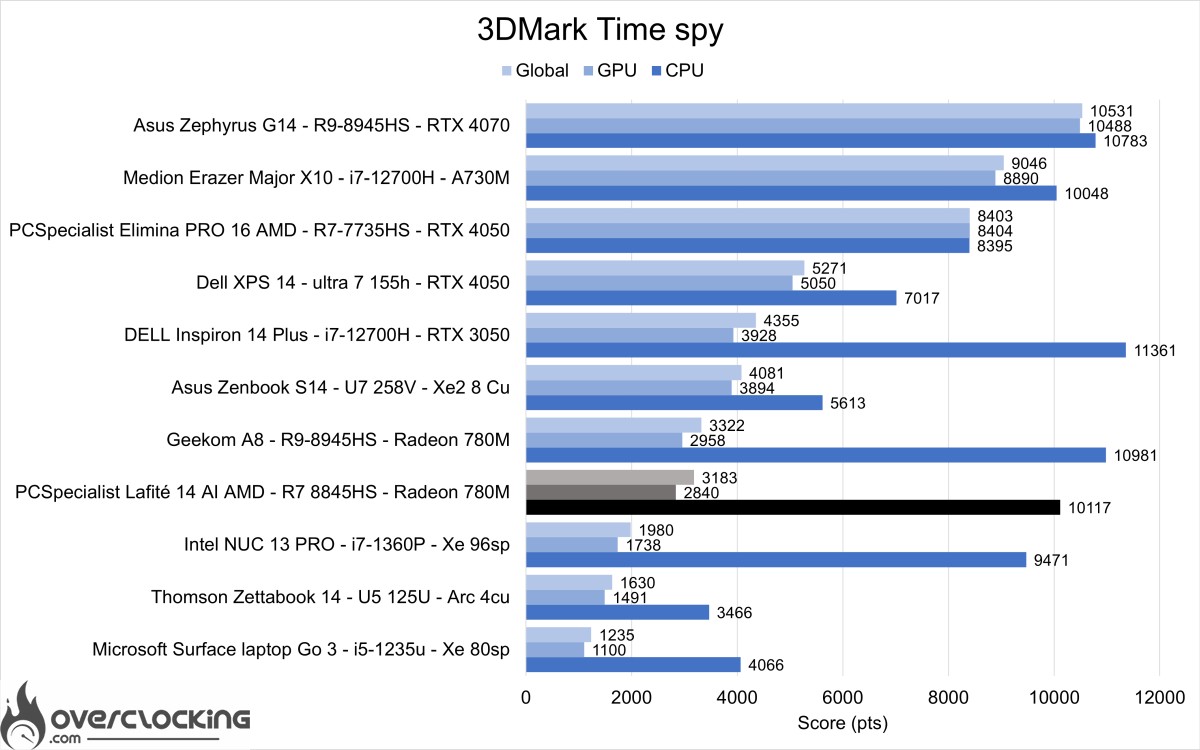
We start with 3DMark Time Spy, where the Radeon 780M performs well against previous-generation Intel solutions.
3DMark Timespy extreme
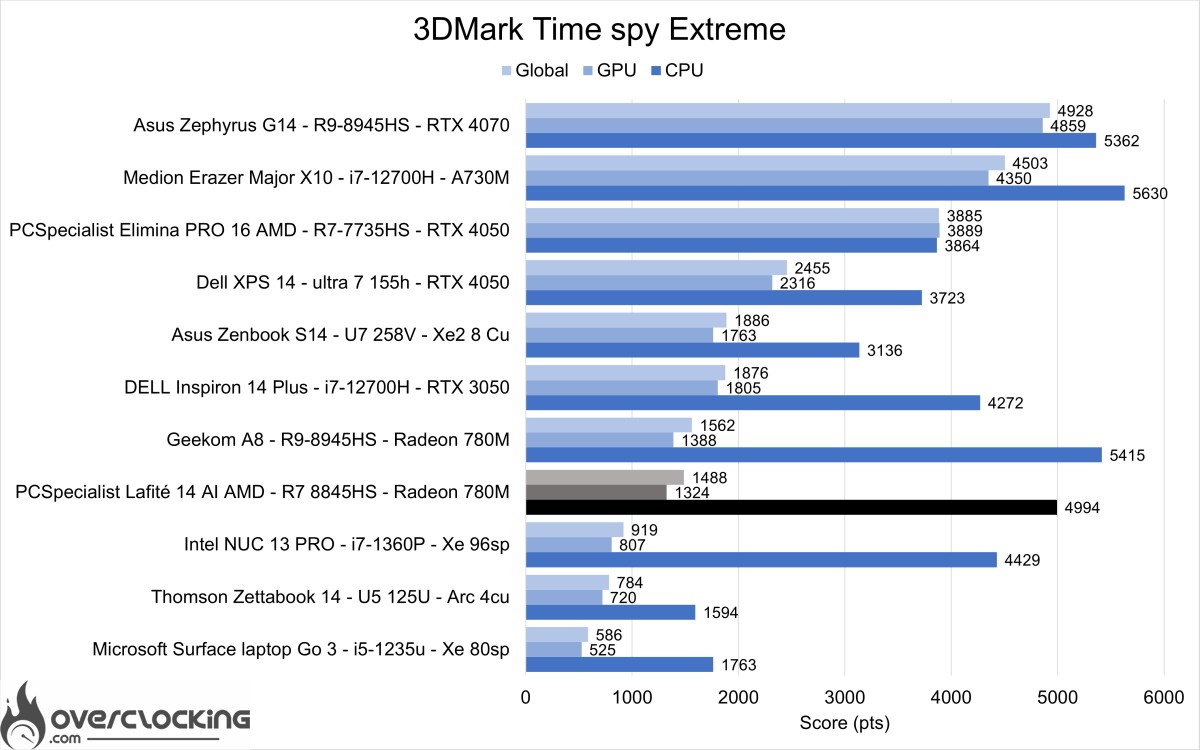
As with Time Spy, it’s the same story. Here the Radeon 780M is still performing well. Intel remains well ahead with its new Lunar Lake architecture.
3DMark Firestrike
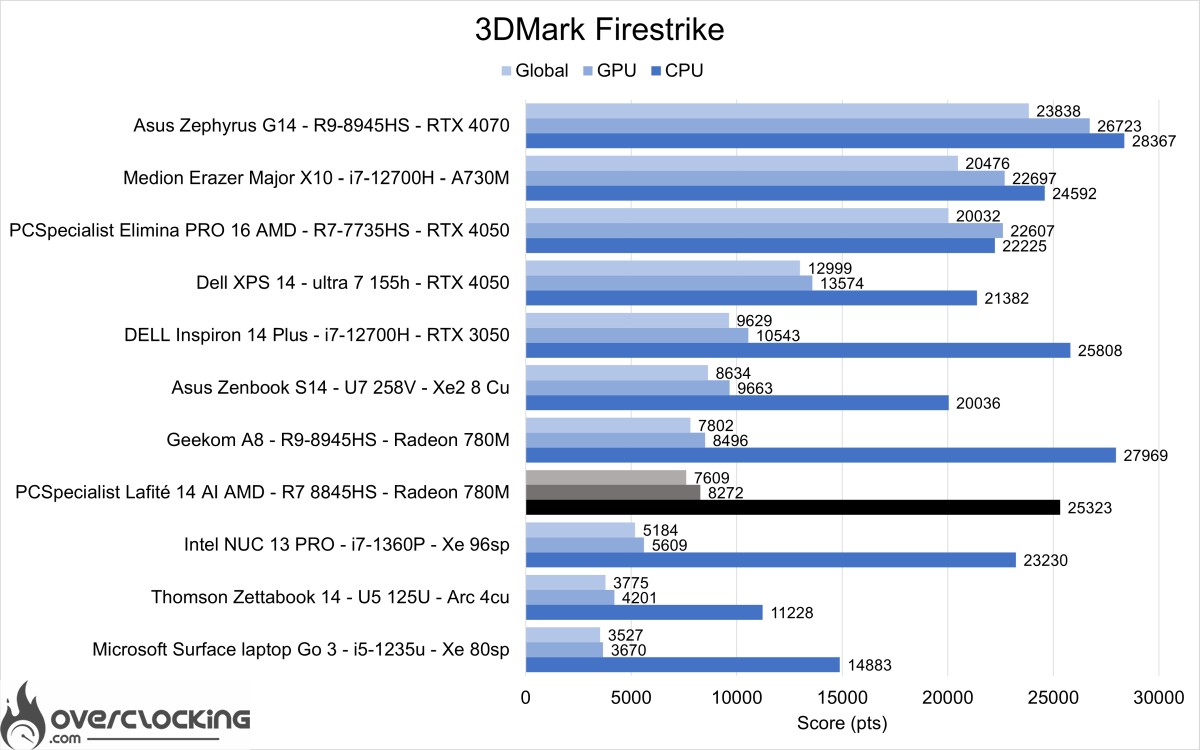
In 3DMark Firestrike, the Radeon 780M’s performance is closer to that of the Intel Arc 140V.
3DM Firestrike Extreme
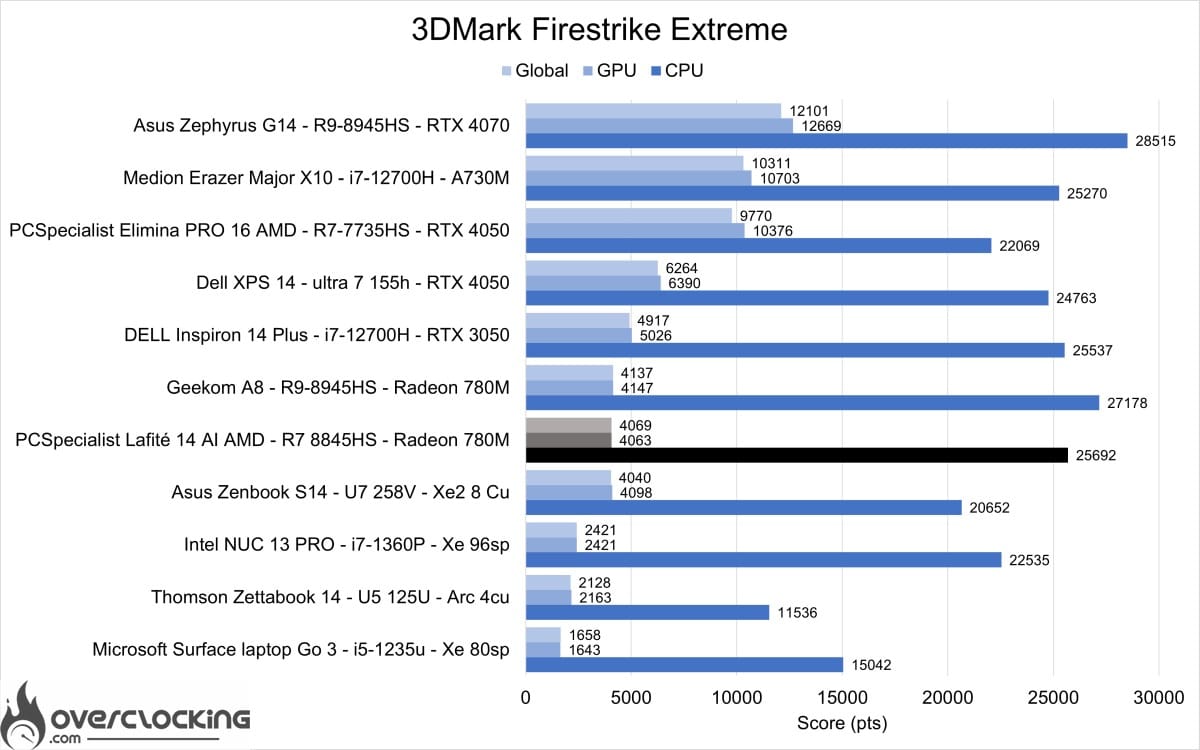
In 3DMark Firestrike Extreme, the Radeon 780M this time outperforms the Intel Arc 140V found in Intel Lunar Lake CPUs.
3DM Firestrike Ultra
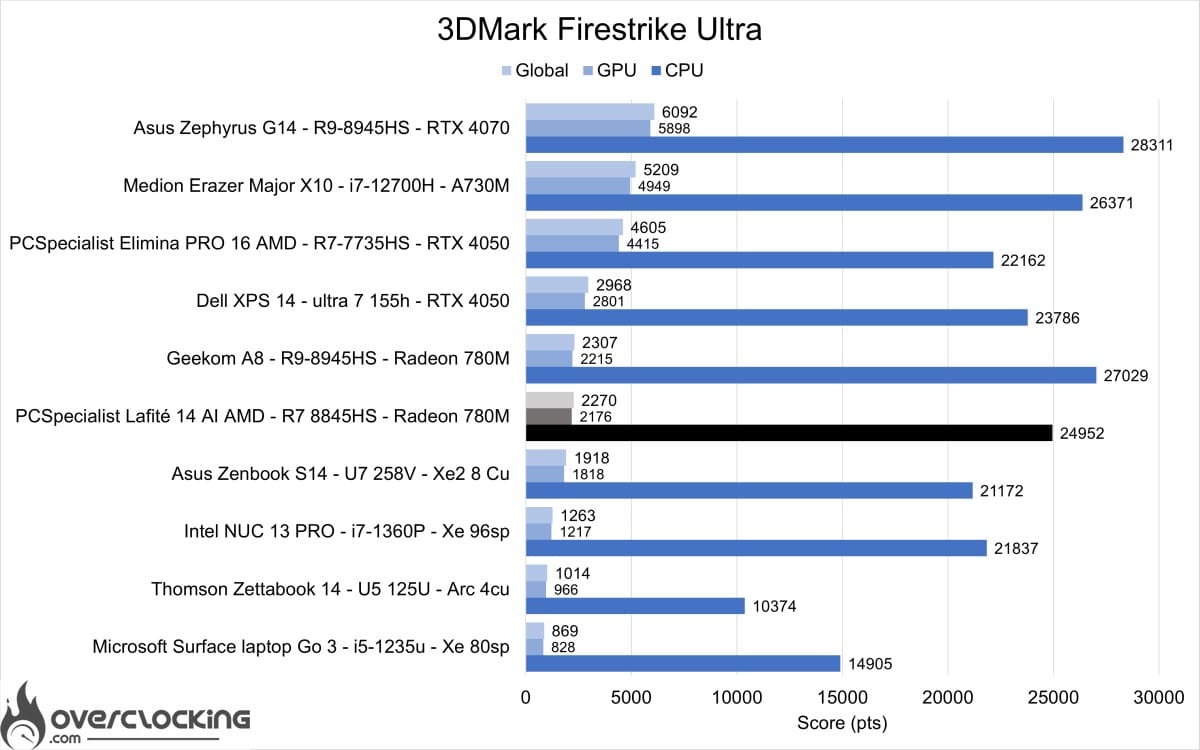
The same applies to FireStrike Extreme, where once again the Radeon 780M tops the IGP charts.
3DM Speedway
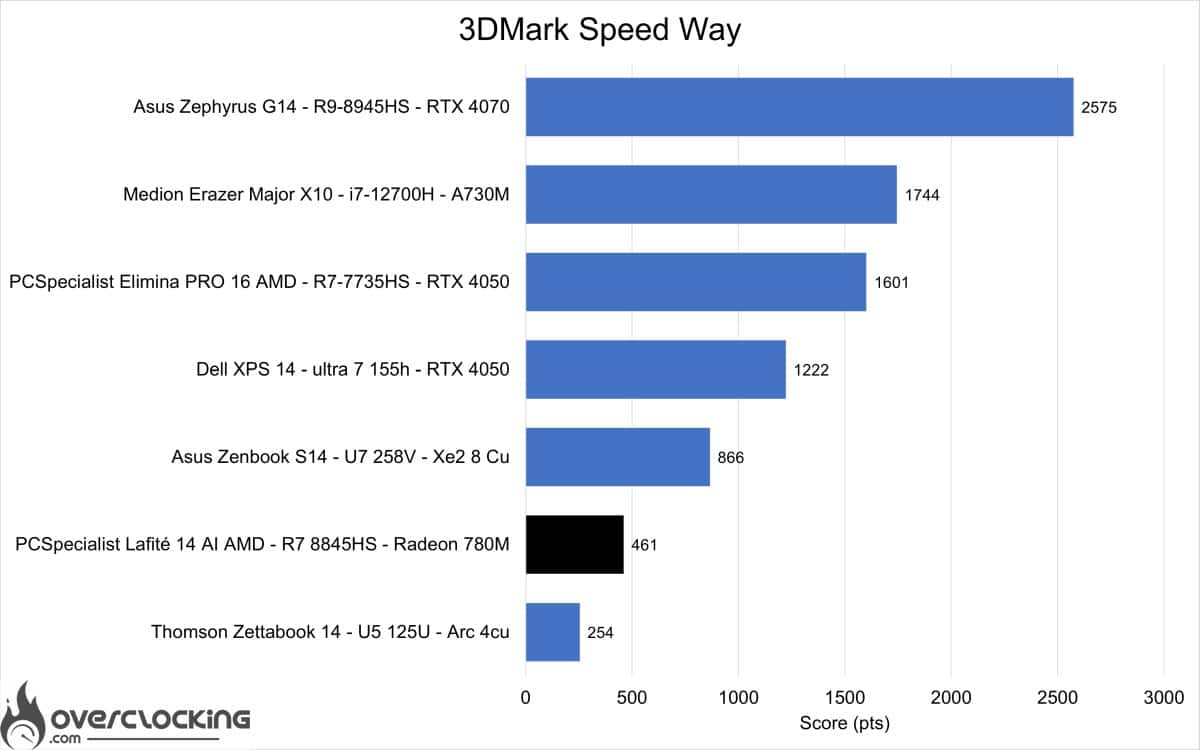
Let’s finish with 3DMark Speedway, a graphics-only benchmark. Here we see that the Intel Arc 140V is much better at Ray Tracing than the Radeon 780M.
[nextpage title=”Productivity performance”]
Productivity performance
In this section, we will focus on productivity performance. In other words, the machine’s performance on software such as Microsoft Office, Blender or UL Procyon.
PCMark 10 Extented
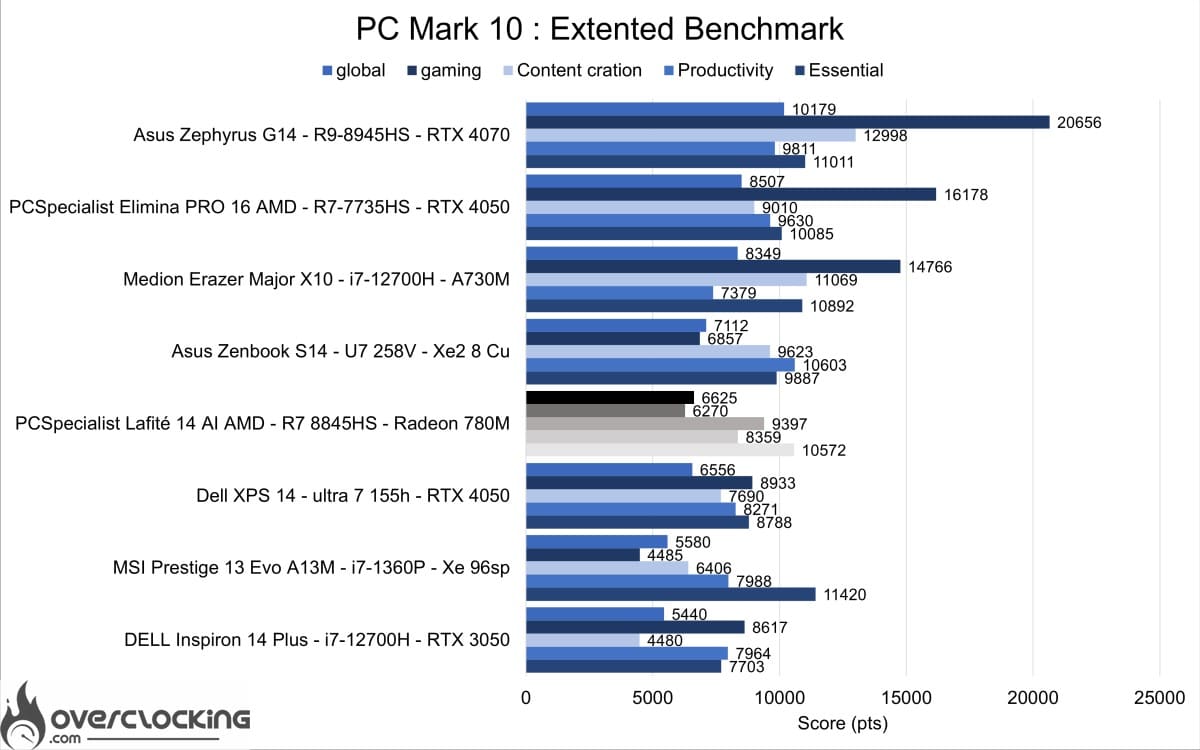
On PCMark 10, the PCS Lafité 14 AI AMD delivers very good performance, although it lags well behind solutions that include a dedicated graphics card.
PCMark 10: application
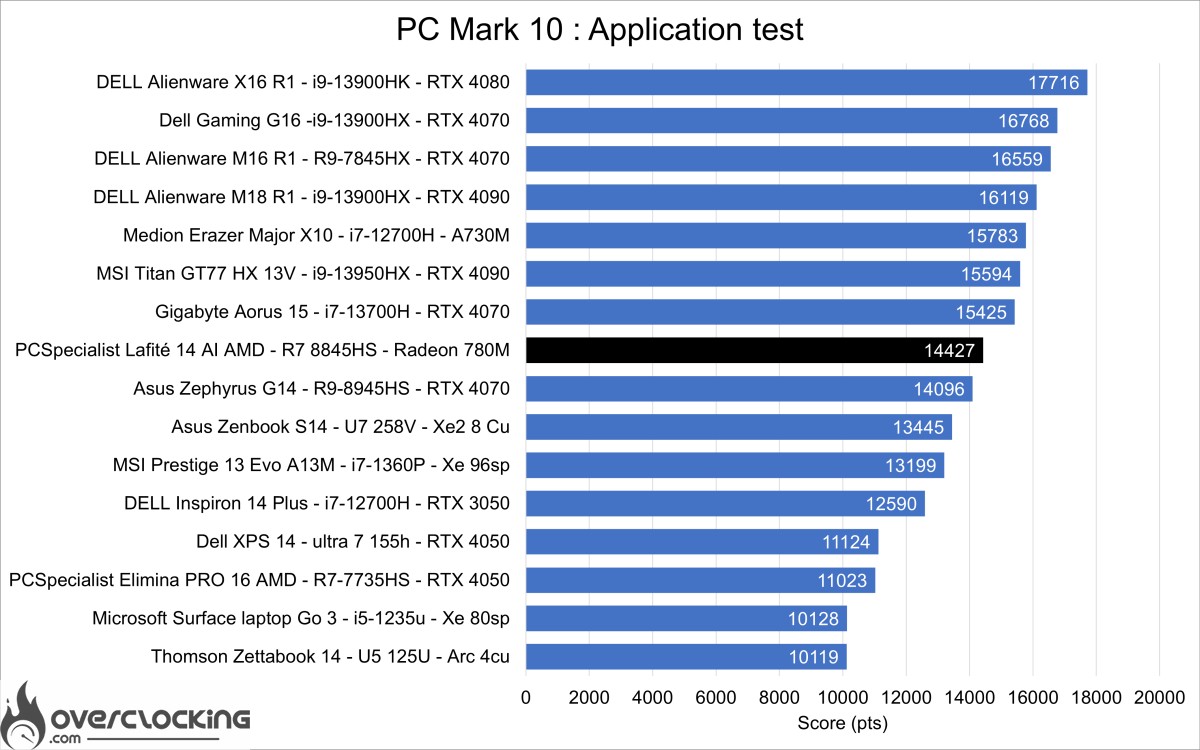
The benchmark presented here uses the Microsoft Office suite to give us our machine’s performance on Word, Excel and Powerpoint. Here, the PCS Lafité 14 AI AMD takes first place among 14-inch laptops, thanks in part to its very good SSD.
UL Procyon: AI Computer vison

UL Procyon AI Computer Vision is a benchmark that gives an overview of the performance of AI inference engines. Here, the benchmark was carried out under MicrosoftML, and the performance is just acceptable for certain basic AI uses, such as those related to the camera.
[nextpage title=”Conclusion”]
Conclusion
We’ve come to the end of this test and it’s fair to say that the PCSpecialist Lafité 14 AI AMD has lived up to the expectations we had when we first discovered it. We discovered this product by chance during our weekly live chat hosted by Baron and Dark Chungus on Twitch, when we saw the advertising banner on the website.
The PCSpecialist Lafité 14 AI AMD offers very good CPU performance at a reduced price, with battery life in excess of 10 hours. We were expecting at least 12 or 13 hours, but it’s still comfortable to use. The PC is very well cooled and remains fairly quiet in use. We would have liked to see a Ryzen 9 AI 370HX or 365 version in the catalogue, or even a Ryzen 8x40u version to increase battery life. All in all, it’s a very good configuration for working with rich connectivity and a good screen. However, the lack of attention to detail on the RJ45 socket and the poor-quality sound and webcam are regrettable. The final negative point would be the Win11 operating system supplied with the machine, which had quite a few bugs, including the inability to launch the 3DMark, PCMark and ULProcyon suites.
As a reminder, the PCS Lafité 14 AI AMD is priced at €1,167 in this R7-8845HS version, with 1TB of storage and 32GB of RAM, which we are testing here. The price can be reduced if you don’t take out a Windows licence, or if you reduce the configuration to a minimum in order to buy better components later on. For example, the minimum price is €801, but if you add a very good Lexar NM790 at €88 and 2x16Gb 5600C40 at €115, you get a more powerful machine for just €1,004.
AMD PCSpecialist 14 AI
We liked :
- CPU performance
- GPU performance
- The quality of the IPS panel for sRGB
- Excellent battery life for video and productivity
- Connectivity
- Value for money
We would have liked :
- A better webcam
- A better audio system
- Windows 11 24H2 without bugs
 PCSpecialist offers a very well-balanced product with unbeatable value for money in this 14-inch format. The Lafité 14 AI AMD is one of the best performing laptops we’ve tested in this format, offering the best connectivity and comfortable battery life. However, there are still some negative points, in particular the speakers, whose quality is really mediocre. All in all, with a low price of €800, this laptop is a good alternative to the big brands for professional and office use.