

[nextpage title=”Introduction: “] Today marks the end of Intel’s NDA for the new non-K Alder Lake processors and the arrival of the B660 chipset, which will make Alder Lake and DDR5 compatible motherboards more affordable. Once again, we have been spoiled by MSI France as they have sent us a starter kit to test their new MSI MAG B660M Mortar Wifi motherboard.
This kit, in addition to containing the motherboard, came with an Alder Lake i5-12400 processor and a Kingston Fury 5200 MT/s CL40 DDR5 memory kit. Finally, to keep the new CPU cool, MSI also sent us their new 240mm cooling system, the MSI MAG Coreliquid C240.
In this review, we’ll focus on the new motherboard – if you want to know how the i5-12400 performs against other Alder Lake processors, we invite you to read this review.

Thanks again to MSI France for making this bundle available for testing the new Alder Lake i5-12400 on the MSI MAG B660M Mortar Wifi motherboard. [nextpage title=”MAG B660M Mortar Wifi:”] Before starting the presentation of this MSI MAG B660M Mortar Wifi, you should know that MSI has planned to release an identical model but with the reference MSI MAG B660M Mortar Wifi DDR4. As you may have guessed, this model will support DDR4 memory instead of DDR5. This is quite logical when you see the current price of DDR5 but especially the very low availability of kits. Several members of our Discord already have a CPU and motherboard combo but are still waiting for a DDR5 memory kit. Choosing DDR4 will allow you to benefit from the Alder Lake generation at the most attractive price.
This B660M Mortar Wifi is part of the “MAG” series and follows the “MPG” and “MEG” series. The “MAG” series is more attractively priced and is the entry-level range of the brand.
The bundle
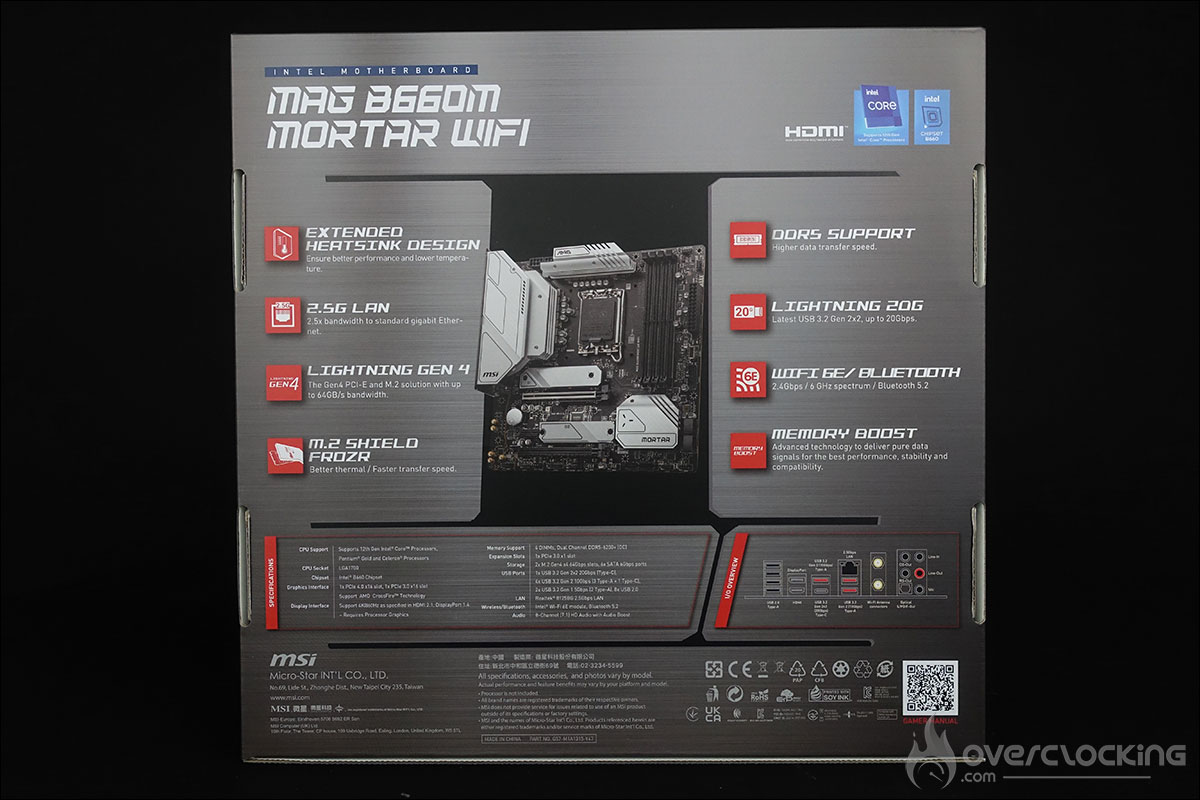
Let’s take a quick look at the bundle of this MSI MAG B660M Mortar Wifi to see if it benefits from “special accessories”. As you might expect, this is an entry-level model, so we’ll find the usual accessories. A small item more than the ordinary, there are which allow you to customise the heatsinks of your motherboards. The disappointment is that it comes with a DVD with the drivers, and not a USB key.

New B660 chipset:
This MSI MAG B660M Mortar Wifi is very similar to the MSI MAG B560M Mortar Wifi version, which is still available for 159.90 euros. Now the new B660M chipset comes with its share of new features, including DDR5 support.

Built around the B660M chipset, our sample of the day has an LGA-1700 socket as the CPU size is larger. The LGA-1700 socket has 1700 pins, compared to 1200 for the previous generation. You may therefore need to invest in a new cooling system. Some brands offer an adapter for your current cooler. Make sure you ask about this, as it is often free.

The different heat sinks :
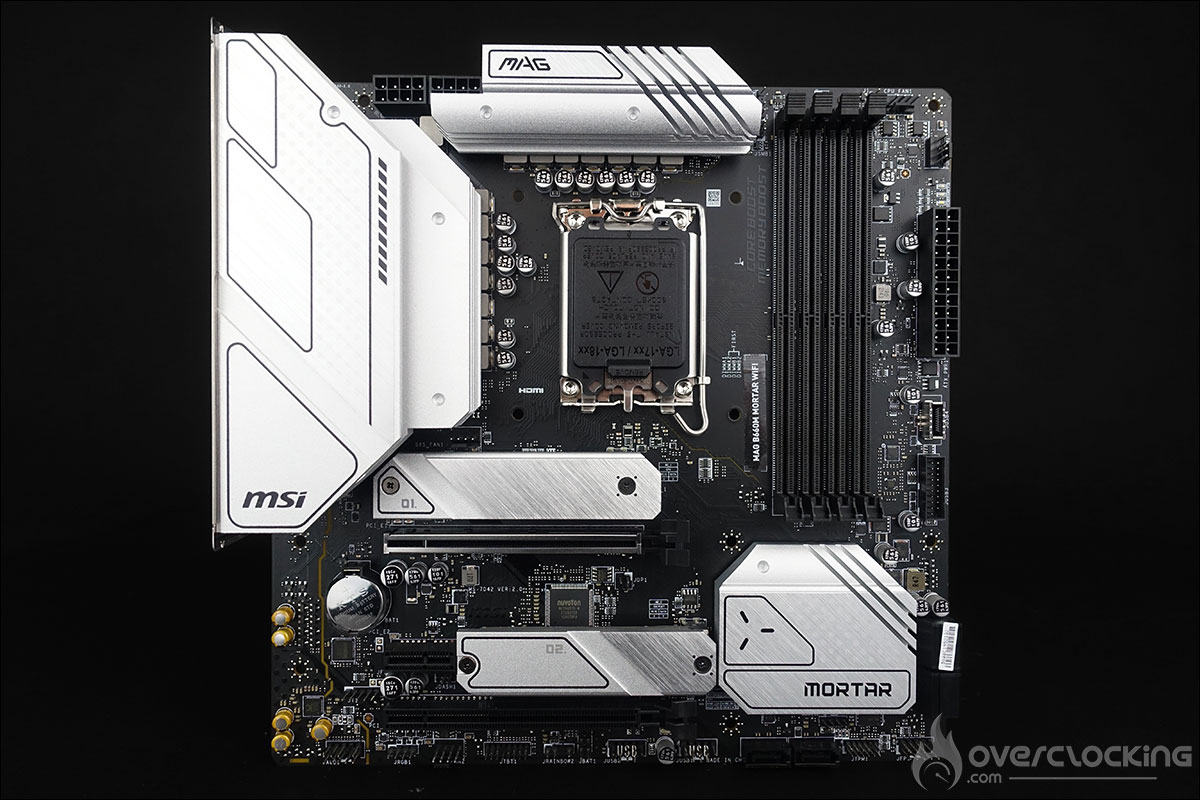
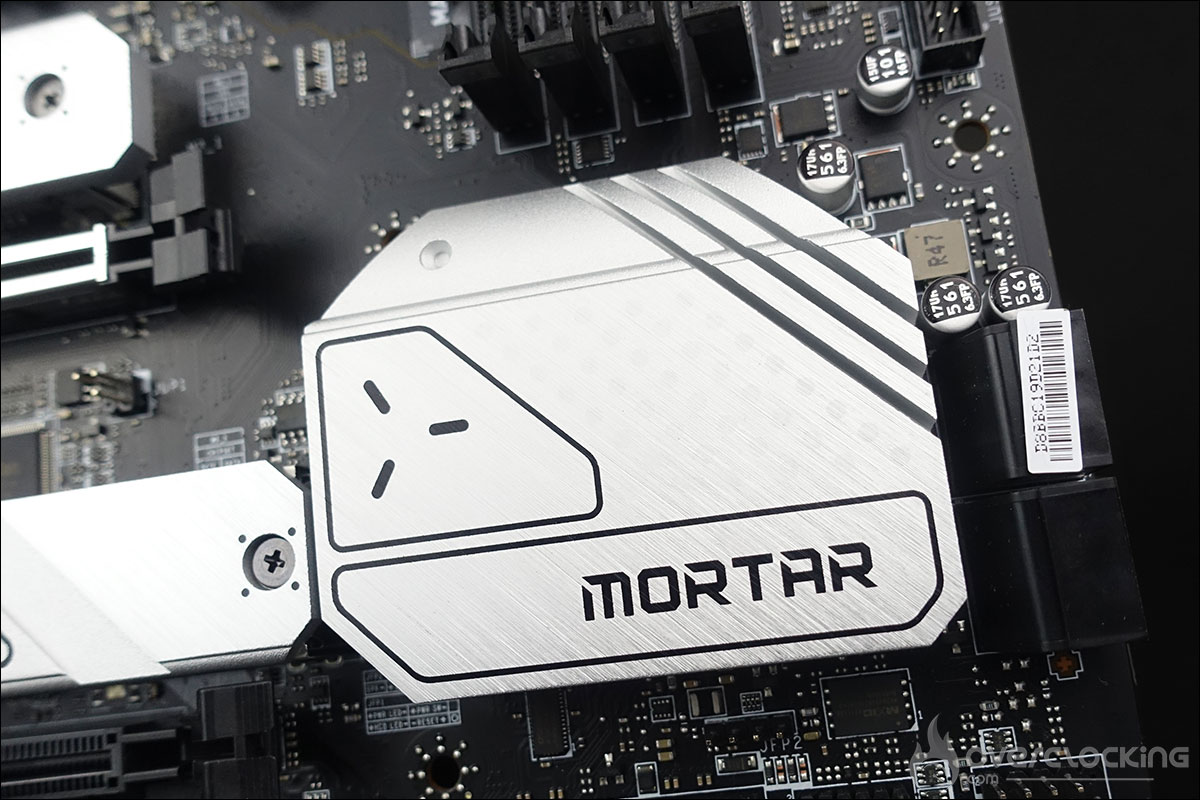
The dimensions of the board are 244mm x 244mm, which corresponds to the micro-ATX format. The dominant colour on the PCB is black with the various grey heatsinks. The design is partly based on that of the previous generation. Let’s start the tour with the heatsinks, of which there are three. First of all, the two heatsinks on top of the motherboard that surround the socket. They are independent and responsible for keeping the power supply stages of our B660M Mortar Wifi cool.
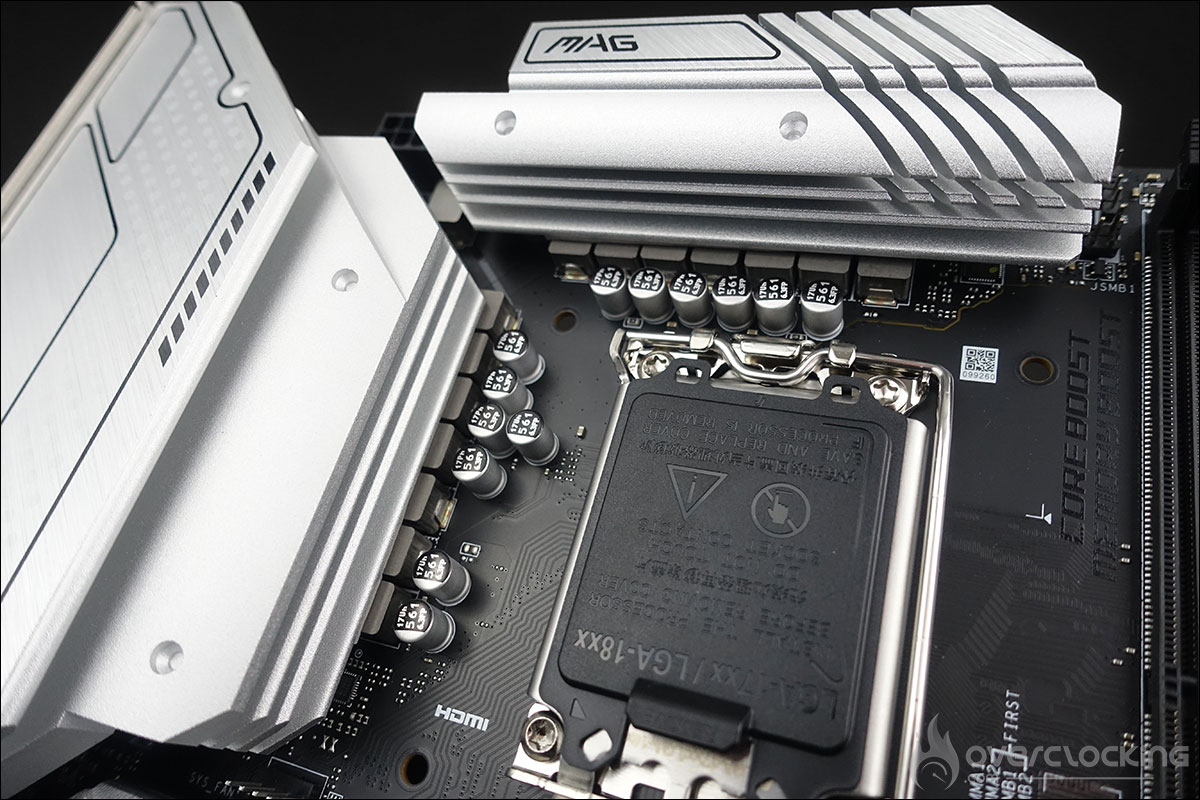
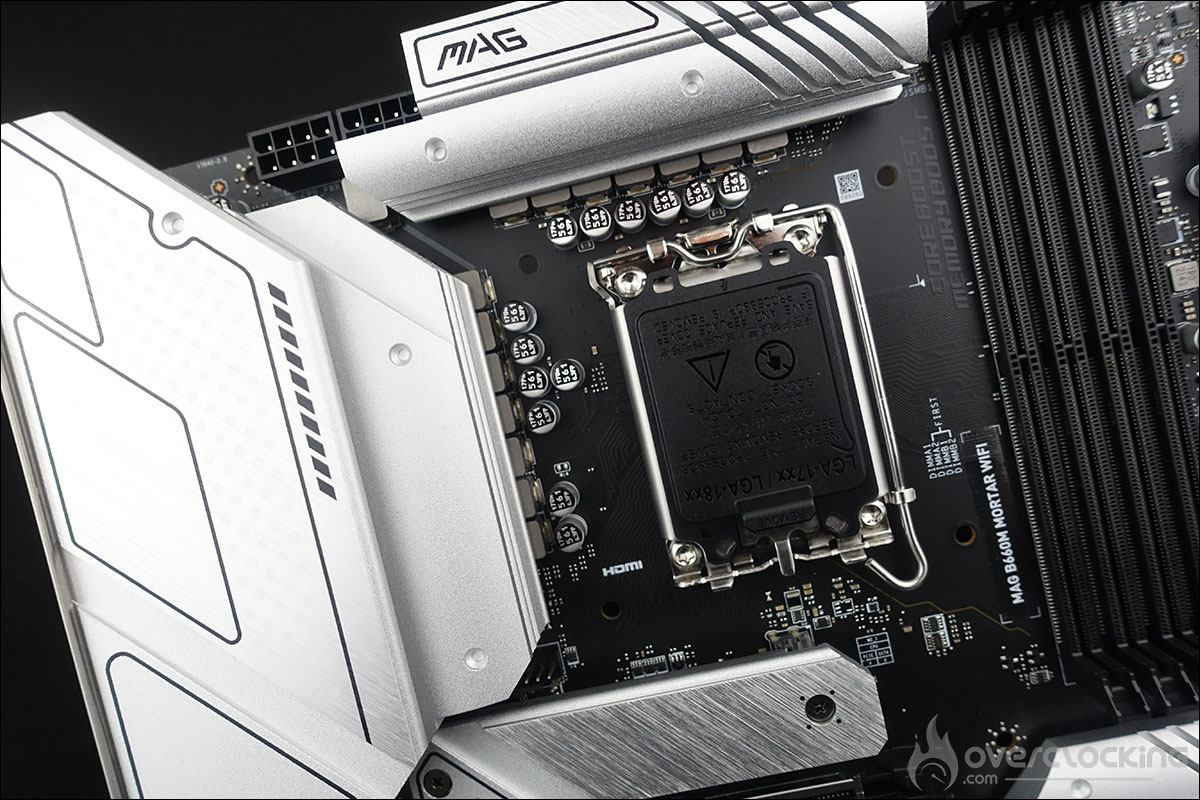
They are aluminium and grey in colour. One is stamped with the name of the “MAG” series and the other, the most imposing, covers the various external connectors. Finally, the third heatsink is responsible for keeping the chipset cool. The height is low in order to allow for easy installation of the graphics cards. We are dealing here with a completely passive system.

Two M.2 SSD slots :
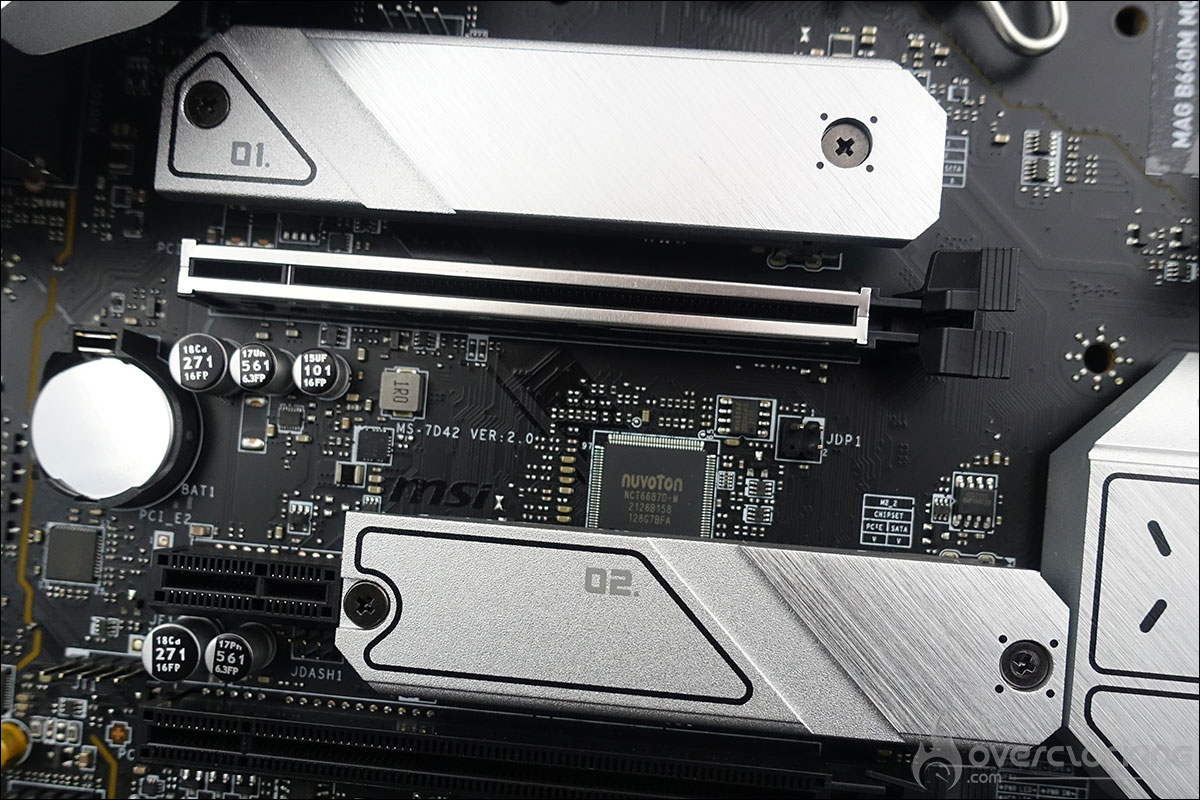
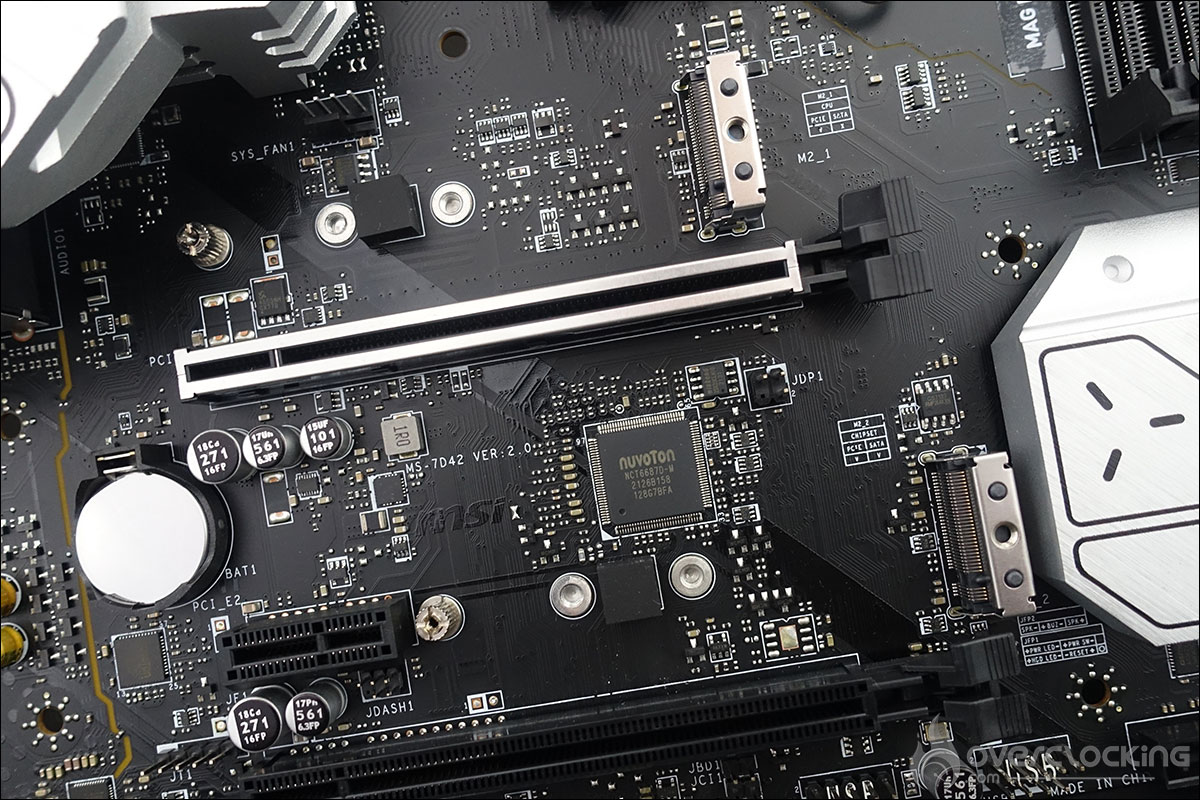
This B660M Mortar has two M.2 SSD slots on the PCB. They are compatible with MSI’s « Shield Frozr » technology, which protects M.2 SSDs from throttling and overheating, in particular by means of a thermal pad and an aluminium heatsink.
The socket and PCIe :
The space around the socket is quite « crowded » and the large size of the heatsinks (37mm) will need to be taken into account when choosing your cooling system. As mentioned before, the socket is an LGA-1700 and only has the mounting holes specifically for it this.
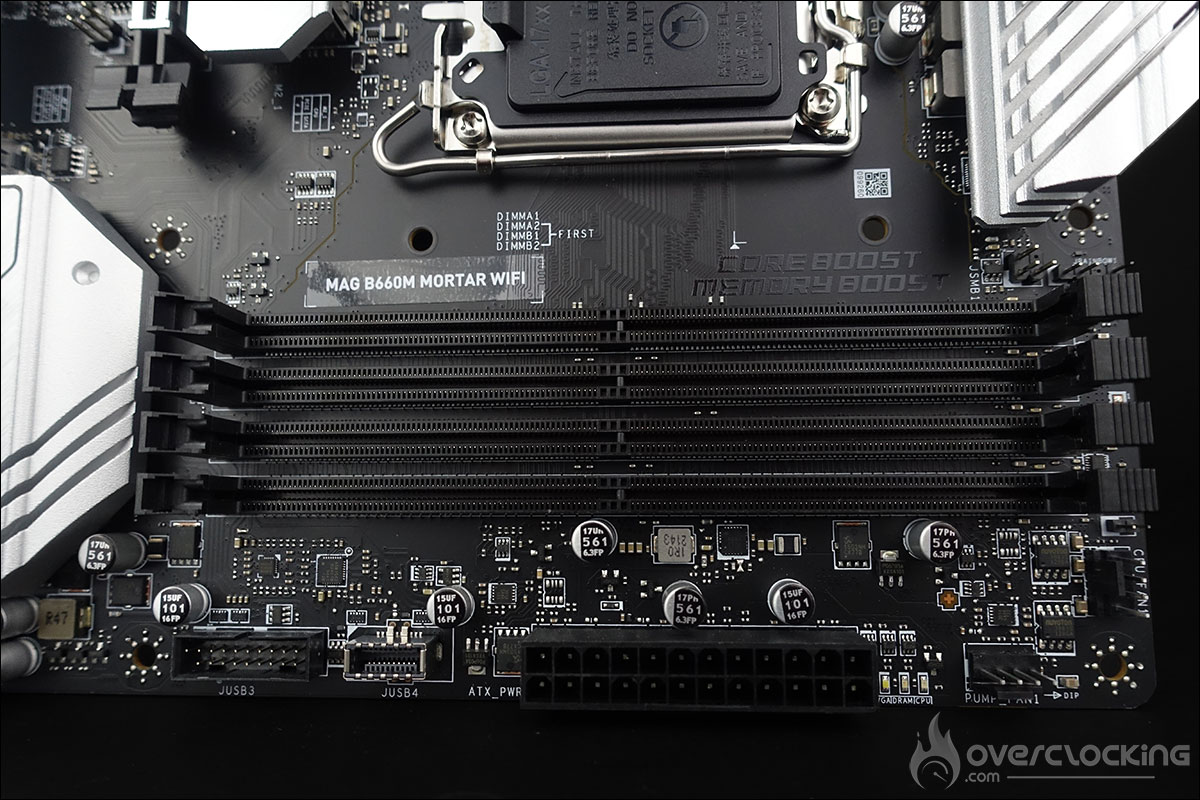
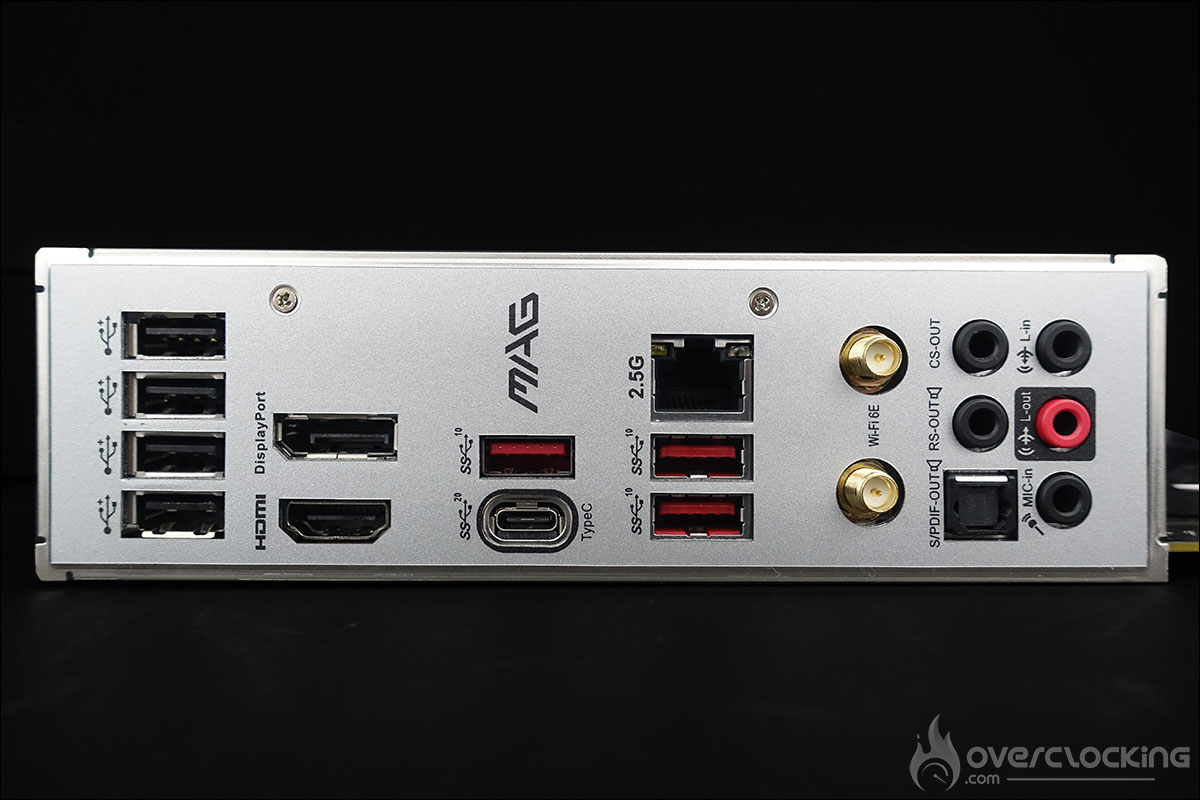
It can accommodate a maximum of four DDR5 memory sticks, but don’t forget that a DDR4 version will also be available. This model supports dual channel memory kits up to 6200 MHz+ (OC) and a maximum of a total 128Gb. Finally, there are two PCIe ports, one PCIe4.0 and the other PCIe3.0. To power all this, the card has a 24-pin connector and two 8-pin connectors next to the power stages. [nextpage title=”The PCB and connectors: “] Let’s start with the PCB features that can be interesting tools for overclockers. They are almost non-existent on this model considering its position in the MSI range. For example, there are no physical power or reset buttons, which is a shame in 2022, especially since cost should not be a barrier.
- The EZ Debug LED: 4 LEDs (CPU – DRAM – VGA – BOOT) that allow to diagnose errors during the boot process. If one of them stays lit, it means that the corresponding component is causing problems.
The PCB :
Our MSI MAG B660M Mortar Wifi is equipped with the controller based on a 12 + 1 + 1 phase power supply. The CPU part consists of 12 phases and on this model there is no doubler, but beware that the phases are placed in parallel, so there are really 6. The controller is a RAA 229132 chip.
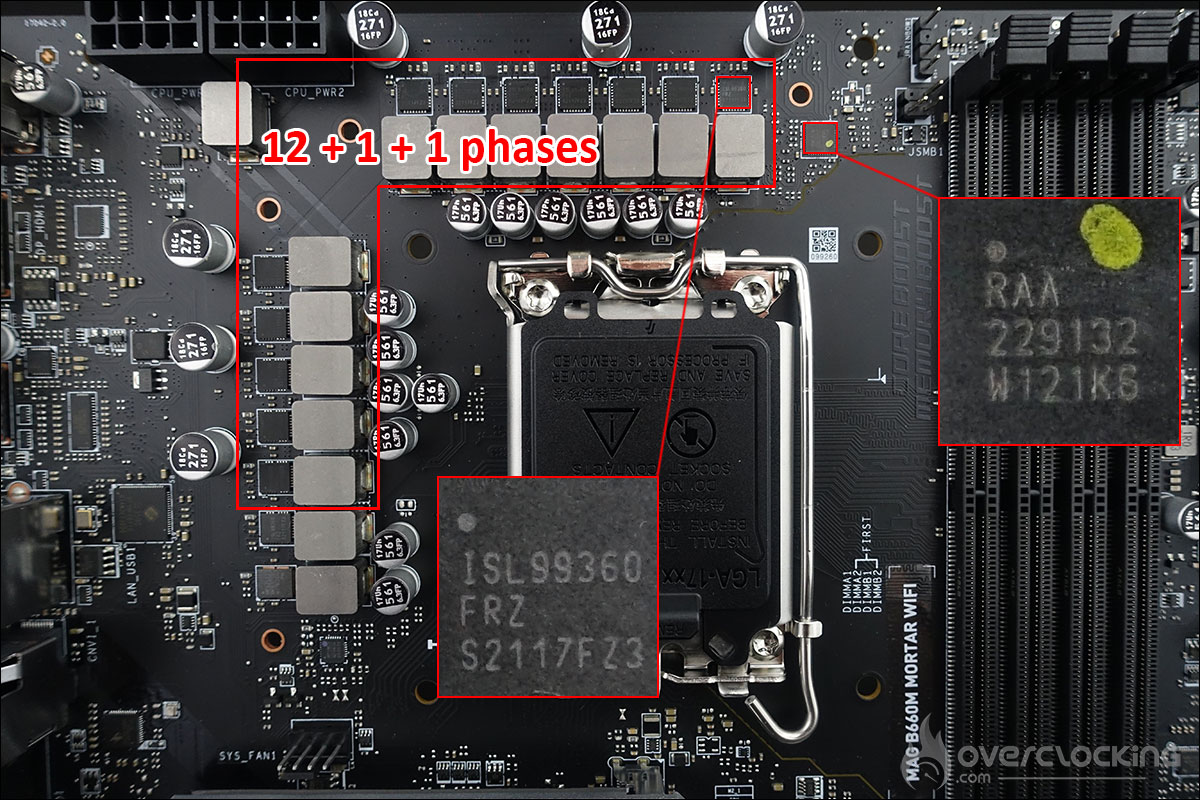

The 12 mosfets are all 60A ISL 99360Fs. The mosfets in the power stages generate the most heat as they are responsible for the voltage conversion and feed the CPU from the 12 volt EPS connector. [nextpage title=”An MSI BIG bundle: “]
A launch bundle for the B660:
As we hinted in the introduction, MSI sent us some other components along with the MSI MAG B660M Mortar Wifi that we presented on the previous page. We received a black box with the words « MAG: conquer the battlefield » on it.
Once we opened it, we discovered the box of the MSI MAG B660M Mortar Wifi motherboard. But that’s not all.. Just underneath was a second floor with the words « Surprise OPEN IT » where we could discover the non-K Alder Lake processor and a Kingston Fury 5200 MT/s CL40 DDR5 memory kit.


We received the i5-12400 processor and a Kingston Fury 5200 MT/s CL40 DDR5 memory kit. At first we thought it was the same type of kit that we had tested with the MSI MPG Z690 Carbon Wifi and to which we had dedicated a complete test. In the end, we were pleasantly surprised to learn that this kit was not equipped with Micron chips but with Hynix chips.


The MSI MAG Coreliquid C240:
The MAG Coreliquid C240 is an AIO (All In One) cooling system with a 240mm radiator and is compatible with the new LGA-1700 socket of the Alder Lake processors.


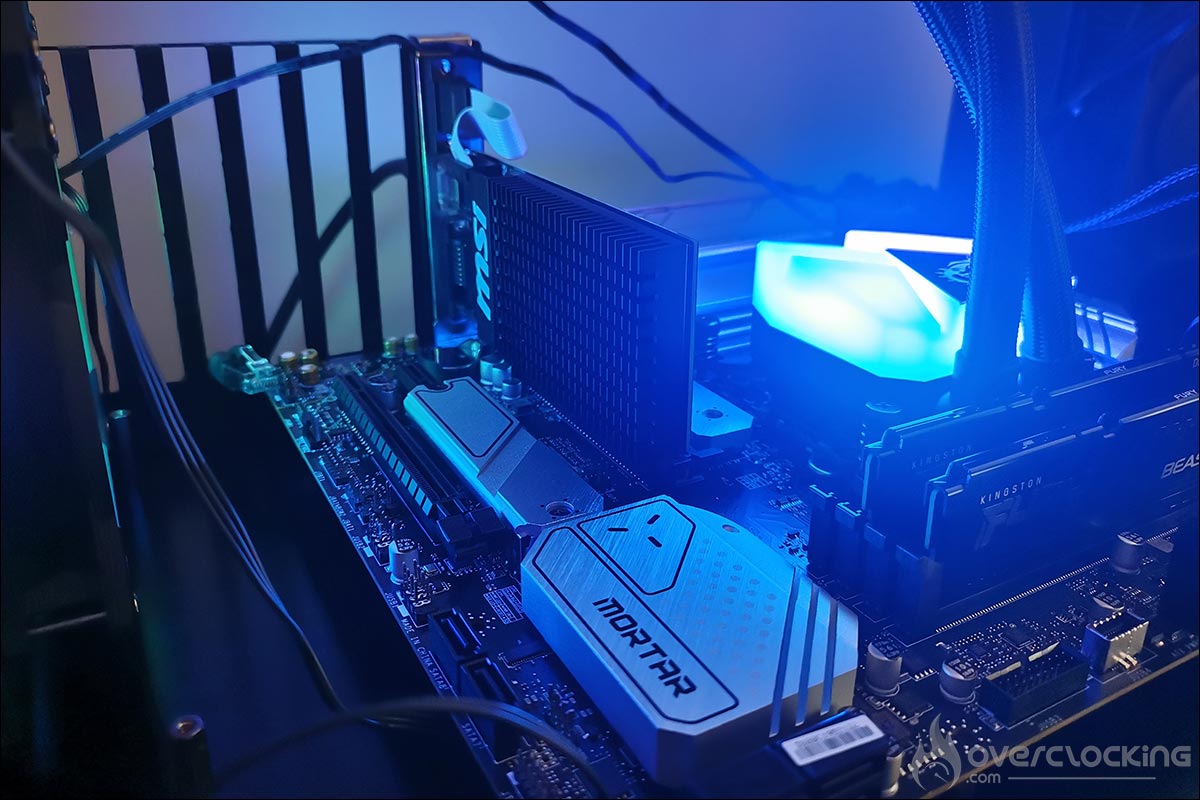
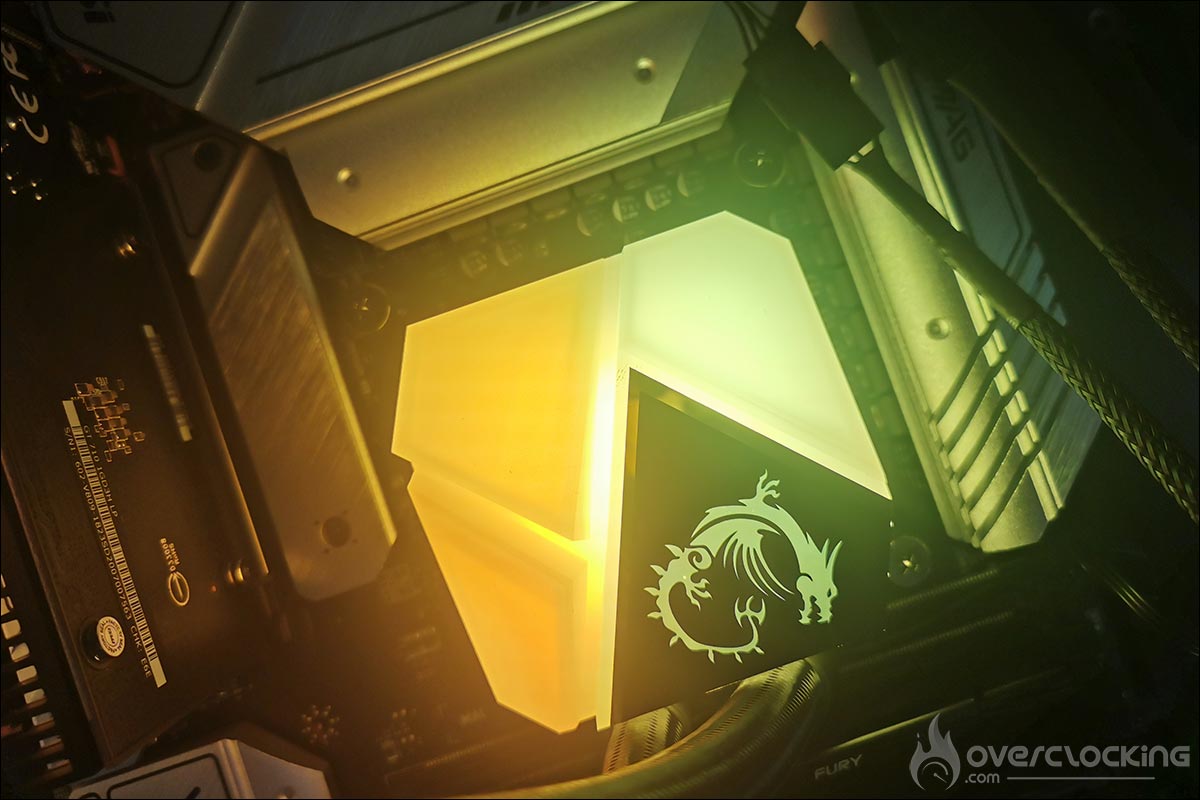
The waterblock of the C series kits features a large ARGB LED backlight area. The waterblock is divided into four backlit areas that resemble the facets of a diamond. Three are customisable and the last one proudly displays the MSI logo.


The new cooling system is distinguished by the insertion of the pump within the radiator in order to soundproof it and thus reduce noise pollution. In addition, placing the pump inside the radiator increases its life span as it is better protected against heat. The exclusive arrangement of the hot and cold water pipes in the radiator accelerates heat dissipation so that the water is perfectly cooled when it comes out.


Finally, the kit comes with two ARGB fans measuring 120 x 120 x 25 mm. Their rotation speed is between 500 and 2000 RPM for an airflow of 78.73 CFM, and noise levels between 14.3 and 34.3 dBA. This is of course the cooling system we will use to test the i5-12400. [nextpage title=”The BIOS:”] The first little novelty is the presence of a question about your cooling type when you start your configuration. The idea is to protect your processor from unnecessary overheating and to set limits if necessary. No worries on our side, we are largely comfortable with our liquid cooling loop. Next, the BIOS opens in the simplified display. Pressing the F7 key gives you access to all the settings.
The BIOS is intuitive and for the initiated, it is quite easy to find the different parameters necessary to set your memory kit speed because the processor’s will not be adjustable with our i5-12400 and this B660 chipset.

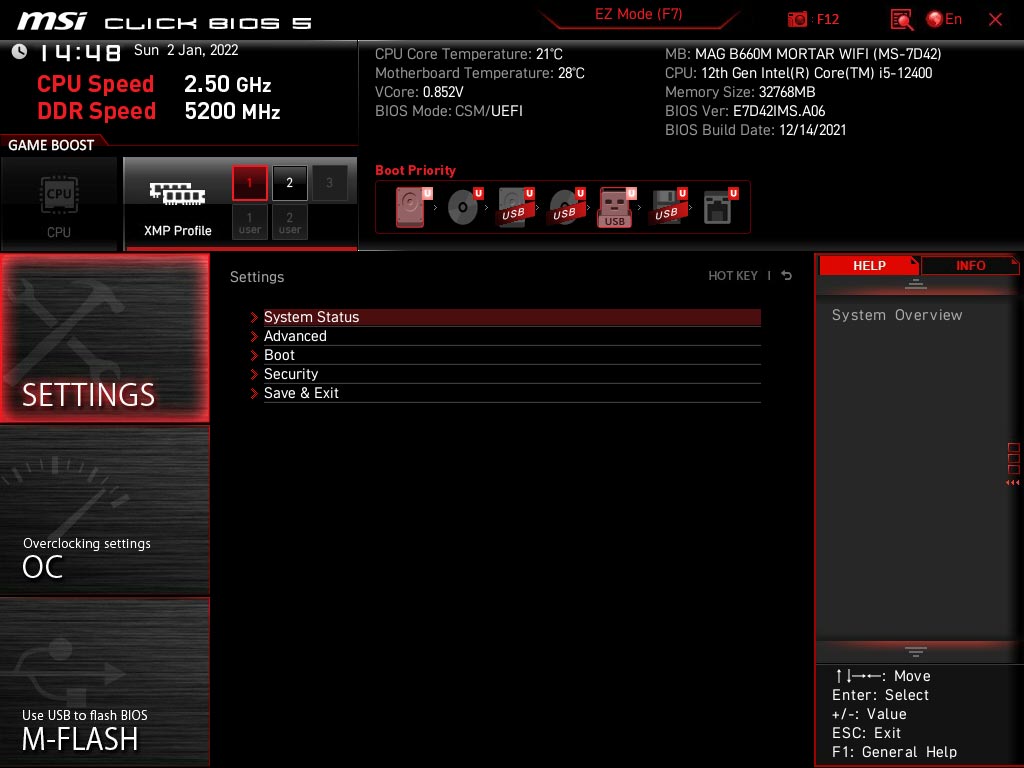
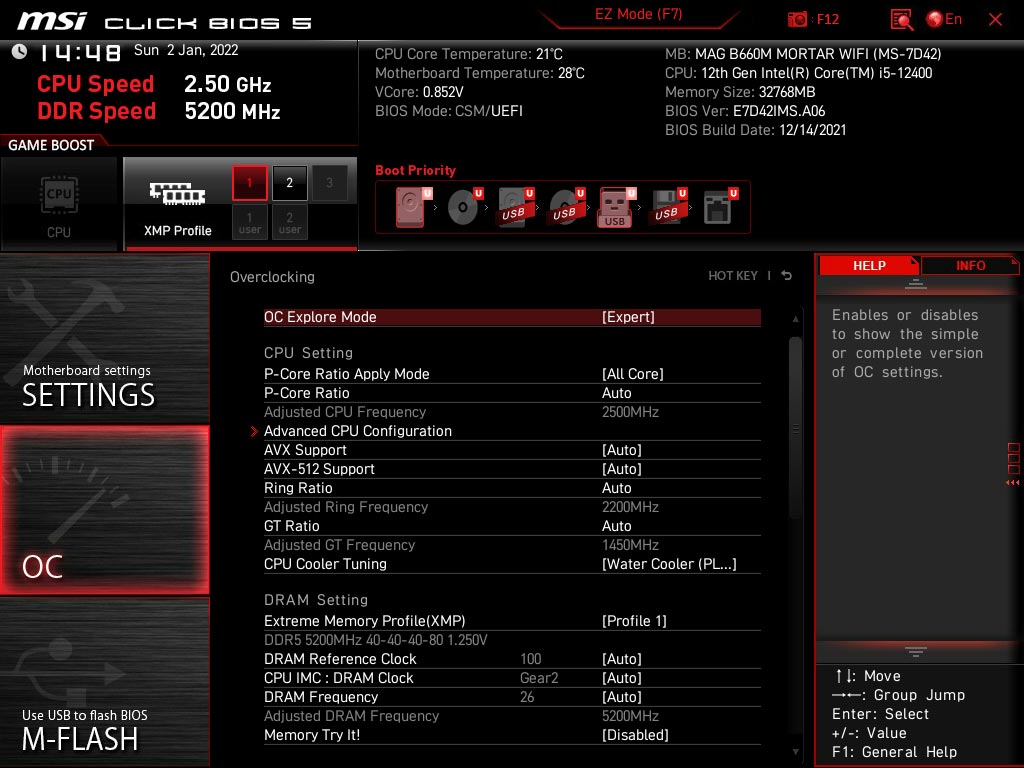
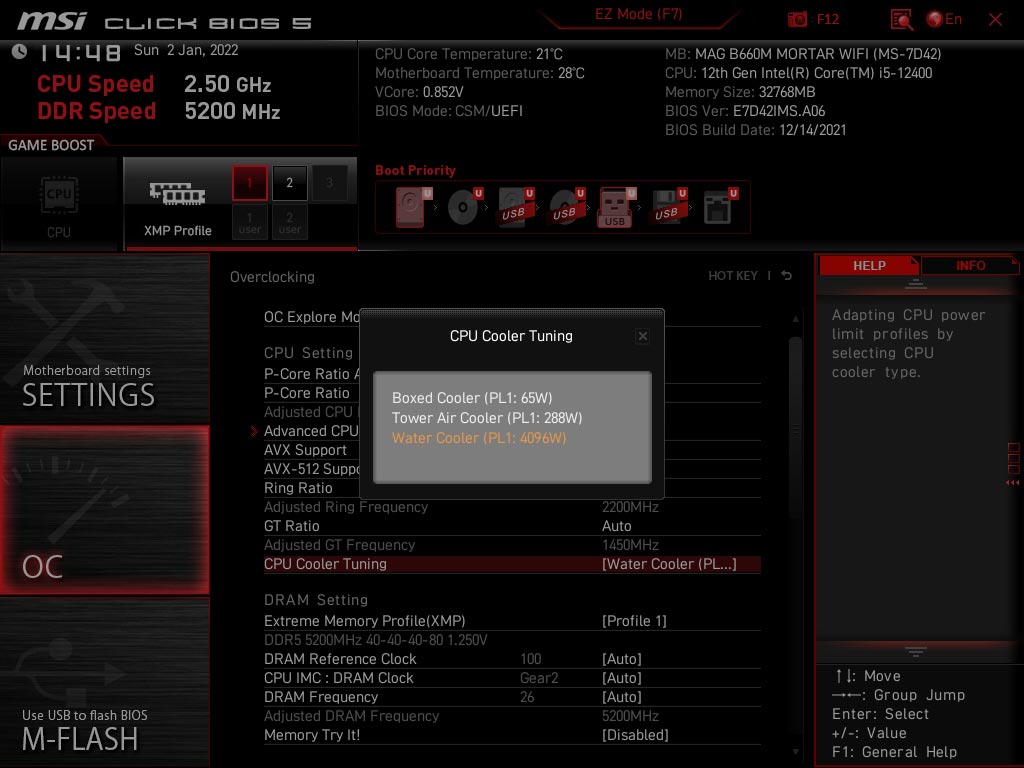
We can’t say it enough, but your memory kit settings aren’t automatically set after you install it. If this is the case for your processor, it is not the case for your memory kit and a visit to the BIOS will be mandatory! You will be able to configure it manually, by choosing the right frequency, timings and voltage for your kit. For more convenience, we advise you to activate the XMP (Intel) or DOCP (AMD) mode in order to set it up automatically. Without this, your performance will be impacted in all areas and you will end up with a kit that does not exceed 4800 MHz at CL40. So we will enable our XMP profile directly in the BIOS.


MSI also offers memory profiles via « Memory Try IT! » which can be a good starting point for those who want to start overclocking their kit. We will test the memory profiles when overclocking the DDR5 kit.

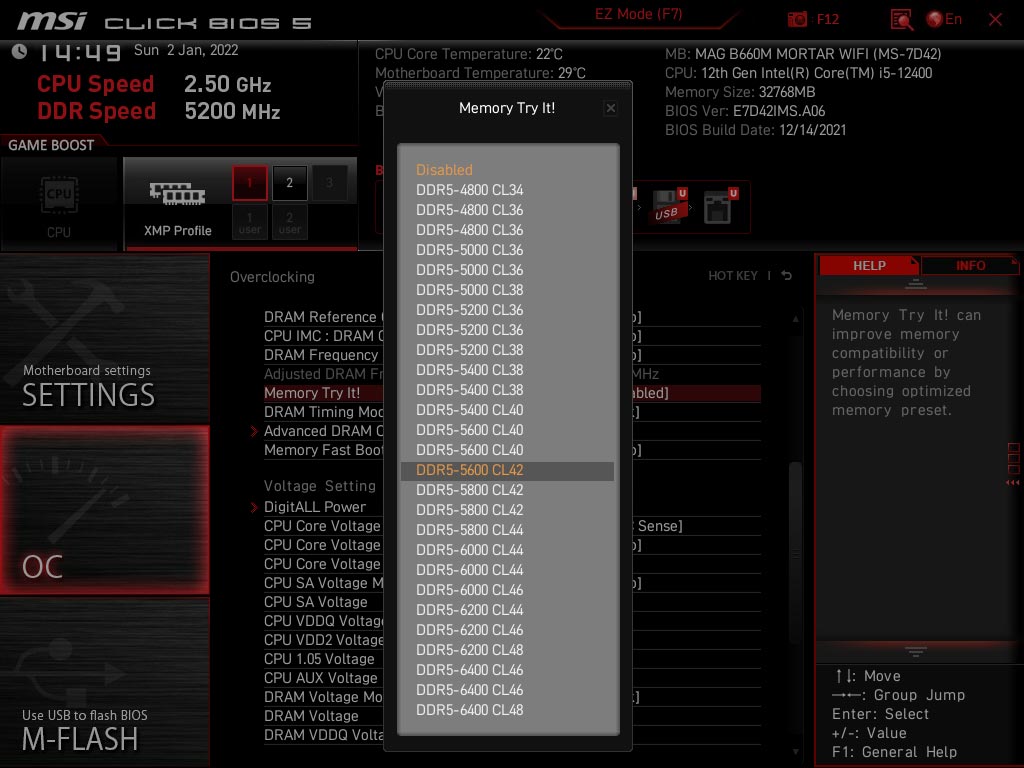
Finally, don’t forget the importance of saving your settings so that you don’t have to adjust your settings every time! [nextpage title=”The test configuration: “] Here are the different components that equip our test platform. For the publication of these tests, I used the latest BIOS received although new versions will certainly be available in the coming days. MSI has been very reactive in updating its BIOS during the launch of the Z690 chipset.
- Motherboard: MSI MAG B660M Mortar Wifi (BIOS A.06)
- Processor: Intel i5-12400 Alder Lake
- Memory : 32 GB Kingston FURY Beast 5200 CL40
- Graphics Card: MSI GT 710
- Cooling system : MAG Coreliquid C240
- SSD : Seagate Firecuda 520 Gen4
- Power supply : be quiet! Dark Power PRO 12 1500w
- Operating system: Windows 10 64 bits
- Display: ROG PG27UQ


A quick tour through CPU-Z to make sure everything is in order before we start our tests. We notice that with this version 1.98, our i5-12400 is perfectly recognized as well as the DDR5 memory. We can see that CPU-Z recognises all six cores of our processor.

[nextpage title=”Respected frequencies: “] As with every new processor test, our first idea is to check if the announced frequencies are actually reached. To do this, we will use the Cinebench R23 benchmark. Two cases will be used, a single core benchmark and a multi core benchmark.
Test with the i5-12400 :
And in reality? First step, we leave everything in AUTO in the BIOS except the XMP profile which we load to have a frequency of 5200 MHz 40-40-40-80 for our memory kit. We do not make any other changes in the BIOS. The idea is, as we said, to see if the frequencies are respected out of the box. Let’s start with a single core test in Cinebench R23. As you can see, we have opened several windows to check the frequency.


No worries, we can see that during the single-core test, one of the cores reaches a frequency of 4400 MHz. In the multi-core test, the frequency is also well respected, with 4000 MHz on all six cores (Performance). [nextpage title=”Comparative tests and overclocking: “] The actual test of the i5-12400 processor is available here with the performance against other Alder Lakes but also against the current generation of AMD CPUs. With this MAG B660M Mortar Wifi, we have carried out a first series of tests with this new chipset and it is clear that we have not found any real differences in performance with the Z690 chipset. The scores obtained are mostly equivalent or slightly lower.
CPU overclocking :
Unfortunately, it is not possible to overclock our i5-12400 processor here as it is a non-K version (locked multiplier) and furthermore, the B660 chipset does not allow CPU FSB overclocking. Here are the scores obtained under Cinebench R20 and R23.
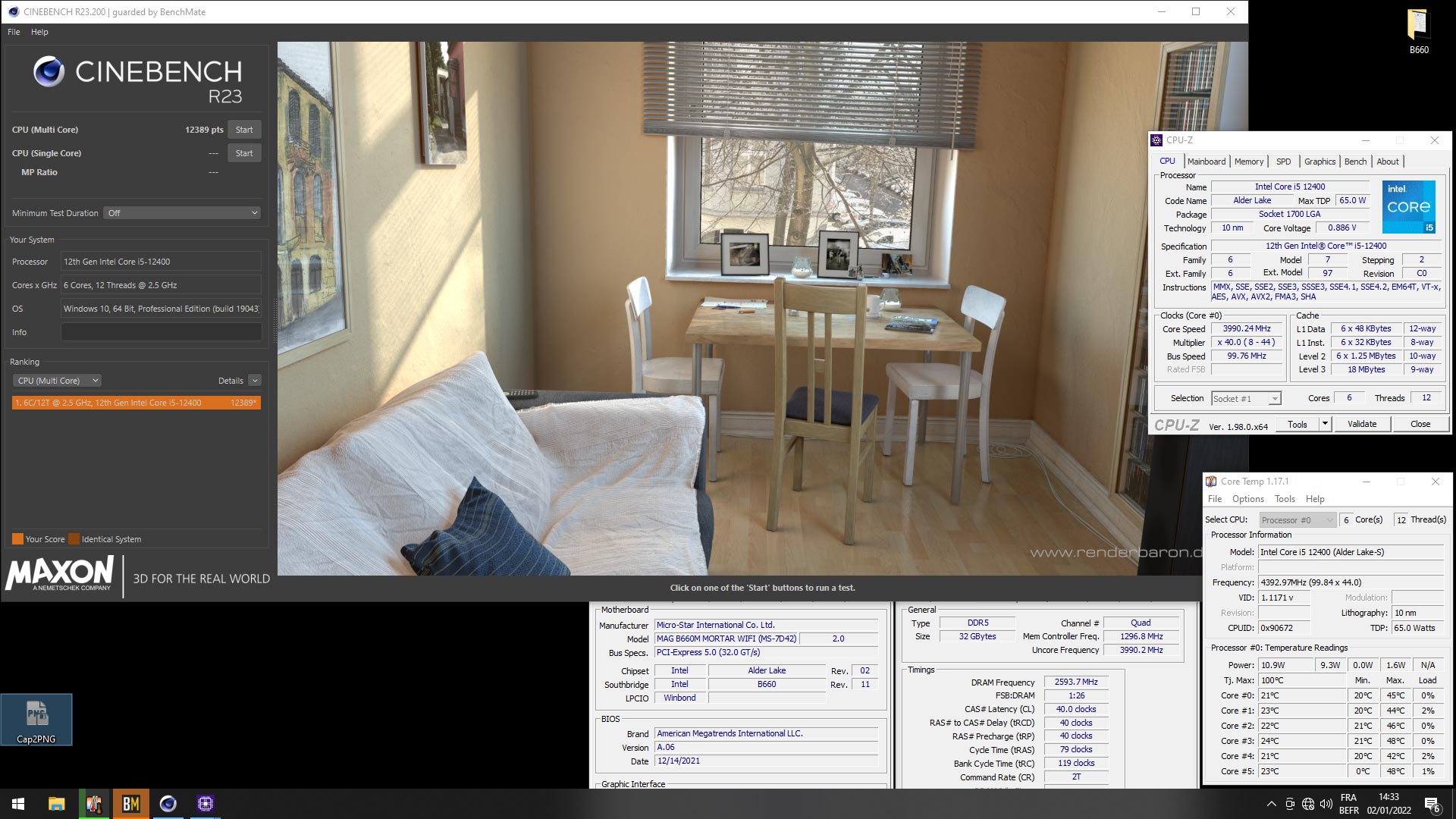
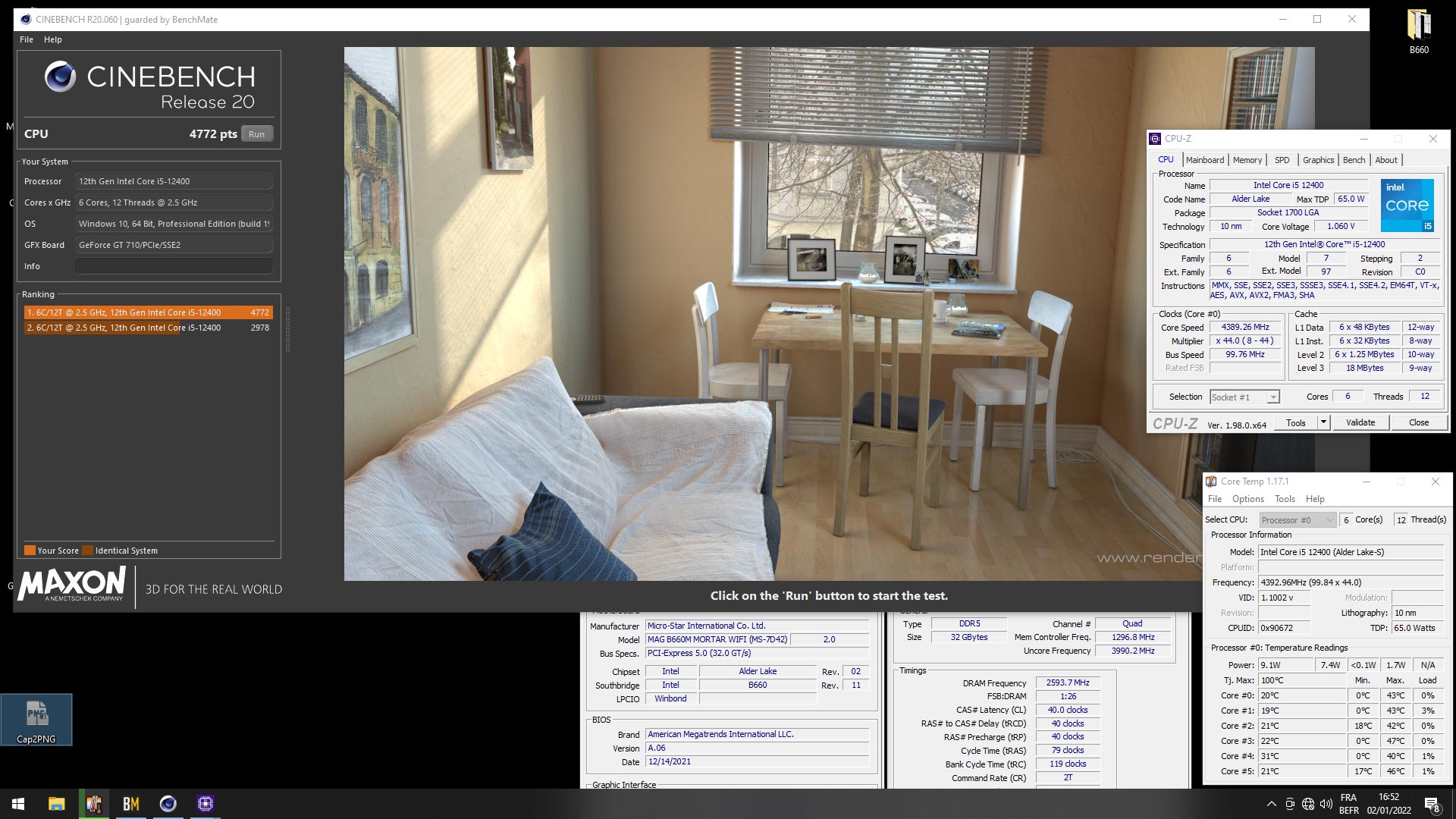
We also wanted to take a look at the performance of the MSI MAG Coreliquid C240, which was perfectly at home with our i5-12400 as temperatures always stayed below 50°C.
Memory overclocking :
The good news is that the B660 chipset supports memory overclocking. Unfortunately I didn’t have much time to test the Kingston Fury 5200 MT/s CL40. So I used the memory profile within the BIOS, the DDR5-6000 CL44 which turned out to be a 6000 CL36. The memory performance takes off with a significant gain.
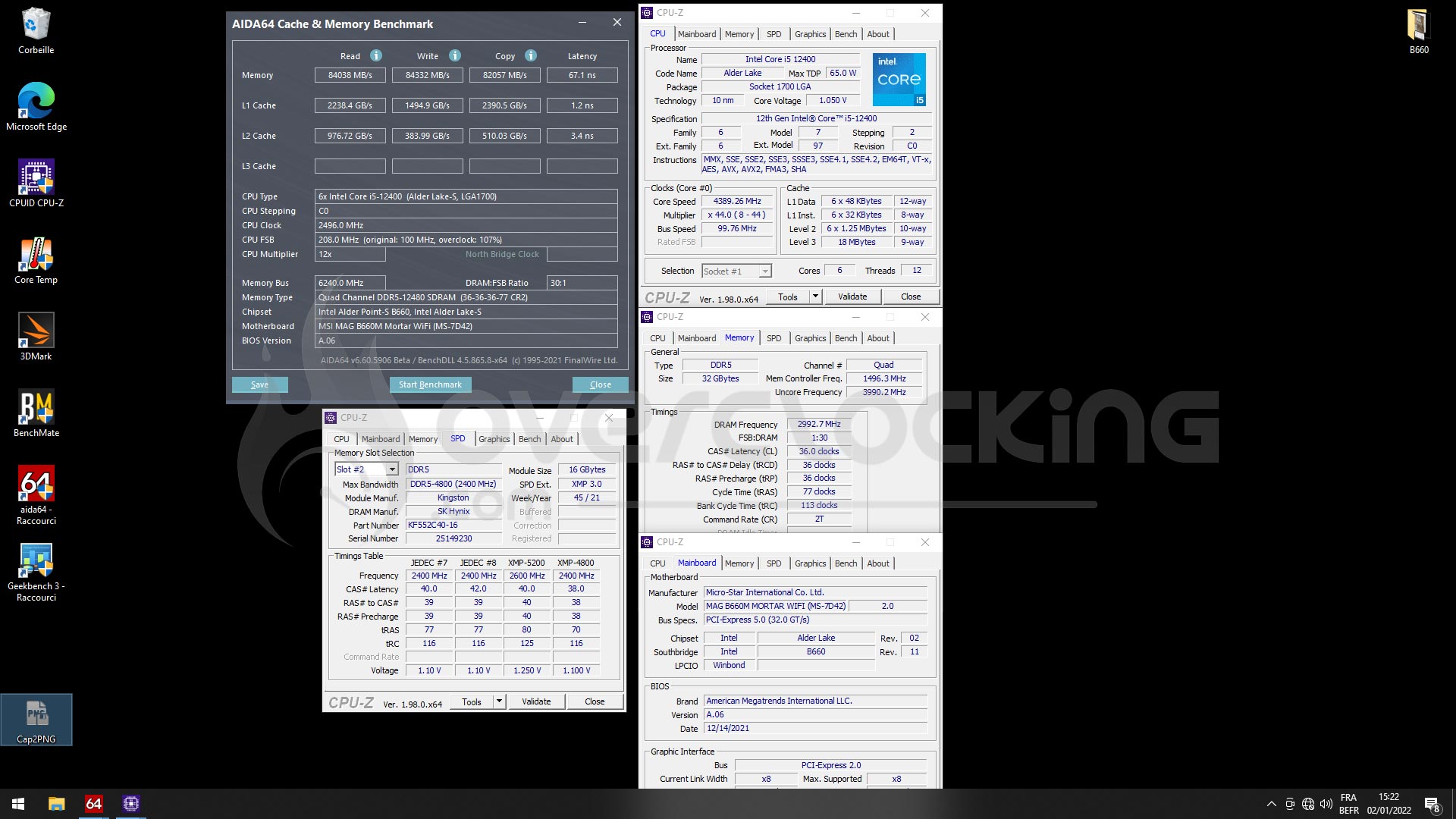
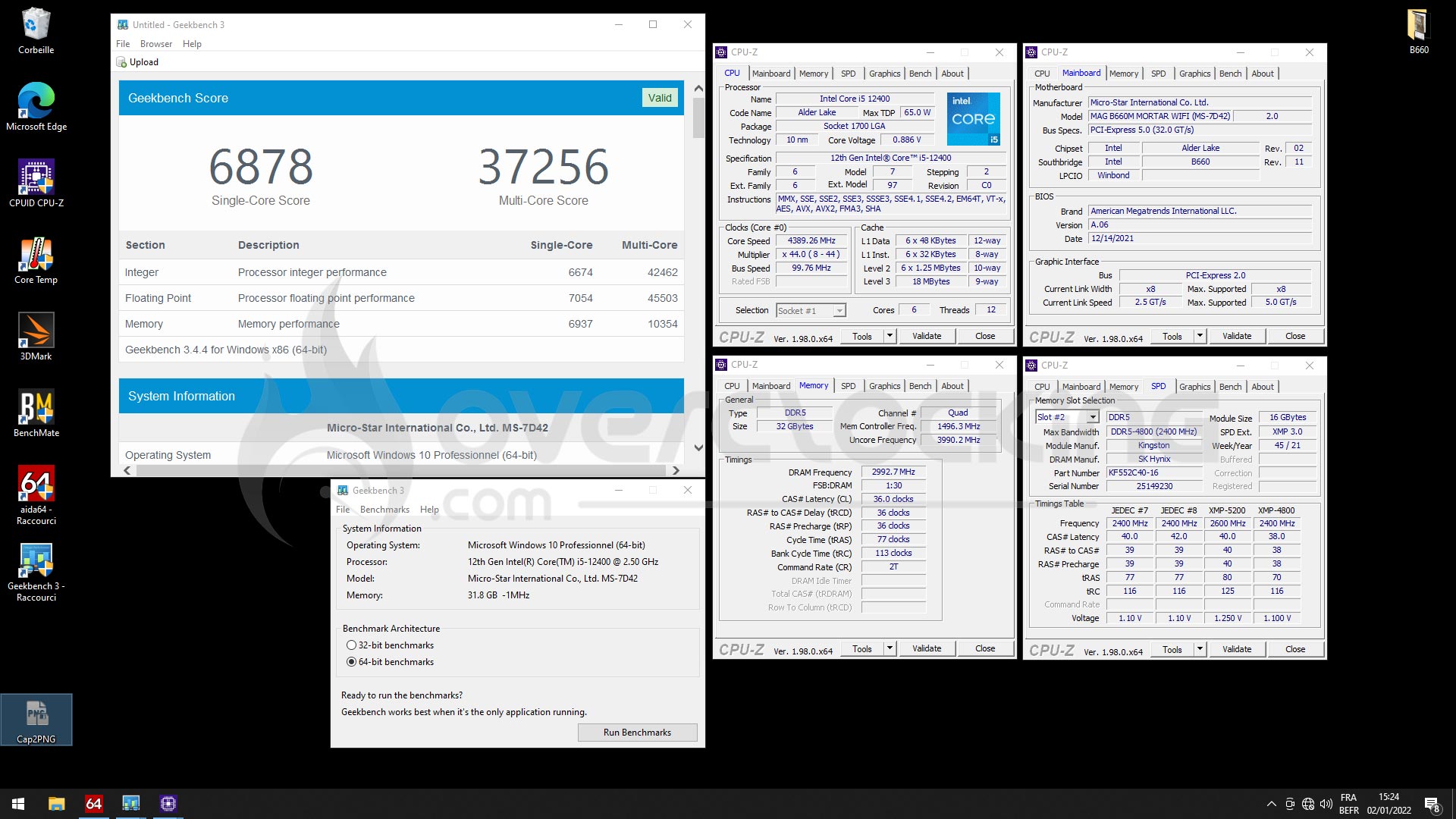
Here is what it looks like in table form compared to the memory kit with its stock frequencies.

We’ll be starting our test of the MSI Z690 Unify-X motherboard and its two memory slots very soon, which will give us the opportunity to test this Kingston Fury 5200 MT/s CL40 kit with Hynix chips in depth. [nextpage title=”The last word: “] Here we are at the end of the test of this MSI MAG B660M Mortar Wifi. Our first impressions are excellent and this B660 chipset is perfect for those who want to start a configuration based on an Alder Lake processor combined with DDR5. We would also recommend the MSI MAG B660M Mortar Wifi DDR4 version if your budget is tight. The combination with the i5-12400 is perfect and in terms of performance, this new B660 chipset has nothing to envy of its big brother, the Z690. The motherboard does not suffer from any defects and will be, with its micro-ATX format, a good base for your configuration. The price is 249 euros for the DDR5 version and 239 euros for the DDR4.
Now, personally, we would only pair it with a non-K Alder Lake processor since the B660 chipset does not support CPU overclocking. It would be a shame to miss out on the overclocking potential of a “K” processor. On the other hand, the possibility of overclocking the memory is a real plus as it allows you to benefit from a significant performance gain. As for the Kingston Fury 5200 MT/s CL40 memory kit equipped with Hynix chips, we will try to get the most out of it when we test the MSI MEG Z690 Unify-X motherboard, which we will begin very soon. Finally, the MSI MAG Coreliquid C240 cooling system seems to us to be the ideal partner for this MSI B660M and i5-12400 combo.
MSI MAG B660M Mortar Wifi
We liked :
- A very good PCB design
- The possibility to use high capacity and high frequency memory
- DDR5 profiles in the bios to clock the memory
- The sober design of this Mortar Wifi model
- The possibility to opt for a B660M Mortar Wifi in DDR4
- An excellent card to combine with an i5-12400
- The possibility to overclock the memory
We would have liked :
- A USB stick bundle and a DVD
 Depending on your budget, this MSI MAG Mortar Wifi in DDR4 or DDR5 proves to be an excellent motherboard to pair with a non-K Alder Lake processor, such as the i5-12400 here. The performance compared to the Z690 chipset is excellent and even if you have to give up on CPU overclocking, you have an excellent configuration with a six-core solution.