




Preparing the configuration
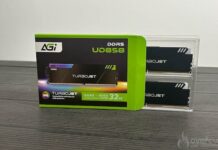
We now move on to preparing the configuration for the dry ice run. We start with the RAM, a G.skill Tridentz 7200CL36 2×24 Gb kit equipped with Sk.Hynix Mdie chips. A little peculiarity here: the chips are not stamped SK Hynix but Gskill, which is unusual and we’re likely to see more and more of them.
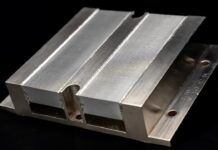
Once delid, the kit is placed in nickel-plated copper Iceman heat sinks, which are then fitted with a RAM Frostvolt bucket.


For the motherboard, we use a Heater HOT from Elmor, a foam cut-out to accommodate it will support the motherboard and insulate it from below.

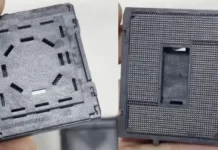
We then place the motherboard on its support, and place insulation around the socket. The insulation is thick, but crushes very well under the weight of the bucket.


All that remains now is to apply the thermal paste and install the Reaktor 4 LN2 pot from Burning OC. Here we use an in-house fastening system based on an M4 threaded rod, 4 springs from Waterblock Heatkiller IV and 3D-printed parts.


With the CPU LN2 Pot now installed, we can move on to the memory part. We install the memory sticks, then put foam around and between them. We’ve also added foam to the M.2 slot.


With the sticks installed, we now move on to the RAM LN2 pot, taking the opportunity to place some foam between the RAM and CPU LN2 pot.

All that’s left to do is finish insulating any exposed parts with foam, towels or absorbent cloths, and you’re ready to embark on an extreme overclocking session.

Now that we’ve reached the end of the assembly process, we’ll just need to warm up the bucket with a few light benchmarks under Windows and check that everything’s running smoothly.
For contact between the bucket and the dry ice, you need to use a liquid capable of withstanding such low temperatures and stay liquid, personally, I’m going for acetone. It’s a noxious liquid, but it performs very well. You’ll need to protect the configuration during the descent and ascent phases, which can cause splashes and stains on components.