
Today, we review the latest thermal paste from be quiet ! It is a high performance and relatively affordable thermal paste.
This new thermal paste is available for 6,99 € for 3g.

Thanks to be quiet! for providing us this thermal paste for our tests.
[nextpage title=”The Be Quiet! DC2:”]
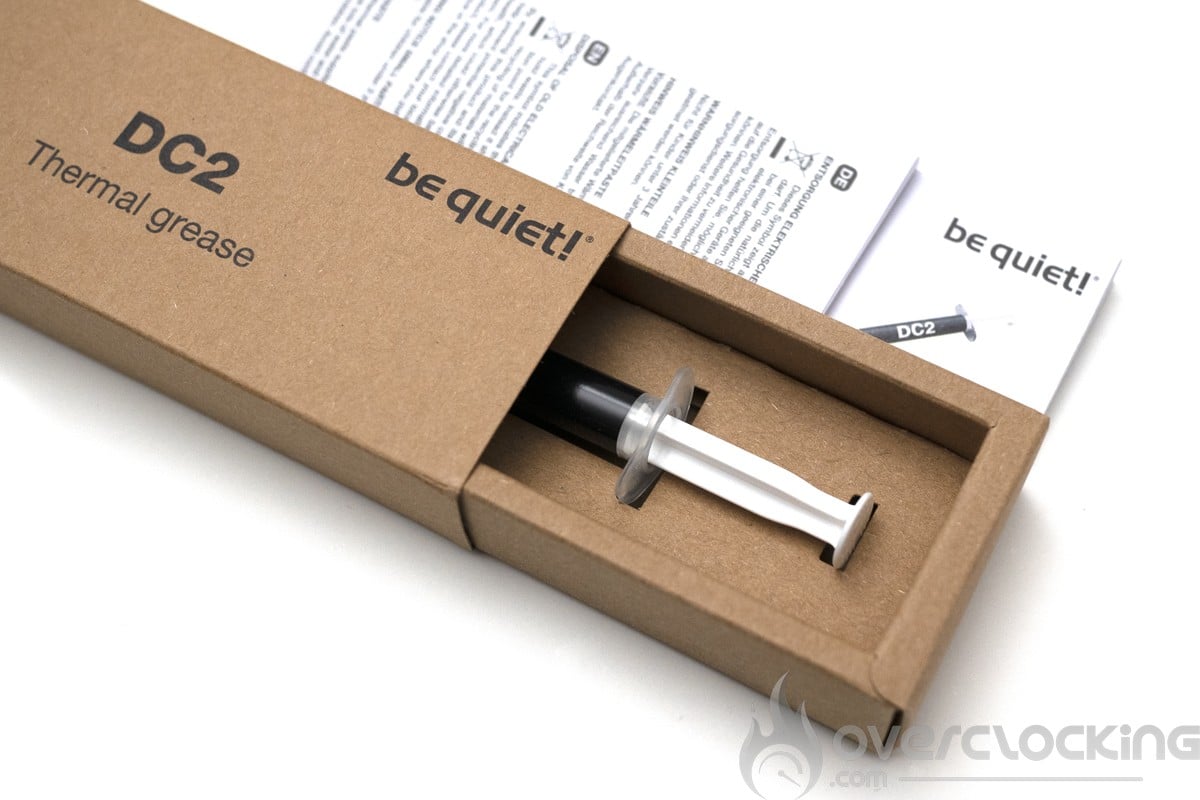
The DC2 from be quiet! is provided in an unpainted cardboard packaging. Note that only the writing is painted and that there is no plastic seal on the packaging. be quiet thus limits its environmental impact on this product, a good point.


Inside, we have the thermal paste tube, the instructions and a plastic spatula. Here, no glue was used for the packaging.
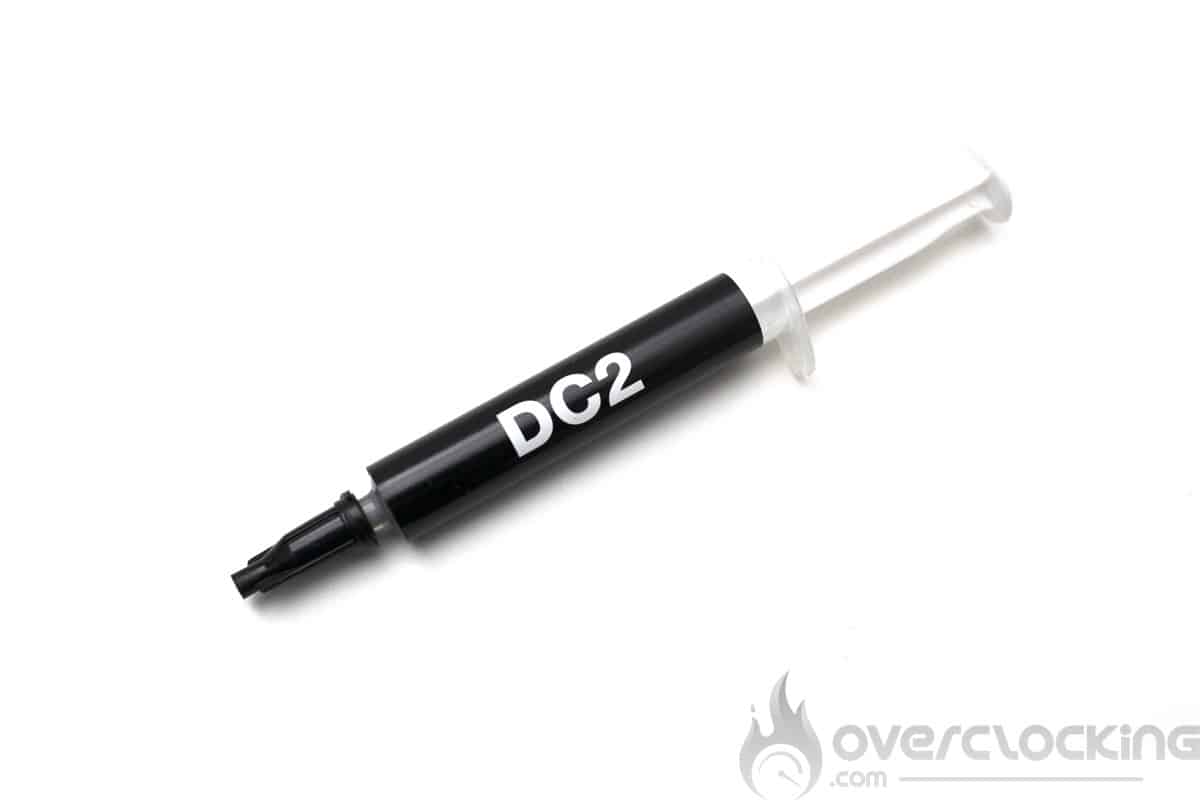
For the thermal paste tube, we have a black label with the name of the paste and the brand on the back. No visual on the level of paste which is a pity, but the label can be removed quite well, so it is not a big problem.
Concerning the specifications of this DC2 from be quiet!, we are on a thermal conductivity of 7.5 W/m.K. However, we have no information on the density or viscosity. Here are the tables of the different thermal pastes tested on our configuration.


[nextpage title=”The test configuration:”]
Here is the configuration that will be used for the test:
- Motherboard : Gigabyte Z690 Aorus Tachyon (BIOS Z790 Tachyon X6V)
- Processor : INTEL CORE I5 13600KF with ILM Thermalright
- Memory : 2x16gb SK Hynix A die
- Graphics Card: Gainward RTX 4090 Phantom
- Cooling system : Watercool Heatkiller IV PRO + MO-RA3 420
- SSD : Western Digital SN850 500gb
- Power supply : be quiet! Dark Power Pro 12 1200W
- Operating system : Windows 11 64 bits (version 21H2)
- Screen : Millenium MD34-PRO V2

The cooling is assured by a Watercool MO-RA3 420 radiator ventilated by nine Arctic P14. The pump used is a Watercool D5 PWM mounted on a Watercool Heakiller tube D5 200mm. The whole system is controlled by an Aquacomputer Octo and an Aquacomputer high flow USB meter.
[nextpage title=”New protocols:”]
Our new thermal paste test protocol is very young. It is based on an Intel RaptorLake platform with an I5-13600KF and a Gigabyte Z690 Aorus Tachyon on the CPU side. The tests are performed under the same conditions with a Heatkiller IV waterblock at constant pressure. For the GPU part, we will soon be able to propose something with a GTX 780 under waterblock.
Protocol for the CPU measurements :
The I5-13600KF is set to get 190W of load on cinebench R23. The Pcore is at 5700MHz, the Ecore at 4500MHz and the cache at 4500MHz for a voltage of 1,35V bios LLC turbo(1,27V in load).
The application of thermal paste is done crosswise on the CPU, this is the method that works best with all thermal pastes on the market. The waterblock is mounted and tightened to the screw stop to let the springs apply the right pressure.

Then, a cinebench R23 stress test is launched to put the thermal paste in temperature with 10min of heavy load. While taking into account to have the same water temperature between each benchmark.
Each thermal paste is applied three times (excluding liquid metal) with one R23 cinebench per application. The minimum delta T° value between the water and the CPU is recorded among these nine measurements.
[nextpage title=”Results:”]
Let’s now have a look at the results and impressions of this be quiet! DC2 thermal paste. We start with the application of this one, the cross application is quite easy as well as the application with a spatula. The paste spreads without worries.
Results on CPU:
As you can see, this DC2 manages to be among the best thermal pastes we have tested. It will also manage without difficulty to hold under long loads for use on GPU for example. An application on GPU is very easy, because it spreads without worries. So it will be an excellent choice for both CPU and GPU.
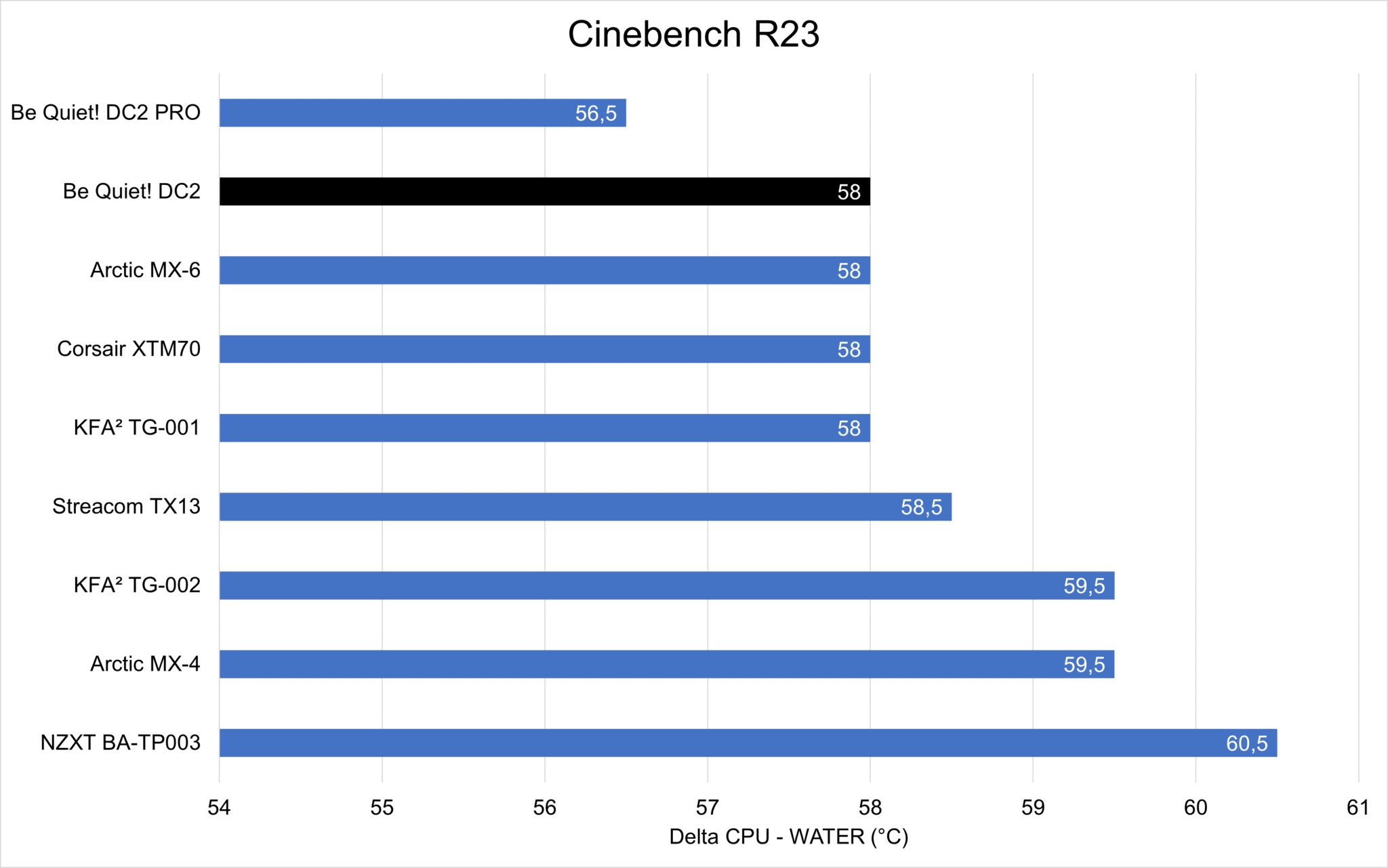
The measurements were made with water between 27°C and 28°C and a flow rate of 210 L/h. Here are the details of the best measurements on 3 readings per thermal paste.
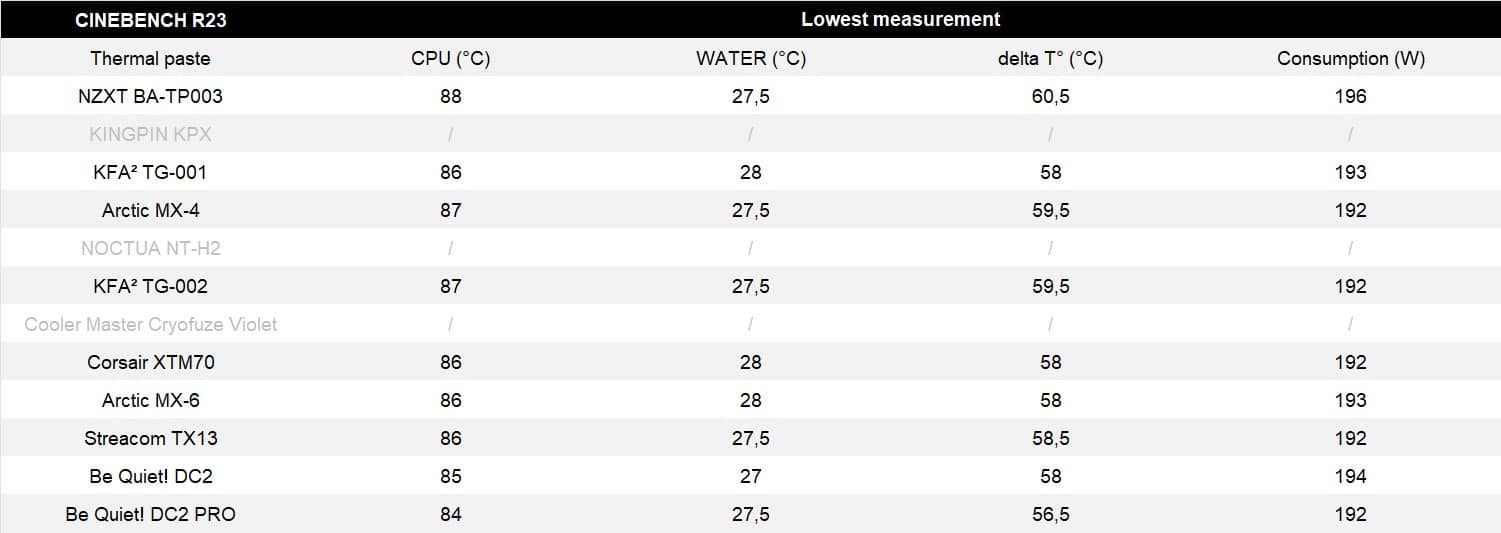
It should be noted that due to a lack of thermal paste, the Kingpin Cooling KPX, Noctua NT-H2 and Cooler Master Cryofuze Violet could not be retested with the new protocol. These are noted with a “/” and are grayed out in the results. Compared to the previous protocol with the 12900KS, we have here much smaller temperature differences. However, the best thermal pastes remain at the top of the table. Here is the old table of results on the 12900KS, which gives a greater sensitivity to the previous pastes tested.

[nextpage title=”Conclusion:”]
We are coming to the end of this test. With its DC2, be quiet! strikes hard and offers an excellent thermal paste. The performance is there and its ease of use makes it one of the best choices for both CPU and GPU. However, we regret not having been able to test it on a graphics card, but it will be soon. An update file will be put online once the GTX 780 is equipped with a nickel-plated waterblock.
As a reminder, this thermal paste is available for 6.99 € for 3g.
be quiet! DC2
We liked :
- The recyclable cardboard packaging
- The performance on CPU
- The excellent holding in long load (ideal on GPU?)
We would have liked :
- A 10g format for sale
 With its DC2, be quiet! offers here an all-purpose thermal paste with excellent performance. Its ease of application with a spatula or crosswise makes it a good choice for both CPU and GPU. Also worth mentioning is the effort to offer a glueless and plastic free packaging with a just printed cardboard. For me, this is a future best seller not to be missed!

