

In response to ongoing concerns about the merging of power connectors on high-performance graphics cards, a developer known by the pseudonym Codeh4ck has released RTX Lens. This free, open-source Windows application is designed to help owners of RTX 5080 and RTX 5090 GPUs monitor the status of their 16-pin connectors in real time.
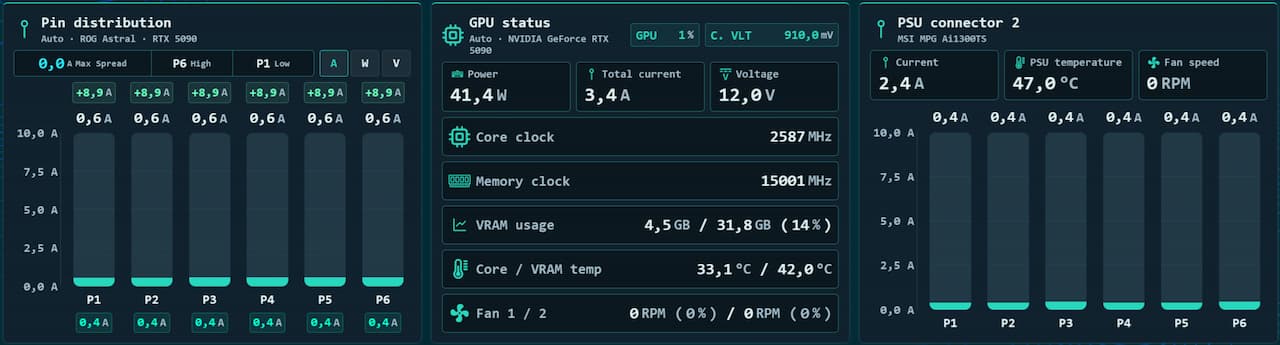
Precise monitoring of electrical current per pin
The main goal of RTX Lens is to mitigate the risks associated with the 12V-2×6 connector. This connector uses six 12V pins with a rated capacity of approximately 9 A—a threshold that Asus cards report as 9.2 A. Exceeding these limits per pin has already caused hardware damage. The developer explains that he created this tool out of “double paranoia” regarding the connector melting, as he himself owns two RTX 5090s, whose rated power consumption of 575 W is close to the 600 W supported by the connector.
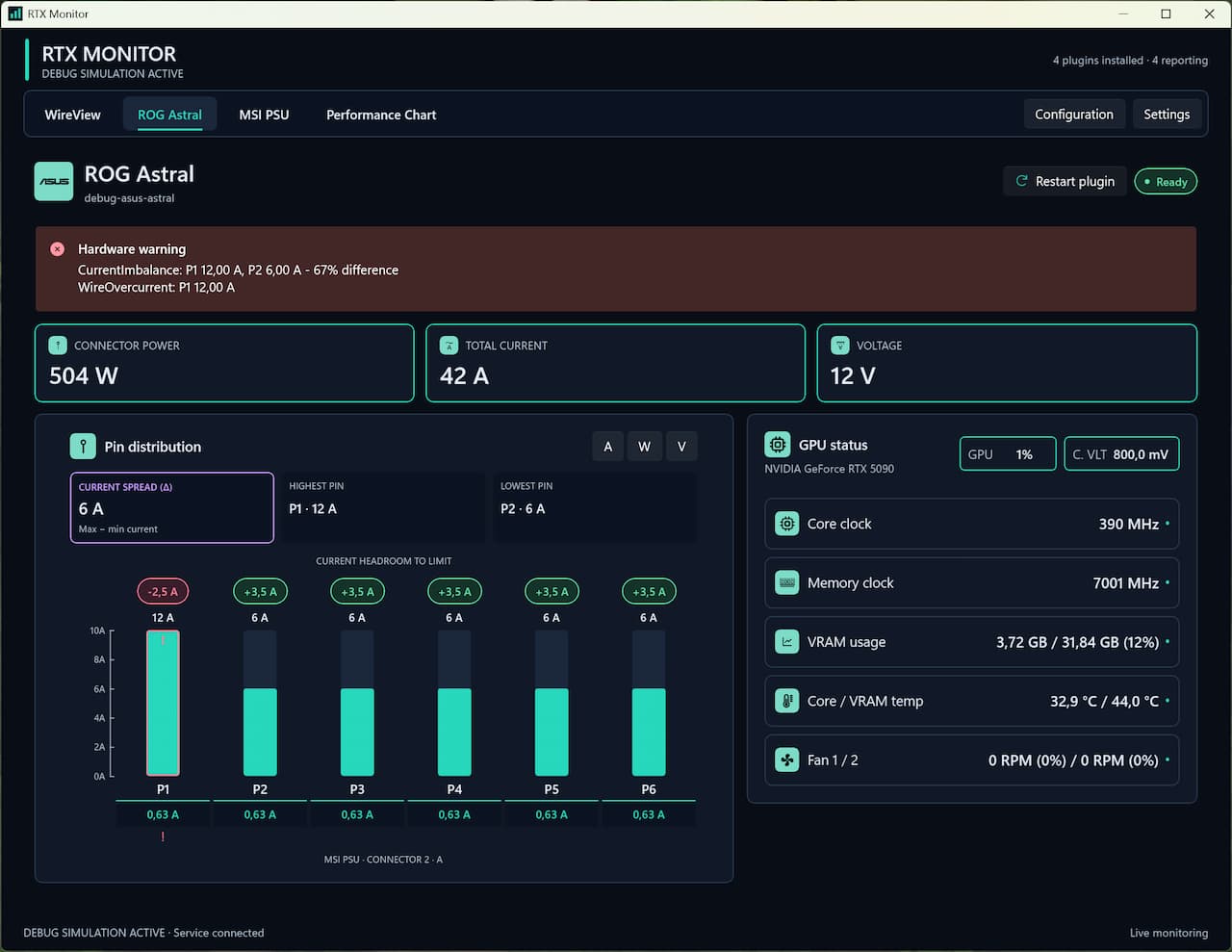
The application relies on various hardware components to collect its data. For the Asus ROG Astral RTX 5080 and 5090 GPUs, it uses the open-source Hardware Monitor library to read the current at the GPU level. It is also compatible with the Thermal Grizzly WireView Pro II monitoring device, which measures values directly at the GPU connector. Finally, the MSI MPG Ai1300TS and Ai1600TS power supplies are supported, allowing the current at the PSU to be read for both 12V-2×6 ports, as well as the temperature and fan status via a USB connection.
Using an Astral model or a WireView Pro II together allows you to compare the currents at both ends of the cable. For other GeForce RTX cards, the app is limited to displaying clock speeds, temperatures, utilization, VRAM usage, and fan speeds, without access to pin data.
Mobile Alerts and System Security
RTX Lens allows you to configure alert profiles with custom thresholds. In the event of prolonged overload or uneven load on the pins, the user can set the PC to shut down automatically after a delay ranging from one second to nearly 24 hours. The app can also record performance data as interactive HTML files.
The software offers advanced integrations for MSI power supplies, including configuration of MSI Afterburner Safeguard+ to set up alarms, emergency low-power profiles, or email notification scripts. It is even possible to define fan speed curves for the power supply with up to six temperature points.
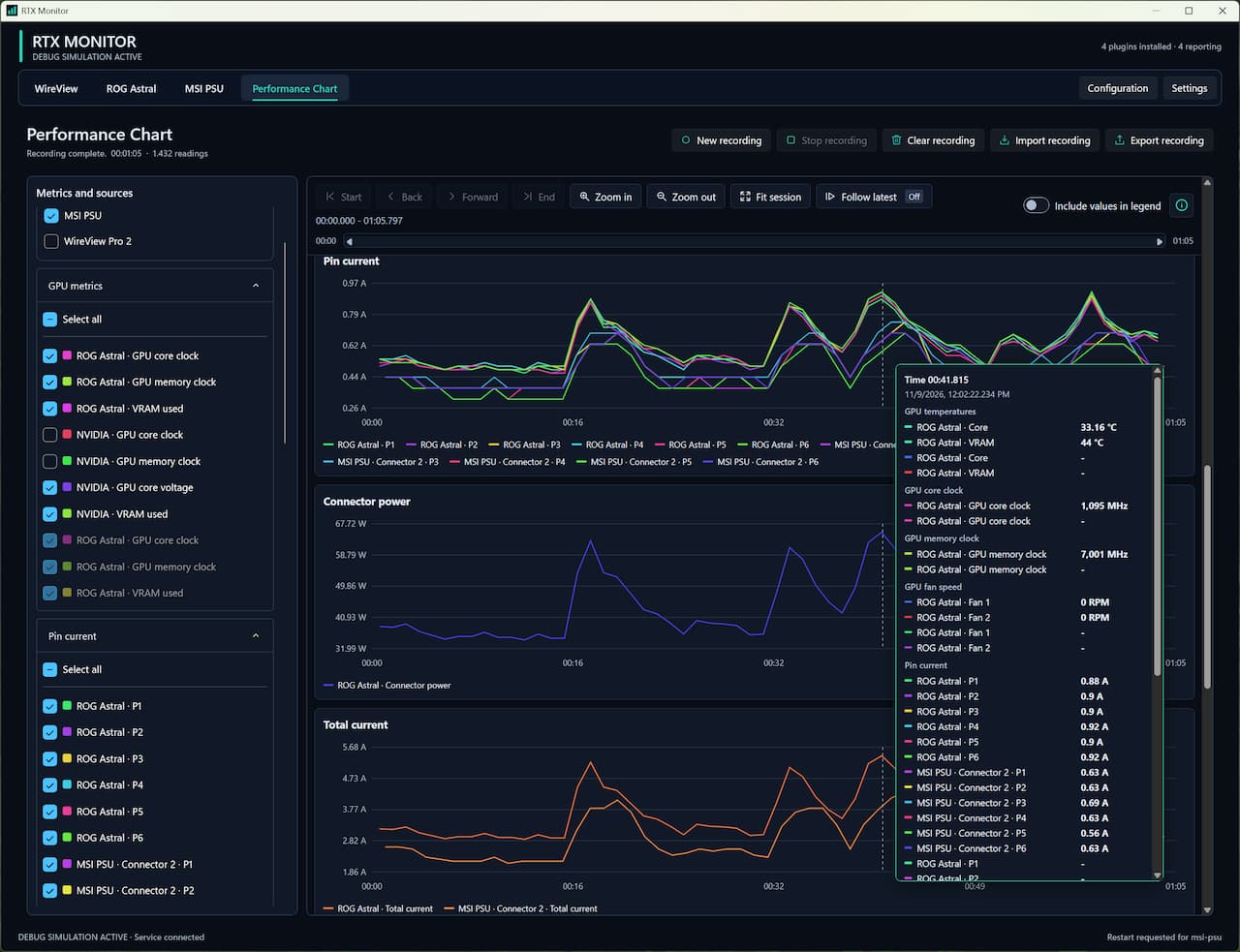
For remote monitoring, mobile apps are available on Android (via APK) and iOS (via TestFlight or iLoader). Pairing is done via a QR code on the same local network, although external access is possible via an accessible address. The PC must remain powered on and the service active for these connections to work. A read-only display option is also available via an iCUE widget for the Corsair Xeneon Edge touchscreen .
The project, currently in beta, has received five updates in one week. The developer states that versions on the Google Play Store and the App Store are planned as soon as approvals are received from Google and Apple.