
Today we review a waterblock for NVIDIA RTX 3080 Founder Edition graphics cards produced by Alphacool. This waterblock is labeled “Eisblock Aurora Acryl GPX-N” and is available directly on Alphacool’s website for a rather interesting price of 129,99 euros.
This waterblock will be used in the future for the new thermal paste test protocol. We still need to receive material produced by Niuulh’s Workshop to be able to perform the first tests with this new protocol.
 Thanks to Alphacool for providing us with a copy of this waterblock Eisblock Aurora Acryl GPX-N. [nextpage title=”Unpacking: “] Let’s start by opening the package we received from Alphacool. The box containing the waterblock arrived in a cardboard box and perfectly protected to avoid any inconvenience during the unpacking.
The packaging made by Alphacool is very pleasant and the box with its rather small dimensions contains little information. On one side, we find the series to which the waterblock belongs, the “Eisblock GPX” and on the other, two finishes that can be ordered for this series. The dominant colors here are blue, black and white.


Once the packaging is removed, we find a black cardboard box that will contain all the components needed to install this liquid cooling system. The first element we find is the installation manual in color and translated into three languages: German, English and French. The manual is very clear and is also available directly on the Alphacool website.


The elements that we find next are the backplate of black color and a pocket. In the latter, we will find the screws, a tube of thermal paste of the brand, a key and two caps for the waterblock and three pockets containing the thermal pads of different thicknesses (1, 2 and 3 mm).


Finally we have the waterblock protected in bubble wrap, as well as the backplate in plastic packaging. Here, no risk, everything arrived in perfect condition. 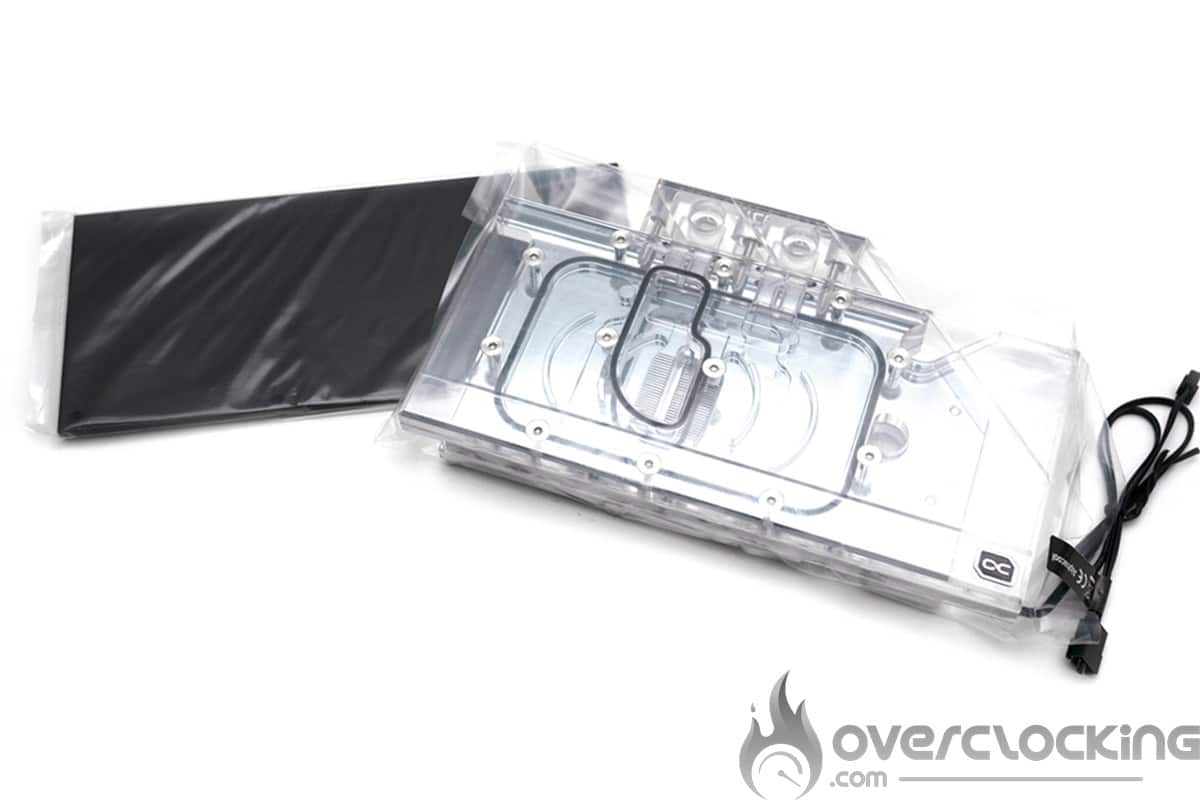 [nextpage title=”The waterblock: “] Alphacool announces that it has optimized its Eisblock Aurora Acryl GPX-N waterblock made of nickel-plated copper. Alphacool has reduced to the maximum the space between the waterblock and the different elements of the PCB, allowing the use of 1mm thick pads. Then, the thickness of the block was reduced from 7 mm to 5.5 mm while improving the internal flow. The result of this development process allows all components to be cooled more efficiently, i.e. not only the GPU but also the memory chips and power supply stages.
The nickel-plated copper part is one-piece, unlike the rest of the RTX 30 Alphacool series. The latter is covered with two transparent acrylic plates to obtain a more complex flow. The water passes over the first glass to go directly on the chip. It then passes over the sides to cool the memory and power stages before reaching the outlet.


The dimensions of the block are 121.5 x 204.5 x 28.5 mm. As usual with waterblocks, no end caps are available. You will need to purchase them independently and make sure it is compatible with the G 1/4 thread. Two small triangles show you where the liquid enters and leaves. But why 4 “holes”, simply to better manage your cooling loop.


The Alphacool waterblock also has an RGB backlight that you can set to your liking. The leds are evenly distributed on the whole block. The power plug is a 5v model that you can connect directly to your motherboard.


The backplate provided is made of aluminum, black in color and does not seem to have received any special attention. It’s a shame and we would have liked a different finish, especially if the card is positioned horizontally. The other good news is that it is sold with a backplate and especially for a price of 129.99 euros.
[nextpage title=”Waterblock installation: “]
Removing the cooling system:
Well, it is now time to install this Eisblock Aurora Acryl GPX-N waterblock. Please note that we have previously performed a series of tests in order to measure the benchmark performance. The idea is also to measure the temperature of the different components of our NVIDIA RTX 3080 Founder Edition. Before starting the installation of the Alphacool waterblock, we have to remove the original cooling system of our graphics card.


Given the complexity of the task we will detail as much as possible this disassembly. We start by removing the magnetic covers of the backplate with tape. Then we remove the cover with a plastic tool. We recommend the small ifixit kit at 9,99 € to have all the necessary accessories.


Then you have to remove the eight screws of this backplate and come to separate it smoothly. It remains only to remove the four screws of the PCIe bracket.


Then we can move on to the removal of the boards and connectors. Take a plastic tool. Unlock the connectors and pull on the cables by passing the tool underneath.


The board is almost disassembled, it remains only to remove the fixation of the radiator by going gradually in a cross.


To disassemble, put pressure on the PCB and let gravity do the rest, the radiator will come off by itself.
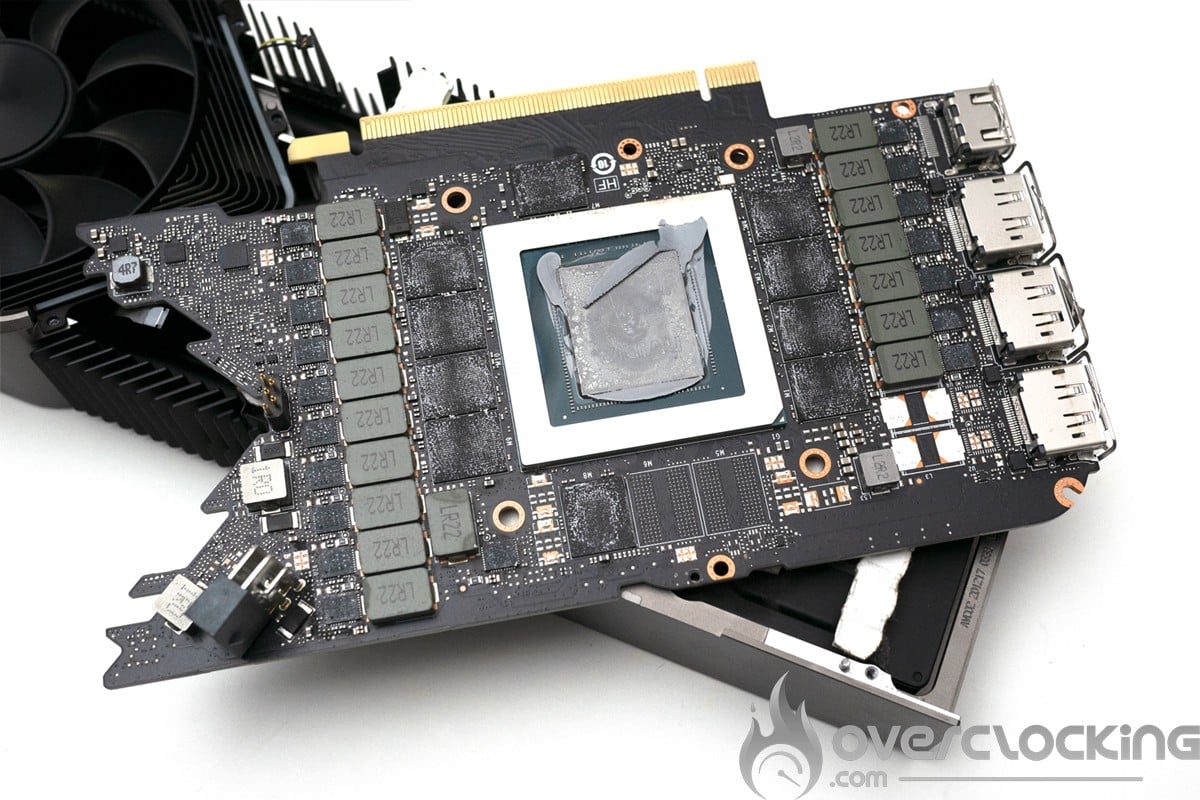 A cleaning and it is good. To remove traces of thermal paste, you can use a charcoal eraser. This also works well for cleaning anodized aluminum radiators stained by thermal paste.
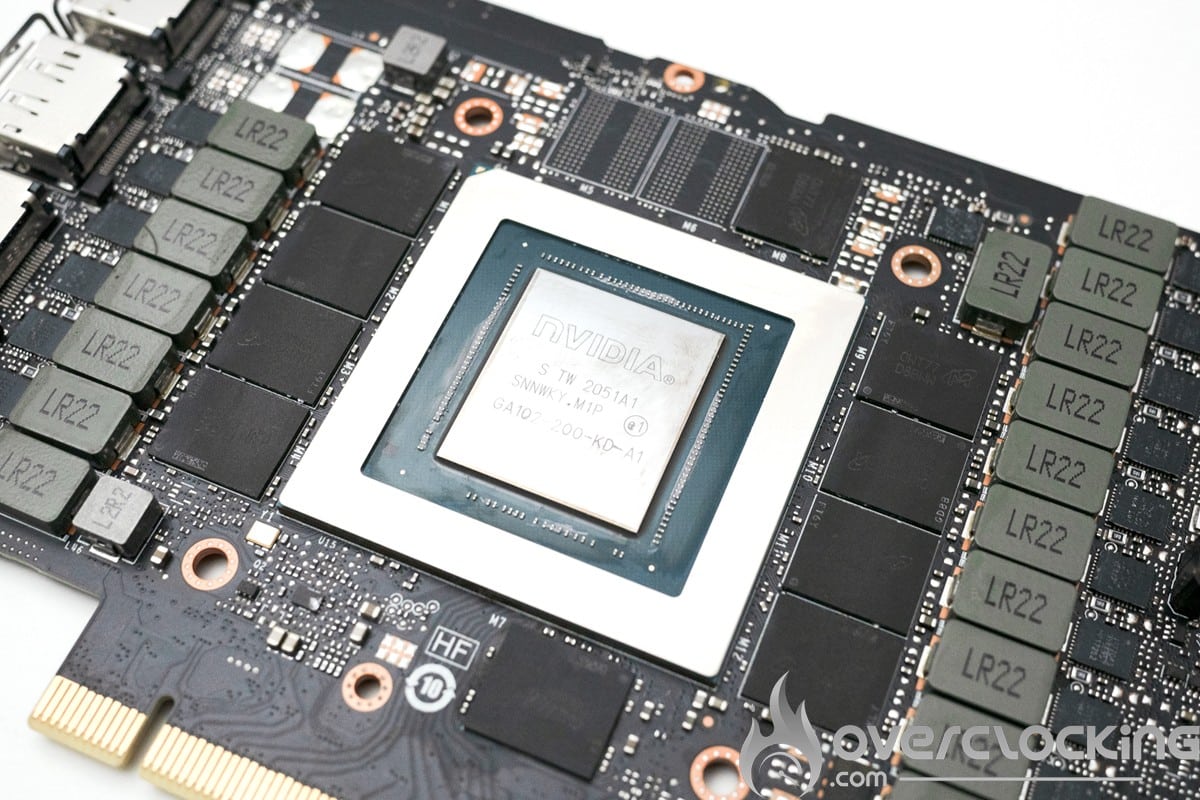
Waterblock installation:
Let’s now move on to the assembly of the waterblock. First of all, we have to put the thermal pads in place and then spread the thermal paste on the chip.


Then you need to place the PCB on the waterblock and tighten the screws crosswise gradually. At this stage it is better to disassemble it again to judge the application of the thermal paste. If everything is good we can go back and place the thermal pads and the backplate. The PCIe bracket is placed between the PCB and the backplate.


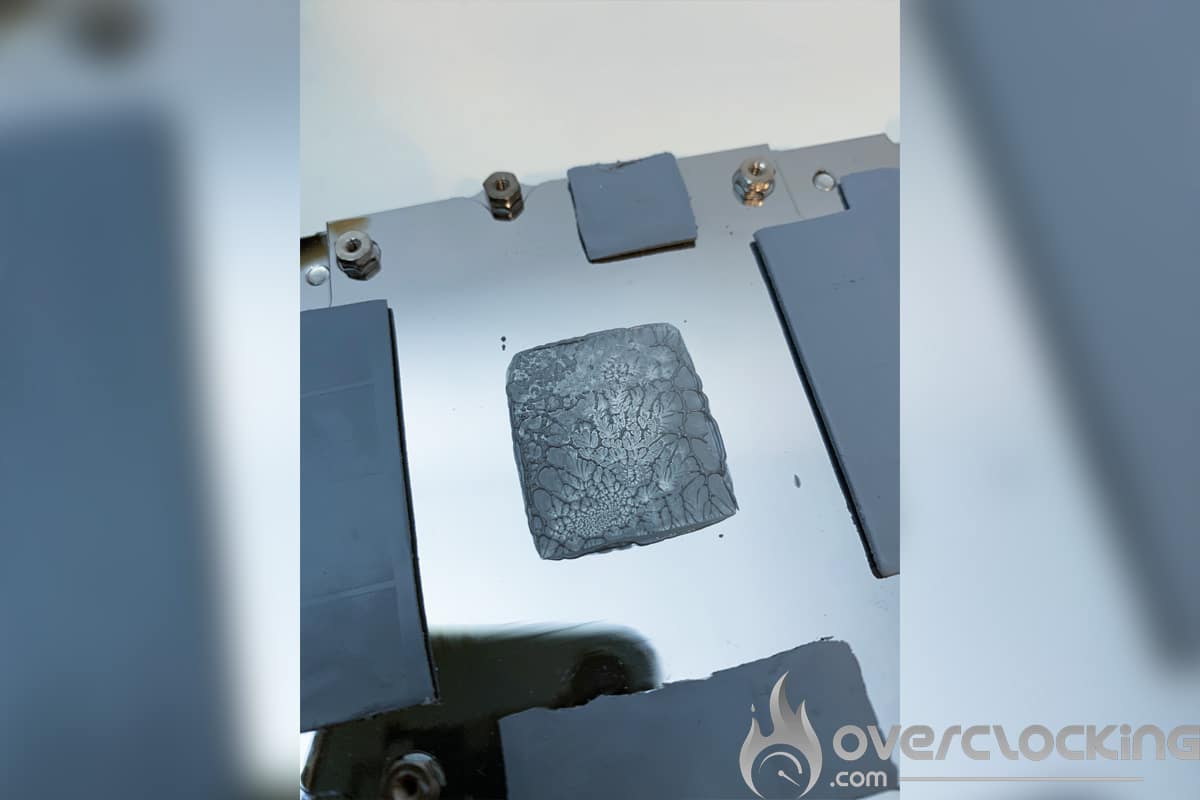
Here is an example of a good application of thermal paste. We take this opportunity to congratulate Alphacool for the perfect contact with the chip.
 The waterblock is now mounted. This one makes the card very compact. It will be perfect for use in a small SFF configuration. The only problem is that the backplate protrudes a lot. It is therefore impossible to access the locket on the motherboard because of this. A notch in this area would have been welcome.


[nextpage title=”The comparative tests: “] As we said, the idea is to be able to judge the impact of a liquid cooling solution against the original cooling system of our NVIDIA RTX 3080 Founder Edition. The comparative tests will take place in two parts. First with the card at “stock” frequencies and then we will push the frequencies. Here we go, but first a little TikTok video of the loop startup with the Alphacool Eisblock GPX-N waterblock just installed.
@overclocking.com Watercooling is life #watercooling #pcsetup #pcmr @alphacool_int
Performance at “stock” frequencies:
Here is the table of our results with the original cooling system and the Eisblock Aurora Acryl GPX-N waterblock. This first table compares the performance of the cooling systems on the Superposition benchmark where we launched three times in a row a run. The idea is to see how the temperatures behave but also if the Boost frequency increases if the cooling is better.
During our tests, the temperature in the lab was around 23°C. Well, not surprisingly, the temperatures are excellent with the liquid cooling system. The Boost frequency increases slightly.

 As we can see the performance of this Alphacool Eisblock GPX-N is very good. The gain on the GPU temperature is 40°C which is huge. But the most impressive is the difference between the core and the water, which is only 9°C at 320 watts.
Performance at overclocking:
To push a little further we wanted to measure the overclocking capabilities with this liquid cooling. So we compared the performance on 3Dmark Time Spy with and without overclocking.

 No miracle here, the chip shows the same limits as with the original cooling. On the other hand, the memory manages to express itself fully with +1500 MHz stable. The very low temperature is certainly a factor. Now, you have to keep in mind that switching to liquid cooling has a cost. You will have to invest in the waterblock but also in a liquid cooling loop. [nextpage title=”The last word: “] We are coming to the end of this test and I can say that this waterblock for graphics card is the best I have ever tested. It is worth mentioning Alphacool’s effort to offer a different and very efficient system. This is a good sign for their latest waterblock for RTX 4090 which has a similar design.
WB Alphacool Eisblock Aurora Acryl GPX-N
We liked:
- The quality of the packaging proposed by Alphacool
- The very well detailed color instructions
- The quality of finish of the waterblock
- The very good price of this waterblock with backplate
- The performance
We would have liked :
- A notch in the backplate to access the PCIe locket.
 Alphacool offers us here the best solution to cool underwater its RTX 3080 Founder Edition at a correct price. The card comes with a bundle and a clear manual to facilitate its installation. However, we regret the backplate which stands out too much and prevents access to the PCIe latch. It is still an excellent choice for testing various thermal pastes and liquid metal on GPUs thanks to its simple installation.

