

Today we find ourselves with the Alienware x17 R2, a new laptop in the x17 range that arrived this year. It benefits from an R2 refresh allowing it to have an NVIDIA RTX 3080 Ti graphics card and an Alder Lake i7-12700H processor.

We are in front of a premium laptop , with a chassis entirely made of aluminum with a plastic layer on top. The ventilation has outlets on the side, bottom, top and rear, thus providing good air evacuation for better temperatures. As such, Alienware highlights the use of a galium-silicon interface for cooling. The model we are testing today can be found for less than $4,000 in the US (with an i9) and €4,550 in Europe (with an i9).
[nextpage title=”Specification”]
Technical specifications
The Alienware x17 R2 is a 17.3 inch laptop with a 2160p IPS panel with a 120 Hz refresh rate. The processor used is a 12700H which is coupled with an RTX 3080 Ti from NVIDIA. The whole is accompanied by 32 GB of DDR5-4800 and a 2 TB NVMe SSD in PCIe 4.0. The laptop is powered by an 87 Wh battery.
| Model | Alienware x17 R2 |
| Processors | Intel Core i7-12700H 45W |
| Graphics card | NVIDIA RTX 3080 Ti 8GB 135W (150W max) |
| Ram memory | 2×16 GB DDR5-4800 (2 slots) |
| Screen | 3840*2160 16:9, 17,3″, 120 Hz, IPS |
| Storage | 2 TB NVMe (2 PCIe 4.0 slots) |
| Connectivity | x2 USB C 3.2 Gen 2, x2 USB A 3.2 Gen 1, 1 jack, 1 Mini DisplayPort, 1 HDMI, 1 RJ-45 |
| Battery | 87 Wh |
| Network | Wifi 6 (ax), Bluetooth 5.2 |
| Dimension | 399.2×299.6×20.90mm |
| Weight | 3 Kg |
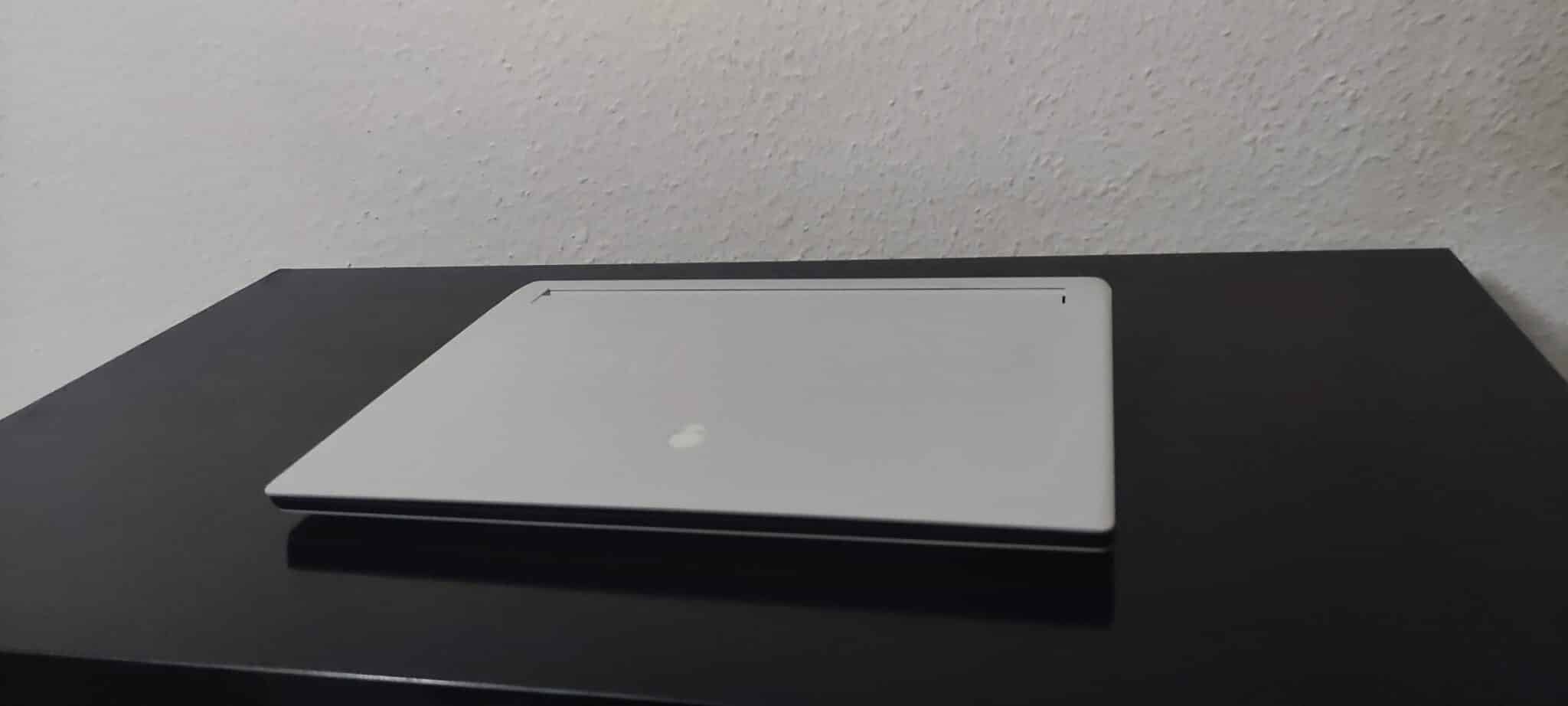
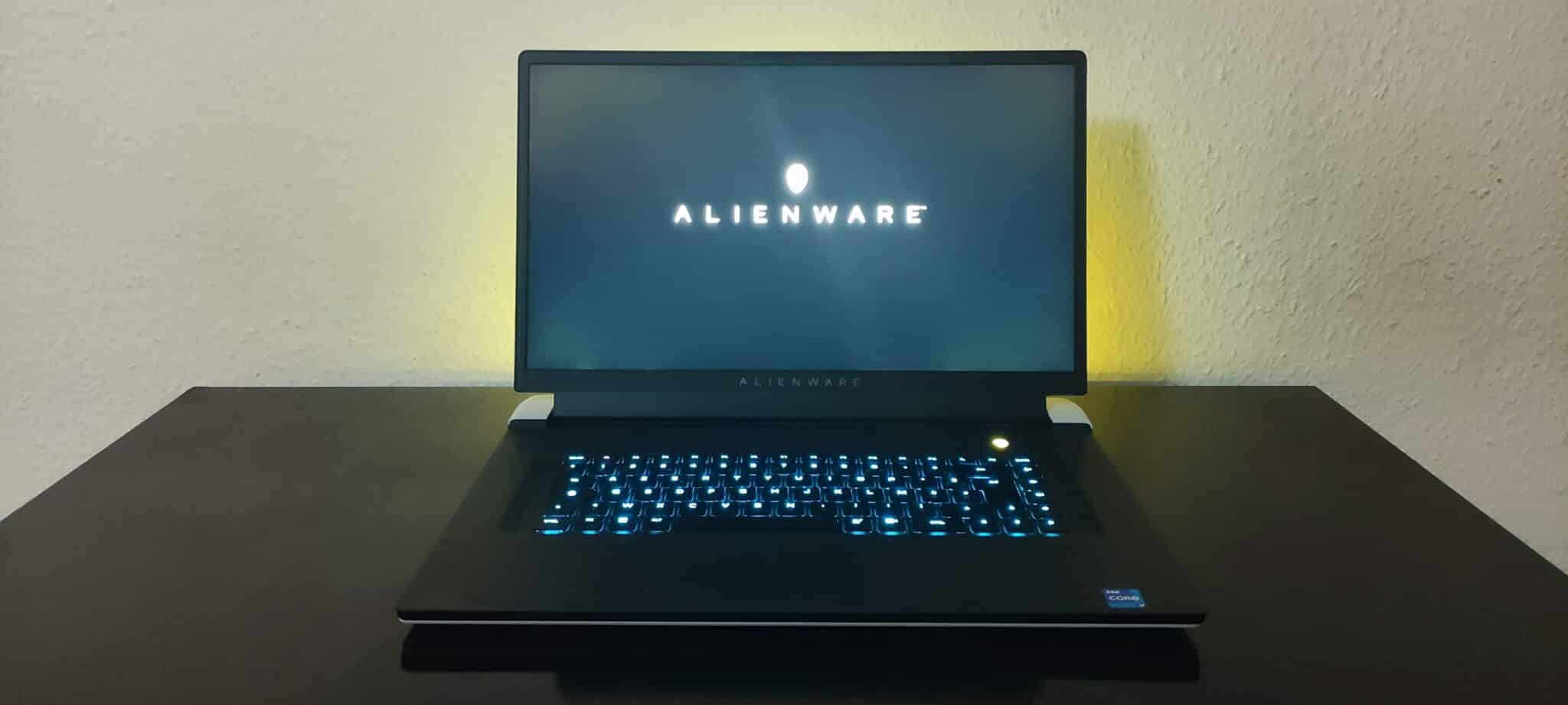
The Acer Predator is presented in an aluminum chassis covered with plastic, with a small illuminated logo on the back, nothing more classic and a bright halo around the connectors. Underneath and on the sides, we find ventilation grills.
Our example uses an RGB keyboard in AZERTY layout (french), without numeric keypad despite the size of the keys are however large enough for a quick use without slipping on another key. The trackpad is also in good proportions and is pleasant to use.
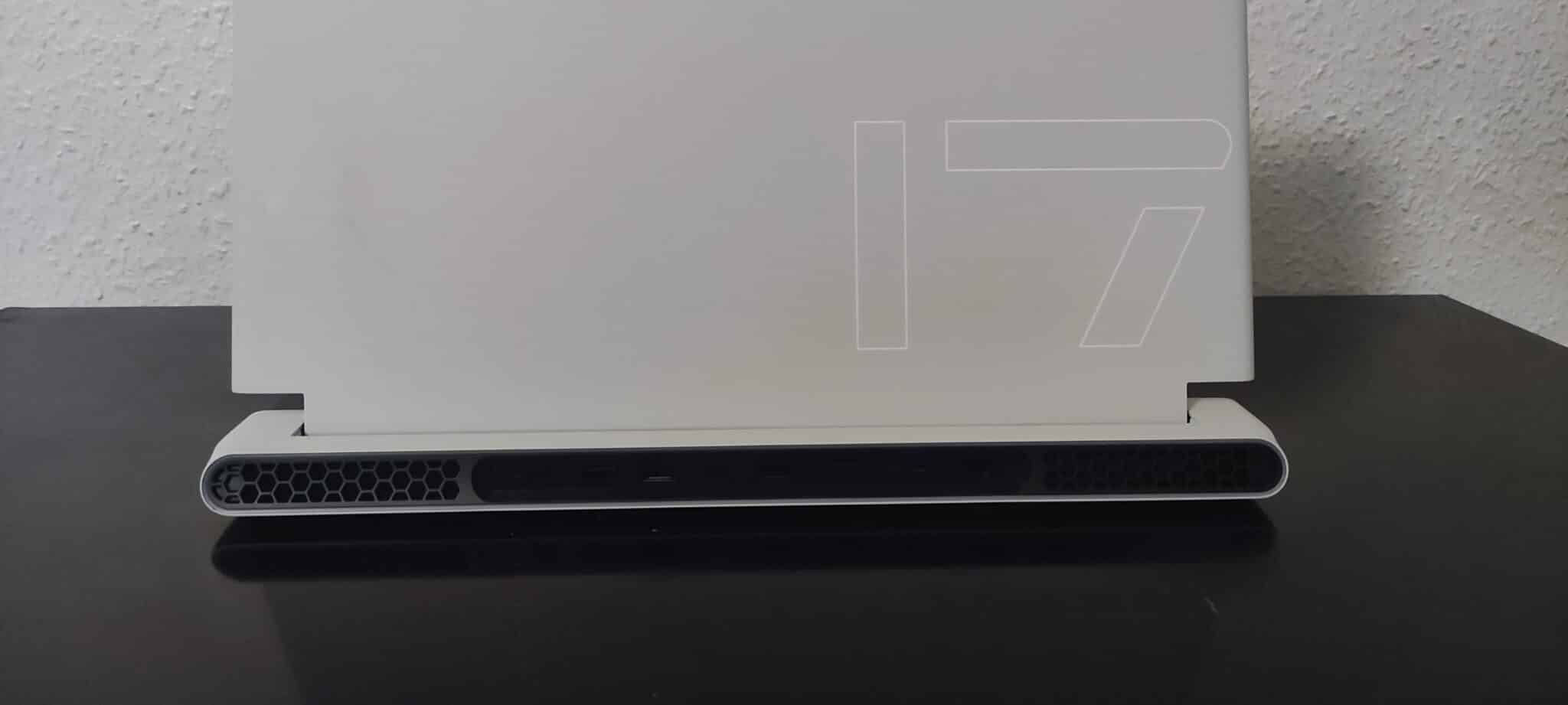
The screen uses an IPS panel with a UHD resolution (3840×2160) and a refresh rate reaching 120 Hz allowing a pleasant fluidity with a good brightness and bright color, the screen was a real pleasure to use. The Comfort View Plus was very useful when using this laptop at night.
On the connectivity side, the computer is fully equipped with 2 USB A ports and 2 USB C ports. It is also equipped with a mini DisplayPort and HDMI output, allowing to connect 2 screens directly. We have the presence of a RJ45 port, jack and the charger 330W whose size will not leave indifferent ..
[nextpage title=”Protocol”]
All benchmarks will be performed in the highest performance mode available (bios and Windows), to get an idea of what the machines are worth at their maximum. As for the drivers, we will mention and use the latest official versions available to date.
The basic definition will be 1920×1080, but other resolutions can be added or chosen depending on the laptop screen. We will put the highest graphic presets available on each game.
In terms of synthetic tests:
- CPU
- Cinebench R23/R20, Geekbench 5, AIDA64, 3Dmark CPU Profile.
- GPU
- TimeSpy Extreme, TimeSpy, Fire Strike Ultra, Fire Strike Extreme.
- Memory
- AIDA64.
On the video game side: we choose popular licenses, but above all have ” in game benchmarks” to allow a better representation and reproducibility of performance. This also allows you to compare your results with ours without difficulty.
- Borderlands 3 (DX12)
- Anno 1800 (DX12)
- Shadow Of The Tomb Raider (DX12)
- Forza Horizon 5 (DX12)
The driver for the RTX 3080 Ti is version 527.56
[nextpage title=”Synthetic performance”]
Synthetic performance
The processor used is an Intel Core i7 12700H, aiming at high performance with HK and HX series.

This CPU has 6 Performance cores and 8 Efficient cores with 20 Threads. In terms of frequency, it boosts to 4.7 GHz on the P cores and 3.5 GHz on the E cores. The PL1 is 45W with a PL2 at 115W.
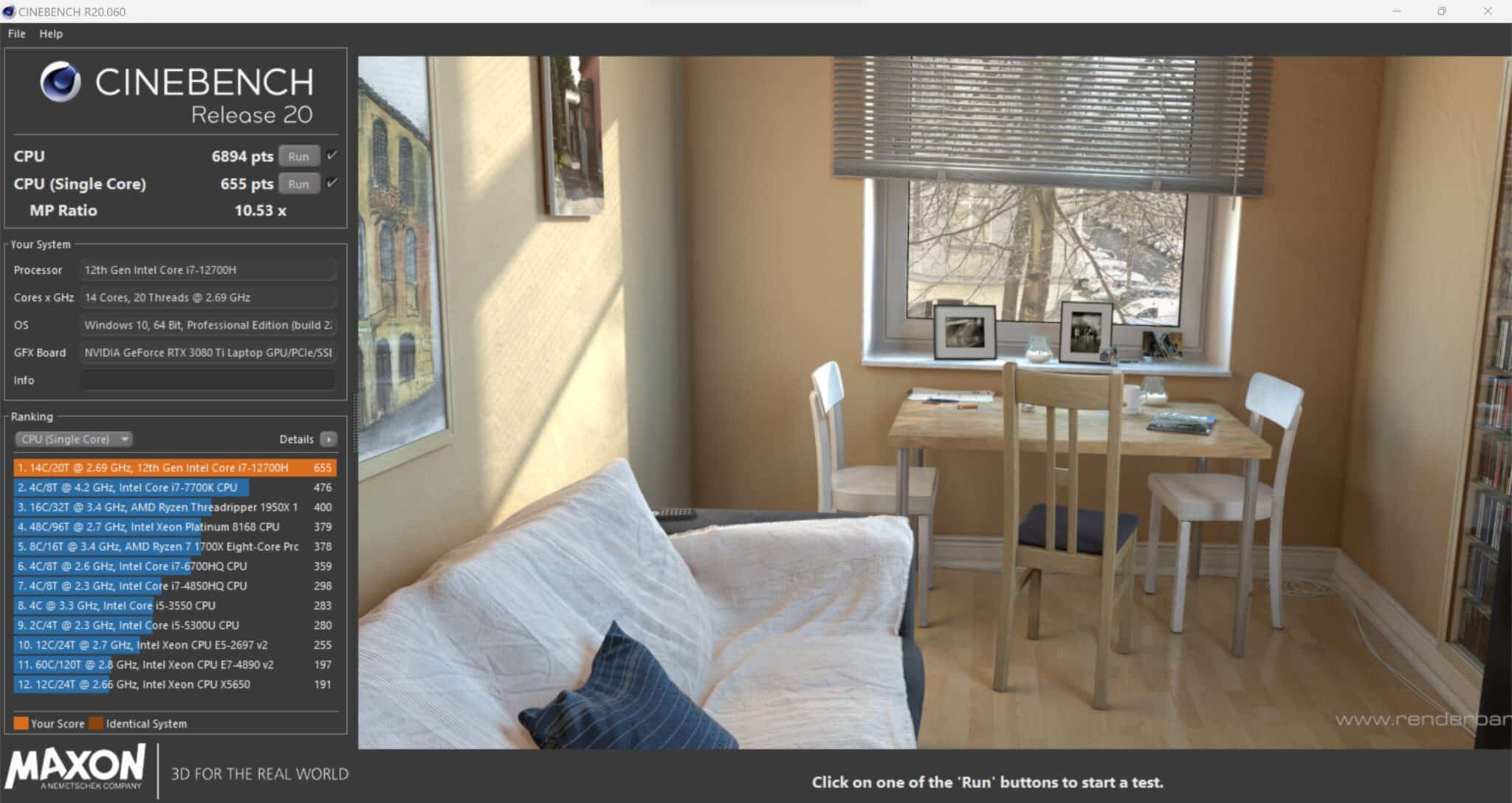
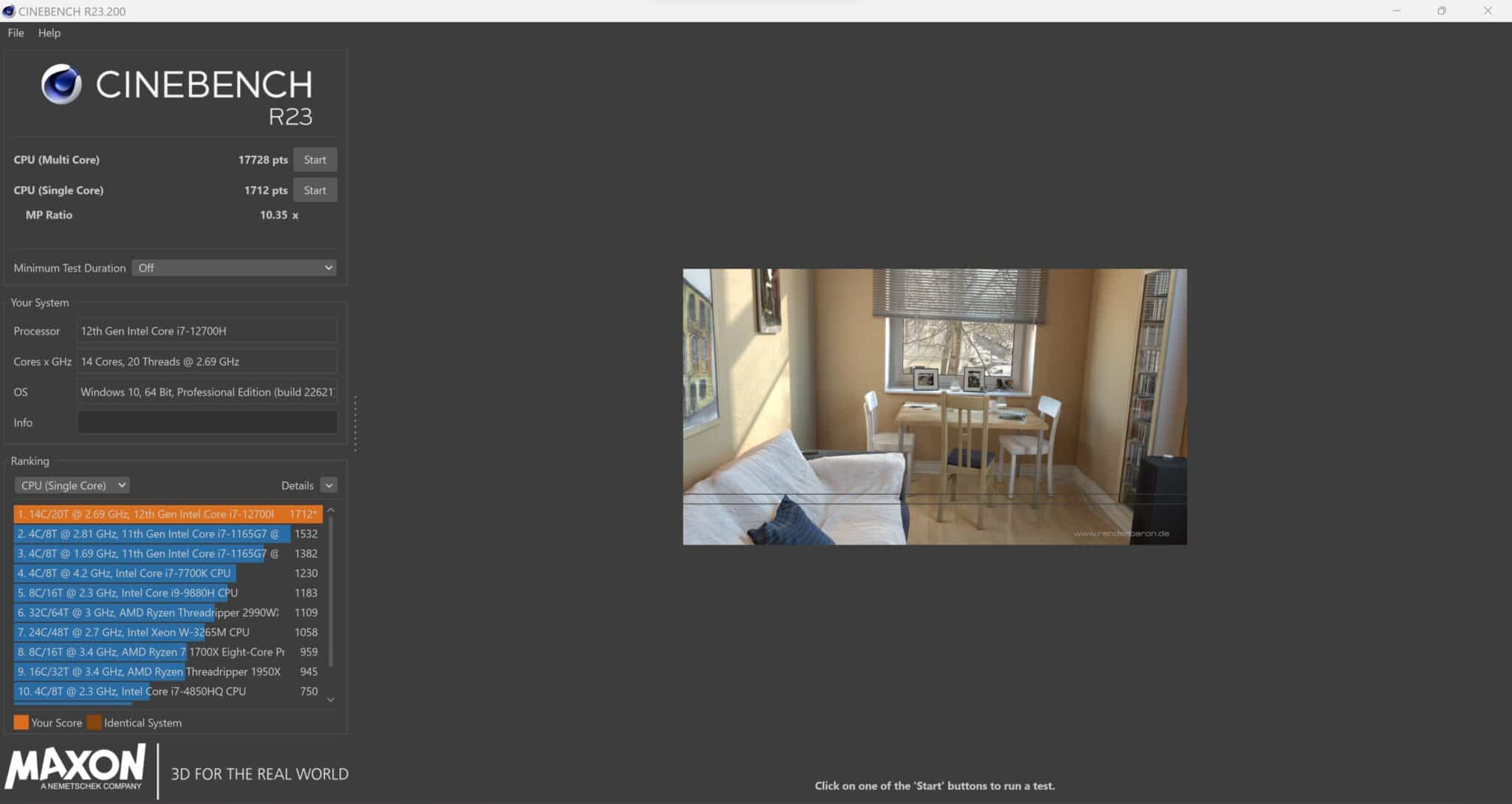
On cinebench R20, the 12700H gets a score of 6894 points in multi-core and 655 points in single-core. With the R23 version, we are on 17728 points in multi-core and 1712 points in single-core.
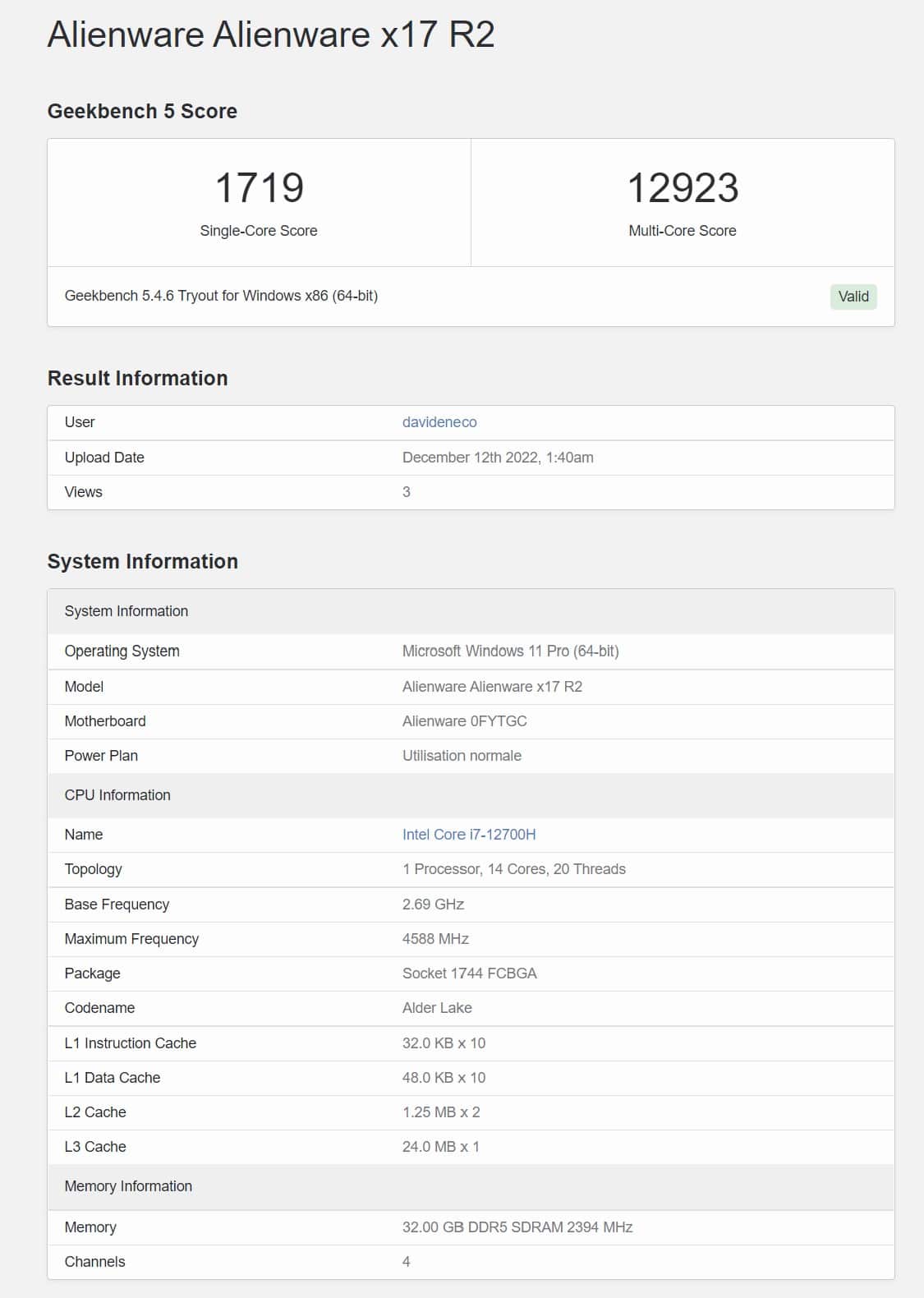
In Geekbench 5, the processor rises to 1719 points in single-core and 12923 points in multi-core.

On 3Dmark CPU, we are on 964 points in single-core and 8372 in multi-core.
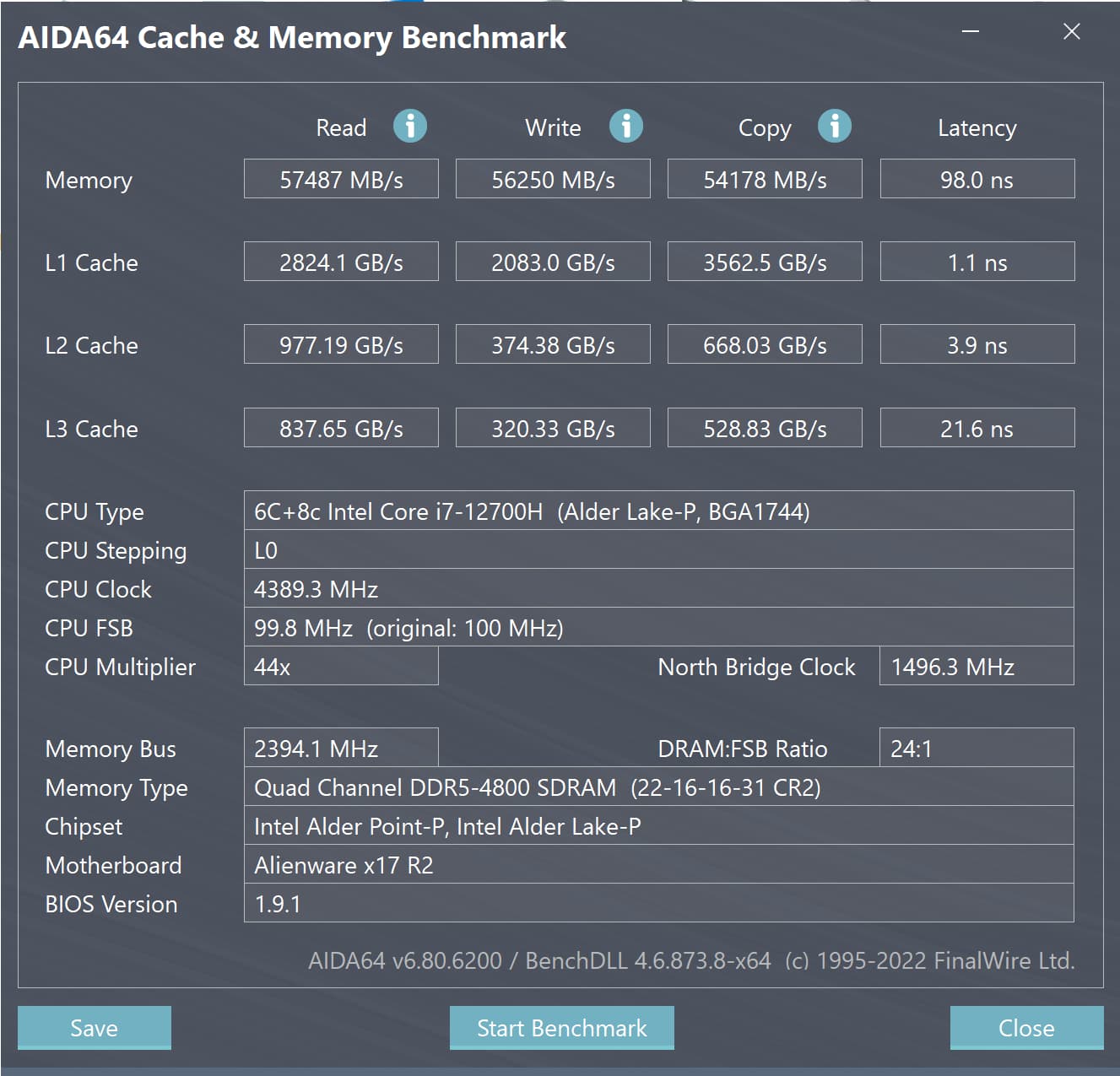
In terms of RAM and latency, the DDR5-4800 in gear 2 and dual channel is over 98 ns. The proposed speeds are about 57/56 GB/s for writing and reading and 54 GB/s for copying.
Memory latencies on computers are generally very high, the Alienware is no exception to the rule with more than 90 ns, however the performance is there thanks to the cooling to get the best of this processor.
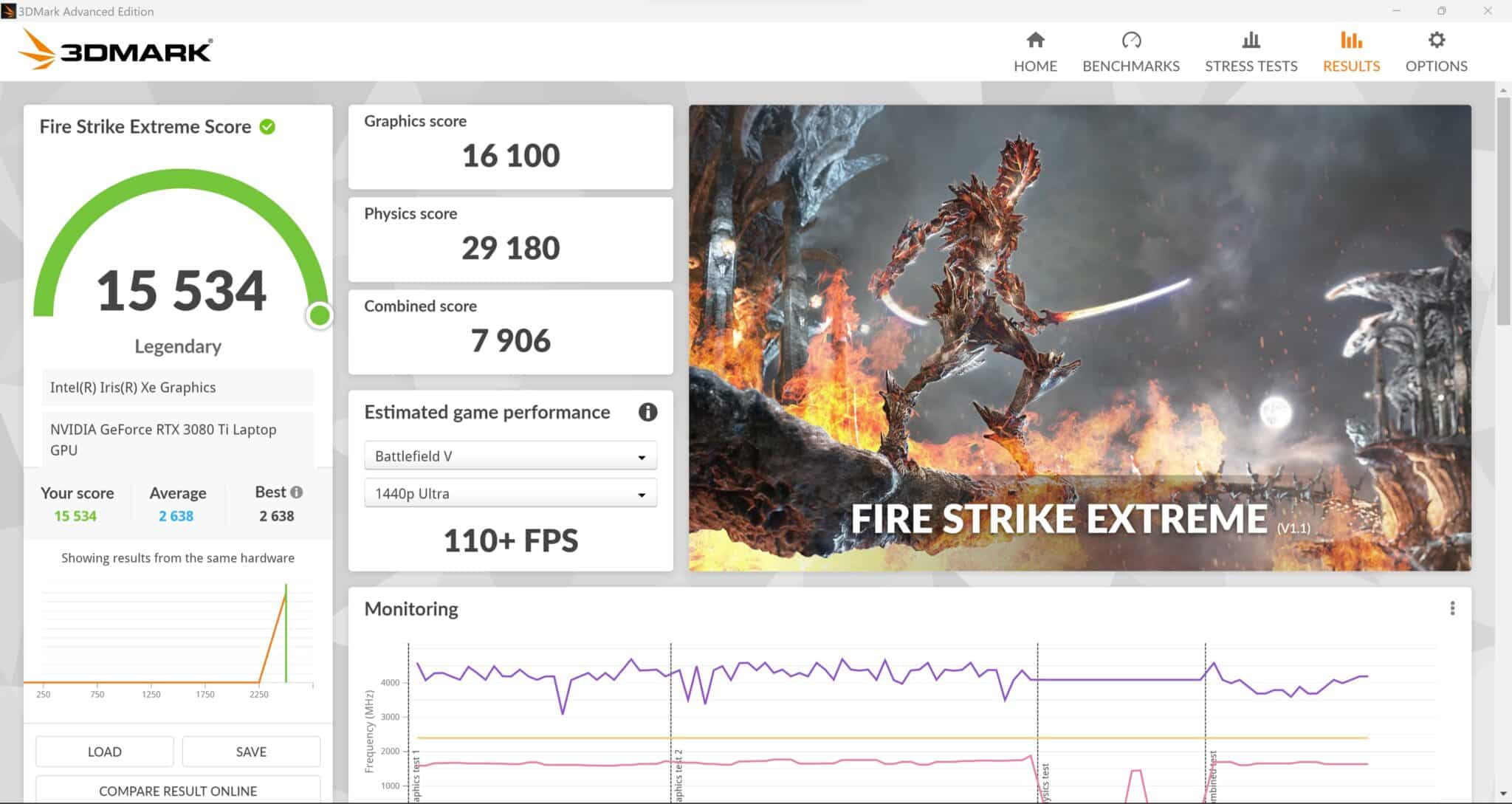
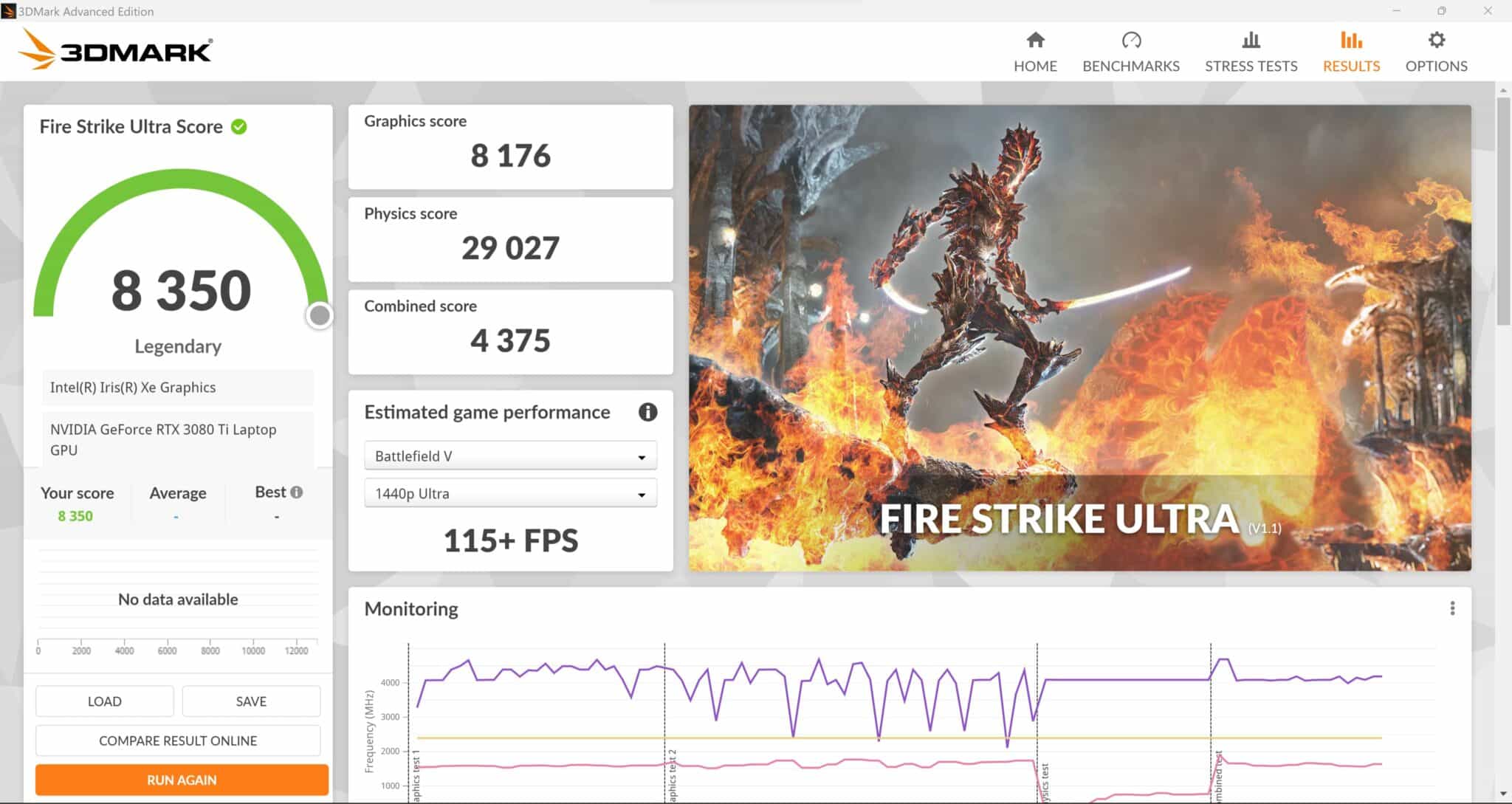
On Fire Strike Ultra and Fire Strike Extreme, the 3080 Ti has a score of 8350 points and 15534 points respectively in FS score, and 8176 and 16100 in graphics score.

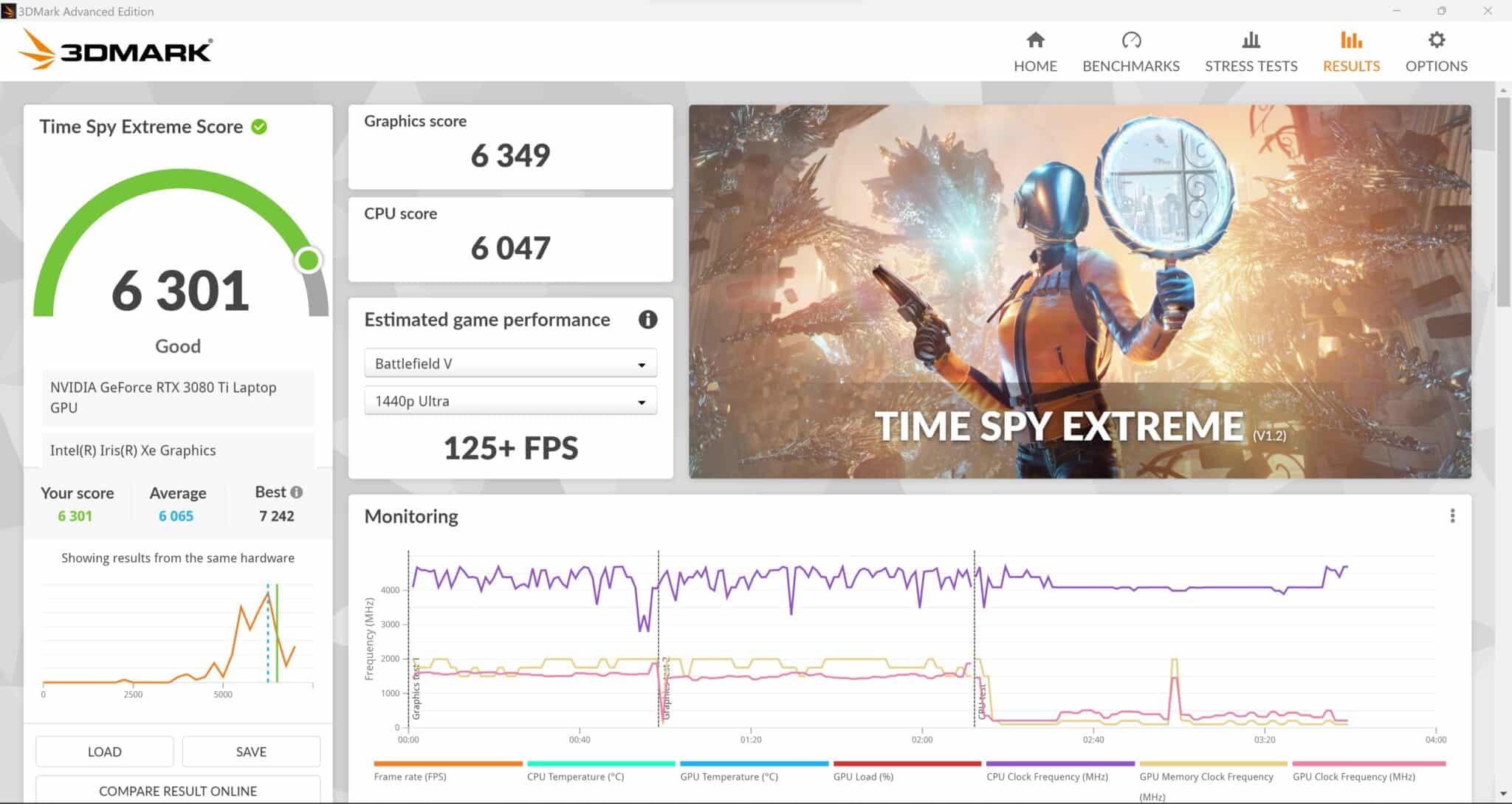
Then Time Spy Extreme and Time Spy with 6301 and 13156 points in TS score, 6349 and 13088 points in graphics score.
As for the CPU part where the laptop is among the best performances, the GPU is also located in the top of the basket concerning the 3080 Ti.
[nextpage title=”Performance Gaming”]
Gaming performance
Let’s move on to gaming performance with this 3080 Ti, since we are dealing with a 4K screen, the benchmarks will be in this resolution.

On Borderlands 3, with the graphics settings set to brutal and the API on DX12, we reach 43.92 FPS in 4K.
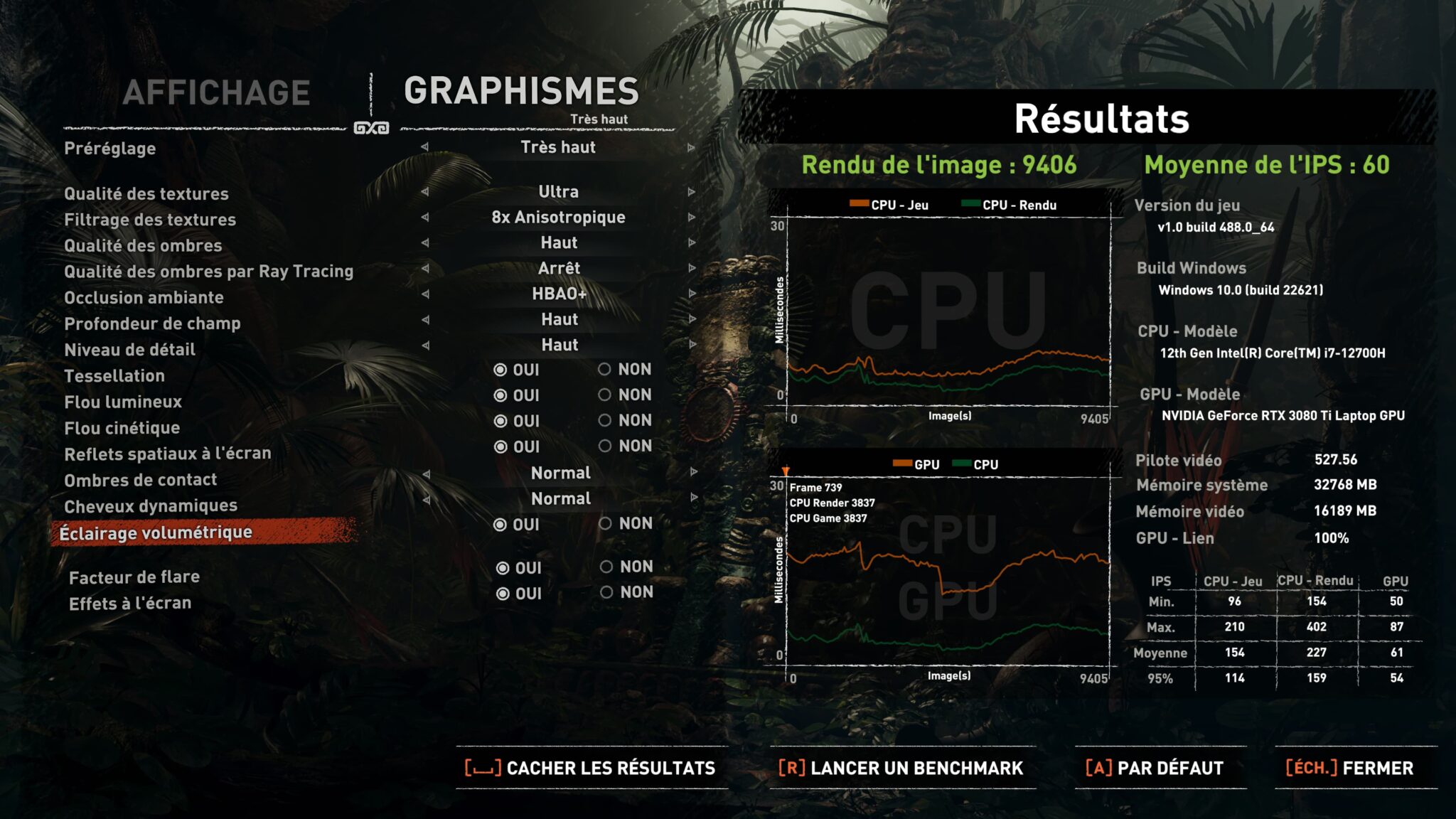
Then Shadow Of The Tomb Raider set to very high and DX12 shows 60 FPS average in 4K.

With Anno 1800 set to ultra and DX12, we have an average of 44.48 FPS in 4K.

On Forza Horizon 5, set to extreme in DX12, the 3080 Ti reaches 58 FPS in 4K
The 3080 allows you to play several games in 4K without worrying about 60 FPS, by lowering the resolution to 1440p, the framerate will not be a problem on all the titles of the moment.
[nextpage title=”Temperature and Consumption”]
Temperature and power consumption
Temperatures measured during the gaming sessions were very good for a laptop, with a rise to over 75° on the CPU and 74° (72° on the hotspot) GPU internally.
Externally, the chassis was lukewarm with peaks on the keyboard at over 35-40° after a long session of Borderlands 3, this does not make the computer any less unpleasant when gaming.
For the power consumption in games (Borderlands 3) we find a processor reaching 115W and the GPU 165W on average. In stress test under AIDA64, we are at 115W for the CPU and 160W for the GPU measured in software of about 290W measured at the socket.
The 330W charger is clearly enough to support the laptop at its maximum load without running out of power.
[nextpage title=”Conclusion”]
Conclusion
We are in front of a very good laptop, combining high performances and a design well cared by the brand. It left me a very good impression in almost all points, especially on the recorded temperatures. Despite the performance, the ventilation was quieter than on some other laptops I tested before. I was surprised by the quality of the keyboard, despite the lack of a numeric keypad that is missing on almost all high-end gaming laptops today, even though it has a 17.3″ screen. The screen did not leave me indifferent, having used the computer at night, the brightness as well as the functionalities did not attack my eyes.
We liked:
- The very good performance
- The excellent temperatures
- The fans make little noise for the performances
We would have liked:
- A numeric keypad
- Not much more
