
[nextpage title=”Introduction:”]
This is a project that has been close to my heart for a while: testing the various tools offered by Thermal Grizzly to delid, or remove the lid from, our AMD Ryzen 9 9900X processor. To do this, we will use the Delid-Die-Mate tool, the AMD Mycro Direct-Die PRO V1 water block, TG Scrapers, and Remove Cleaner. This isn’t our first attempt at delidding a processor. We did it with our Intel i9-14900K to test the EK-Nucleus AIO CR360 Direct Die D-RGB cooling system. This time, we’re doing it again with an AMD processor, which will be our first experience with this type of processor.
The main idea behind our article, in addition to proposing a delid, will be to measure the temperatures of the AMD processor under normal conditions and compare them to those after delidding and using metal liquid. Thanks to the Thermal Grizzly team for providing the Delid-Die-Mate and the AMD Mycro Direct-Die PRO water block.

Delidding and direct die, yes, but why?
It’s a fairly logical question to ask why you would want to delid your processor and opt for a direct die cooling solution, especially since doing so will void your AMD warranty. The principle is to remove the heat sink from our AMD Ryzen 9900X.
The advantage of delidding is that it improves heat transfer between the die and the IHS, since when these are not soldered, the thermal paste used is not always the most effective. There are two types of delidding. The first involves removing the IHS in order to replace the thermal paste with much more efficient liquid metal and then reattaching the IHS to achieve a gain in terms of temperatures.
 The second, more extreme solution is to not reuse the IHS and to cool the die directly , in our case with the AMD Mycro Direct-Die PRO water block. This requires more care to avoid damaging the die by excessive tightening. The first solution remains the most common to date, although new waterblock solutions compatible with direct die cooling are beginning to appear regularly.
[nextpage title=”Delidding our Ryzen 9900X:”]
Please note that prior to this delid, we carried out a series of tests to measure the temperatures of our Ryzen 9900X before performing the delid operation . The idea was to obtain a series of data to compare the temperature gains we would achieve with direct die.
So let’s get started with delidding this AMD Ryzen 9900X. To do this, we’ll need a tool that allows us to minimize risk, because yes, there is no such thing as zero risk when delidding. We would therefore like to warn you that if you are interested in replicating this operation, you should be aware that your processor warranty is automatically void when you remove the IHS!
@cornerjack_occ Teasing du delid de notre processeur AMD Ryzen 9900X en partenariat avec @thermalgrizzly ! On revient en 2026 avec l’article et la vidéo complète qui vous explique les différentes étapes. Bon réveillon à tous et à l’année prochaine. #thermalgrizzly #overclocking #PC #delid #amd #ryzen #pcgaming #pcbuild #delidding
The tool: the Delid-Die-Mate
As we mentioned in the introduction, we received a Delid-Die-Mate from Thermal Grizzly. This tool allows us to delid our Ryzen 9900X processor and retails for €59.90. It is compatible with AMD Ryzen 7000 and 9000 processors. Note that Thermal Grizzly also offers a similar tool for Intel 13th Gen and LGA-1851 processors.


Inside the bag, you’ll find two Allen keys of different sizes. Below, we’ll see how to use them and, of course, how to delid our 9900X.


Let’s get started with delidding our Ryzen 9900X:
There isn’t really a guide on the Thermal Grizzly website detailing the various steps to follow to remove the IHS from your AMD processor. On the Delid-Die-Mate page, there is a video by der8auer showing how to delid an AMD Ryzen 7000. As we will show you, it’s actually quite simple.
The first step is to remove the four nuts from the top and the two screws on either side of the Delid-Die-Mate. The idea is to remove the red frame so that we can place our Ryzen 9900X in it.
Of course, there is a specific order to follow, just like when installing the processor in the motherboard socket. You need to refer to the triangle on the Delid-Die-Mate and on the PCB of our AMD Ryzen 9900X.


The principle of the Delid-Die-Mate for removing the IHS from the 9900X is to move it repeatedly from left to right. In the photos above, you can see the four “jaws” that will be placed in the cutouts of the IHS. The four upper screws are there to keep the red frame securely in place.


The two screws on either side of the Delid-Die-Mate will pull the frame from left to right. You will therefore need to screw on one side to bring the frame back, then unscrew slightly and screw on the other side. We didn’t count the number of times we went back and forth until the IHS was released, but it was close to 50 on each side. The Delid-Die-Mate was designed to avoid damaging the resistors on the PCB.


The photos above clearly show the movement of the IHS. Once it is released, the red frame can be moved by hand. Simply remove all the screws, lift the red frame, and remove the processor, which is now free of its IHS.


We will now move on to the next phase, which consists of cleaning the PCB and the dies of our Ryzen 9900X. We can see that the numerous resistors on the PCB have not been damaged.
Cleaning the PCB and dies of the Ryzen 9900X:
Now that our Ryzen 9900X has been stripped of its IHS, the next step is to properly clean the PCB and die. But why? The goal is to place the AMD Mycro Direct-Die PRO V1 water block directly on our processor, so we need to ensure optimal contact by cleaning off any glue and indium (solder) residue.


To do this, the first tool we will use is the TG Scraper. It will allow us to scrape off excess glue (the black spots on the PCB) and indium. Once most of the solder has been removed, the idea is to apply liquid metal to the dies for a few minutes.


We then mix in thermal paste to remove the liquid metal, and then use a cotton swab to rub the dies until they are shiny and perfectly clean. Our AMD Ryzen 9 9900X is now ready to be tested live!
[nextpage title=”The test protocol:”]
In order to evaluate the gain provided by delidding the AMD Ryzen 9900X processor, we have set up a test protocol to measure and compare the different operating temperatures before and after delidding.
Please pay close attention to the protocol in order to fully understand the results obtained.
Test configuration:
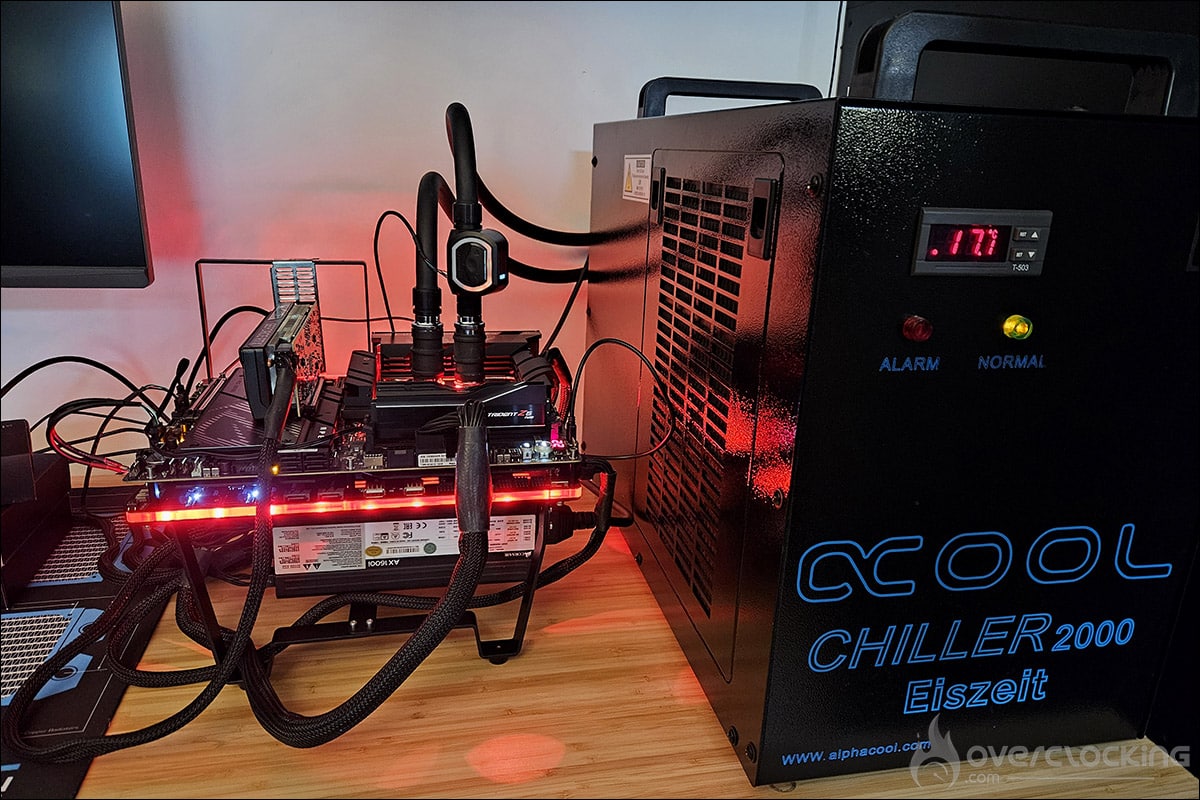
The tests will be performed on our ROG Crosshair X870E APEX, combined with a GSKill 6000 MT/s CL30 memory kit. You can see in the photos that we are currently testing Thermal Grizzly’s der8enchtable in parallel.
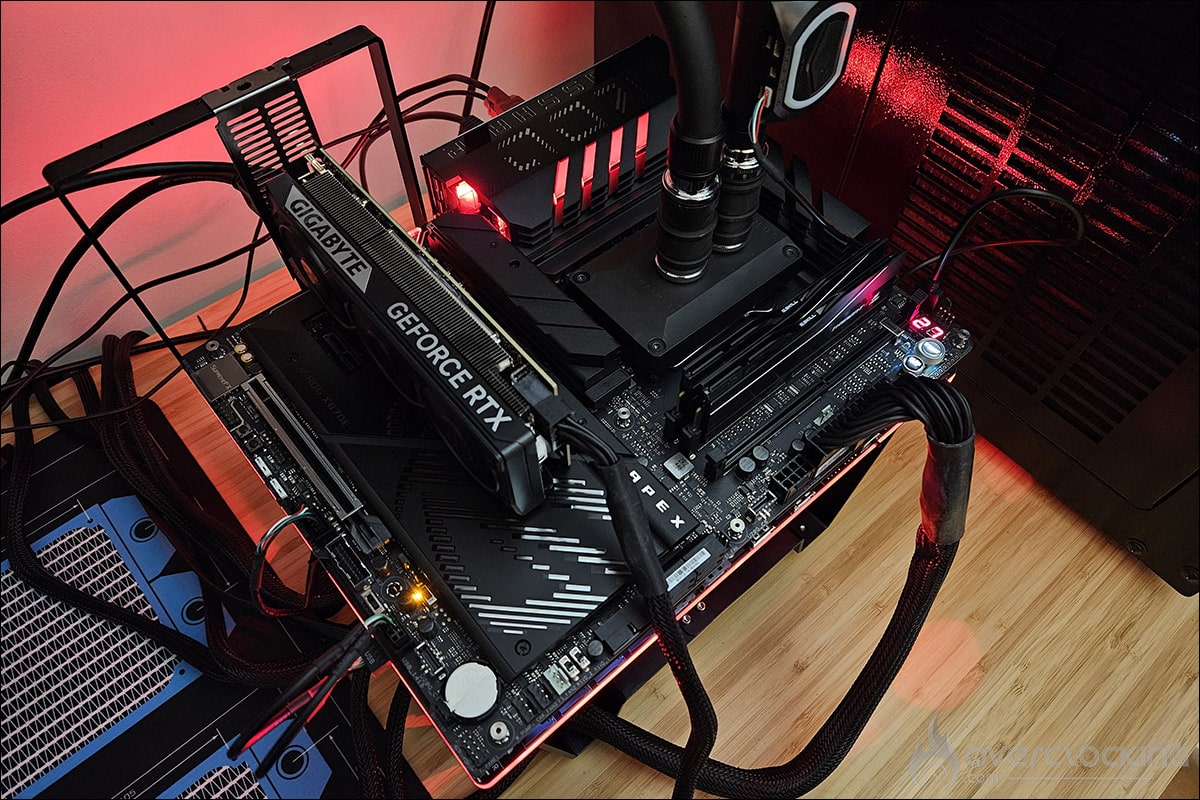
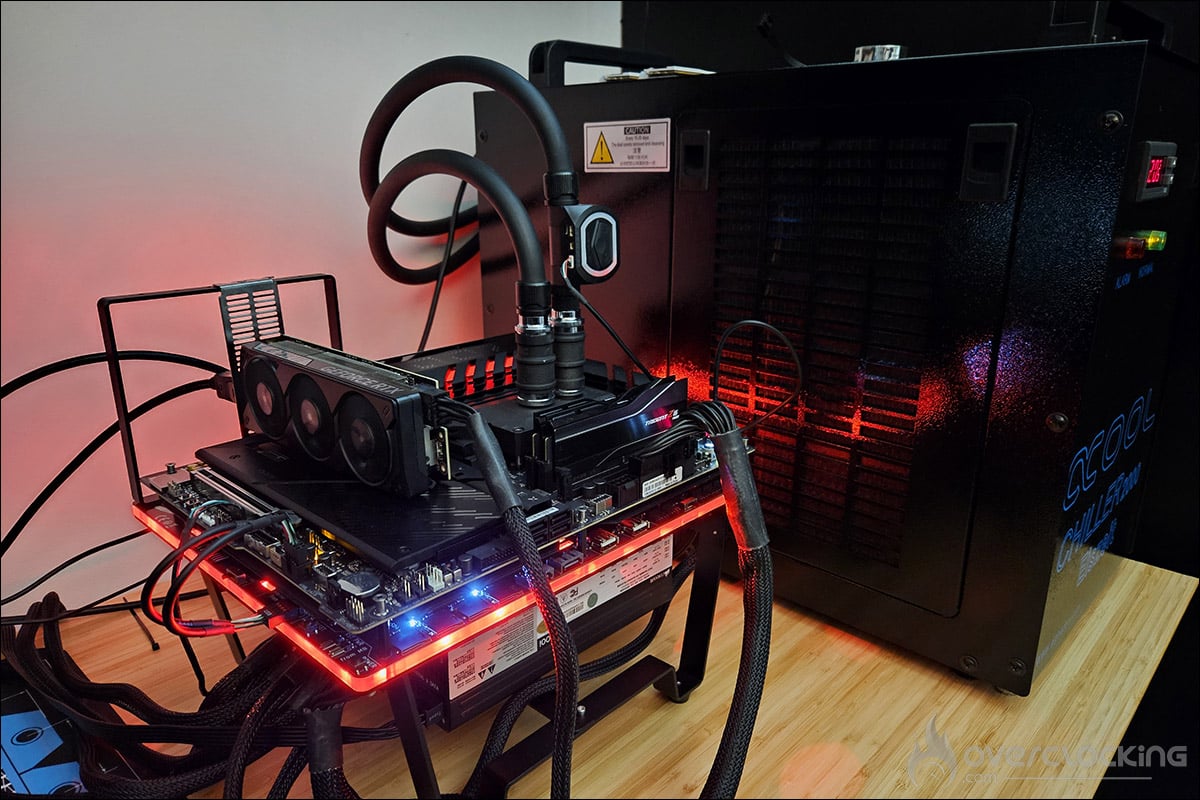
The settings for our AMD Ryzen 9900X:
As a reminder, the AMD Ryzen 9900X processor has two CCDs with 6 cores per CCD, for a total of 12 and therefore 24 threads. The TDP of the Ryzen 9900X is 120 watts.
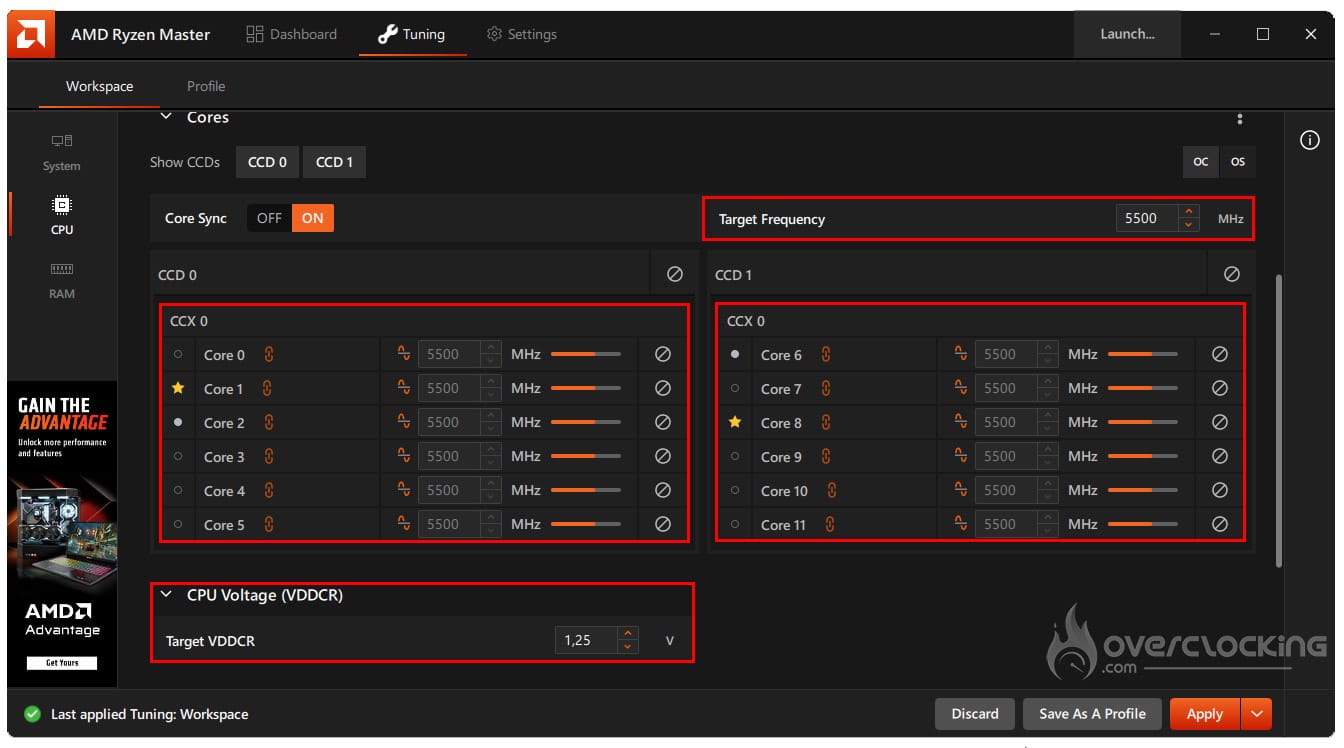
To ensure that our processor is tested under the same conditions before and after delidding, we will set the frequency of our Ryzen 9900X to 5.5 GHz, with a voltage of 1.25 volts and an LLC of 7. The frequency and voltage are set in the AMD Ryzen Master software and Load Line Calibration (LLC) in the BIOS. Our processor is stable at a lower voltage, but the idea here is to heat it up in order to highlight the temperature gain that will follow delidding.
Cooling loop components:
In order to maintain a “fixed” temperature for our coolant, we will use our Alphacool Eiszeit 2000 chiller. It is important to note that our chiller has two operating modes: smart mode and constant water temperature mode. We will be using the latter.


Our settings allow us to maintain the liquid temperature between 19.5 and 20.5°C. When the liquid temperature rises above 20°C, the compressor starts up again to bring it down to 19.5°C. We will also use the Aquacomputer NEXT high flow sensor in combination with the Aquasuite software. This will allow us to measure the liquid temperature and flow rate.
The Optimus Signature V3 water block:
We chose the Optimus Signature V3 water block, which is undoubtedly one of the most efficient blocks currently available. What’s more, this block has the unique feature of being able to be used in direct die mode, like our AMD Mycro Direct-Die PRO water block. It could therefore be interesting to compare these two blocks as well.
Temperature readings:
In order to heat up our processor, and after a moment’s reflection, we finally decided to use the Cinebench 2023 benchmark. We will set the benchmark to run for 30 minutes (Stability Test) and the temperatures will be measured using HWiNFO. We will start the test each time when the liquid temperature reaches 19.5°C.
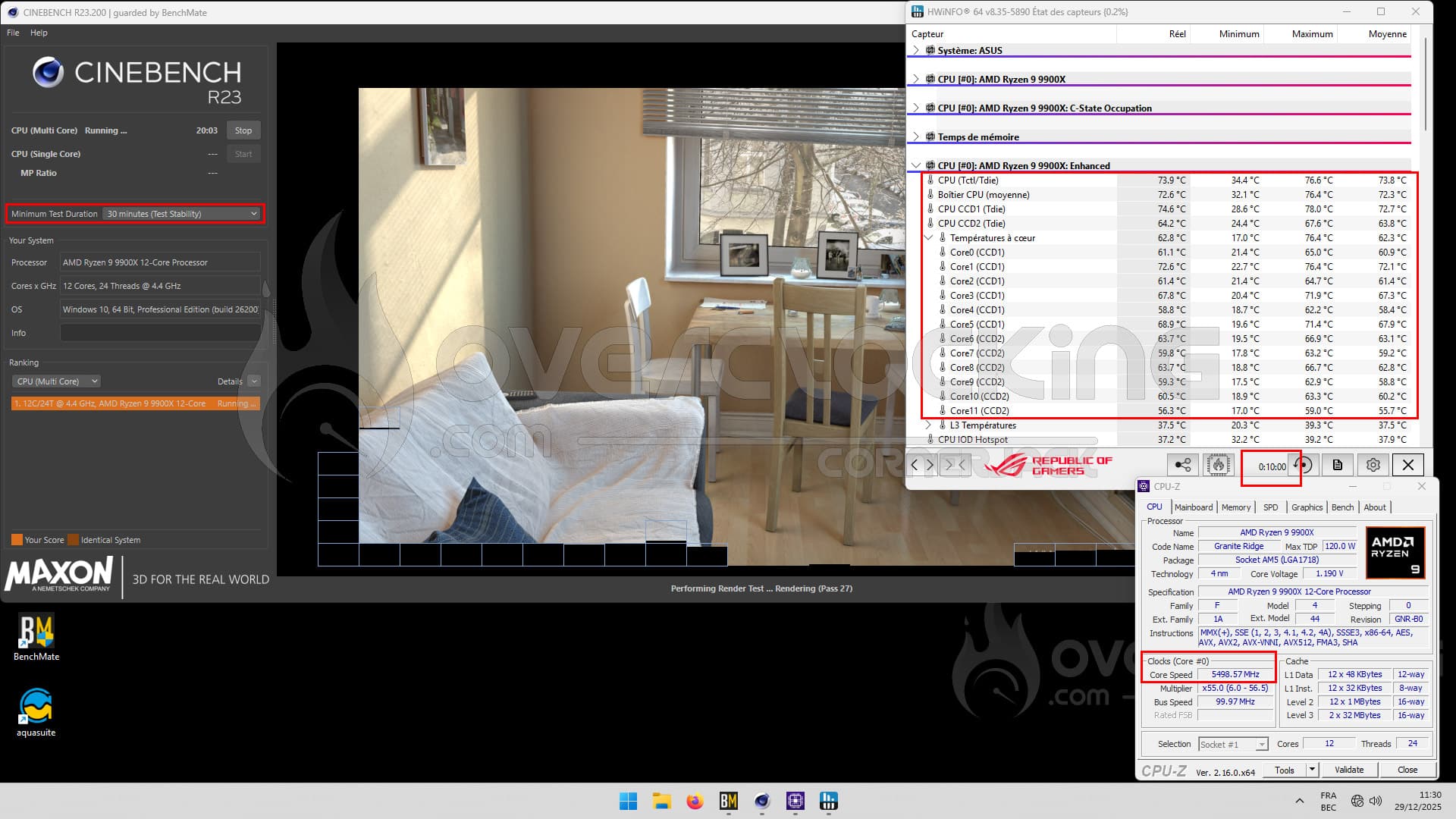
As you can see in the screenshot above, our AMD Ryzen 9900X is running at 5500 MHz, and the screenshot was taken after 10 minutes of benchmarking. This test will be performed three times to obtain an average. We will also ensure perfect contact with the processor. If this is not the case, a new series of three tests will be performed, or if there are too many differences between the three runs.
[nextpage title=”Installing the Mycro Direct-Die PRO: “]
Mycro Direct-Die PRO V1 bundle:
In addition to the Delid-Die-Mate tool, we also received a sample of the AMD Mycro Direct-Die PRO water block, also from Thermal Grizzly. This block is available for €129.90. It is important to understand that Thermal Grizzly’s range of water blocks is only for delid processors .
Thermal Grizzly briefly presented a new AMD AM5 water block at Computex, which bears the reference DeltaMate Mycro Pro II AM5. Recently, a video by der8auer showed the design of this new block, which suggests that it will be available for sale fairly soon, certainly in early 2026.
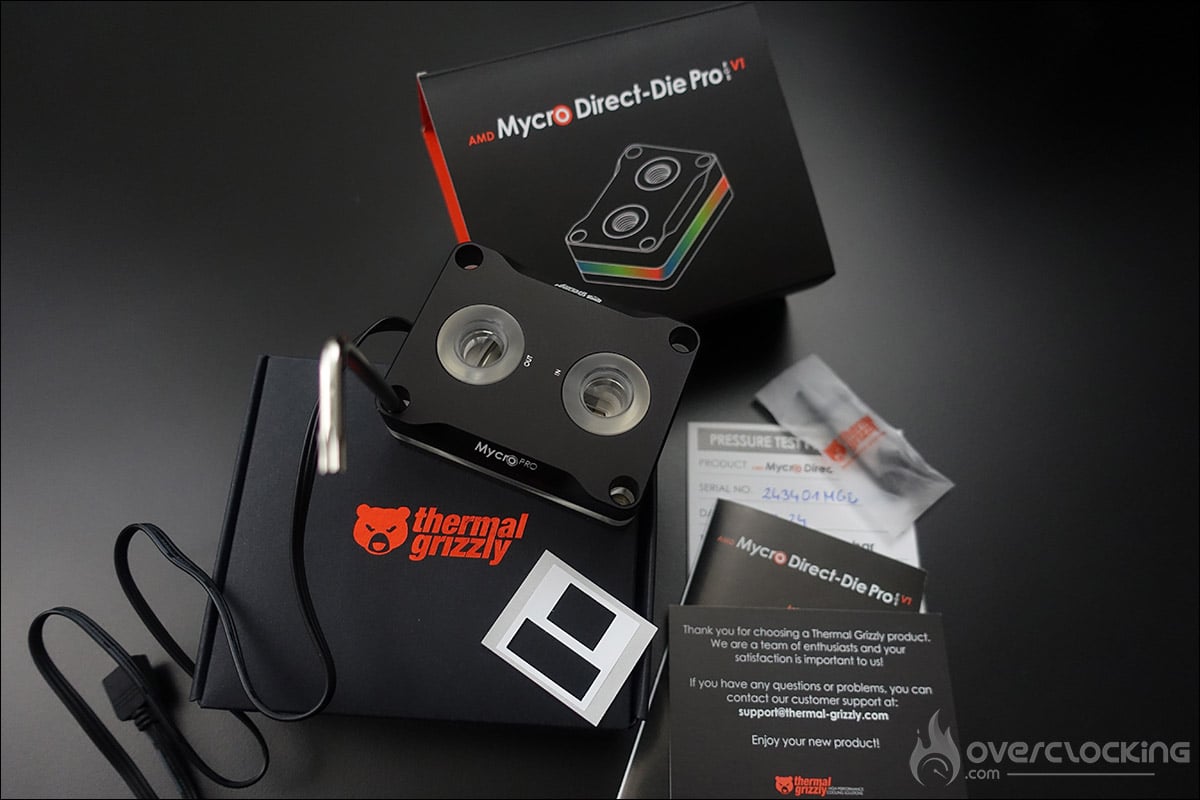
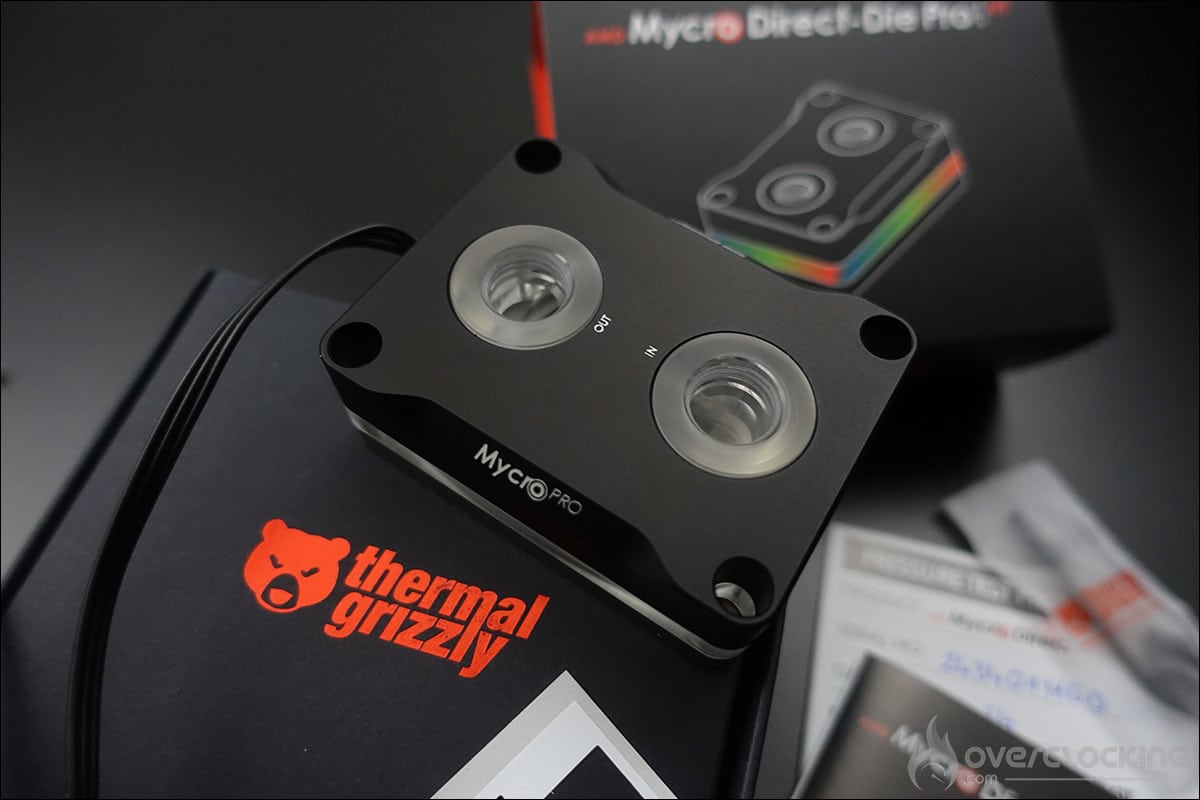
But let’s get back to our Mycro Direct-Die PRO model. It is a water cooling system optimized for the AMD AM5 platform. It features a nickel-plated copper base and RGB backlighting.
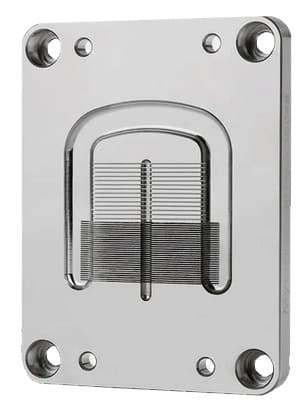 The evolution of this “PRO” model, compared to the previous generation, offers a hybrid structure with two different sizes of micro-fins, as well as a new flat jet designed to maximize flow. Between the cold plate, the base of the water block, and the black anodized aluminum cover, there is acrylic glass. This has been subjected to a tempering process after milling, which releases the acrylic glass from internal stresses. This ensures that no stress cracks form over time.
As usual , the bundle includes a 600 mbar pressure test report for your unit, ensuring that you receive a fully operational block right out of the box.
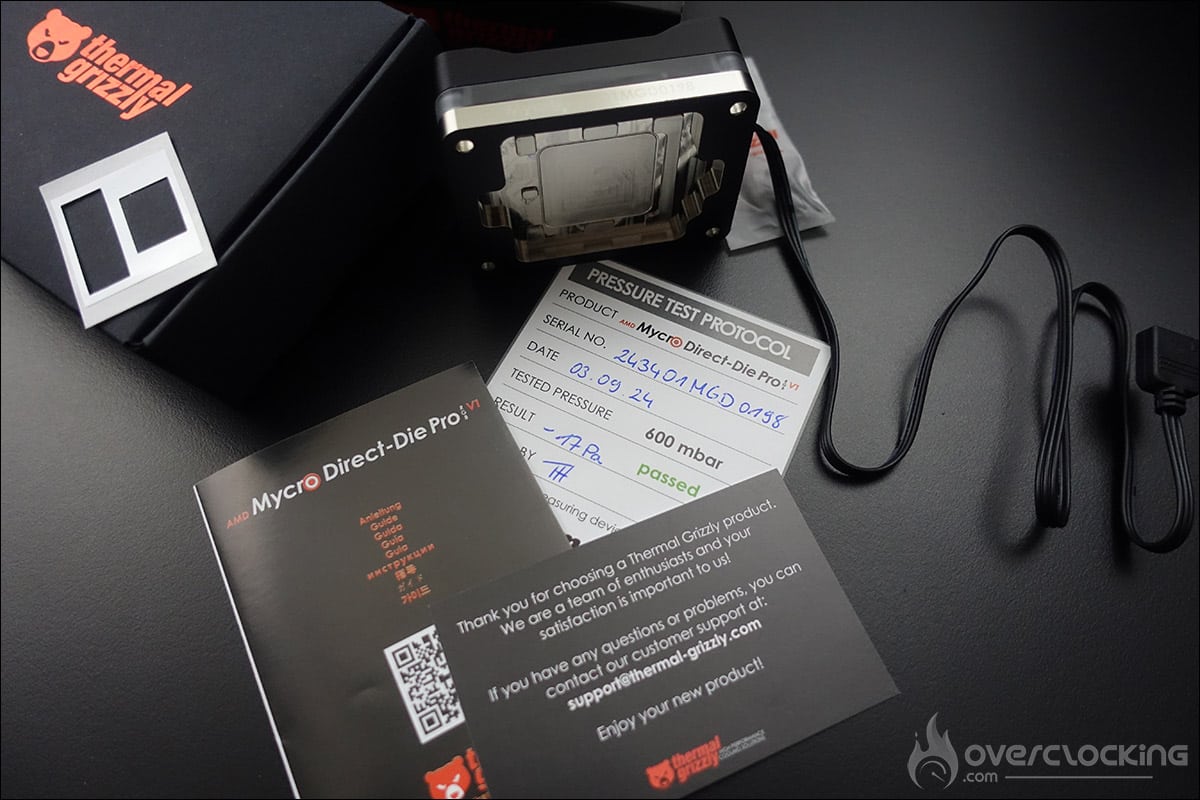
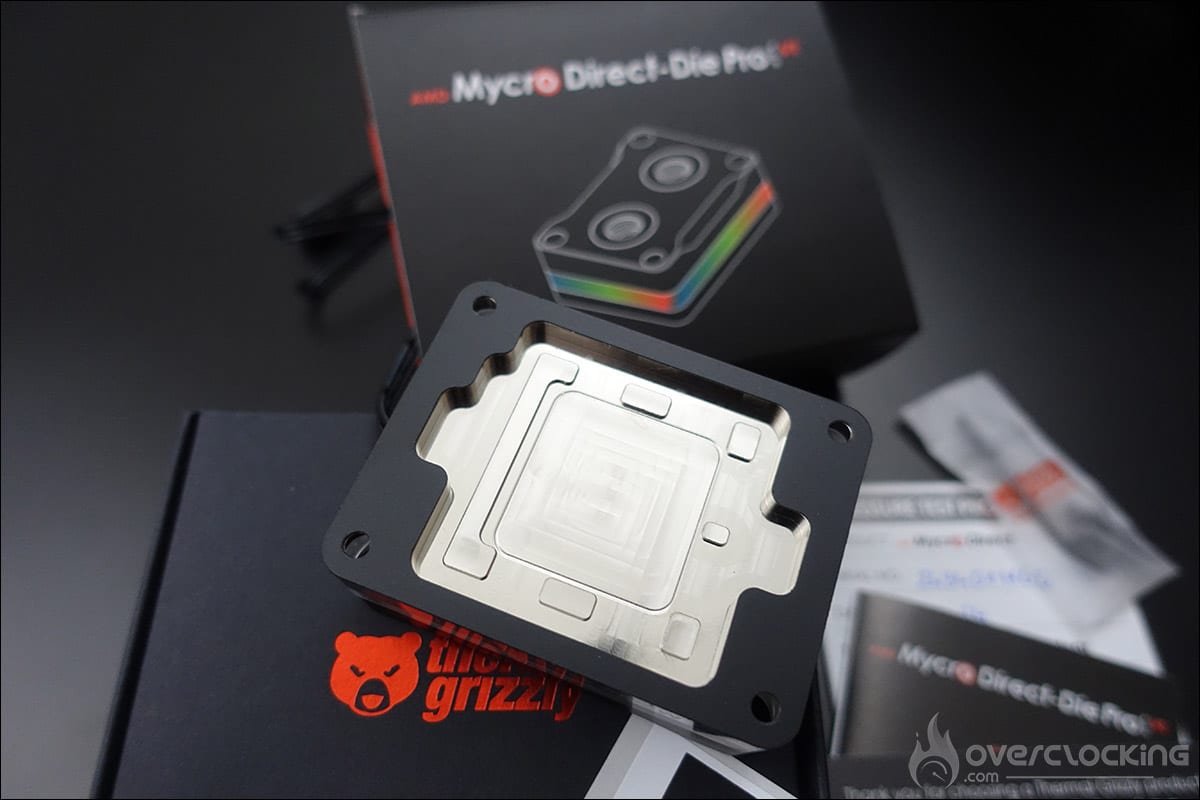
The rest of the bundle consists of an insulation sheet, four 1/4 UNC screws, an Allen key, and a T20 Torx key.
Installing the Mycro Direct-Die PRO V1:
As you will have understood, in addition to the two black brackets that have already been removed, you will also need to remove the system that holds the processor in its socket. To do this, you will need to unscrew the four screws and remove the SAM (Socket Actuation Mechanism). The four holes will be used to hold the Mycro Direct-Die PRO V1 in place.
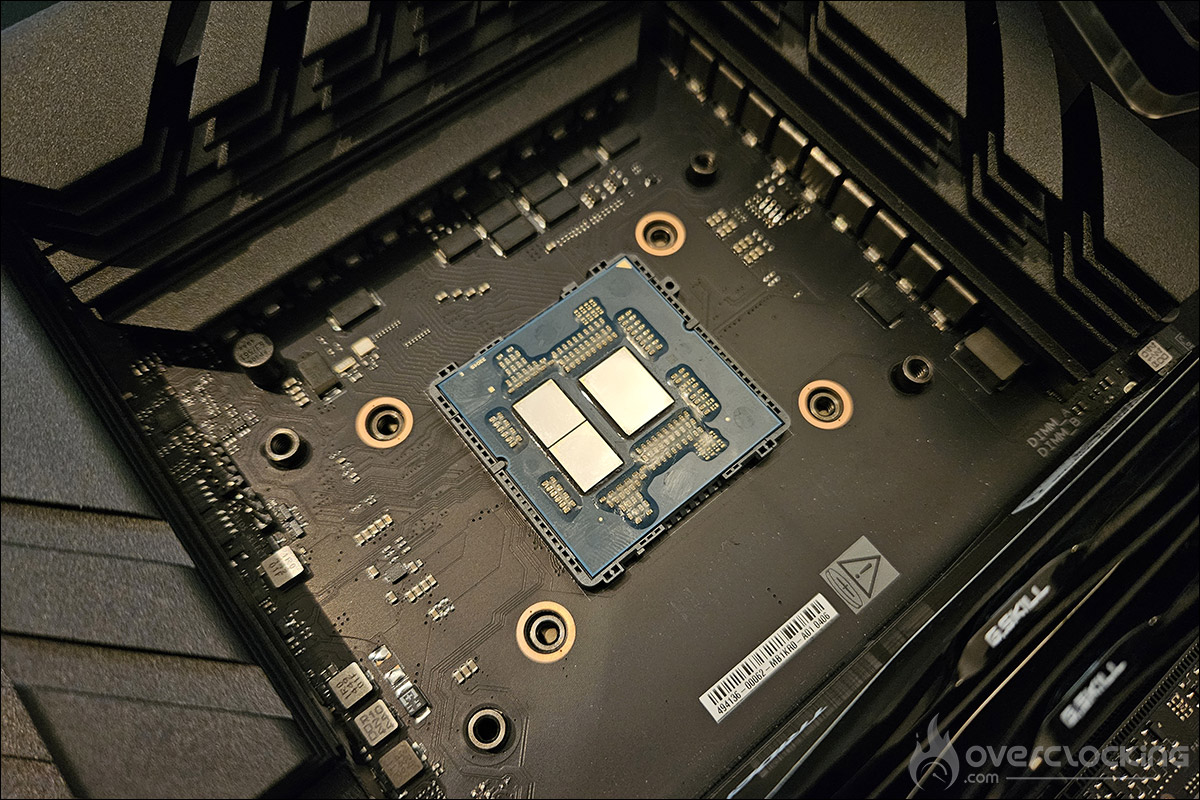
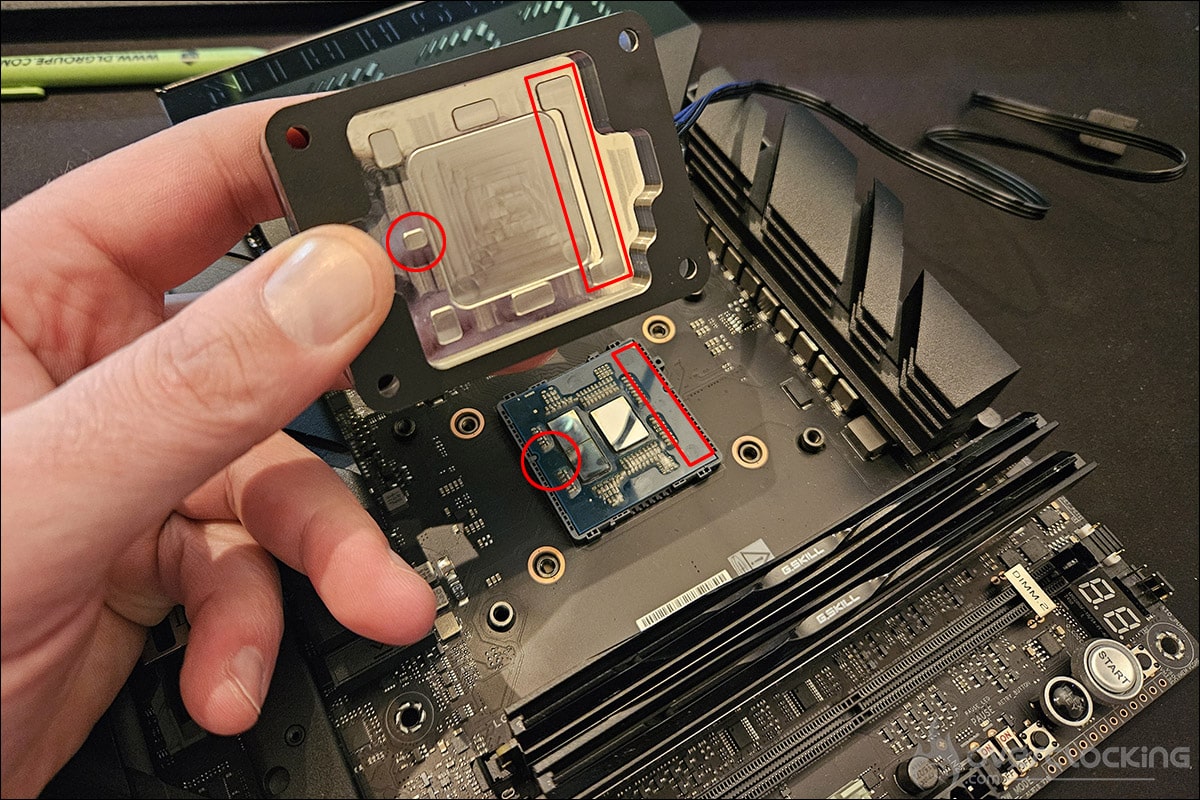
We position our AMD Ryzen 9900X delid on the AM5 socket, spread the liquid metal on the dies, and finally, place the Mycro Direct-Die PRO V1 water block on the processor. We make sure that the contact is perfect before starting our tests, in accordance with Thermal Grizzly’s advice in the installation instructions. Please note that, as you can see in the photo above, there is a specific way to place the water block on the processor.
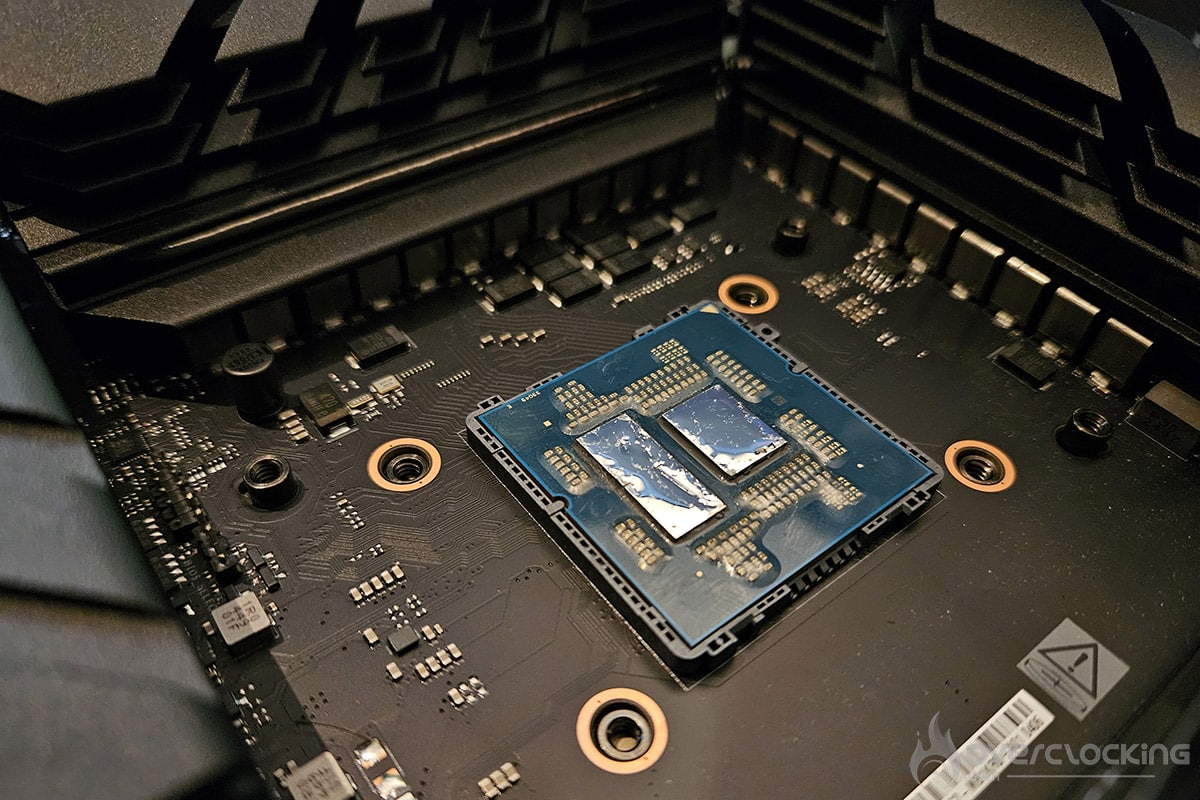
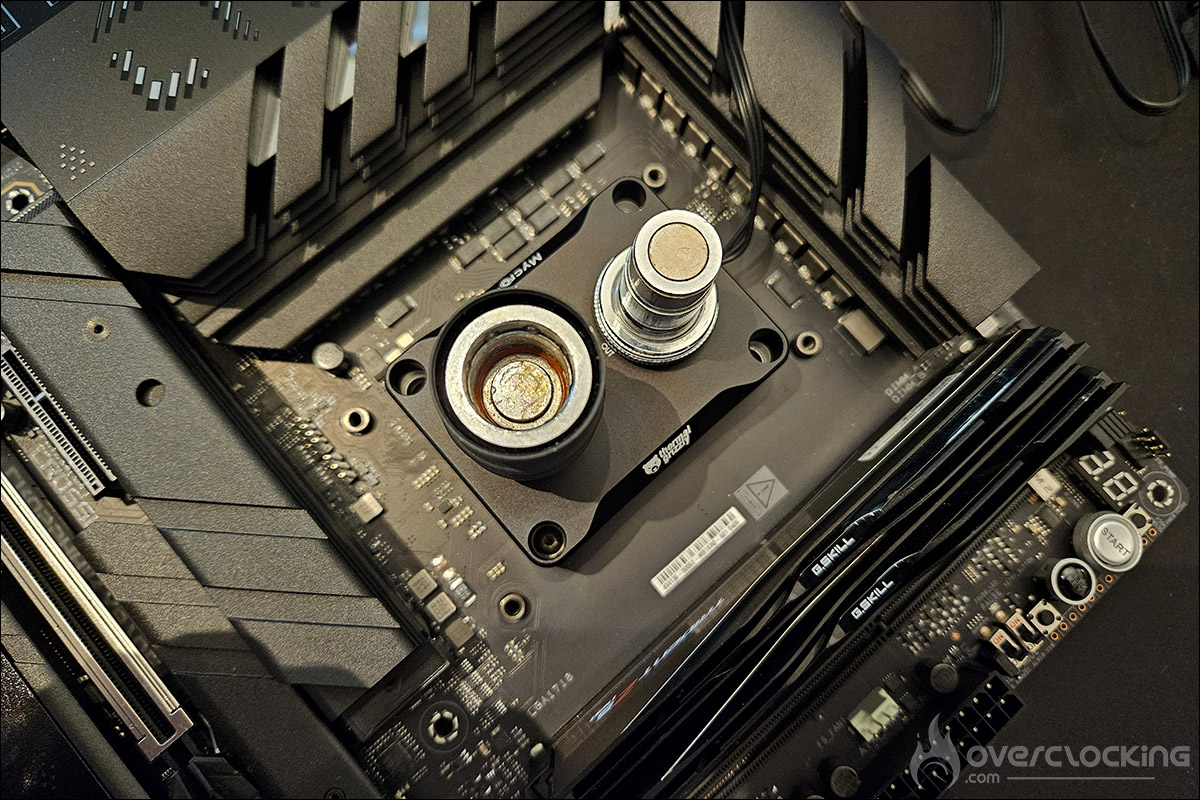
We’ll leave you to admire the Mycro Direct-Die PRO V1 water block on Thermal Grizzly’s der8enchtable, and we’ll share our impressions with you at the end of next week.
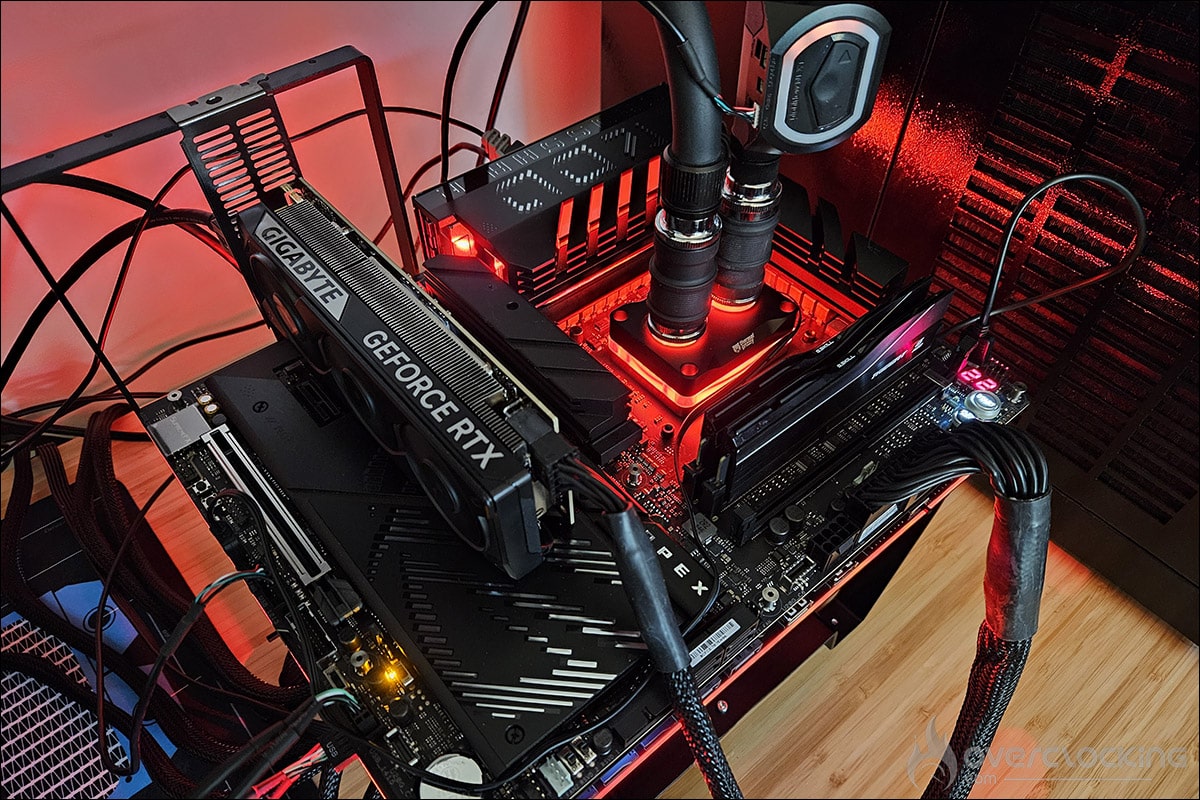
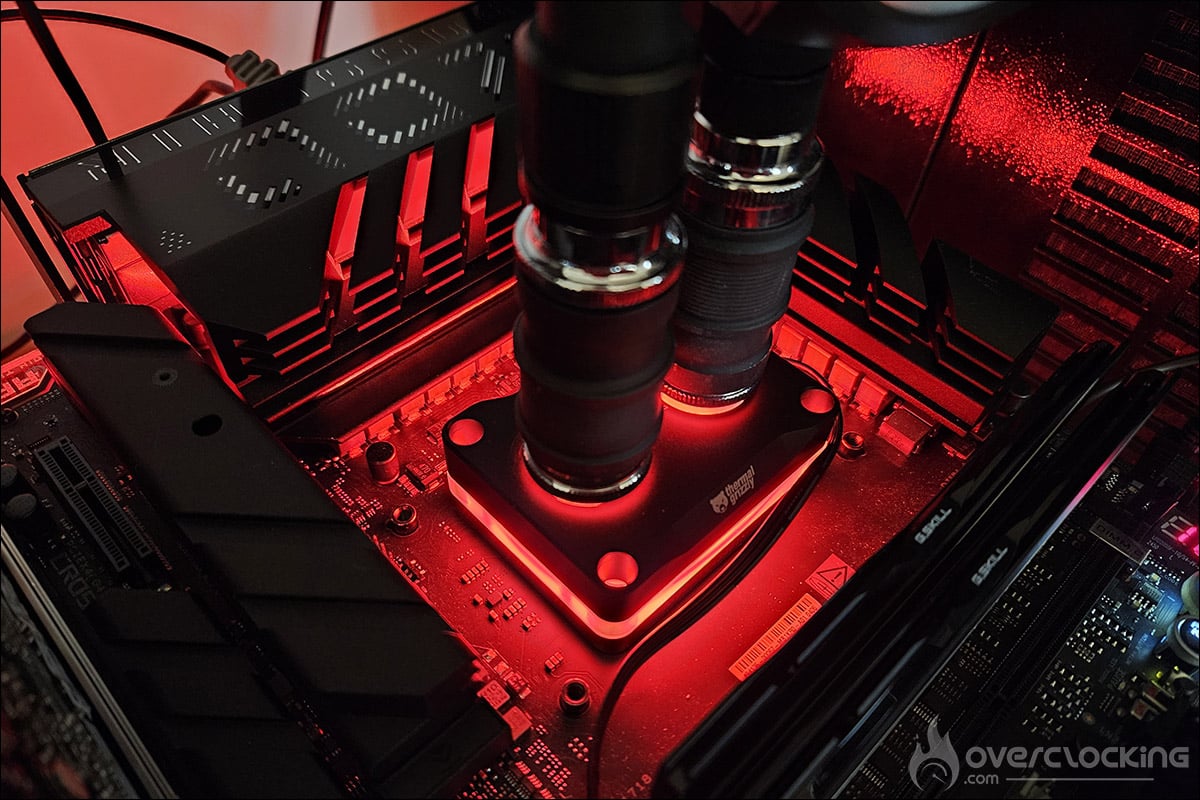
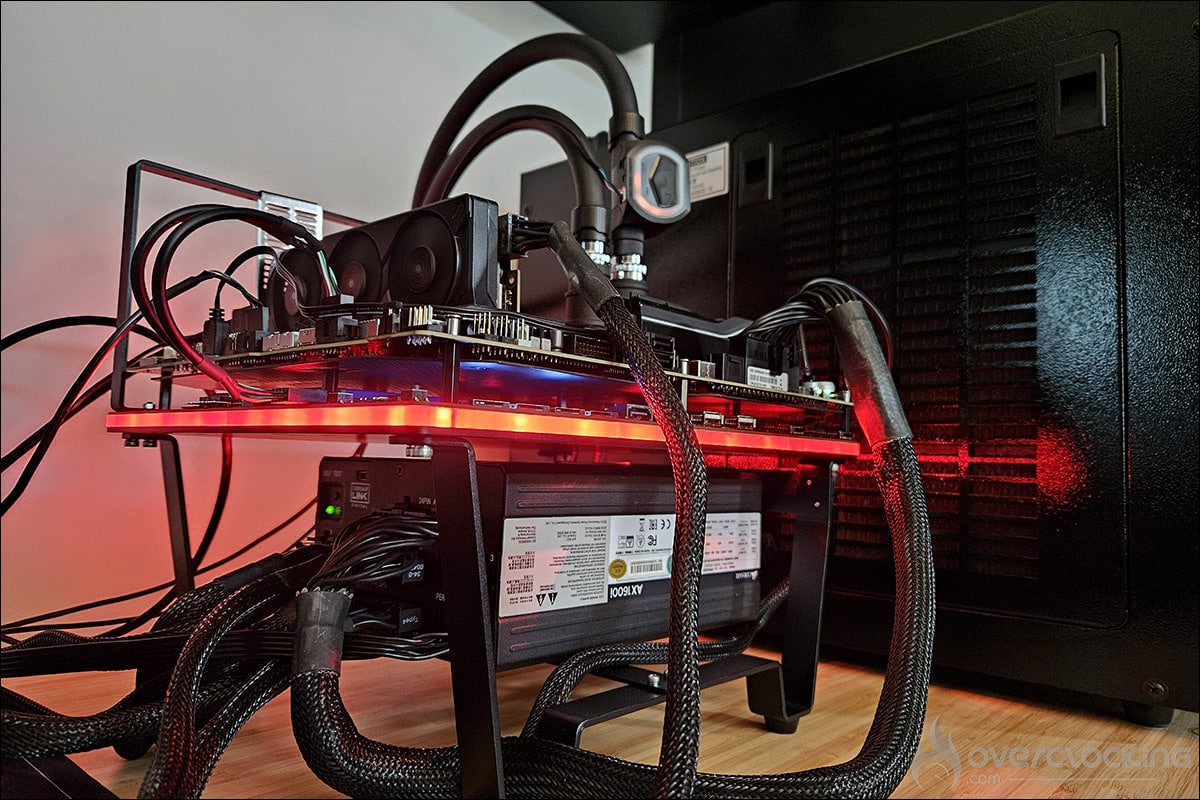
Let’s get started with the comparative tests and see the gains in terms of temperatures.
[nextpage title=”Comparative tests:”]
The temperatures of the 9900X:
As we explained on the protocol page, we ran a series of tests with our AMD Ryzen 9900X processor before performing the delid. The idea is, of course, to measure the temperatures, but also to observe the behavior of the different cores and the two CCDs.
What can we observe from this first series of tests? As a reminder, the frequency of 5500 MHz is applied to all 12 cores with a voltage of 1.25 volts.
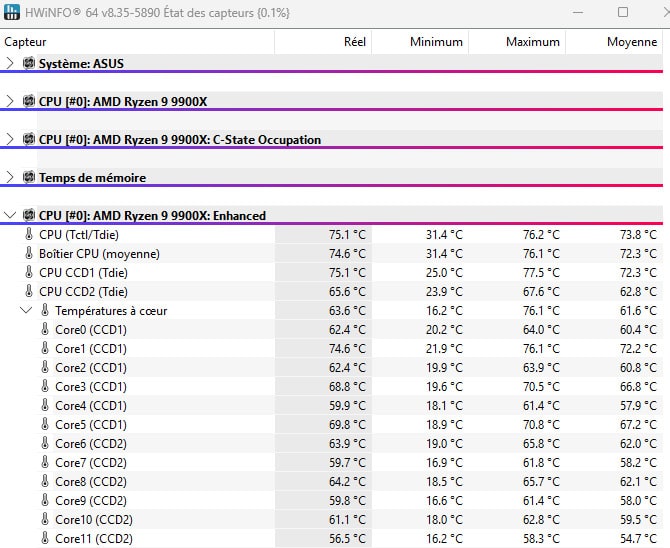
The average temperature after a 10-minute stress test on all cores is 72.3°C on CCD1 and 62.8°C on CCD2. The difference between the two CCDs is quite significant. The contact between the water block and the IHS is perfect. This means that either the soldering on CCD1 is less effective, or the maze of our Optimus water block is more effective on CCD2. Unsurprisingly, the hottest core is in CCD1, Core1 with a temperature of 72.2°C, and the coolest is in CCD2, Core11 with a temperature of 54.7°C.
And with our delid 9900X and the Mycro Direct-Die Pro V1:
Here we go again for a series of three tests with our delid Ryzen 9900X, metal liquid, and the Mycro Direct-Die Pro V1 waterblock!

The first thing that strikes you, but which is quite logical, is that the core temperatures at idle are slightly cooler. But what about after our third series of tests? As expected, it’s much cooler. CCD1 goes from an average of 72.3°C to 50.2°C, a gain of 22.1°C, and CCD2 from 62.8°C to 48.9°C, a gain of 13.9°C.
@cornerjack_occ Temperatures obtenues avec le Ryzen 9900x delid, du metal liquid et le waterblock Mycro Direct-Die Pro V1 de @thermalgrizzly C’est plus de 22 °C de gain sur le CCD1 et 14 °C sur le CCD2 ! L’article sera en ligne début de semaine prochaine. #thermalgrizzly #overclocking #PC #delid #amd #ryzen #pcgaming #pcbuild #delidding #pcsetup #der8enchtable #der8auer #benchtable
The temperature difference between the two CCDs has also been significantly reduced! The hottest core is still Core1, with a gain of 22.5°C, and the coolest is Core11, with a gain of 11.6°C. Let’s put all this into a graph.

Is it worth the effort? Definitely in terms of temperatures!
[nextpage title=”Final thoughts:”]
The first video we published, which teased the delid of our AMD Ryzen 9900X, generated a lot of comments on our various social networks. We will try to answer the most frequently asked questions.
Should I delid my processor?
So, let’s answer one of the most frequently asked questions right away: “Do I have to delid my processor?” Of course not, your processor will work perfectly in its original design, as long as your cooling system is powerful enough.
But as you’ve seen, the temperature savings are very real, and we’re not talking about a few degrees, since we’ve seen differences of more than 20°C with metal liquid and the Mycro Direct-Die Pro V1.
Your processor will die faster!
There is no reason why our AMD Ryzen 9900X should die prematurely because of delidding. As long as it is done correctly, there is no reason why the processor’s lifespan should be reduced. We would even say the opposite, since the temperatures will be cooler than with our original Ryzen 9900X.
However, one thing is certain: you will lose the AMD warranty on your processor.
Overclocking will not be any better!
Once again, logically, we can hope to gain a few extra MHz thanks to lower temperatures and, above all, the possibility of pushing the voltage a little higher. Now, as you know, overclocking is not an exact science, but with all the delid processors we’ve had our hands on, we’ve always been able to enjoy a gain in terms of frequencies.
And what about Thermal Grizzly products in all this?
We had several Thermal Grizzly products to test when delidding our AMD Ryzen 9900X, and we’re going to give you our impressions.
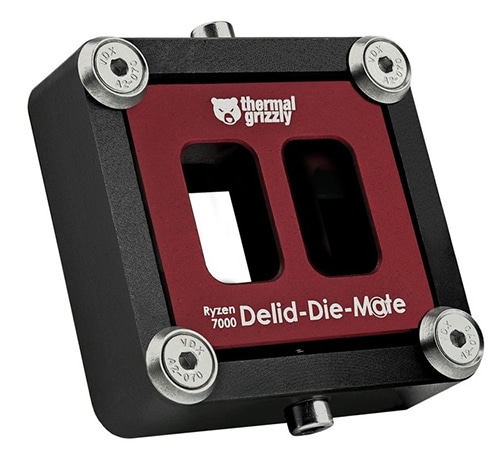 Let’s start with the Delid-Die-Mate, which will allow you to delid your AMD Ryzen 7000 or 9000. The tool is perfect and the procedure is very simple to perform. Of course, there is no such thing as zero risk, but we have no doubt that the risks are virtually non-existent. Several of us use it on Discord, and it’s certainly safer than those who tell you to use nylon thread and just heat up the processor. The important thing is really to move the IHS from left to right, and the Delid-Die-Mate prevents accidental damage to the resistors on the PCB. So it’s a big yes for the Thermal Grizzly Delid-Die-Mate.
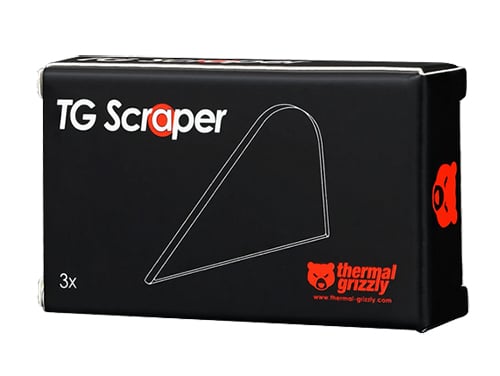 The TG Scraper is also very useful for cleaning glue spots on the PCB and removing indium residue. The good news is that the Delid-Die-Mate bundle now includes a Scraper, which was not the case a few months ago. So it’s also a big yes for the TG Scraper! We were less convinced by the TG Remove, which we don’t think is really necessary.
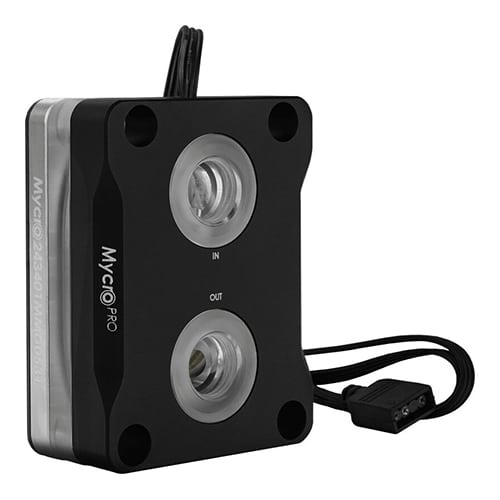 Finally, the Thermal Grizzly Mycro Direct-Die Pro V1 waterblock performed very well when combined with metal liquid. It’s not cheap, priced at €129.90, but it’s still very competitive compared to what’s available on the direct die market. Now, if you’re tempted to take the plunge, we would still advise you to wait, as Thermal Grizzly is expected to release a new version for the AM5 socket in the coming weeks, with the DeltaMate Mycro Pro II AM5 model. This new block has a very attractive design and will certainly offer better performance.
 A big thank you to Thermal Grizzly for providing us with this range of products. Check back in a few days to find out our impressions of the der8enchtable we are currently testing.
We can only recommend the tools tested today if you want to delid and cool your processor as effectively as possible! If this is the case, or if you’ve already taken the plunge, feel free to leave your impressions in the comments.

