
Today, we’re taking on a real beast—and for good reason: we just received the latest large case from Cooler Master—the HAF II 500! As a reminder, HAF is an acronym that simply stands for High AirFlow, and when you see what this beauty has to offer, you’d expect it to deliver some serious airflow. We actually first spotted this case at Computex at the brand’s headquarters, and it caught our eye right away. Anyway, let’s see what it’s really made of!

The Cooler Master HAF II 500:
Quite clearly, with this case, Cooler Master is offering us a model that’s—to put it mildly—aggressive; at the very least, you can tell it’s got some serious potential. The front panel features a very wide grille with pronounced edges. In the center is the brand’s logo, while “HAF” and “500” inserts are positioned on either side. Clearly, we have a very open front panel with plenty of space between the edges, so we expect maximum cooling from this design.
Furthermore, the case is constructed with a steel chassis and plastic front and top panels. In fact, the edges tend to bend fairly easily when touched, especially the one featuring the brand’s logo. But visually speaking, the finish is satisfactory—at first glance, it looks like aluminum.
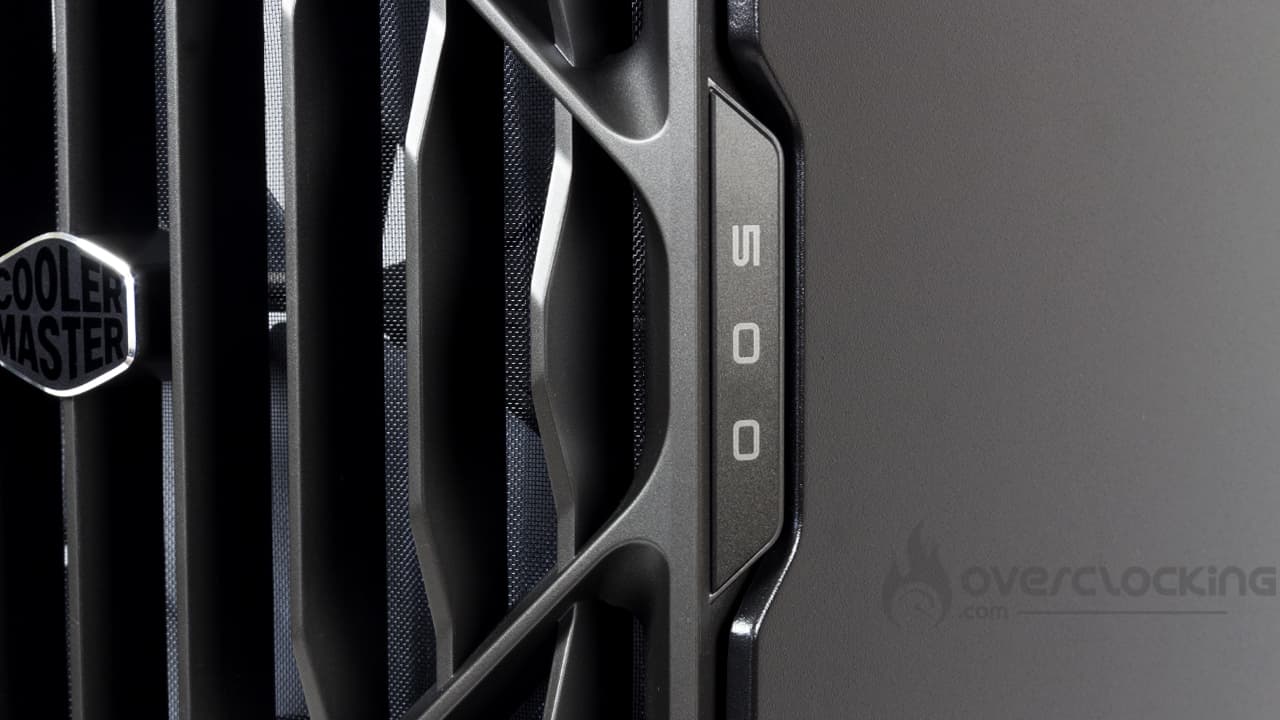
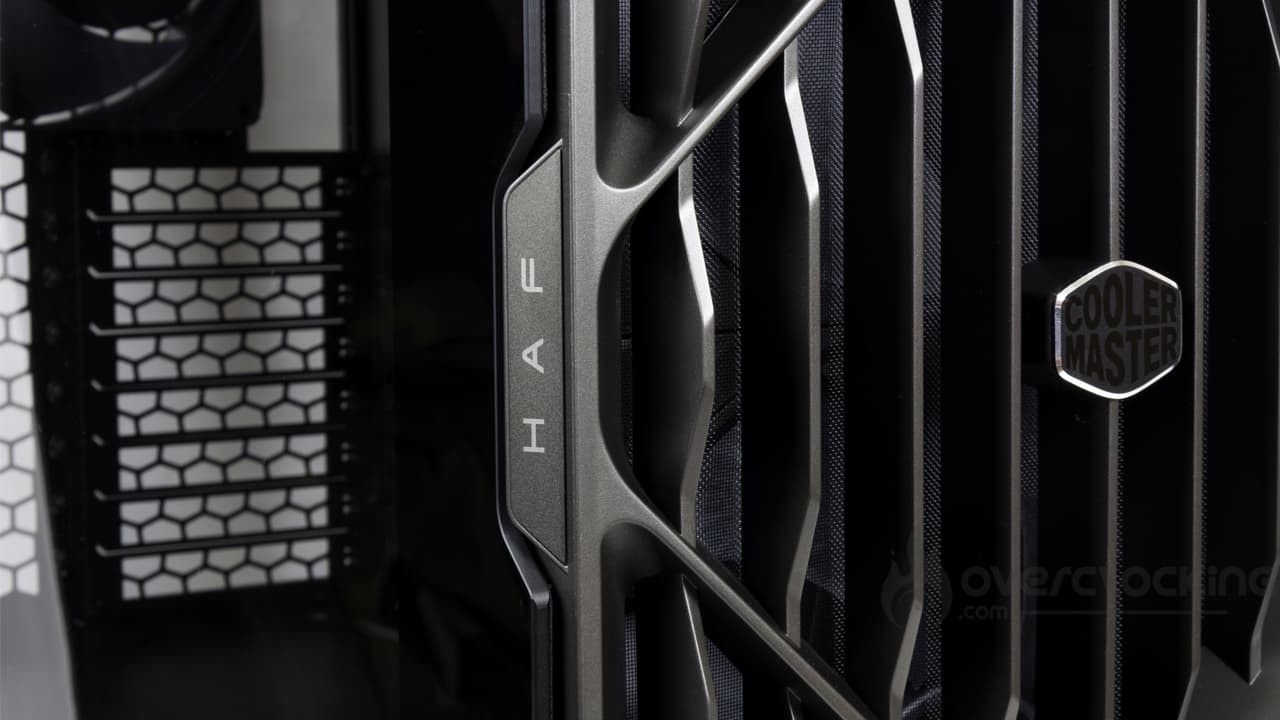
In terms of dimensions, this is quite a beast—it measures 262 (W) x 557 (D) x 548 (H) mm. As for the weight, I won’t lie—with a bad back, testing this model was definitely no walk in the park, especially considering it weighs 14.2 kg when empty… Who said this job wasn’t physically demanding?
Price-wise, it’s clear we’re dealing with a model that falls squarely in the high-end segment. Prices start at €180 at Top Achat and go up to €350 on Amazon via a marketplace. Clearly, an average price of around €200 seems likely depending on the retailer.
The control panel:
 On this HAF II 500, the control panel is located on top of the case. It’s fairly standard and features a familiar set of ports, including:
- 2xUSB 3.2 Gen1
- 1xUSB 3.2 Gen2x2
- 1x 3.5 mm headphone/microphone jack
- 1xpower button
- 1xreset button
This set of ports is functional, to say the least, and you can easily plug two USB flash drives into the case. This is a change from some cases whose port layout is minimalist, featuring only a single Type-A port.
The bottom:
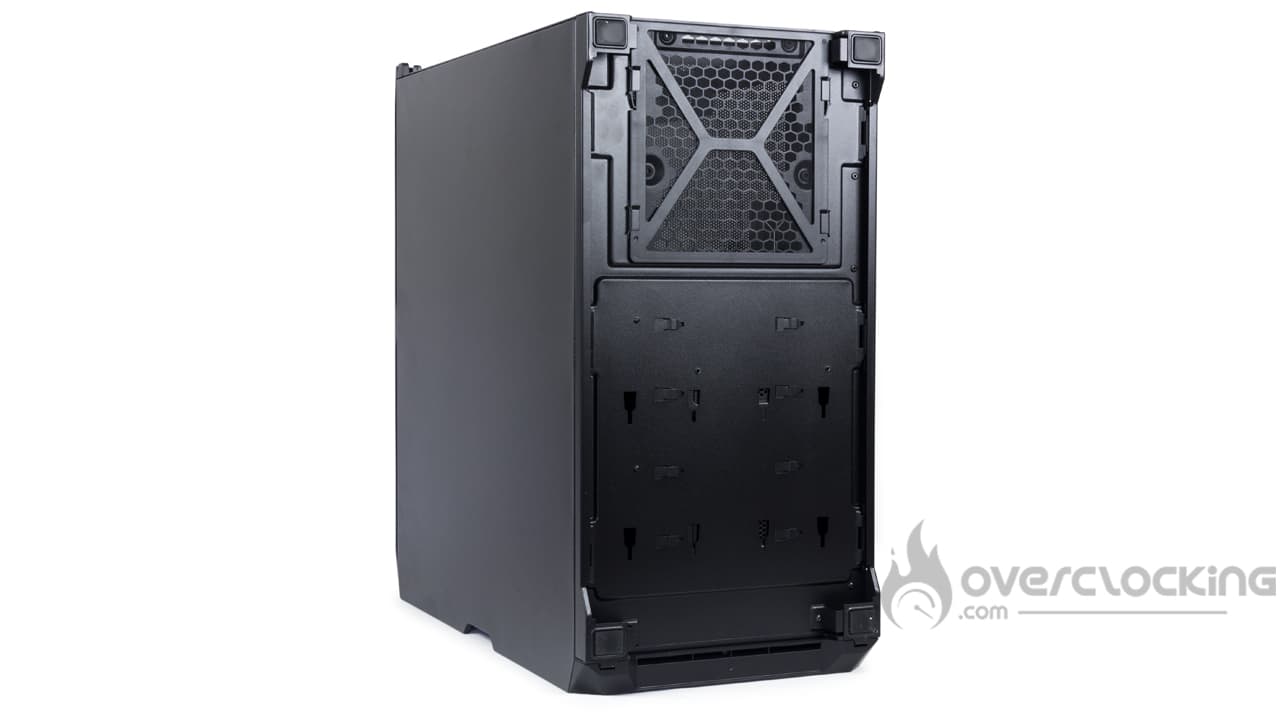
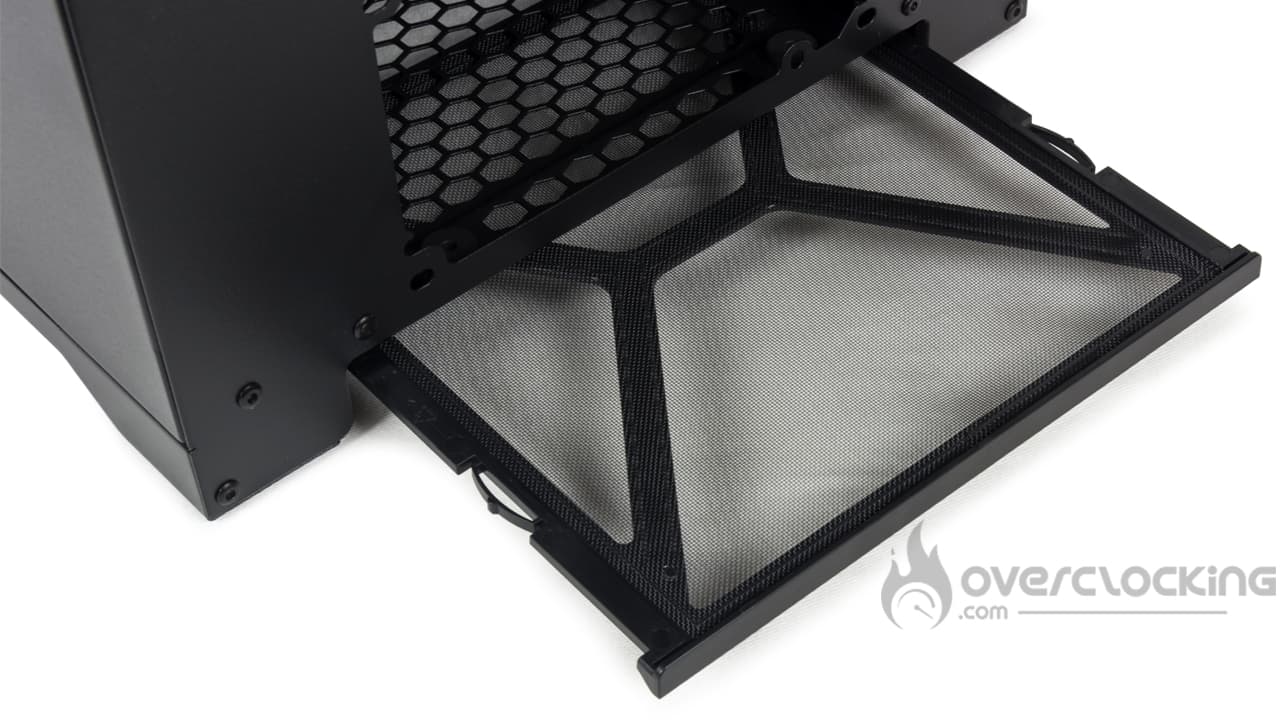
As you can see, the bottom of the case doesn’t have much to offer. There’s a filter located toward the back for the power supply. Incidentally—and this is a shame—the power supply is only accessible from the back of the PC. To clean it, you’ll inevitably have to move the tower. We would have preferred it to be accessible directly from the side, for example.
Finally, at the four corners, there are four rubber-coated feet. These provide good grip, which doesn’t make moving the PC any easier.
The Back:
 At the back of the case, we have a very standard layout: at the top is the I/O panel. It’s positioned next to a fan that looks strangely large, but we’ll come back to that. Below that are eight expansion slots, with a large ventilation grille right next to them. Finally, at the bottom is the power supply compartment. Naturally, there are numerous hexagonal vents, which—as if by chance—mirror the shape of the brand’s logo.
The top:
 Finally, the top panel simply features a long ventilation grille whose design mirrors that of the front panel, though with slightly narrower slits. Note that this panel is removable and is secured by a thumb screw by default.
The interior of the HAF II 500:
The case’s side panels are secured by a push-pin system supplemented by a safety thumb screw… That’s a good thing, because it keeps little ones from sticking their hands inside the PC when you’re not looking while you’re playing. It hasn’t happened to us yet, but it certainly has happened to others.
The chassis:
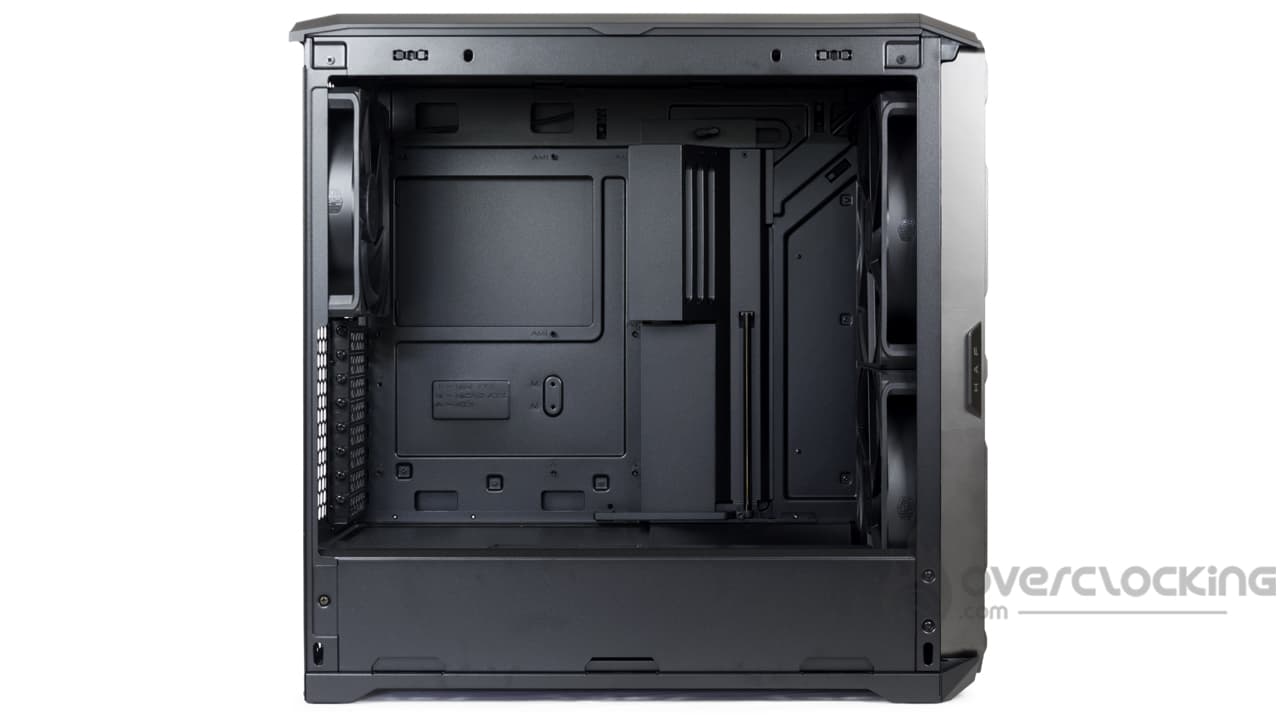
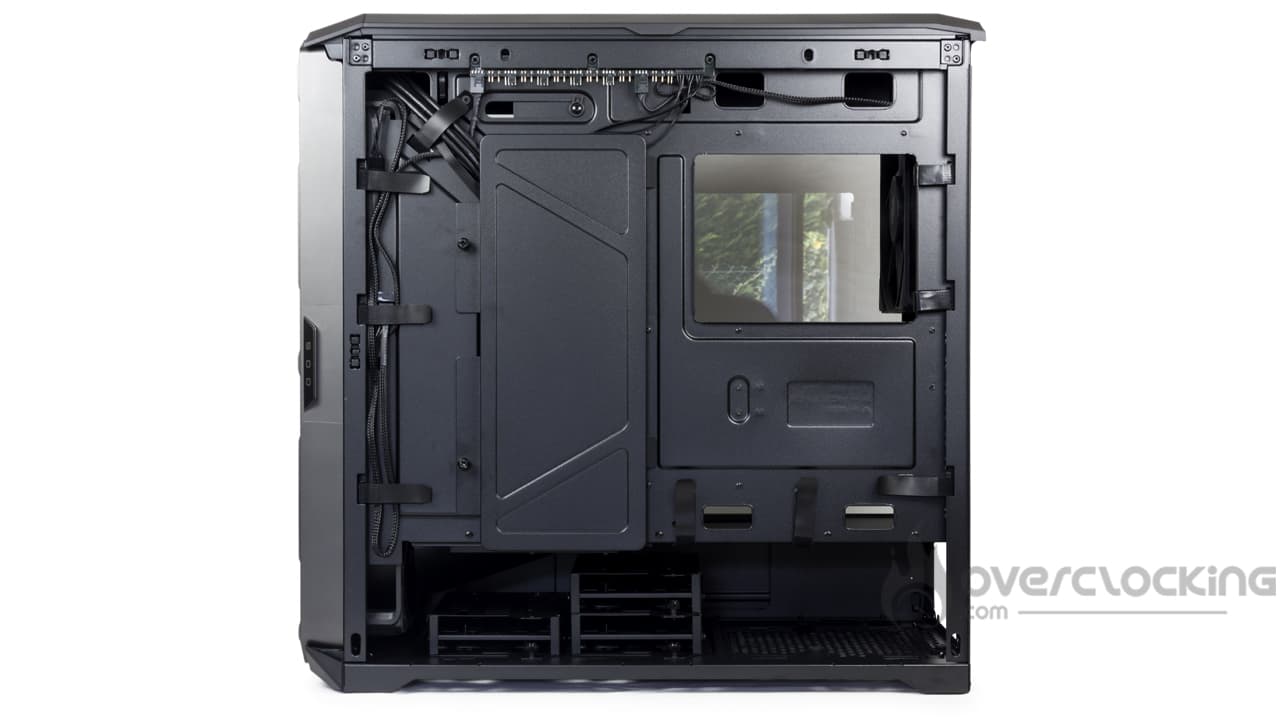
Once inside, we can take a look at the chassis of this HAF II 500, which is fairly standard in itself. At the top, we find the motherboard slot, which can accommodate E-ATX-format models. However, there’s no support for motherboards with rear-mounted connectors—we’ll see why a little later.
As for the openings, there are just enough without being excessive. At the top, there are two openings for routing fan cables as well as theCPU power connector. At the bottom, there are also two small openings for routing cables to the control panel. Finally, on the side, there’s a long opening topped by a perforated metal cover designed to hide the cables without obstructing airflow.
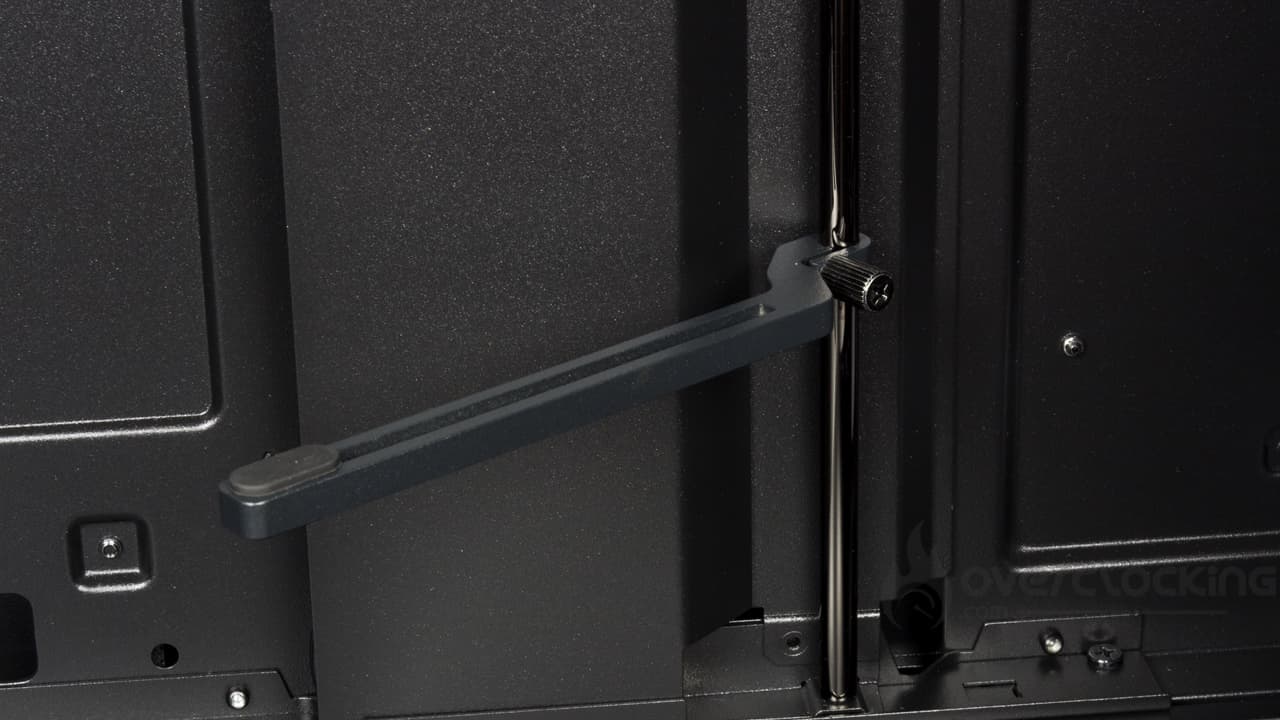
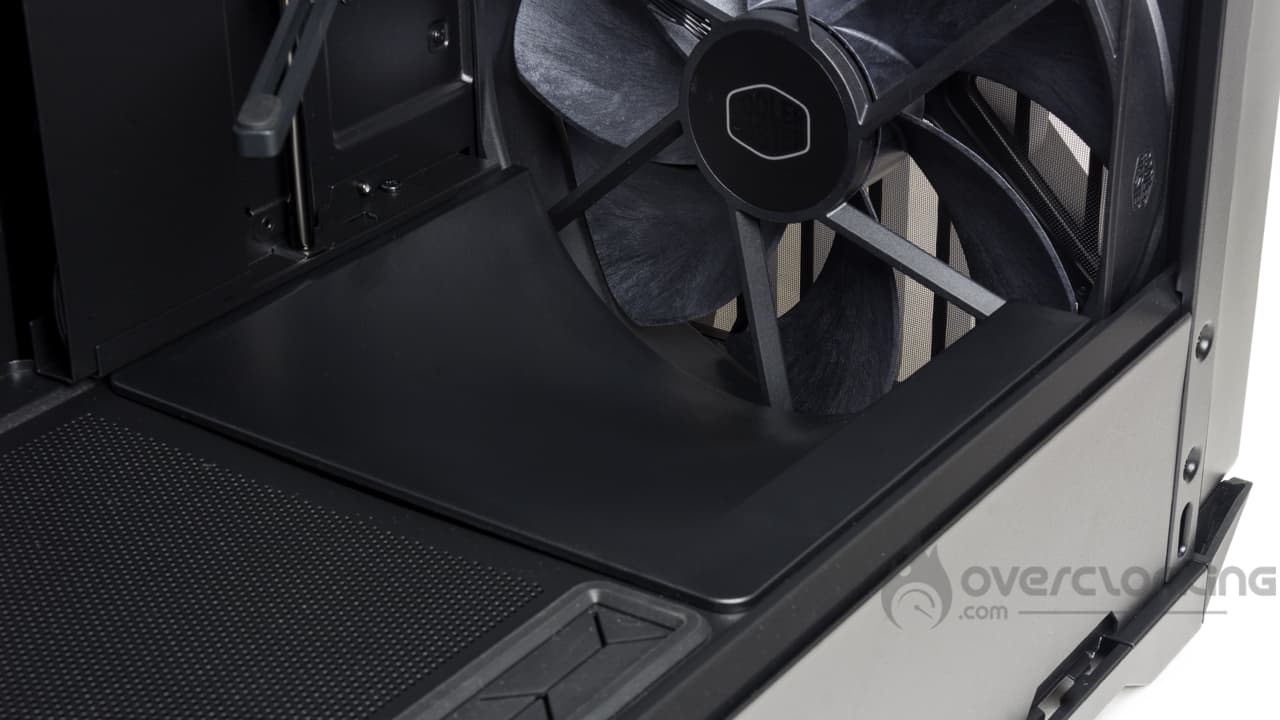
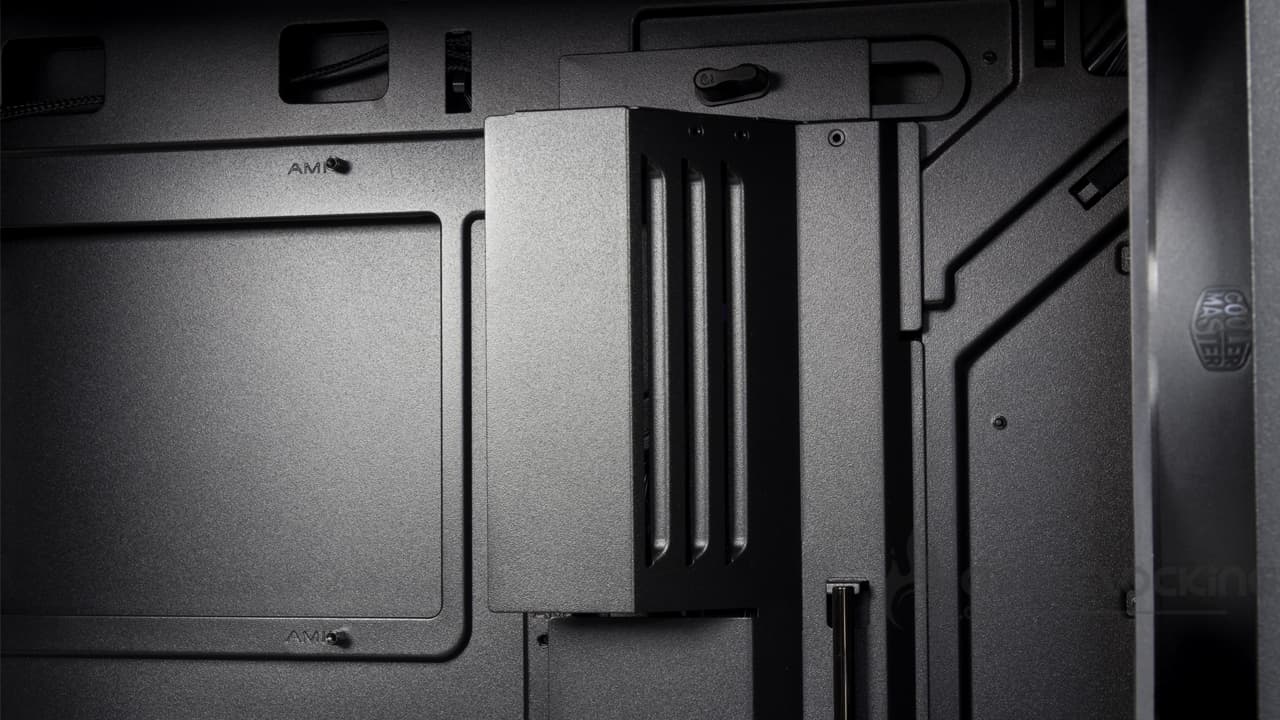
As for the graphics card mount, there’s a dedicated bracket with an arm mounted on a long metal rod. You can swivel it so that it’s positioned directly under the card’s shroud.
Additionally, at the bottom front, there’s a deflector designed to channel some of the airflow from the front of the case toward the graphics card(s). With its eight expansion slots, this model allows for the installation of multiple GPUs.
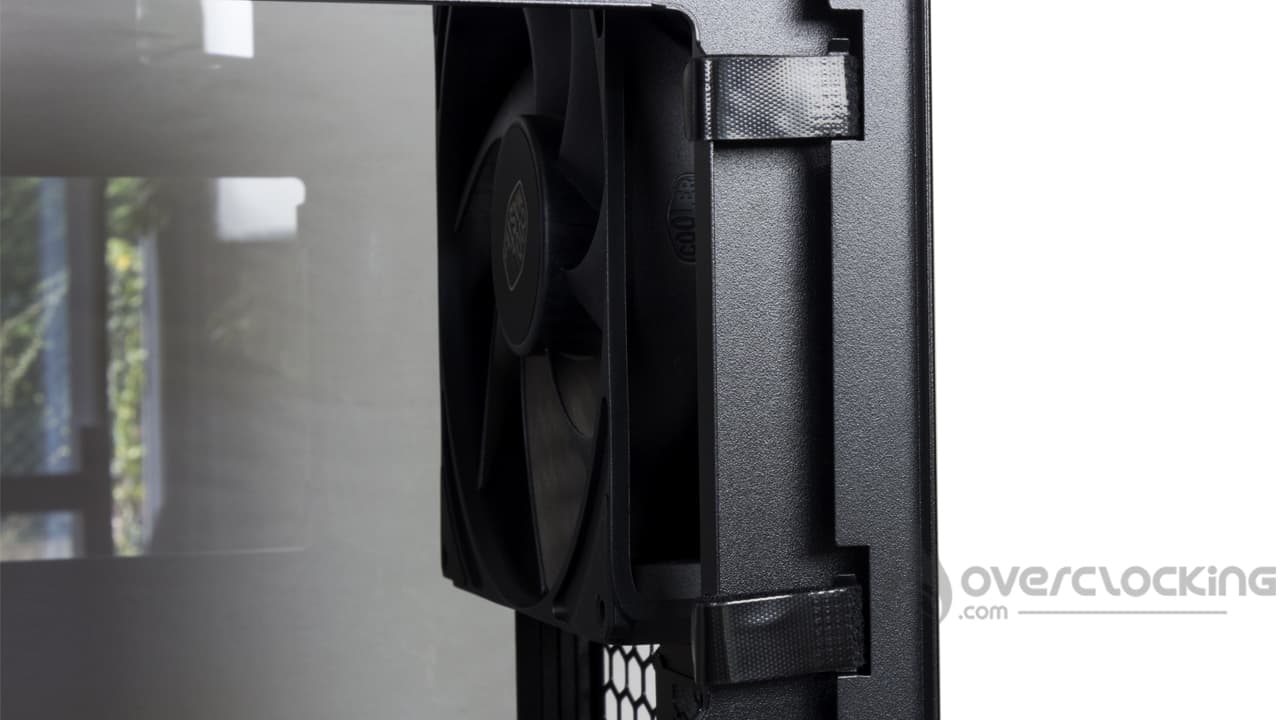
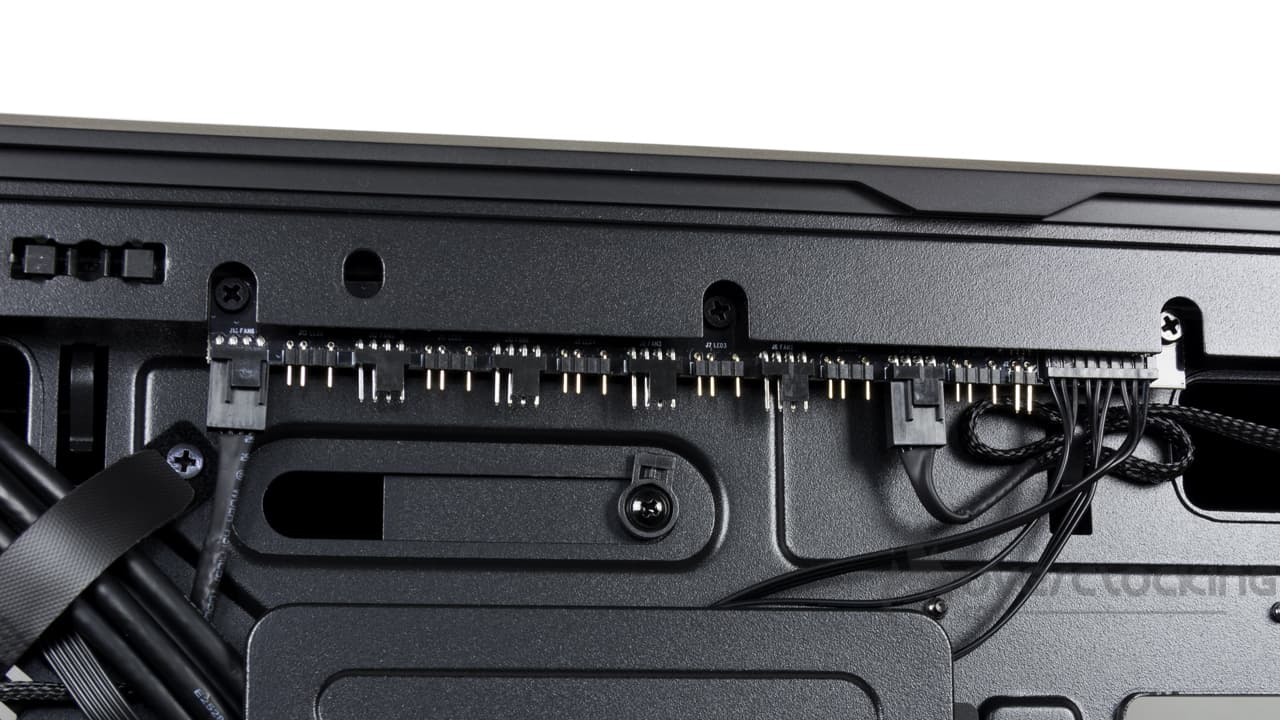
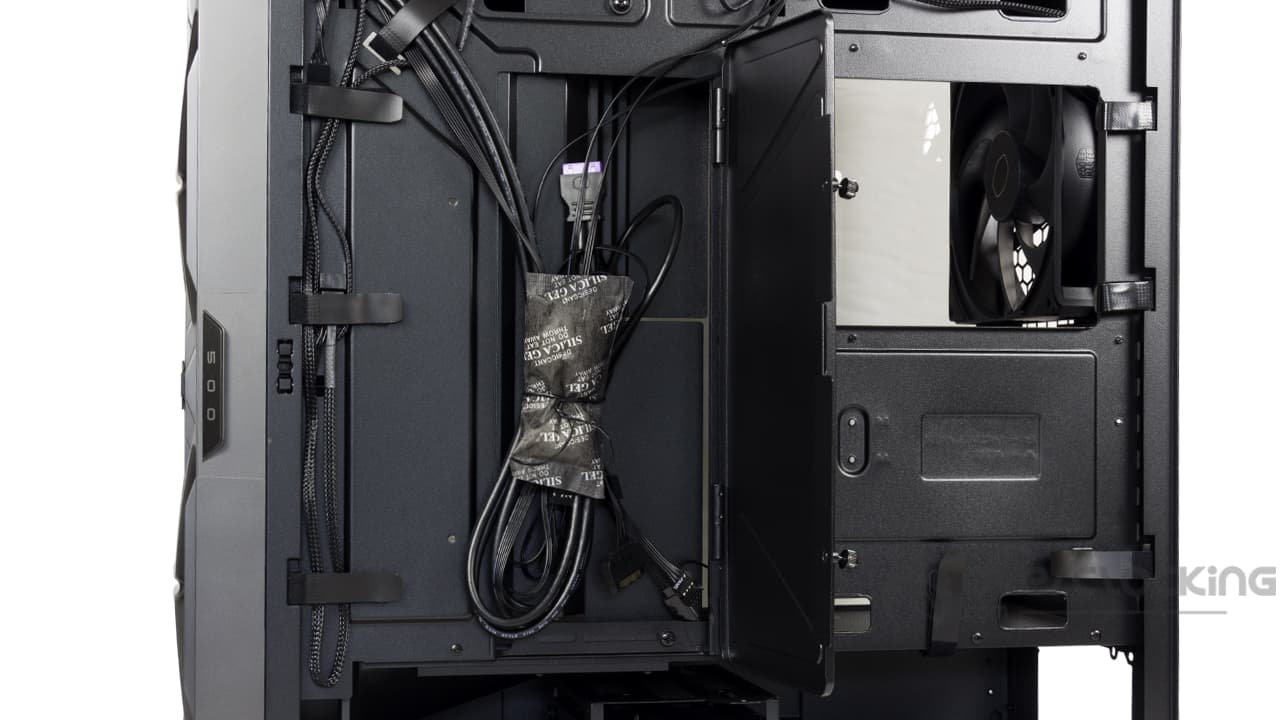
Additionally, at the rear, there are numerous cable management features to help keep cables organized, along with a cable cover. This cover helps keep cables secured to the back of the motherboard tray while ensuring a neat installation. Finally, at the top, there’s a hub that allows you to connect six fans and six RGB devices. It’s worth noting that this unit provides a total power output of 54 W—so your fans certainly won’t lack power.
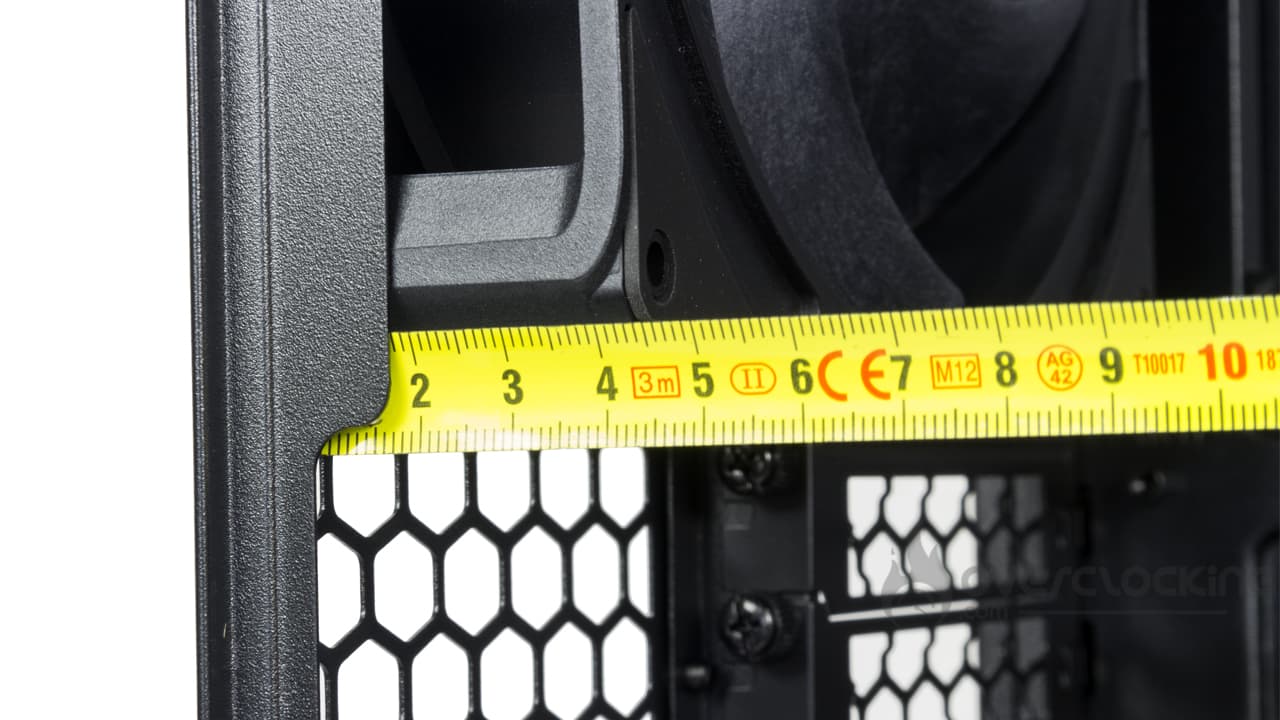
However, at the back, this isn’t the most spacious case, with generally less than 2 cm of room for cables. You’ll have to be a bit frugal with your cable routing. Let’s just say that the rear space was reduced to make room for a large exhaust fan.
Storage slots:
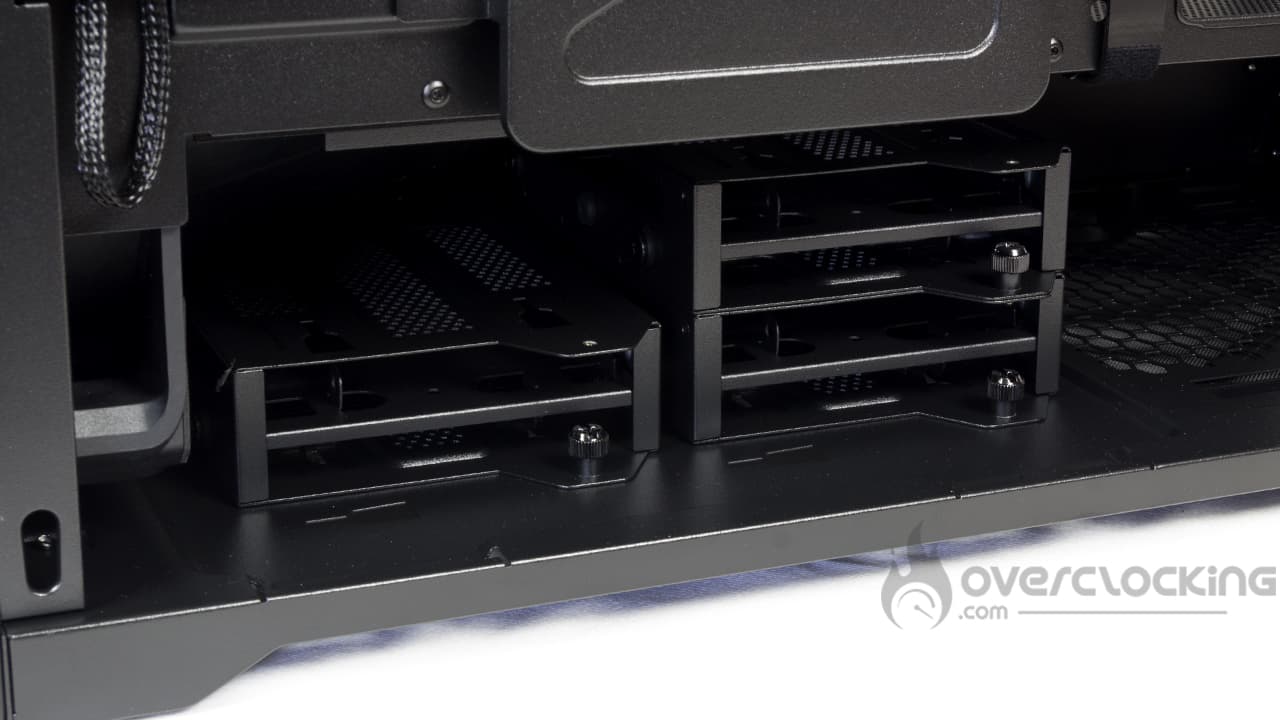 As for storage, we have an “old-school” solution with three 3.5″ drive cages, each capable of holding up to six 2.5″SSDs depending on the depth of your power supply. So, with a power supply less than 15 cm deep, you can install 3x 3.5″ drives or 6x 2.5″ drives. With a power supply between 15 and 21 cm deep, you can install two 3.5″ hard drives or four 2.5″SSDs.
Power Supply Location:
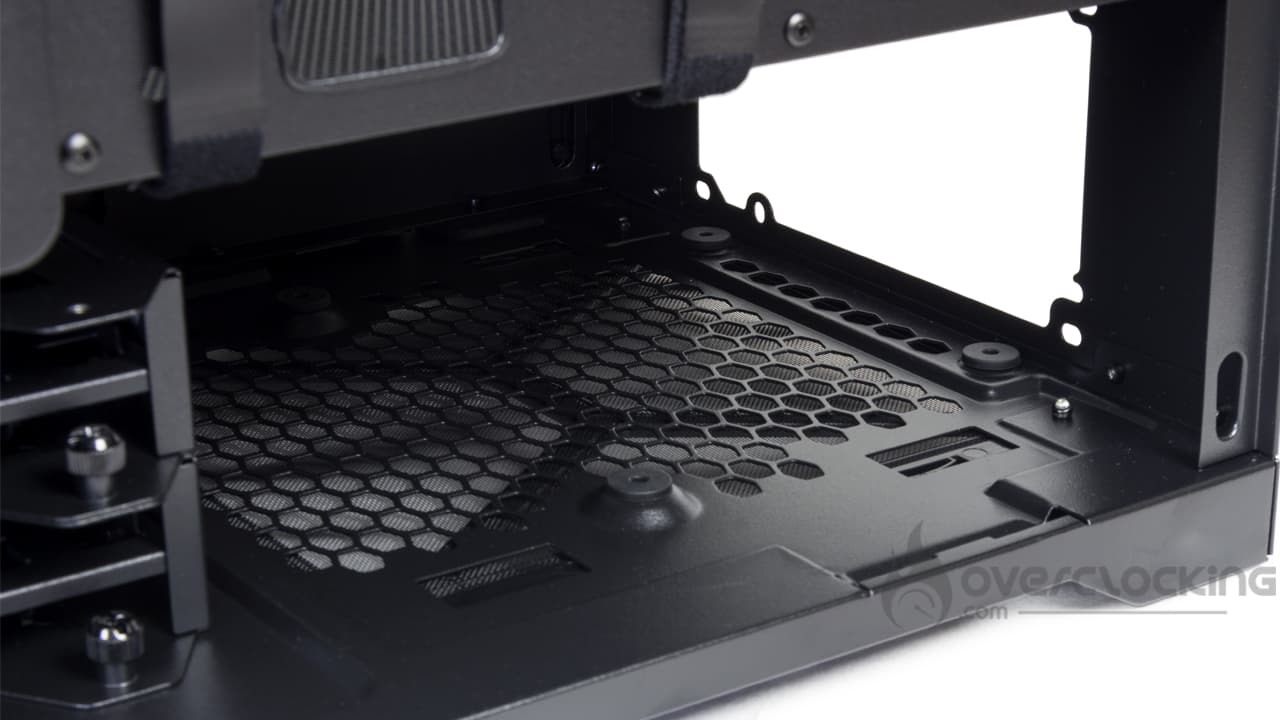 The power supply is located just in front of the storage drive cages. It will rest on rubber feet to minimize unwanted vibrations when its fan starts up. Depending on the position of the storage trays, the power supply can be up to 21 cm deep, all in the ATX format.
Cooling options:
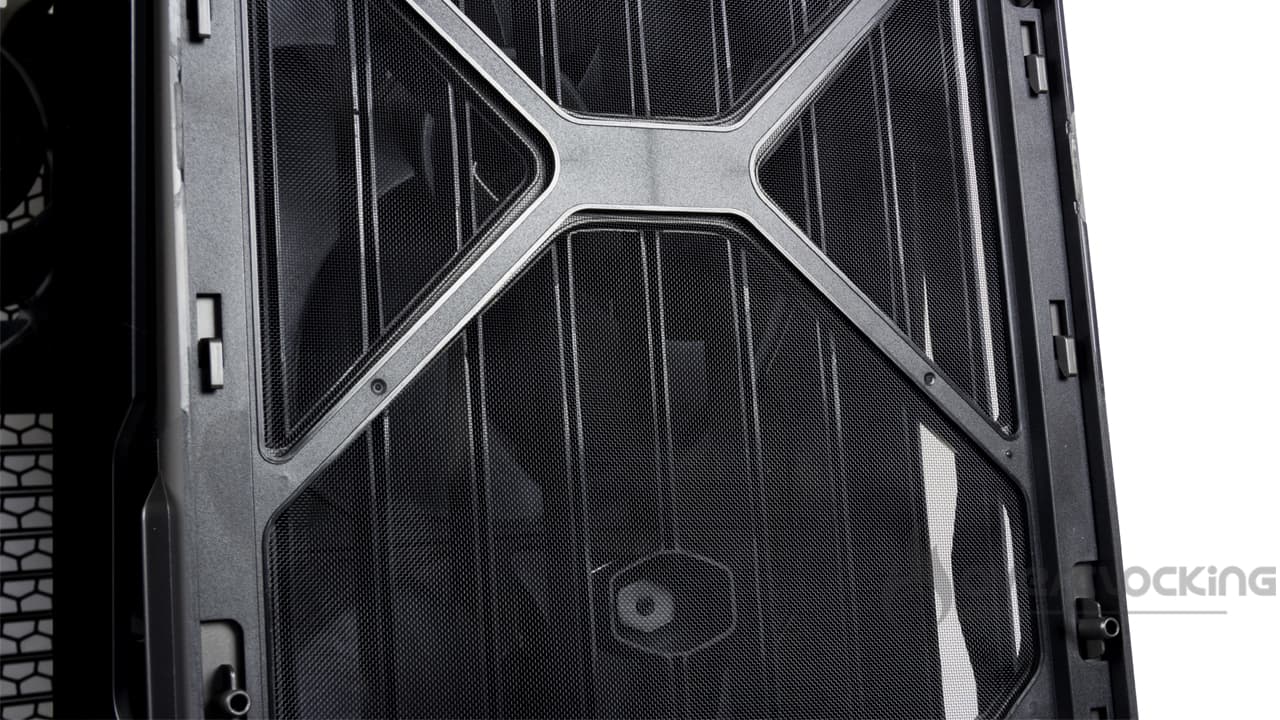
Cooler Master really went all out with the stock cooling setup. By default, the brand’s HAF II 500 comes with three fans installed as standard. And the brand didn’t hold back, featuring two large Mighty40 F220 fans in the front and a Mighty40 V180 in the rear… Yes, a 180×40 mm fan mounted at the rear! The fans are thick and exude sturdiness, with an ultra-rigid construction featuring LCP for the blades and PBT for the frame. To put it simply, the two 220-mm fans spin at up to 1,050 RPM, but generate an airflow of 203.8 CFM at full speed and a static pressure of 3.1 mmH₂O. At the rear, the 180 mm fan spins faster: 1,370 RPM, generating an airflow of 161.5 CFM and a static pressure of 4 mmH₂O.
In all cases, the case also features full filtration. The front panel and top section are lined with a nylon filter, so there’s no need to worry on that front.
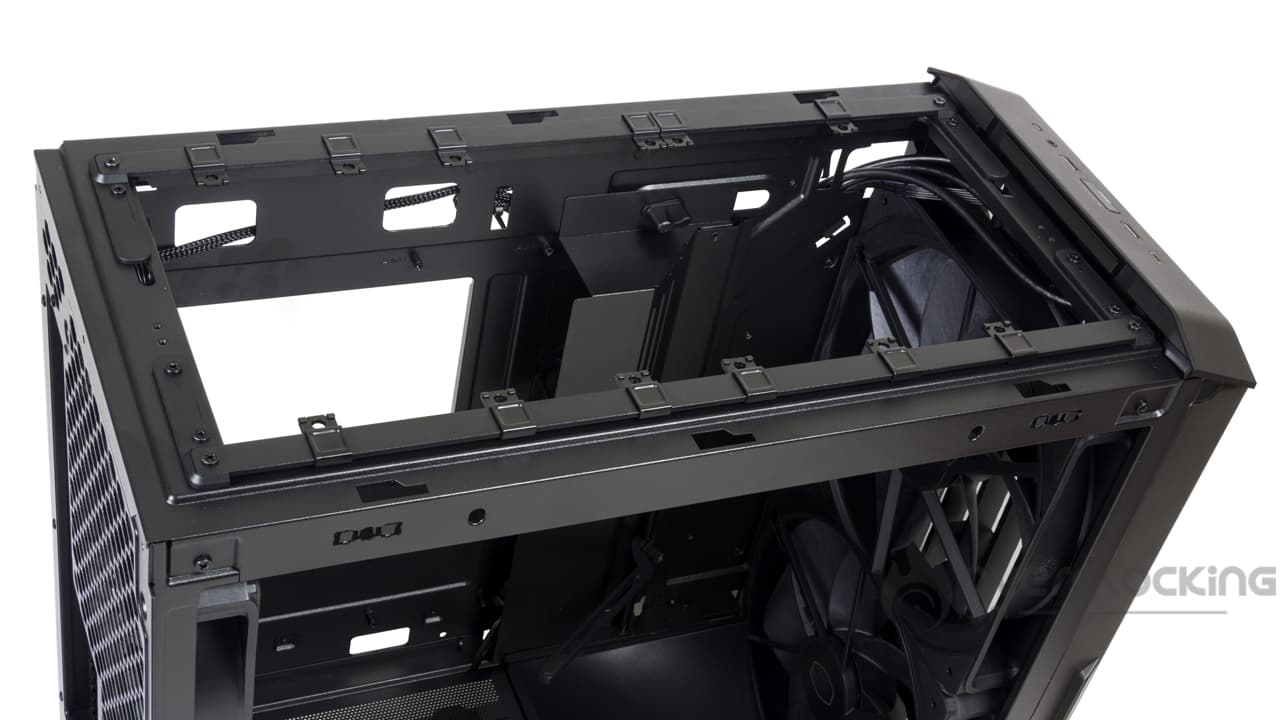 It will be possible to add fans, since there are empty slots at the top. Using a rail system and removable metal sliders, you can install:
- 2x 140/180 mm
- 3x 120 mm
For liquid cooling, a 360 mm radiator can be installed at the top or on the front. It’s a shame, however, that this model doesn’t support 420 mm radiators, a size that’s gaining popularity. Finally, when it comes toair cooling, there’s up to 221 mm of clearance for an IntelCPU cooler (220 mm for AMD). In other words, there are “no limits” here.
The bundle:
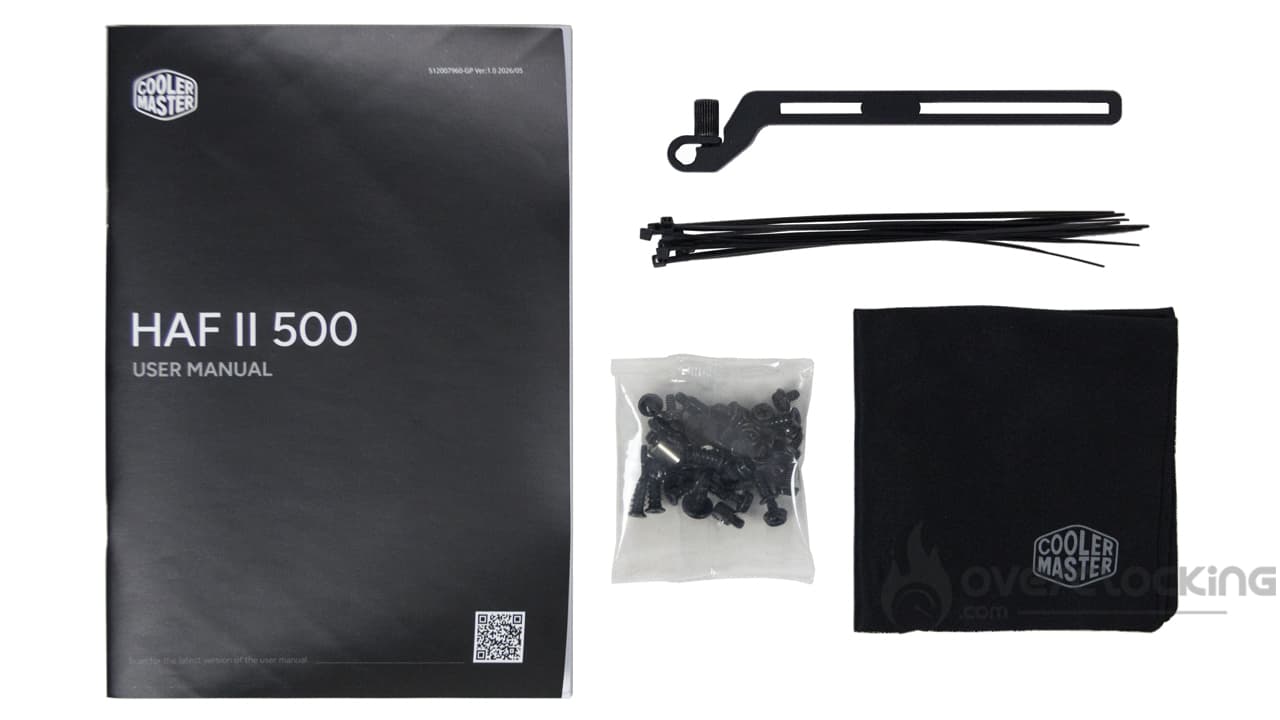 The accessories cover the essentials and include:
- An assembly manual
- A second graphics card bracket
- Screws in a bag
- Nylon cable ties
- A microfiber cleaning cloth
In short, the accessory bundle is quite comprehensive, and the microfiber cloth will let you clean your side panel without scratching it. Given the range of features and the effort put into this case, it’s a shame it doesn’t come with a compartmentalized storage box for the screws.
In summary:
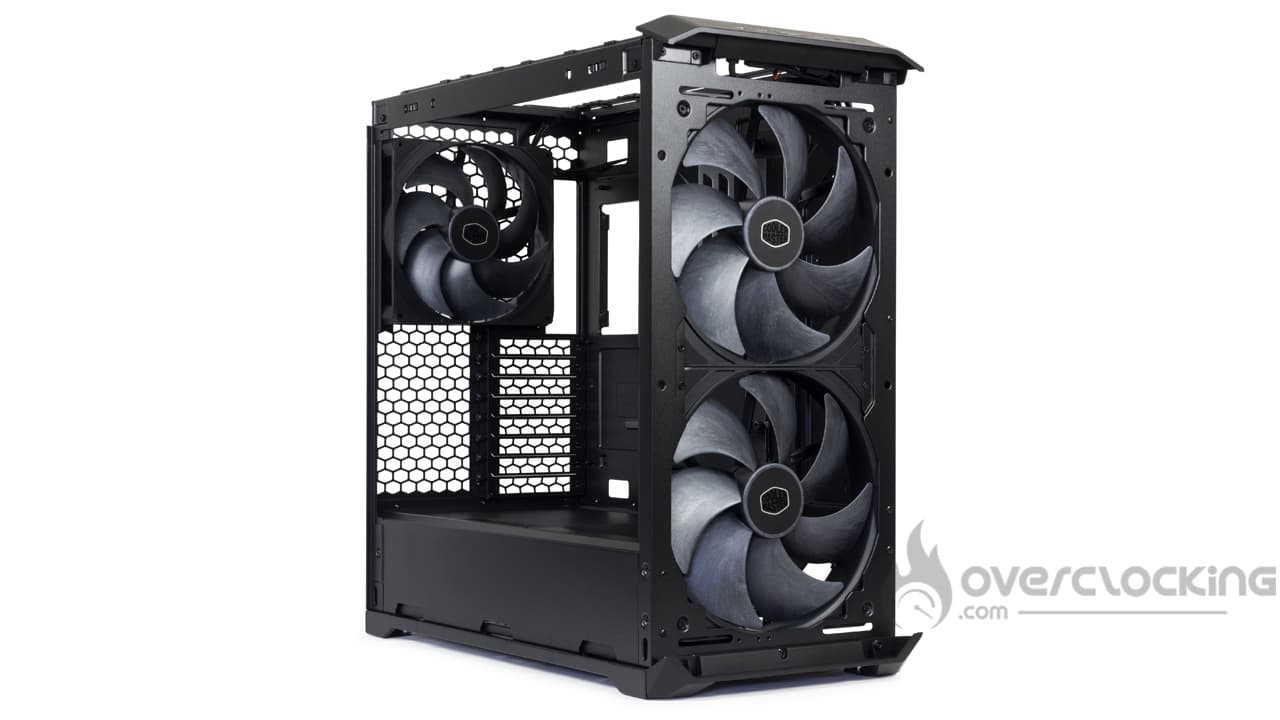 Clearly, the case offers a solid build paired with numerous features, such as dual graphics card support and a built-in hub. But what’s most impressive are the three fans installed by default. During the design process, the brand clearly went all out, and it’s great to see! It remains to be seen whether they’ll be effective, but from what we can tell, there’s no need to worry too much about performance!
Assembly
Now we’ll move on to assembling our build inside this Cooler Master HAF II 500. Here are the components we’ll be using for the build:
- Motherboard: NZXT N7 Z790
- CPU: Intel Core i5 14600KF
- Graphics card: ASUS ROG Strix RTX 3050
- CPU cooler: Noctua NH-U12A chromax.black
- Power supply: NZXT C1000 Gold
The Power Supply:
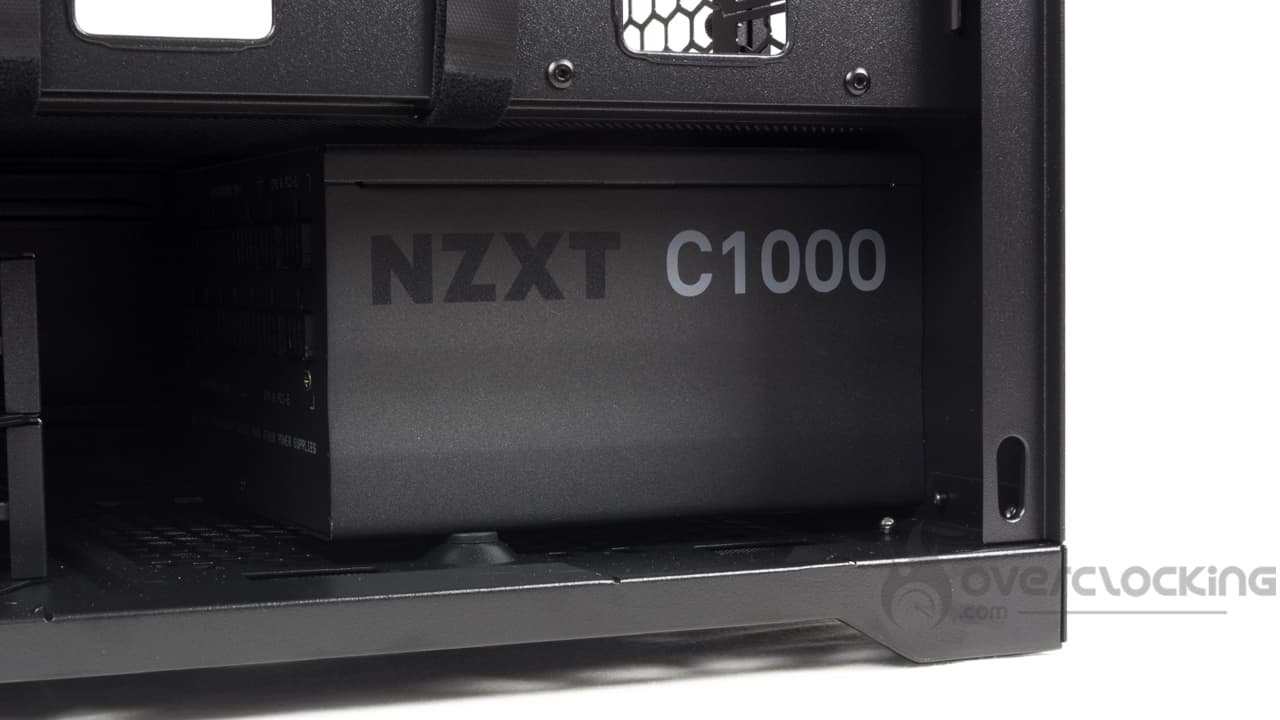 Here, installing the power supply is as simple as sliding it in from the side. All that’s left is to screw it into place from the back of the case. Note: If you have a modular power supply, be sure to connect the cables to it before installing it. The HDD cages, although removable, can get in the way if you decide to keep them.
Motherboard Installation:
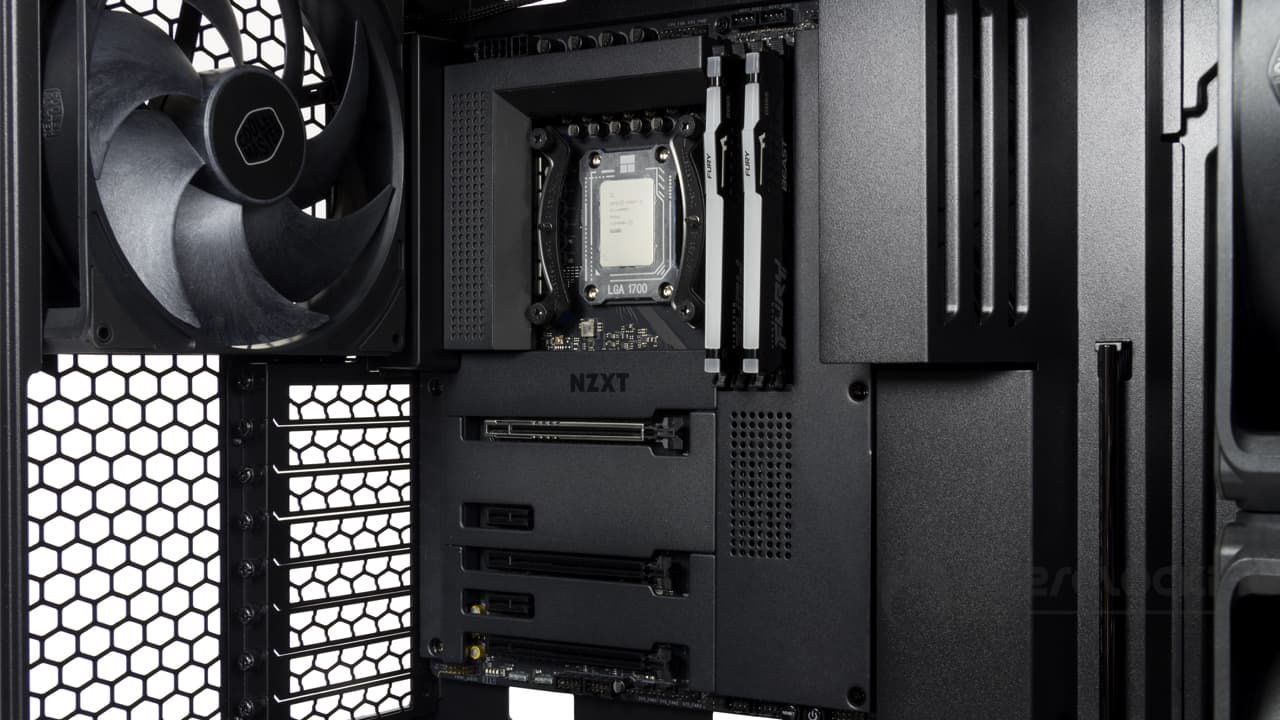
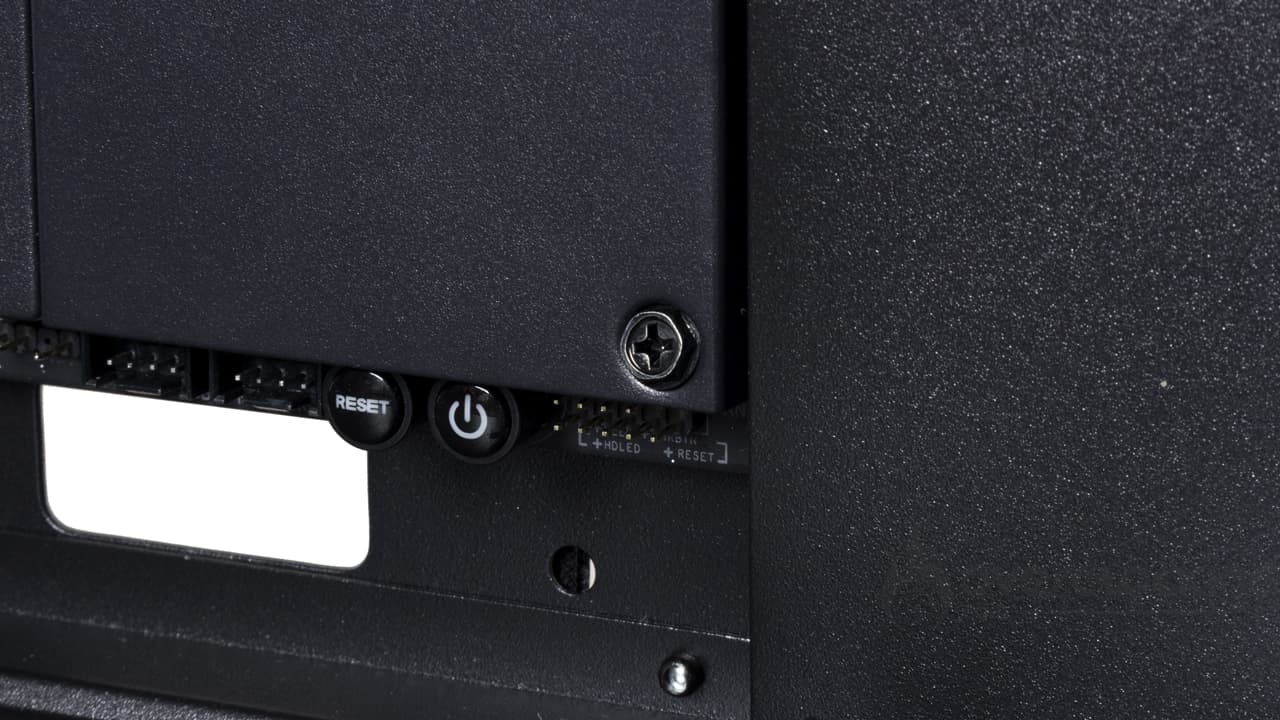
As for installing the motherboard, before placing it on its tray, we moved the cable-management plate to the side. Once in place, we encountered a small surprise: the screws provided by the manufacturer wouldn’t fit through the shield on our NZXT N7 Z790. This isn’t the first time this has happened, as be quiet! cases also tend to come with these same screws. We had to use our own hardware to secure the motherboard.
Cabling:
The control panel:
As for the cabling, to put it simply, we reorganized the cable routing inside the case. As a result, the front panel connectors now run through the front of the case and down again. Of course, the F_PANEL and HD_AUDIO connectors come out through the bottom openings.The USB 3.2 Gen1cable runs through the bottom of the rear door, while the USB Type-C cable runs through the top of the door. Of course, the cables are secured in place by the Velcro strips along the route. However, don’t pull too hard on them, as the metal tabs used to secure the cables are quite fragile and can bend easily.
It’s also worth noting that the hub’s SATA power cable runs through the front, while the RGB and PWM fan cables connected to the motherboard run along the back of the case.
The motherboard and graphics card:
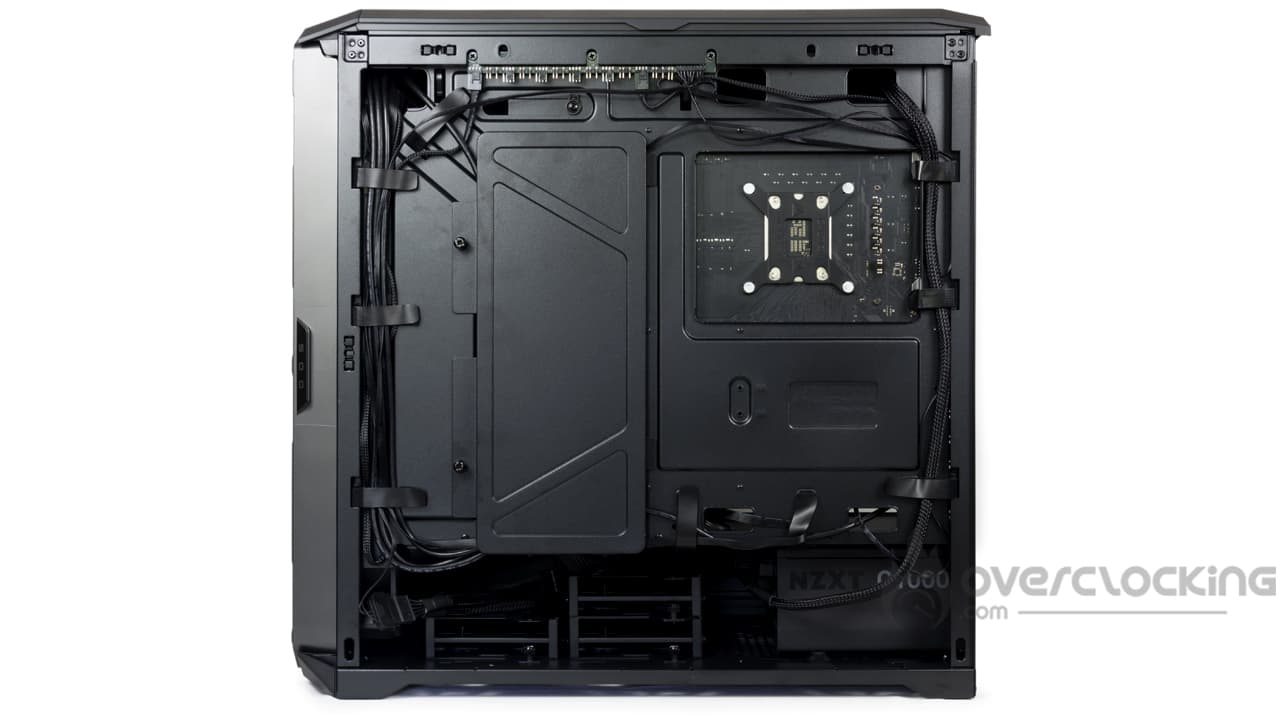
As for the power cables, we route the large 24-pin ATX cable through the bottom of the front panel before connecting it to the motherboard. In contrast, the 4+4-pin CPU connector runs up through the back of the case, while the 8-pin PCIe connector passes through an opening located directly in the power supply shroud. Finally, don’t forget to add aSATA cable to connect the hub. We didn’t make a big deal out of it—the excess cable remains hidden under the power supply shroud, above the HDD trays.
Installing the CPU cooler and graphics card:
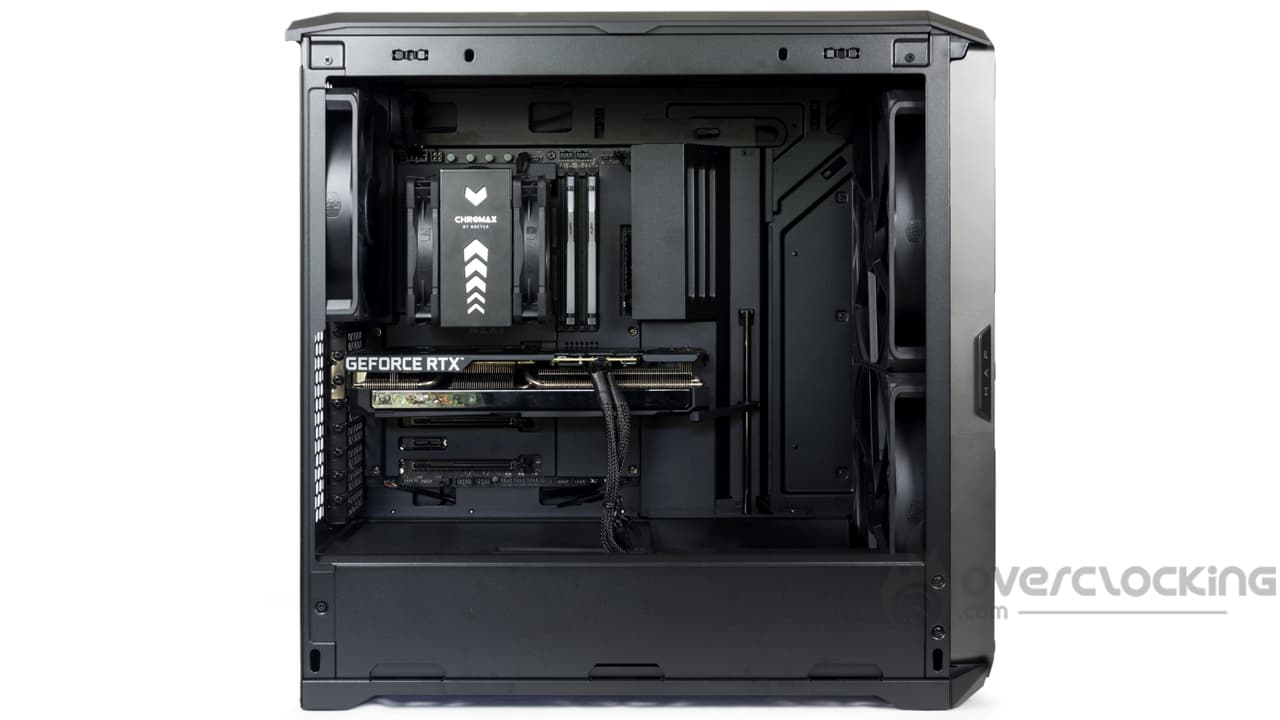 The large backplate opening leaves plenty of clear space at the back of the motherboard. This gives you all the room you need to work with the CPU cooler’s mounting hardware.
As for installing the graphics card, it’s not very complicated either—just locate the brackets corresponding to the graphics card slot, remove them, and slot in your card. Finally, connect it using the 8-pin PCIe cable coming out of the power supply shroud. Finally, you can use the graphics card bracket by adjusting its height and spacing to position it under the card’s shroud. All that’s left is to tighten a thumb screw to lock it in place.
Overall:
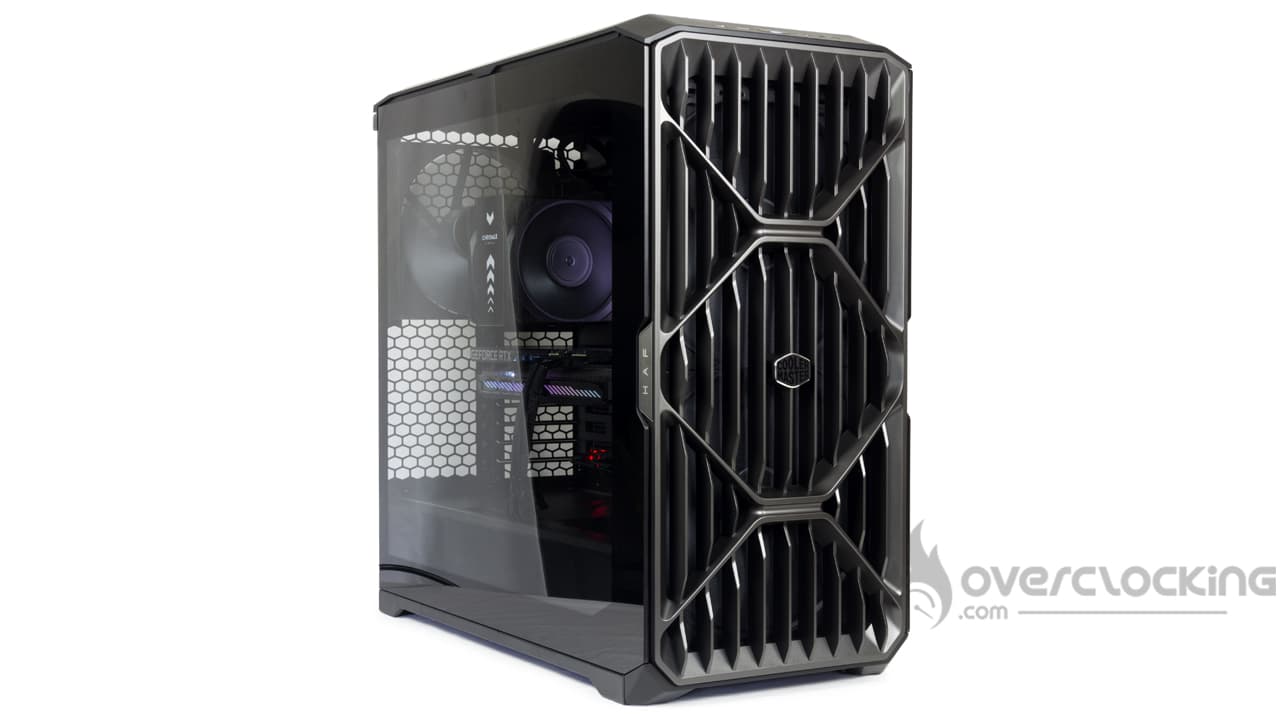
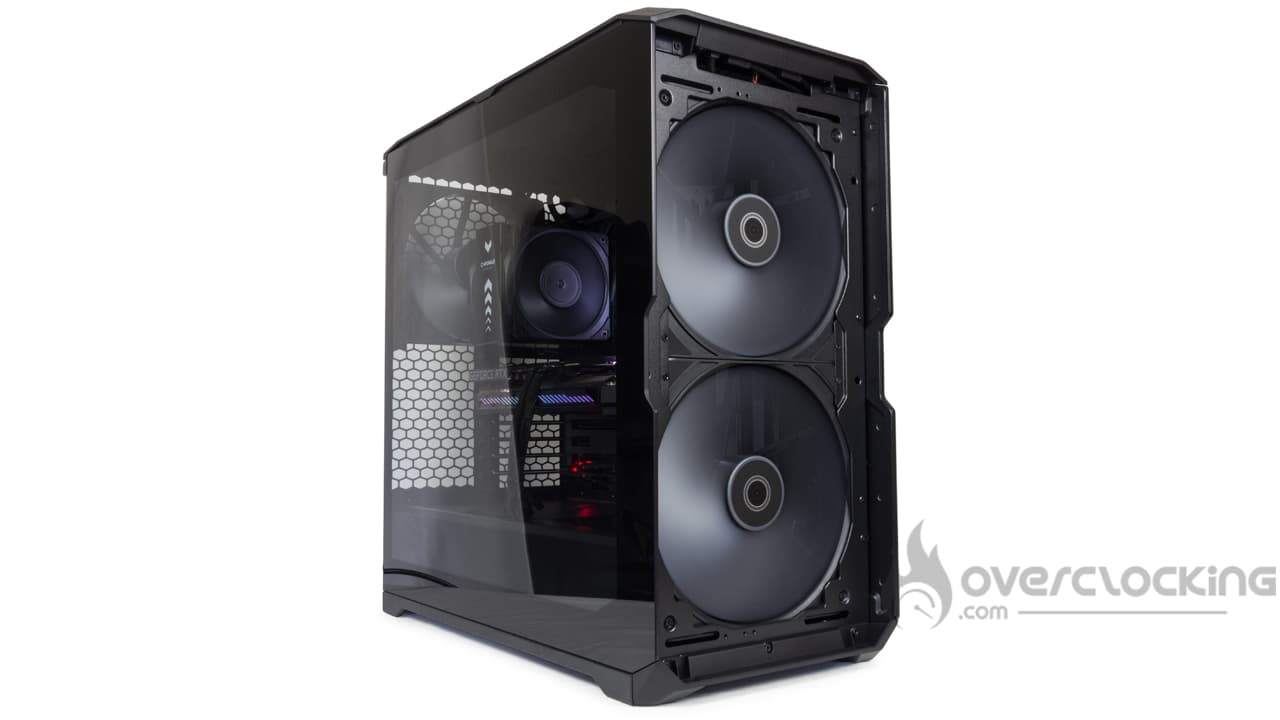
Honestly, when we saw that the case had less than 2 cm of space in the back for cabling, we were a little worried we wouldn’t be able to close the side panel. But Cooler Master’s engineers did a great job here, and we were able to route the cables neatly and close the panels without any trouble!
[nextpage title=”Test Protocol”] We’ve updated our test protocol to evaluate the quality of our cases. We’ll assess the performance of the different models based on three criteria:
- Sound insulation
- Noise from the stock fans
- Airflow
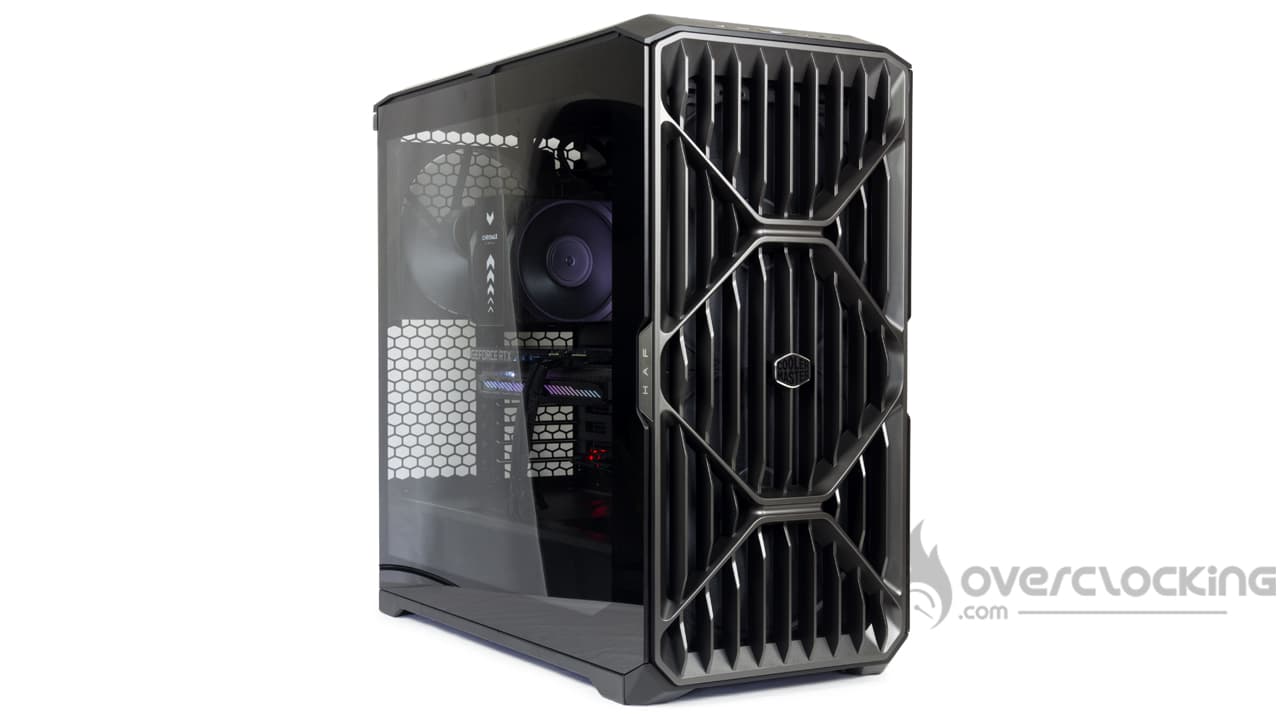
Here, the configuration has changed; you’ll find the details a bit further down. As for the software, the CPU will run on PowerMax while the graphics card will run on Furmark—both simultaneously. Note that the CPU fan speed is set to 50%, while the graphics card fan will run at 50%.
Additionally, to limit temperature variations caused by fluctuations in frequency and power consumption, we cap the graphics card’s clock speed at 1,800 MHz—the stock boost frequency of the ASUS RTX 3050 Strix.
An 8- to 9-minute warm-up period is applied before two 2-minute average sessions. The tests are run consecutively, without interruption, in order to observe how component temperatures vary based on the case fan speeds. Next, a delta is calculated: the component temperature is subtracted from the ambient temperature.
The additional cooling will consist of two exhaust fans, specifically two Silent Series R2 fans mounted at the top as exhaust fans.
Configuration:
- Motherboard: NZXT N7 Z790
- CPU: Intel Core i5 14600KF
- Graphics card: ASUS ROG Strix RTX 3050
- CPU cooler: Noctua NH-U12A chromax.black
- Power Supply: NZXT C1000 Gold
Tests
Airflow:
The additional cooling consists of two fans. Both are Fractal Design Silent Series R2 fans mounted as exhaust fans at the top.
CPU Airflow, Stock Cooling vs. Enhanced Cooling:
We’ll start with our CPU temperature. We’ll keep the front panel and the top of our test case in place. Let’s see if the airflow is sufficient to affect the cooling of the Core i5 14600KF.
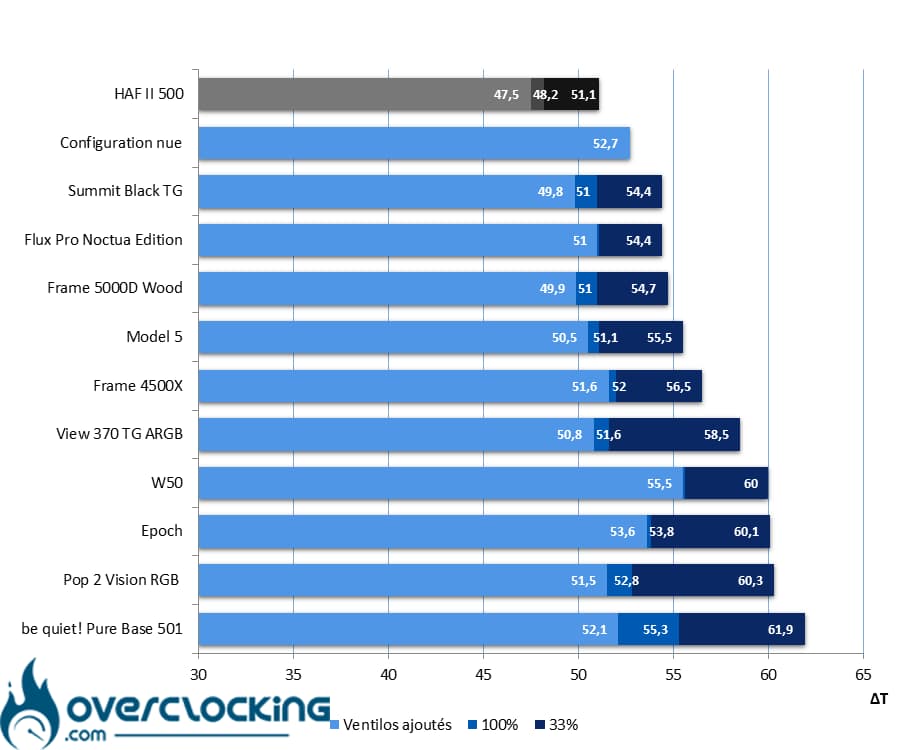 In terms of the temperatures recorded on our processor, this HAF II 500 performs exceptionally well, ranking at the top of the chart. With these results, it takes first place, outperforming the excellent Summit TG from Fractal Design and the Flux Pro Noctua Edition from Antec… And that’s no small feat, clearly. Finally, improving hot air extraction doesn’t make much of a difference in temperatures—the difference isn’t even 1°C in the end.
CPU airflow with stock cooling, without the front panel or top panel:
To determine the limiting factor in this scenario (and to what extent), we removed the steel side panel and the top filter from the case. The goal here is to demonstrate the raw performance of the built-in cooling system…
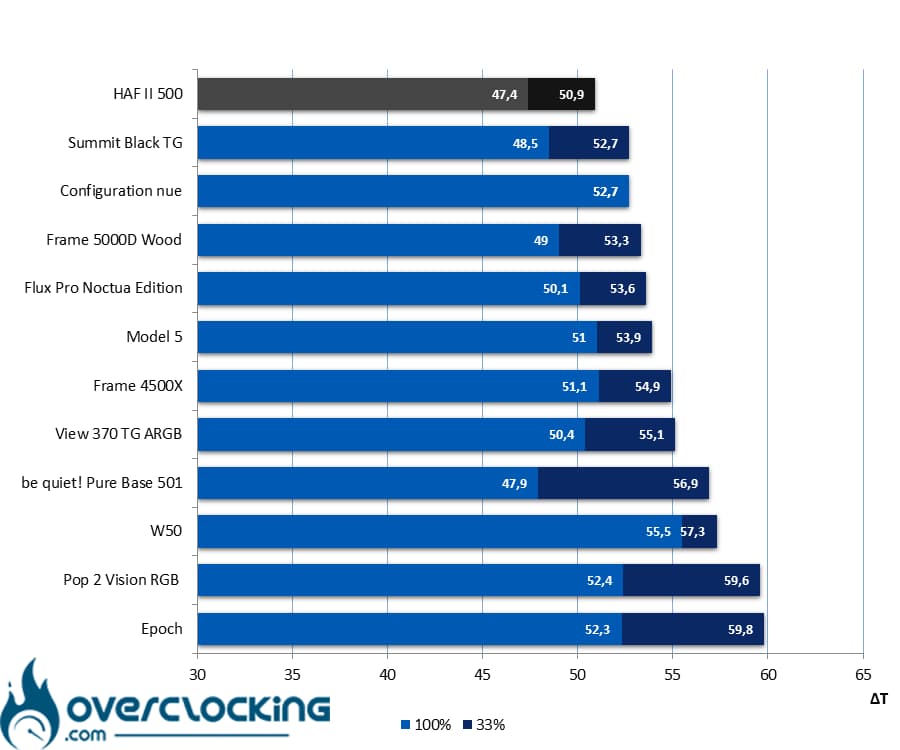 The least we can say here is that the front panel imposes very little restriction on airflow. In fact, as you can see, the measured differences between having the front panel in place and removing it are minimal. Without it, the temperature difference is only 0.1°C at full speed and 0.3°C at high speed.
GPU airflow, stock cooling vs. upgraded cooling:
We repeat the test, but this time with measurements taken on the graphics card. Here, we test with stock cooling followed by enhanced cooling.
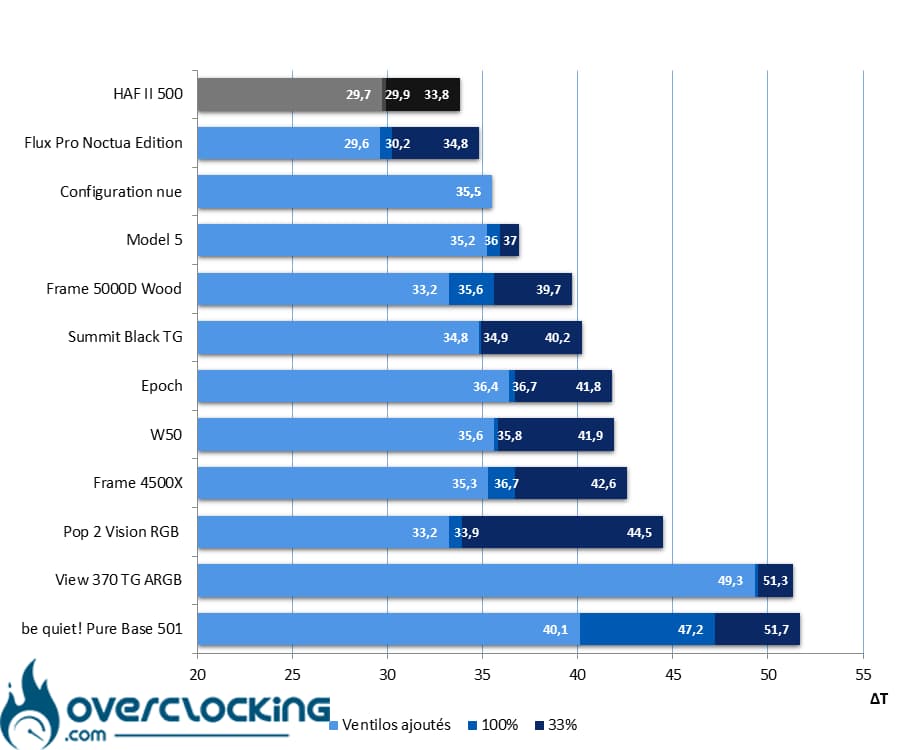 As for the graphics card, the Cooler Master case performs on par with the Noctua Flux Pro Edition in terms of temperatures at high fan speeds, while it comes out slightly ahead at low fan speeds. It’s worth noting, however, that in the airflow test, the graphics card was cooled by two NF-A12x25 G2 fans blowing directly onto it. Here, we have two 220 x 40 mm fans blowing air from the front of the case. The graphics card indirectly benefits from the airflow thanks to a deflector located at the front, at the bottom of the case. That’s a testament to just how much airflow the two Mighty40 F220s can generate!
GPU airflow with stock cooling, without the front panel ortop panel:
We’re repeating the same test, but this time with the front panel and top panel removed. Let’s see how this affects the graphics card’s temperatures.
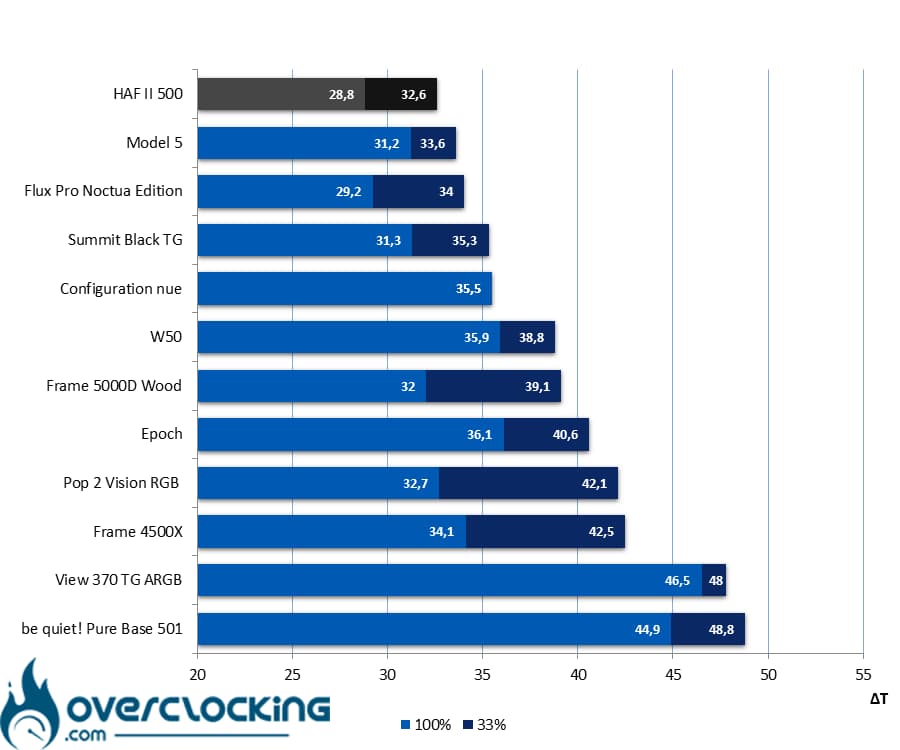 Same story for the graphics card, where the front panel has very little impact on airflow. When we remove it, we measure only slight differences compared to when it’s in place. As you can see, the differences amount to just over 1°C. At the same time, with large openings like the ones currently in place, there’s no reason for the hardware to overheat!
Noise:
Here, we’re simply measuring the noise emitted by our setup when we run the CPU and GPU coolers at full speed.
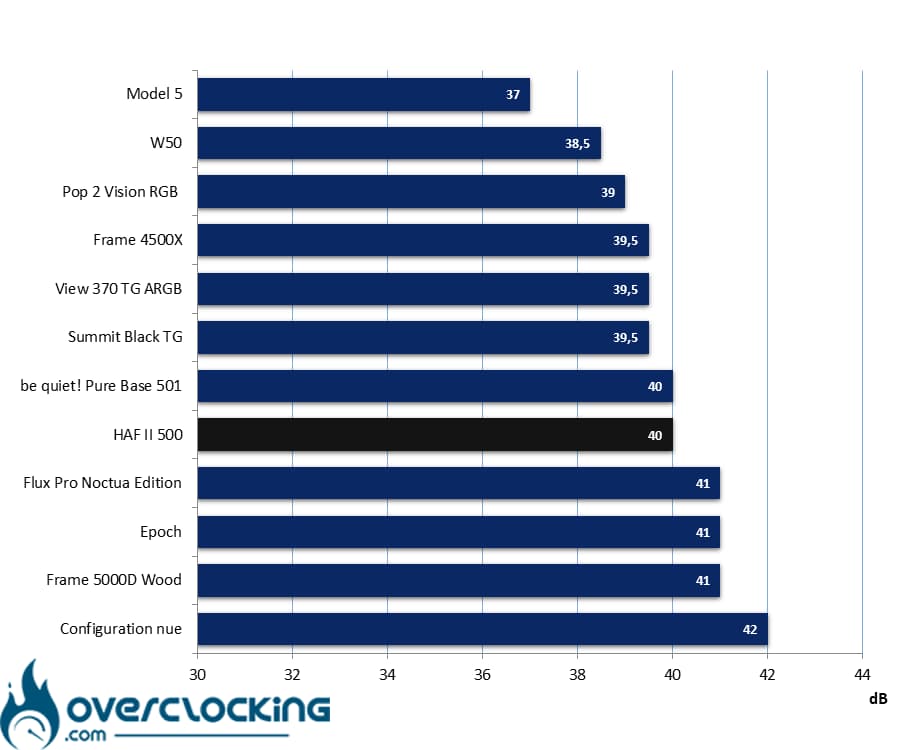 As for sound insulation, there’s no secret here: such an open front panel doesn’t block outside noise very well. As you can see, the HAF II 500 ranks in the middle of the cases we tested with a noise level of 40 dB—on par with the be quiet! Pure Base 501.
Noise from the stock fans:
This time, we’re measuring the noise emitted by the case’s stock fans. To do this, the system runs at idle ( CPU and GPU fans at minimum speed) while we take readings sequentially at 5V, 8V, and 12V on the case fans.
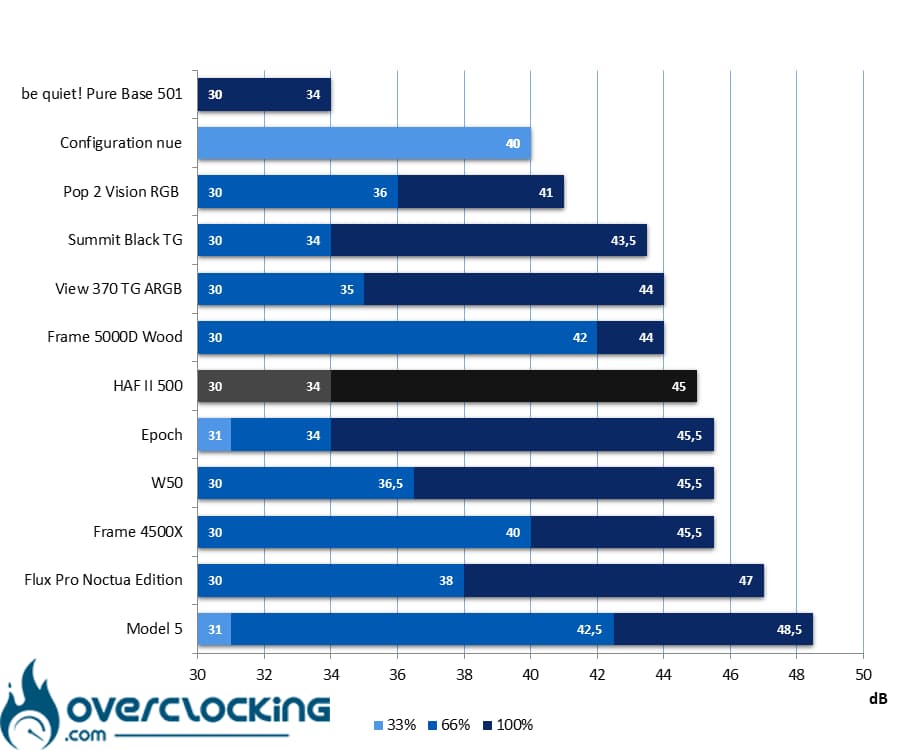 In terms of noise, the fan noise can quickly become noticeable, especially when all three fans are running at full speed. However, they quickly become quiet again when their speed is reduced to half. Finally, they are completely inaudible at low speeds. In fact, the HAF II 500’s cooling system has a similar profile to that of Fractal Design’s Epoch, a mid-tower model also equipped with three fans, though much smaller ones: 120 mm.
Conclusion
We’ve now reached the end of our review of this Cooler Master HAF II 500. So, is it a good case or not? We’ll tell you everything!
Big fans!
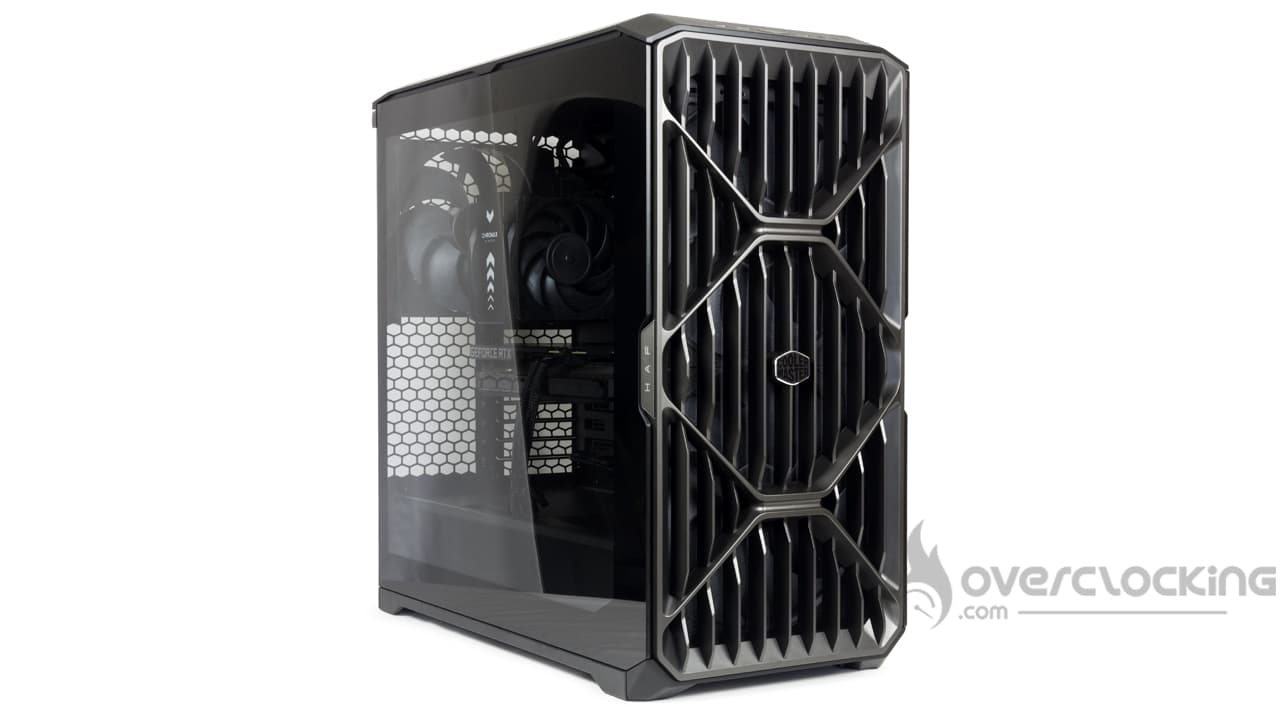 Clearly, with this case, Cooler Master has gone all out to offer a product that’s anything but typical—especially these days. Indeed, the PC hardware market is sluggish, to say the least, and brands are holding back, offering run-of-the-mill products while waiting for better days. But Cooler Master is going all out with this model—the design is a success, for one thing, while the cooling system is custom-engineered. This is the first time we’ve seen fans this big in a case: a dual 220 mm fan setup at the front and an 180 mm fan… AT THE BACK! Yes, yes—they’ve put an 18-cm fan at the back, where we’re usually happy just to find a 140-mm one.
Top-notch performance:
Naturally, with fans like these, cooling performance is clearly top-notch, and the HAF II 500 can boast excellent passive cooling. In our tests, it performs better (slightly, but better nonetheless) than Antec’s Flux Pro Noctua Edition, which features fans from the Austrian brand. To do even better, they’d have had to get up early—but it seems like Cooler Master’s engineers just didn’t go to bed at all! As for noise, naturally, with an open front panel and powerful ventilation, noise is inevitable… At full speed, it’s worth noting that the three fans remain quiet up to half speed, which is pleasant while still allowing you to enjoy a strong airflow!
Easy assembly:
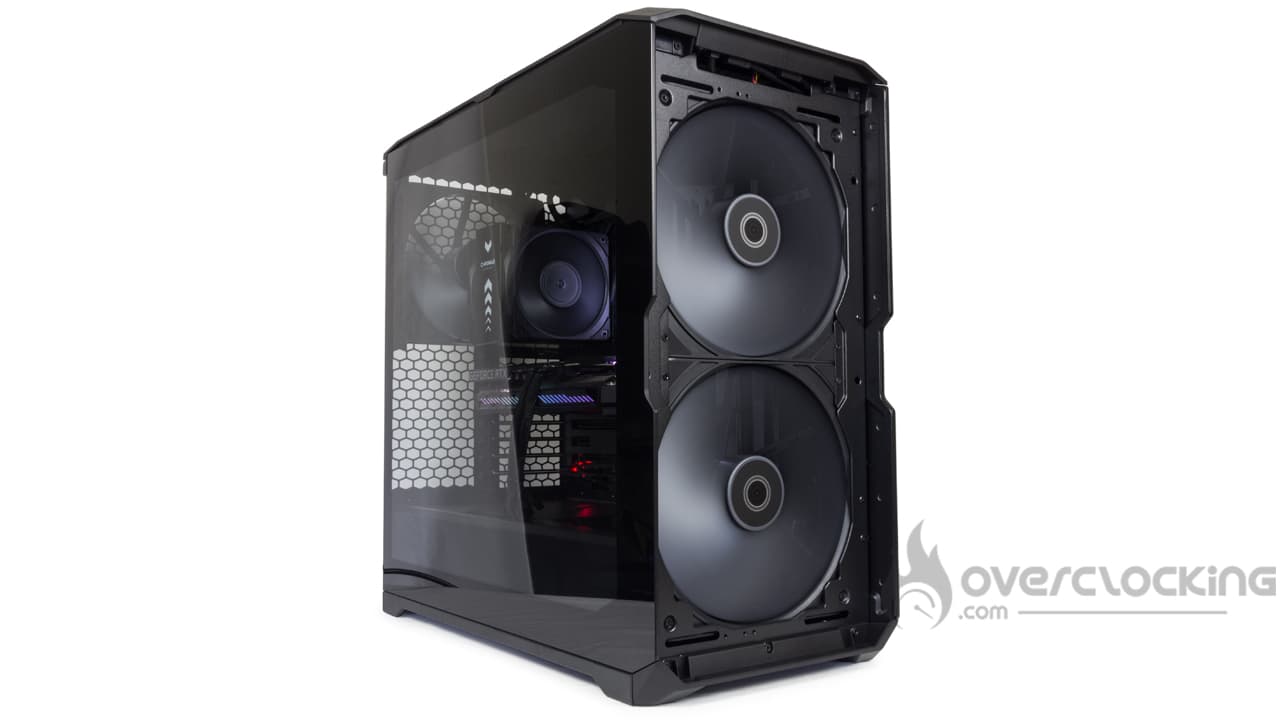 As for the case’s design, you either love it or hate it, but you have to admit it makes quite an impression. The front grille has an aggressive look and won’t restrict airflow. However, it’s made of plastic that bends fairly easily when pressed. That said, visually speaking, it doesn’t look cheap —from a distance, you might mistake it for sandblasted aluminum, for example. Finally, be mindful of the weight and bulk—it’s no lightweight, and my back certainly remembers it.
Inside, you’ll find a chassis that offers plenty of space for components. No need to worry about the size of your graphics card or CPU cooler—everything will fit. However, the HAF II 500 won’t accommodate BTF motherboards or 420 mm radiators, which is a bit of a shame given the case’s overall dimensions. That said, for motherboards with reverse I/O ports, this makes sense: to fit the 180 mm fan at the back, the I/O shield has been pushed as far back into the case as possible. In fact, this leaves very little room for cable management—less than 2 cm. But strangely enough, this isn’t really a problem, since there are plenty of features to help route the cables, for example. Furthermore, our setup is fairly simple, and we only have three or four cables to manage. We’re curious to see how the wiring process would go with more connectors to manage. Also, be careful not to pull too hard on the Velcro straps—the metal tab that secures them is quite thin and will tend to bend easily if you pull too hard.
The price:
Finally, this is a high-end product with a high retail price—though it’s not exorbitant either. It’s already available for under €190 in Europe. Admittedly, that’s still a significant amount, but it’s worth noting that it competes with the Noctua Edition Flux Pro, which sells for twice the price. What’s more, the chassis is well-equipped and includes the usual array of features: a fan hub , Velcro straps for cable management, a top-mounted rail fan mount, a front deflector to channel airflow, and even a dual graphics card mount! In short, it’s still pricey, but it also has some strong selling points—so, in the end, it all balances out.
Cooler Master HAF II 500:
What we liked:
- The very aggressive aesthetic!
- The generous interior space for installing a large CPU cooler or a large graphics card
- The dual graphics card mount
- The top rail system for mounting fans
- The fanhub and the air deflector to channel airflow toward the GPU!
- Its capacity to accommodate numerous storage drives (up to 6 2.5″ SSDs )
- The three large fans included as standard—you don’t need any more!
- Easy cable management despite the limited rear space
- Its comprehensive filtration system
- Its top-notch cooling performance!
- The total cost, which, when you add it all up, doesn’t seem outrageous to us
What we liked less:
- The dust filter, which is still only accessible from the back
- Perhaps the lack of rigidity in the plastic on the front panel
- Be careful not to pull too hard on the Velcro strips
- Potentially more complicated cabling if you have a collection of 2.5″SSDs to install? (and even then)
- Lack of compatibility with 420 mm radiators for this form factor
- The motherboard screws aren’t compatible with our N7 Z790
 In these turbulent times, Cooler Master is going all out and offering us an excellent case with its HAF II 500. This model features extensive ventilation that proves particularly effective.Overall, the chassis is excellent and surprisingly easy to route cables through despite the limited rear space—though our setup has very few cables to manage. The build quality is also excellent. Of course, since we’re nitpicky, we did notice a few minor flaws. For example, the steel strip holding the Velcro straps lacks rigidity, as does the plastic on the front panel. The screws don’t fit through our motherboard’s shield, but that’s a fairly specific issue. Finally, we would have really appreciated support for 420 mm radiators, especially given the case size. But these flaws are more than offset by the many strengths of the HAF II 500! It’s been a while since we’ve been this excited about a Cooler Master product.
A big thank you to Cooler Master!

