
We spent some time in the workshop with the ASRock Phantom Gaming B860I Lightning WiFi. This card has a clear goal: to offer a modern mini-ITX base for a compact configuration based on the LGA1851 socket. But the main argument for ASRock is to offer a reference that does not fall into the price excesses that we see as soon as we look at an ITX motherboard. Just by reading its name, you will understand that this card is based on the B860 chipset. For a compact ITX machine with an Intel CPU, this is a more pragmatic choice. We can therefore happily do without the CPU overclocking options typical of the Z890. However, this card will still be “playful” in this area, as Intel and the B860 allow OC memory. ASRock takes full advantage of this, with two DDR5 slots supporting memory up to DDR5-9333 in OC.

Phantom Gaming B860I Lightning WiFi: the pragmatic motherboard
When building a good ITX configuration, budget is an issue, but size and noise are also major concerns. The consequences of using a mini-ITX board are often compromises on functionality…However, in recent years, their larger ATX counterparts have mostly been caught up in an orgy of features, ports, and connectors that, in the end, are rarely all used. In this regard, this ASRock card scores points by being very comprehensive despite its size constraints.
[nextpage title=”Unboxing”]
Our motherboard arrived in fairly standard retail packaging. It is simple and effective, a far cry from the flashy packaging used by the industry leaders.
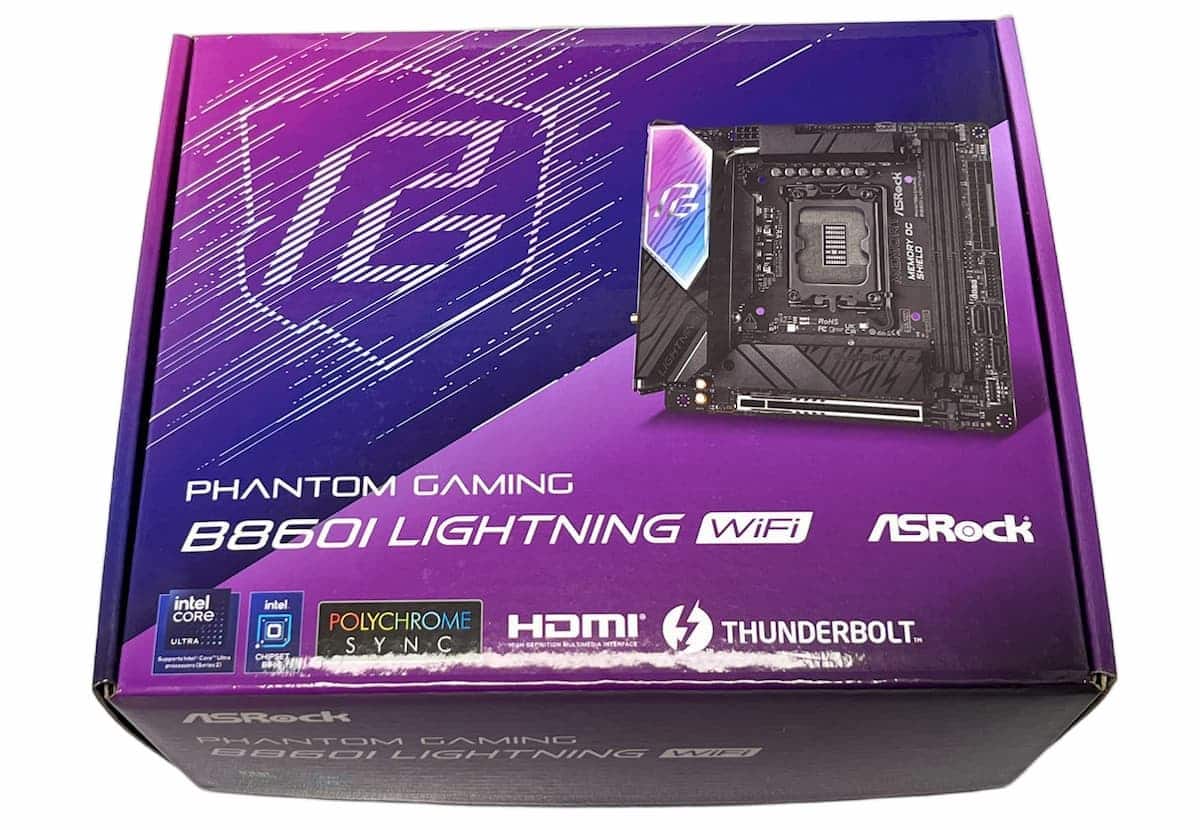
The box, which is fairly compact due to the ITX format, has two compartments: the motherboard occupies the upper part, while the accessories and documentation are located below.
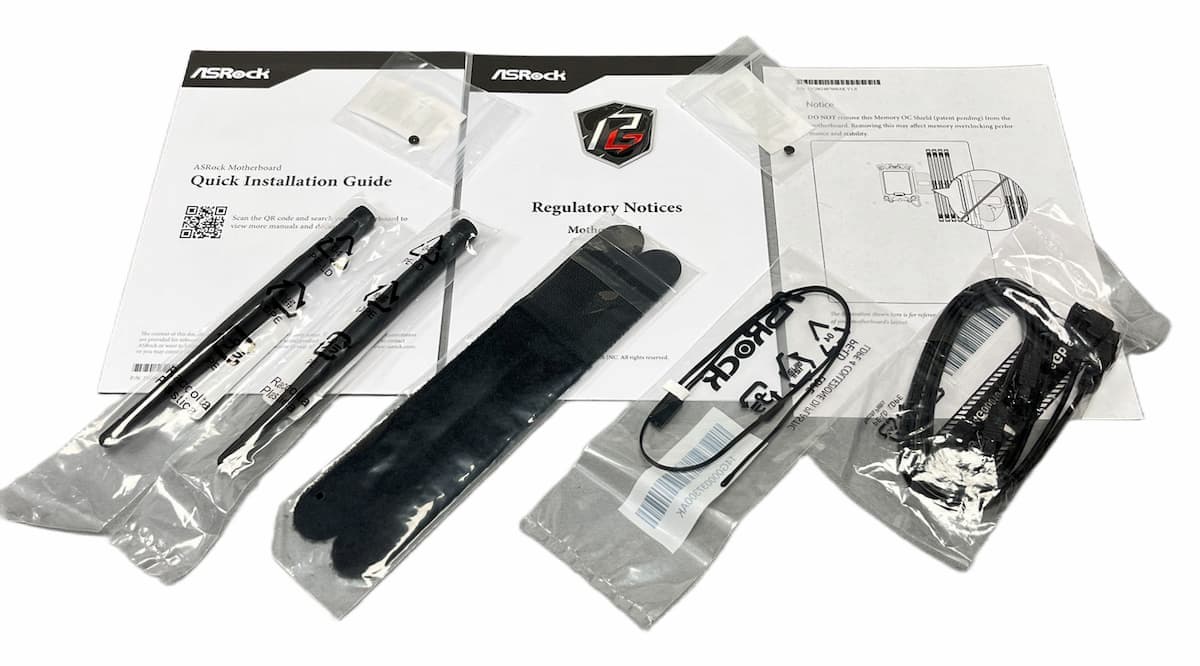
All the components required for assembly are included in the package. These include Wi-Fi antennas, screws for M.2, SATA cables to connect your drives, a thermal sensor cable, a Phantom Gaming logo sticker, cable ties, and a brief user manual (a more comprehensive version of the guide is available on the website).
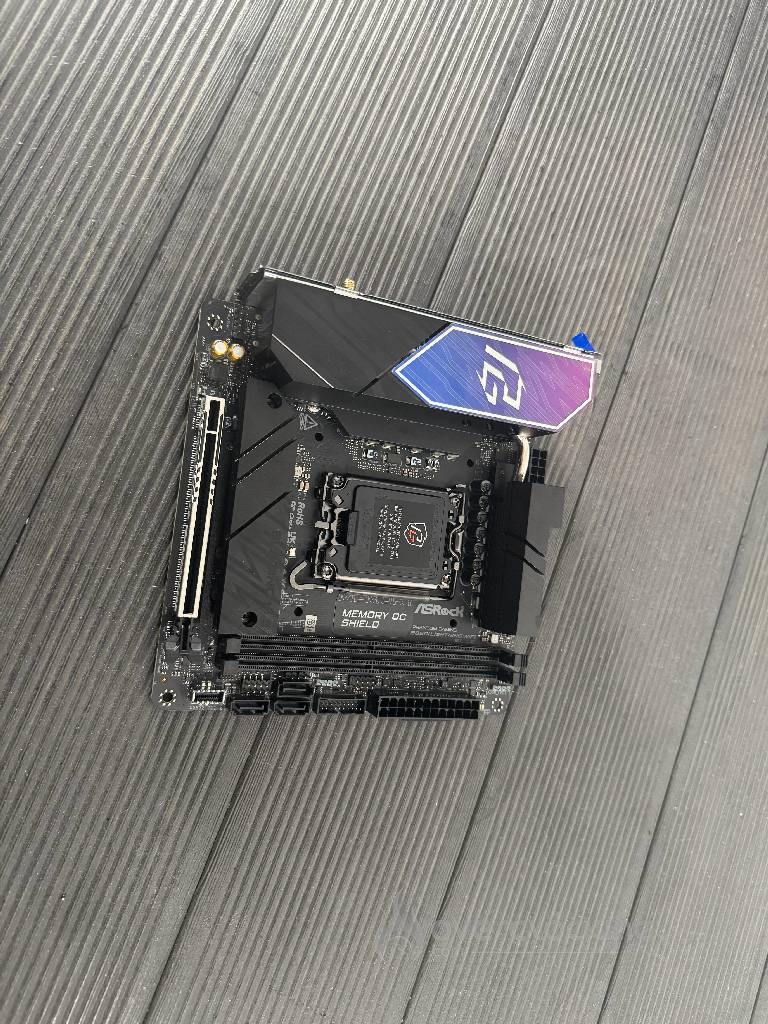
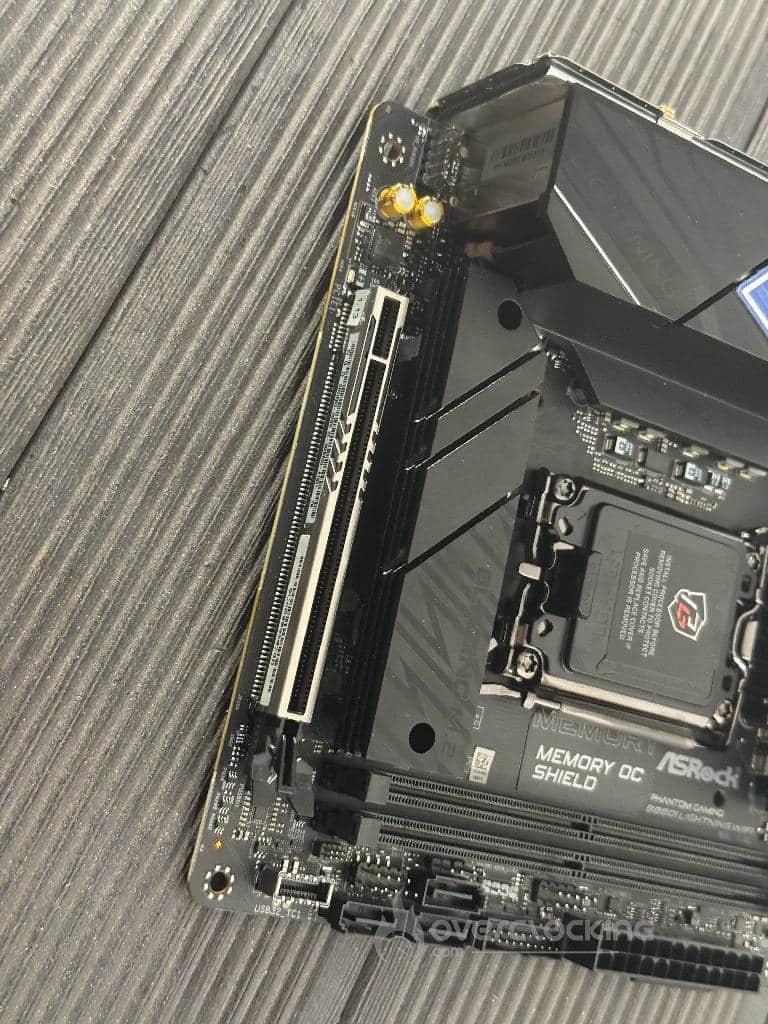
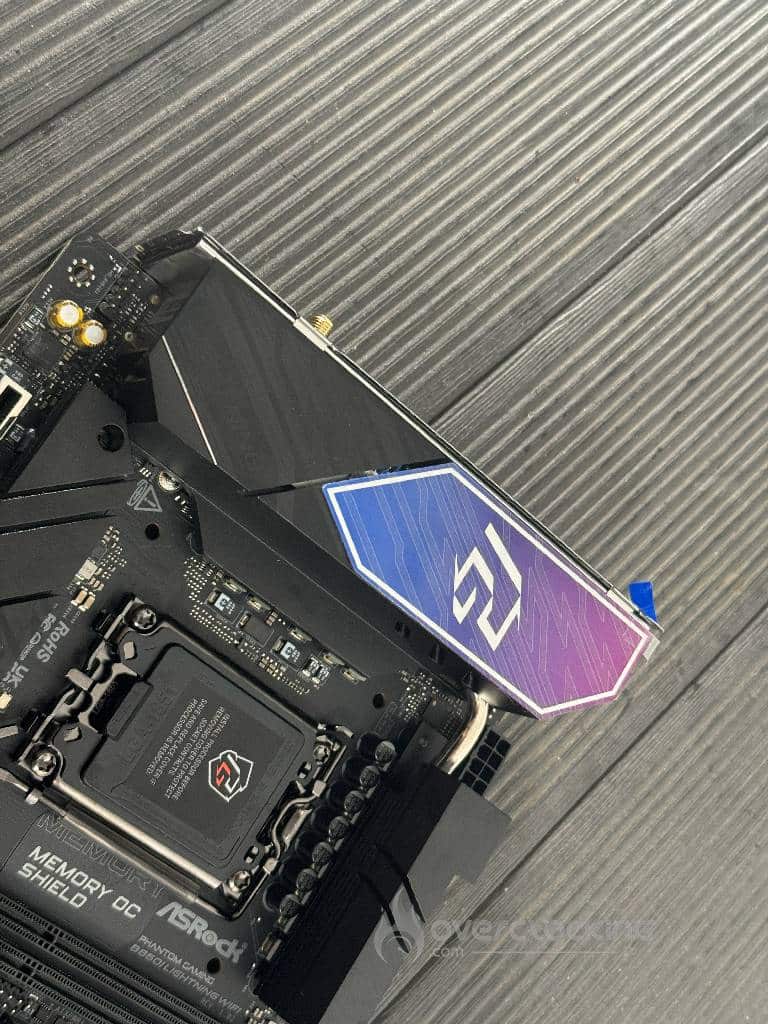
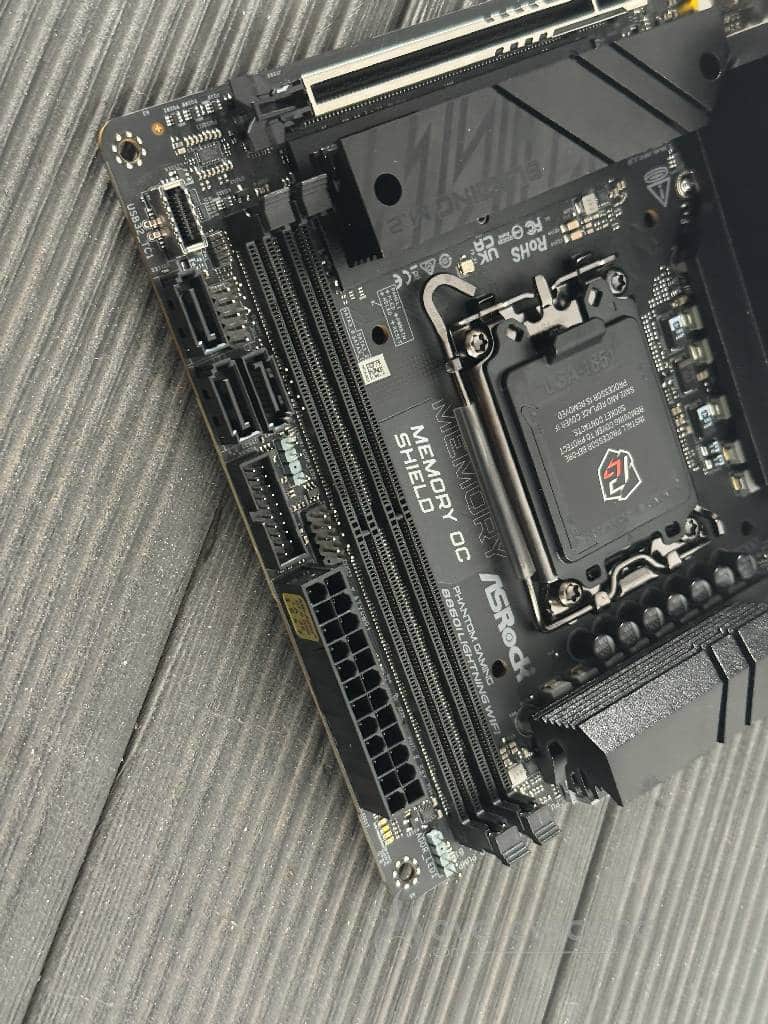
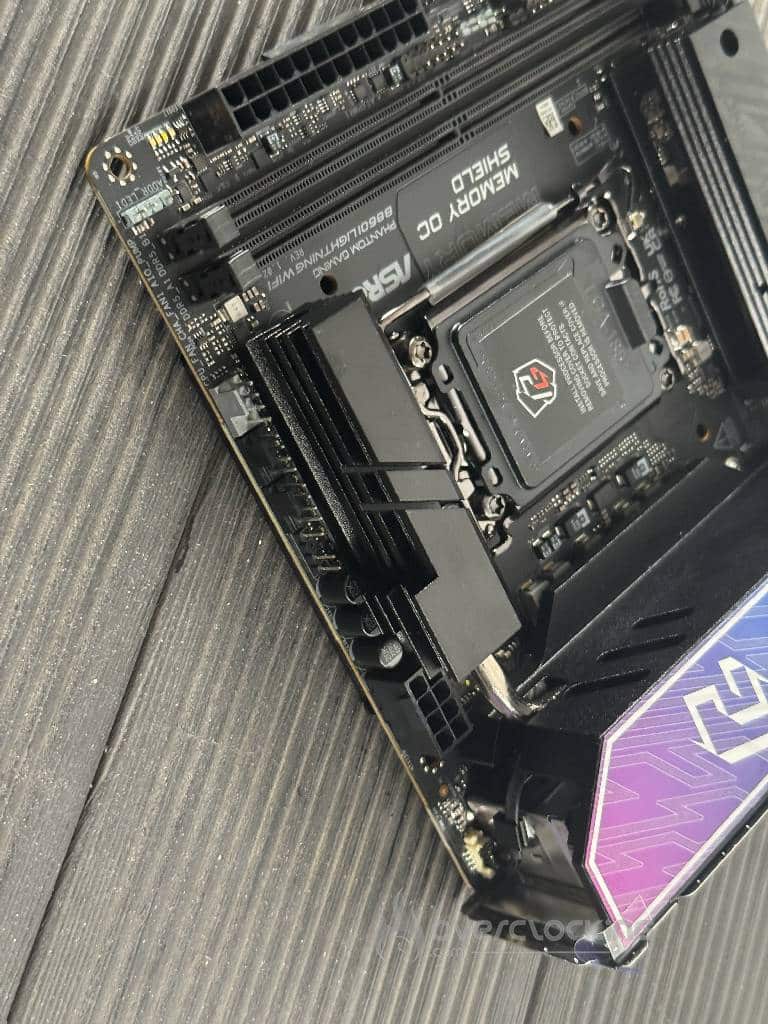
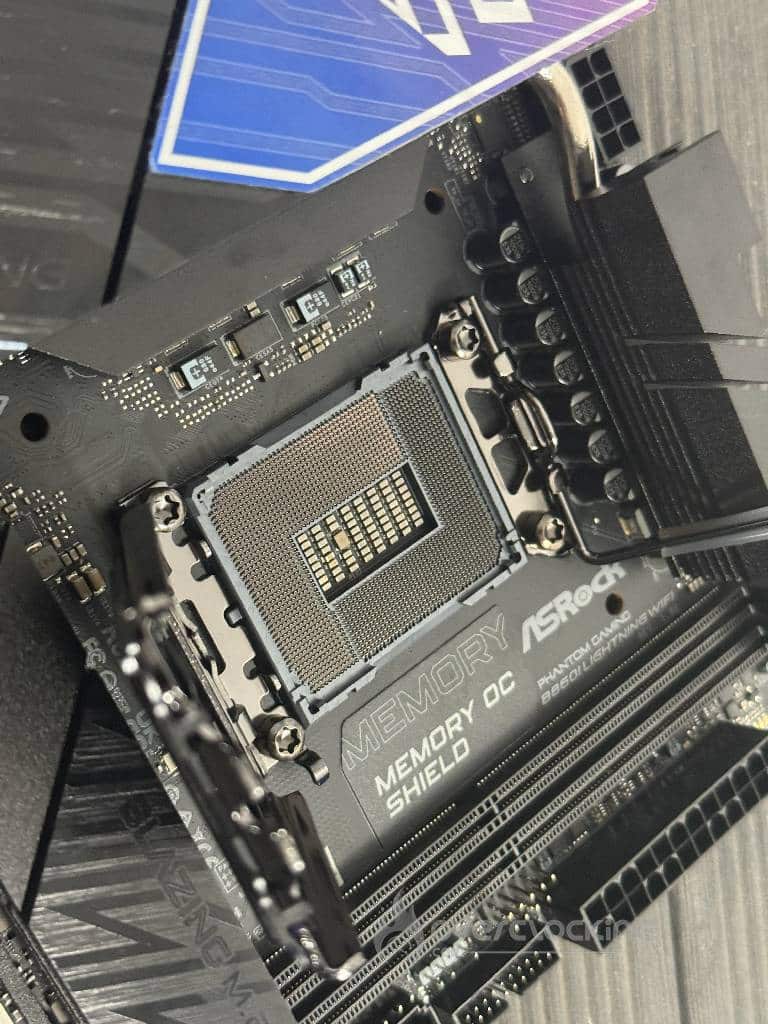
When you look at this card, you immediately notice that, as with the packaging, Asrock has delivered a much more understated product than the versions offered by Asus, MSI, or Gigabyte. Its heat sinks are more modest and its overall design appears less spectacular. However, when you pay a little more attention to the design details, you notice that ASRock has particularly well optimized the positioning of the various components on its card.
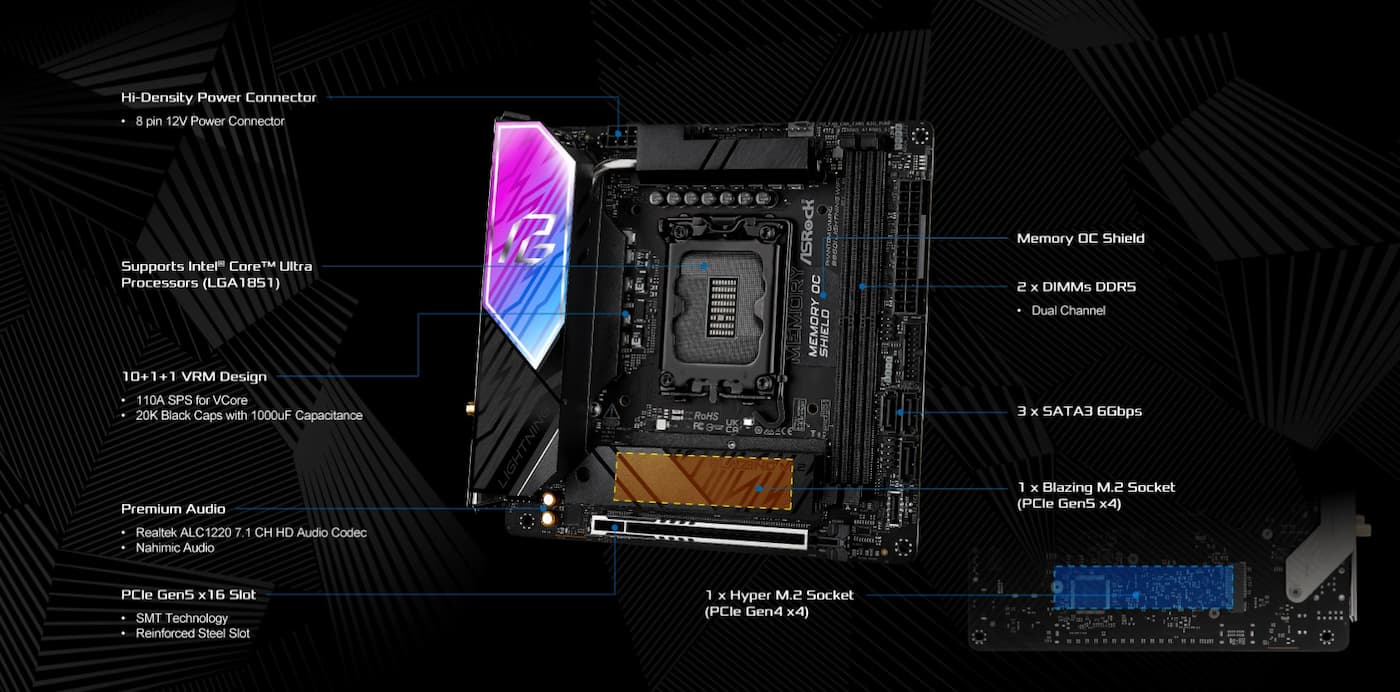
The upper part of the card features the Phantom Gaming logo, embellished with a color transition from purple to blue. The PCB has a satin black finish on its upper surface. ASRock’s Polychrome Sync software manages the RGB lighting connected to the connectors.
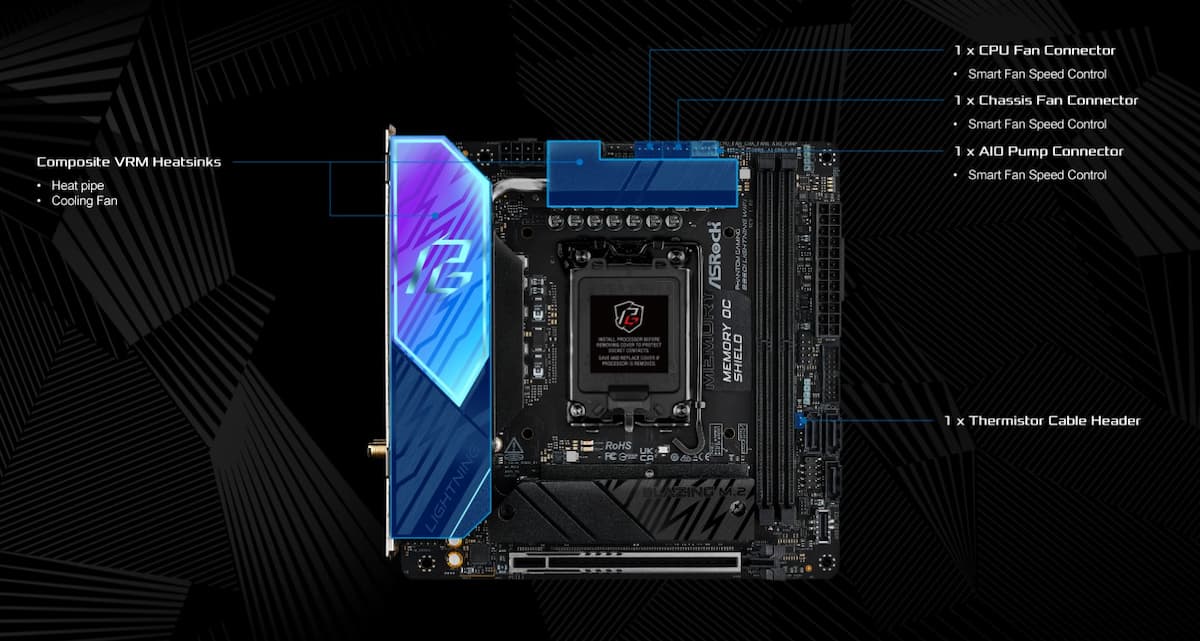
The 8-pin power connector is located near the heat sink of the upper VRMs. The three 4-pin fan connectors are concentrated in a common area above the heat sink, which is convenient for mounting.
On the right are the two RAM slots equipped with ASRock’s Memory OC Shield, designed to reduce electromagnetic interference, optimize signal quality, and potentially increase stability and overclocking performance.
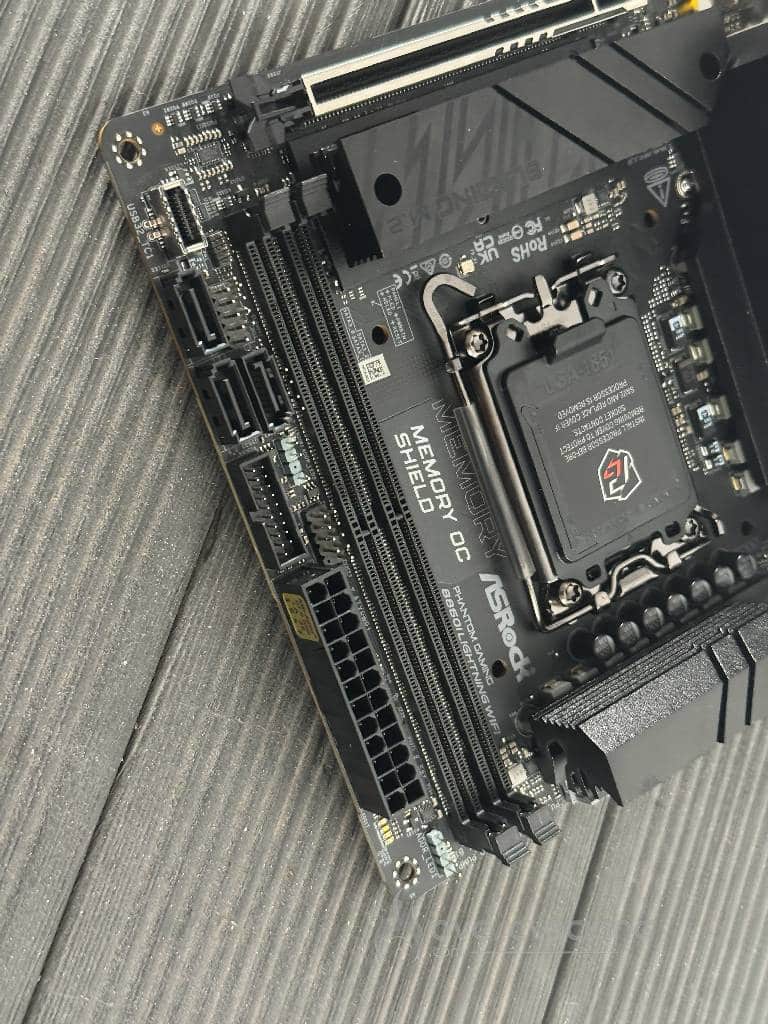
Finally, the first 3-pin ARGB connector is located in the upper right corner. You will find the Post Status Checker (a handy tool for diagnosing POST startup problems) on the right side. Next is the 24-pin ATX power connector for the motherboard, accompanied by two USB ports (one for USB 2.0 and the other 19-pin for USB 3.0 Gen 1), not to mention the second three-pin ARGB port. This section contains most of the connectors and headers. Overall, Asrock has structured the layout of the components on its board well, which should make it easier to assemble and organize the cables in your PC.
[nextpage title=”Technical specifications”]
Let’s start by looking at the internal connectors on this card. For storage, there are two M.2 slots, one PCIe Gen5 x4 (“Blazing”) and a second PCIe Gen4 x4. There are also three SATA ports, the usefulness of which is questionable today… But after all, they are there.
For the graphics card, we obviously have a single PCIe x16 slot with Gen5 standard.
But where this card really scores points is in its external connectivity.
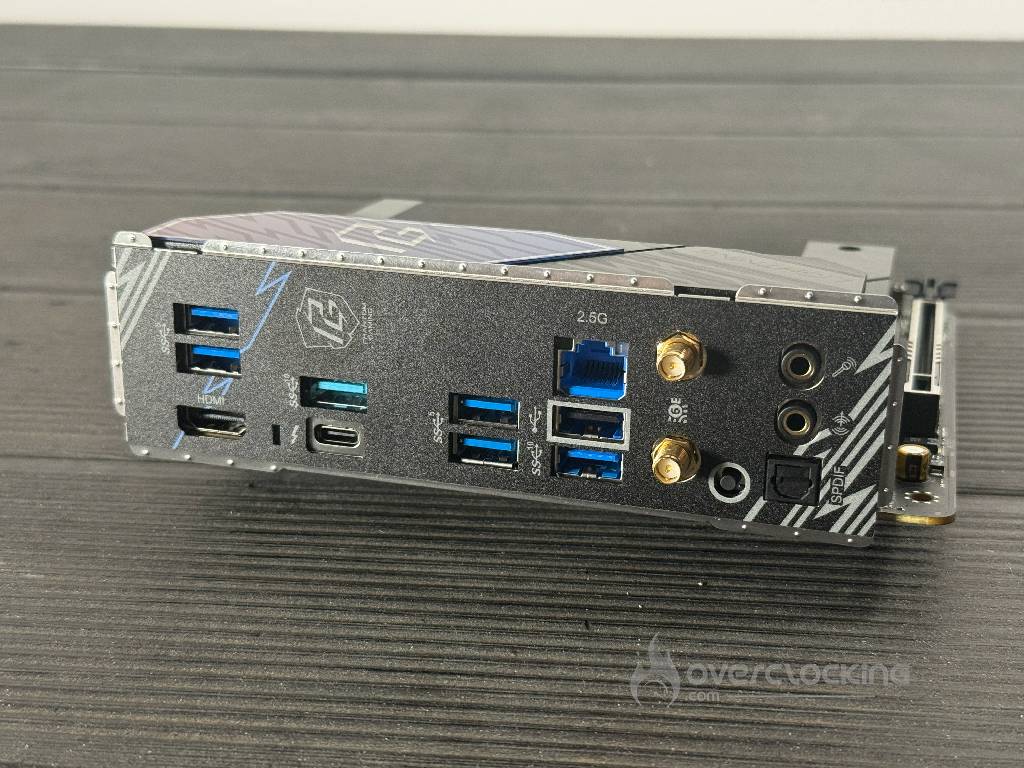
It has a 40 Gbps Thunderbolt 4 Type-C port, accompanied by an HDMI 2.1 port, plus a set of USB 3.2 ports (10 Gbps and 5 Gbps) and a USB 2.0 port, enough to power a keyboard, dongles, and accessories without having to constantly plug and unplug. Thunderbolt 4 immediately opens up the horizon in terms of possible connections, as this high-performance connection allows for external capture cards, multiple displays, high-speed storage… Or simply a hub that concentrates all of this.
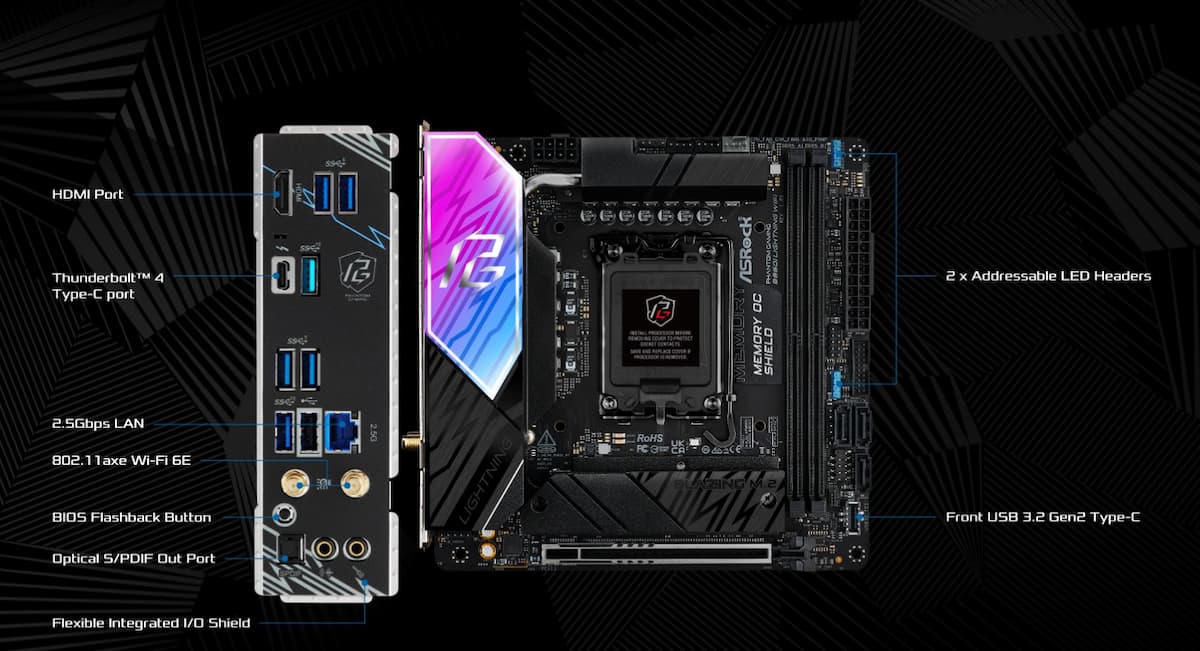
When it comes to networking, we’re looking at the pragmatic choices made by ASRock to keep costs down. We have a 2.5 GbE connection via a Realtek chip and wireless connectivity management based on Wi-Fi 6E (Intel AX211) with Bluetooth 5.3. So no Wi-Fi 7 on the agenda.
The audio is handled by a Realtek ALC1220 chip, a high-end but older-generation codec that will still do the job very well.
Here is a summary of the card’s overall connectivity and physical characteristics:
| Element | Features and Standards |
| Format (Size) | Mini-ITX (17.0 cm x 17.0 cm) |
| Expansion slot | 1x PCIe 5.0 x16 |
| M.2 Storage | 1x Blazing M.2 (PCIe Gen5 x4 – 128 Gb/s) 1x Hyper M.2 (PCIe Gen4 x4 – 64 Gb/s) |
| SATA storage | 3x SATA3 6.0 Gb/s connectors |
| Thunderbolt/USB4 | 1x Rear Thunderbolt 4 port (Type-C, 40 Gb/s, 8K video support) |
| Rear USB ports | 2x USB 3.2 Gen2 (Type-A, 10 Gb/s) 4x USB 3.2 Gen1 (5 Gb/s) 1x USB 2.0 |
| Internal USB connectors | 1x USB 3.2 Gen2 Type-C (Front) 1x USB 3.2 Gen1 header (for 2 ports) 1x USB 2.0 header (for 2 ports) |
| Video Outputs | 1x HDMI 2.1 (4K 120Hz) |
| Audio (Connectivity) | 2x Gold-plated audio jacks (Line Out / Mic In) 1x SPDIF optical output |
| Ventilation (Headers) | 1x CPU Fan (4-pin) 1x Chassis Fan (4-pin) 1x AIO/Pump Fan (4-pin) |
| RGB Lighting | 2x 3-pin Addressable LED (ARGB) connectors |
| Other connectors | 1x Header for Thermal Sensor |
[nextpage title=”Overall design”]
The most important point concerns the power supply section of this card. ASRock has not settled for the bare minimum. The 8-pin EPS connector transmits power to a Renesas RAA229134 controller, which then distributes the power to the 10 110A MOSFETs dedicated to the Vcore. Finally, there are massive heat sinks connected by heat pipes to take care of the VRMs.
But in addition to this, we also note active cooling (a small fan under the VRM radiator), designed to handle powerful CPUs. In our case, this B860i will receive a Core Ultra 9 285K. Ultimately, in our daily use (motherboard installed in a closed chassis), this fan proved to be inaudible.
| Specifications | Technical Details |
| Chipset | Intel B860 |
| Socket | LGA1851 (compatible with Intel Core Ultra Series 2 processors – Arrow Lake) – Board tested with an Ultra 9 285K |
| Power stages (VRM) | 10 1 1 1 1 phases with 110A Smart Power Stage (SPS) for the VCore |
| Random Access Memory (RAM) | 2x DDR5 slots (Dual Channel) |
| Max RAM frequency | Up to 9333 MT/s (OC); CUDIMM module support |
| Max RAM capacity | 128 GB |
| Audio chip | Realtek ALC1220 (7.1 CH HD Audio) with Nahimic audio capacitors |
| Network Controller (LAN) | Realtek Dragon RTL8125BG (2.5 Gbps) |
| Wireless Module | Wi-Fi 6E (802.11axe) Bluetooth 5.3 (Intel AX210) |
| PCB | 10 layers (Server Grade Low Loss) |
| BIOS | 256 Mb AMI UEFI with BIOS Flashback function |
| VRM cooling | Aluminum heat sinks with heat pipe and small integrated fan |
[nextpage title=”In use and conclusion”]
This B860i card was installed in a Thermaltake Tower 250 chassis. A Core Ultra 9 285K, an RTX 5070 card, and 48 GB of 7200 Mts RAM complete the package. Switching to this B860i is a treat for anyone who wants a high-performance machine without any frills. It is undoubtedly the most balanced reference on the market. Above all, it offers particularly notable operating comfort: no fan noise or crazy temperature fluctuations, and excellent stability in everyday use. The most interesting thing about this story is that in terms of pure performance, this little B860i card is almost on par with much more expensive Z890 cards, especially if you have a high-performance RAM kit.
A few drawbacks.
There are obviously a few drawbacks. First of all, its BIOS is too simplistic compared to what is available in 2026. But let’s not forget that this card is not intended for tinkerers or overclockers. Others will mention the lack of Wi-Fi 7 (what’s the point of that today?) or the slightly lightweight original SSD heatsink if you’re using a first-generation Gen 5 SSD.
To compensate, we have a wide range of connectivity options, including a Thunderbolt/USB 4.0 Type-C port. Finally, with our Core Ultra 9 285K, the card performed extremely well without causing widespread panic in terms of ventilation. This was largely facilitated by the remarkable positioning of the card’s components and the design of its cooling system, supported by (very discreet) active cooling of the VRMs.
 As you can see, using this ASRock Phantom Gaming B860I Lightning WiFi was a truly enjoyable experience. It’s a real favorite, and while not everything is perfect, we appreciated ASRock’s pragmatic approach to the design of this board. Priced at less than €200 at the time of publication, it’s an option to seriously consider if you’re building an ITX machine. However, this Intel platform (socket 1851) is doomed in the short term with the arrival of Nova Lake at the end of 2026. But between now and then, Intel should (we’re not really sure anymore) offer an Arrow Lake refresh range, extending the life expectancy of this platform a little longer.
On that note, we will soon share our experience, which began with this motherboard, of switching from aB850/9950X3D platform to this B860i/285K. It was a very instructive experience and undoubtedly contrary to current beliefs.

