

Corsair Scimitar Elite Wireless SE expands its horizons
For a long time, mice such as the Scimitar Elite Wireless SE have been aimed at a highly targeted audience: MMO and MOBA enthusiasts who never want to run out of shortcuts at their fingertips (who still has a Razer Naga in a drawer?). And on this point, this new version of Corsair’s mouse gives them full satisfaction, with no less than 16 programmable buttons, including 12 grouped on a redesigned side plate, now adjustable on a sliding rail to suit all hand morphologies (which will almost inevitably be a right hand). The other update to this mouse concerns its Corsair Marksman optical sensor, capable of reaching 33,000 DPI. This should guarantee surgical precision. But this reference also broadens its horizons when it comes to office tasks. Finally, its interconnection with the Virtual Steam Deck adds yet another facet. Does this change things for hardcore gamers? Not really… But for others, perhaps.
Unpacking :
The packaging used for this Scimitar Elite Wireless SE is typical of the brand. It features the brand’s typical black and yellow design. Objectively speaking, however, for a mouse of this price, we would have expected a slightly more flattering packaging… Nevertheless, there’s nothing dramatic about it: it highlights the mouse’s features while offering effective protection during transport.


[nextpage title=”Design, ergonomics and construction”]
Shape and dimensions

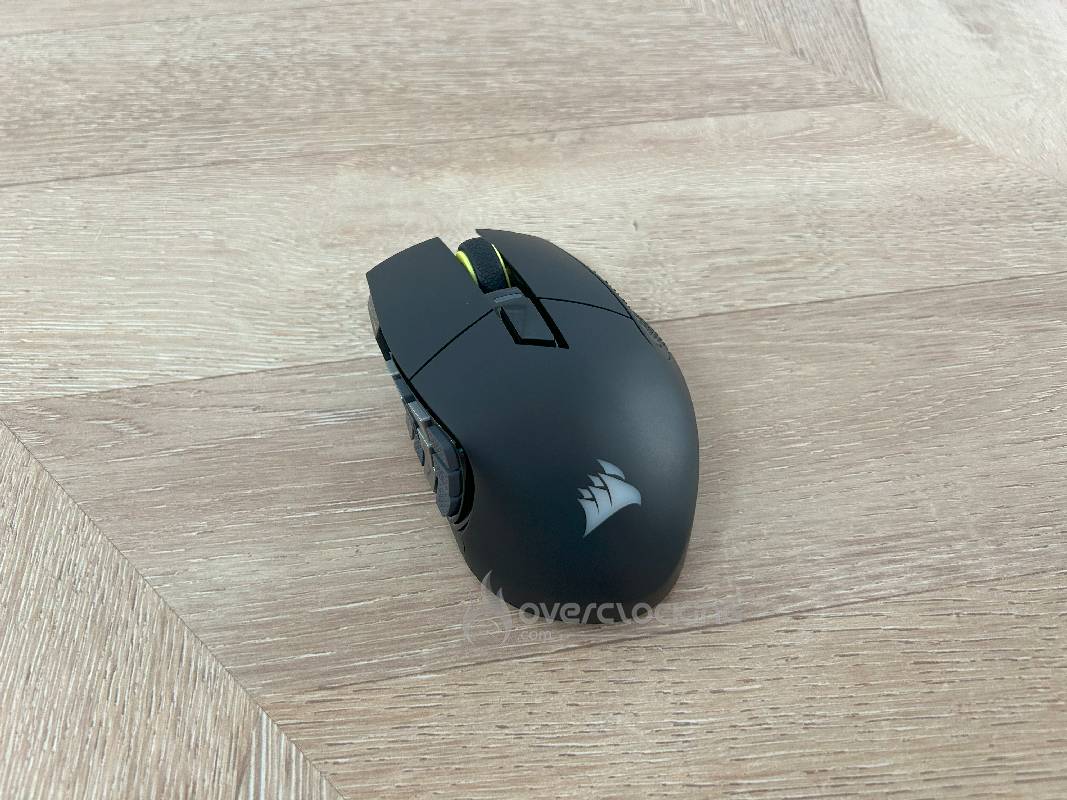
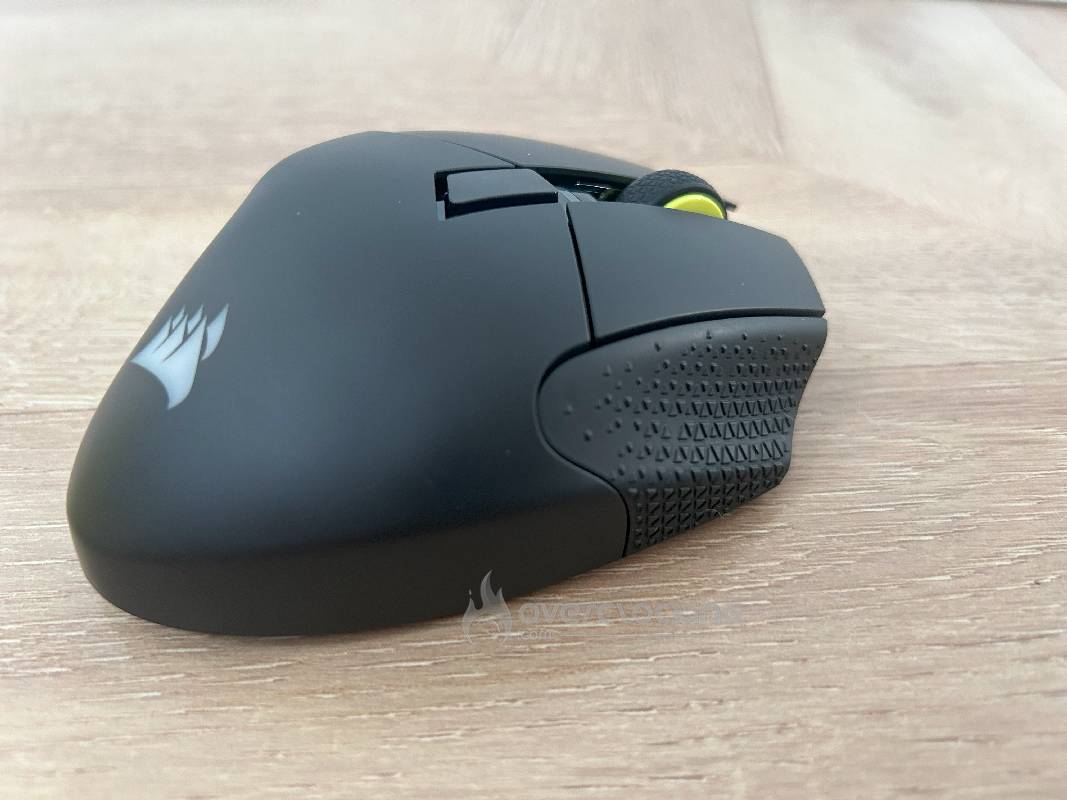
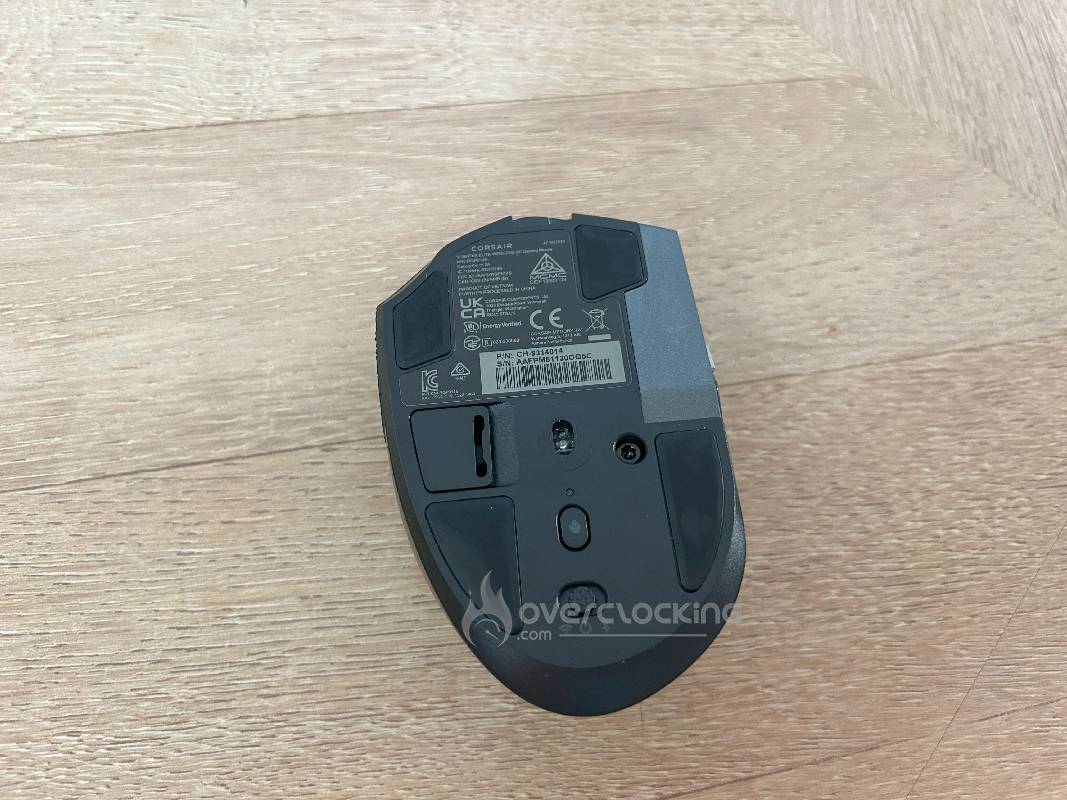
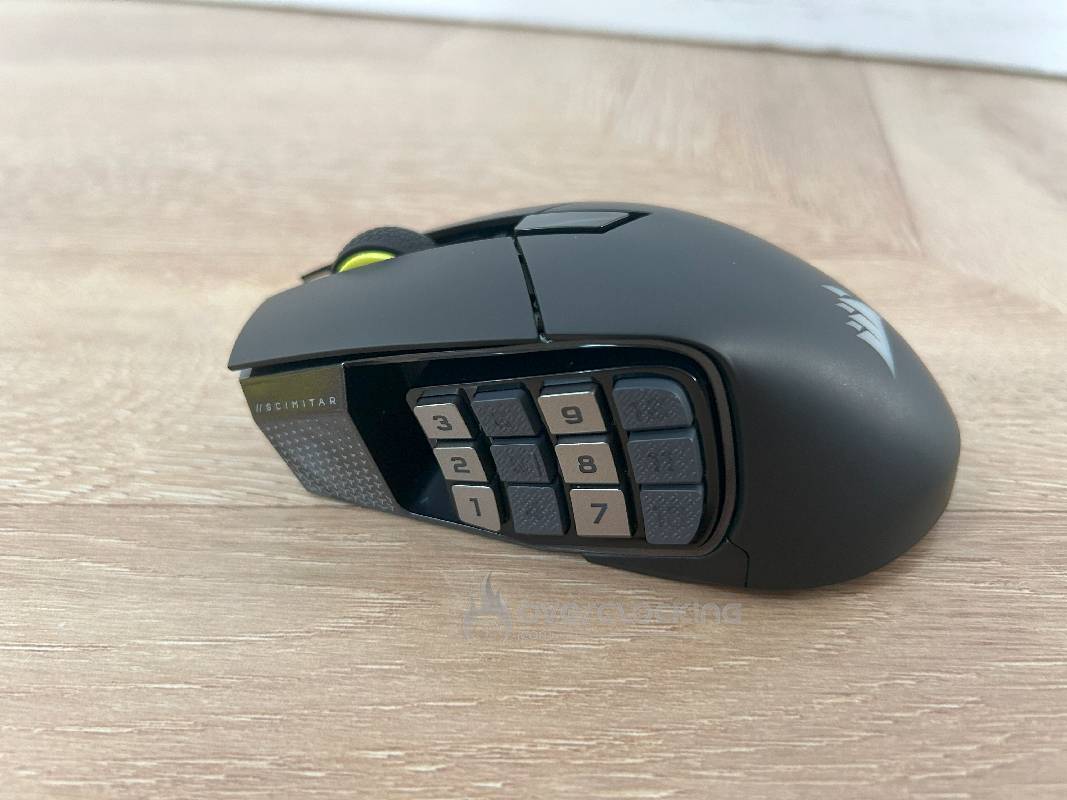
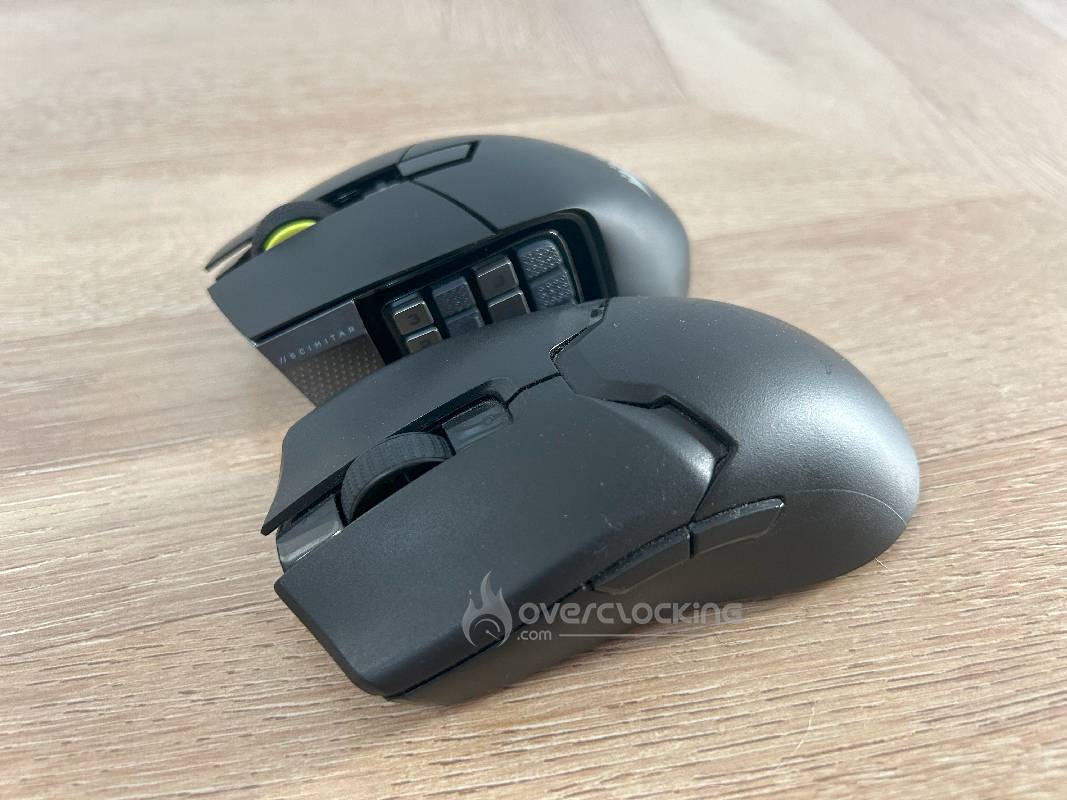
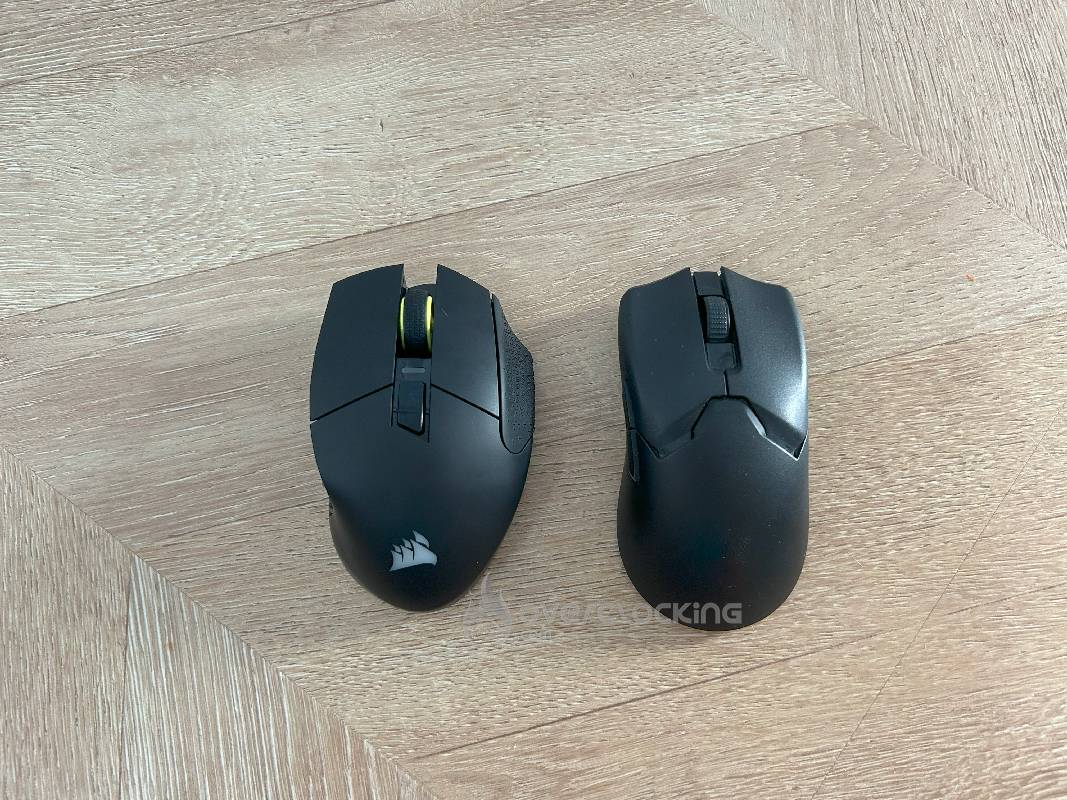
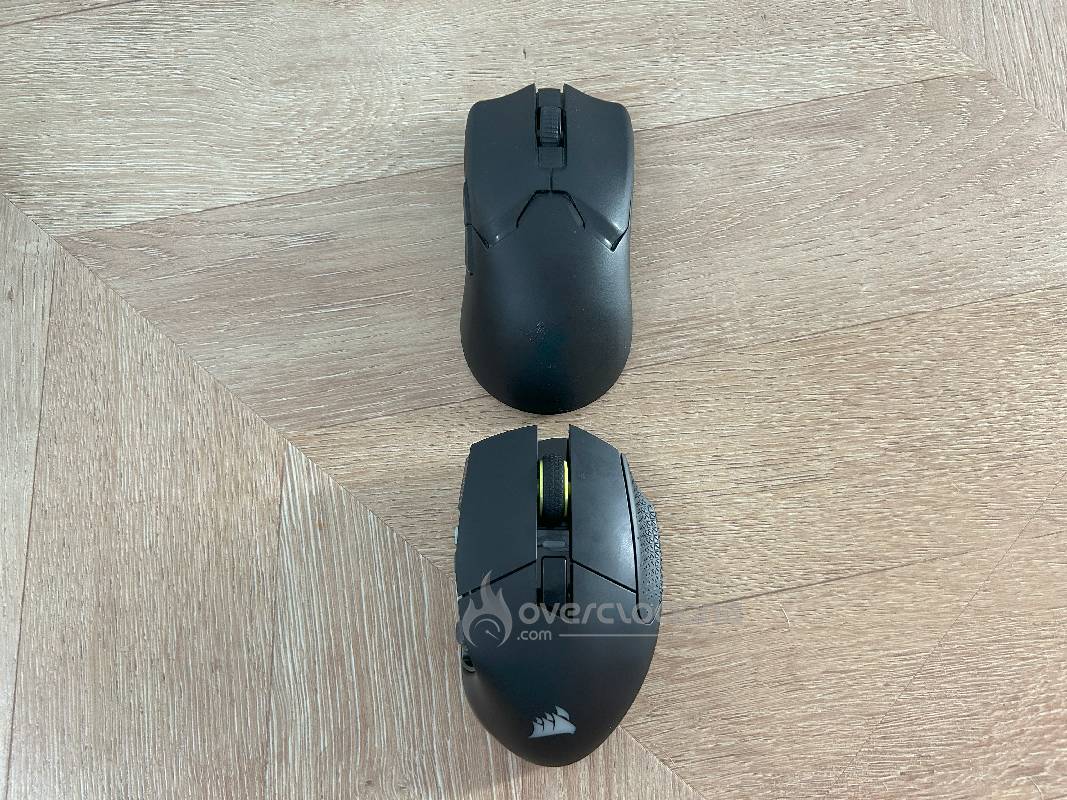
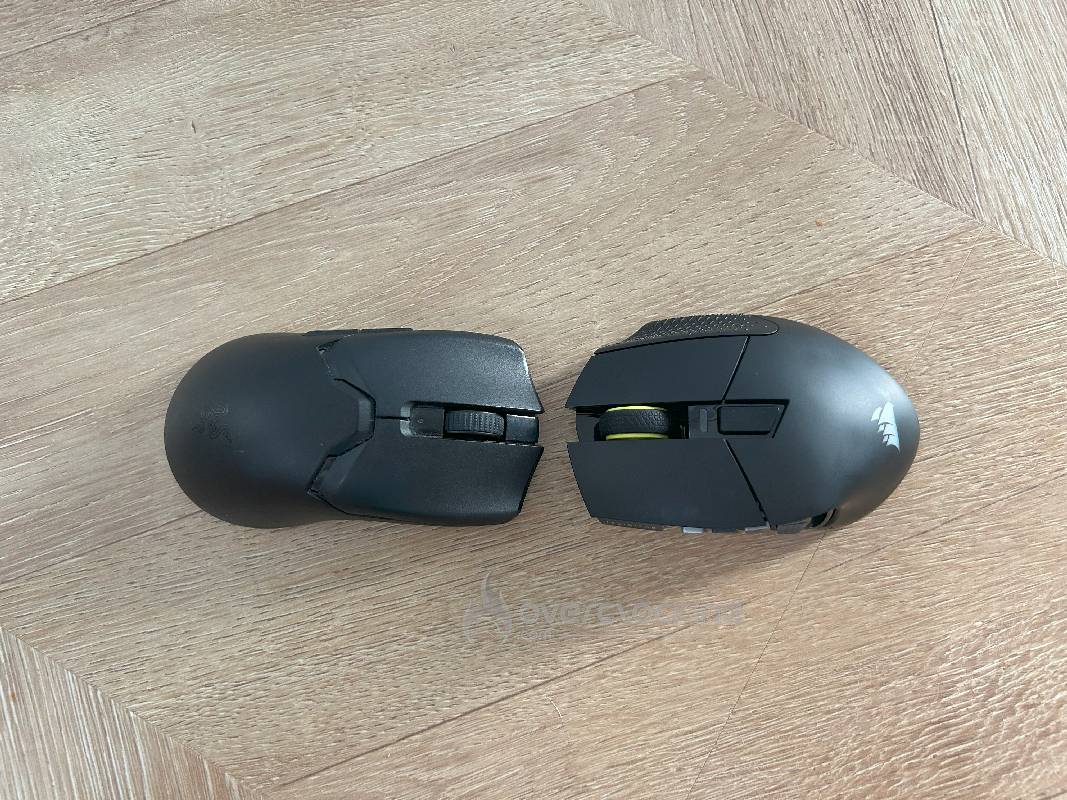
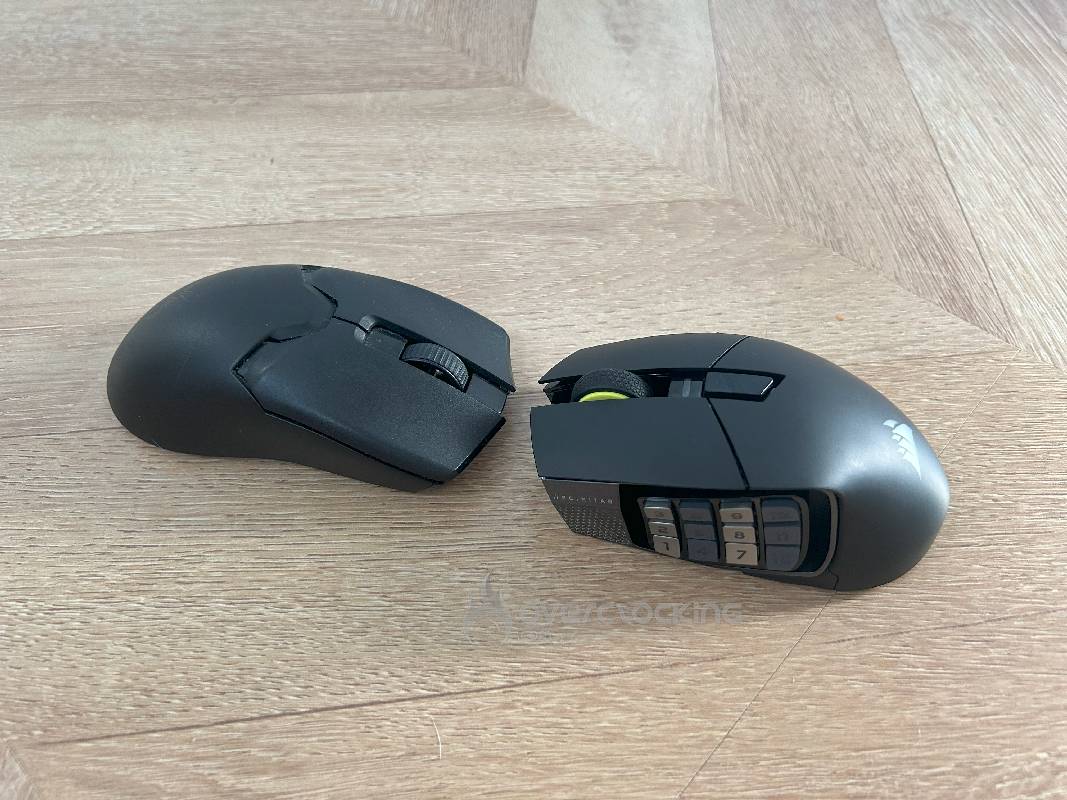
The first thing that strikes you is the sheer size of this mouse. The Corsair Scimitar Elite Wireless SE is an imposing mouse, with dimensions of 119.23 x 73.48 x 42.17 mm and a weight of 114 grams. Designed for right-handed users, it boasts an ergonomic shape with a raised left side to accommodate the famous 12 programmable side buttons.
 This configuration is particularly conducive to a palm grip, offering comfortable support for the palm thanks to its size and contour. However, it may prove too large for small hands, making it less intuitive to use. Users with claw or fingertip grips may also find it cumbersome. A major argument put forward by Corsair is its adjustable button panel. It’s particularly clever, allowing the buttons to be moved forwards or backwards for customized ergonomics depending on the position of the thumb.
Materials and finishes
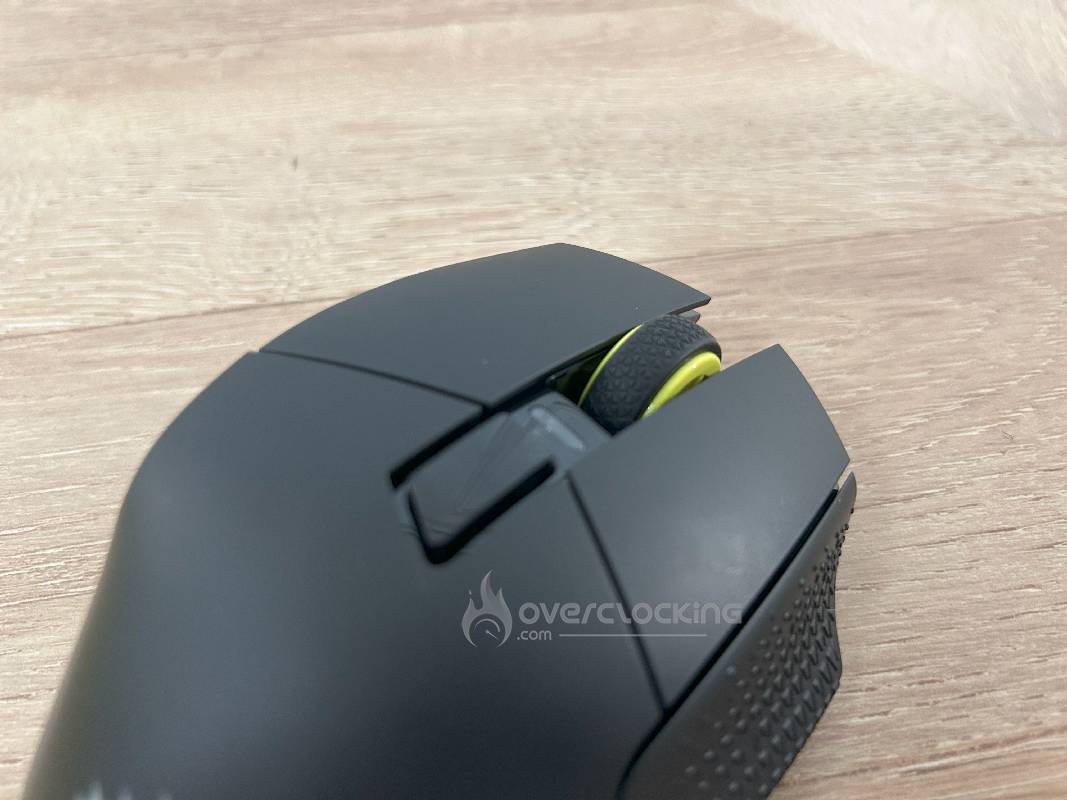
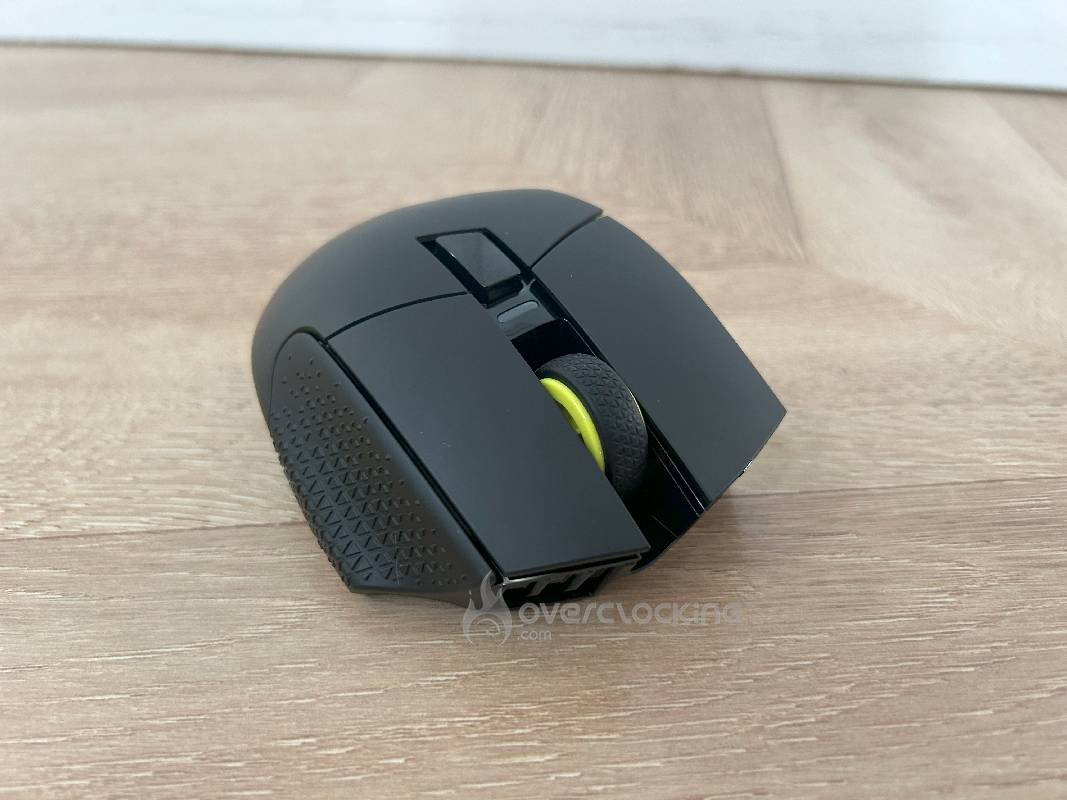
The mouse is made from high-quality materials, combining durability and comfort. The main body is made of sturdy plastic, guaranteeing longevity without cracking or flexing, the sign of a solid chassis. The side buttons feature a metallic texture for improved grip, while the thumbwheel is rubberized for a pleasant feel. The sides feature a non-slip soft-touch coating, essential for preventing slipping during intense gaming sessions. The combination of smooth and textured surfaces provides both a neat aesthetic and enhanced functionality, meeting the demands of gamers.
Everyday comfort
The Scimitar Elite Wireless SE shines through its ergonomic design, reducing fatigue during long sessions. The adjustable side panel is a highlight, allowing adaptation to medium to large hand sizes, ensuring easy access to buttons. However, its weight of 114 grams, although stable, can become tiring for some after several hours. Smaller hands may find the mouse too bulky, limiting its comfort. It excels for gamers who prefer customization and access to controls, especially in MMO/MOBA.
[nextpage title=”Technical data”]
Sensor
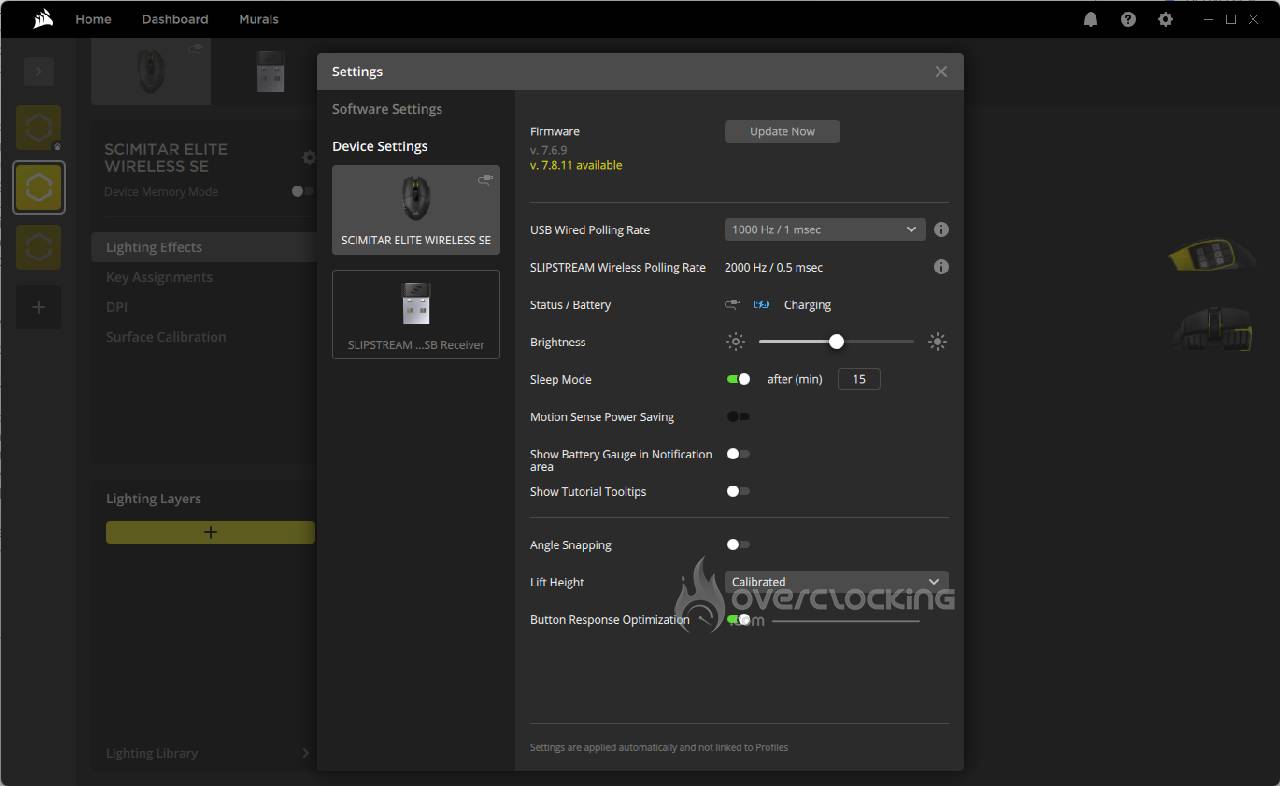
The CORSAIR SCIMITAR ELITE WIRELESS SE is equipped with a MARKSMAN S 33K optical sensor, offering a DPI range of up to 33,000. On paper, it meets the extreme precision requirements of MMOs and MOBAs in particular. This sensor guarantees precise tracking with an acceleration of 50G and a tracking speed of 750 IPS, ensuring smooth movements even at high speeds. The polling rate, adjustable via iCUE software, could be increased to 2000 Hz, but there’s a small hitch here. Even in wired use, the polling rate measured remains limited to 1,000 Hz. So it’s not a problem of communication between the mouse and its receiver, which actually communicate at 2,000 Hz. The explanation is rather simple: Corsair chose not to integrate the components required to go beyond this, contenting itself with a USB host connector capped at 1,000 Hz. A regrettable choice and a minor disappointment that could have been avoided with adequate communication. Nevertheless, in use, this sensor works without a hitch on a wide range of surfaces: laminate, wood, plastic, glass…and, of course, a good old mouse pad.

Connectivity
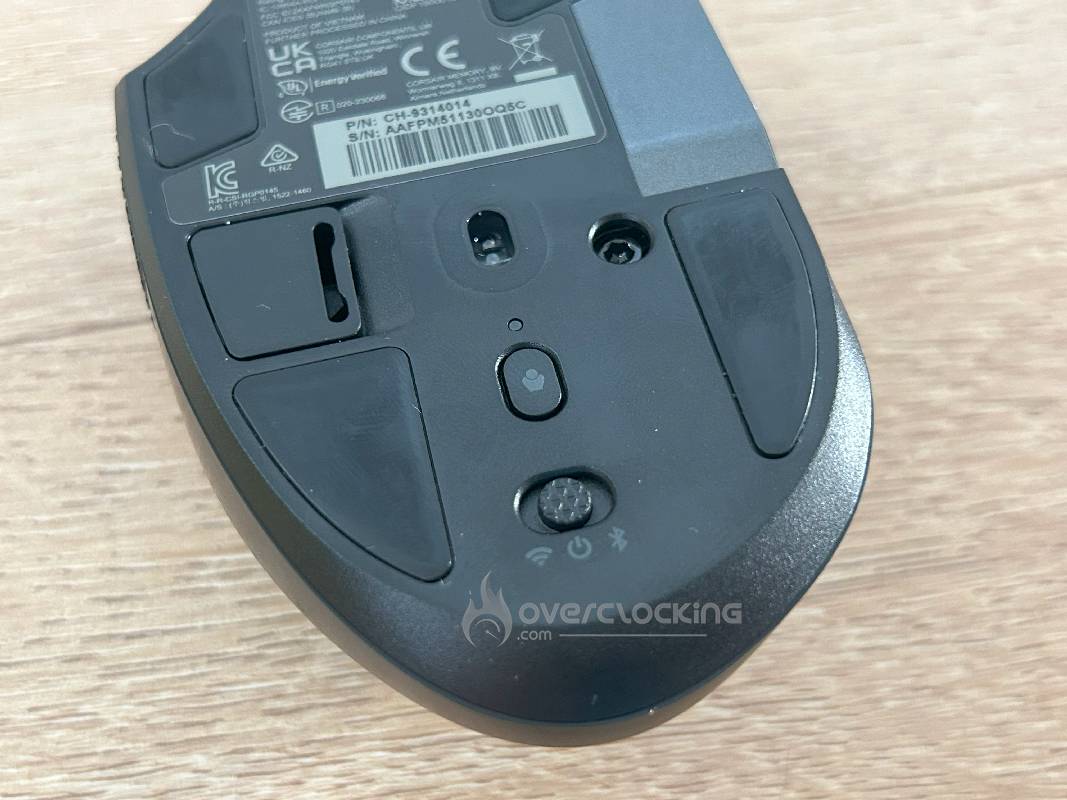
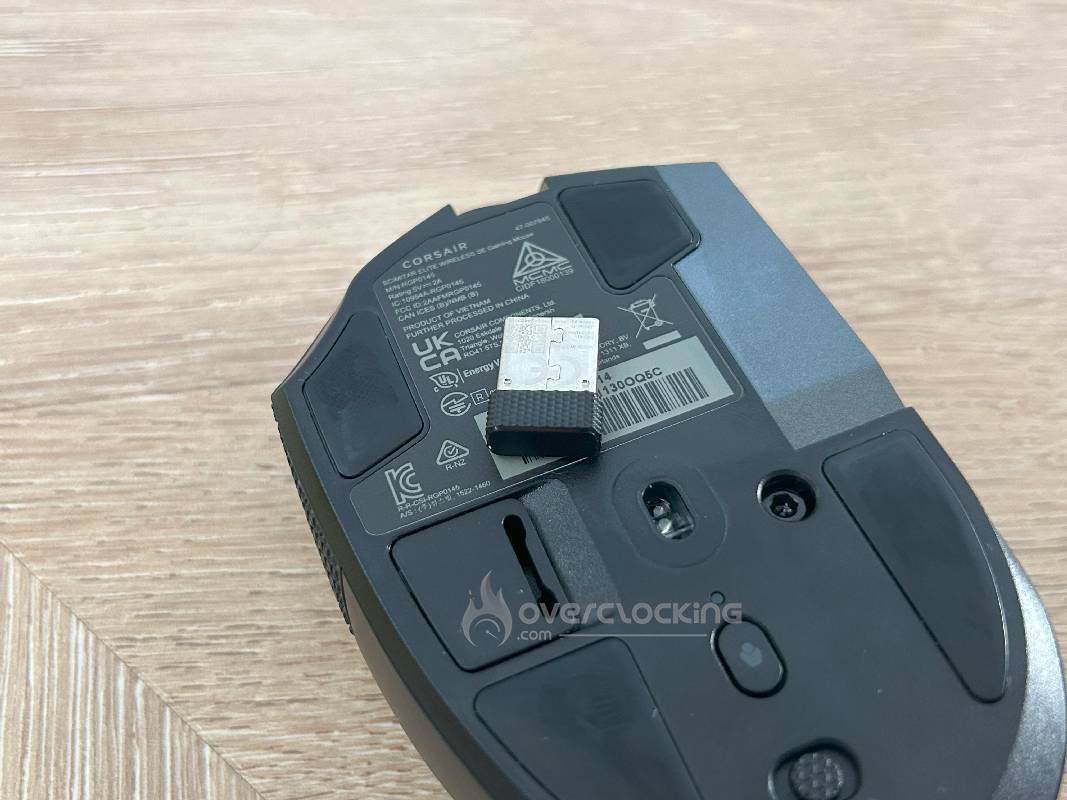
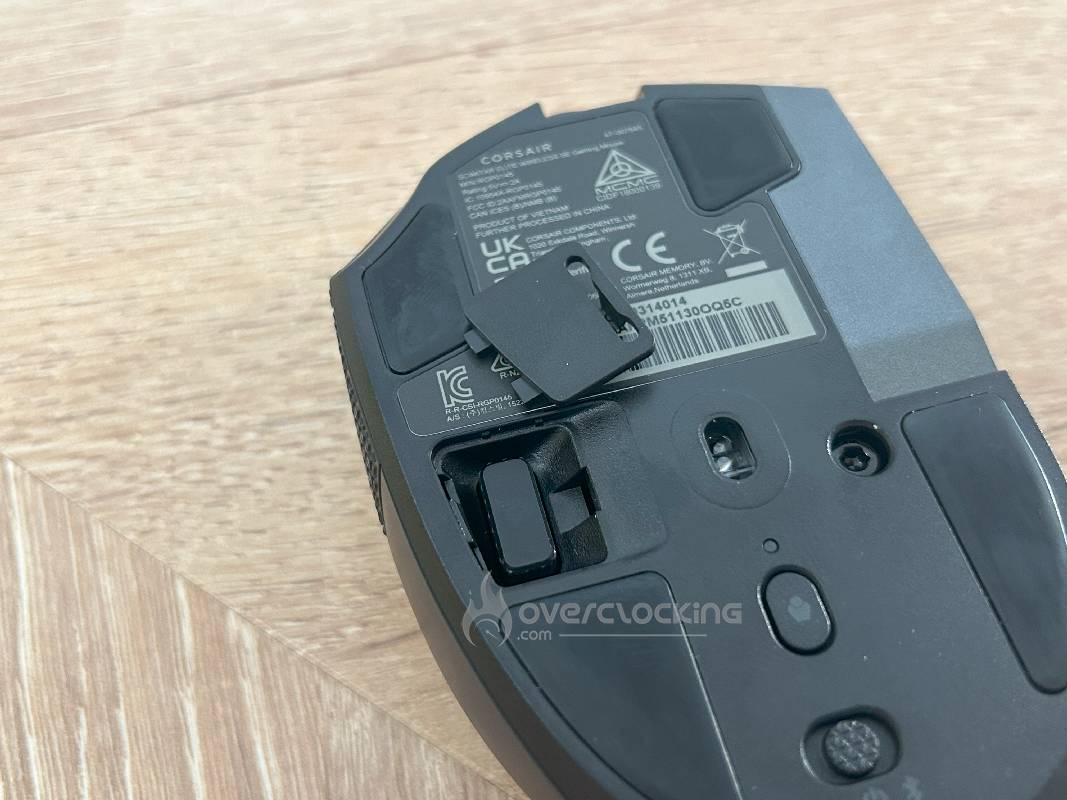
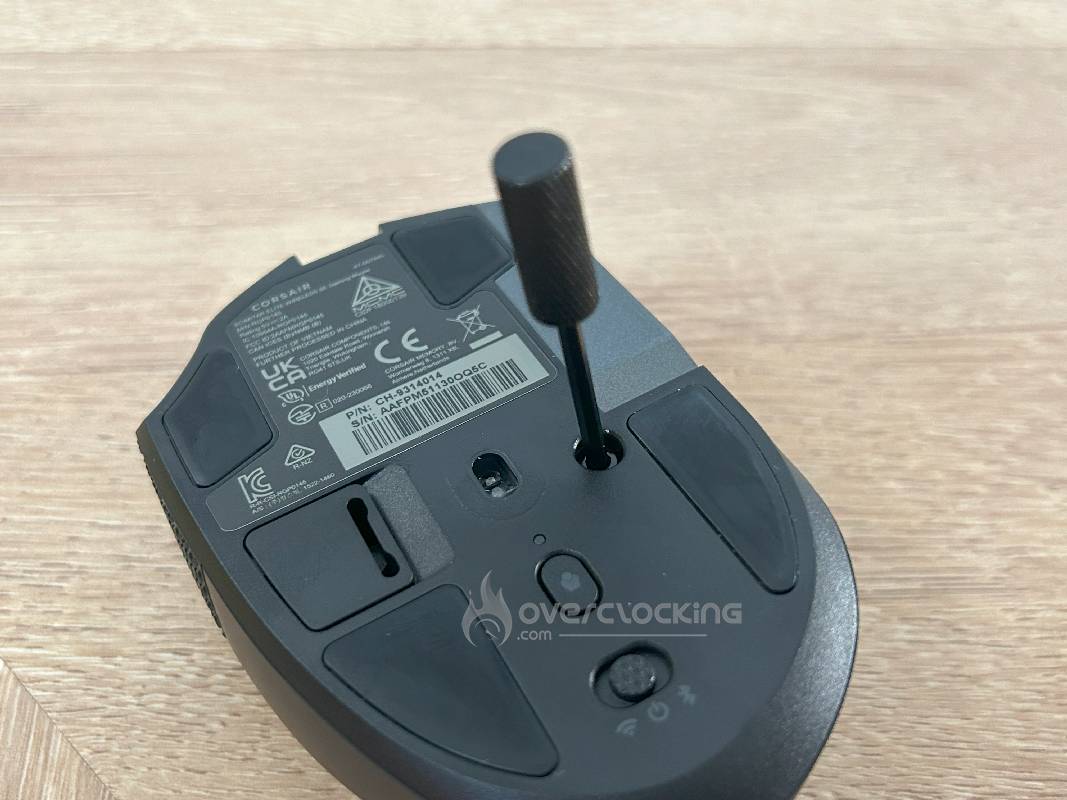
As you can see, this mouse is mainly wireless. Corsair offers us two connection options: Slipstream 2.4 GHz technology, with a latency of less than 1 ms for performance close to that of a wired mouse, and Bluetooth, which is more energy-efficient and compatible with various devices. It can also be used in wired mode via a USB-C cable. So which connection should you choose? The Slipstream connection excels in competitive gaming thanks to its low latency, while Bluetooth is suitable for everyday or nomadic use. The transition between these modes is fluid, reinforcing its versatility.
Autonomy
The SCIMITAR ELITE WIRELESS SE’s battery life is remarkable: 150 hours in 2.4 GHz mode and 500 hours in Bluetooth mode (without RGB backlighting). These figures, communicated by the brand, are confirmed by the facts. This excellent performance is underpinned by a rechargeable battery and integrated power-saving modes. A quick-charge function via USB-C enables rapid energy recovery, ideal for extended sessions. The iCUE software offers battery level monitoring and options to disable RGB, further extending battery life, making this a reliable mouse for intensive use. As for maintaining this performance over time, we’ll obviously have to see how this SCIMITAR’s battery ages.
Buttons and programmability

Once again, this mouse features 16 programmable buttons, including a 12-button side pad that can be repositioned using the Key Slider system for personalized comfort. All buttons can be reassigned or associated with macros via iCUE, with on-board memory for storing up to 5 profiles. Optical switches, guaranteed for 100 million clicks, ensure durability and responsiveness. Note that the mouse is equipped with in-house optical switches, which make themselves heard…but no more so than any other gaming mouse.
[nextpage title=”Features and software”]
Dedicated software
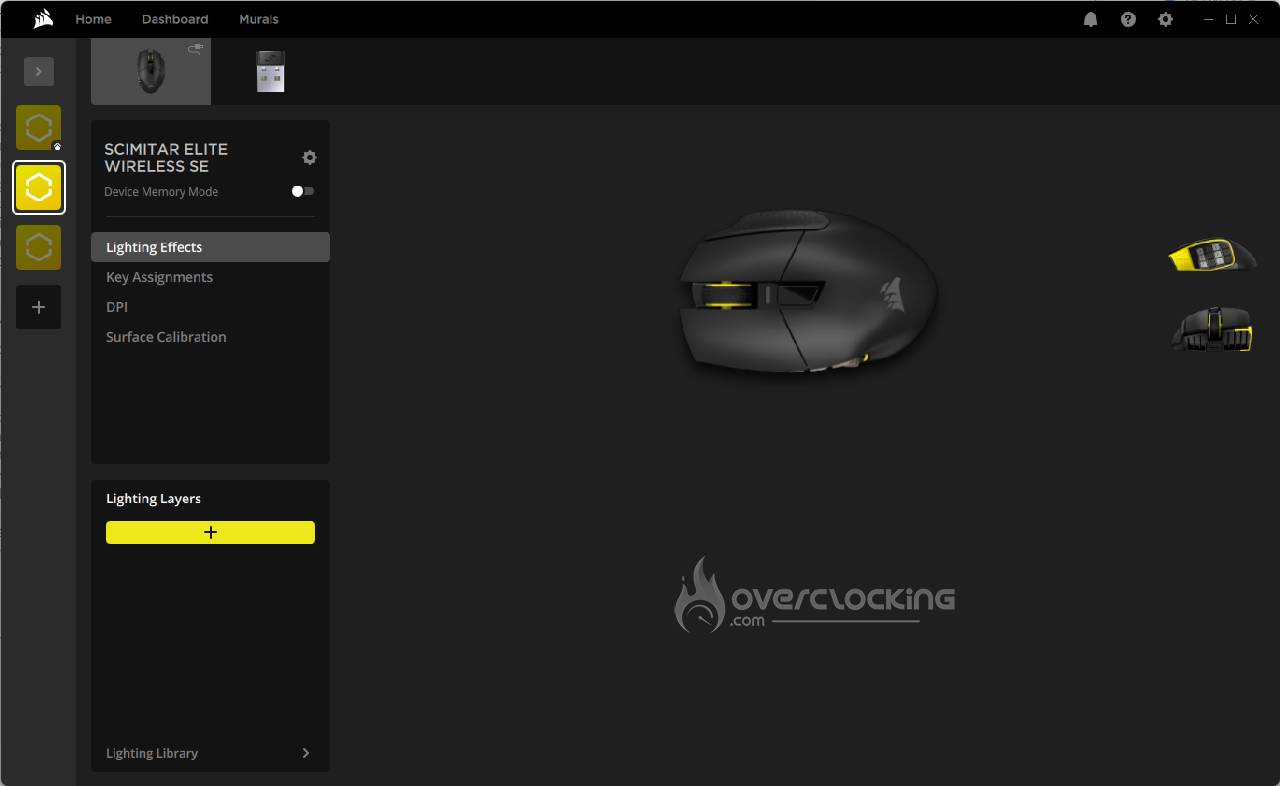
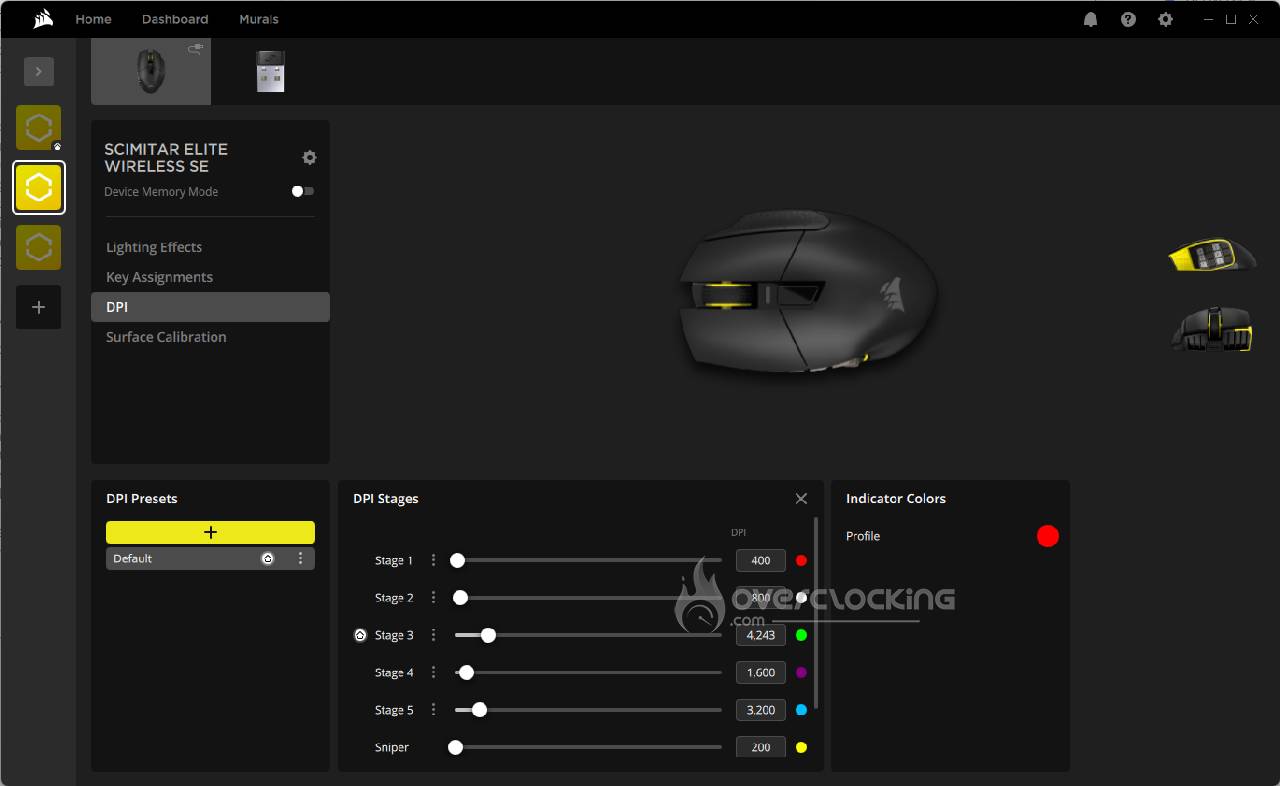
If you’re familiar with Corsair, you’ll have guessed that the Scimitar Elite Wireless SE is based on the iCUE software. The latter allows advanced customization, but can sometimes prove disconcerting. Nonetheless, once configured, iCUE offers a rich, if dense, interface that takes some getting used to for novices. Customization options are numerous: DPI can be fine-tuned up to 33,000, RGB lighting is fully adjustable, and macros and user profiles are programmable. Five profiles can be saved in the mouse’s internal memory for use without the active software, ideal for multi-device flexibility.
RGB backlighting
The mouse features customizable RGB lighting in two areas: the back logo and the 12 side buttons. Via iCUE, users can modify colors and lighting effects according to their preferences. Of course, there’s no miracle in the fact that this lighting has an impact on battery life in wireless mode. Corsair claims up to 150 hours at 2.4 GHz without RGB, but this decreases significantly with lighting activated. In Bluetooth mode, battery life reaches 500 hours without RGB, but again, its use reduces this performance. To optimize battery life, it is possible to deactivate or dim the lighting, a practical option for users who value endurance over aesthetics.
Special features
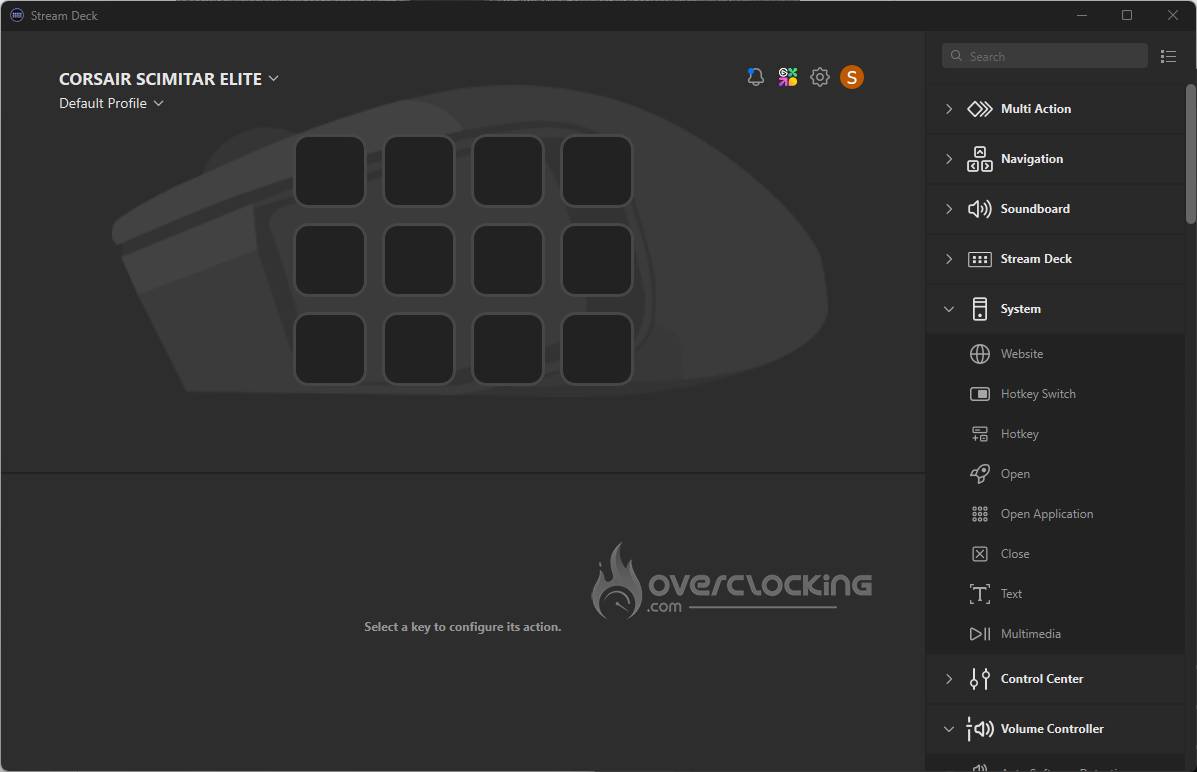
The Scimitar Elite Wireless SE offers advanced features. Sleep modes, configurable via iCUE, save battery power during periods of inactivity. Sensor height adjustment adapts to different surfaces, ensuring consistent accuracy. Built-in memory stores up to five profiles (DPI, macros, RGB), facilitating transitions between configurations or devices. But, as we mentioned earlier, it’s its integration with Elgato’s Stream Deck functionality that has enabled us to assign streaming functions to the side buttons, an asset for content creators. These options reinforce the mouse’s versatility, especially for demanding gamers and professionals.

[nextpage title=”Performance and comfort”]

Gaming use
Unsurprisingly, this mouse excels in MOBA and RTS games thanks to its 16 programmable buttons and its famous 12-button adjustable side pad, ideal for assigning macros and complex commands. Its optical sensor offers remarkable precision, and its responsiveness is excellent, even wirelessly, thanks to Slipstream 2.4 GHz technology. In FPS, it limits the damage, but it’s clearly its weight (114 g) that will get in the way of fast-moving gamers. It is therefore perfect for games requiring multiple shortcuts, while remaining relatively versatile for other genres.
Productivity/office automation: comfort, speed, scrolling options
This is clearly where we had a real revelation. This mouse shines in terms of comfort and practical options. Its ergonomics, with well-designed palm support, reduce fatigue during prolonged use. The fluid scroll wheel makes it easy to navigate long documents, while programmable side buttons speed up tasks in software such as Excel or Photoshop via customized shortcuts. The iCUE software allows advanced configuration, reinforcing its usefulness for professionals and designers. With the integration of some of the Steam Deck features, this Scimitar adds another string to its bow.
Latency and reactivity: overall impression
SCIMITAR ELITE WIRELESS SE gets the job done when it comes to responsiveness. In 2.4 GHz Slipstream mode, it offers near-zero latency, comparable to a wired mouse. While our initial observation about the “neutered” polling rate may have annoyed us, it’s not noticeable in use. Tests confirm the absence of lag or dropout, even during intense gaming. The Bluetooth mode, slightly less efficient, is perfectly suited to office use. The transition between wireless and wired is seamless, ensuring an uninterrupted experience.
Comfort for extended use
For long sessions, its ergonomic design for right-handed users, with a generous palm rest and well-placed buttons, limits fatigue. The adjustable side pad adapts to different finger lengths. However, its weight (114 g) can become noticeable after several hours, especially for users preferring lightweight mice. Overall, it remains comfortable for most users.
Versatility
This mouse is highly versatile, thanks to its programmable buttons and 5 internal profiles. Switching between games and spreadsheets is intuitive: one profile can be dedicated to gaming macros, another to office shortcuts. The iCUE software facilitates this customization, making transitions between gaming and productivity quick and efficient. But let’s be clear: if you want to switch from a MOBA to an FPS, the Scimitar will be indispensable in the former, but only a stopgap solution in the latter.
Adaptation to different body shapes
Designed for right-handers, the Scimitar adapts to most hand sizes thanks to its adjustable side pad, suitable for long or short fingers. For right-handers, its ergonomic design is a major asset. Unfortunately, no ambidextrous version is available for the moment.
[nextpage title=”Value for money and competition”]
Price range
The CORSAIR SCIMITAR ELITE WIRELESS SE is priced at 149.99 euros. Positioned in the upper range of gaming mice, it’s better placed than the Razer Naga V2 Pro, which is often much more expensive, but still well above the price of the SteelSeries Aerox 9 Wireless, which can be found for under €100. For gamers looking for a high-end MMO/MOBA mouse that also performs excellently in office use, it offers good value for money.
Strengths & weaknesses
Compared to the mice mentioned above, this Corsair mouse really shines in terms of versatility. Its 150-hour battery life and reliable wireless connectivity are also important arguments. Its ergonomic design is a real quality, while also being (paradoxically) its main drawback. It is indeed cumbersome for small hands, and its weight will put some people off.

Added value
Quite objectively, it’s the daily use in an office environment that has been a revelation for us. Comfortable and autonomous, it’s a real asset. Its integration with Elgato’s Virtual Stream Deck, enabling streaming functions to be assigned to buttons, is also ideal for designers. The adjustable side pad offers comfort for different hand sizes. In our opinion, these advantages justify its price tag for users looking for versatility and ergonomics.
[nextpage title=”Conclusion and recommendation”]

 It’s a strange feeling we have at the end of this test. Objectively speaking, we were expecting a mouse with a niche positioning… We came away with the discovery of a rather versatile device, capable of going into territory we hadn’t suspected. So, of course, don’t put words in our mouths. If you’re primarily a gamer looking to juggle FPSs and MOBAs, this mouse won’t fit the bill. But if you’re a regular user of your PC for work, and spend a lot of your free time on MMOs and MOBAs, then this is definitely a choice to consider. The Corsair Scimitar Elite Wireless SE shines in terms of functionality and quality. And best of all, it’s a pleasure to use every day. Despite its weight and size, which won’t suit everyone, it excels for MMO/MOBA gamers, creative types and those who work on their PCs 24/7