

By default, Valve’s Steam Machine comes with the Linux-based Steam OS pre-installed. However, the company gives users the final say on which system to use by allowing them to install Windows, for example—especially since Microsoft has released drivers for its operating system. That’s exactly what one video creator did, comparing the performance differences between the two systems!
Windows vs. Steam OS: Microsoft has a slight edge!
A smooth installation:
Generally speaking, installing Windows on a Steam console isn’t an insurmountable task—quite the opposite. The system successfully detected all the console’s components, and the installation went off without a hitch. Once the process was complete, we had a system ready to go. It’s worth noting that the graphics card is recognized as an RX 7600 in Windows, as well as in AMD RADEON Adrenalin.
Better performance on Windows!
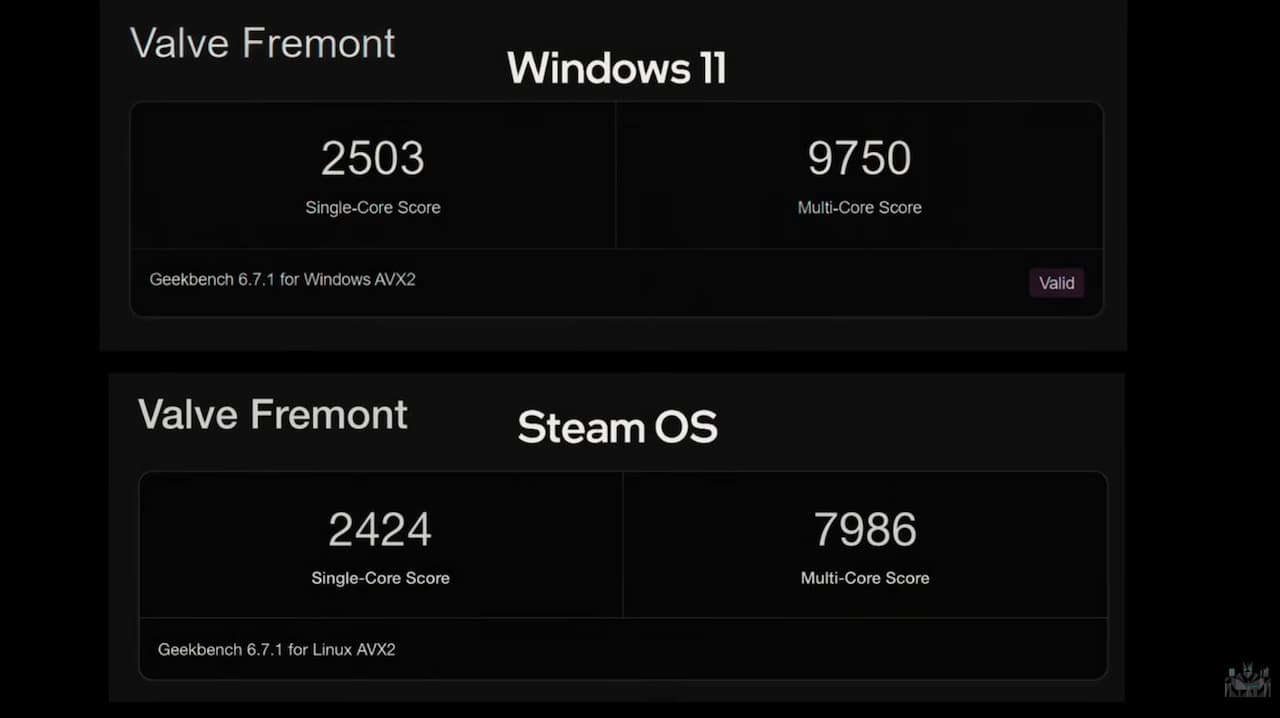
In terms of performance, on Geekbench 6, we note that Windows delivers better scores. These scores are higher than those on SteamOS, as under Windows, the console scores 2,503 points in single-core testing versus 9,750 in multi-core testing. In contrast, on SteamOS, the scores are only 2,424 points in single-core and 7,986 in multi-core. On Windows, the console is 22% faster in multi-core performance. Meanwhile, on Cinebench 2024, the Steam console scores 99 points in single-core and 554 points in multi-core—not enough to compete with an Apple M1 Max.
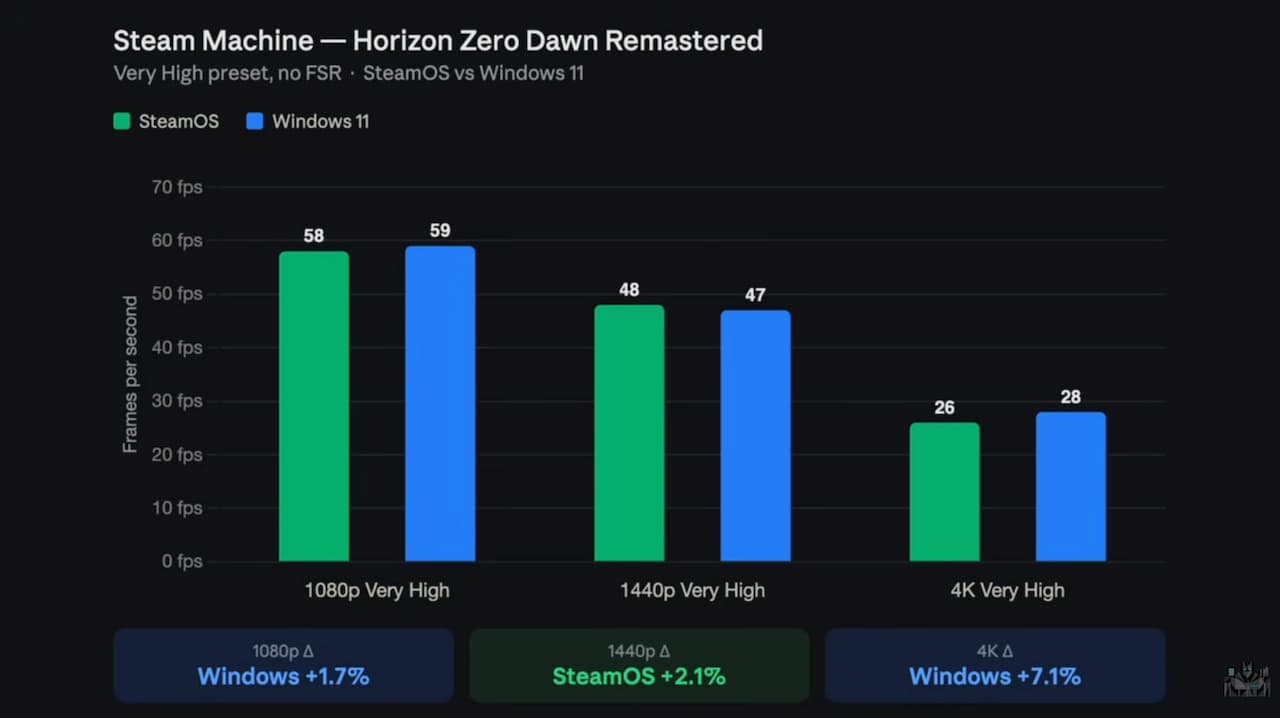
When it comes to gaming, we’ll note that the console performs better on Windows when tests are run at 1080p and 2160p. At 1440p, the gap between the two systems narrows. The most notable difference remains in*Horizon Zero Dawn Remastered* at UHD resolution, where the Windows machine is up to 7.1% faster than on Steam OS. Otherwise, in *Shadow of the Tomb Raider*, the difference increases to +4.3% for the Windows machine.