

If Borderlands 4 was resource-hungry, the same cannot be said of Dying Light: The Beast. In fact, the title is much better optimized, and we finally have a game that can be played on a wide range of configurations. Clearly, it’s nice not to need a PC that requires a high-end card to reach 60 fps in 1080p.
Dying Light: The Beast runs like a charm!
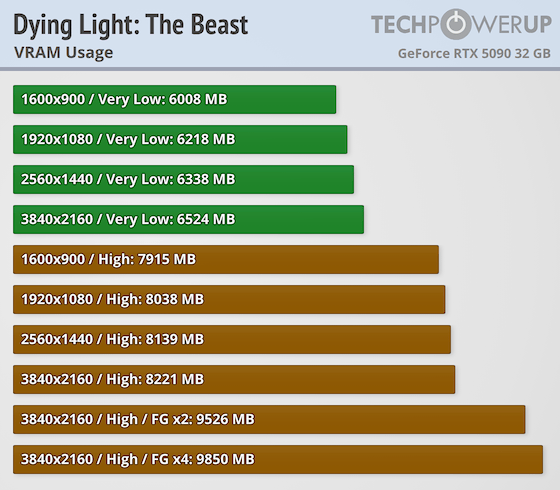
As far as memory is concerned, if you’re playing with visual details set to low, no problem – a graphics card with 8 GB VRAM will be able to run it. In fact, under these conditions, in UHD, the title consumes just 6.5 GB of memory. On the other hand, when the details are pushed to high levels, memory consumption becomes more significant. At 1080p, the game draws 8 GB of VRAM, compared with 8.1 GB at 1440p. In UHD, we reach 8.2 GB and up to 9.8 GB with frame generation x4 enabled
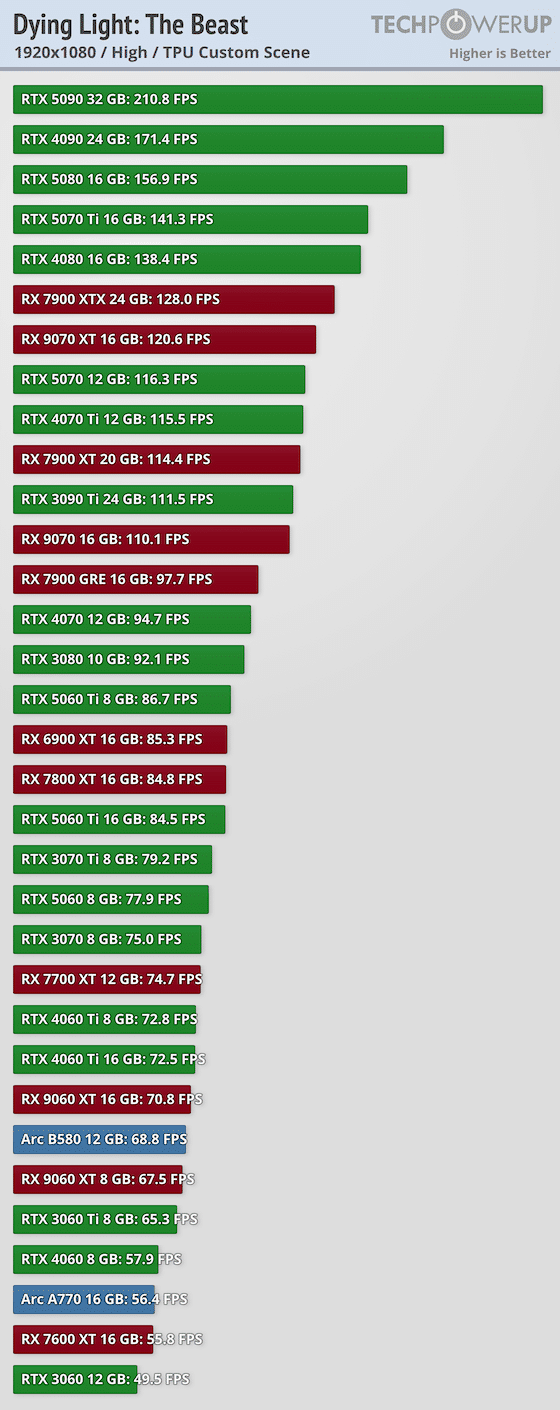
To run the game in 1080p with high detail at 60 fps, it’s simple: you’ll need at least an RTX 3060 Ti, as the RTX 4060 only manages to run the game at 57.9 fps on average. Incidentally, Intel’s little B580 (tested here) also works well and manages to deliver close to 70 FPS in these conditions, frankly, hats off to them. Looking higher up, we see that the RTX 5090 is light years ahead of the other cards with its 210 FPS, while there’s a significant performance gap between the RTX 5060 Ti and RX 9060 XT.
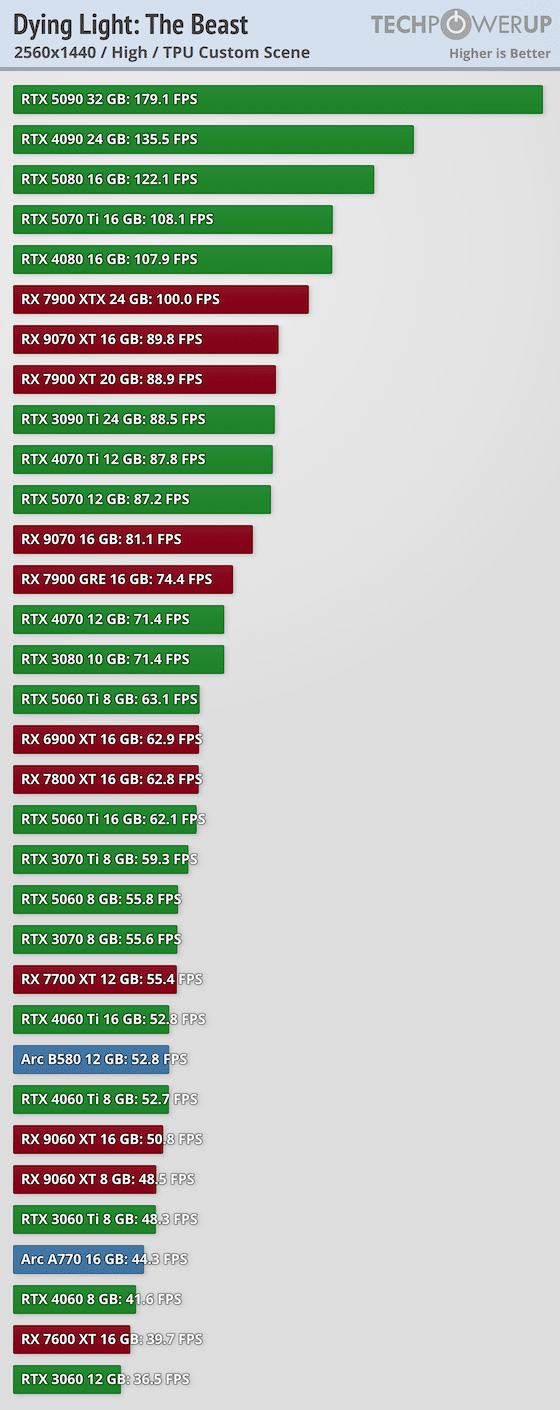
In 1440p, things get tougher, as the game becomes a little more demanding, as we can see. Here, we can only reach 60 fps with RTX 5060 Ti 16GB and RX 7800 XT. For all other cards, if you want to keep your graphics settings high, you’ll need to activate upscalling. And if you’re playing in UHD, only the RX 7900 XTX and beyond can keep up with this framerate limit.
In any case, the game is accessible to even the most modest configurations. Even if your hardware is older than an RTX 3000, all you have to do is lower the graphics quality… As long as your card has at least 6 GB of VRAM.
Read our colleague’s test here!