

Borderlands 4 is here, and the cellshaded game requires a big graphics card to run properly. On the one hand, the title is very memory-hungry, and on the other, without upscaling it simply doesn’t run well. At full 1080p, even an RTX 5070 can’t reach 60 fps, that’s for sure!
Borderlands 4: a blown framerate!
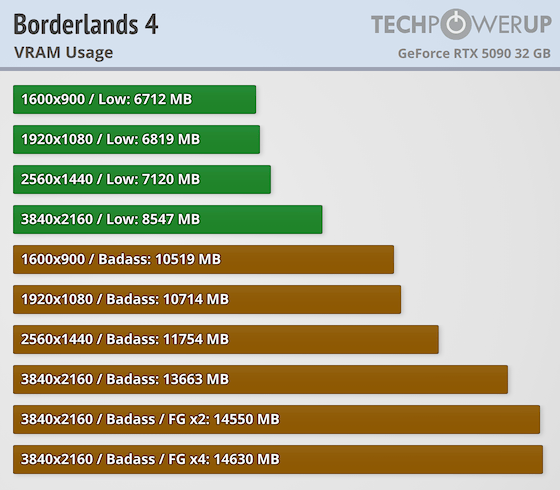
Clearly, this is the game that confirms to us that 8 GB of VRAM simply isn’t enough to play in 2025. Indeed, at maximum visual detail, the game consumes 10.7 GB of VRAM at 1080p. In 1440p, this rises to 11.7 GB, then 13.6 GB in UHD. At 1440p alone, the memory of an RTX 5070 is already saturated! This rises to 14.6 GB of memory used when frame gen x4 is active!
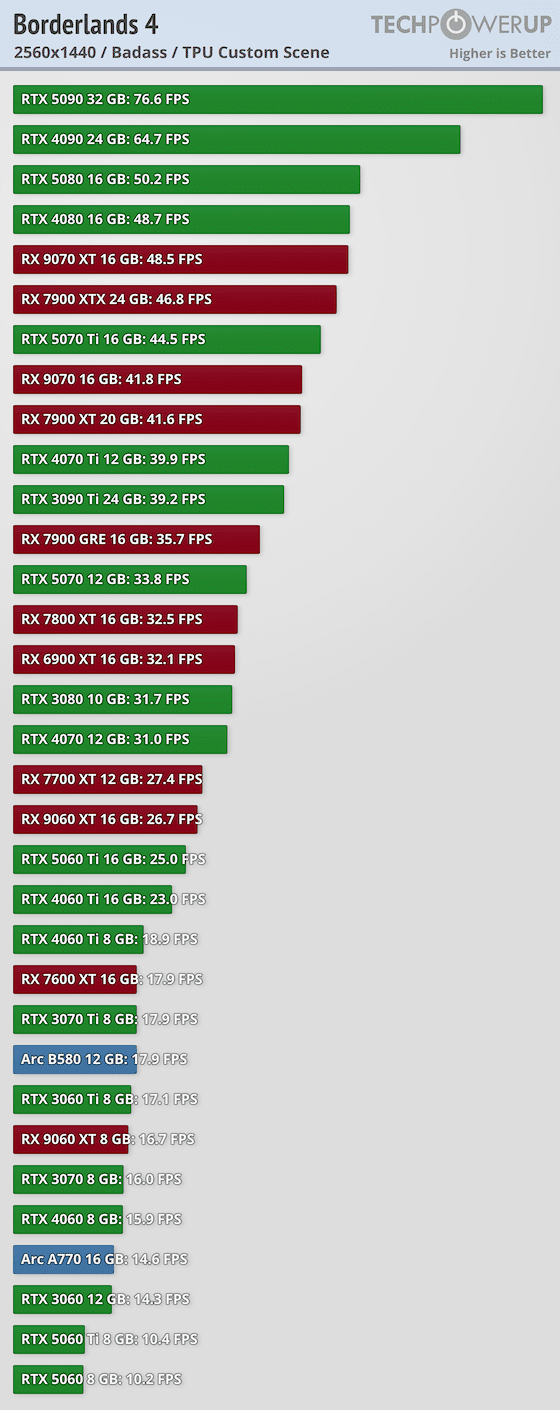
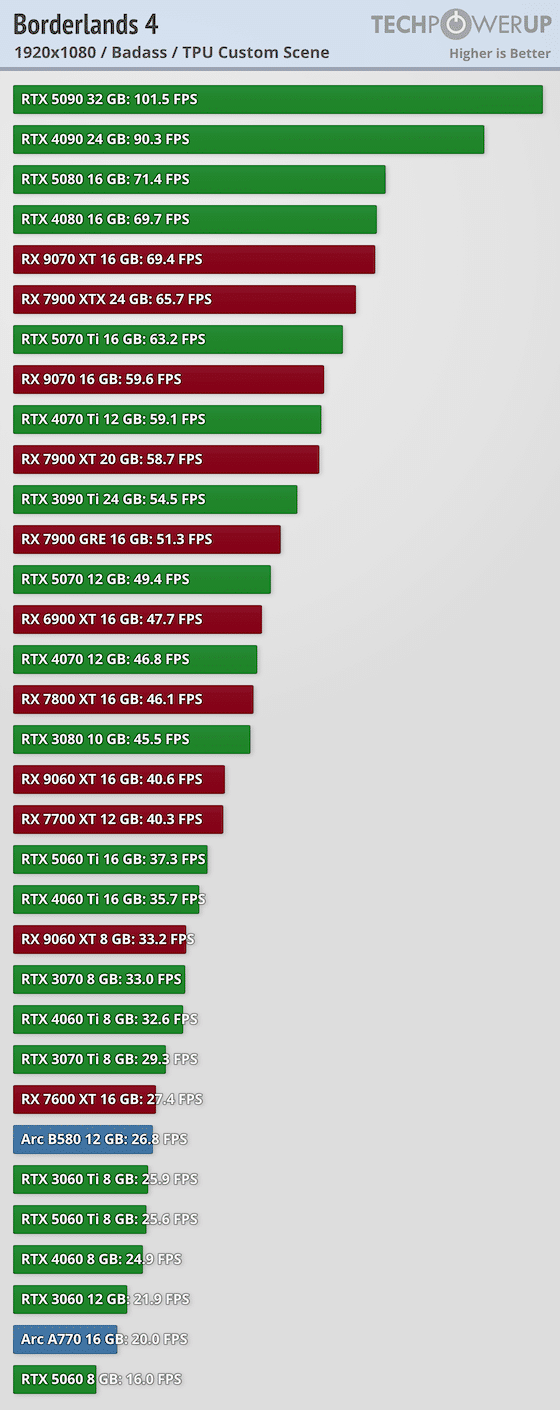
In terms of performance, it’s a slaughterhouse, as we can only reach 60 FPS with the RX 9070, RTX 5070 Ti and RTX 4070 Ti, which stabilize at 59.1 FPS. If you have a lower-end card, don’t expect to play at 60 FPS with full detail in 1080p. Even an RX 7900 XT runs at 58.8 FPS, while popular cards like the RTX 5060 Ti or RX 9060 XT operate in the 40s. On the Intel side, it’s best not to mention that the B580 runs at less than 30 fps.
In 1440p, it’s even worse, as AMD’s RX 9070/7900 XTX keep up at 46~48 FPS. In this resolution, only the RTX 4090/5090 exceed 60 fps; even the RTX 5080 fails to do so. This is when you realize that something is broken in the game. The title may be full of humor, but in the meantime, it’s the gamer who’s laughing out loud at its framerate.
In short, you’ll have to activate all the magic options based on DLSS and frame gen to finally have a game that works. 60 FPS is possible in 1080p for the little RTX 5060 Ti 8 GB. In fact, with DLSS Performance, you can get up to 68 fps. And if you insert a few fake frames between the real ones, thanks to frame generation, you can reach 175 FPS at x4.
Here’s our colleague’s performance test!