
[nextpage title=”Presentation”]
We’re back with a brand new gaming keyboard review: the Skyfall 65 Mag Ultima 8K Wireless by Hator. This is a benchmark mechanical keyboard, equipped with magnetic switches, PBT keys, and a small screen. This keyboard is available at the very reasonable price of €89.90 in most stores.
So, what is the Skyfall 65 Mag Ultima 8K worth? Find out in our review!
Technical specifications of the Skyfall 65 Mag Ultima 8K:
This keyboard is a fairly minimalist model. It measures 335 x 122 x 43 mm and weighs 795 g. The Skyfall 65 Mag Ultima 8K is a wireless model that can be connected via Bluetooth or its 2.4 GHz dongle. It has an 8,000 mAh battery and an 8 GHz polling rate. You can expect 25 hours of battery life with the backlight on, and up to 533 hours without.
The Hator keyboard features Hator Aurum Ice switches, which are magnetic and linear, with an expected lifespan of 100 million keystrokes. They can be hot-swapped. The keys are made of double-injection PBT for greater durability. In addition, it features a gasket mount. On top of that, a multi-layer noise reduction system has been implemented.
Here, the Skyfall 65 Mag Ultima 8K has a multimedia control wheel, as well as a 0.85″ TFT screen.
Recommended system:
To use the Hator keyboard, you will need a Windows 10 or Windows 11 operating system. macOS, ChromeOS, and Linux are also compatible with the Skyfall 65 Mag Ultima 8K.
[nextpage title=”Unboxing”]
The box:
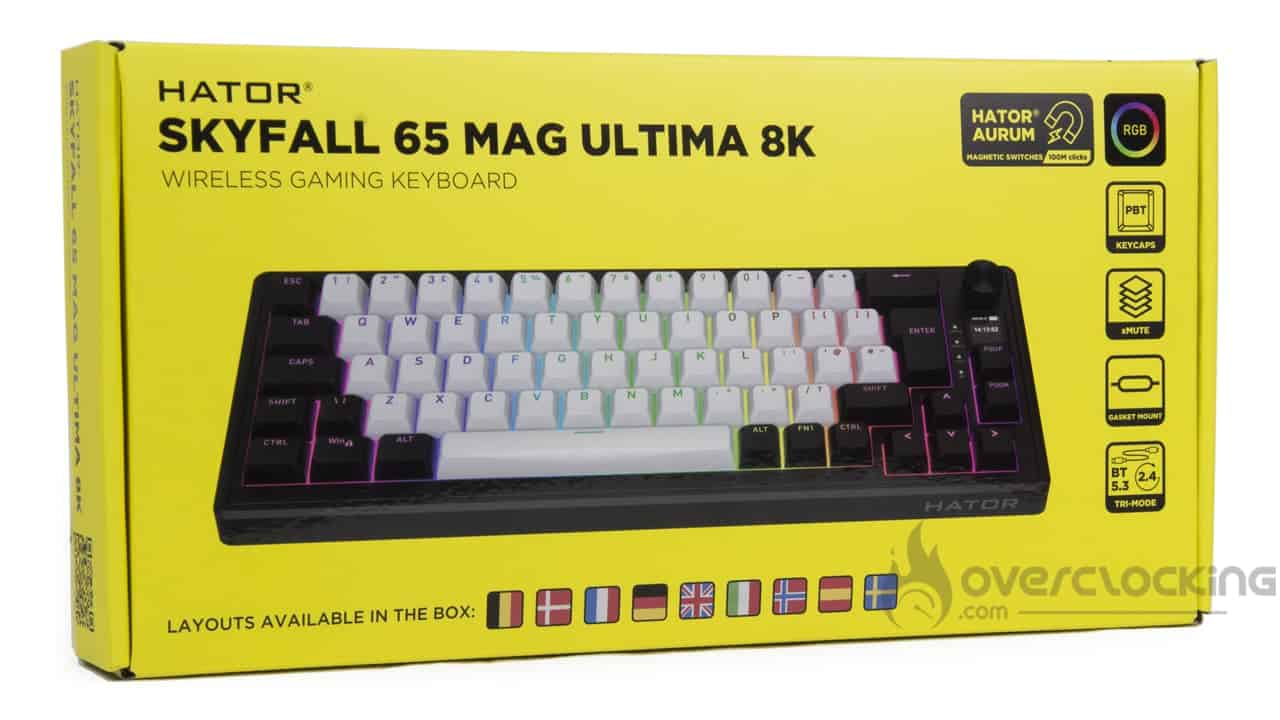
The Hator keyboard comes in a small box that is almost entirely yellow. On the front, there is an image of the keyboard, lit up by its RGB LEDs. We learn that this model is wireless and that the switches are magnetic. Of course, we also find information stating that the keyboard is RGB, that it has PBT keys, insulation layers, a gasket mount, and several connection modes (wired, 2.4 GHz, or Bluetooth). Finally, the brand highlights the nine layouts included in the box, including Belgian, French, German, English (UK), Italian, and more. It’s pretty crazy to see all the features it has for its price of €90.
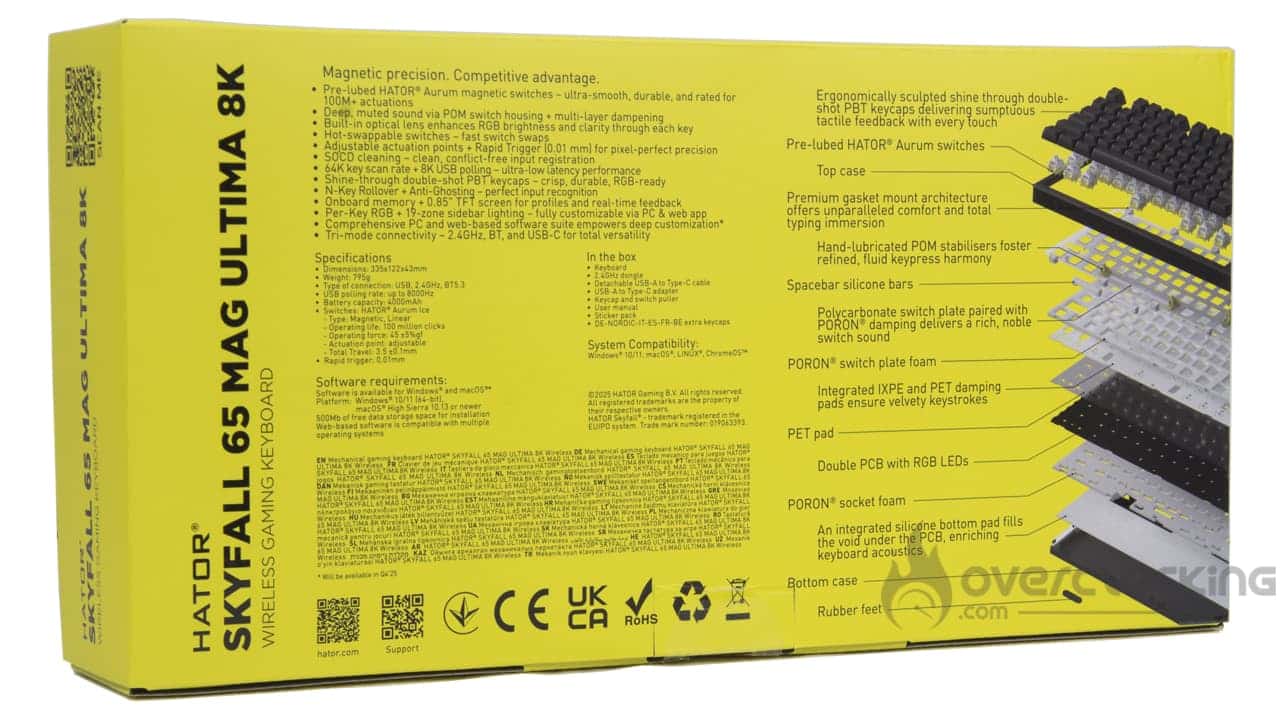
Let’s now move on to the back, where all the keyboard’s features are highlighted. We also have an exploded view of the Skyfall 65 Mag Ultima 8K, which shows us the entire construction of this model.
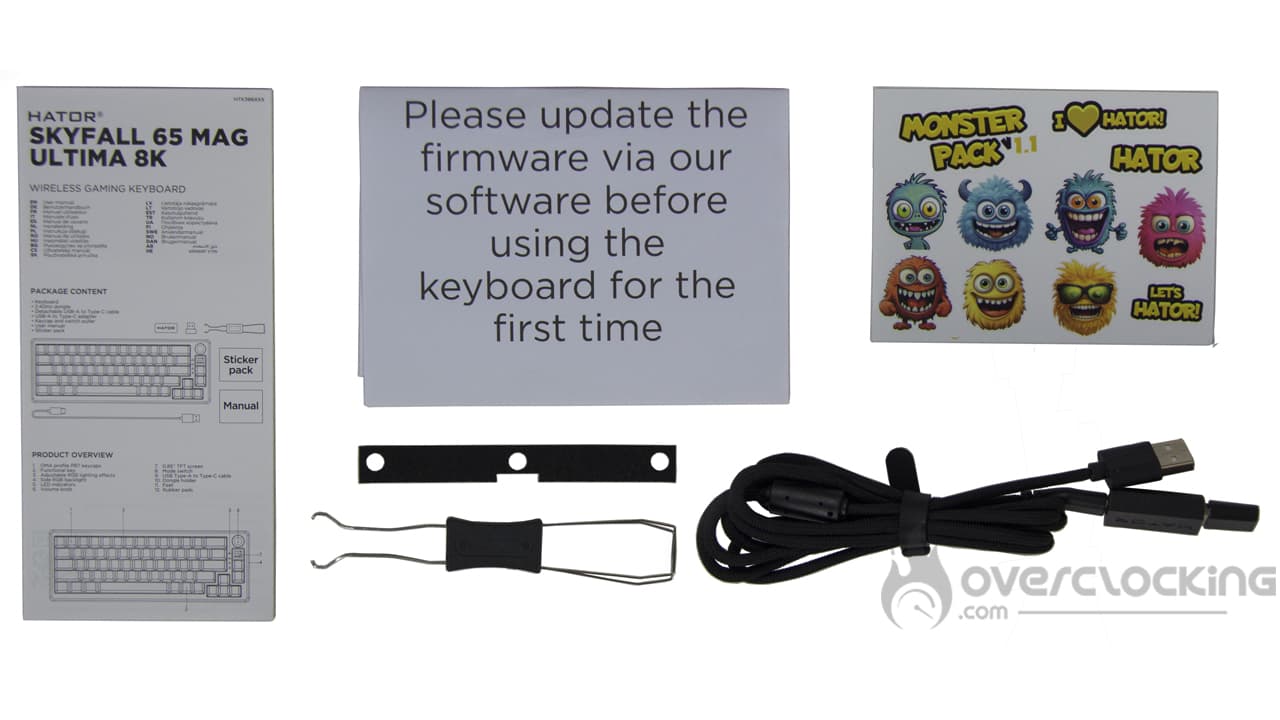
Let’s open the box, where we find the keyboard protected in a paper bag. On top, there is a QR code that we can use to update the product’s firmware.

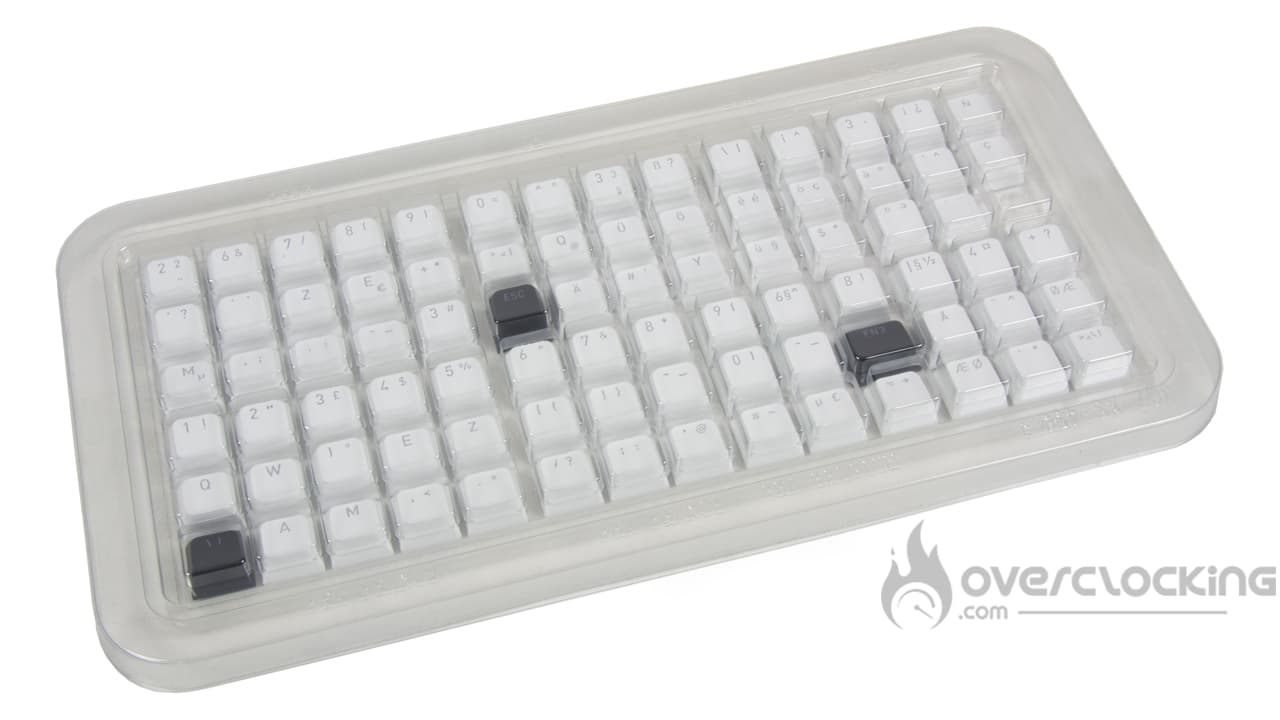
The contents of the Hator keyboard box are very interesting. It includes the user manual, the QR code for the update, stickers, a key and switch puller, the charging cable/dongle, and, of course, the extra keys that come with the keyboard.
The Skyfall 65 Mag Ultima 8K :
Let’s take a look at Hator’s Skyfall 65 Mag Ultima 8K. Visually, it’s a very attractive, minimalist keyboard in two main colors (black and white). It also features an Esc key in the brand’s colors, which adds a bit of color to the black and white keyboard. Overall, it seems well-built, and the PBT keycaps are a nice touch. On the far right, there is a small wheel for adjusting the sound. There is also a screen, which can be customized using Hator’s software.
Finally, in the bottom right corner, a discreet Hator logo affirms its identity.

And what does it look like from the back?
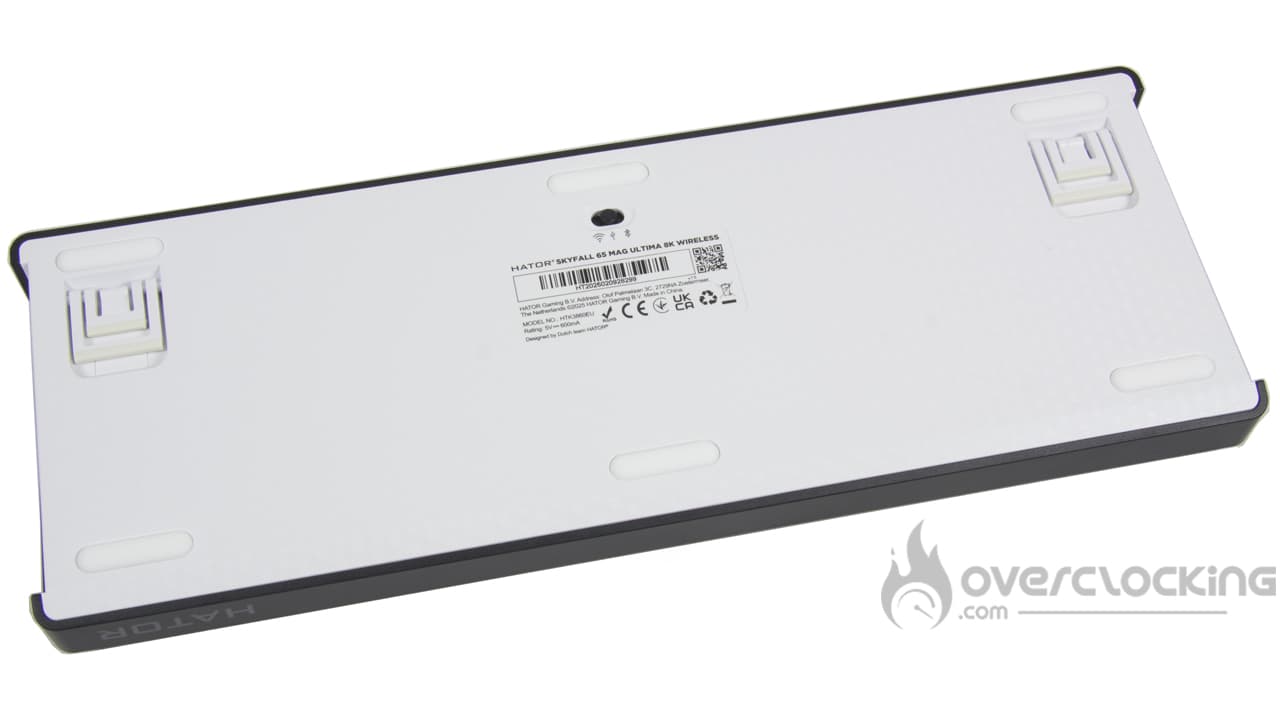
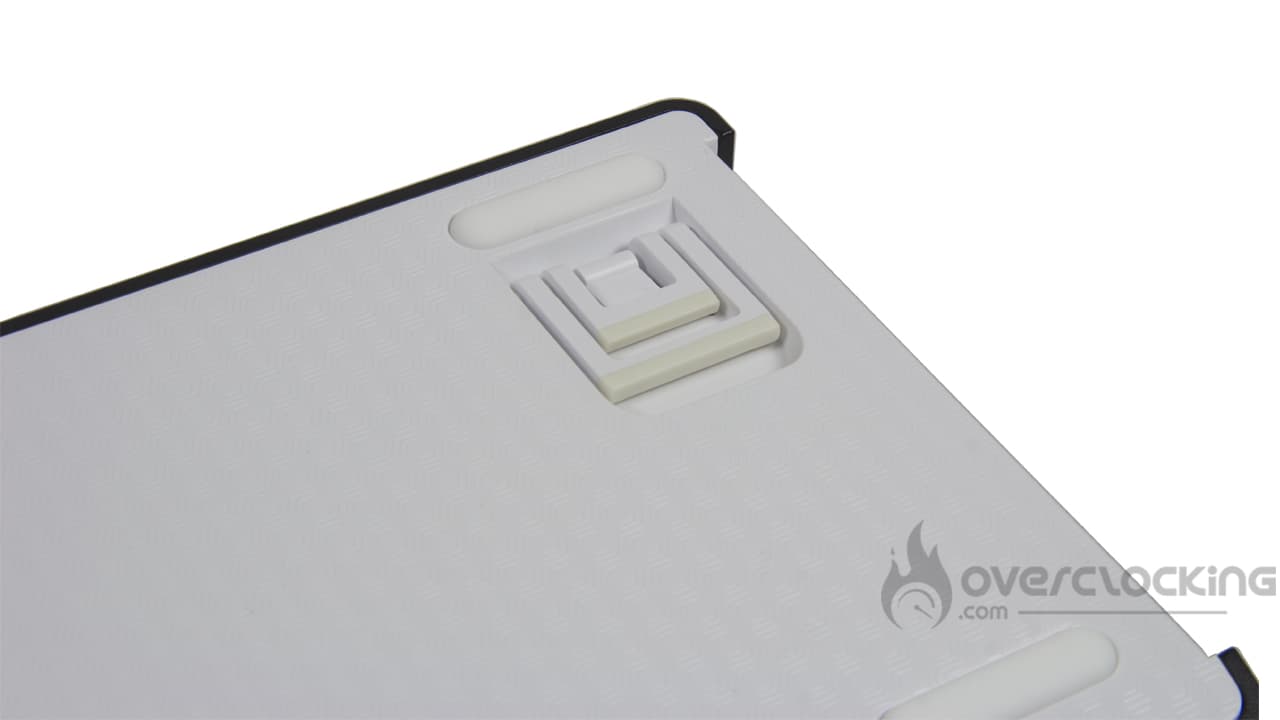
We finish with the back of the keyboard, which is almost entirely white. There are two two-level risers, as well as a button to change the keyboard’s connection mode. It also has six rubber pads to ensure better stability. The pattern is quite different from what we are used to seeing. I couldn’t help but think of the pattern on the tablecloths we used to use in the past.
[nextpage title=”Software”]
With the Skyfall 65 Mag Ultima 8K, Hator offers web-based software to manage its multitude of features. At overclocking.com, we love web-based software, which, as a reminder, does not require any installation on the PC. To access the Hator software, please click here.
Launch
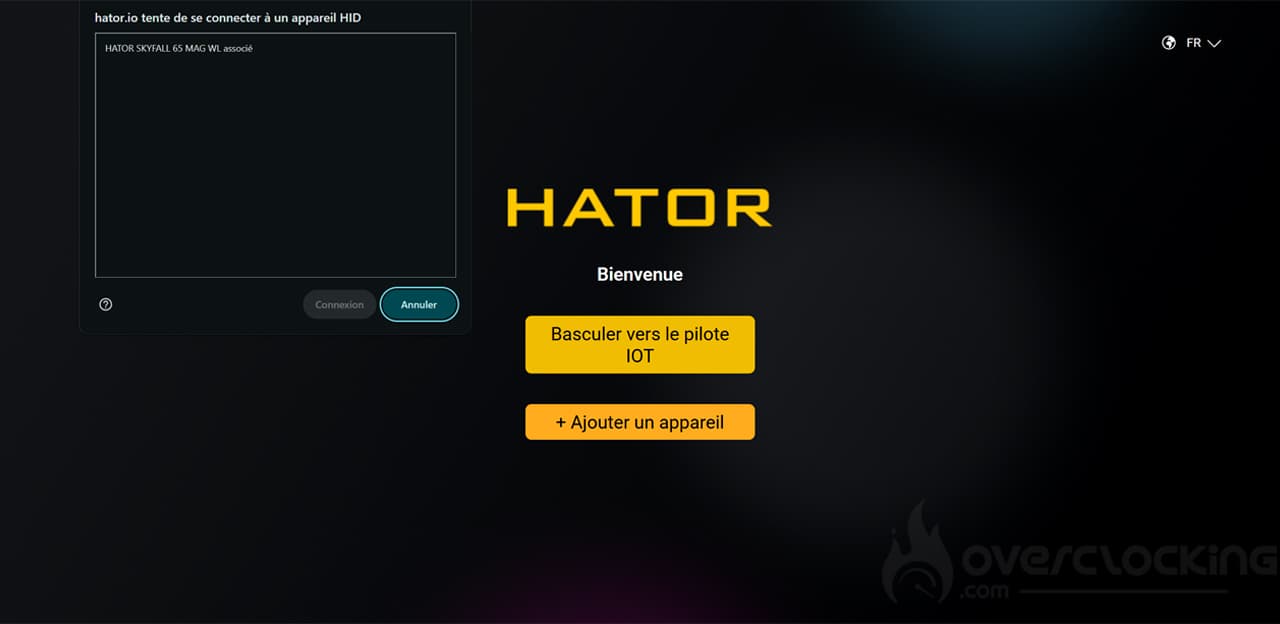
When you open the hator.io link, you will see the brand logo and two buttons: “Switch to IOT driver” and “Add a device.” To access the software, click on “Add a device,” select the keyboard in the small pop-up that appears, and click on “Connect.” You will need to repeat this process each time you connect to the software.
Lighting
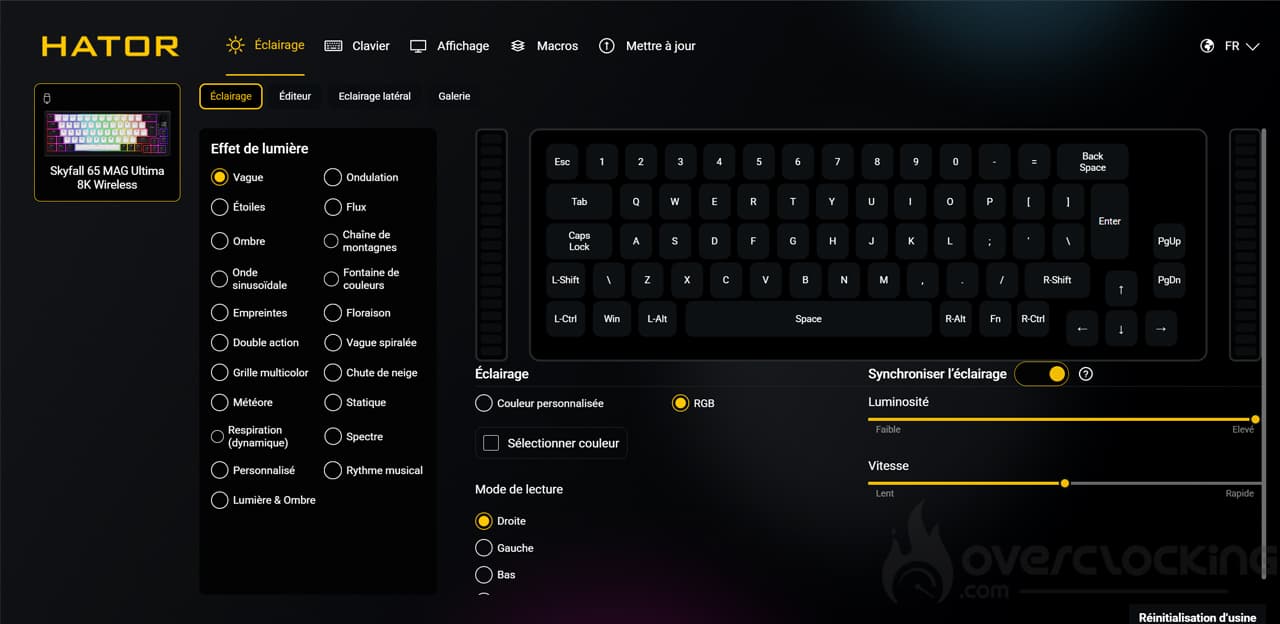
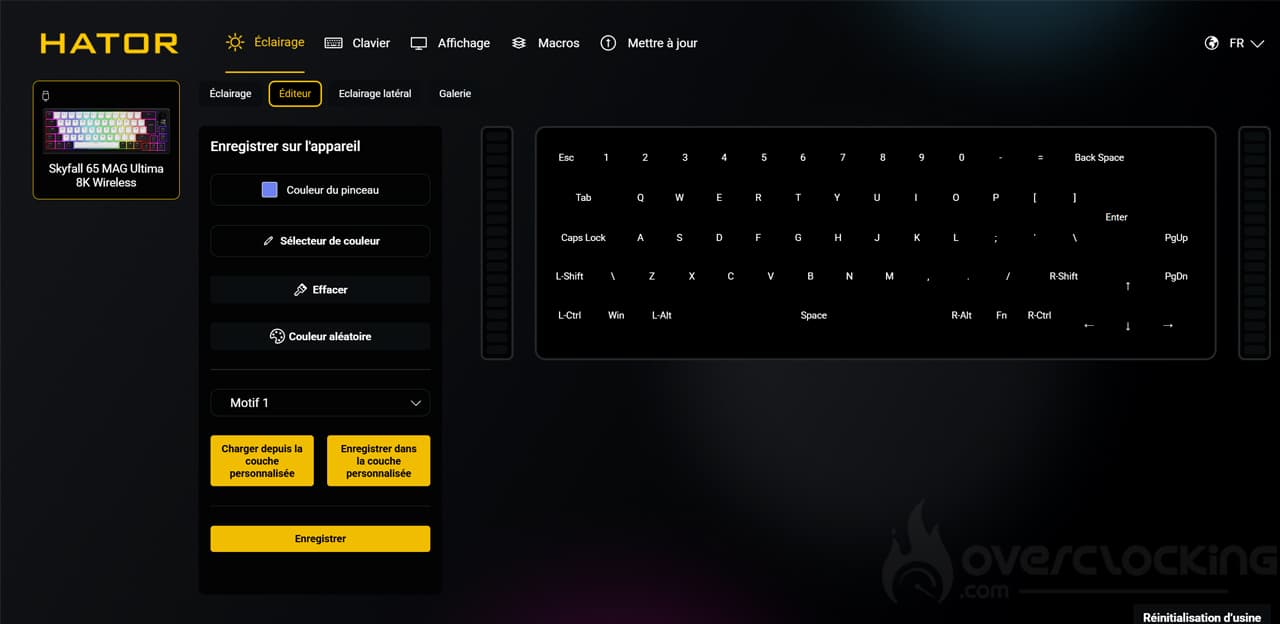
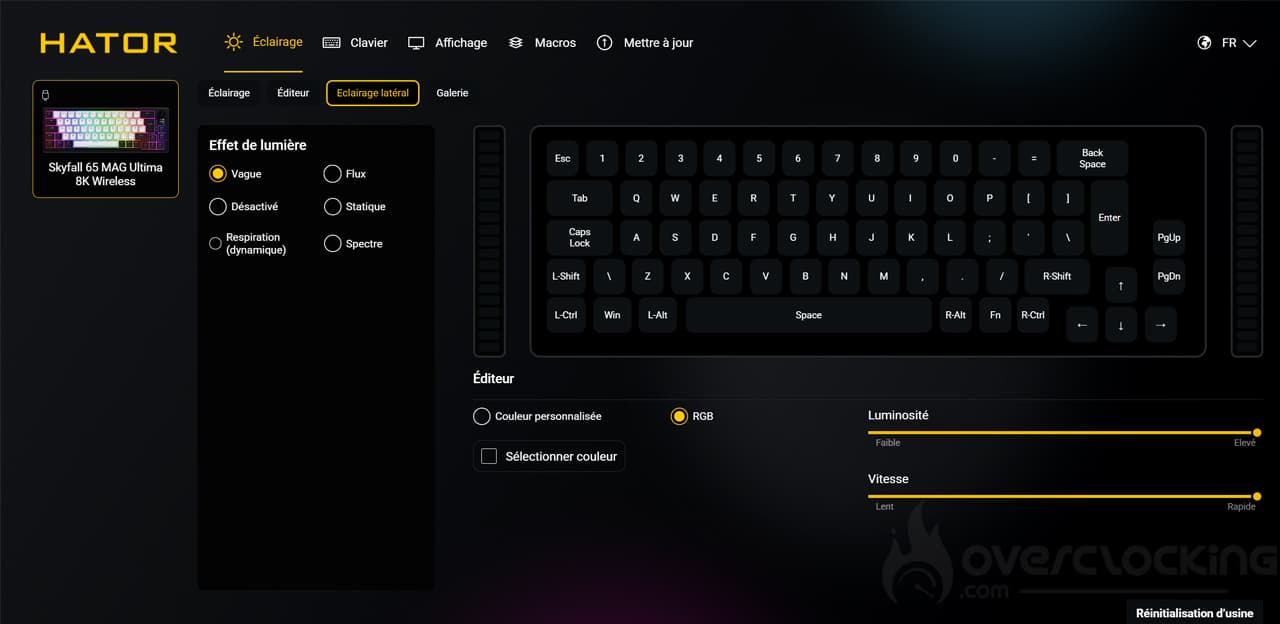
In this first menu, you can manage all the options relating to the keyboard lighting. There are many options available, which is really great, whether for the keys or the keyboard’s side lighting.
Keyboard
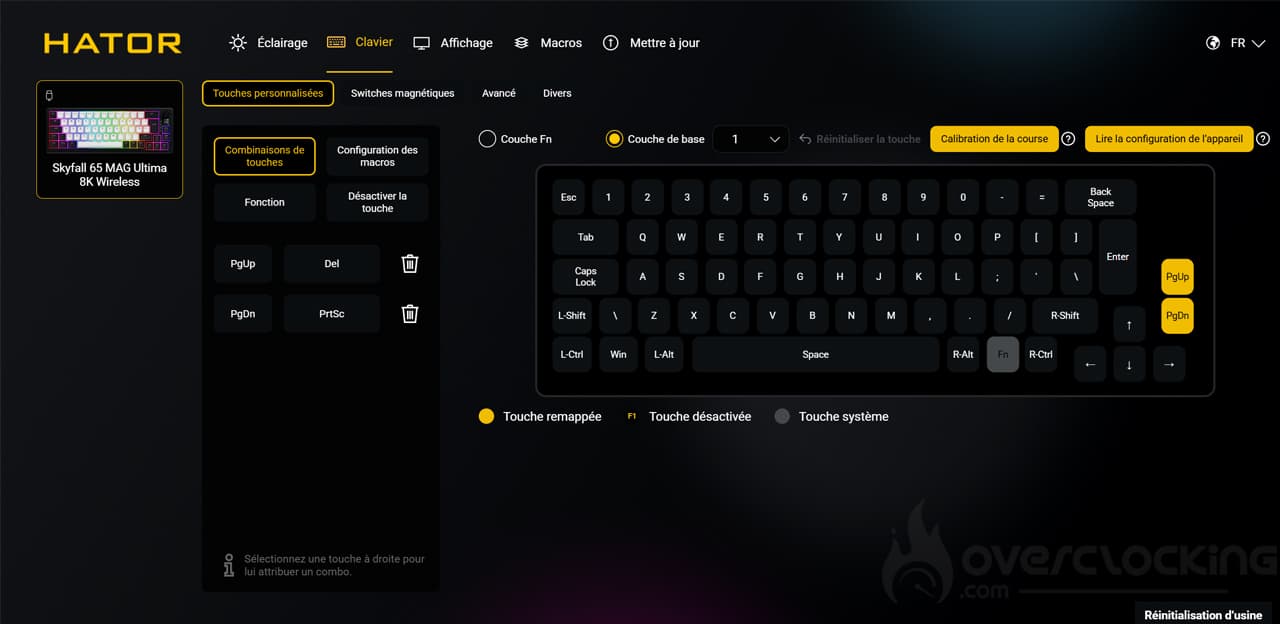
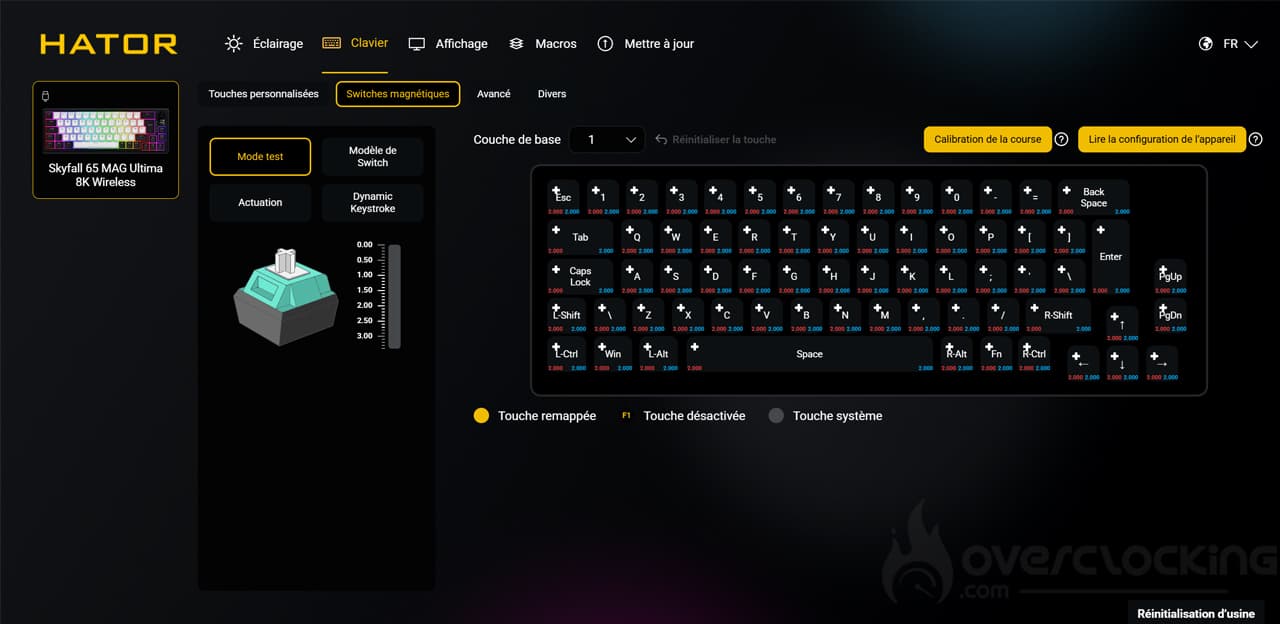
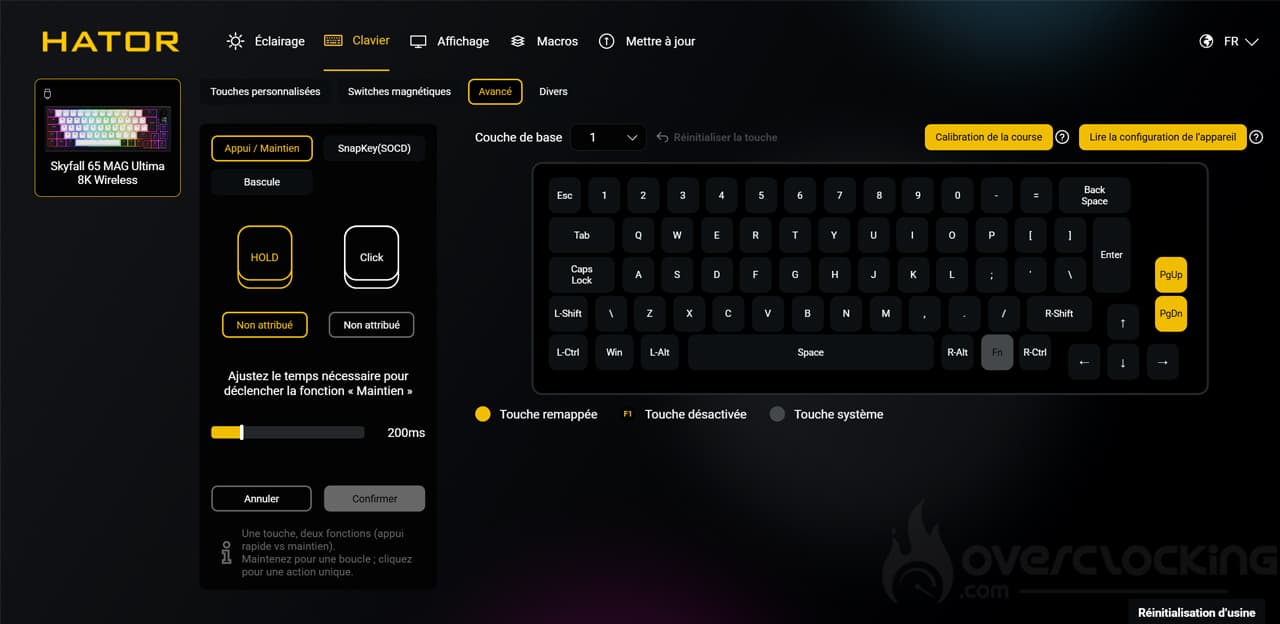
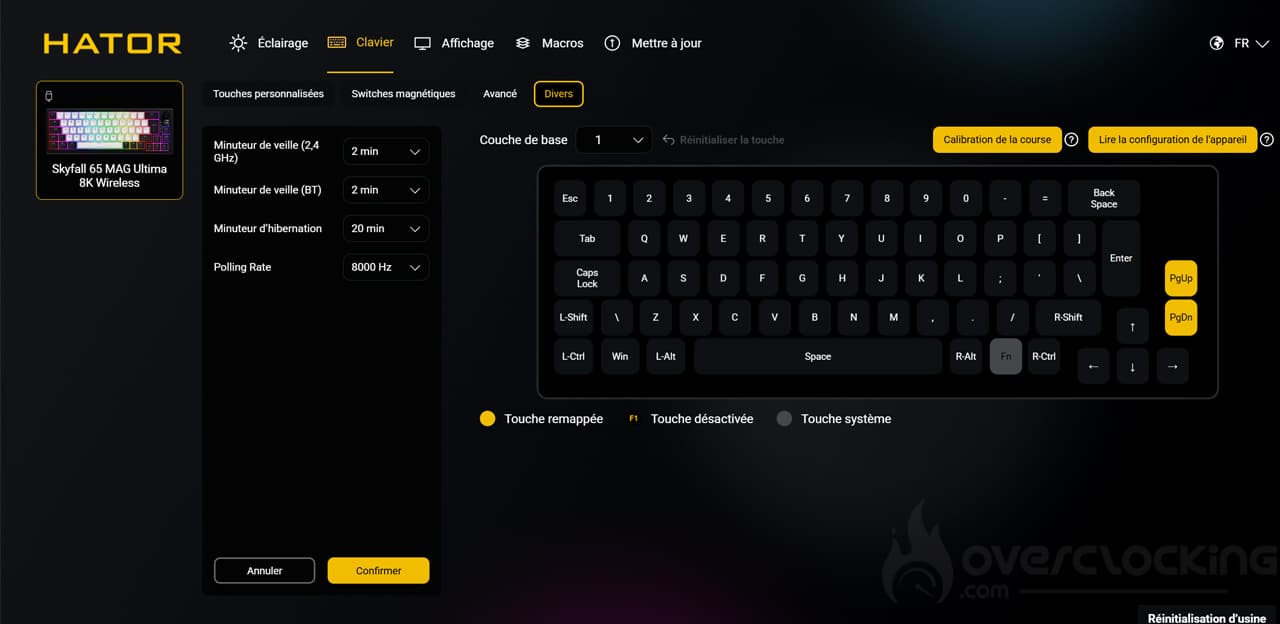
The “Keyboard” tab is one of the most comprehensive. Here, you can change the functions of the keys. For example, in our case, we changed the “PGUP” and “PGDN” keys to “Del” and “PrtSc.” You can also choose the settings for the magnetic switches, to calibrate the travel manually or select a switch model. Similarly, there is a Rapid Trigger option that you can enable or disable for each key. In the advanced options, you can set a different function depending on how long the key is pressed. Not to mention the settings for standby mode in “Miscellaneous.” In short, there’s plenty to do!
Display
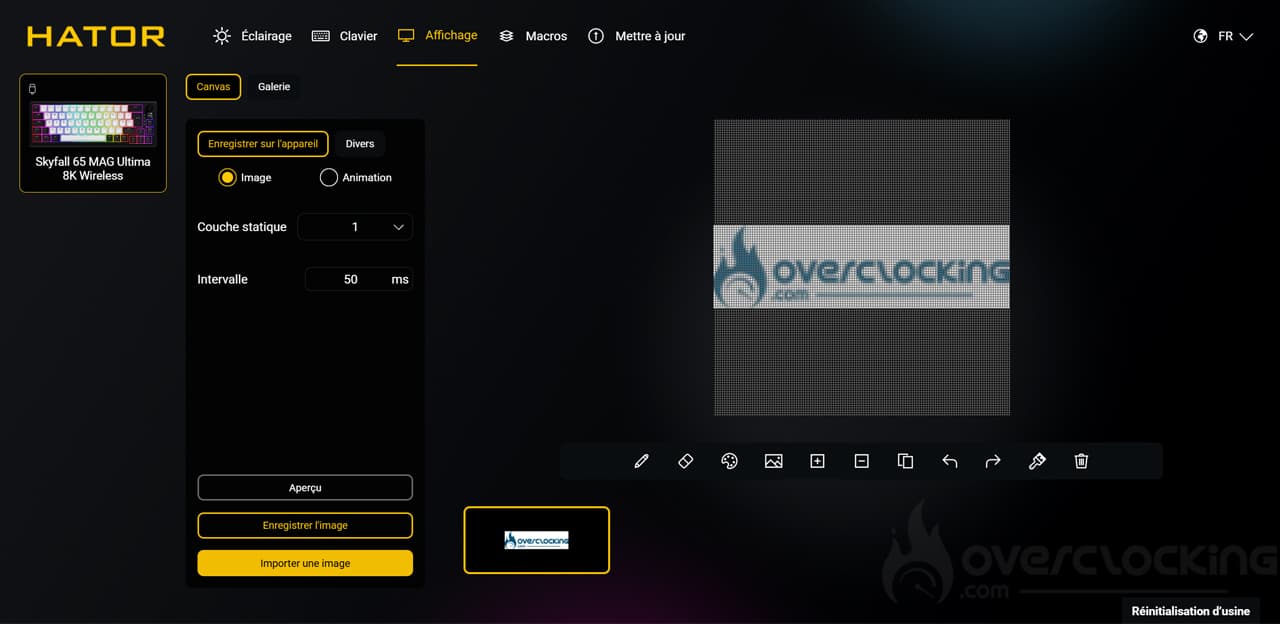
When it comes to the screen, customization is possible. By default, you can see the date and time, as well as the battery level. However, you can add images or animations. Don’t get me wrong, it’s tiny, but it’s nice to have.
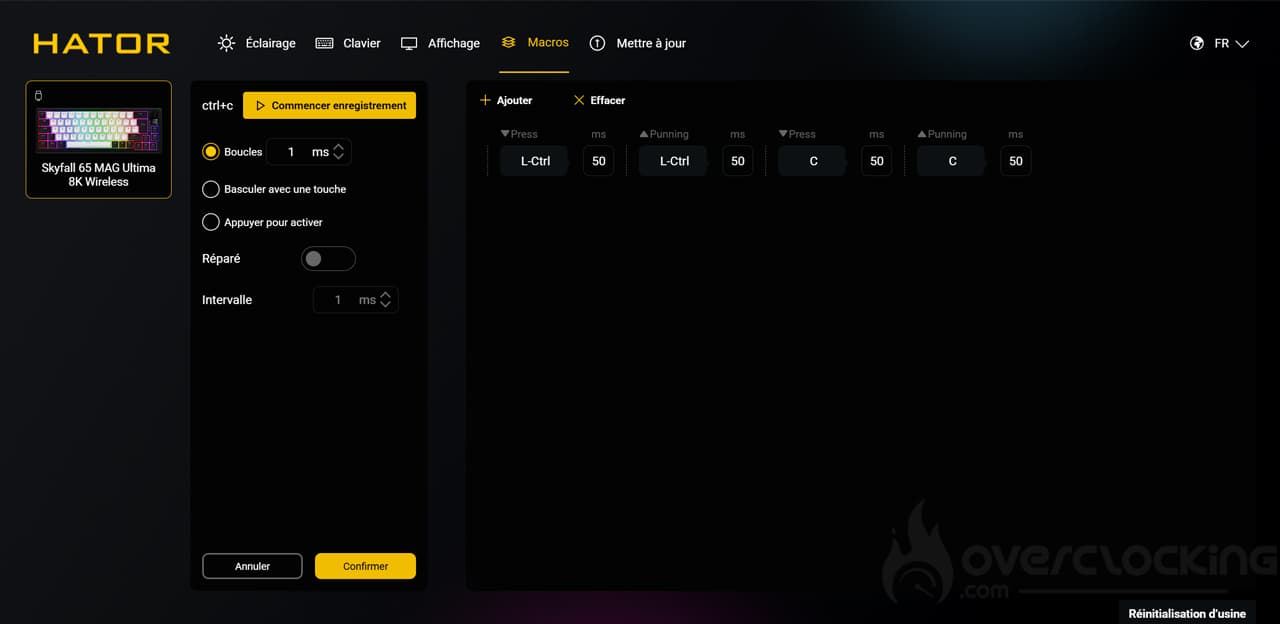
Macros
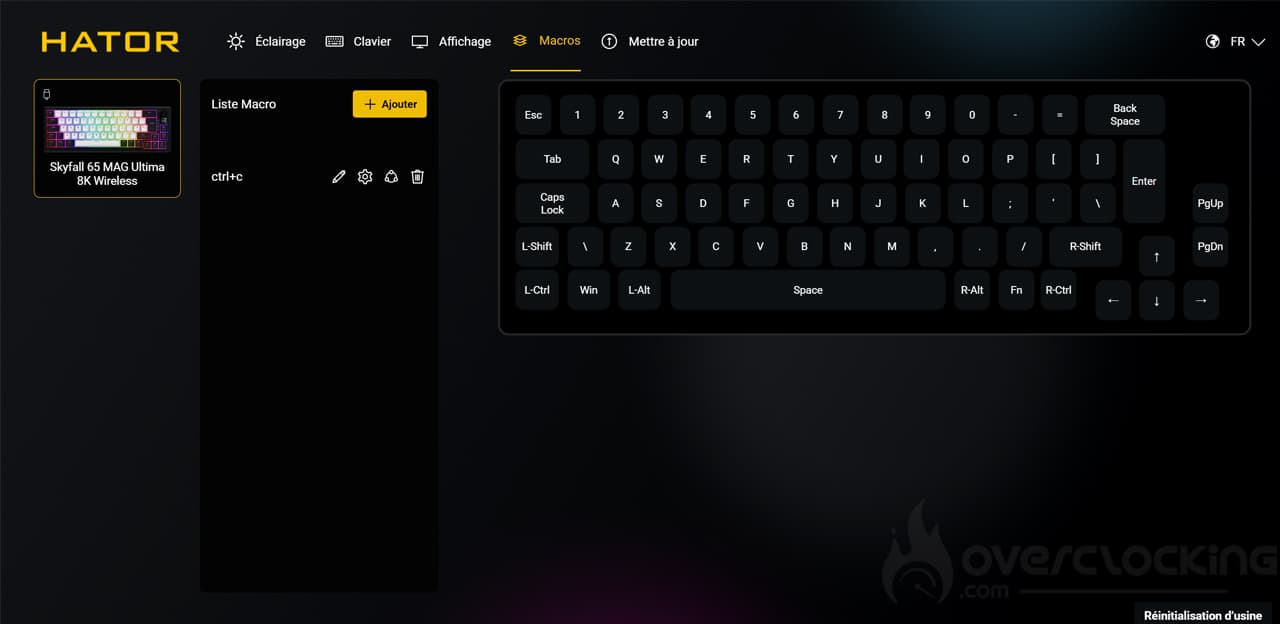
This software naturally includes a tab for macros. It works in the usual way: you add and perform your actions before saving.
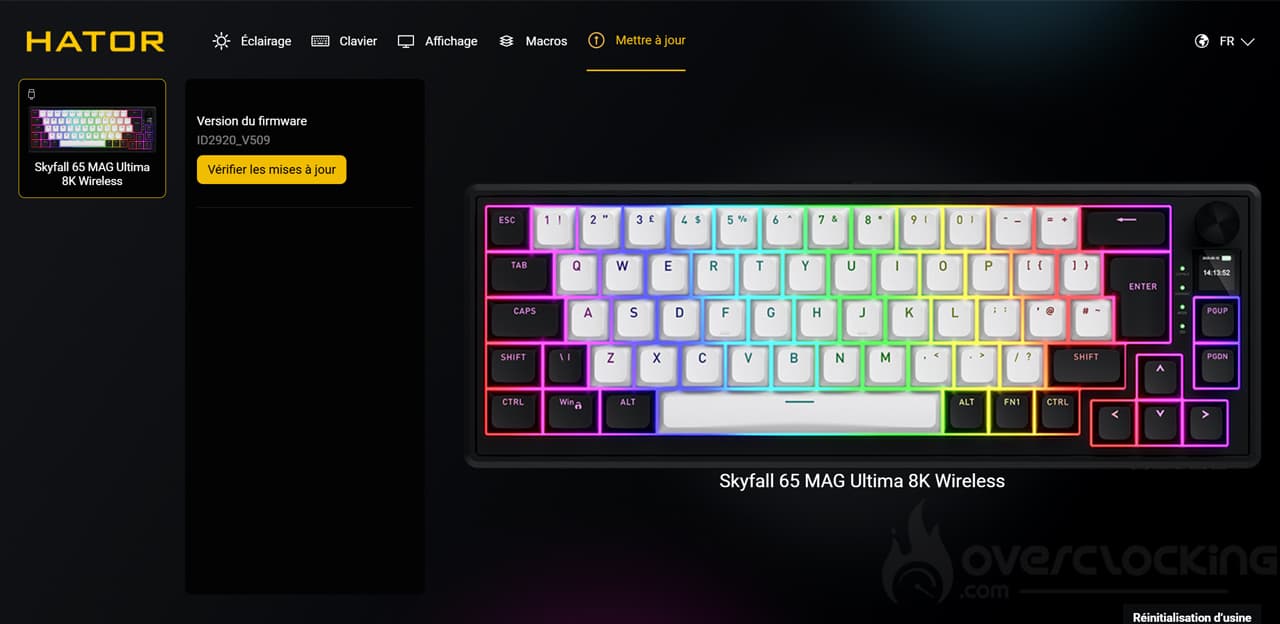
Updates
We finish the software with the tab for updating the keyboard. This allows you to check if your hardware is up to date, and to download/install updates if it isn’t.
This software is particularly comprehensive. It’s great to see so many features and possibilities for a keyboard costing less than €100!
[nextpage title=”Test”]
Now let’s move on to the actual test of this Skyfall 65 Mag Ultima 8K from Hator. We put it through its paces in just about every scenario: video games, office work, etc.
Getting started:
If you’ve been using a 100% keyboard up until now, it’s likely to feel strange for a while. Hator offers a “65%” model, which is missing a number of keys. The numeric keypad is gone, as are a number of navigation keys. By default, only PGUP and PGDN remain… Oh, and let’s not forget the arrow keys, which remain in place. Otherwise, the entire row of function keys is also gone. Some remain accessible via shortcuts, such as F5, which can be accessed via Fn + 5, for example. Fortunately, the software will allow you to reconfigure all of this. For example, we recovered the print screen key, which we reassigned to PGDN, while the delete key replaces PGPUP.
Of course, the aim of this maneuver is to free up space on the desktop, and once you get used to this type of keyboard, switching to a 104-key model (with numeric keypad, navigation keys, etc.) can be complicated, as you quickly find yourself typing on the keyboard with the mouse. Believe us, this was a frequent occurrence when we received the Corsair Galleon 100 SD.
With this Skyfall 65 Mag Ultima 8K, if you want to change the keyset because… Why not, after all, keep in mind that the bottom row requires three small 1U keys to the right of the space bar. On a 100% standard keyboard, these keys are 1.25U, which is not the case here.


Here, the typing position is pretty good; at least, I didn’t experience any major discomfort, unlike with Corsair’s Vanguard Pro 96 keyboard. In addition, if necessary, the riser feet allow you to tilt your keyboard on two levels.
However, what struck us was how light this keyboard is, as it’s really easy to push around, even on a large mouse pad. This is a real change from the Bridge75 that I use every day. On the other hand, it’s worth noting that the Shortcut Studio keyboard weighs in at nearly 2 kg… But when you add a brass weight to the box, it’s not surprising.
Like the Vanguard Pro 96, this keyboard has a small screen. It’s quite visible, with only the bottom of the screen slightly obscured depending on the viewing angle. Nevertheless, Hator has managed to fit the date and time, connection type, system type, and remaining battery level onto the surface of a key (0.85″). The software also allows you to customize it if you wish.
Just above the screen is a wheel that is used to control the sound. Pressing it mutes or unmutes the sound. It is a basic function, but the notches are clearly marked.


The Skyfall 65 Mag Ultima 8K features a gasket mount, a system that improves keyboard comfort in terms of both typing and noise. The keycap plate rests on gaskets that absorb vibrations. The keycap is white, allowing for successful color diffusion. However, the lighting could be improved, as the colors do not stand out on all the lettering on the keys. For example, on the “Enter” key, the “R” is not fully illuminated, nor is the “P” on PGUP.
The switches:
The Skyfall 65 Mag Ultima 8K comes with Hator-branded Aurum Ice Magnetic switches. These switches offer fairly standard features, with a force of 45g and a total travel distance of 3.5mm. As they are magnetic, you can configure the height of the keyboard’s accent point to suit your preferences. Moreover, unlike Corsair, we did not experience any ghost typing issues here, even when setting this point very high at 0.1 mm.


Lubricated as standard, the switches are pleasant to use, with smooth gliding and no noticeable friction, although there is some disparity. For example, on the arrow pad, there is more friction than on some of the letter keys. But overall, Hator’s switches don’t quite measure up to SteelSeries’ Omnipoint switches on its Apex Pro.
Furthermore, the big advantage of these switches is the many possibilities for configuring them. Whereas with a conventional switch, we have an on/off effect and that’s it, here it will be possible to program several actions on a single keystroke (depending on the depth of the press) both on the way down and on the way up. It is even possible to configure action loops or give priority to the last key pressed when two different keys are pressed simultaneously. In short, you can really go far with this keyboard!
Noise:
Thanks to the gasket mount, the noise is much more muted than on other keyboards. I even find it quite pleasant to listen to (but that’s just me), so I don’t think it will alert your entire office if you work in an open space.

[nextpage title=”Conclusion”]
It’s high time to move on to our conclusion about the Hator Skyfall 65 Mag Ultima 8K. So, what did we think of it?
A 65% format that will take some getting used to
Hator offers us a 65% format keyboard that will take a little time to get used to at first, especially if you’re switching from a full-size keyboard to this one. The function keys have disappeared, as have the screenshot and delete keys. The only way to get them back is to customize the keyboard using the software. However, once you get used to it, you’ll save a significant amount of space on your desk.
Good level of equipment:
The Skyfall 65 Mag Ultima 8K is packed with features. You can change the switch travel distance and customize up to four actions on a single key depending on the pressure applied. You can also take advantage of its customizable TFT screen via the software. Once again, even if it is a little small, it’s still a nice feature to have. For comfort, let’s not forget the gasket mount design, which provides better sound insulation and comfort. In addition to hot-swappable magnetic switches, Hator offers double-injection PBT keys.
This model is wireless, with a battery life of up to 533 hours according to the brand (without lighting). In addition, it can be used via Bluetooth or its 2.4GHz dongle. Of course, a wired connection is also possible.
Nevertheless, let’s not forget that Hator provides a flat white PC switch, which allows for better diffusion of lighting effects. On the other hand, the lighting could be improved on the keys, as some letters are not all illuminated (the “R” in “Enter,” for example).
With its Skyfall 65 Mag Ultima 8K, Hator offers online software, which saves us from having to install yet another application. This is great and allows you to use it from anywhere, especially on a work PC where you can’t install the software you want.
A great price!
The big selling point of this product is its price of €90. Considering everything it offers, it’s a really good deal. Ultimately, it has all the features of a Vanguard Pro 96, but for €140 less (and with even more functionality)! What’s more, the contents of the box are impressive compared to the competition, and you even get additional layouts to suit a wide range of users.
Hator Skyfall 65 Mag Ultima 8K:
We liked:
- The inclusion of a PBT keyset
- The comfortable feel of the Hator switches
- The gasket mount, which improves noise and comfort
- The hot-swappable switches
- The small, high-quality color screen
- The features provided by magnetic switches
- Online software (no local installation required)
- Its very attractive price compared to the competition
- The very comprehensive bundle (layouts,key/switch puller, etc.)
What we liked less:
- The slightly light weight
- The screen becomes partially unreadable depending on the viewing angle
- The lighting on some of the keys on the keyboard could be improved

Hator delights us with its Skyfall 65 Mag Ultima 8K. It is a beautiful keyboard with a white keycap plate. The latter allows for beautiful RGB LED diffusion. However, the lighting could sometimes be improved. It also features proprietary hot-swappable magnetic switches and double-injection PBT keys, not to mention gasket mounts that improve typing noise and comfort. Hator offers a very comprehensive bundle with additional layouts and a key/switch puller, among other things. But its biggest selling point is its price of less than €90.
Thanks to Hator !

