

A motion system is potentially the most expensive upgrade for a simulator, yet the marketing around them is mostly misleading or a half-truth. Lets deep dive into this technology behind the DK6+ & DK2+ and how it works with the help of Sigma Integrale’s engineers.
You will see that there are many parallels between motion systems and other PC peripherals like Keyboards, Mouses, Monitors… and how marketing numbers are not giving us the full story.

INTRODUCTION
Full disclosure, I fell in love with the products and people from Sigma. Sigma are product first company, or in other words customer focused. Being product first is both their strength but also their weakness, as they put less emphasis on the tempting fast growth strategies such as flashy ads, fancy photoshoots, unrealistic product renders, dubious license deals and sponsorships.
Sigma Integrale has long standing roots in professional and commercial motion markets, such as turning real cars into simulators for trade shows, corporate experience centers, R&D and museums. They never intended to build their own actuators, and previously relied heavily on available systems such D-Box, until an automotive OEM requested more travel and weight capability for lifting cars and trucks, and hence they had to build their own system. That’s when they turned their prior automotive, mechanical and computer engineering knowledge into the products they offer now. The consumer based DK motion system was always a way to give back their knowledge to the sim community on the whole and as the cliche goes, to offer the best product for the best price possible.

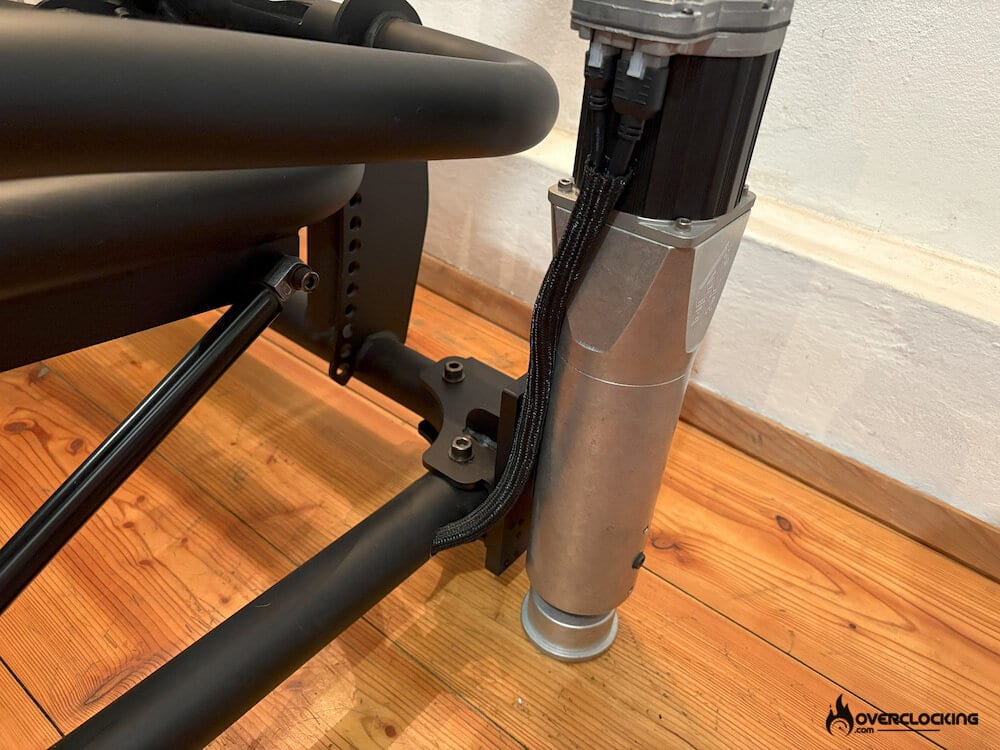
The single billet construction is actually more difficult to make than competing products made from multiple assemblies and components. Some companies use standard cut and bent sheet metals to make their actuators, connected with many fasteners which Sigma believes adds complexity, removes robustness and can in some instances remove the haptic feedback gained from a single piece solid, billet made housing and bracket.
Unlike some other systems, the Sigma system is completely turn key and comes with billet mounting brackets. The mounting of the system is very important as it is what fundamentally transfers the haptics of the fine and fast motion from the actuators to the chassis and ultimately the driver. A poor connection between the chassis and actuator can diminish feedback, response and over signal quality. Any mounting option that is away from the chassis, away from the driver, can in effect create minor movements, torsion, or bending that lowers the immediacy of haptic feedback. Sigma chose to use a solid billet bracket that uses both clamping pressure and friction of the plate against the mounting surface to provide exceptional holding strength.
The DK motion system is offered in 3 variations, the DK2, DK2+ and DK6+. The number indicates the maximum travel available in inches, 2 inches (50mm) and 6 inches (150mm). The “+” indicates the weight limit, 227kg on the normal version and 363kg on the “+” version. The system comes with all mounting brackets and accessories to mount to the standard and popular aluminum extrusion profiles.

[nextpage title=”Anatomy of the DK system”]
ANATOMY OF THE DK SYSTEM
THE ACTUATORS
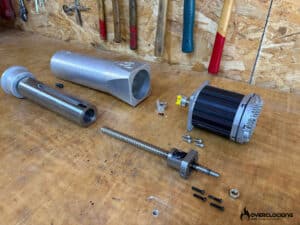
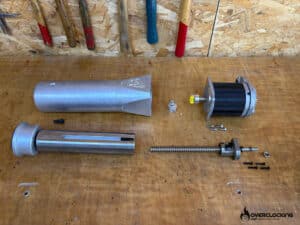
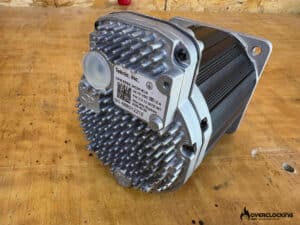
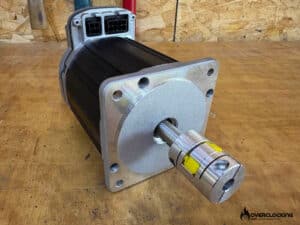
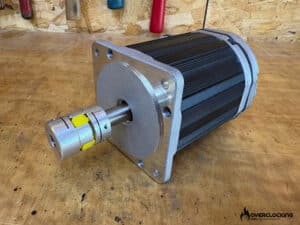
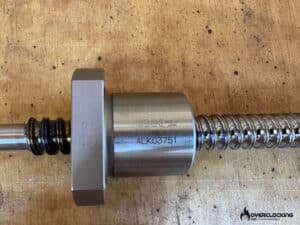
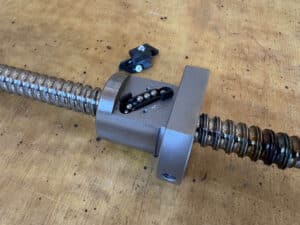
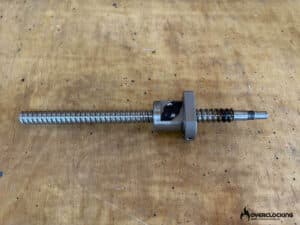
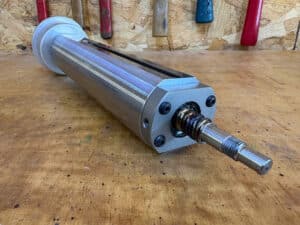
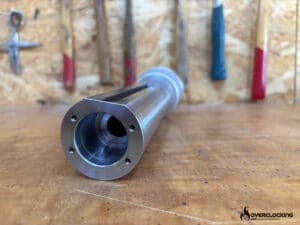
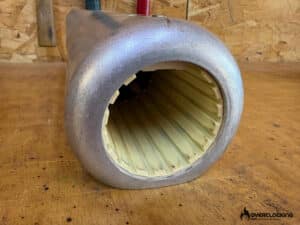
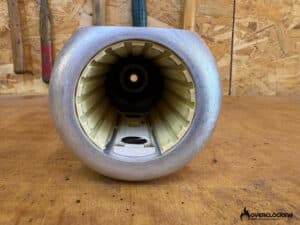
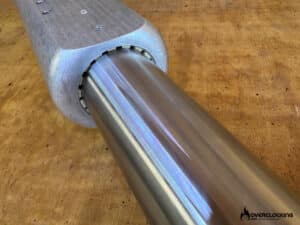
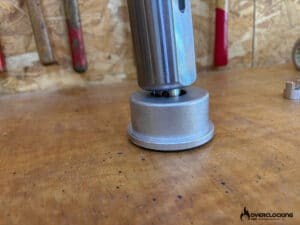
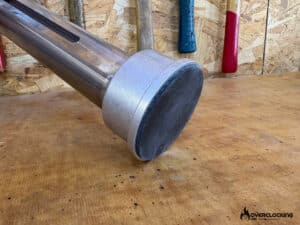
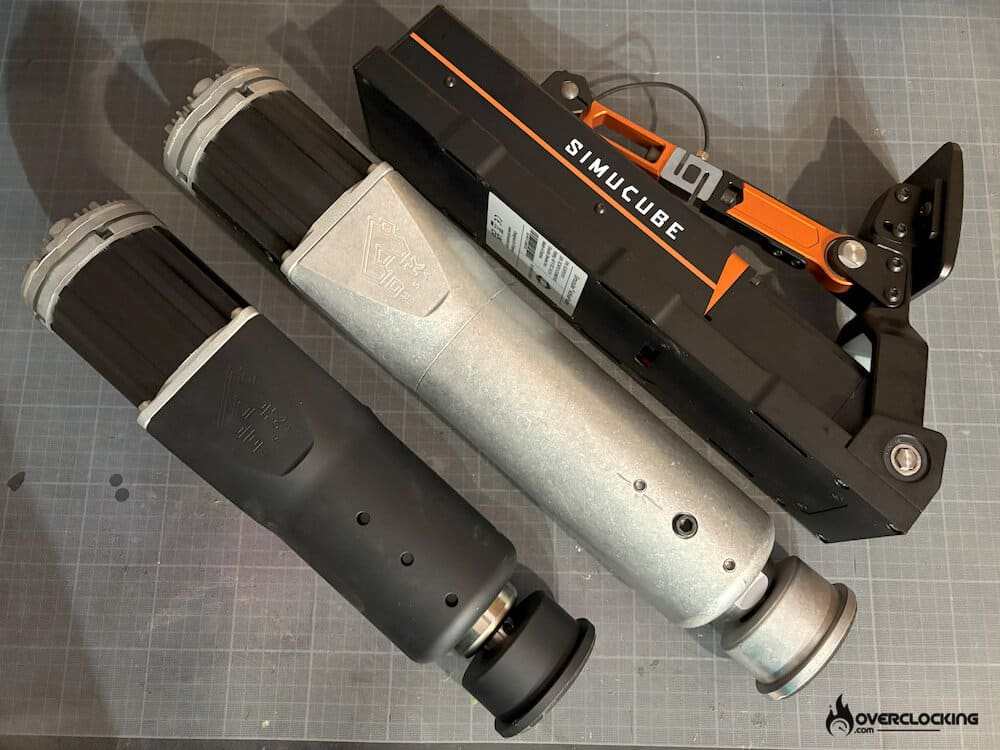
The actuators are a thing of beauty. All machined from billet aluminium, nothing feels cheaply casted or built. The integrated servo motor sitting on the top is an industrial grade premium solution from Teknic.com, an American company. The body of the actuator is machined in house by Sigma Integrale with solid nickel plated pistons. The bearings are German made IGUS linear bearings, never needing any lubrication, ever! And the ball screws are custom designed for Sigma from an industrial Japanese giant THK. Even the rubber pads under the foot are made by 3M. Nothing is left to chance.
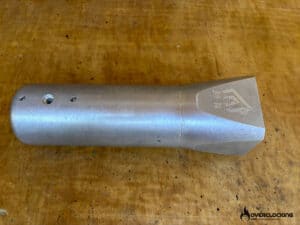
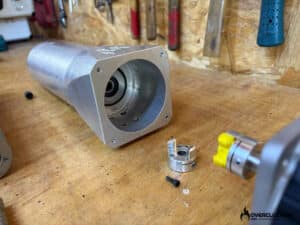
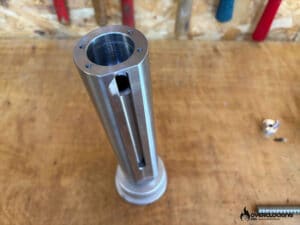
The following pictures are of a DK6+ actuator that has been used for demo for a few years. This will also show us how the internals are holding up to the abuse.
ELECTRONICS
Same story goes for the controllers and cables. The cables are made by Molex, an American company, although manufactured in China. The connectors are ultra rugged and made for industrial applications. The cables can be disconnected and extended to lengths of up to 150-feet (45 meters) from the controller. The cables are also thin and pliable, or easy to install and route on your rig. This is mainly due to the fact that Sigma is the only company that runs a 75 volt DC architecture. This also makes their motors smaller but as powerful as some of the larger counterparts.
While other systems use a USB connection, Sigma chose to use an RJ45 or a network connection. And there are good reasons for it. Firstly, the cable is shielded, which prevents EMI interferences. Secondly, they can run much larger cable lengths and even have their controller connect to your local area network. This decision also comes from their past industrial motion applications such as auto shows, R&D and customer high voltage vehicle motion builds where unshielded USB lengths presented various issues.

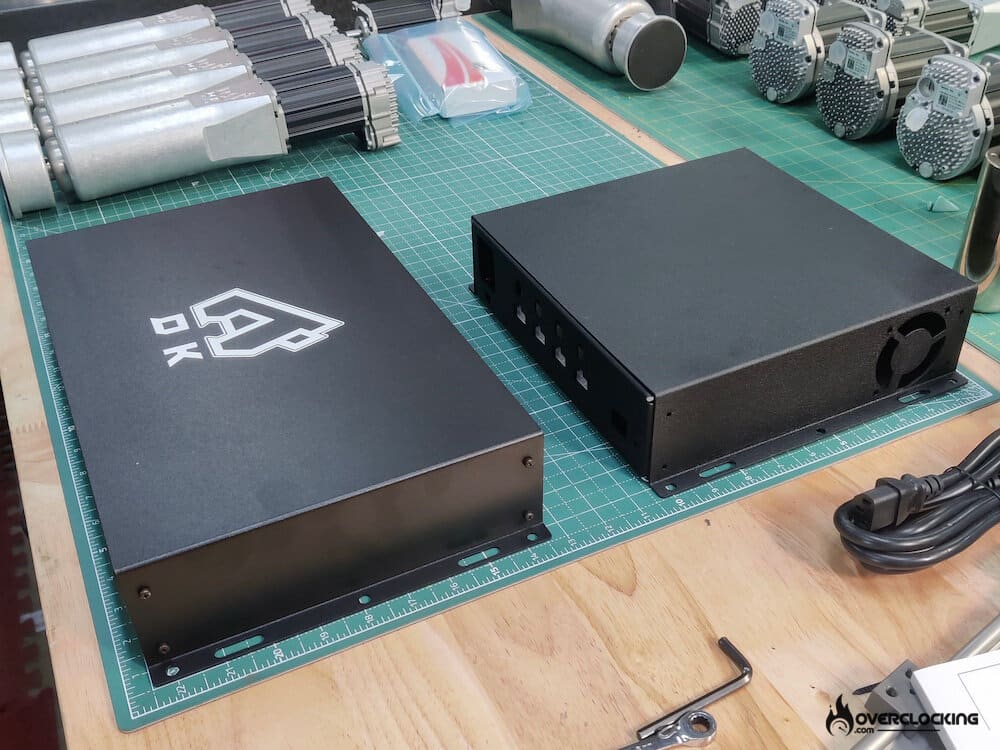
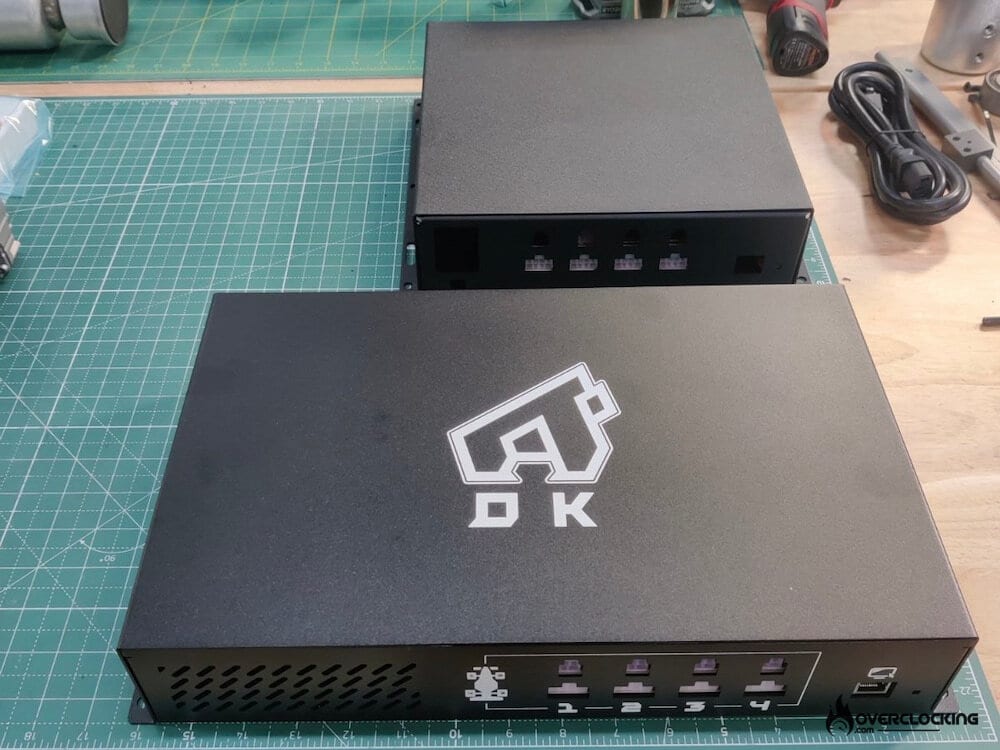
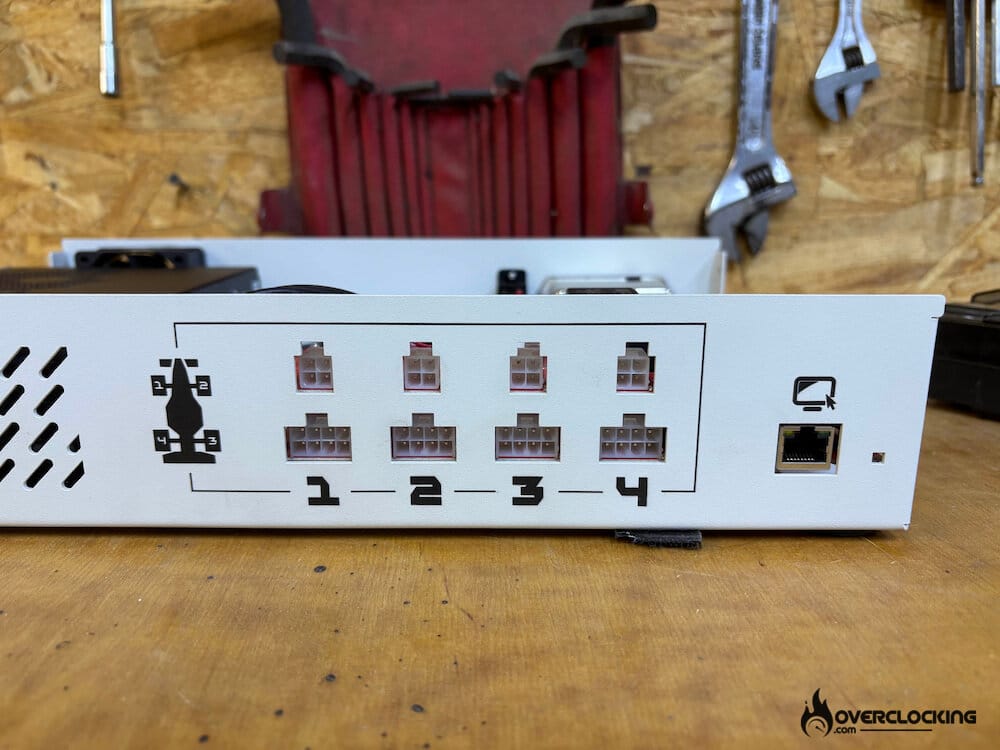
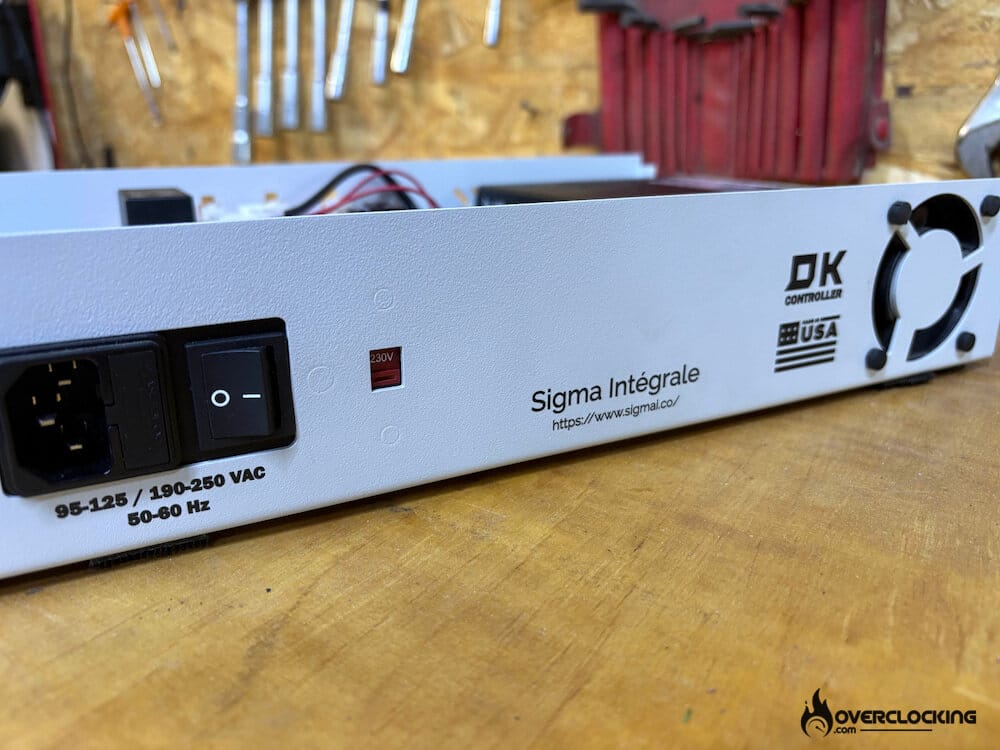
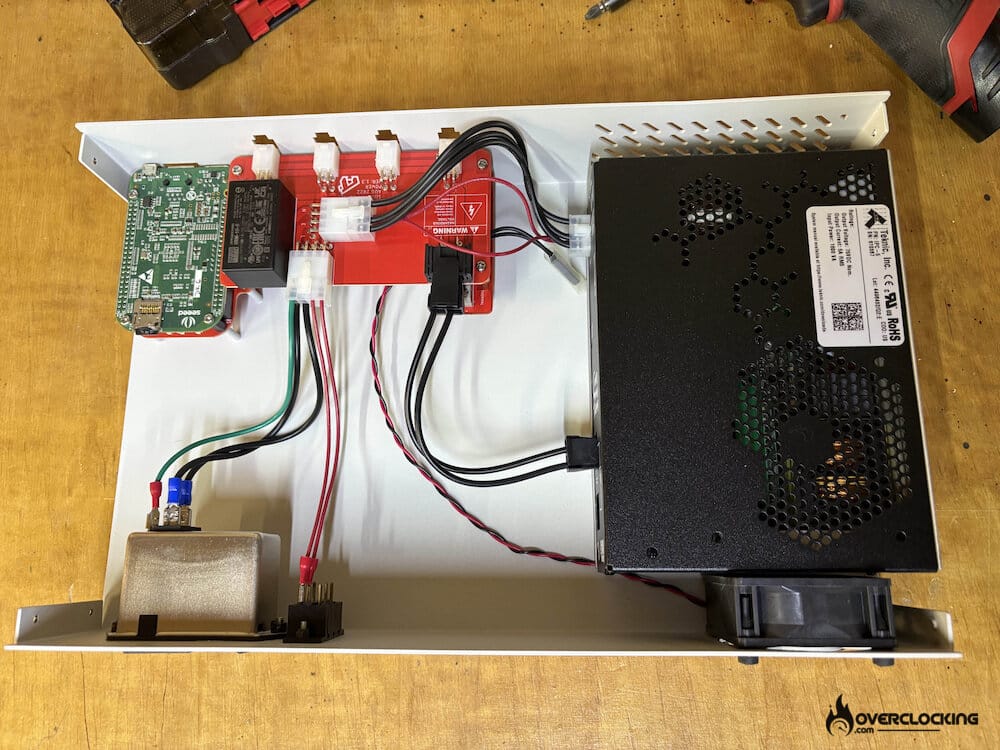
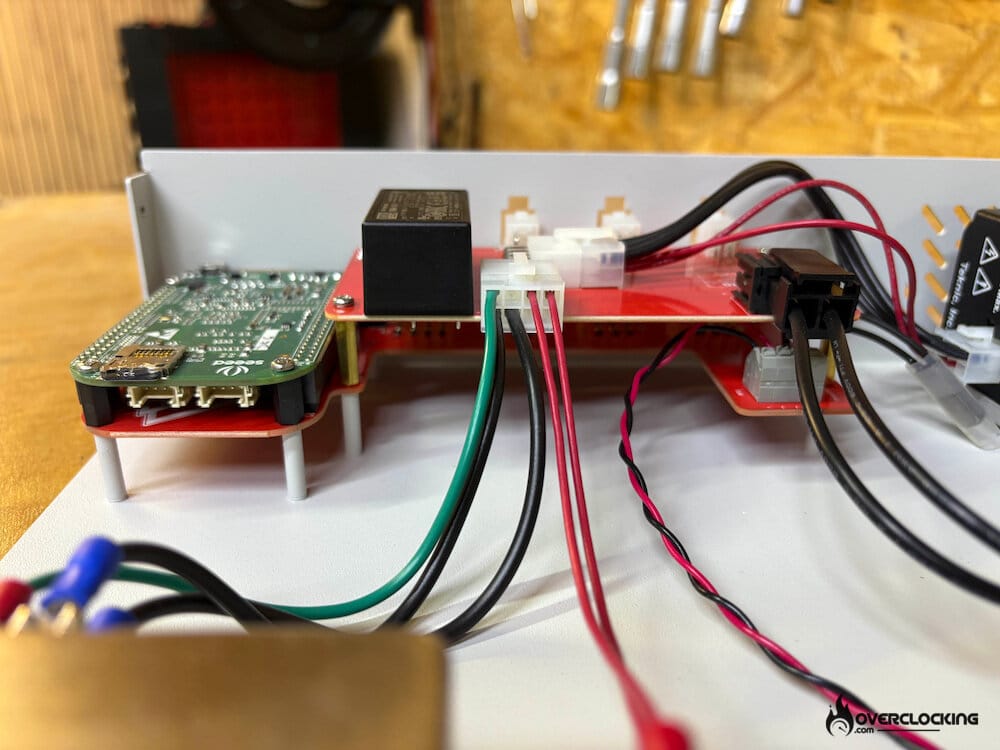
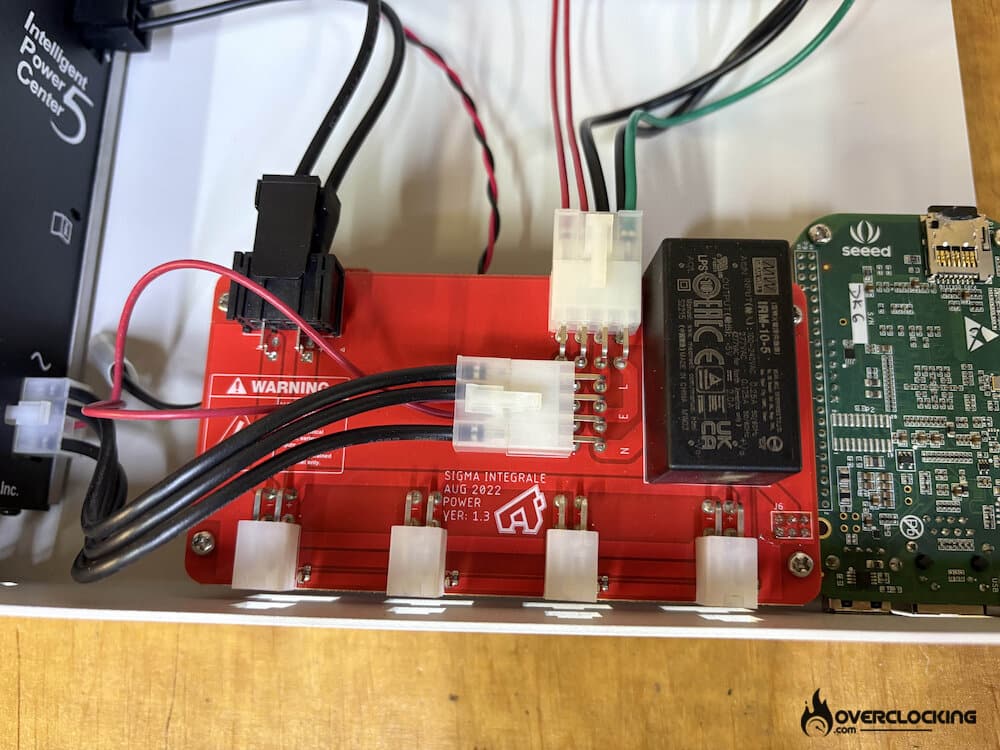
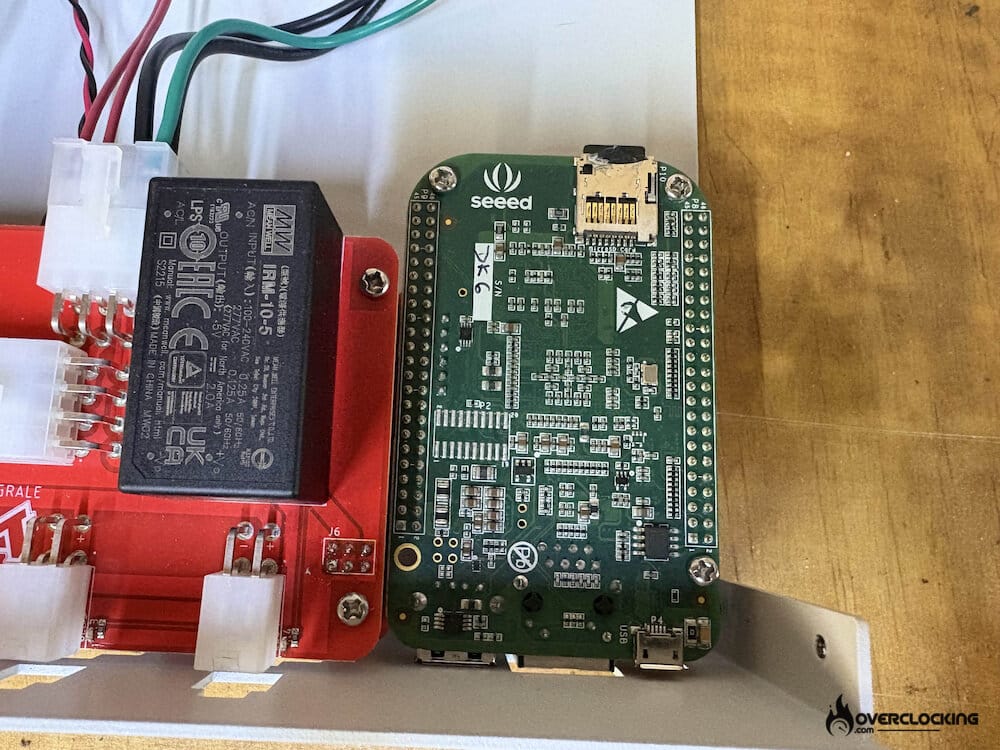
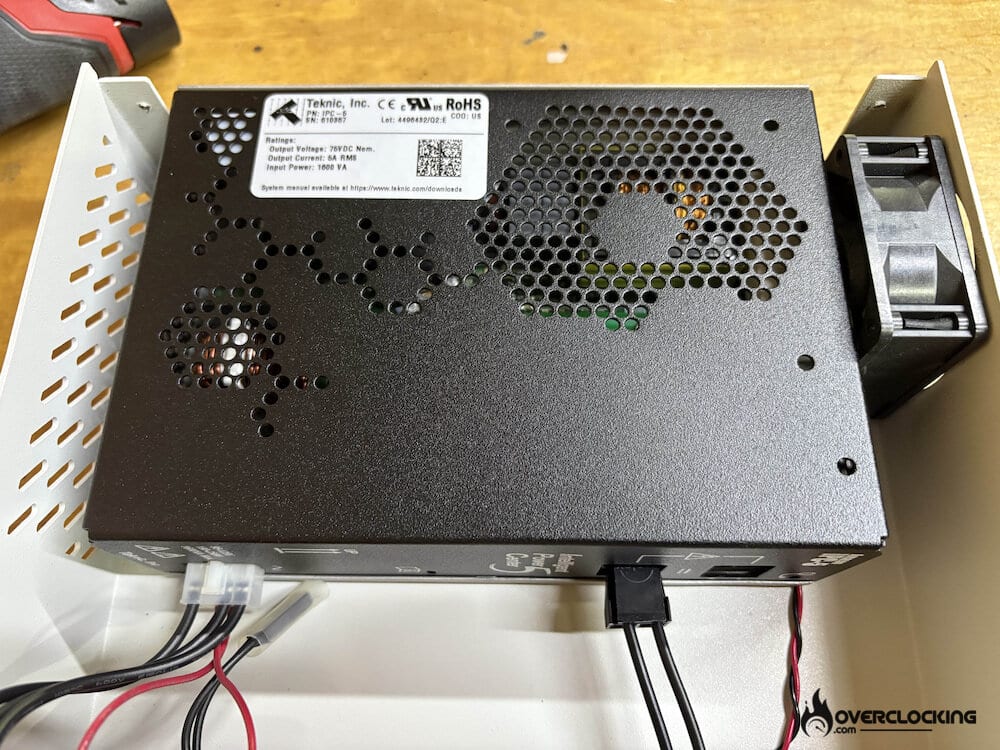
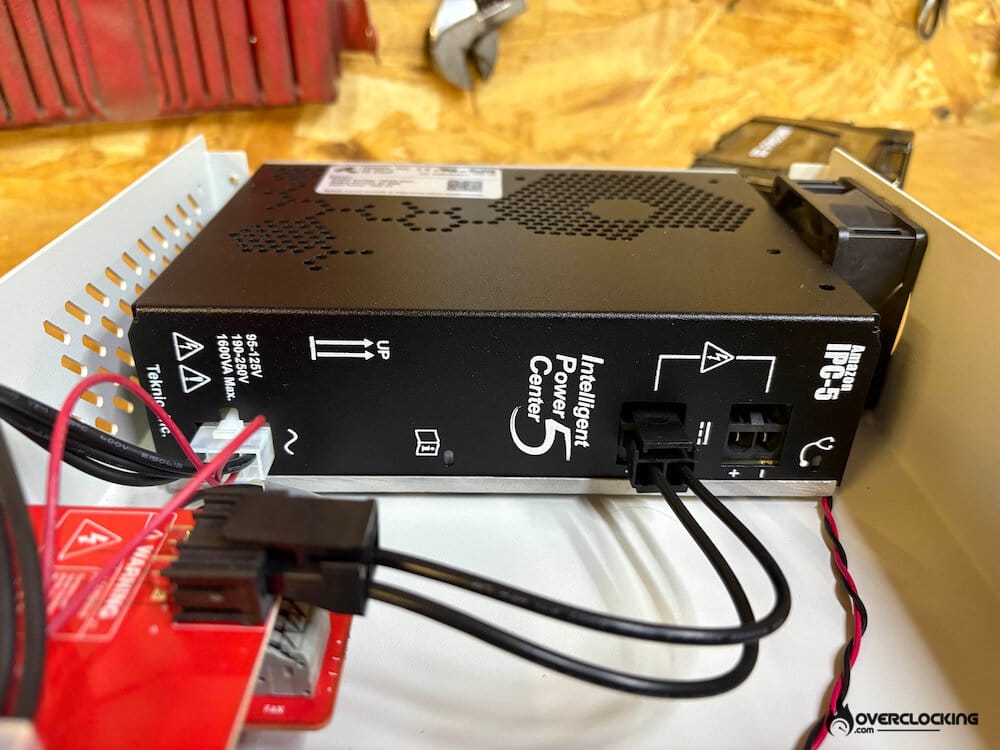
Inside the controller, we can find a power supply from Teknic, Inc and a controller board made in house by SIgma. On the board, you will find an ARM 32-bit processor and several other real-time sub-processors by Texas Instruments. This little beast calculates all the motion movements in real-time at 10 kHz, removing any potential latency typically caused by processing motion in non-real time systems, such as Windows OS. This is extremely important for movement fidelity, or that fine grit and detail you get from certain simulation softwares that properly laser scan their track and provide accurate physics vehicle/tire models. Subsequently the low latency also helps prevent motion sickness or removes any discrepancy between the motion and the monitor.
SOFTWARE
Once the setup is done, it is time to launch the SigmaSimulation software. Here you will have a one-time configuration to do which is to measure the length and width between the 3 or 4 actuators. This is done to ensure what Sigma call’s Motion Integrity, or to give the customer the best motion experience. Once the measurements are imputed, Sigma makes a simple calculation and changes the pitch and roll amounts to ensure that they match the simulated vehicle or aircraft.
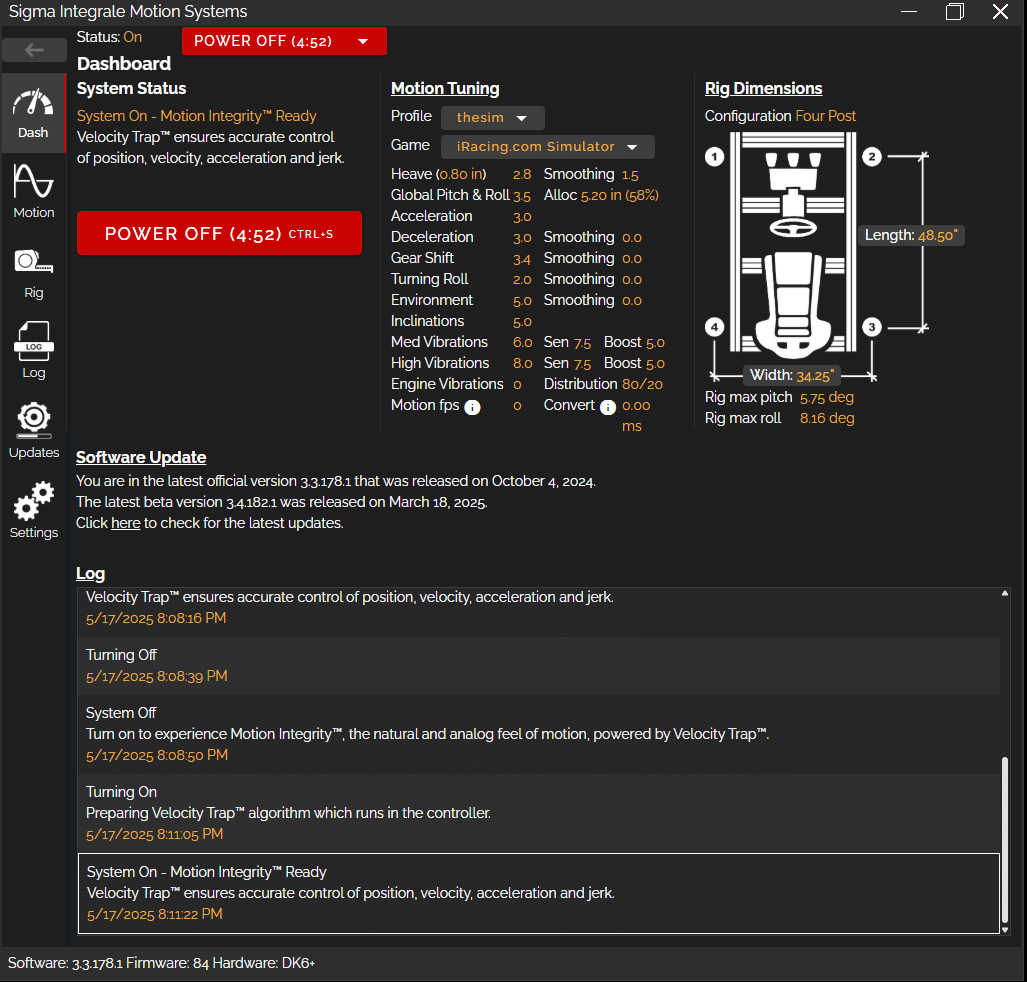
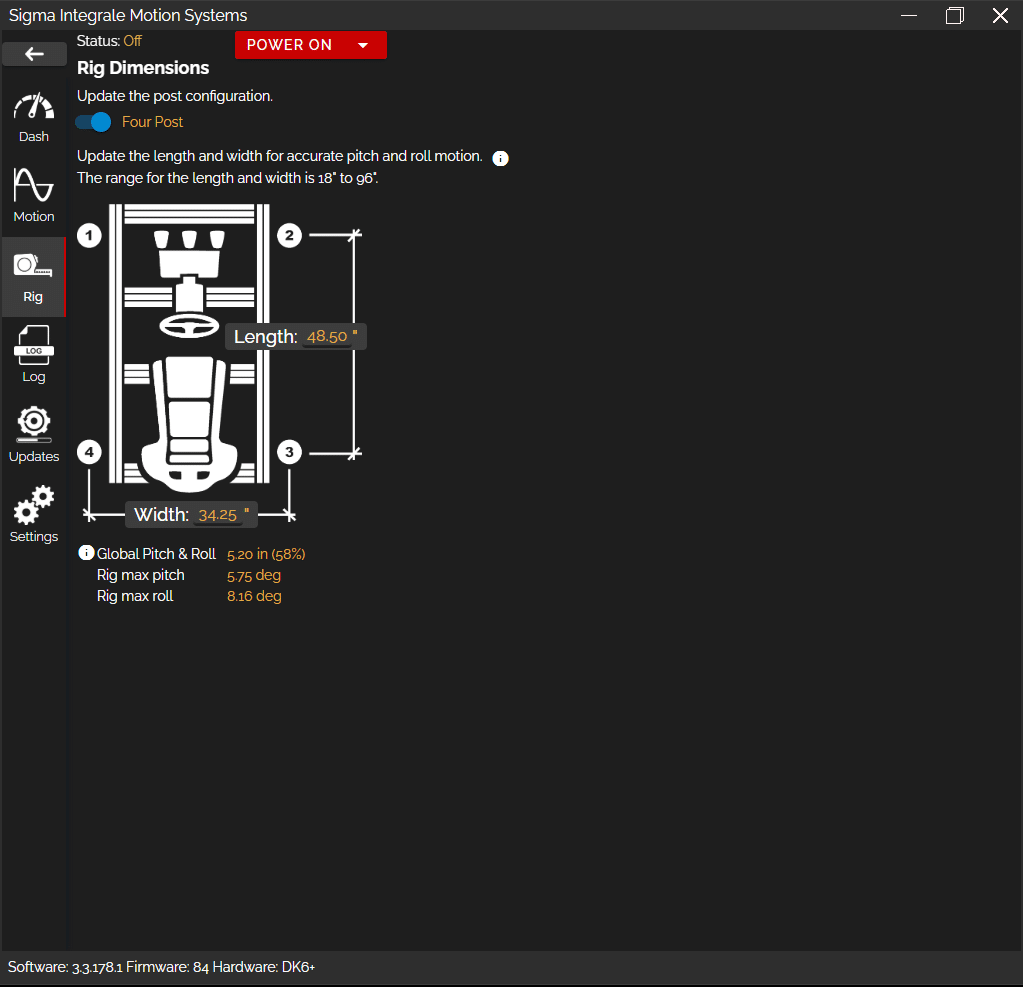
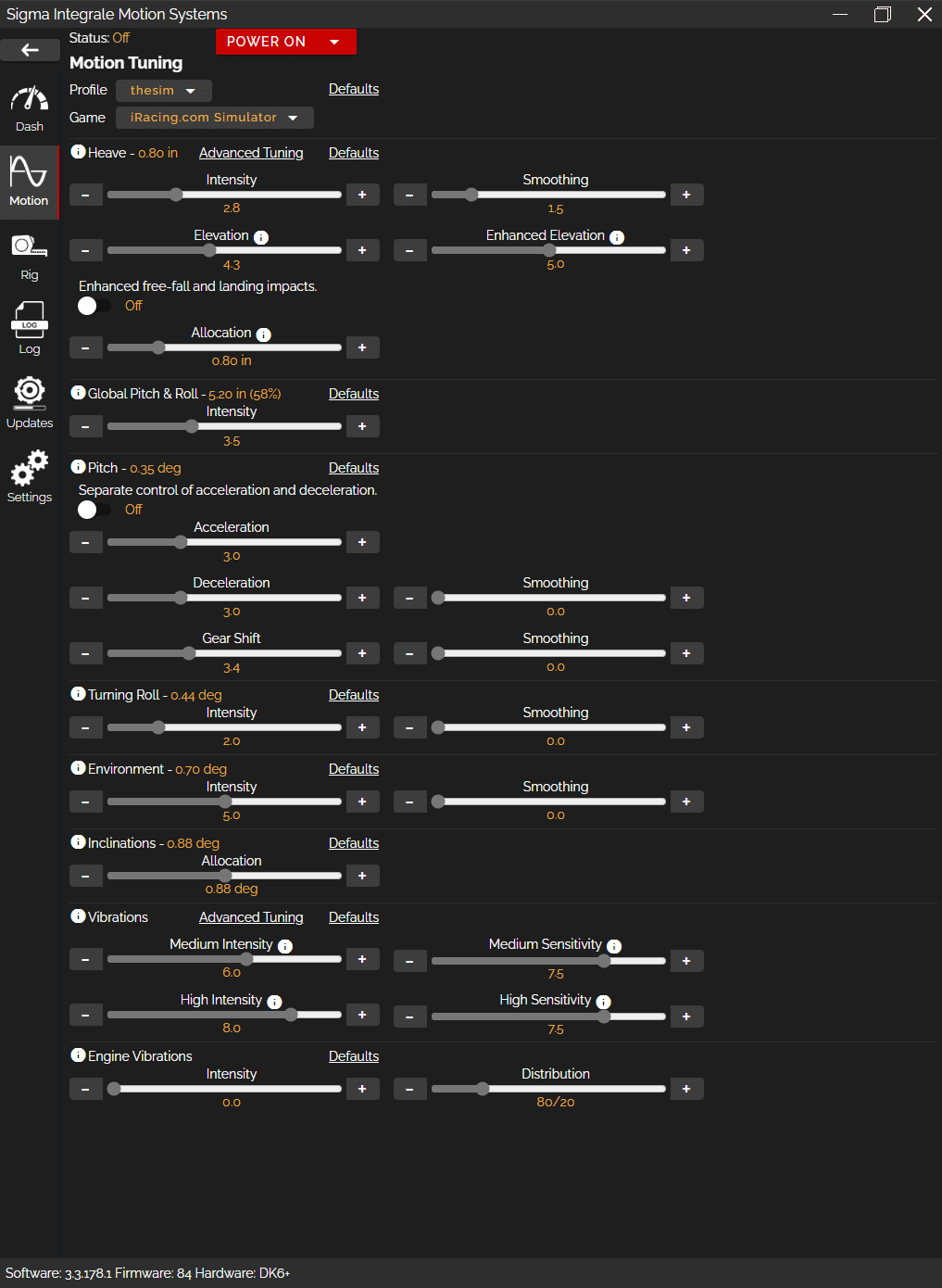
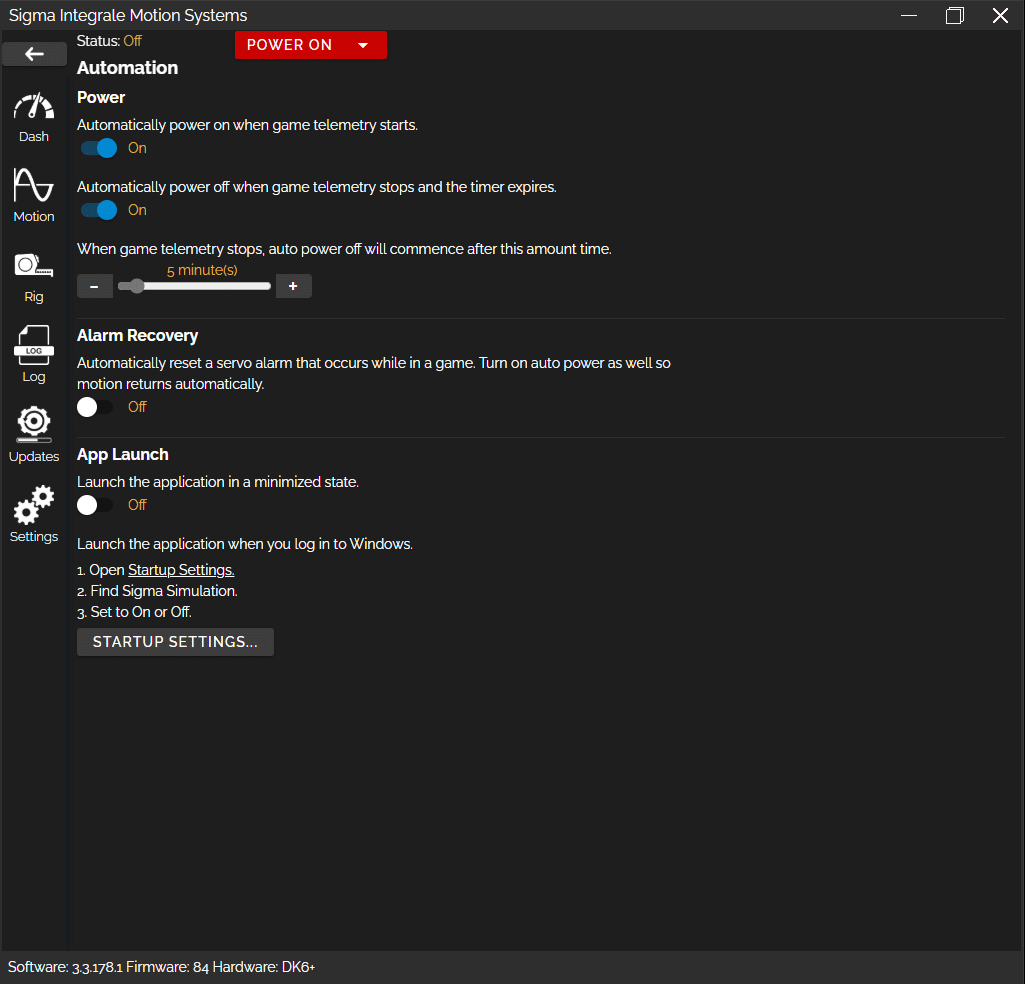
From there, most games won’t need any other settings to play. So I jumped on iRacing, and as soon as the car started, the actuators came to life by detecting the game telemetry. You can also decide to power ON and OFF via the software, or even auto power off when the game telemetry is not being received for X minutes, creating an automatic sleep mode.
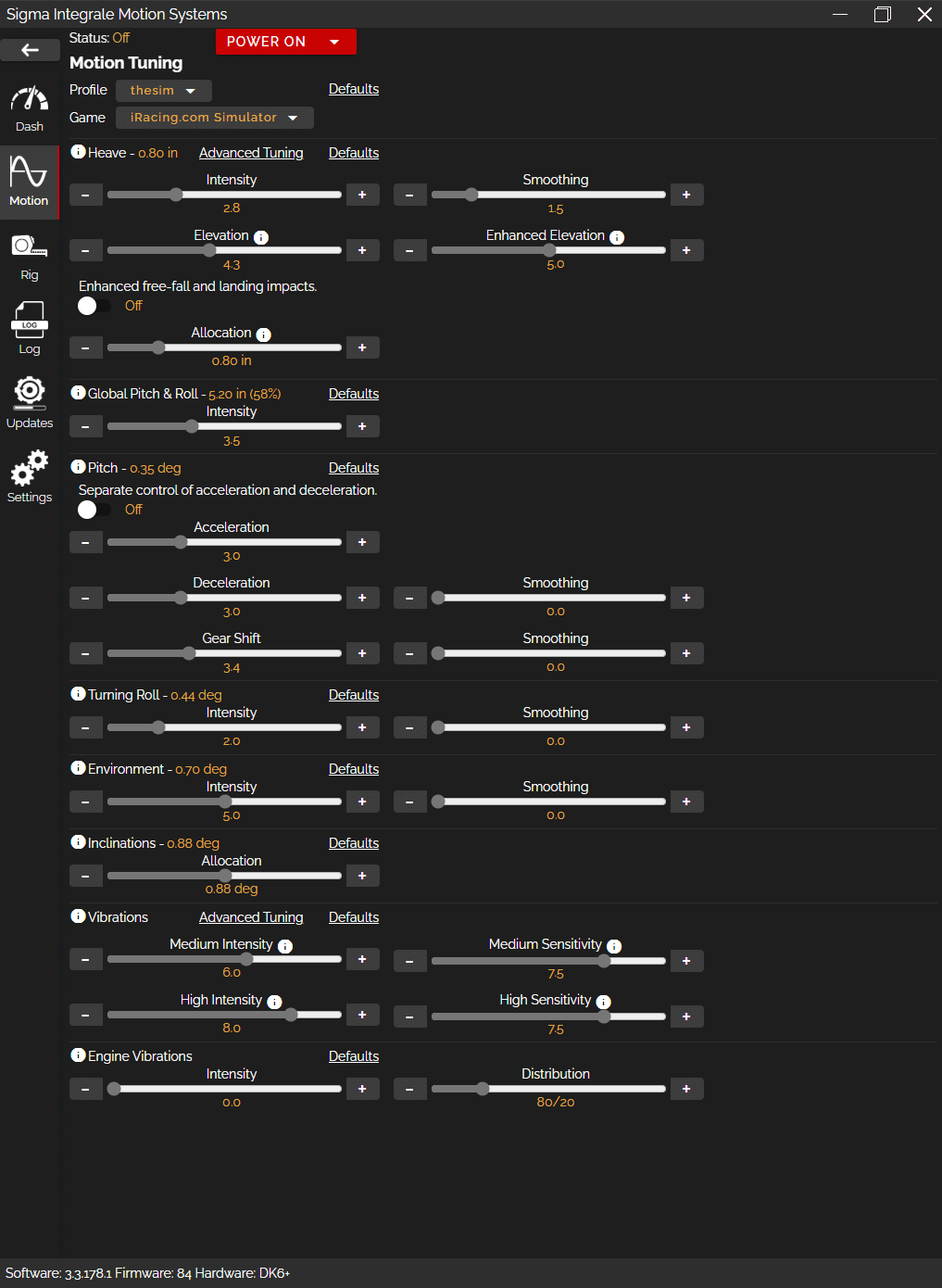
On to the motion settings. These can be modified either directly on the software, or on your phone via an IP address that you will input on your browser. So you can fine tune the settings while playing your software title, without having to switch back between game and Sigma software.
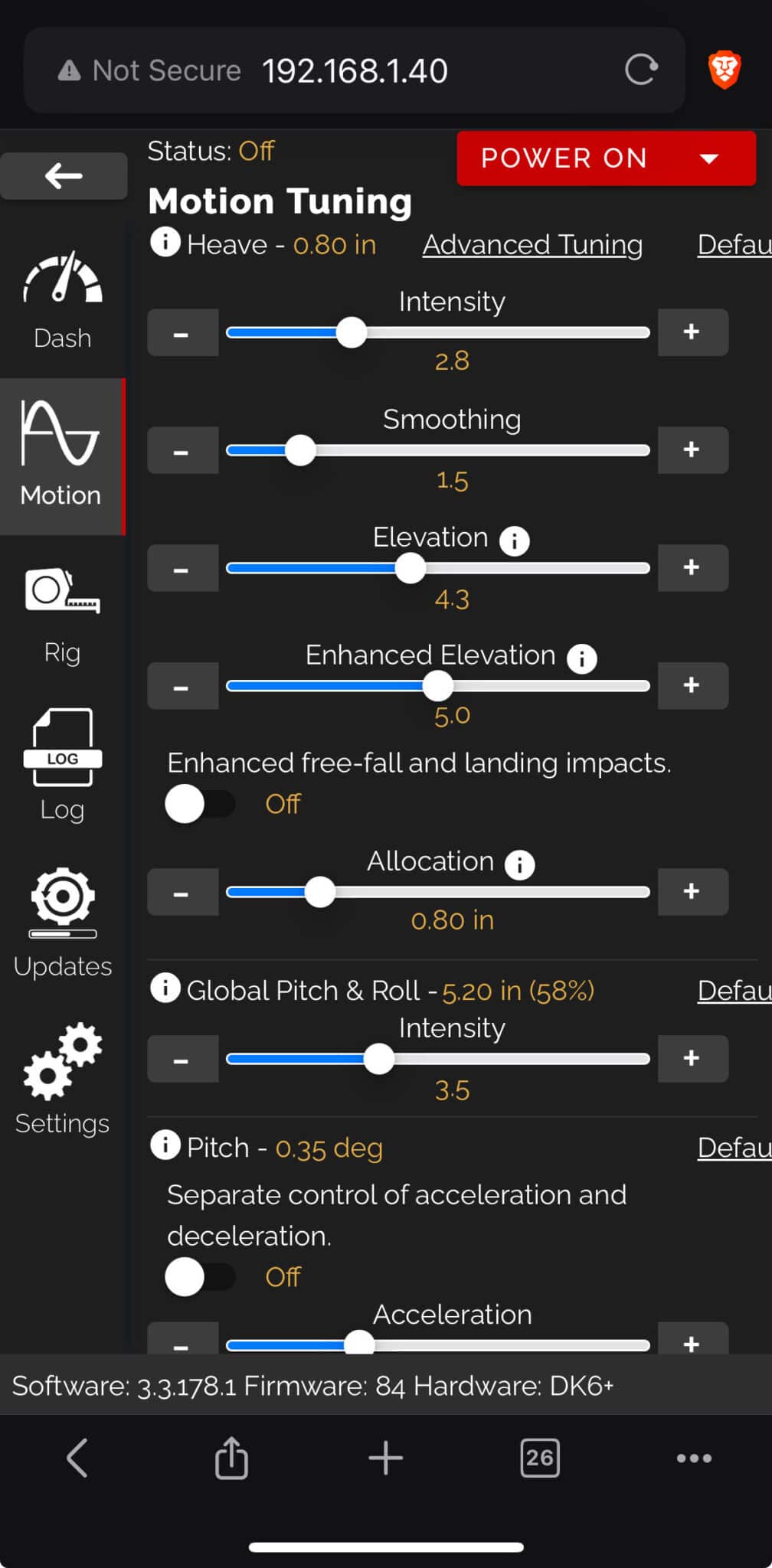
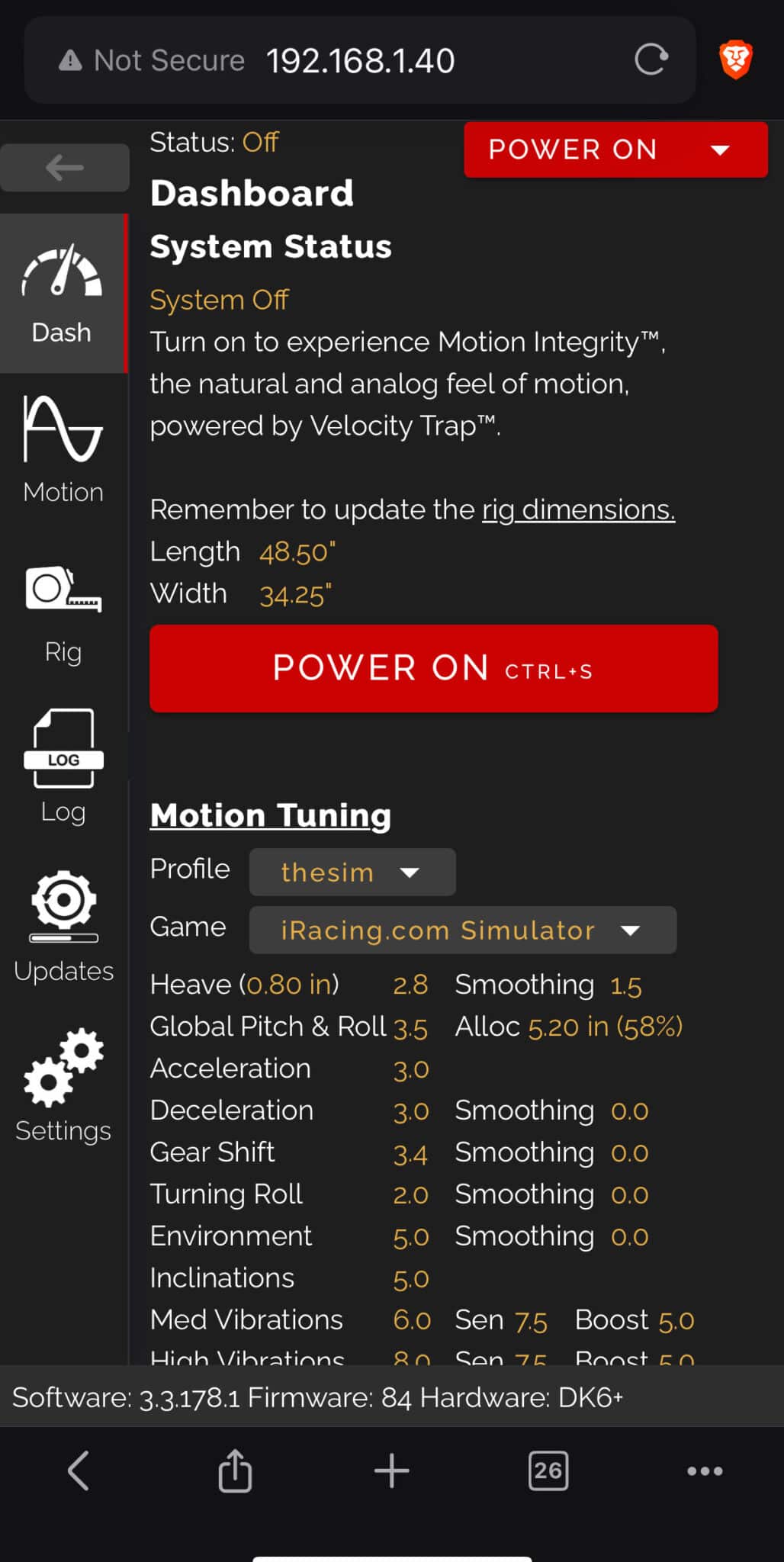
What’s missing? Maybe a few setups made by pro drivers for each game to make it even simpler…
[nextpage title=”Telemetry & Upgrades”]TELEMETRY BASED MOTION
Sigma choses to focus only on telemetry for their haptics and motion. This means no use of canned or artificial effects. This means that on laser scanned tracks, the motion will be as close to reality or the 3D scan/model as possible. But this also means that on tracks that feature geolocational triggered haptic effects will not be represented. Geo-located effects are areas of the track, that trigger a haptic or canned effect when a tire drives over it. This could be a dirt patch or grass patch in some games, or just the curbs on some race tracks. Iracing, inline with Sigma’s philosophy, recently restarted their curbs project recently to ensure that all their curbs, on all their tracks actually feature REAL 3D geometry and are accurate to the tack and not just geolocated boundaries.
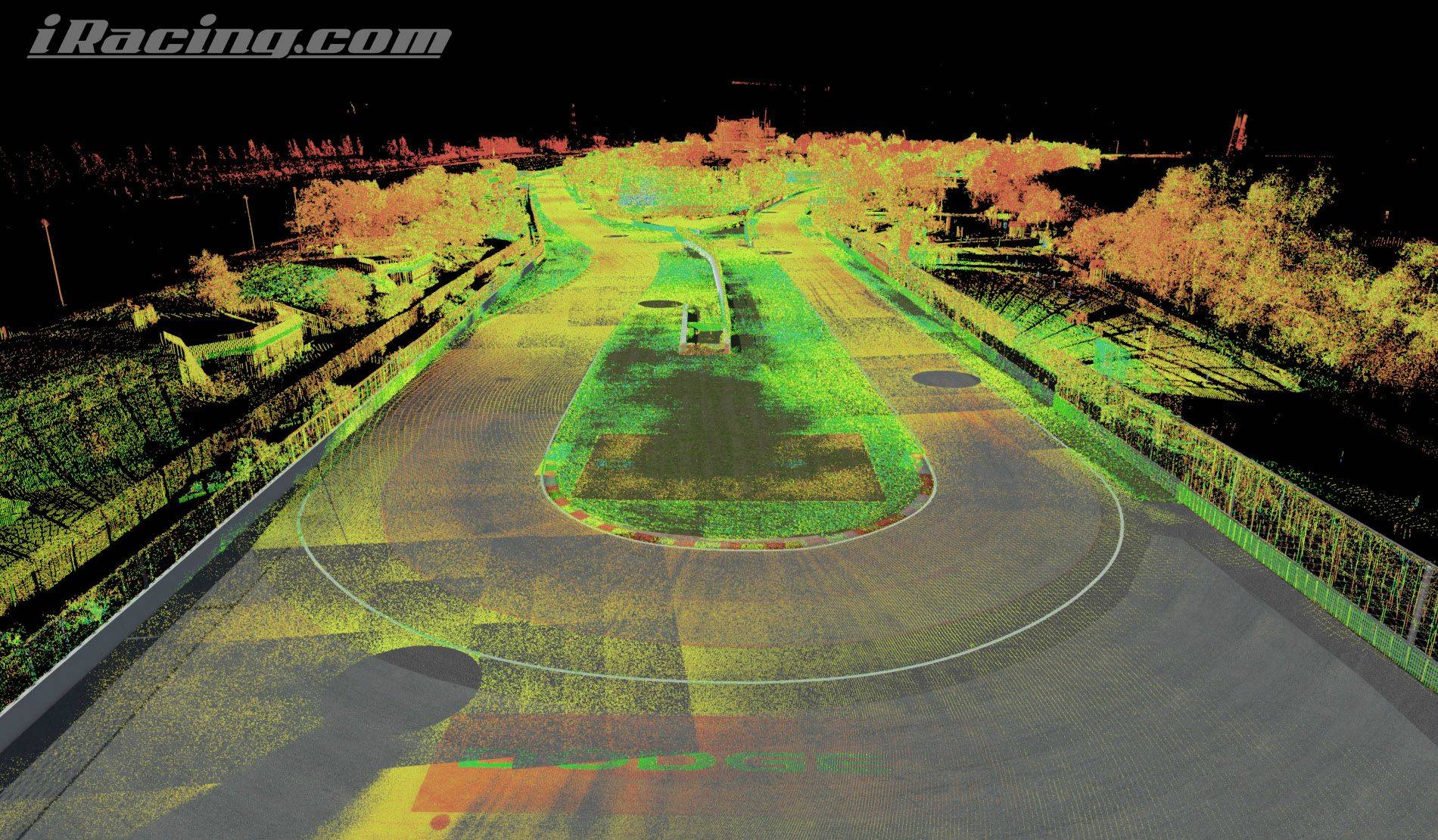
The drawback to this is that some tracks out there will have no “added fun” or haptics to the motion experience. Some other motion system competitors and wheelbase companies fill in those missing data telemetry gaps with pre-canned effects. The problem with this of course is something called a false positive. Where the canned effect is triggered due to a condition but it does not necessarily apply to the experience. So the geo-located rumble strip effect region, although more computationally efficient, is exactly the same in all weather conditions, all types of vehicles, tires, pressures etc… a trade off. What further adds noise to data is the fact that multiple devices using canned effects are now competing and activating at the same time to represent the effects. So an effect based motion system, wheel, pedals, seat belts are all playing their own “version” of the haptics. This can be distracting and overwhelming for some drivers or will require extensive tuning to have them all play nicely together.
This means that if you are looking to feel the real 3D laser scanned track to improve your driving and look for real tactile cues on the track, then Sigma is the system for you.
Sigma strives to apply what it calls “Motion Integrity”. In short, not all movements can be replicated with a 3 Degrees of Freedom (3-DOF), 4 actuator system. For example, no motion system can create lateral sustained G forces with a yaw, surge or sway movement because all simulators are at a constant lateral rest. So Sigma focuses on what they can actually replicate well, which is pitch, roll, heave, brake bite, shifting, road texture, engine vibration… Purity of the motion being the key here. There are no gimmicks or effects triggered to get that false positive sense of what motion. The mantra of Garbage in is Garbage Out applies here or tracks with no properly modeled curbs will feel flat. But properly modeled curbs that are laser scanned will feel nuanced and authentic with the millions of various vehicles, tire dimensions, tire pressure, weather conditions, and vehicle chassis combinations out there.
UPGRADE
Another cool feature and testament to how much Sigma trusts in their product is their Upgrade Anytime Program which allows you to trade in your DK system for any higher systems in their line up, now or anytime in the future. For example, you can upgrade your DK2 or DK2+ system now or a month from now, or ten years from date of purchase to any current or new products in the future.
This program started with many customers who initially purchased the DK2 or DK2+ and then were disappointed when the DK6+ came out a few short months later. Sigma put themselves in the customers shoes and created a program that not only upgrades your system but also resets your 1 year mechanical and 3 year electrical system warranties. You simply contact Sigma, they send you a custom invoice, and once settled, Sigma will send you your new system. A simple dropdown in the software allows you to select your new system.
SERVICE AND COMMUNITY
The best way to test how good the service will be, jump on Discord and start asking questions. You’ll directly be talking with the engineers behind the products and software. Remember when I said they had no marketing? Well they have no sales team either, if you reach out to them, you will likely be talking with Peter the CEO of Sigma, and although they have been growing steadily for the past 5 years, the company philosophy stayed the same which is reciprocity. Treat your customers as you want to be treated yourself, hence again the Upgrade Anytime Program and the pure focus on telemetry and product over anything else that does not give back to the client directly.
[nextpage title=”Lesson on Latency”]
A LESSON ON LATENCY
As for monitors, manufacturers will brag about their low 1ms latency numbers! For actuators it’s 8ms currently, but we have to be careful of what we are actually measuring and comparing.
For monitors, the 1ms, doesn’t reflect the signal coming out of the PC until the pixel changes color, it simply measures the time it takes for a Pixel to go from grey to grey (GtG), not caring at all about the responsiveness of the signal. Which are usually closer to 8ms for good gaming monitors, and vary if you are measuring the top of the screen or the bottom of the screen.
For motion systems it’s the same. We could say that servo motor response is 3ms : 2ms for some voltage conversion and 1ms to transform the signal to motion. We could even add the latency of the signal coming out of the ARM processor, adding another 0.102ms. And this is the value you would use to compare Sigma’s system to the other manufacturer’s marketing material. Making Sigma’s solution the fastest in the world!
But Sigma is made of engineers, not bullshiters, and that’s just one part of the process, and if you are a geek, you will love their complete explanation of the latency, step by step:
- PC side (Windows 10/11)
- Game physics engine @ 333 Hz: 3 ms
- Windows OS response: 1 ms average
- Sigma 10-layers algorithm: 1 ms
- Send target positions via Ethernet: 0.3 ms
- Controller side (Real-time OS in ARM)
- Response to new position targets: < 1 microseconds
- Motion Algorithm for smooth motion: Average: 25 ms, Range: 0 to 50 ms
- Send motion data to 1st micro-controller at 1000 Hz: 1 ms
- Controller side (2 low-latency micro-controllers)
- Send motion data from 1st micro-controller to 2nd: 0.1 ms
- Digital pulse generation: 0.002 ms
- Electrical connection from 2nd micro-controller to ClearPath motor
- 3V to 5V conversion: 2 ms
- ClearPath servo motor
- Digital pulse signal to actual motion: 1 ms
So the range of latency from game telemetry to actual motion, is between 9.403ms to 60.403 depending mostly on if you will push the algorithm to smoothen out the motion. But that value is never disclosed by other manufacturers. Furthermore, having the ARM processor do the heavy lifting instead of the software, as most motion systems do, will make the latency much lower than the competition that calculates motion in non-discrete operating systems, such as Windows.
Now, there are 4 ways that the gamer will experience the game : Image, Haptics, Sound, Wheel force feedback. All of them have inherent latencies due to processing. And the most important for motion is to get as close to the visual cues we get from the screen. Fortunately, depending on the monitors you are using, the latency from the game to the image being displayed is in the same range as Sigma’s motion latency. So even with a high speed camera you will have a hard time finding latency between the two.
If they had a marketing team, they would most likely call it “No Latency”, “Zero Latency” or “Negative Latency”. 😉
If you like these types of stuff, I highly recommend you check the “ABOUT” tab on their website that is full of engineering and research papers.
[nextpage title=”In Game Testing”]
IN GAME
This is probably the most important, and yet, it would have been hard to describe without the previous pages.
Even though the standard setting profile is only set to 50%, on road cars I had to turn almost all of them down to feel closer to the real thing and more comfortable.I am using about 30% of the available power and travel, leaving a lot of room for rally and other types of games.
First thing you notice is the road texture, and it’s spot on! Every little road sensation and vibration. Since the system focuses mainly on the quality of motion, you get the detail, the data, the grit from the simulated environment.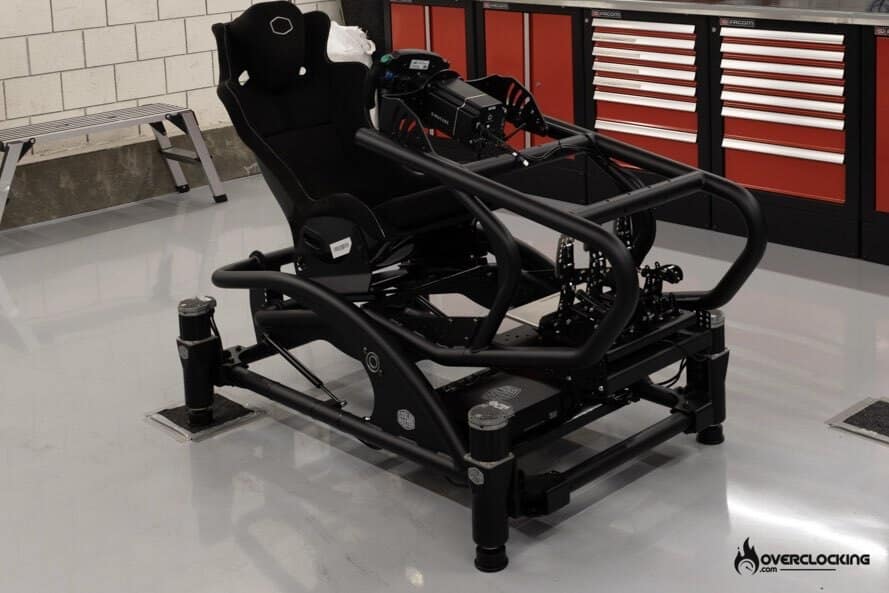 Feeling more from the car, I felt like it was easier to get more out of it and more consistent lap times, although my braking was not as precise because of the movement. The pitch under braking gives you a feel for the weight transfer. Putting a tire on the grass felt so real, it became fun to off track a little to make sure I was as wide as possible before entering a corner.
The missing part is the loss of grip, especially from the rear tires, which in a real car, gets transferred to your ass and gives you a lot of information on how close to the edge you are driving. It also helps to react faster and prevents spins. But unless you have a simulator sitting on long rails, this will be impossible to replicate realistically or without massive suspension of disbelief.
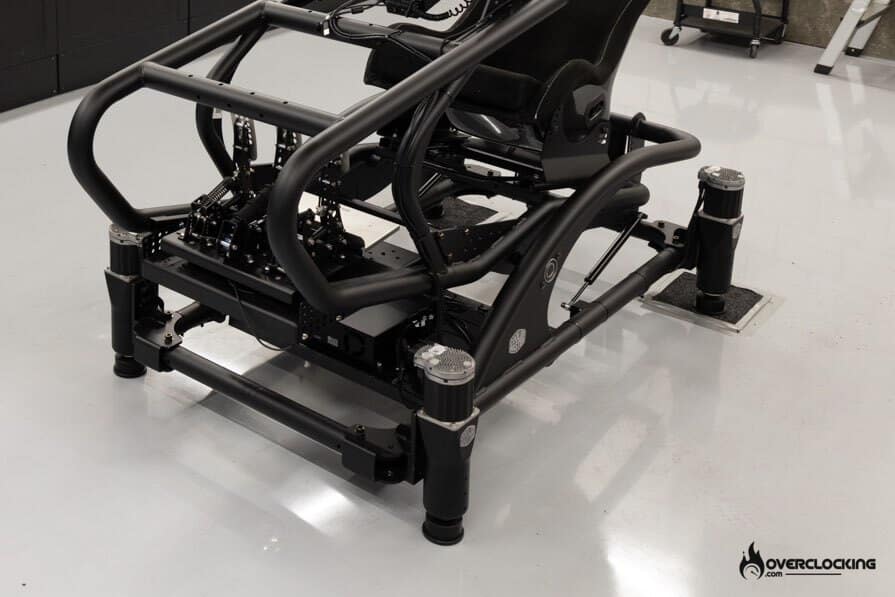
If you are going to drive on bumpy tracks like Sebring, you will feel the harsh surface textures and pain, as real drivers do. But with the comfort of knowing that you can always tune down the intensity settings if need be. A comfort, racers can’t change in real life.
Sadly you get used to good motion quickly and it’s very hard to go back to a static rig afterwards. Will you be faster with motion? Not necessarily. It could help a novice driver find limits faster but competitive sim racers won’t be using one, as they also won’t be using realistic force feedback in their steering wheels. But if the goal is to have fun or train like a pro before a track day, then the Sigma motion system is probably the best solution out there.
[nextpage title=”Conclusion”]
CONCLUSION
Am I biased? Well of course, I have a DK6+ on my rig. But would I change it for any other motion system? No, not even a Qubic 6DOF cockpit which looks and feels amazing, but is way too big and expensive for the additional degrees of freedom. Although, I do think that we need to find a good solution for yaw movement. I also think that a passive or an active seat belt tensioner would be a great addition to their catalogue. This being said, the dedication to the clients, the constant improvement on the software like the upcoming SimHub integration that will enable any older game to be compatible, are to be cherished. And in a world where we want to have you buy a new product every year, Sigma’s dedication to their hardware longevity must be applauded.
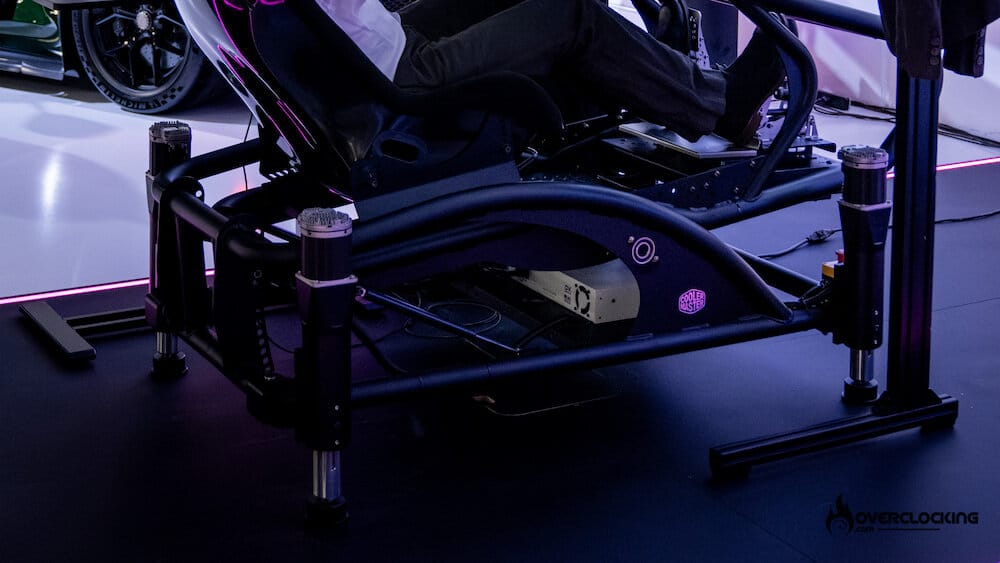
SIGMA INTEGRALE DK2+ & DK6+
We liked :
- Unmatched build quality
- Seamless integration, no need to fiddle around
- Precise and responsive
- Only using telemetry
- Exceptional customer service
- Upgradable anytime
- Better than more expensive systems
What we didn’t like :
- Doesn’t support old games yet (integration with SimHub coming soon)
- Could add premade profiles
- Expensive and addictive
 All in all, I will not try to convince anyone to buy a motion system, it is very expensive and unless you know the cost of racing real cars, will not make any sense to you. But if you are in the market for a motion system, I highly recommend Sigma’s DK6+ or DK2+ motion systems over any other system, including the D-Box Gen5. The DK2+ will cost you $7,340 with 4 actuators. And if you need the extra fun, the DK6+ will set you back $9,990, but keep in mind that you can simply upgrade instead of going for the big ones directly.
If you are looking for more content about the DK motion systems check out this video :